

In Summary
- DroidKit is an Android toolset capable of providing solutions to numerous Android problems. It offers eight main features, each of which carries out different functions.
- It’s capable of fixing technical issues, and you don’t need any technical skill to use it. However, some functions only work with Samsung phones. In fact, DroidKit is restricted to certain Android products.
- Furthermore, their money-back policy gives room for refunds. So, in a situation where the tool is not working as expected, you can ask for a refund.
The DroidKit review provides firsthand insight into the capabilities the Android phone solution toolkit boasts. Does its claims about unlocking Android phone screens hold true? Is it effective in recovering lost data on Android devices? You’ll find the answers to these questions in this review.

I have extensively tested the software by exploring its features to assess its effectiveness. Hence, I’ll take you through DroidKit’s features, interface design and ease of use, customer support system, and pricing information. This will provide you with an understanding of the software’s offerings before installing or purchasing the product. Keep reading.
Table of Contents
DroidKit Features
I found eight main features on DroidKit, each serving different purposes and solving different problems. Let’s look at them one by one:
Screen Unlocker
One of the major capabilities of DroidKit is removing all sorts of lock screens on Android devices. It’s very common these days to forget one’s phone password, pattern, or other means of locking Android phones.
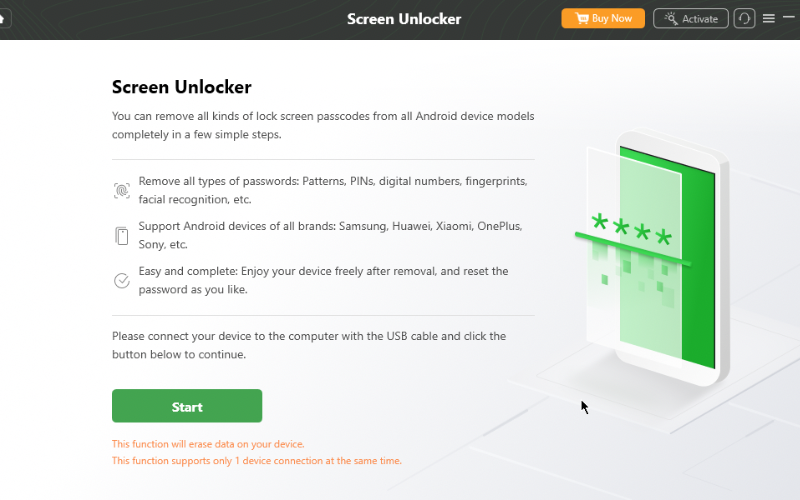
This is where the Screen Unlocker tool becomes relevant and useful. When I tested the tool, it presented straightforward steps and instructions to assist in unlocking an Android screen without any intricate procedures.
Although I anticipated the tool to unlock the passcode I had in place, it ended up erasing all my data. This feature essentially functions like a hard reset on an Android phone, but it did accomplish the task. Therefore, if you are familiar with performing a hard reset on your device, using this feature in DroidKit to unlock your phone might be unnecessary.
FRP Bypass
If you were to forget your phone’s password and are capable of hard resetting the device, you may not require DroidKit for this task. However, you will certainly need it to bypass the factory reset protection provided by Google. Especially if you’re using Android 6 upward, you’ll be required to sign in to your Google account to finally access your phone after the hard reset.
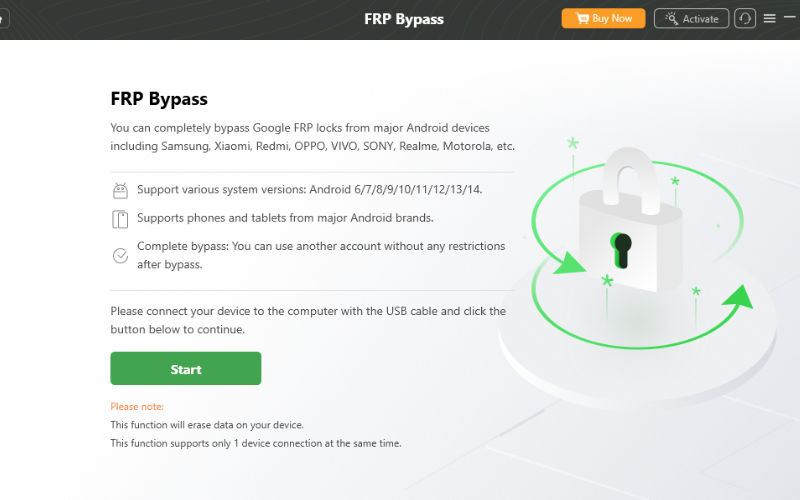
There are several professional tools you can use to bypass FRP locks on Android phones. However, the user-friendliness of the one in DroidKit makes it possible for any Android user to use it. While testing the tool, I discovered it’s capable of bypassing FRP locks on various Samsung devices, OPPO, Sony, Redmi, and other Android phones running on Android 6 to 14.
Data Recovery
The software claims to provide a solution when data on your Android phone is lost and needs to be recovered. In situations where your files cannot be located, DroidKit offers the means to recover them.
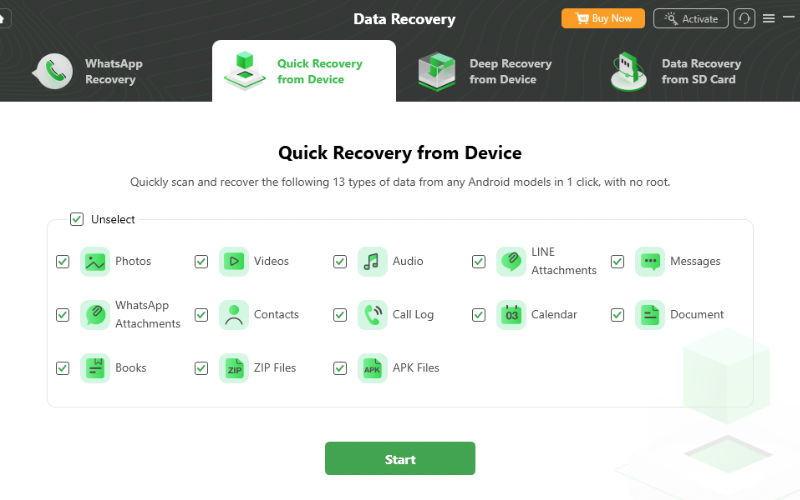
I found out that DroidKit offers different data recovery options. These include WhatsApp Recovery, Quick Recovery from Device, Deep Recovery from Device, and Data Recovery from SD Card. It also boasts to recover up to 13 data types including photo, video, audio, messages, and documents.
The tool seamlessly connected with my Android phone, requiring me to enable USB debugging and grant permission for the software to access my phone. I tested the Quick Recovery option for video and messages on my phone, and it successfully retrieved all the deleted video files and messages from my Android phone.
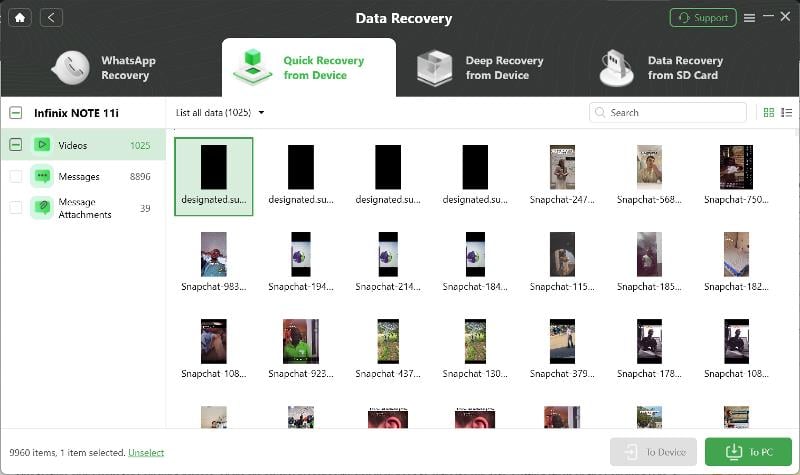
Furthermore, when the recovery process was completed, I could choose to restore the lost files directly to my Android device or my PC.
Data Extractor
There are various scenarios where you might require data extraction from your Android smartphone, such as being stuck on the Samsung logo, a damaged screen, or a locked screen, among others. Regardless of the situation, DroidKit’s Data Extractor effectively helps with the extraction of all data from your Samsung device – it’s important to note that this feature is exclusively compatible with Samsung devices.

However, before you use this feature, you must know your device’s PDA code. It’s the only requirement for the extraction. Apart from that, the process is simple and easy. I discovered I could extract different file types, including photos, videos, messages, WhatsApp attachments, ZIP files, APK files, call logs, and more.
Data Manager
DroidKit offers a data management tool that you can use to organize your files for easy access and transfer. Especially when you just got a new Android device, this tool makes it easy to transfer your files from your previous phone to the new device. Although DroidKit is an Android toolset, it also supports file transfer from an iPhone to an Android phone.

When I used DroidKit, I realized it allows you to carry out three kinds of data management tasks. These are device management with the Device Manager option, file transfer using Android Mover, and WhatsApp file management using WhatsApp Manager.
System Fix
Again, this feature is specifically for Samsung devices. In the case where you encounter any technical problem, you don’t need any technical skills to fix the problem. Especially if it’s a software-related problem.

Examples include when your apps keep crashing, getting stuck on the Samsung logo, camera failure, frozen screen, boot loop, and more. System Fix in DroidKit is designed to help you solve any technical issue with your device.
This feature makes DroidKit a complete toolset for Android devices. Given that many users encounter different technical challenges, I found this tool essential to solving these problems.
System Reinstall
There are situations where you may need to reinstall your Android version or upgrade it to a newer one. Usually, these are when you encounter serious system issues, and the only solution is to reinstall your Android operating system.
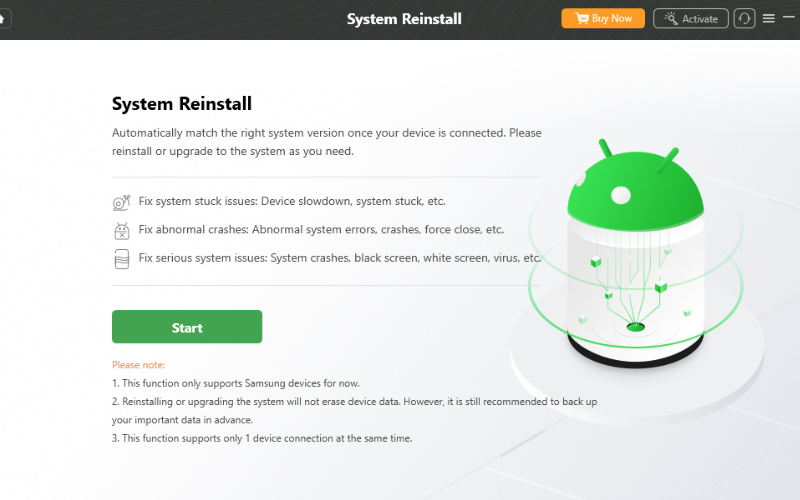
This System Reinstall tool in DroidKit is what you need to carry out the installation. However, you can only use it to fix Samsung devices for now. While using the tool, I discovered that the software automatically matches the right system version once the device is connected.
This is a similar approach that 3uTools uses for iPhones. Additionally, you can also use this tool to fix other system problems, including system stuck issues, system crashes, and other software-related system issues.
System Cleaner
Enhancing your device’s system performance by getting rid of junk files that may be slowing it down is key to enjoying any Android phone. While there are Android apps that can do this job, DroidKit also includes the System Cleaner tool that can do it effectively and efficiently. In addition to enabling you to delete junk files individually, you have the option to select all of them and delete them in one go.

DroidKit Interface
The interface design is simple and responsive. When you launch the software on your computer, you will see the eight main features; you can access everything from there. When you hover your mouse over Data Recovery, you can see the types of recovery pop out. Same for Data Extractor and Data Manager.
Furthermore, from the same home page, you can access the technical support service to report any issue. You can also manage your subscription service on the same page.
DroidKit Customer Support
You can seek help with DroidKit’s online customer service for any issues you run into with the software. The support service will guide you on how to cancel your subscription if you want to do so. Additionally, you can report refund issues and even contact their technical support team
In addition, there’s also a technical support button that you can use on the app to send feedback about any issue you encounter. In fact, you can add attachments to your feedback.
DroidKit Pricing
You can make individual payments for each feature in DroidKit. Screen Unlocker, FRP Bypass, Data Recovery, Data Extractor, and System Fix cost $39.99 each. Data Manager is $29.99. The cheapest are System Cleaner and System Reinstall. Each costs $19.99. You’ll pay $269 to get all the features for a year.
However, iMobie always offers a price slash, which can go as low as $59.99 per year for all the features. In addition, their subscriptions come with a 60-day money-back guarantee and one-year free updates. You can also choose to cancel your subscription anytime.
DroidKit Review Verdict
DroidKit is a good package of tools for Android that addresses many issues. The only setback I noticed is that most of the features are limited to a few certain Android smartphones. In some cases, some of the features only work perfectly for Samsung, and this is an aspect I think iMobie should improve on.
In addition, the pricing is a bit too high for some of the individual feature subscriptions. Although they offer good offers for the complete package, Beyond this, I think it’s a great piece of software. There’s a money-back guarantee, so you can try it out and get a refund if it doesn’t work with your device.

