

Quick Answer
Looking for easier ways to build a personal dashboard than Glance? Try Homarr for drag-and-drop editing, Dashy for system monitoring, Homepage for managing services, Flame for link storage, or Astroluma for tracking to-dos and apps—all without the YAML hassle Glance demands.
Glance lets you easily create a personal dashboard and stay updated with the latest information from different apps in one place.
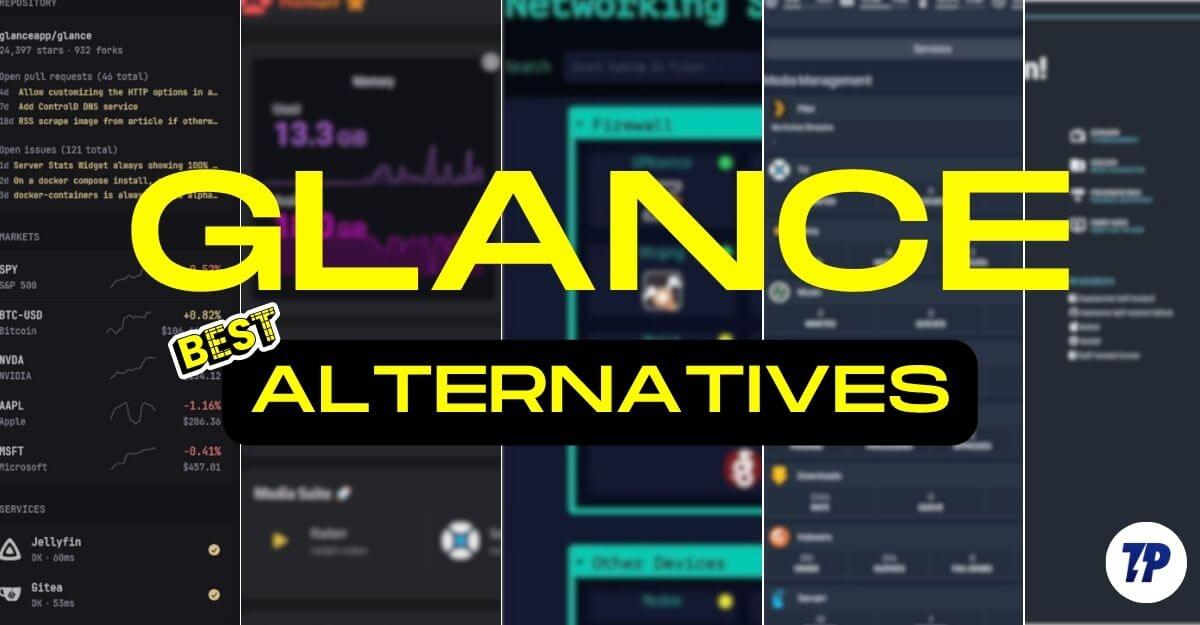
However, customizing the Glance is a frustrating experience. Glance is a YML-based app, and it doesn’t support drag-and-drop customization options. In addition to this, Glance also has fewer integrations compared to more modern alternatives like Homarr or Dashy.
The worst part is that even if you manage to edit, having a single syntax error. For example, a small spacing mistake or a missing piece in the YML code can completely break the widgets, and you have to manually go to each setup and rewrite them; although you can make it easy using AI, it is still a hassle for a beginner who wants to customize the experience.
We have recently published a detailed step-by-step guide on how to set up your dashboard using Glance. After publishing the post, many of you have asked if there is any alternative to the Glance that I can use. Fortunately, there are plenty of alternatives to build apps and dashboards quickly without any technical knowledge, and save time while using the app.
In the guide, you will learn about the five best alternatives to Glance and why you should consider them, and their limitations.
Table of Contents
5 Best Glance Alternatives
Homarr – Best Easy-to-Use Glance Alternative (Drag-and-Drop)

Homarr is a great option if you want a better alternative to Glance that is easy to use. It offers all the benefits that Glance offers and also comes with useful additional features that are limited in Glance.
First, both Glance and Homarr are operated and self-hosted on your device, and both offer advanced customization options and full widget support.
However, Homarr offers better features that are currently limited in the Glance. It is a great option for someone who is looking to set up a no-code option, instead of customization and configuring the YAML code, which is often a tedious task and often the most frustrating and error-prone method in Glance.
Unlike Glance, Homarr comes with native support for web UI, which means instead of dealing with the code configuration, you can add or remove, and customize your experience using simple drag and drop functions, and it is also less prone to errors.
Next, unlike Glance, Homarr comes with built-in app integration. You can connect apps directly using the GUI with live server integration. So, instead of static updates, data from these apps is updated in real-time in Homarr.
Next Hammer also supports built-in authentication and multi-user steps, which you can use in the login system, and also create a role-based authentication if your dashboard is being used by multiple people.
It also supports more themes and has more visual customization options, and supports 40 languages, which Glance is currently limited to English only.
Although Homarr has better widget and app support than Glance. It doesn’t let you define and control widget parameters at a low level. You have to use the built-in widget customization options to edit widgets.
Another limitation is you still need to set it up using Docker, which requires some technical knowledge once you set it up. However, once you have set it up, you can easily customize and use it.
| Feature | Glance | Homarr |
| Setup | YAML config only | Drag & drop UI (no YAML needed) |
| Customization | Manual layout via files | Visual layout, live editing |
| Widgets | RSS, weather, bookmarks | RSS, weather, Plex, Docker & more |
| App Integrations | No | Yes, built-in for 30+ services |
| Login System | No login | User login + guest mode support |
| Mobile Support | Basic | Better mobile layout |
| Performance | Super lightweight | Lightweight |
| Ideal For | Personal content dashboard | Anyone who wants an easy, modern setup |
Dashy – Best for Monitoring Tools and Self-Hosted Services
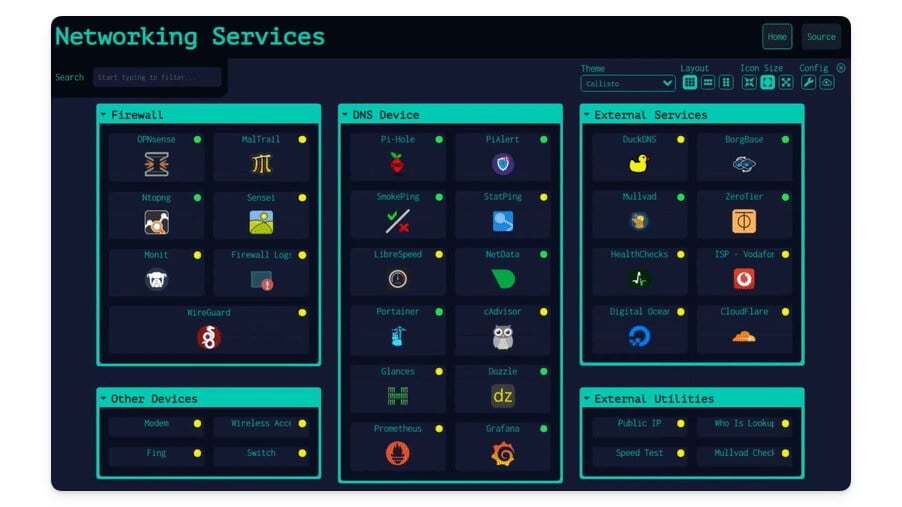
While the Glance is primarily built for displaying static content, if you also want support for app integration and system monitoring, you can use Dashy to show the status of tools along with widgets.
Dashy is not entirely built for staying updated with the content, but a combination of tools that are offered by Glance and system monitoring tools; however, because Dashy only supports a few content widgets, it can limit its usage for someone who only wants to set up a personal dashboard and wants a straight alternative to Glance.
Dashy currently supports RSS but does not support YouTube feeds, calendar, and to-do list; however, you can insert widgets using iframe and also supports weather and more.
Although Dashy might not be a replacement for Glance, if you also want to track your system tools in real-time, you can host both Dashy and Glance locally using Docker. However, compared to Glance, which only supports YAML-based customization, Dashy offers both UI and YAML-based editing, giving you both options if you want to replace it with limited widget support.
| Feature | Glance | Dashy |
| Setup Style | YAML only | YAML + optional UI editor |
| Widget Support | RSS, weather, YouTube, bookmarks | RSS, weather, system stats, VPN, more |
| App Integrations | No | Yes |
| Service Status Checks | No | Yes |
| Layout Options | Fixed grid | Grid, list, workspace views |
| Content Focus | Personal feed-style | Mix of content + control panel |
| Search Bar | No | Yes |
| Login / Auth | No | Optional password protection |
| Best For | Casual users, info widgets | Power users |
HomePage – Best for Managing Multiple Self-Hosted Services

The homepage is not a direct alternative to Glance, especially if you want to set it up as a personal dashboard.
Unlike Glance homepage doesn’t support personal widgets like RSS feeds, weather, YouTube, and to-do list and even a bookmark tool to catch up on news, weather and all the information in one place; however, it great option to use it as a monitor tool to manage all your servers in one place.
It is great for developers or even for service managers who want to manage their self-built services in one place. For instance, you can connect services such as Plex, Sonarr, AdGuard, and Portainer and get real-time data.
Homepage supports tile-based widgets with which you can organise them on your home screen, each app or service can get its own live status to view the live running status.
Since it is best for service-based, it supports more than 100+ native integrations with live data and also supports data from popular apps such as Plex, Sonarr, Radarr, Jellyfin, Overseerr, and more.
You can also customize each tile with different customization options, similar to Glance there is no drag and drop support for this homepage so since it is already made for technical users which easily customize it using the YAML file, you can change the section define groups, apps, icons, health checks, and appearance and more optional health check per tile using HTTP ping.
You can also install a homepage along with the Glance and track your services, and monitor all your services in one place. You can set it up and use it as a secondary dashboard, especially for your hub and service management.
| Feature | Glance | Homepage |
| Setup Style | YAML only | YAML only |
| Widgets (RSS, Weather) | Yes | No |
| App Integrations | No | Yes |
| Layout Style | Feed-style widgets | App launcher with sections |
| Search Bar | No | Yes |
| Docker Auto-Discovery | No | Yes |
| Use Case | Personal info dashboard | App launcher/Dashboard |
| Best For | Users who want content widgets | Users managing self-hosted apps |
Flame – Best for Storing Links and Launching Apps
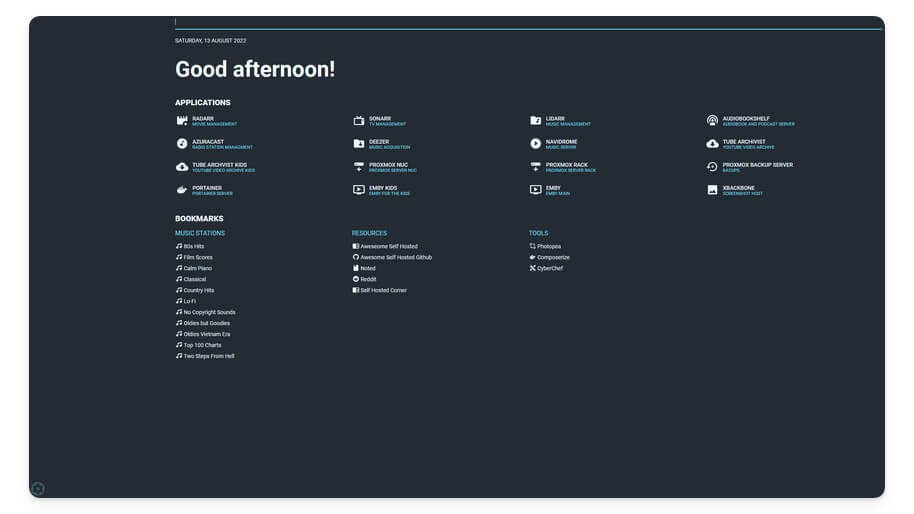
Flame is a simple, minimal personal dashboard to store all your self-hosted tools and favorite links and quickly access them whenever you need.
Similar to the Glance, Flame can also be hosted locally. I would not call Flame a complete replacement of Glance, but you can store your links, bookmarks, and other data and organise them in a single place.
Unlike Glance, it supports UI based editing without requiring you to edit YAML files, which are often time-consuming and prone to errors, and also take significantly more effort.
However, Flame has a lot of limitations if you want to use it as an alternative to Glance; it doesn’t come with support for content widgets as in Glance. It doesn’t support iframe, meaning that you cannot embed any content, doesn’t support calendar, weather, and YouTube to Reddit feeds, but it is a great option for someone who wants to quickly use it as a launcher to host self-hosted apps, and also links and bookmarks.
Since it offers UI-based customization options, you can easily edit and configure your apps and links on the go without requiring you to deal with advanced modification options. You can also connect all your links and self-hosted apps with dashboards.
| Feature | Glance | Flame |
| Setup Style | YAML (manual config) | Full Web UI |
| Widget Support | RSS, weather, bookmarks, quotes | Only weather |
| App Integrations | No | No |
| Content Focus | Feeds and widgets | App launcher only |
| Layout Editing | File-based | Drag-and-drop option |
| Auth / Login | No | Optional admin login |
| Mobile Support | Basic responsive | Fully Responsive |
| Theme Support | Basic | Multiple theme options |
| Best For | Viewing content (RSS, YouTube) | Simple app launcher, bookmarks dashboard |
Astroluma – Best for Managing Links, To-Dos, and Apps in One Place
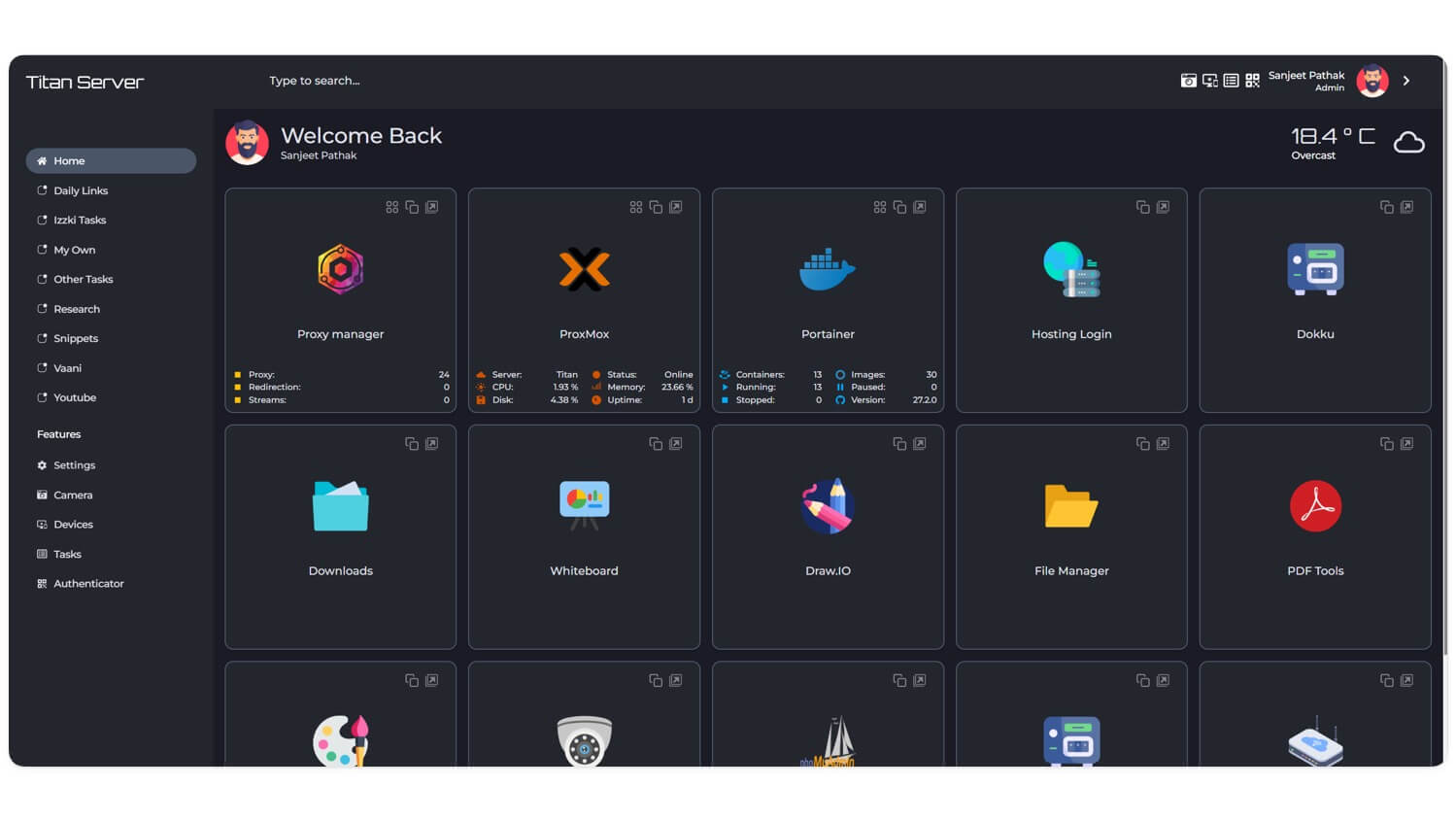
Finally, ending the list of Astroluma, another popular alternative to Flame and other app launchers in this list, to help you host, create a dashboard, and access all your self-hosted apps in one place.
However, unlike the Flame and Homepage, Astroluma also supports a to-do list to create and track all your to-do lists in one place, bookmarks to store and view all your links in one place, view detailed statistics of your self-hosted apps, and more.
But it is not a replacement for Glance if you are someone looking for a direct alternative to Glance, although you can store links to your YouTube and other links and organise them into a folder.
Astroluma doesn’t support RSS feed and other content widgets, which are mainly the primary use factor for Glance; however, you can only view your self-hosted app stores, track your to-do lists, and all.
You can self host Astroluma just like Glance locally in your device, plus the setup is also simple and not as complex as Glance, Astroluma supports both YAML and JSON combination which you can use to customize your experience, it also comes with built authentication to help to create an account and add extra security to view all your images.
| Feature | Glance | Astroluma |
| Focus | Content dashboard | App launcher for self-hosted tools |
| Setup | YAML-based | JSON/YAML |
| Content Widgets | Yes | No |
| App Launching | Basic via bookmarks | Core feature with rich metadata |
| Visual UI | Widget-style layout | Section-based with side bar navigation |
| Custom Styling | Basic themes | advanced option |
| Mobile Friendly | Yes | Yes |
| Best For | Users who want a personal homepage | Users who want a clean tool launcher |
Don’t Like Glance? Try These 5 Better Tools Instead
Those are the 5 best alternatives to Glance. If you primarily want a dashboard to stay updated with content across different apps, Glance is still a reliable alternative. You can also consider Homarr with widget limitations, but it offers useful features that are not found in Glance, and also offers easy drag-and-drop editing and customization options. Dashy, Homepage, Flame, and Astroluma are great options if you want to create a personal dashboard to store links and keep track of all your digital services.
Glance vs Other Alternatives: Detailed Comparison
Feature | Glance | Homarr | Dashy | Flame | Astroluma | Homepage |
|---|---|---|---|---|---|---|
Self-hosted | Yes | Yes | Yes | Yes | Yes | Yes |
Setup Style | YAML only | Drag-and-drop UI | YAML + optional UI | Full Web UI | YAML or JSON | YAML only |
Content Widgets | RSS, weather, YouTube, bookmarks | RSS, weather, Plex, Docker | RSS, weather, system stats | Weather only | No | No |
App Integrations | No | Yes (30+ apps) | Yes (Pi-hole, VPN, etc.) | No (static links) | Yes (App metadata) | Yes (100+ like Plex, Sonarr) |
Drag-and-drop UI | No | Yes | Partial (limited) | Yes | No | No |
Login/Auth | No | Yes (User & Guest) | Optional | Optional admin login | Yes (built-in) | No |
Mobile Friendly | Basic | Good | Okay | Polished | Very good | Good |
Theme/Styling | Basic light/dark | Multiple themes + rich visuals | Multiple layouts | Multiple themes | Tailwind-based theming | Tile-based |
To-do List Support | No | No | No | No | Yes | No |
Bookmark Support | Yes | Yes | Yes | Yes | Yes | No |
Calendar Support | Yes | No | No | No | No | No |
Search Bar | No | Yes | Yes | No | Yes | Yes |
Ideal Use Case | Content feed dashboard | Easy, modern dashboards | App + system monitoring | Bookmark + app launcher | Clean app launcher with to-do | Server/service dashboard |
Best For | Users who want RSS and feeds | Casual users, no-code setup | Power users, mixed dashboards | Minimal users needing quick access | Users wanting clean launcher + org | Devs managing multiple services |

