

Quick Answer
If you are looking for the best Apple CarPlay wireless adapters, Carlinkit 5.0 (2Air) has a fast connection, Android and iPhone support and a compact design. Carlinkit TBox Plus is an excellent option if you want full support with YouTube, Netflix, and built-in GPS. Ottocast U2-Air is also perfect for sharing with a dedicated button to switch between phones. Magic Link is best if you often live in harsh conditions and want an extended warranty. MMB Mini adapter is excellent if you want a compact, wireless CarPlay support for solo iPhone users.
Apple CarPlay has solved the biggest pain point of older car infotainment systems, which were mostly outdated, slow, hard to use, and didn’t support real-time features like voice assistant and dynamic navigation.
It is a game-changer and has been very successful since its introduction. However, Apple CarPlay initially only supported a wired connection, meaning you had to plug in the phone every time you got in the car.
This repetitive process is uncomfortable, especially for people looking for a seamless driving experience. Addressing this concern just after a year in 2015, with iOS 9, Apple introduced wireless CarPlay.
However, despite its seamless experience, even in 2025, Apple Wireless CarPlay is limited to higher variants, meaning most cars still run on wired Apple CarPlay, dealing with wires and manual connection every time they drive a car.
Fortunately, thanks to the Apple wireless CarPlay adapter, which directly plugs into your car USB port, the same port where you use it for the wired CarPlay, you can now convert your Apple CarPlay wired system into a wireless system without upgrading your car or even upgrading your car’s infotainment system.
These adapters are affordable and convenient, which instantly brings wireless CarPlay systems to supported wired Apple CarPlay devices.
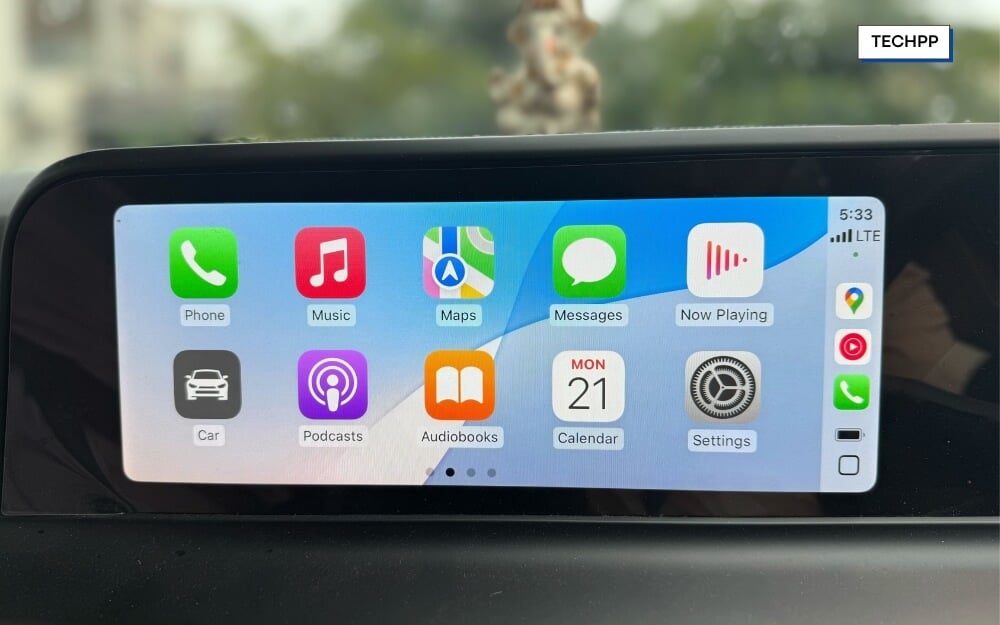
Plenty of options are available if you want to buy one, ranging from affordable to premium options with different features. I have been using the Carlinkit Tbox Plus for a while now, which I recommend as the overall best package if you want CarPlay along with the ability to run full Android inside your car (not sponsored).
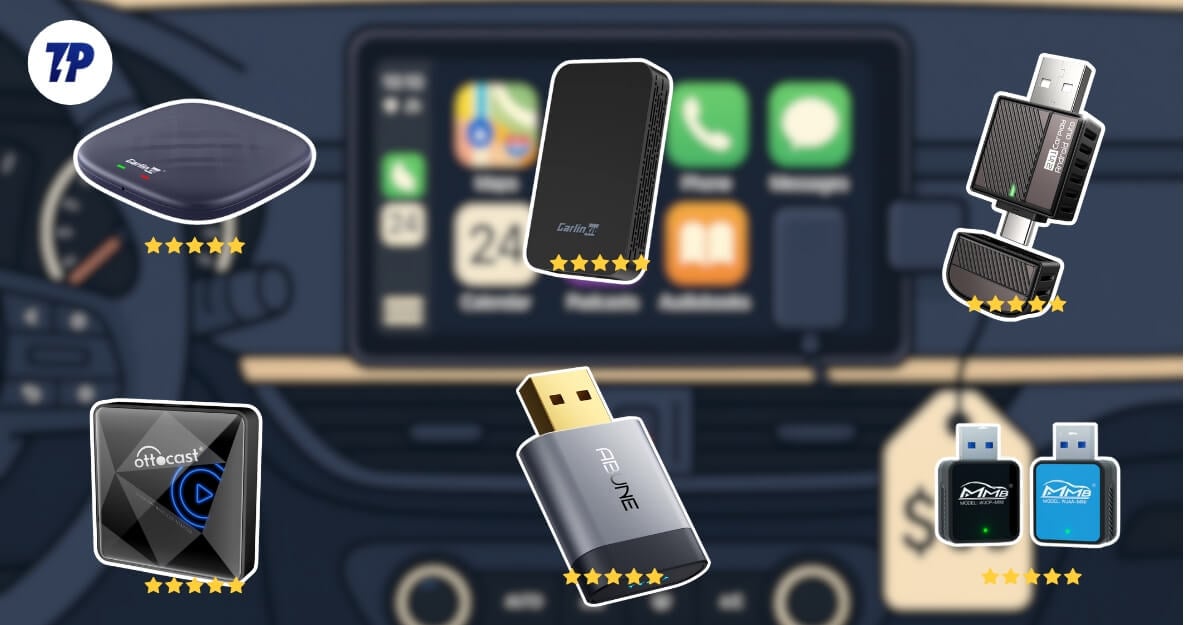
Also, there are plenty of other options designed for specific use cases. If you are looking for an Apple wireless CarPlay adapter, here are the eight best options that we love.
Table of Contents
Best Wireless car play adapters
Adapter | Price (USD) | Connection Time (average) | Compatibility | Multi-Phone Switching | Media Streaming |
|---|---|---|---|---|---|
Carlinkit 5.0 (2Air) | $58–69 / ₹3,499 | 15–20s | CarPlay & Android Auto | Manual | No |
Carlinkit Tbox Plus | $168–200 | 20–30s | CarPlay & Android Auto | Manual | Yes (YouTube, Netflix) |
Ottocast U2-Air Pro | $80–120 | 7–15s | CarPlay Only | Physical Button | No |
Magic Link | $89–99 | 10s | CarPlay & Android Auto | Manual | No |
MMB Mini CP Adapter | $24–44 / ₹1,800–2,500 | 5–10s | CarPlay Only | Manual | No |
Bytewave CarPlay Wireless Adapter | $24–36 | 11–13s | CarPlay & Android Auto | Manual | No |
Abune Mini Wireless CarPlay Adapter | $35–45 | 5s | CarPlay & Android Auto | Manual | No |
AutoSky 2-in-1 Nano Series | $46–94 / ₹3,500–4,500 | 10–15s | CarPlay & Android Auto | Manual | No |
Carlinkit 5.0 (2Air) – Best Overall
| Feature | Details |
| Price | $58–69; ₹3,499 (India) |
| Connection Type | USB-A + USB-C |
| WiFi & Bluetooth | 5.8GHz WiFi, Bluetooth 5.0 |
| Avg. Connection Time | 15–20 seconds on average |
| Dual Compatibility | CarPlay & Android Auto |
| Multi-Phone Pairing/Switching | Yes |
| Firmware & App Support | OTA updates, Web interface |
| Best for | Families, rideshare drivers |
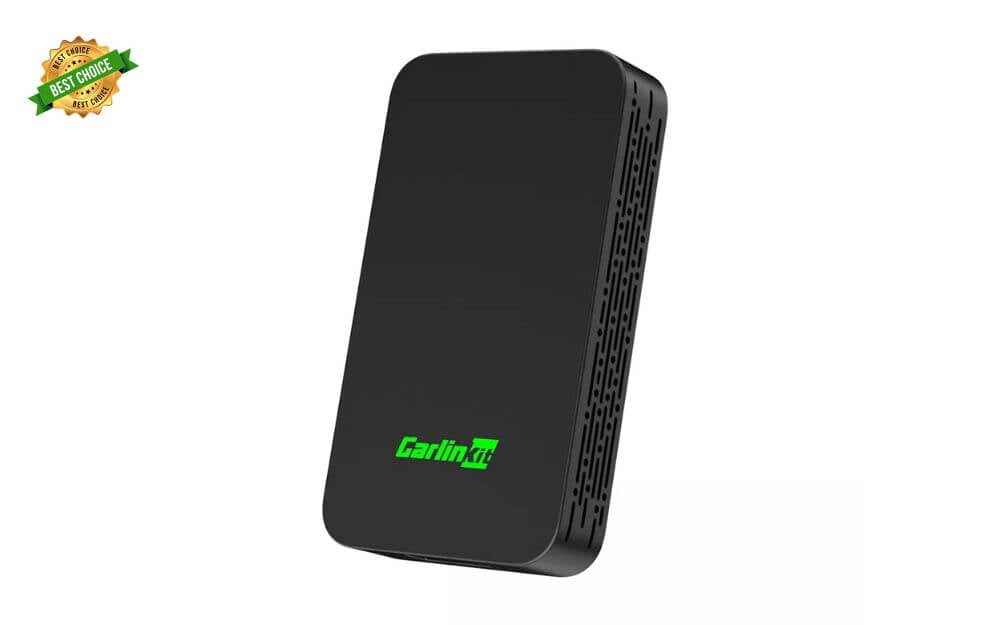
Carlinkit 5.0 (2Air) is the most popular and overall best option, compared to the others in this post. Whether you need an auto connection, stable, wireless performance, dual OS compatibility, or a simple setup.
It checks all the boxes to make it the most reliable and affordable option out of all other Apple wireless CarPlay adapters in this list.
First, it comes with dual OS support and is compatible with Android and iOS. Whether you have an iPhone or your spouse is using an Android smartphone.
You don’t need an extra adapter to switch your smartphones; it comes with both USB-A and USB-C support, compatible with old and modern cars with only Type-C support.
The performance is also reliable in our usage. We haven’t noticed any performance drops, and it supports Wi-Fi 5.8 and Bluetooth 5, which is not the latest. Still, it does get the job done with a stable connection even for longer journeys.
It also connects in under 20 seconds and reconnects quickly if you accidentally turn it off. It is also compact, which can easily fit into a car without changing or altering your car’s looks.
Also, it supports dual device connection, but if you want to switch between devices while it’s running, you need to manually disconnect your Bluetooth and switch between devices, which isn’t as convenient.
If you are specifically looking for this feature, I would suggest going for dedicated adapters which has dedicated Bluetooth switch buttons to let you switch between devices easily. Also, since it is only used for the CarPlay, it does not support the Android OS or media apps.
It does not support any streaming for power users. It also lets you adjust with different settings like latency, Wi-Fi channel, and firmware updates, with constant updates, and the setup is also simple and easy.
So overall, the Carlinkit 5.0 (2Air) is our favorite AirPlay adapter and also suitable for everyday use, whether you are a daily commuter or a driver, it has almost all the boxes to be an available option.
Buy this if:
- You use both an iPhone and an Android in your car
- You want a single adapter that works in any car
- You want reliable performance and customisation
- You use wireless CarPlay every day
- You don’t need media streaming or extra apps
Skip this if:
- You switch drivers/devices often and want an instant handoff
- You want in-car YouTube or Netflix streaming
Buy Carlinkit 5.0 (Amazon)
Buy Carlinkit 5.0 (Website)
Carlinkit Tbox Plus – Best for Entertainment
| Feature | Details |
| Price | $168–200 |
| Connection Type | USB-A / USB-C |
| WiFi & Bluetooth | Dual-band WiFi (up to 5.8GHz), Bluetooth |
| Avg. Connection Time | 20–30 seconds on average |
| Dual Compatibility | CarPlay and Android Auto |
| Multi-Phone Pairing/Switching | Yes |
| Firmware & App Support | OTA updates, open Android 13, install apps |
| Best for | For users who want a full car entertainment system |
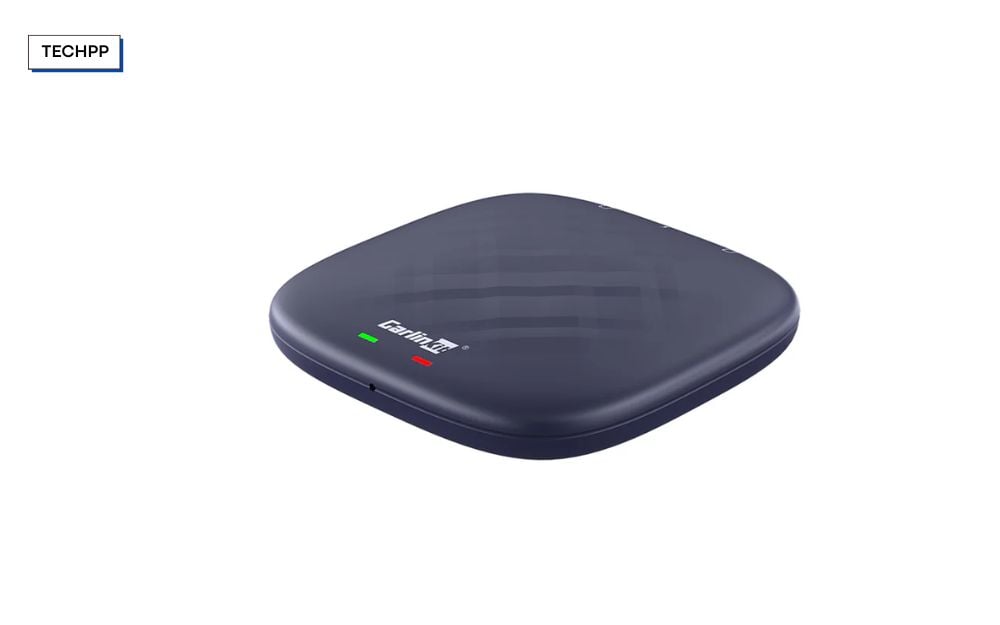
The Carlinkit Tbox Plus is a great option to set up a complete entertainment system in your car, along with Apple CarPlay and Android Auto support.
Carlinkit Tbox Plus runs on full Android 13 with Google Play support out of the box, meaning that you can install full-fledged Android operating system apps directly on your car without needing a smartphone. Since it also comes with a built-in 4G SIM support and GPS, it can work independently without using your smartphone as a companion device, thus saving your battery, and you don’t need to mirror your smartphone content to your smart screen either.
It also enables you to install extra apps; for instance, you can install third-party apps relying only on Google and Apple Maps.
Since it is a full-fledged Android, you can install entertainment apps like Netflix and YouTube to stream directly on your car screen and use them standalone to keep your kids entertained or stay entertained if you go on longer trips.
It is also better suited for multitasking; you can play music while running Google Maps and let other passengers stream while driving.
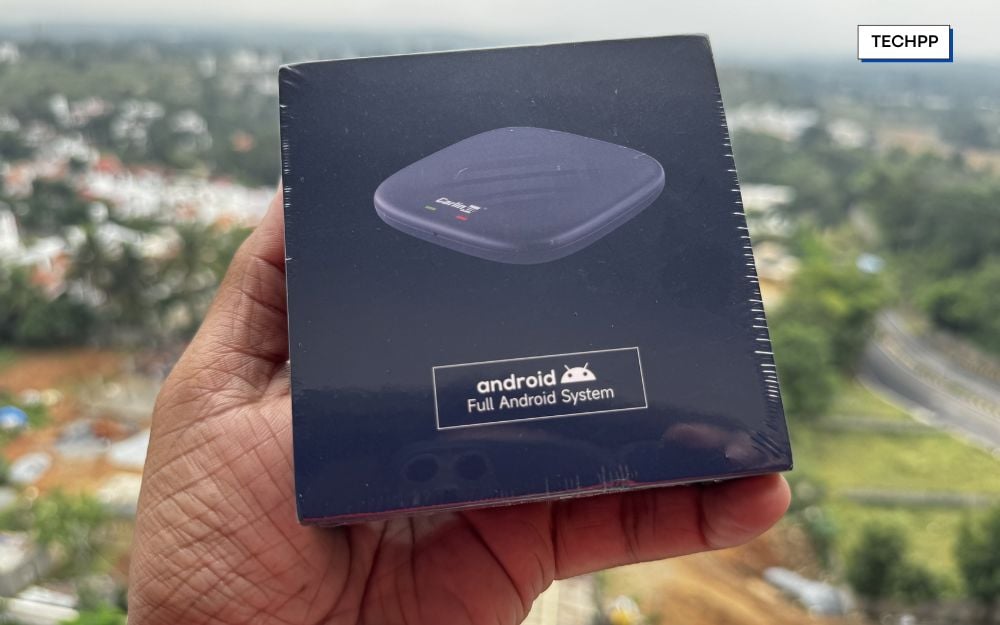
However, since it is a heavy software, setting up is a bit complex than the simple Apple CarPlay transition and Android Auto. It also supports Apple CarPlay if you use an iPhone. Since it completely runs on Android, the boot process takes significantly longer. Overall, if you are looking just for a basic wireless CarPlay setup, this is overkill, especially if you want a wireless Apple CarPlay and don’t want a complete entertainment system.
Buy this if:
- Want to watch YouTube, Netflix, or IPTV on your car screen
- Use both Android Auto and Apple CarPlay, but also want more
- Don’t want to use your phone as a companion device.
- You want to multitask between different apps.
Skip this if:
- Only want wireless CarPlay with a fast connection and zero lag
- Don’t care about streaming apps or Android features
- You want faster boot-up speeds
Buy Carlinkit Tbox Plus (Amazon)
Buy Carlinkit Tbox Plus (Website)
Ottocast U2-Air Pro – Best for Device Switching
| Feature | Details |
| Price | $80–120; ₹5,999–7,479 (India) |
| Connection Type | USB-A + USB-C adapters |
| WiFi & Bluetooth | 5GHz WiFi, Bluetooth 5.0 |
| Avg. Connection Time | 7–15 seconds on average |
| Dual Compatibility | CarPlay only |
| Multi-Phone Pairing/Switching | Yes, via physical button |
| Firmware & App Support | OTA updates, no app required |
| Best for | Couples and fast device switchers |
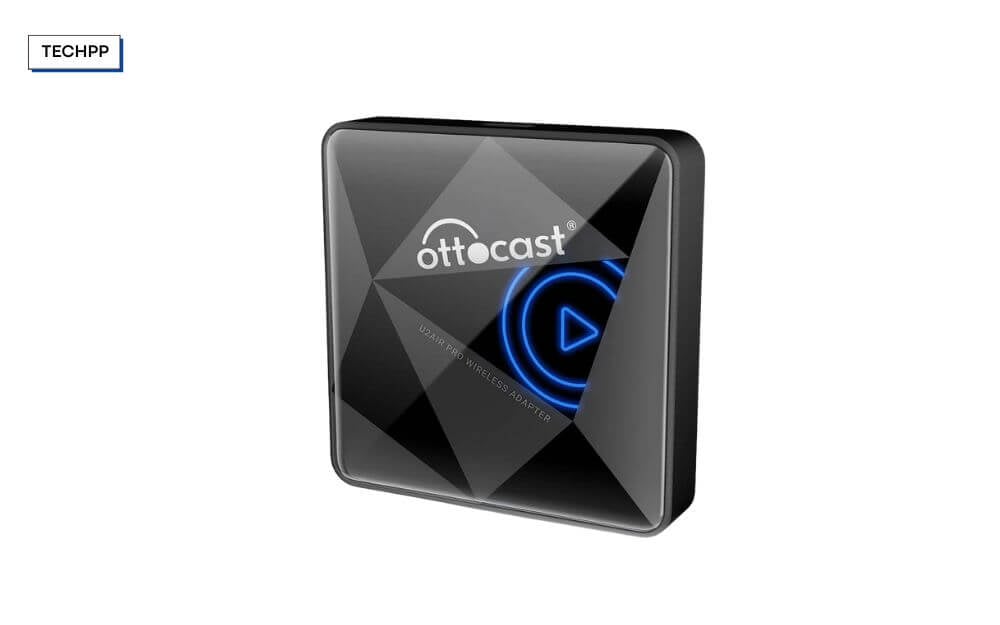
Ottocast U2-Air Pro is the best option if you often switch connections and share your car with your partner, friend, or family. Dedicated switching buttons are directly on the device without needing to switch between devices manually.
You can press a button, and the device will switch instantly. It adds great convenience, especially if you frequently share your car with others.
However, unlike the Carlinkit Tea Box Plus, the Ottocast U2-Air Pro only supports Apple wireless CarPlay. The device is incompatible with Android, and there is no option to connect your Android smartphone to this adapter.
It is also one of the fastest connection times among all adapters in this post. On average, it can connect to your adapter within 7 to 8 seconds, which is very instant, considering you want to set up your smartphone and directly connect it.
You can plug and play setup with no extra setup, and it is also compact, which makes it a great option for someone who doesn’t want to change the look of their car.
Since the adaptor only supports Apple CarPlay, if anyone in your family uses an Android smartphone, this will be incompatible with their devices. And also since it is a basic CarPlay support, it doesn’t support full streaming apps, and it is one of the few gadgets compatible with more cars launched between 2016 and 2022.
Buy if you want:
- wireless CarPlay experience without needing to plug your iPhone every time
- Fast connection to your car
- quickly switch between iPhones
- compact, minimal adapter
Skip if you want:
- If you want support for Android Auto
- If you want to install and stream YouTube and Netflix apps
Magic Link – Best Warranty
| Feature | Details |
| Price | $89–99 |
| Connection Type | USB-A + USB-C |
| WiFi & Bluetooth | 5GHz WiFi, Bluetooth 5.0 |
| Avg. Connection Time | 10 seconds average |
| Dual Compatibility | CarPlay & Android Auto |
| Multi-Phone Pairing/Switching | Yes |
| Firmware & App Support | Auto updates, minimal setup |
| Best for | Users with multiple vehicles |
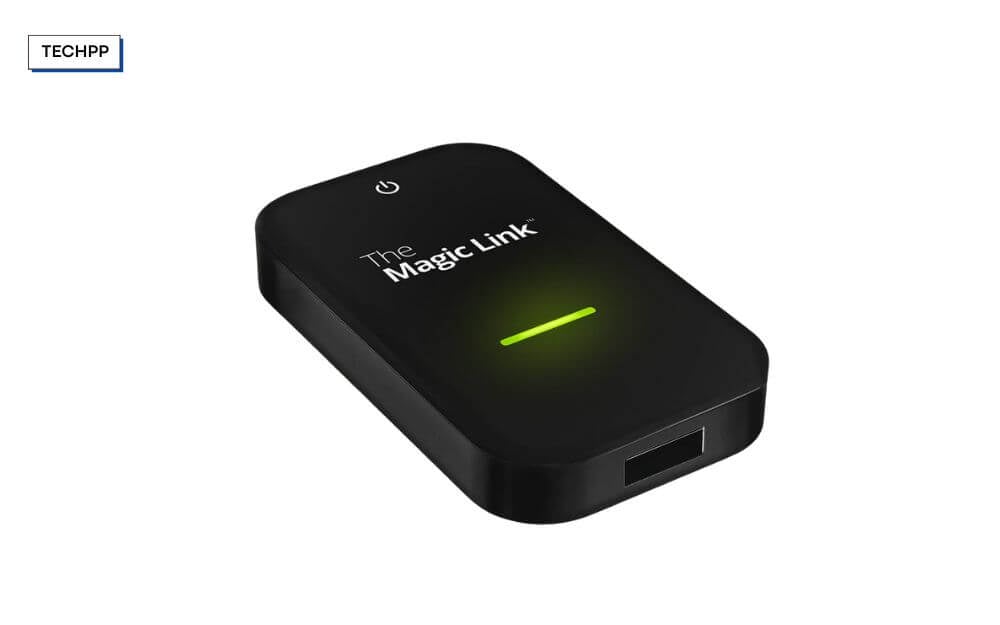
Magic Link is a great option if you are looking for a device with a better warranty. The website offers additional protection for up to 30 months to protect your device from any damage, including external damage such as drops, and covers liquid spills and software issues.
However, the extended warranty varies depending on your plan. For 18 months, you can get it for $15; for 24 months, an extra $10; for 24 months, an overall extended period of 30 months, you have to pay an extra $35 to cover it during the extra protection.
Since this car adapter is a third-party accessory, it can fail, lag, and also overheat and stop working after a few days, especially if you are using an old car with harsh conditions like heat buildup, power fluctuations, USB port differences, and more.
Buying an extra protection or extra device might cost you double the price of the current offerings. However, if you want a worry-free experience and an extended warranty period on your car, then Magic Link might be an option.
Speaking of the Magic Link wireless adapter. It is slightly larger than some compact adapters listed on this site, but it’s not too big and still compact for your car usage.
However, this might not be a better fit if you prefer a smaller version. It supports both Apple CarPlay and Android Auto, and the setup is minimal and easy to use. The startup and the boot process are also significantly faster than most of the wireless compact adapters on this list.
On average, it took around 10 to 20 seconds to connect to most users, making it one of the options for people who prefer a speedy connection. However, one downside of this product is multi-device switching. While it can switch between multiple devices, this is not as seamless. Sometimes you have to manually disconnect the current device and connect to the new device you are switching to. And also, since the device is built for simplicity, there are no advanced custom options if you are a power user.
Buy it if:
- If you want better warranty and support for your adapter.
- You use both Android and iPhone
- You want to support charging passthrough.
- You want a fast and reliable connection
Skip it if:
- You frequently switch drivers with different phones
- If you often change car adapters
MMB Mini CP Adapter – Most Compact
| Feature | Details |
| Price | $24–44; ₹1,800–2,500 (India) |
| Connection Type | USB-A + USB-C |
| WiFi & Bluetooth | 5.8GHz WiFi, Bluetooth 5.3 |
| Avg. Connection Time | 5 to 10 seconds average |
| Dual Compatibility | CarPlay only |
| Multi-Phone Pairing/Switching | Yes |
| Firmware & App Support | OTA updates, plug-and-play |
| Best for | Regular users and also for commercial drivers |
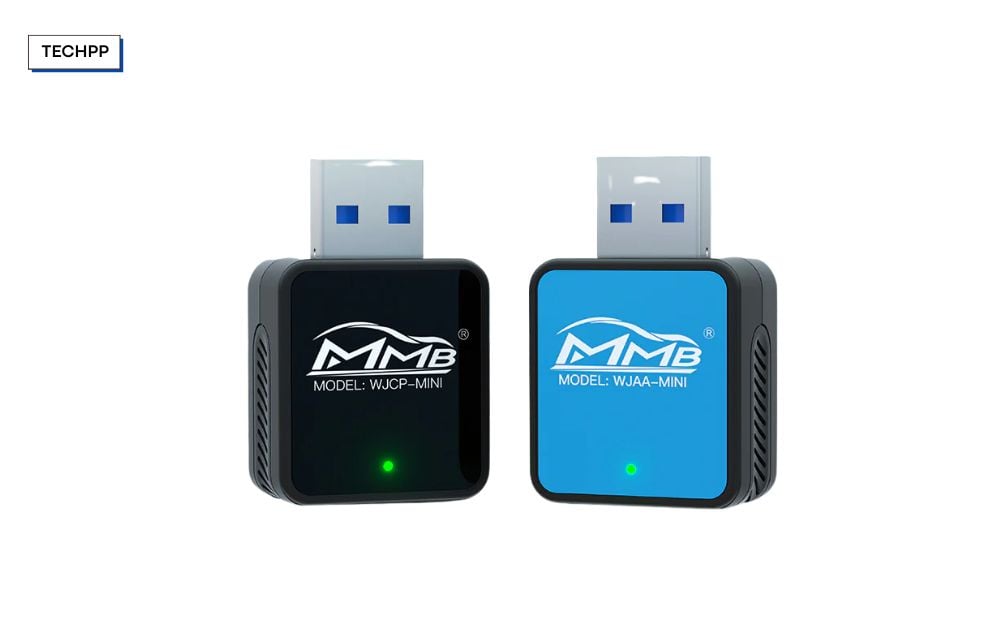
MMB Mini CP Adapter is the most compact Apple CarPlay wireless adapter on this list. If you want a nearly invisible setup.
It supports only Apple CarPlay. If you are looking for Android Auto support, this is not the option you have to choose. It comes with both USB-A and Type-C support using the included adapter in the box and supports both Wifi 5.8 and the latest Bluetooth 5.3, compared to the 5.0 support on most CarPlay adapters.
Bluetooth 5.3 has better connection capabilities, so you can expect better stability while using this device. The average connection time ranges between 7 to 13 seconds, which is the best and in line with other fastest CarPlay adapters.
It does come with a memory feature that stores your pairing info and automatically connects when you are near the car. It also supports OTA using browser configuration, and you can also configure options such as audio delay, Wi-Fi, select background, data, and more.
However, this isn’t a great option if you share your car with others. It doesn’t come with the multi-user memory or feature. If your partner or family coworker uses the same car with their iPhone, they have to manually switch Bluetooth or plug and unplug the device to connect to the device again.
And also, a few users have complained about the audio latencies in the service, which is something that you should keep out of. Apart from this, it is a more affordable option than the rest, and it also checks all the basics to make it a reliable option, except for multi-user availability. So if you are a solo user riding your car and want a compact option, this is a great pick.
Buy it if:
- You care about compactness more than anything
- You are an iPhone user and only want Apple CarPlay
- You want reliable wireless CarPlay without spending
- You are a light power user who enjoys tweaking
Skip it if:
- You often share your car with others
- You want Android Auto support
- You don’t have Type-A USB port in the car
Bytewave CarPlay Wireless Adapter – Best Value

| Feature | Details |
| Price | $24–36 |
| Connection Type | USB-A + USB-C |
| WiFi & Bluetooth | 5.8GHz WiFi, Bluetooth 5.3 |
| Average Connection Time | 11–13 seconds average |
| Dual Compatibility | CarPlay & Android Auto |
| Multi-Phone Pairing/Switching | Yes |
| Firmware & App Support | OTA updates |
| Best For | For people looking for an affordable option |
While the MMB Mini is compact, it doesn’t support Android Auto out of the box. However, if you like the compactness and also want Android support, then you should check out the Bytewave adapter.
It is one of the few available adapters at an affordable price under 3500 that supports both CarPlay and Android with a single unit. It also comes with the latest Wi-Fi and Bluetooth 5.3 support for faster and more reliable connections.
It also comes with a dual USB-A and USB-C connector built in. It is suitable for old and new cars and makes it easy to switch if you often switch between cars and juggle between the USB-A and USB-C ports.
If you are a power user, it comes with a browser-based configuration, and you can tweak a few changes like GPS pair update, but it doesn’t support advanced audio tweaks. Since it is extremely compact, you can easily carry it in your pocket. It is also compatible with more than 800 vehicle models, including aftermarket units, which makes it support wider availability.
However, if you regularly share your car, the Bytewave adapter doesn’t support true multi-user memory. It remembers one device at a time, but you must repair the other, which can be annoying, especially if you often share your car.
Buy it if:
- You use both iPhone & Android (or plan to switch)
- You want a fast setup with no cables or apps
- You switch between vehicles or travel often
- You don’t mind charging your phone separately
- You want reliable stability on a budget
Skip it if:
- You regularly share your car
- You want deep control or audio tweaks
- You want to charge your phone through the same port
Abune Mini Wireless CarPlay Adapter – Fastest Reconnect
| Feature | Details |
| Price | $35–$45 |
| Connection Type | USB-A (with USB-C adapter included) |
| WiFi & Bluetooth | 5.8GHz WiFi, Bluetooth 5.3 |
| Avg. Connection Time | 5 seconds average |
| Dual Compatibility | CarPlay & Android Auto |
| Multi-Phone Pairing/Switching | Yes |
| Firmware & App Support | OTA updates (browser-based config and firmware) |
| Best for | Commuters, solo drivers, travelers |
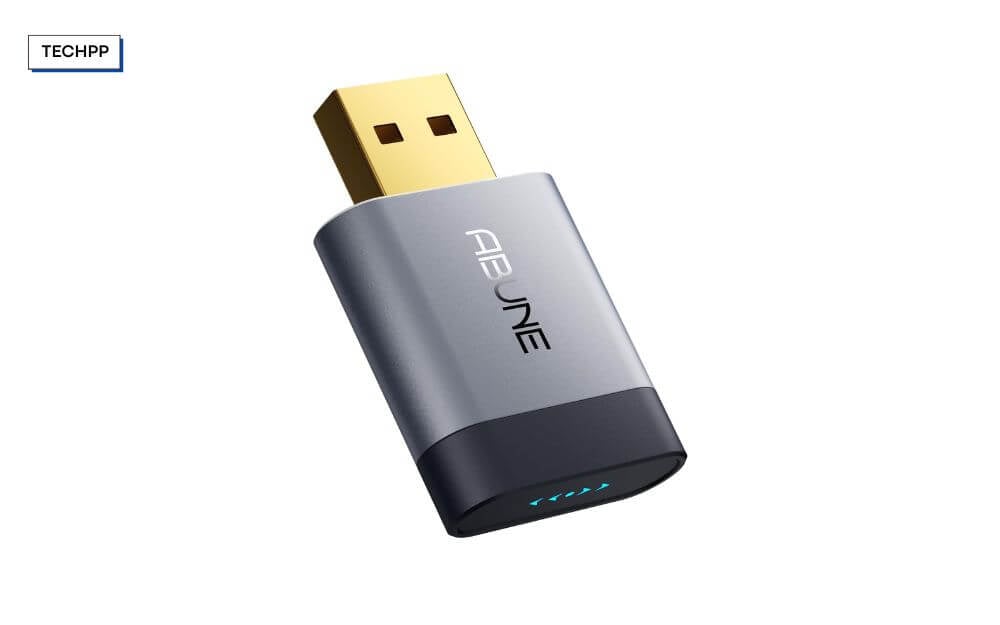
Abune Mini Wireless CarPlay is a great option for faster connection speeds. Unlike most of the Apple wireless CarPlay adapters, which average about 10 to 15 seconds, this wireless CarPlay adapter can connect within 5 seconds, which makes it extremely fast, especially if you are in a hurry or if you often have many destinations to stop and want to reconnect quickly.
The design is wider than many of the USB sticks. If your car has adjacent USB hubs and adjacent USB sticks, this may block the other USB ports, which you should note if you have support for limited ports.
And also as per design, it comes with a passive cooling vent and metal casing to help it prevent overheating, especially if you often travel more and park your cars in a hot climate. So unlike the plastic adapter, this metal can protect from heat and make it more durable in a hot climate.
Fortunately, it is also more affordable than most of the wireless CarPlay adapters, and it supports Android, iOS, and Apple CarPlay out of the box.
If you often switch devices or want to share your car with others, this is a no-brainer, and the setup is also simple. As I said, it is one of the fastest wireless-connected adapters in this list.
On average, it can connect to your car instantly and automatically in less than 10 seconds, adding extra convenience, especially if you often travel and have multiple stops. It also supports both USB Type-A and USB Type-C connections with built-in connectors, and it comes with extension cable support, which is great if you also often switch between cars.
But the downsides are that it doesn’t support multi-user memory. The adapter only remembers one person, and if you want to switch or share your car with another person who wants to connect with your Apple CarPlay, they have to manually re-pair.
And also, since it is compact, you cannot charge through this adapter if you have limited USB ports in your car. While there is no significant audio delay as reported by users, there is no option to customise it either. And also similar to most of the products, it is compatible with over 800 models, and it supports the latest Bluetooth and wireless Bluetooth 5.3 for faster connections.
Buy it if:
- You want a faster connection
- You want a truly portable adapter for switching cars often
- You need both CarPlay and Android Auto in one device
- You are looking for an affordable option
- You live in hot climate areas and park your car outside under direct sunlight
Skip it if:
- You switch between multiple drivers daily
- You need to charge your phone from the same port
- You have limited and adjacent USB ports
AutoSky 2-in-1 Nano Series – Dual Platform
| Feature | Details |
| Price | $46–94 (USA) | ₹3,500–4,500 (India) |
| Connection Type | USB-A + USB-C |
| WiFi & Bluetooth | 5GHz WiFi, Bluetooth 5.0 |
| Average Connection Time | 10 seconds average |
| Dual Compatibility | CarPlay + Android Auto |
| Multi-Phone Support | Yes |
| Firmware/App Support | OTA updates, no app required |
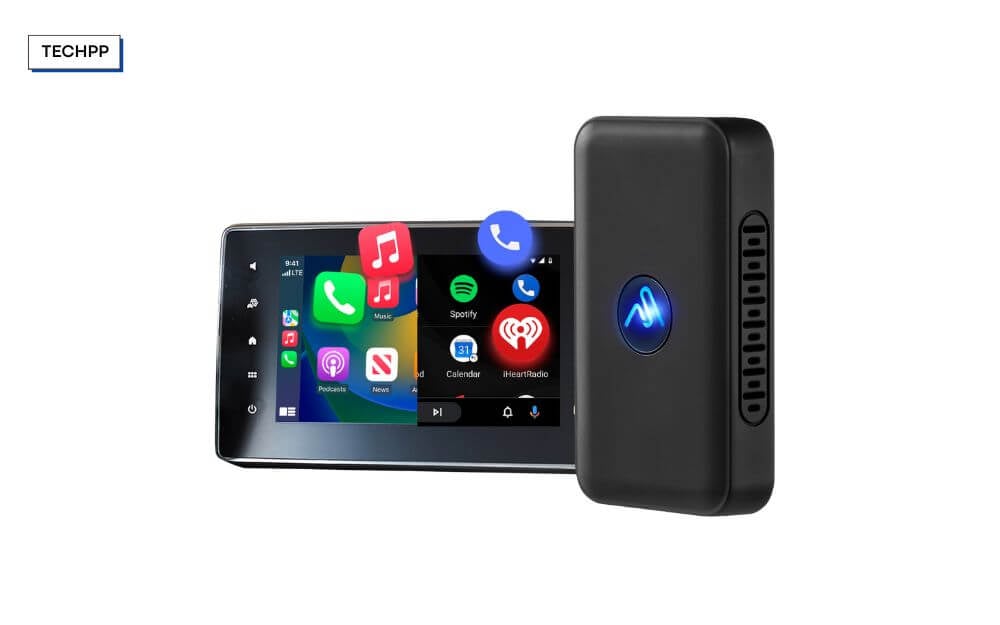
Finally, the list will end with the AutoSky 2-in-1 Series wireless adapter. It supports Android Auto and Apple wireless CarPlay out of the box, and is also easy to set up with simple and easy plug-and-play support.
It offers a quick connection within 10 to 15 seconds and operates steadily even for a longer journey. It supports both USB-A and USB-C, which is great for both old and new cars. Also, connectivity is available if you often switch between multiple cars.
It supports the latest Wi-Fi 5 and also the latest Bluetooth version 5.0. Since it supports both CarPlay and Android Auto out of the box, you don’t need to switch between devices, and it is also great, especially if your spouse or your office colleague uses a different smartphone OS.
However, one letdown of this product is that it only supports one device connection at a time. If you use multiple features and want seamless switching between multiple devices, this isn’t the ideal option since you have to manually switch the Bluetooth options. And also, since it is compact, if your car has limited USB ports, you cannot charge directly from the adapter.
Buy it if:
- You want both CarPlay and Android Auto support.
- You travel, rent cars, or switch vehicles often
- You want something simple that works out of the box
- You want faster connection speeds.
Skip it if:
- You want seamless switching between multiple drivers
- You want to charge your phone from the same USB port
Those are the eight best Apple Wireless CarPlay adapters you can buy right now. Using these adapters, you can convert your wired CarPlay adapter to wireless without spending too much. Depending on your use case, these adapters serve different purposes, from compact to seamless connection or if you want to set up a fully entertainment system and want support for Android Auto.
FAQs on the Best Wireless CarPlay Adapters
1. Do these adapters work with aftermarket infotainment systems like Sony, Pioneer, or Blaupunkt?
Most of the adapters should work fine with aftermarket infotainment systems like Sony, Pioneer, and more; however, some products might not be compatible with third-party and aftermarket systems. You can find the compatibility on a product-by-product basis.
2. Will my iPhone automatically switch to wireless CarPlay whenever I enter the car?
Once you have paired your iPhone to your Apple CarPlay wireless adapter, it will be automatically connected to the adapter wirelessly when you start your car, and you have to ensure that your Bluetooth and Wi-Fi are turned on in your iPhone.
3. Can I still use a wired connection if I don’t want to use the adapter temporarily?
To use a wired connection, first, you need to unplug the adapter from the USB port and connect the USB port to the same port that you have used for the wireless adapter.
4. Is there any risk to my car’s infotainment system from using third-party adapters?
No, in general, there is no risk associated with any car info system using a third-party adapter as long as they are genuine and bought from a reputable brand.
5. Do these adapters affect my phone’s battery life more than using wired CarPlay?
Yes, wireless CarPlay or Android Auto consumes more battery than a wired connection since your smartphone is constantly connected to your device through the adapter and transmitting data, Wi-Fi, and Bluetooth. However, if you have wireless charging, you can alternatively charge your device simultaneously by using your wireless CarPlay.

