

Quick Answer
Google Translate now has a free Practice Mode powered by Gemini AI that helps you learn languages with listening and speaking exercises, vocabulary drills, and custom scenarios. Available in beta on Android and iOS, it currently supports English, Spanish, French, and Portuguese in India, the U.S., and Mexico.
Learning a new language is not as difficult today as it was, say, five to 10 years ago. There are dedicated language learning apps for almost every language, for both Android and iOS. Of course, some apps ask you to keep on learning by paying a subscription; there are a few free apps as well. You can also use Google Translate to quickly translate any word from a different language by simply pointing the camera towards that sentence or word. However, Google is now also making the Translate app a place for learning new languages.

Recently, Google updated the Google Translate app and introduced AI-powered live translation along with language learning tools. The new Google Translate Practice Mode makes it possible for users to learn a new language, straight from Google, using Gemini AI. With this feature, you can actually learn a language without any subscription and for free. Interested? Let’s see how you can use the new Google Translate Practice Mode feature.
What is Google Translate Practice Mode?
The Google Translate Practice Mode is a language learning feature that makes use of Gemini AI to create a customized listening and speaking experience. Using this, people can practice conversation and build language skills based on their goals. So for instance, if you are traveling to or have shifted to a Spanish-speaking area, then you can learning how you greet people or how you ask for help using this new Google Translate feature. You also get vocabulary drills to check your progress in learning that app.
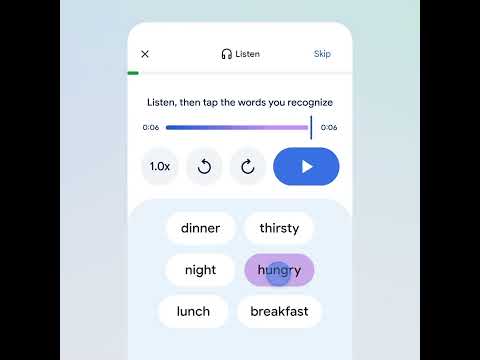
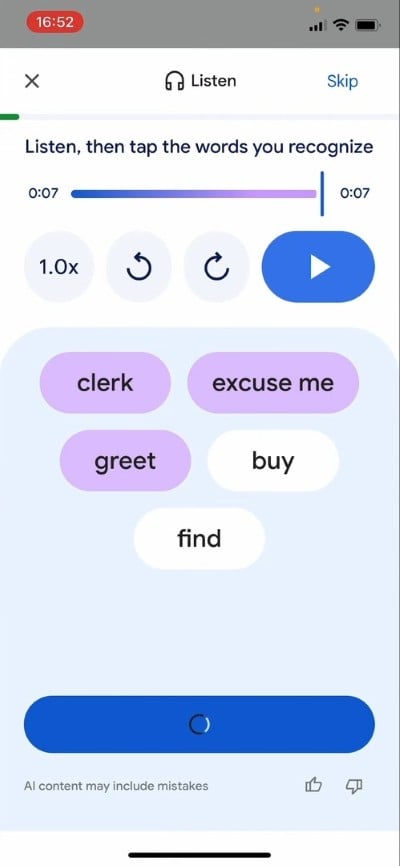
There are two ways to use the app. The listening mode that plays a dialogue, and you have to tap the words that you recognize, or you can practice speaking the language with helpful hints, which can be tracked daily to know how much you have learned. Notably, the Google Translate Practice Mode feature is currently in beta and is available for both Android and iOS devices. However, the feature is available for English speakers learning Spanish and French, and for Spanish, French, and Portuguese speakers who want to learn English. While there is no information on when new languages will be added, the feature is available in India, the U.S. and Mexico.
The best thing is that you can learn at your will and at times you are comfortable. You don’t have to deal with ads or go through those persistent notifications to purchase the premium version of the app.
How to use Google Translate Practice Mode?
- Make sure that you have the latest version of the Google Translate app installed on your Android or iOS device. Some users have suggested force-closing the app, even after updating, as a simple update didn’t show them the new feature.
- Launch the app.
- Tap the new Practice button.
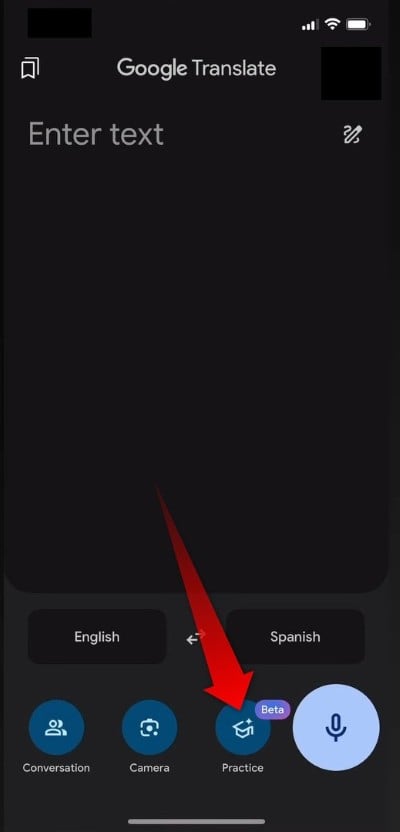
- Choose Get Started to agree to use the Beta version of the new feature.
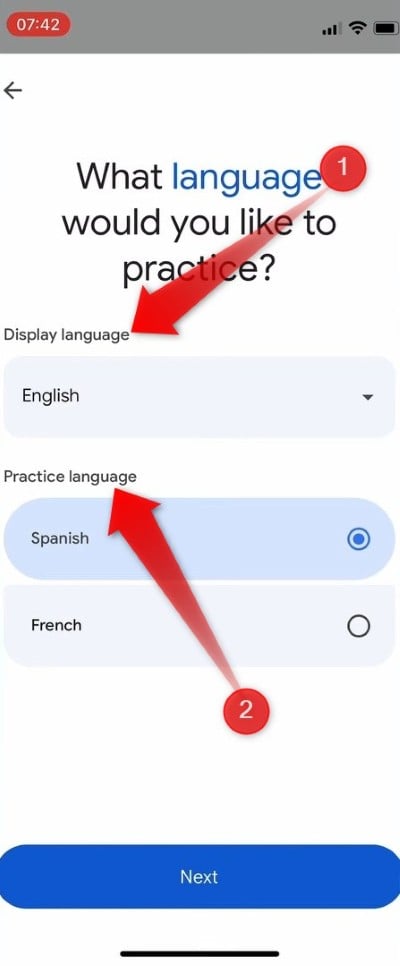
- Select the Display Language (which is the language that you speak) and the Practice Language (the language that you wish to learn). Once selected, tap Next.
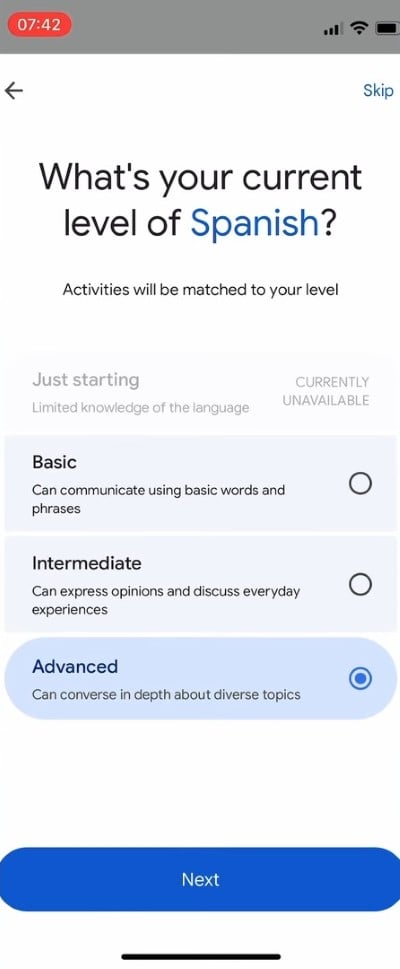
- You will be asked a few questions that will help the AI understand the knowledge level of the new language. For now, the Just starting option isn’t working. So, you need to go ahead with the Basic option.
- Then you will be shown a list of goals, choosing whichever is fine. Or you also have the option to describe it yourself, or skip that part by pressing the Skip button at the top right corner.
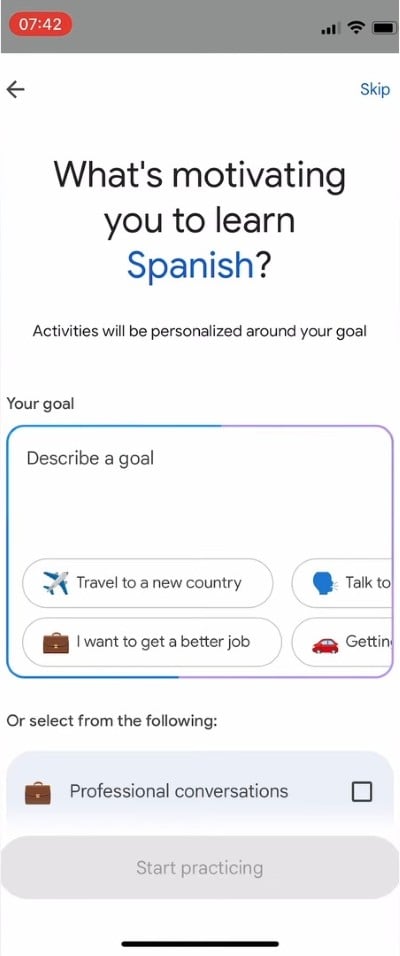
- Finally, select Start practicing to start learning a new language.
- You will have the option to either Listen or Speak. Listening will help you familiarize words, and speaking will help you better your pronunciation.
Since everyone has different goals to learn a new language, Google Translate will customize the learning based on the options you have selected. If you have achieved your goal or want to switch to a different one, then you can always do that, anytime, by pressing the Goal box at the top of the screen. You also have the option to create your own practice scenarios. For instance, if you are meeting a new friend, you can create a learning session based on the conversation for that scenario. There are multiple pre-created scenarios to choose from as well.

