

In Summary
- The OnePlus Pad 3 is the latest in OnePlus’ premium tablet range. It was initially expected in the Indian market in June, but has arrived a few months later.
- With a 13.2-inch display, the OnePlus Pad 3 is the biggest OnePlus tablet ever, and like its predecessors, it boasts flagship specs and also has productivity-oriented accessories such as a stylus and a keyboard cover.
- At its starting price of Rs 47,999, the OnePlus Pad 3 is easily among the best Android flagship tablets in the market, and could even give the iPads a run for their money.
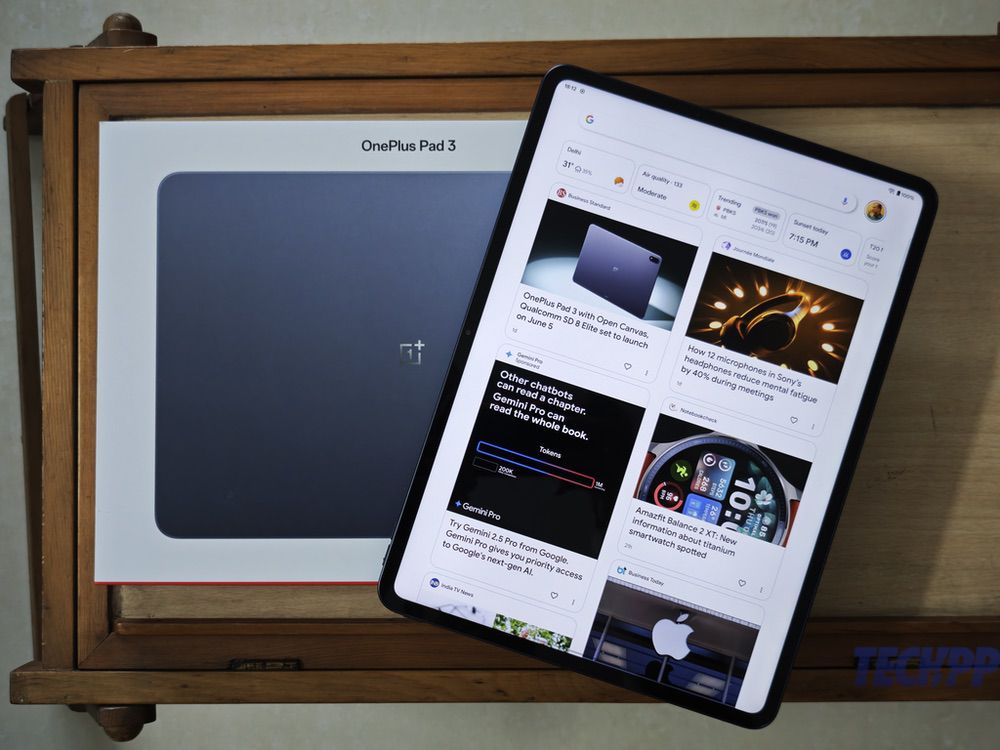
We have a saying in Hindi, “der aaye durust aaye” – it arrived late, but it arrived well. This fits the OnePlus Pad 3 to a T. We were expecting OnePlus’ premium tablet to be launched in the Indian market in early June. It arrived almost three months later, but thanks to stunning hardware, sleek design, and very good performance (and accessories), topped now with a very compelling price tag, it is a nightmare for not just every Android tablet out there, and even the mighty iPad series. Would it make sense to settle for any other tablet at this price?
Table of Contents
OnePlus Pad 3 design and appearance: Big, but ever so sleek… and with a more ‘normal’ camera placement
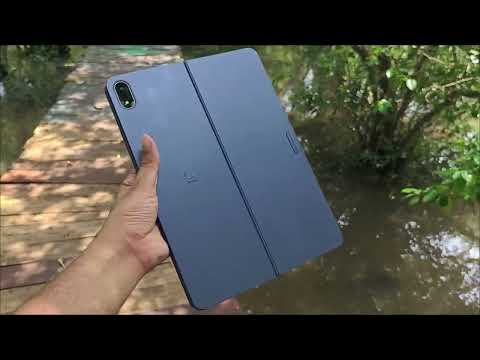
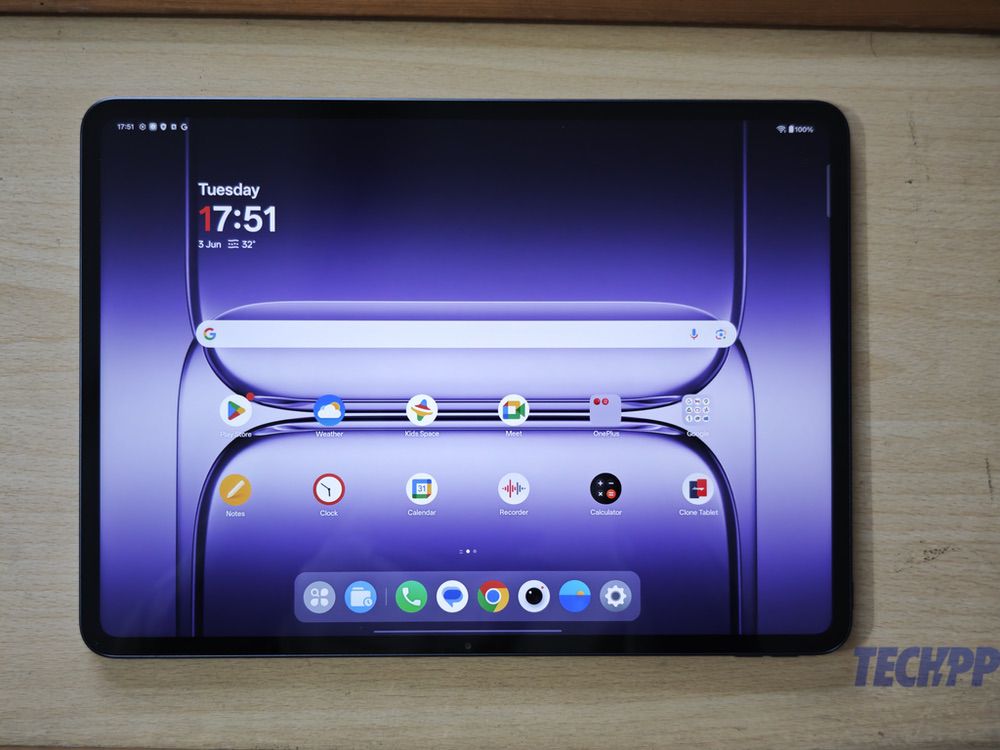
The first thing that will strike you about the OnePlus Pad 3 is its size. The Pad 3 is significantly bigger than both the OG OnePlus Pad and the Pad 2. At 289.61 mm, this is a very tall tablet, taller even than the iPad Air 13, which stands at 280.6 mm. However, at 5.97 mm, it is actually slimmer than even the iPad Air 13 (6.1 mm), although it is slightly less wide (209.6 mm as compared to 214.6mm). While it will still easily slip into most backpacks, the OnePlus Pad 3, at 675 grams, is not the kind of tablet that you can easily hold in your hands for long periods of time – like the iPad Air 13 (which weighs 618 grams), it is best used when placed on a desk or a table. The 7:5 screen aspect ratio, however, gives it a slightly more “square-ish” appearance, which makes it much better to read on as compared to the more rectangular-shaped tablets out there.
In terms of appearance, the OnePlus Pad Pad 3 is all display in front, and has straight sides that curve slightly as they meet the display and the back. There is a display/power button on the top right corner of the tablet (not its best location, as it is not easy to reach), while on the top of the right side are volume buttons. Interestingly, there is no ‘plus’ key on the tablet, and just as in the OnePlus Pad and Pad 2, there is no fingerprint scanner. There is a magnetic charging pad on the center of the right side, where one can place and charge the OnePlus Stylo 2 stylus. The back is plain and after coming out with single color variants with the OnePlus Pad (which came only in Halo Green) and the Pad 2 (which was available only in Nimbus Gray), OnePlus has given users two color options with the OnePlus Pad 3 – a white-ish Frosted Silver and a dark Storm Blue, both of which come with a smooth matte finish.
The back also contains the most significant design change in the Pad 3 as compared to its predecessors – instead of a prominent round camera placed in the middle of the left side in the OnePlus Pad and the Pad 2, designed to be used in landscape mode, OnePlus has gone for a more classic top-left-corner capsule-shaped camera placement with the OnePlus Pad 3. It does take away a bit of the uniqueness of the OnePlus Pad 3’s appearance, but all said and done, this is a big, sleek tablet whose aluminum sides and back give it a very premium appearance. While it has no IP rating (something that is now being seen even on tablets), the front is protected by OnePlus’s ceramic glass. All said and done, the OnePlus Pad 3 is a very smart-looking tablet – it is not as distinct as the OnePlus Pad and Pad 2, but has a very sleek and elegant look to it.
OnePlus Pad 3 Specs and hardware: A proper spec monster, but no 5G

Its design might be a little different from its predecessors, but in terms of specs, the OnePlus Pad 3 continues the flagship-killing tradition of the OnePlus Pad and Pad 2. The tablet comes with the largest display ever seen on a OnePlus tablet – a 13.2-inch display with a resolution of 3392 x 2400, which is actually more than the 2732 x 2048 of the iPad Air 13, and a refresh rate of 144 Hz, a typical brightness of 600 nits, and an HBM of 900 nits (very good for tablets). Running the Pad 2 show is the top-of-the-line Qualcomm Snapdragon 8 Elite processor, similar to the one seen in Android flagships like the Galaxy S25 Ultra and the OnePlus 13, and this is paired with LPDDR5X and UFS 4.0 RAM and storage combinations of 12 GB/ 256 GB and 16 GB/ 512 GB.
The new camera unit on the back houses a 13-megapixel camera, while on the right side, in front, is an 8-megapixel selfie camera, clearly indicating that it is designed mainly for video calls. The tablet packs in a large 12140 mAh battery with support for 80W SuperVOOC charging and even has an 80W charger in the box. The OnePlus Pad 3 comes with eight speakers (four woofers, four tweeters) and comes with Bluetooth and Wi-Fi connectivity, but like its predecessors, it has no mobile connectivity, which is surprising at this price point. Also missing is a fingerprint sensor, which we really think should be an integral part of mobile devices. Those quibbles aside, the OnePlus Pad 3 is easily one of the most powerfully specced tablets out there, and runs on a tablet-friendly version of OxygenOS 15 on top of Android 15
OnePlus Pad 3 accessories: A bigger, better keyboard and the same stylus!
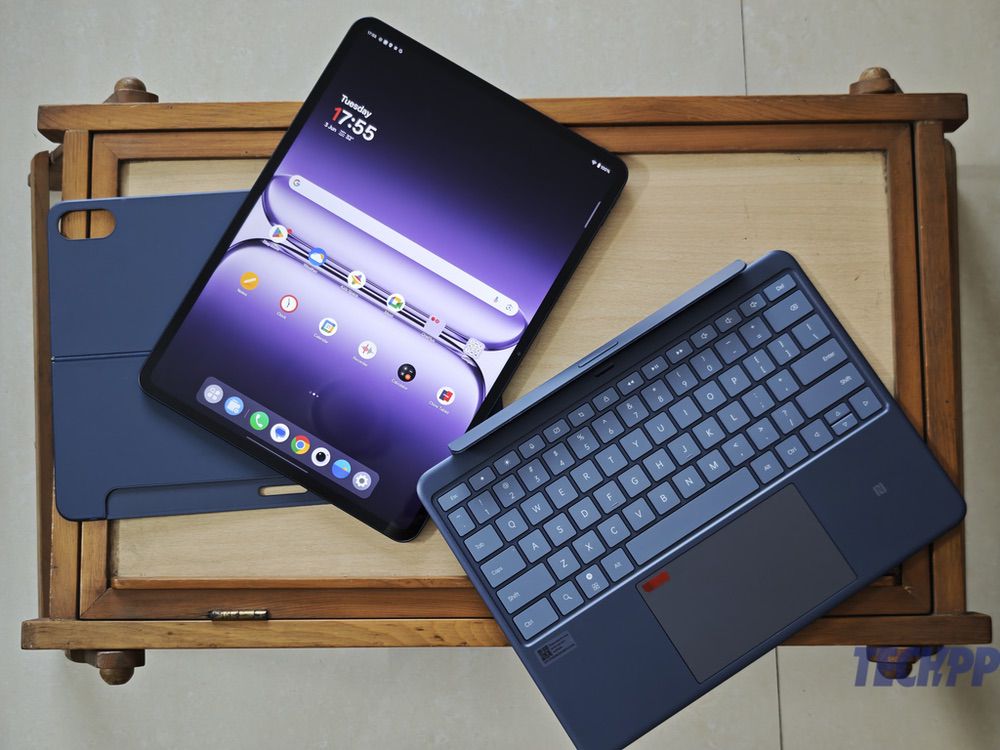
The OnePlus Pad 3 has two productivity-oriented accessories – the third generation of the OnePlus Pad keyboard cover and the Stylo 2 stylus, which is the same as the one for the OnePlus Pad 2. Some might have expected a new stylus with the new tablet, but we love the fact that OnePlus has stuck to something that just works. The new keyboard has not yet been officially released in India, but it is a significant improvement over its predecessor. The keyboard cover has two parts – one that covers the back of the tablet and comes with a kickstand, and another that contains a keyboard with a trackpad.
The tablet being larger, we also get a larger keyboard with six rows, one of which is a row dedicated to shortcuts. The trackpad is larger too, and when combined with the keyboard, serves up easily the best typing experience we have seen on an Android tablet and one that comes very close to the Magic Keyboard experience on the iPads, with the kickstand giving one the flexibility to tilt the display at different angles. There is no backlighting, although this is a very minor quibble. We just hope the cover does not end up costing a bomb. The Stylo 2 stylus is the same as seen with the OnePlus Pad 2 – it comes with a textured rather than smooth finish, which makes it grippy, and works very smoothly on the OnePlus Pad 3 with 16000 levels of sensitivity and palm rejection.
OnePlus Pad 3 Performance: Pretty much a high-class notebook in tablet shape!
With all that hardware on board, it is hardly surprising that the OnePlus Pad 3 turns in a monster-level performance. Like all 13-inch and above tablets, it is a little too big and heavy to be used comfortably on the move, but it is capable of handling pretty much everything you throw at it once you have a place to sit, and preferably a table or desk to park it on. The large display is great for viewing content, be it films or shows, and the additional width makes it awesome for reading too – graphic novel lovers will just love using this.
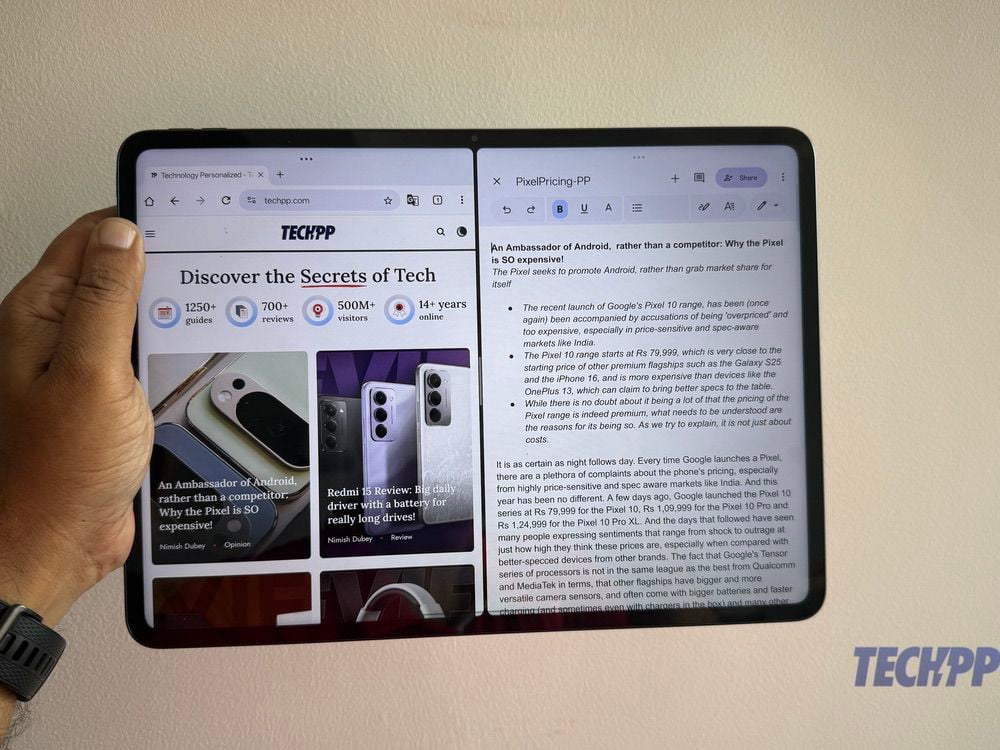
The larger, wider display also makes it very good for multitasking. OxygenOS 15 comes with the option to work simultaneously on three apps at the same time, using the Canvas feature, and it becomes really useful on that large display. That chip and RAM combination also enabled us to do some pretty hefty tasks without any lag whatsoever. Whether it was editing videos, playing high-end games at maxed out settings (Genshin Impact looks gorgeous on it), or editing videos, things just flowed very smoothly on the tablet, comfortably matching what we have seen on high-end iPads. The one department where it lags behind the Apple tablets is in audio – the eight speakers do deliver good quality sound, but not in the iPad class, and some might find the volumes a little on the low side.
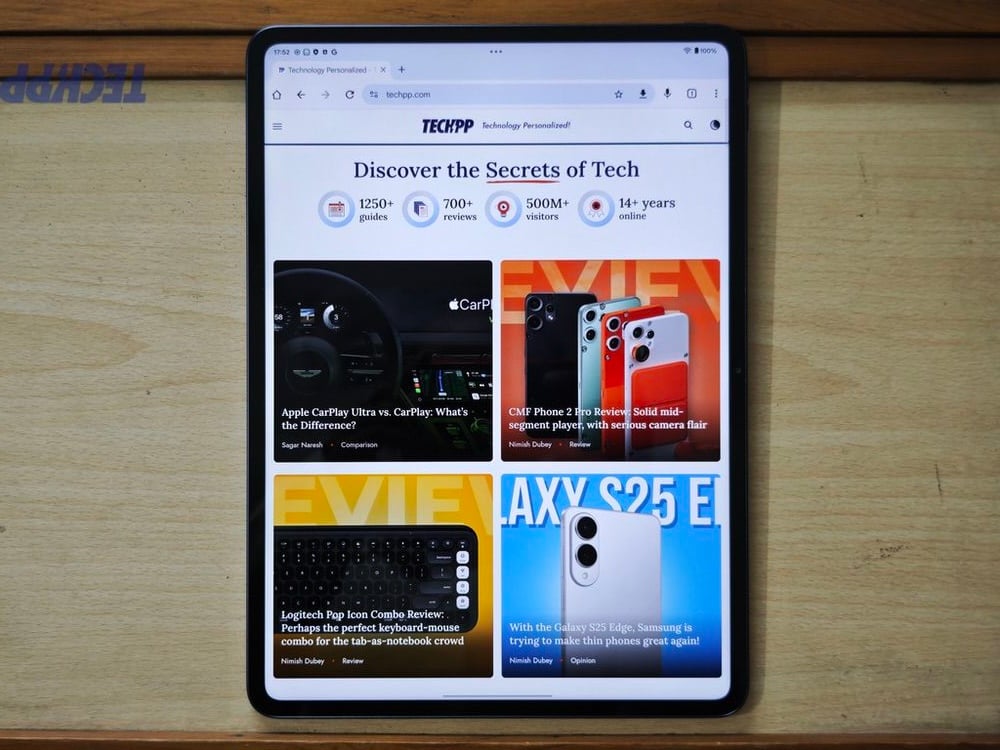
There are plenty of AI features on board as well, with an AI Toolbox packed with tools like writing, translating, and summarizing documents, and you also get standard features like Gemini, Circle to Search, and AI image editing tools. The big display makes editing a whole lot easier as well, especially if you have a Stylo 2 stylus handy. Handwriting recognition with the Stylo 2 is very good too, although not on par with the Galaxy Tab series, and well, if you attach the keyboard to the tablet, you end up with what’s a pretty powerful notebook. While OxygenOS does lack the fluidity of iPad OS, we found it running smoothly enough for most of our tasks. The front and rear cameras are functional at best – we ended up using them for quick document scans and video calls, where they did what was needed, without being exceptional. The front camera, however, is not as good as the one on the iPad Air- you cannot depend on it for making videos, even though it does come with face tracking.
That big battery also delivers very decent life – we were able to regularly get between 10-12 hours and sometimes even more on a single charge. The 80W charger gets it from nil to full in about 100 minutes, which is pretty brisk for a tablet.c
Unless you are using apps that are very Mac and Windows specific, then the OnePlus Pad 3 with a keyboard can pretty easily step in for a relatively high-performance notebook. Word processing, browsing, high-end gaming, AI, video, and image editing…the OnePlus Pad 3 easily gets through the works, without ever breaking into a sweat or getting too hot. Just make sure you have a place to sit and a desk handy!
OnePlus Pad 3 Prices: Killing the competition

The OnePlus Pad 3 comes in two RAM and storage variants at these prices:
- 12 GB/ 256 GB: Rs 47,999 / $651
- 16 GB/ 512 GB: Rs 52,999
The Stylos stylus is priced at Rs 5499, and actually is available free with the tablet as part of initial offers. We have not got the pricing of the keyboard cover at the time of writing.
At those prices, the OnePlus Pad 3 is not just simply the most affordable premium tablet out there, but is also the most affordable Qualcomm Snapdragon Elite device in the market – you will not even get a phone with that chip at this price. In the tablet segment, there is no 13-inch tablet that can match its spec sheet. The closest is perhaps the recently launched Lenovo Yoga Tab Plus, which comes with a 12.7-inch display, and comes bundled with a keyboard and stylus, and is priced at Rs 52,999 for its 16GB/ 512 GB RAM and storage variant, but – and this is quite a but – it runs on the older Qualcomm Snapdragon 8 Gen 3 chip. The Samsung Galaxy Tab S10 FE Plus also brings a 13-inch display to the tablet, but it comes with an Exynos 1580 chip and starts at Rs 55,999, even though it comes with a bundled S Pen stylus. And of course, there is the iPad Air 13 (7th gen), which comes with the superb Apple M3 chip but starts at a way higher Rs 79,900 for a 128 GB variant. Simply, the OnePlus Pad 3 is in a zone of one when it comes to pricing.
OnePlus Pad 3 Review Verdict: Never Settle for any other Android tablet…and at that price, even an iPad!
If you are in the market for a high-end tablet and want the most bang for your buck, then the OnePlus Pad 3 is a complete no-brainer. It is not perfect. The lack of a fingerprint scanner in this premium device is a total surprise – face unlock exists, but is not really secure. And there will be those who will be puzzled at the absence of a 5G variant, something that is becoming a bit of a given even in mid-segment tablets (the USD 175 Redmi Pad 2 comes with cellular connectivity). But even then, the spec sheet and overall performance of the OnePlus Pad 3 are unmatched not just at its price, but a comfortable Rs 10,000 – Rs 15,000 above it as well.
It makes no sense to settle for any other tablet unless you are getting into iPad Air and Pro land…and perhaps not even then. And that perhaps sums it up best: OnePlus might have finally done what other brands have been unable to do: make an Android tablet that comfortably challenges Apple’s epic iPad series.
Der aaye, durust aaye indeed.
Android has its tab champ. The iPad can now Never Settle.
Buy OnePlus Pad 3 (India)
Buy OnePlus Pad 3 (USA)
- Sleek design
- Brilliant display
- Smooth functioning
- Good battery life with fast charging
- Very good keyboard and stylus
- OxygenOS is more tablet-friendly than before
- No fingerprint scanner
- No 5G option
- Some might find it too large
- Front camera could have been better
| Design & Appearance |
|
| Software |
|
| Performance |
|
| Battery |
|
| Price |
|
|
SUMMARY
At its starting price of Rs 47,999, the OnePlus Pad 3 is easily among the best Android flagship tablets in the market, and could even give the iPads a run for their money. |
4.2
|

