

In Summary
- OnePlus Pad 3 is the company’s latest Android tablet that boasts flagship specs and almost comes at half the price of the iPad Pro.
- It packs a large and bright IPS LCD display, a flagship Snapdragon 8 Elite Processor, and a huge 12100 mAh Battery with 80 Watt fast charging support, making it a very good alternative to the iPad.
- After using it for a while now, I can confidently recommend it over the iPad Pro if you want to save a significant amount of money without compromising much; however, if budget isn’t a concern, iPad Pro still remains the top with unbeatable performance and long-term software support.
If you want to get a reliable tablet that can last for years and have very good software support, the iPad is the only safe bet. But times have changed; at least there is one company that is trying to change things, and that’s OnePlus.
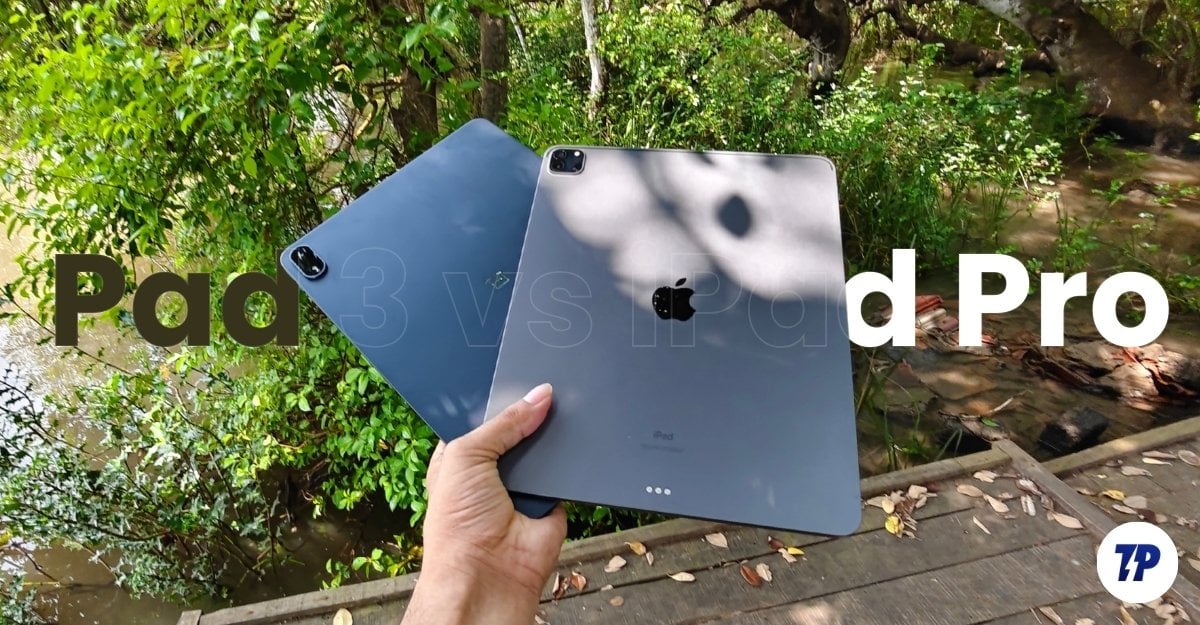
Tablet sales are declining; the recent IDC report proves this, as there is a 44 percent reduction in overall tablet sales around the world. Despite these numbers, OnePlus is still holding on to the tablet market, and they announced a couple of budget tablets, which are better than their competitors.
OnePlus has recently announced its new OnePlus Pad 3 (our detailed review), the company’s latest flagship tablet. I have been using it for more than two weeks now, comparing it against my iPad Pro M1 (2021). If you are looking for a flagship tablet and are confused between the iPad Pro and the OnePlus Pad 3, this guide will help you to decide whether you should save money and get the OnePlus Pad 3 or spend more and get the iPad Pro.
Table of Contents
OnePlus Pad 3 vs Apple iPad Pro
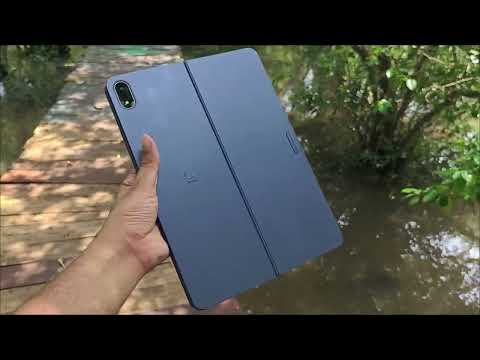
| Feature | OnePlus Pad 3 | iPad Pro with M4 (2024) |
| Weight & Thickness | 675 g, 6 mm | 579 g (Wi-Fi), 582 g (5G), 5.1 mm |
| Display | 13.2 IPS LCD, 144Hz, Dolby Visio | 13.0″ Tandem OLED, 120Hz, HDR10/Dolby Vision |
| Processor | Snapdragon 8 Elite (3 nm), Adreno 830 | Apple M4 |
| RAM / Storage | 12GB+256GB, 16GB+512GB, UFS 4.0 | 8GB+256GB, 8GB+512GB, 16GB+1TB, 16GB+2TB |
| Rear Camera | 13 MP, 4K@30fps | 12 MP wide + LiDAR, 4K up to 60fps, ProRes video |
| Front Camera | 8 MP, 1080p@30fps | 12 MP ultrawide, 1080p@60fps, Face ID |
| Speakers | 8 stereo speakers | 4 stereo speakers |
| Battery | 12,140 mAh, 80W wired charging | 10,290 mAh |
| OS | Android 15 (ColorOS 15) | iPadOS 26 |
Build and Design
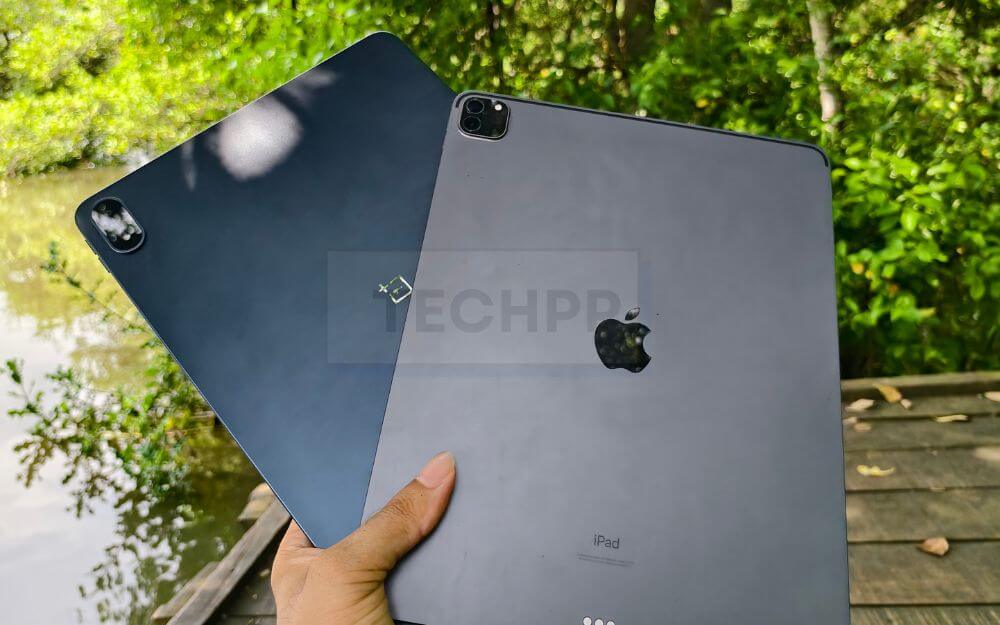
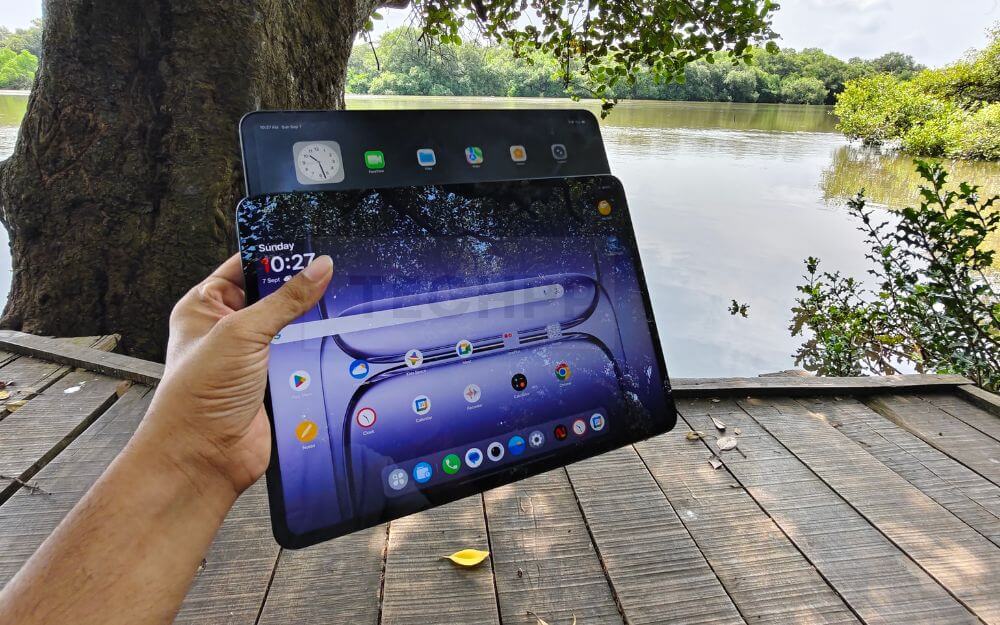
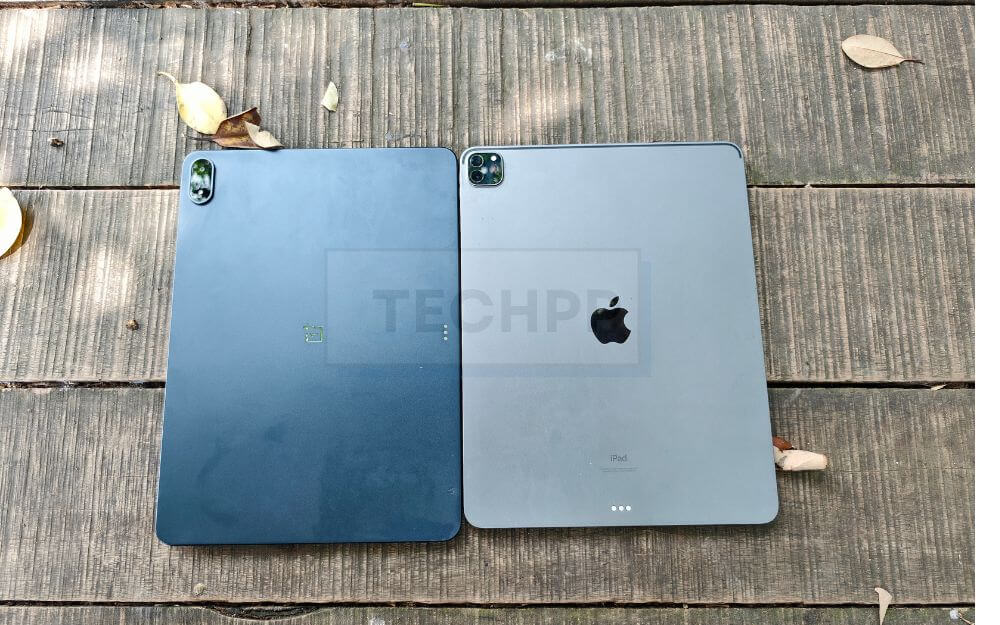
In terms of looks, both tablets almost look the same, with even bezels on all four sides, rounded corners and a premium metal finish. The iPad Pro is slightly wider, and the OnePlus Pad 3 is slightly taller, depending on the orientation you are holding the device. But overall, the form factors are very close.
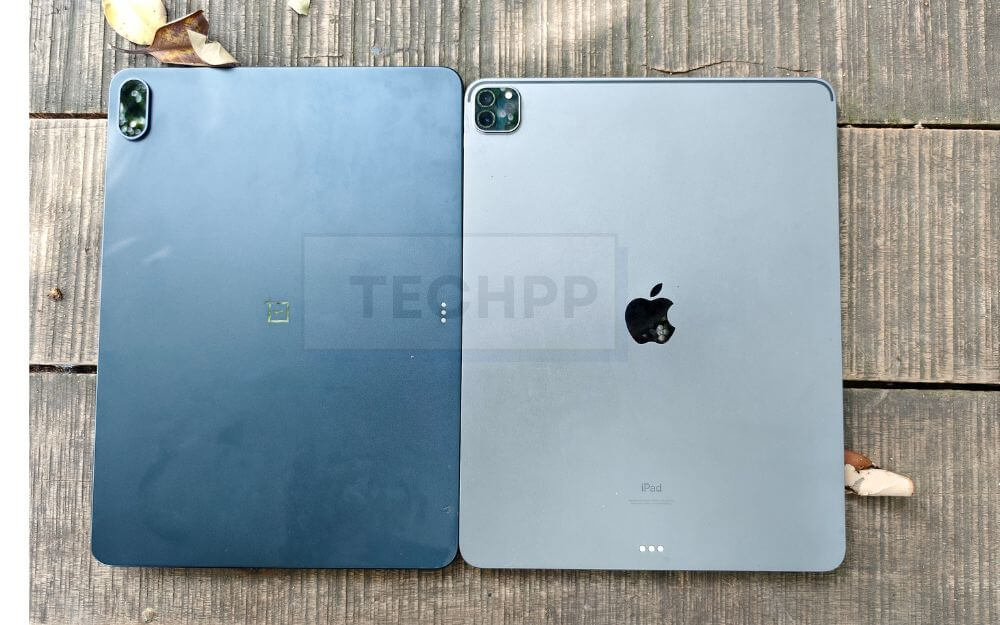
Both tablets use an Aluminum chassis on the back and the sides, they feel solid while holding the hand. OnePlus Pad 3 is thinner when compared to the iPad Pro M1 at 5.97 vs 6.4 mm; however, the latest iPad Pro M1 Series is even thinner than the iPad Pro.

Despite having a bigger battery than my iPad Pro M1, the OnePlus Pad 3 weighs less than the iPad Pro M1; however, the latest iPad Pros weigh less than the OnePlus Pad 3. In day-to-day use, both felt equally balanced when using.
Because of their sizes, neither device is ideal for long-term one-handed usage. If you are looking for a couch tablet, these aren’t the picks for you. The OnePlus Pad 3 is only available in the 13.2-inch size, while the iPad Pro is also available in an 11-inch variant, giving you the flexibility to choose if you want a smaller version.
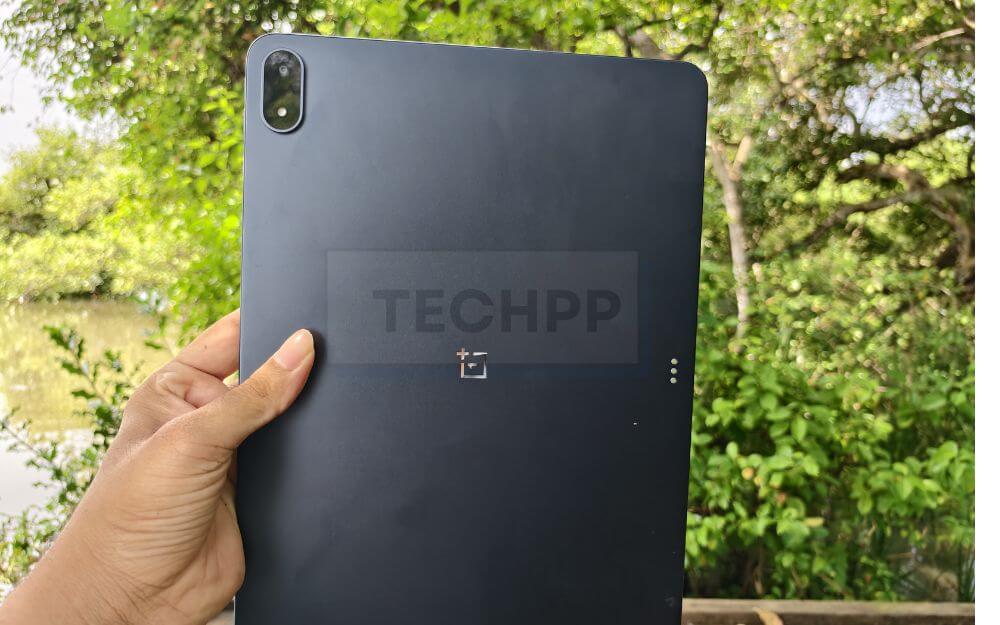
In terms of color choices, the OnePlus Pad 3 is available in both dark gray and light variants, while the iPad Pro is available in light and dark silver variants.
Android vs iPad OS World
Similar to the Android and iPhone worlds, Tablets also have two distinct OSes. The OnePlus Pad 3 runs on Oxygen OS 15 on top of Android 15 (Android 16 coming soon), which almost feels like you are using a stretched version of Android on a large screen.
On the other hand, iPad Pro runs on the recently announced iPadOS, which Apple built specifically for the iPad. Apple also recently released iPadOS 26, which is one of the biggest updates to iPadOS in years.
If you are in the Apple ecosystem, the iPad is the obvious choice. It integrates seamlessly with iPhone and Mac, bringing useful features that include all the Apple continuous features, such as Handoff, AirDrop to share files between devices easily, connect with your Mac, and sign in with your documents and more.
Although these sound like small conveniences, they can make a big difference in the real world. For instance, you can start writing notes on your Mac and then switch to your iPad when you are at school. The Airdrop is not only faster but also lets you easily transfer files between other Apple devices.
OnePlus also includes a few handy features if you also own a OnePlus phone. However, nothing can beat Apple in terms of ecosystem compatibility. All these features make the iPad experience better if you already own other Apple devices.
But it doesn’t make much of a difference when you want to use these as a standalone device. You get almost all the features between devices for daily use.
Both software come with better multitasking features, though OnePlus Oxygen OS is not as feature-rich as iPadOS, especially when comparing it against the latest iPadOS 26.
iPadOS supports stage manager and windowing features (iPadOS 26), which let you run multiple apps in resizable windows similar to Mac.
On the other hand, OnePlus supports open canvas, which lets you use three apps on a single screen (two in the split and the other as a window). This isn’t as intuitive as using the Windowing feature on iPad, with no app limit, but it gets the basic job done on the OnePlus Pad 3. If you are a serious multitasker, you will love the iPad Windowing feature.
The app support is better on iPad compared to OnePlus; however, all the apps supported on Android are already compatible with tablets, but only a few of them are fully optimised for a large screen experience. Considering overall support, iPad takes the lead. For instance, Adobe has announced support for Premiere Pro, and DaVinci announced its video editor app for iPad has also announced a dedicated app for iPad, and recently Meta announced a dedicated Instagram app for iPad, with an Android version coming later.
Overall, if you are a heavy multitasker and already own Apple devices, the iPad Pro offers far superior software experience and long term software support, On the other hand, while OnePlus Pad 3 doesnt have any deep interaction with other devices it has all the basics to work well as a standalone device, but it cant match the deep ecosystem as connected as the iPad Pro. However, OnePlus is rumoured to include tablet-focused features in the upcoming OxygenOS 16, which can narrow the gap in the future.
Display: OLED vs IPS LCD
Another big difference between the two tablets is the display. On iPad Pro, you get a 12.9-inch OLED Display, and on OnePlus, you get a 13.2-inch IPS LCD display. In comparison, whether you are watching movies, taking notes, editing photos, or reading blogs, the iPad Pro M1 with its OLED screen produces better colors and deep blacks. However, the IPS screen on the OnePlus Pad 3 offers much better outdoor visibility, and Apple’s OLED is also equally bright.

In terms of refresh rate, iPad comes with a 120Hz ProMotion display, and OnePlus supports up to 144Hz. On paper, OnePlus has an edge, but Apple’s iPadOS makes animation and app transitions feel smoother, which overall contributes to better smoothness on the iPad Pro. In regular use, both displays feel equally smooth; you won’t find much of a difference between them.
For content consumption, both large 13-inch screens offer an immersive experience, and you get the best viewing experience. However, the OnePlus Pad 3 doesn’t support HDR, so platforms like Netflix don’t support HDR playback, which is a drawback if you plan to watch HDR content on the OnePlus Pad 3.
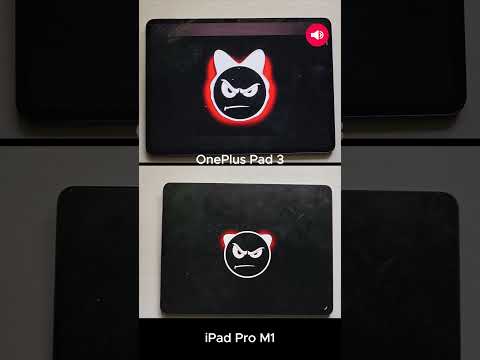
In terms of sound, the OnePlus Pad 3 is almost equally loud as the iPad Pro; however, you won’t get that richness. Here is the sound test between the devices.
Performance: Snapdragon 8 Elite vs Apple M Series
Performance has always been the weak point of Android tablets. Whether you are looking for a budget, midrange or even top-of-the-line Samsung flagship tablet, they are often underpowered. However, for the past few years, OnePlus has been trying to change this fact by offering high-end specs on the tablet.
The OnePlus Pad 3 comes with a Snapdragon 8 Elite processor, Qualcomm’s current top-tier flagship processor, which also powers the OnePlus 13 and all other 2025 Android flagships that were launched so far. Paired with 12GB of RAM, the OnePlus Pad 3 is currently the best-performing Android tablet. From everyday tasks to high-end gaming, the tablet feels smoother without any lag or frame drops. RAM management is also bringing a better multitasking experience to any Android tablet.
Overall, you won’t feel the Android tablets’ history in here. You get full-length flagship-level specs to make your everyday life smoother without worrying about the performance. However, the challenge begins when you compare it against the iPad Pro. With the iPad Pro M1, Apple transitioned from regular A-series processors to desktop M processors on iPad back in 2021.
And the latest iPad Pros come with M4, the same processor you will find on Apple MacBooks. Not only do you get desktop-level performance on the tablet, you also get support for longer software updates, and because of this, my 4-year iPad with M1 still feels faster than the Snapdragon 8 Elite in the OnePlus Pad 3.
Here are the benchmarks for comparison: the Apple 4-year iPad Pro beats the current flagship-level tablet.
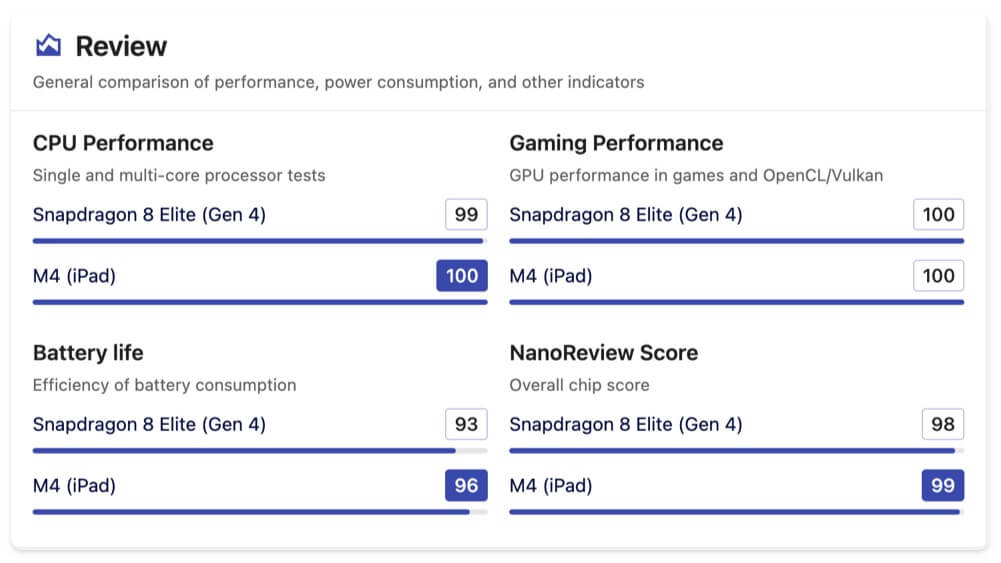
And the price doesn’t help the OnePlus Pad 3 either; even the Apple iPad Air series, the low-end versions of the iPad Pro, which directly compete with the OnePlus Pad 3, also come with an M-series processor. The current iPad Air 13-inch is powered by the M3 processor, and it is very close to the 8 Elite in benchmarks.
Should you worry about the performance of the OnePlus Pad 3? Not really. It is still the fastest Android tablet you can buy today, and it delivers more than enough power for most users. But if you want desktop-grade performance and long-term efficiency, the iPad is still the better choice.
Cameras: Basics
Cameras are rarely the deciding factor on tablets; however, if you take a lot of video calls and scan documents with your tablet, they still matter. The OnePlus Pad 3 does offer decent cameras. It comes with a 13-megapixel rear camera and an 8-megapixel front camera, both of which are decent for basic tasks such as video calls and scanning documents. But if you are expecting high-quality photos or videos, the results are average.
The front camera placement differs between these two devices. On the OnePlus Pad 3, the front camera is placed in the centre of the landscape mode, while the iPro M1’s front camera is placed on the top bezel. However, with the latest iPad Pro Models with M4, Apple has moved the front camera to the landscape mode, which makes it better at taking videos and also if you also use a keyboard.
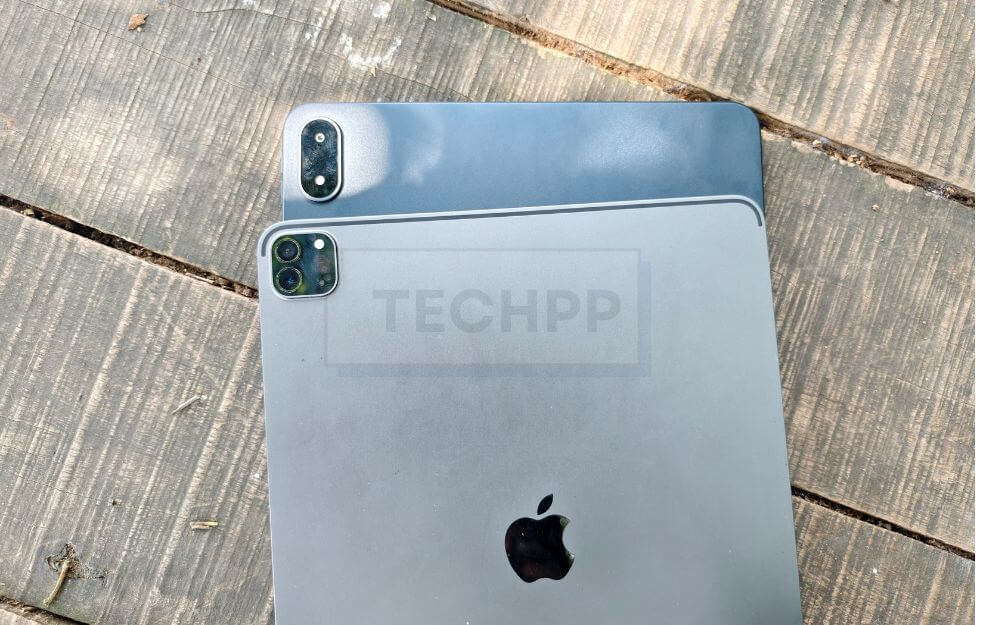
The iPad Pro cameras go beyond the basics with a TOF 3D LiDAR scanner, and also support up to 4k 60 fps.
Battery: OnePlus Wins Here
OnePlus Pad 3 packs a massive 12400 mAh battery, the largest battery ever in a tablet. In my two weeks of usage, which includes binge-watching Weak Hero season 1 and long gaming sessions on the Infinite Flight simulator, the tablet consistently delivered 9-10 hours of screen-on time, and moreover, the standby mode is one of the best I have seen in a tablet. When left idle for days, I haven’t noticed any significant battery drain.

By comparison, my four-year-old iPad Pro battery has degraded over the year, and it lasts about 5-6 hours, and also, standby mode isn’t that impressive. If you leave it for a few days, it completely drains, and you only look at the Black screen.
But what makes the OnePlus Pad 3 truly impressive is 80-watt fast charging included in the box, which can charge your entire 12100 mAh battery in under 2 hours. In comparison, the iPad Pro comes with 20-watt chargers, which take years to charge.
Faster charging makes battery life degrade over time; however, it can be very convenient whether you are rushing to class or want a quick recharge for binge-watching on your weekends. The 80-watt charger is included in the box, though, and you also get a 20-watt charger in the Apple box.
Connectivity: Wi-Fi Only vs Cellular + 5G
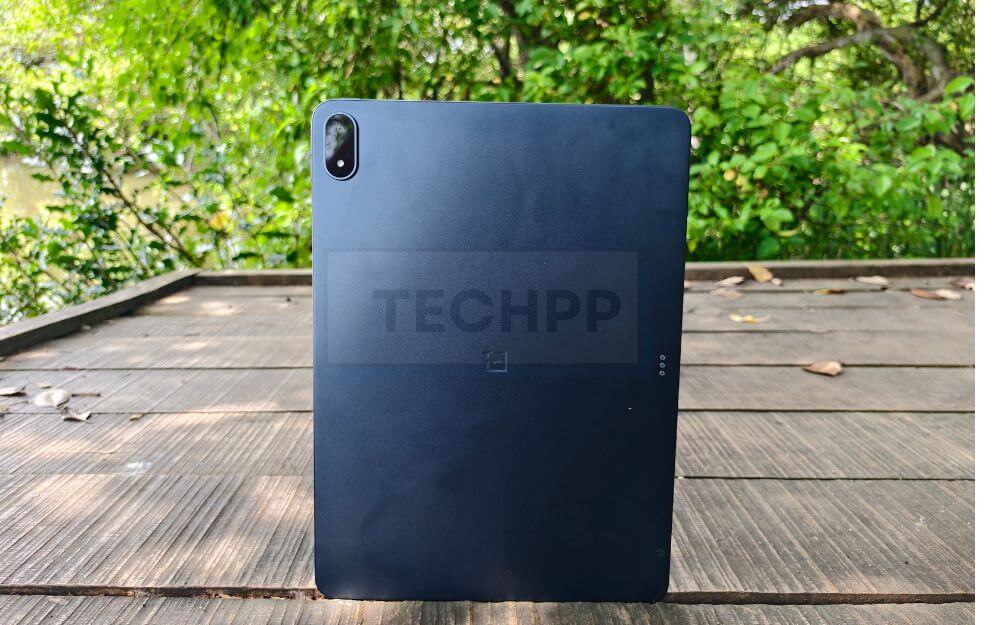
OnePlus Pad 3 is only available in the Wifi variant, which has its limits if you plan to use it outdoors without connecting to your mobile hotspot. On the other hand, the Apple iPad series comes in both wifi and cellular variants, and even the Air series also has cellular variants. If you plan to use the tablet as a standalone device, the OnePlus Pad 3 isn’t designed for that. On the other hand, the iPad comes with integrated 5G connectivity, where you can use it for calls or meetings without relying on another device for internet.
Accessories: Stylus and Keyboard Experience at Affordable Prices
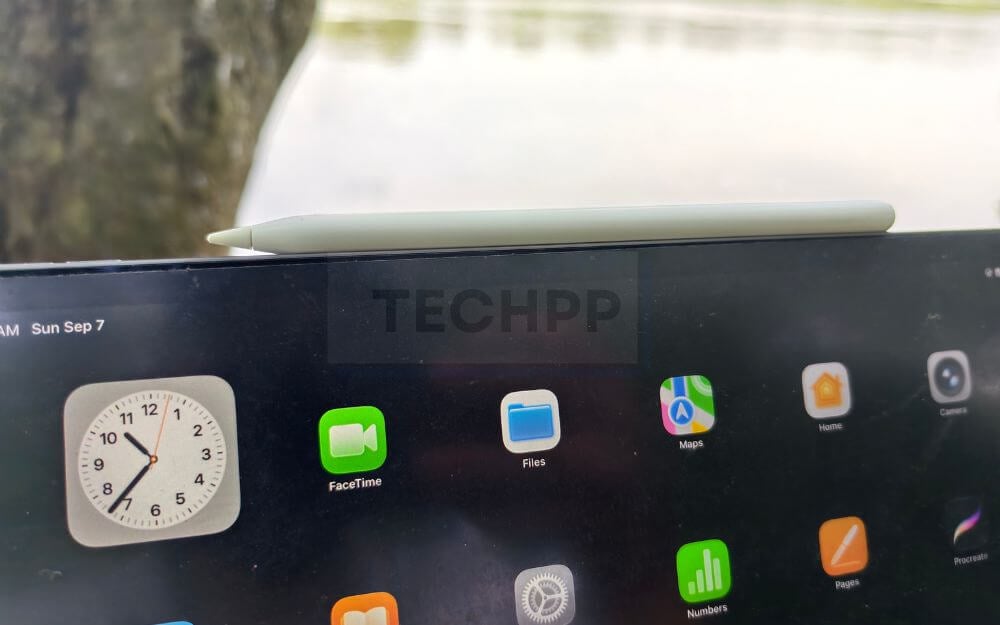
Both OnePlus and iPad support accessories through their magnetic dock on the rear. OnePlus also launched a OnePlus version of a folio case with keyboard and stylus support for taking notes. I haven’t tested out the OnePlus stylo 2 yet. However, according to the reviews, it is decent for taking notes, but not as advanced and consistent as the Apple Pencil.
OnePlus is once again betting on its basics to compete against Apple with the same formulas. OnePlus stylus is great for taking notes and for all other basic tasks; however, the Apple Pencil has better precision support, pressure sensitivity, and useful squeeze gestures, making it a better choice for artists and digital creators. If you need basic pencil support for taking notes and a little doodling, the OnePlus stylus is the best option.
However, this isn’t the case with the OnePlus folio keyboard case. I am genuinely impressed with the OnePlus Folio keyboard case offered with the OnePlus. OnePlus has also sent the keyboard case alongside the OnePlus Pad 3. It is a full-length keyboard with functional keys and a built-in trackpad; however, unlike Apple’s Magic Keyboard, it doesn’t magnetically attach and stays flat like the iPad Pro. Because of the design, it is not suited for use on your lap or even on uneven surfaces. It relies on the kickstand to rest on the surface.
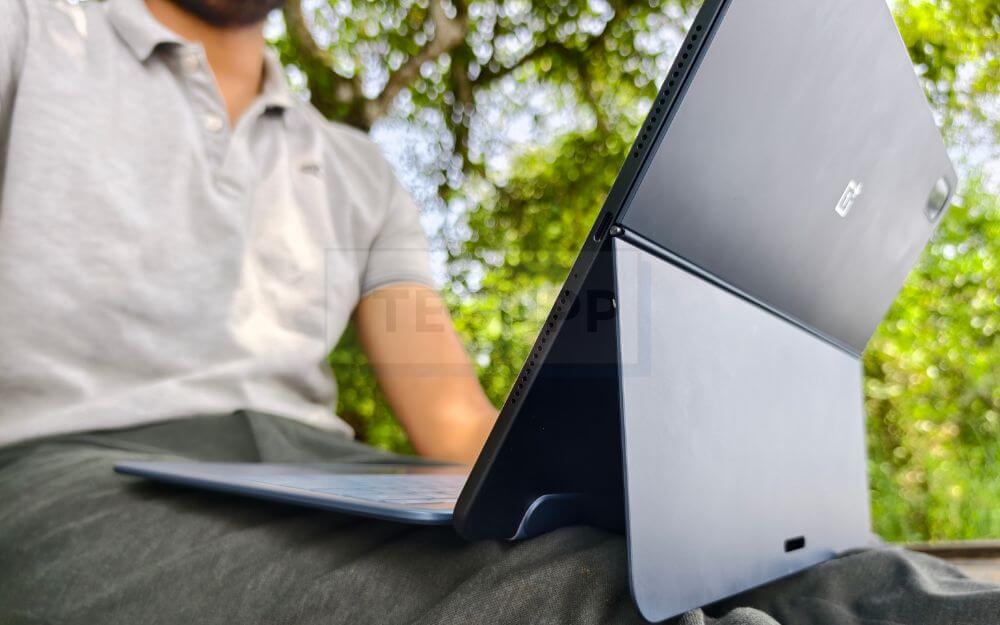
The best part is that in India, OnePlus is also offering the case and the stylus for free (limited-time offer), making it a complete package out of the box. Apple’s external accessories for iPad cost a bomb; however, if you can afford it, the Magic Keyboard + Apple Pencil combo offers the best overall accessory experience in terms of build quality, reliability and even if you are looking for advanced functionality.
OnePlus Pad 3 vs iPad Pro – Which One Should You Buy?
As I said before, this guide isn’t a direct one-on-one comparison between these tablets, mainly because of the price difference. iPad Pro M1 costs nearly three times as much as the OnePlus Pad 3, which makes direct comparison unfair. The closest competitor to the OnePlus Pad 3 is the iPad Air, which offers almost similar specs but also has compromises.
This guide is about deciding whether you should go all-in and get the iPad Pro M4 or settle for the OnePlus Pad 3 and save a significant amount of money. My answer is simple: Yes, you can settle for the OnePlus Pad 3.
If I had this choice to pick the OnePlus Pad 3 or the Apple iPad Pro M1 back then, I would have picked the OnePlus Pad 3 over the iPad Pro. Primarily because the OnePlus Pad 3 delivers what most people need from a tablet. A large 13.2-inch display for content consumption, taking notes, and reading content. The flagship Snapdragon 8 Elite offers the best day-to-day performance and is capable of heavy gaming, and excellent battery life paired with 80W fast charging keeps you juiced up all day. And also for specific use cases like note-taking, if you are a student, using it as a work companion device alongside your laptop, the OnePlus Pad 3 is more than reliable.
If you have a strict budget and are looking for a flagship tablet, the OnePlus Pad 3 is a fantastic choice. However, if you have the budget and are already invested in the Apple ecosystem and want the best tablet experience, the iPad Pro remains the best tablet on the market with its top-notch performance, best display quality, and feature-rich iPadOS.
FAQs about OnePlus Pad 3 vs iPad
1. Which tablet is better for kids’ learning apps and schoolwork?
If you are ok with a large display, the OnePlus Pad 3 is a great option. However, an entry-level iPad or iPad Air is also a great pick, since it is only for learning. However, Apple is more secure than Android and has some useful features.
2. Does the OnePlus Pad 3 have parental controls like Screen Time on iPad?
Yes, it comes with Google parental controls. You can also use digital well-being and use third-party parental control apps
3. Is it worth spending double/triple the money on the iPad Pro if my family mainly uses tablets for watching videos, video calls, and browsing?
No, the OnePlus Pad 3 is a great option in this case
4. Should I consider the iPad Air (M3) instead of the iPad Pro to save money but still get good Apple software support?
Yes, if you want an iPad at an affordable price, the Air series is the only option; not only do you get the best performance, but you can also get better software support in the long run.
5. Can I use the OnePlus Pad 3 for office work like Excel, presentations, and video meetings?
Yes, OnePlus is also a perfect choice for the office world; however, if you own other Apple devices like a Mac or an iPhone, an iPad makes more sense if you can afford it.

