

Quick Answer
Arc Launcher replaces Google TV’s ad-heavy, sluggish interface with a clean, minimal, and ad-free experience, putting apps first, including sideloaded ones, while adding useful features like customization, data tracking, and quick controls for a smoother, clutter-free smart TV experience.
Gone are the days when the Google TV interface used to be a no-nonsense interface. Now, the UI is so bloated that it appears to be a billboard for content that you likely won’t watch and is filled with ads. The home screen shows sponsored recommendations, auto-playing trailers, and feels heavy. The interface is so sluggish that on my TV, it doesn’t even scroll right to the bottom of the app menu, even though I don’t have many apps installed.
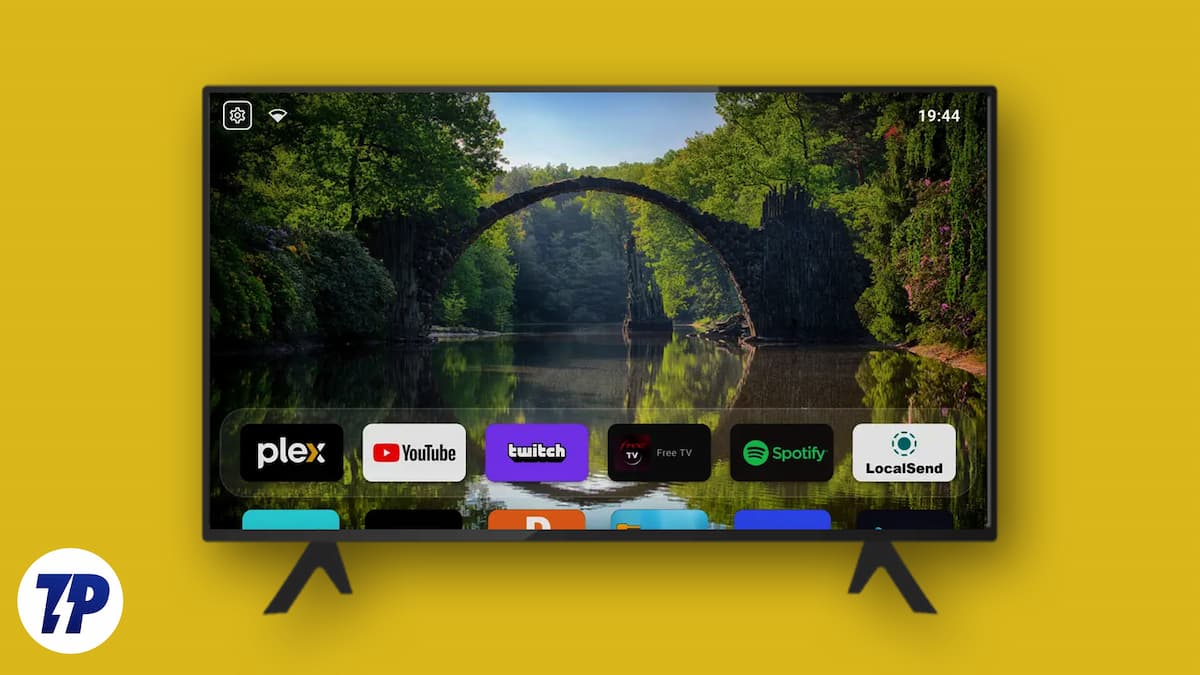
If you are tired of your premium television acting like an advertising platform and want to take back control, check out Arc Launcher. It is a minimal, open-source Android TV launcher that strips away the unnecessary clutter and returns your TV to its core purpose, launching your content and apps seamlessly. If that has intrigued you, then let us check out more about Arc Launcher.
Why does Google TV need to cut away the clutter?
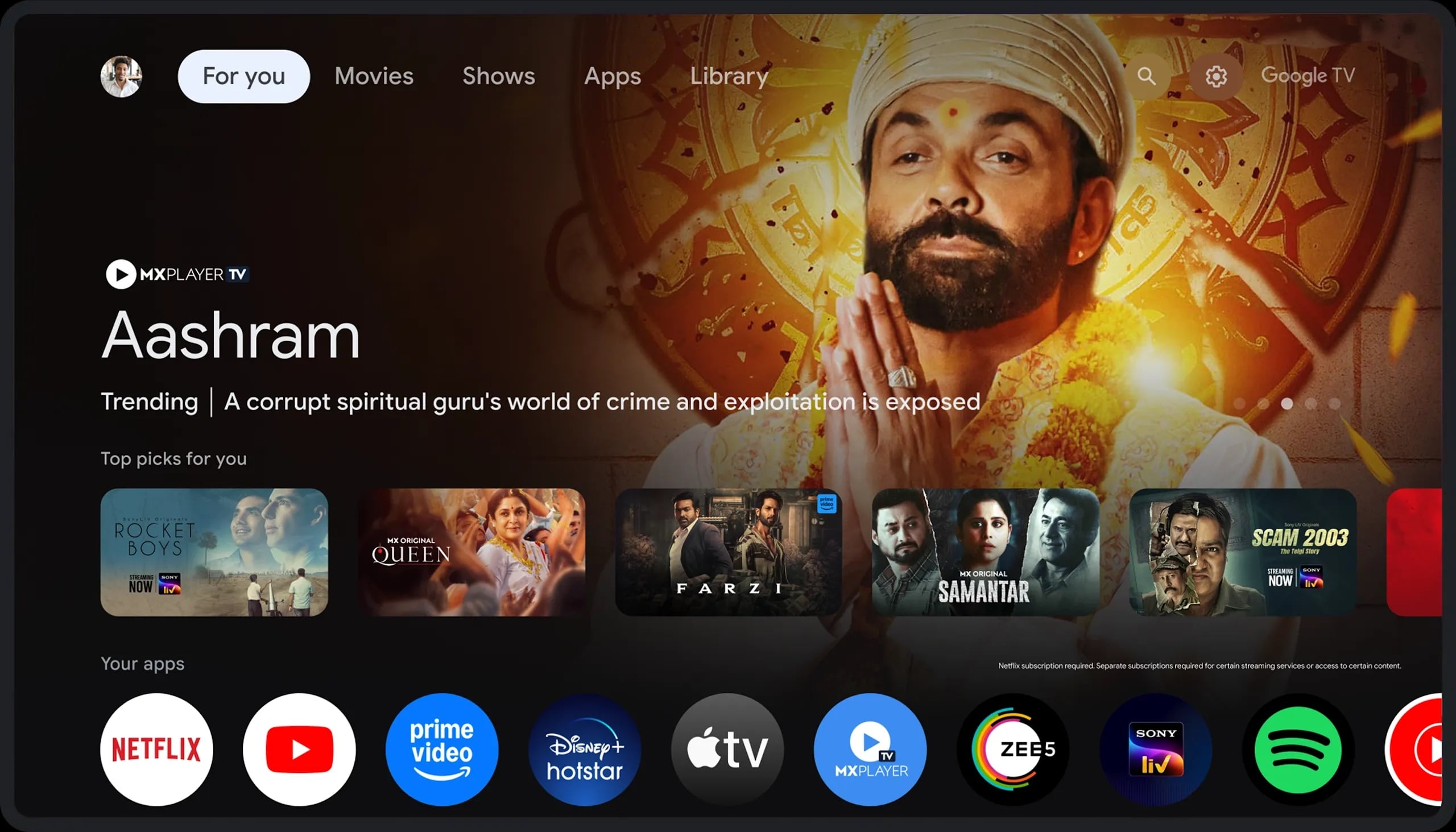
Out of the box, when you turn on your smart TV powered by Google TV or a TV with a streaming device connected, they prioritize pushing streaming content to the viewer. Instead of showcasing applications installed, most of the screen real estate is consumed by ads and content from various streaming platforms. It also creeps into your viewing habits and then matures its algorithm to push movie suggestions and partner advertisements, front and center.
Not everyone has a subscription to all the streaming platforms, and most of the movie suggestions are locked behind hefty subscriptions. Today, people make use of free alternatives to watch content on their TVs and avoid paying for subscriptions. One of the worst things about the Google TV interface is that side-loaded apps mostly don’t appear on the official app list. If you are installing a niche app or something that is not available on the Play Store, Google will make you dig through the system menu just to open it.
What is Arc Launcher?
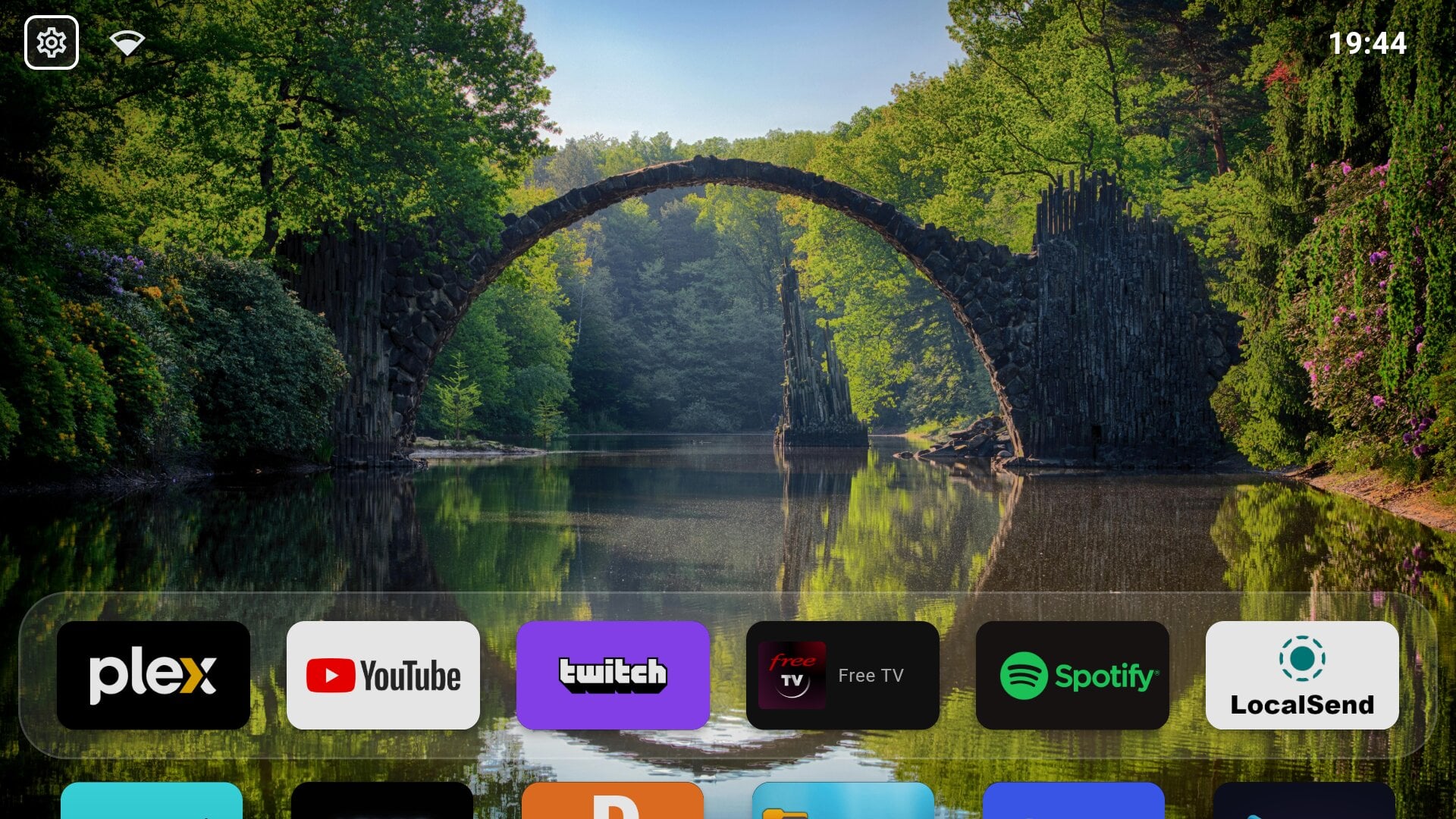
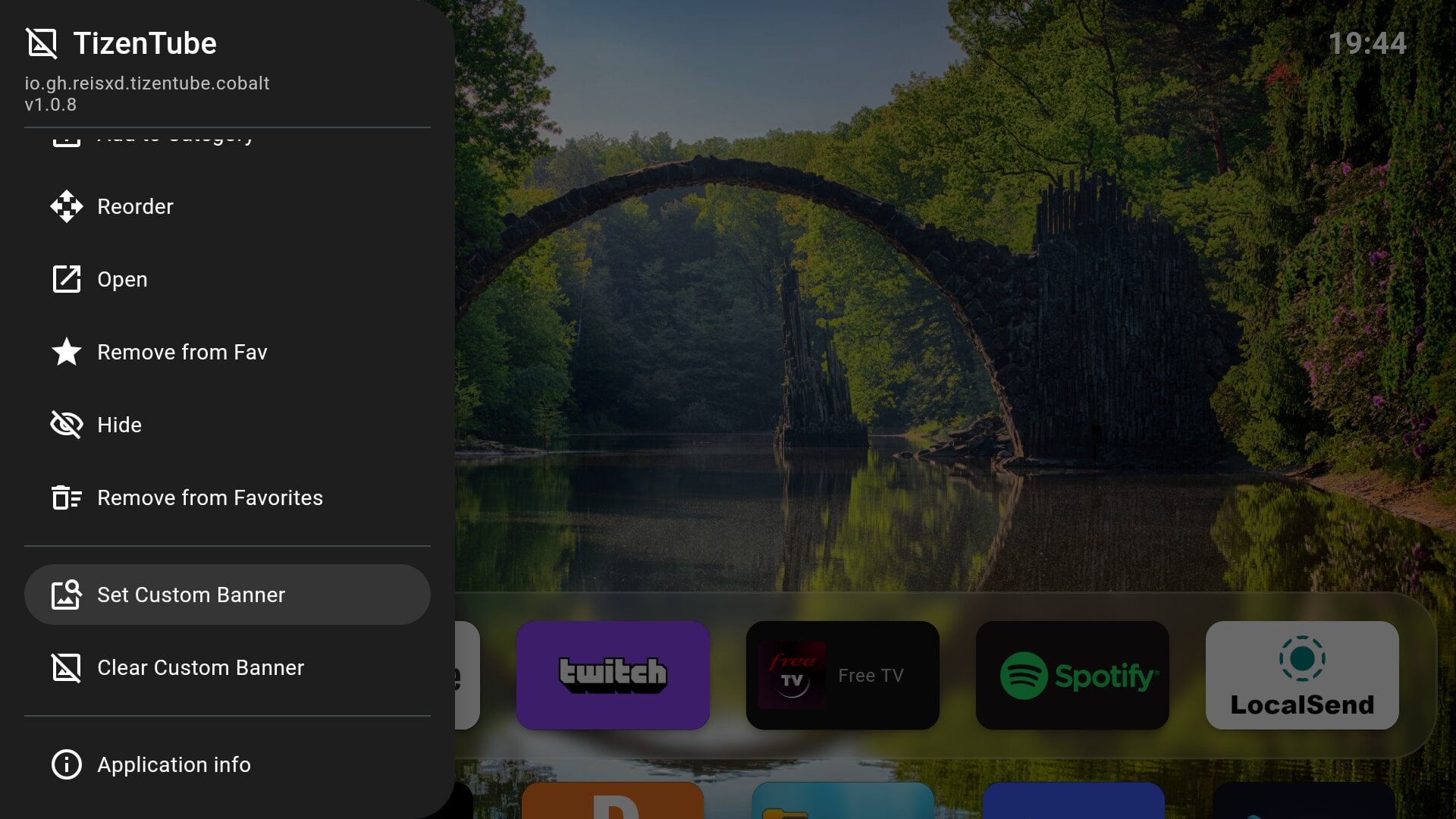
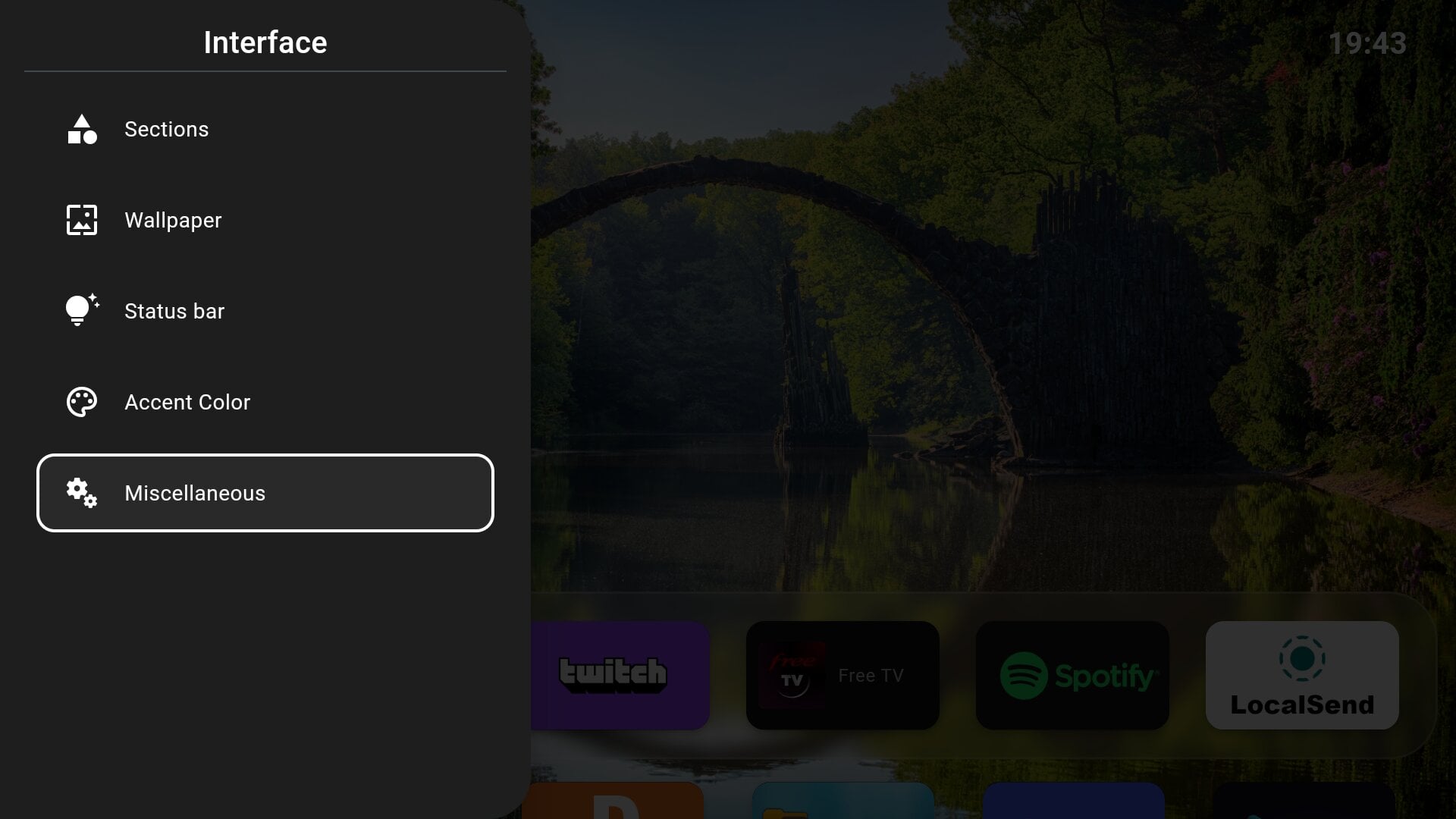
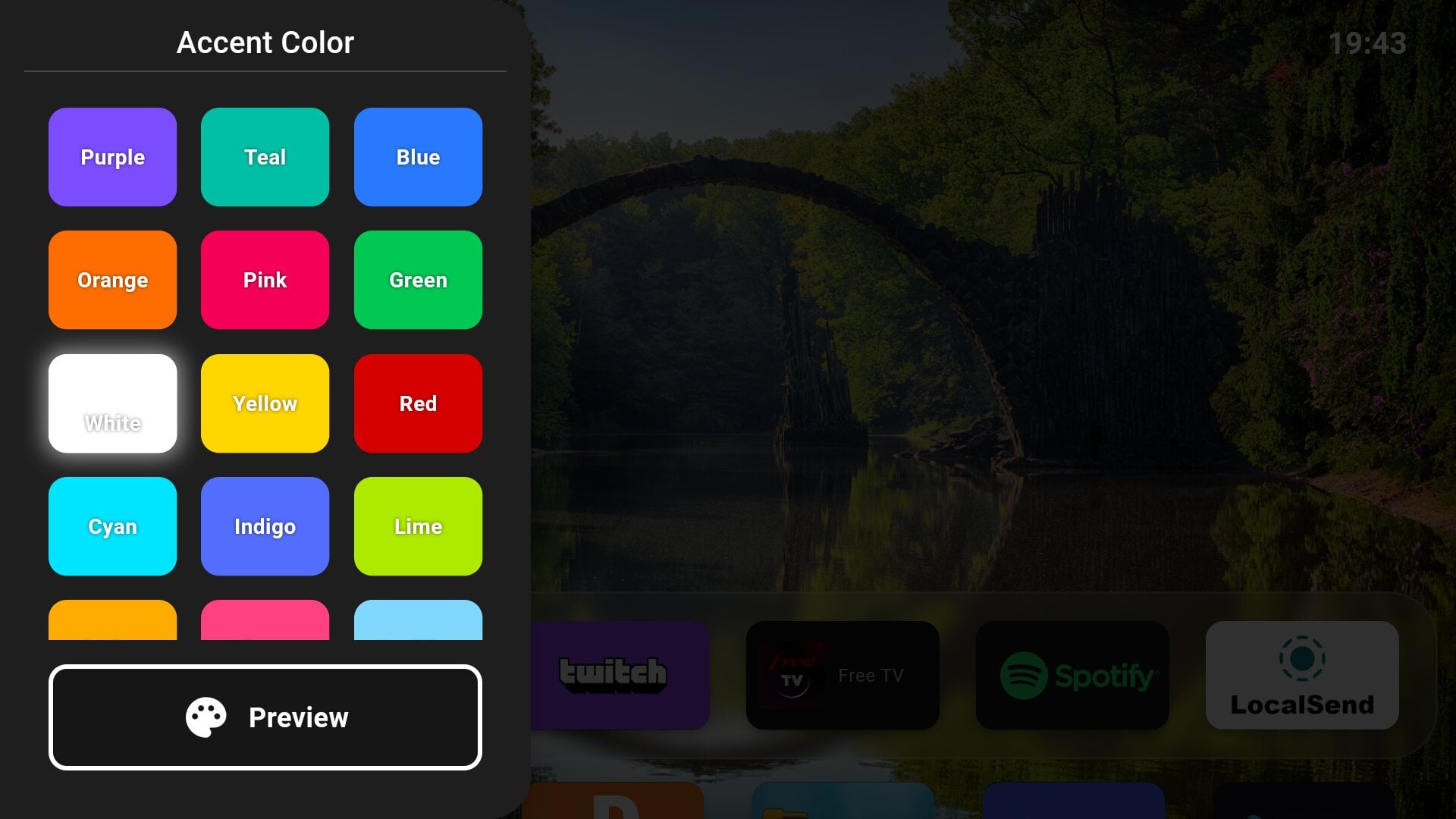
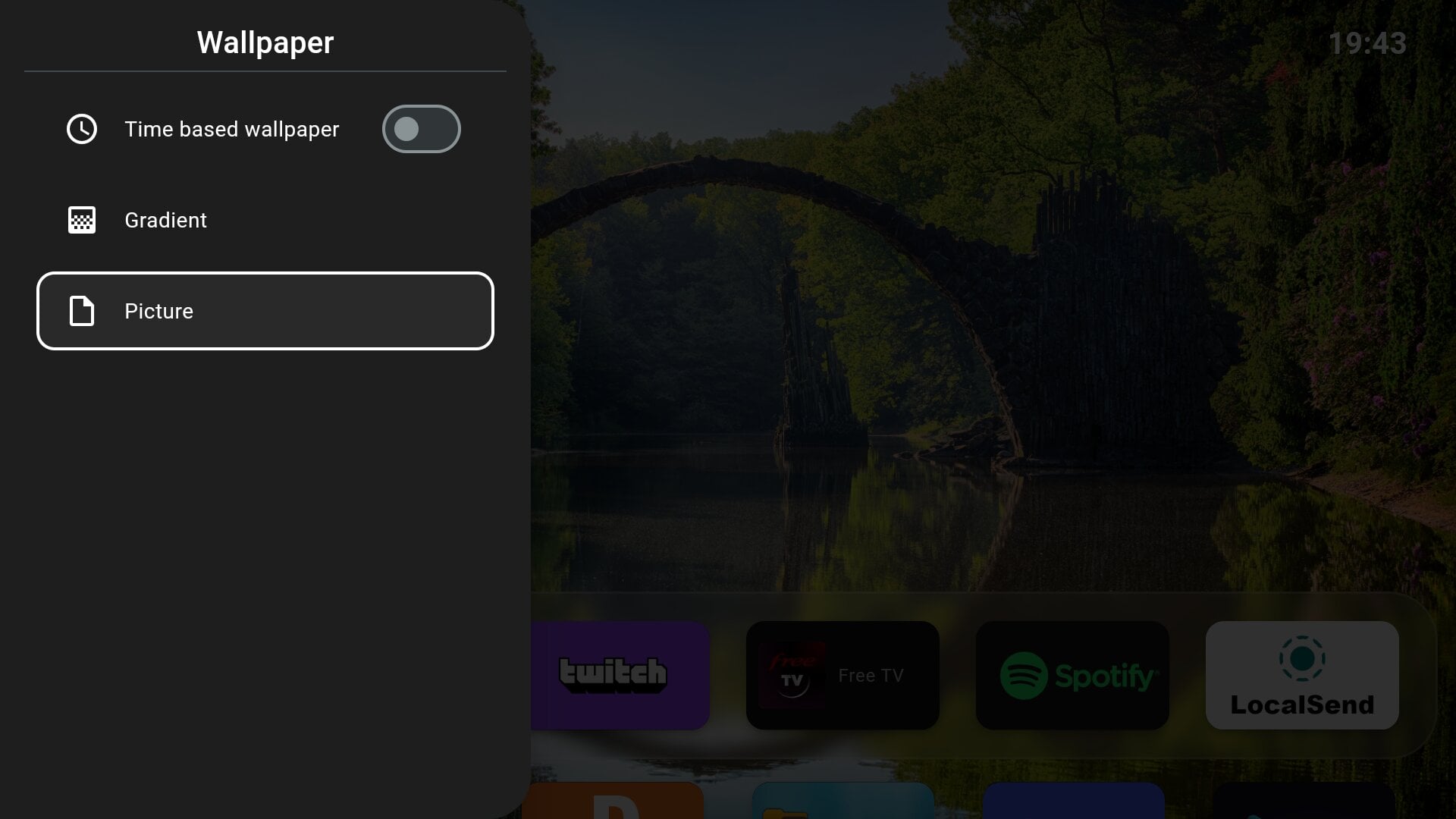
Like most open-source, actually useful apps, the Arc Launcher is not available officially on the Google Play Store. You have to get over to the GitHub repository and grab one of the best Google TV launchers. Arc Launcher is an open-source, ad-free, and completely free Android TV launcher that brings back the minimalism a TV launcher deserves.
Forked from the LTvLauncher, the developer added a bunch of usability enhancements to deliver a clean, smart TV-style layout packed with power-user features. While LTvLauncher (which was forked from FLauncher) focused heavily on removing ads, Arc Launcher takes the foundation and adds a neat coat of modernization.
It redesigns the grid layout and mimics the premium feel of Apple TV. It never throws any ads at you and maintains a zero-ad policy. It puts your applications first and gives you access to all apps, even the sideloaded ones, right on your home screen. On top of this, Arc Launcher also comes with multiple customization options that give you control to tweak the home screen.
Features that make a difference
Arc Launcher isn’t just about looking clean and giving you an ad-free experience. The developer has put some thought into making the viewer’s experience better. Here is what would make you jump ship from the default launcher to Arc Launcher
- Data usage statistics: If you are using a limited data home internet connection or tethering via your mobile hotspot, then this is a lifesaver. You can have a dedicated data usage widget right on the home screen and track your daily internet consumption.
- Built-in screensaver: For those using OLED smart TVs, they would probably know the issue of screen burn-in. In short, it is a problem where the static images or logo leave a faint or lasting ghost image on the screen. Arc Launcher comes with a minimal screensaver with a clock that moves its position every 30 seconds to protect your screen’s pixels.
- Quick Wi-Fi access: The network indicator isn’t just an icon; it doubles as a shortcut for you to access the Wi-Fi settings.
- Dynamic wallpapers: Aside from various gradient wallpapers, there is also an option to set time-based wallpapers that automatically switch between day and night backgrounds.
- Brightness scheduler: For power users, if you grant permissions via ADB, then it enables a feature that automatically adjusts the brightness based on the time of day.
All these features make the Arc Launcher one of the best smart TV launchers that you can install on your TV if you are tired of unnecessary movie recommendations, ads, and limited customizations.
How to set Arc Launcher as the default launcher?
To clear the air, choosing Arc Launcher as your default launcher requires you to follow a process. It isn’t as easy as changing the default application through settings. Since Google wants its users to stay within their walled garden, there is an easy way and a lengthy way (mostly for power users).
Below is the simplest and recommended way of setting Arc Launcher as the default launcher on your smart TV:
- Head over to GitHub and click on Releases on the right side below the About section.
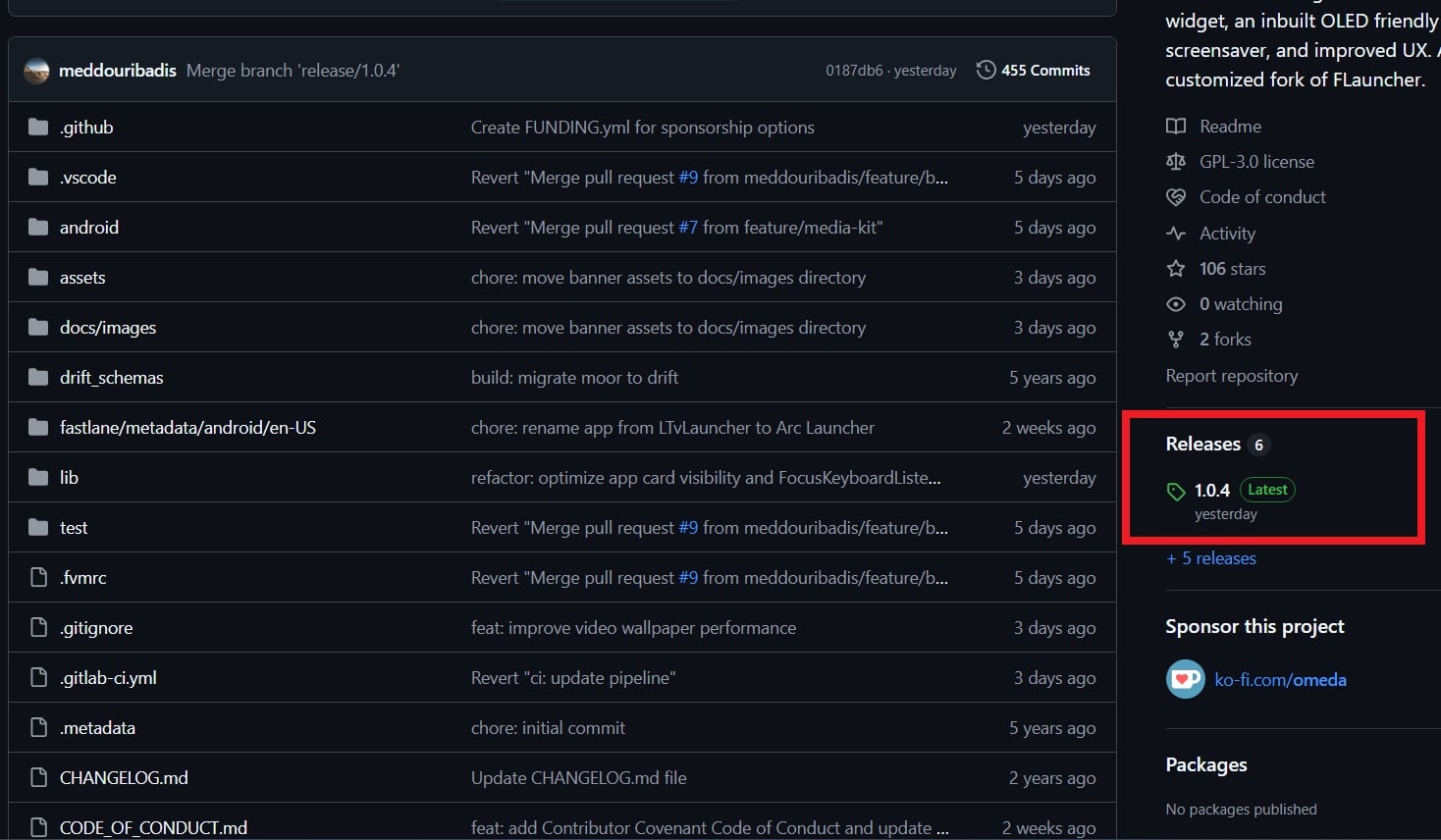
- Download the arclauncher.apk file.
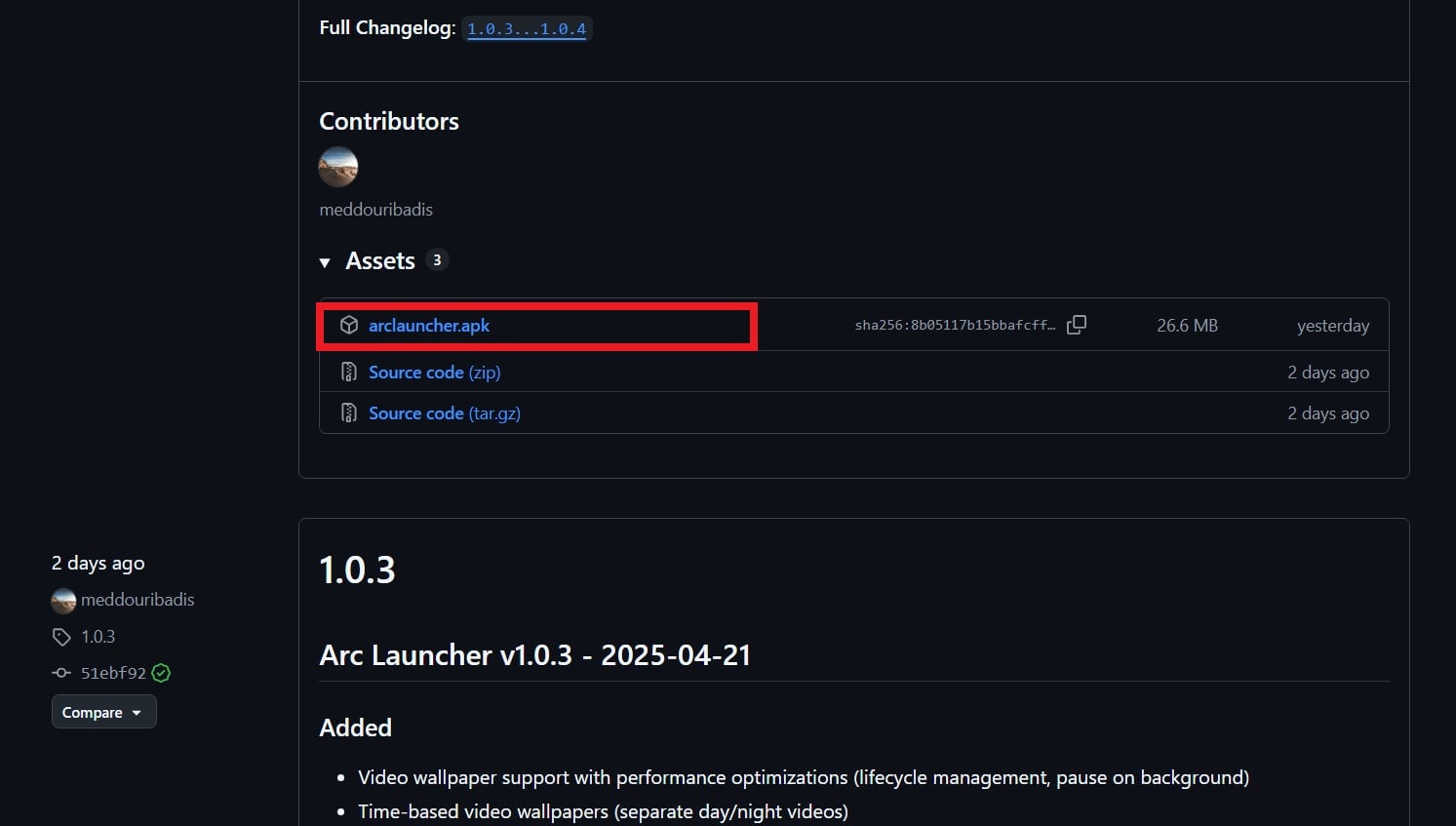
- Once the download is finished, install it on your smart TV.
- Open the Google Play Store on your smart TV and search for the Button Mapper app.
- Install and open the Button Mapper app.
Now, all you need to do is remap the Home button to open Arc Launcher. Setting this up ensures that Arc Launcher opens up every time you press the Home button.
If you are a power user and want the default launcher to be dead and buried, you can use ADB (Android Debug Bridge) to disable it. However, do note that this is totally at your own risk. The developer has shared a few commands (mentioned below) that you can use for Chromecast with Google TV. Not sure if this will work for a smart TV with Google TV OS or not.
# Disable com.google.android.apps.tv.launcherx which is the default launcher on CCwGTV
$ adb shell pm disable-user --user 0 com.google.android.apps.tv.launcherx
# com.google.android.tungsten.setupwraith will then be used as a 'fallback' and will automatically
# re-enable the default launcher, so disable it as well
$ adb shell pm disable-user --user 0 com.google.android.tungsten.setupwraith
You can re-enable the default launcher by executing the commands below:
$ adb shell pm enable com.google.android.apps.tv.launcherx
$ adb shell pm enable com.google.android.tungsten.setupwraith
Do note that running the above command on Chromecast with Google TV will disable the “YouTube” remote button. If your remote has a YouTube shortcut button, then you probably have to use Button Mapper to map YouTube to a button.
Take back control of your Smart TV
At the end of the day, your TV should be a gateway to entertainment that you like. It should never be something that forces you to watch certain content for their paid partners. Since Google TV no longer offers the minimal UI that actually matters, you can give the Arc Launcher a try and experience a clean and ad-free UI. If you also want to change the way you communicate with your TV, then you should check out this remote app. It not only lets you control your TV using your phone, but also brings a full-fledged keyboard for easier typing.

