

Quick Answer
Depending upon whether you want to download your own Facebook videos or download Facebook videos uploaded by others, there are a couple of easy ways for the same. All of them require you to log in to FB on your browser. For downloading videos uploaded by others, you can either try replacing “www” in the URL with mbasic, or use third-party sites like fdown.net.
In today’s world of social media, where Instagram, TikTok, Snapchat, etc. are being consumed more than ever, Facebook, which was once “the social media platform,” has maintained its position. While there are reports that teens and younger audiences are ditching Facebook for other platforms, Facebook still manages to achieve around 3 billion monthly active users worldwide. That’s some staggering numbers, and with new features being added now and then, it also keeps the platform up to date with other social media platforms.

Facebook is mostly used to share memories of a trip, vacation, or something special with friends or family members. While downloading your videos is a breeze, downloading videos from other users requires you to follow a few steps, which we will discuss in this guide. Here, we will show you how you can download Facebook videos on any device, be it Android, iOS, or desktop. Let’s jump right into it.
Table of Contents
Download your personal Facebook videos
If you love uploading videos and sharing them with others on Facebook, then you might have a lot of memories that you can revisit and cherish. You can easily download Facebook videos that you have uploaded to your account by following the below steps.
Method 1:
- Launch Facebook in your preferred browser and log in with your credentials.
- Open your profile and click on the Videos tab.
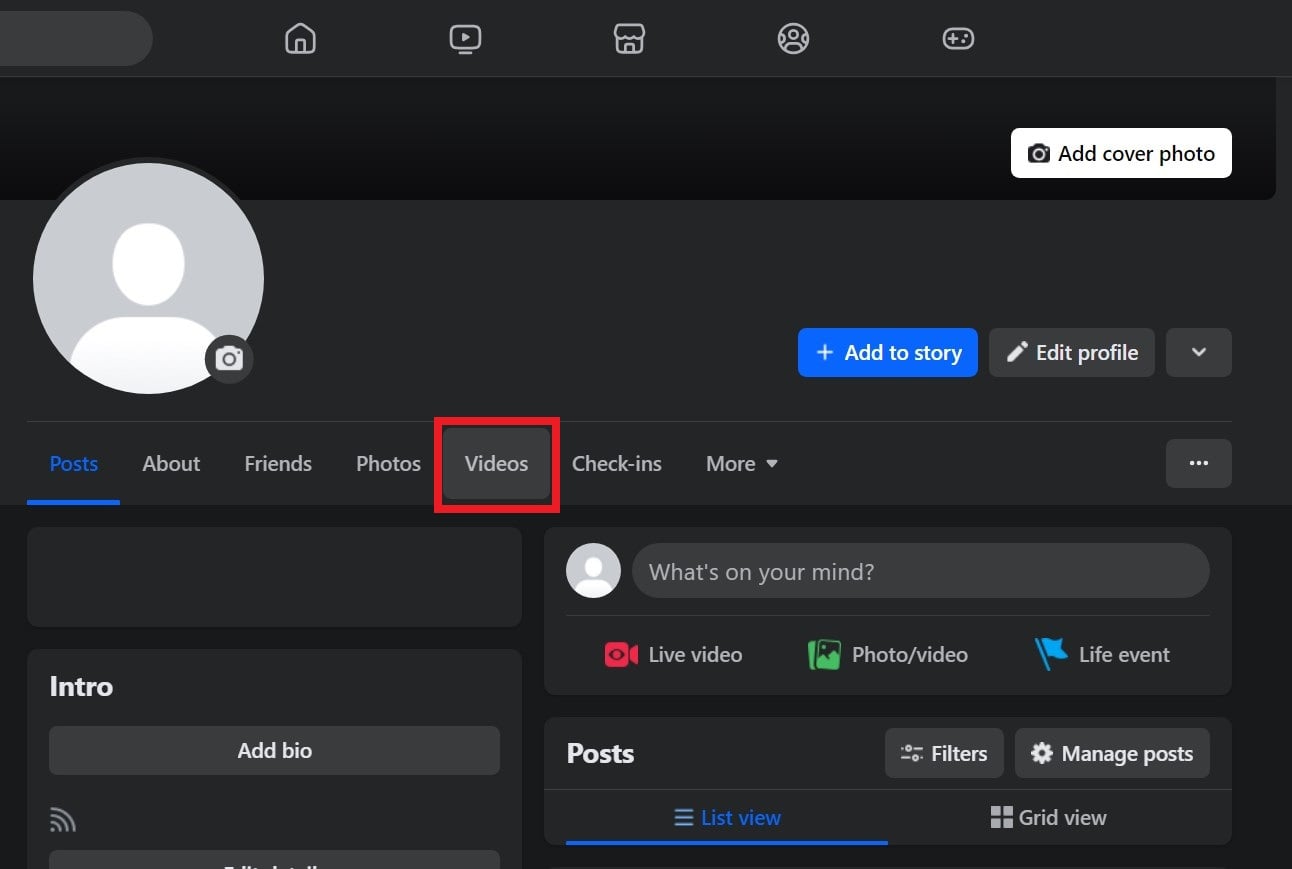
- Choose the video that you wish to download.
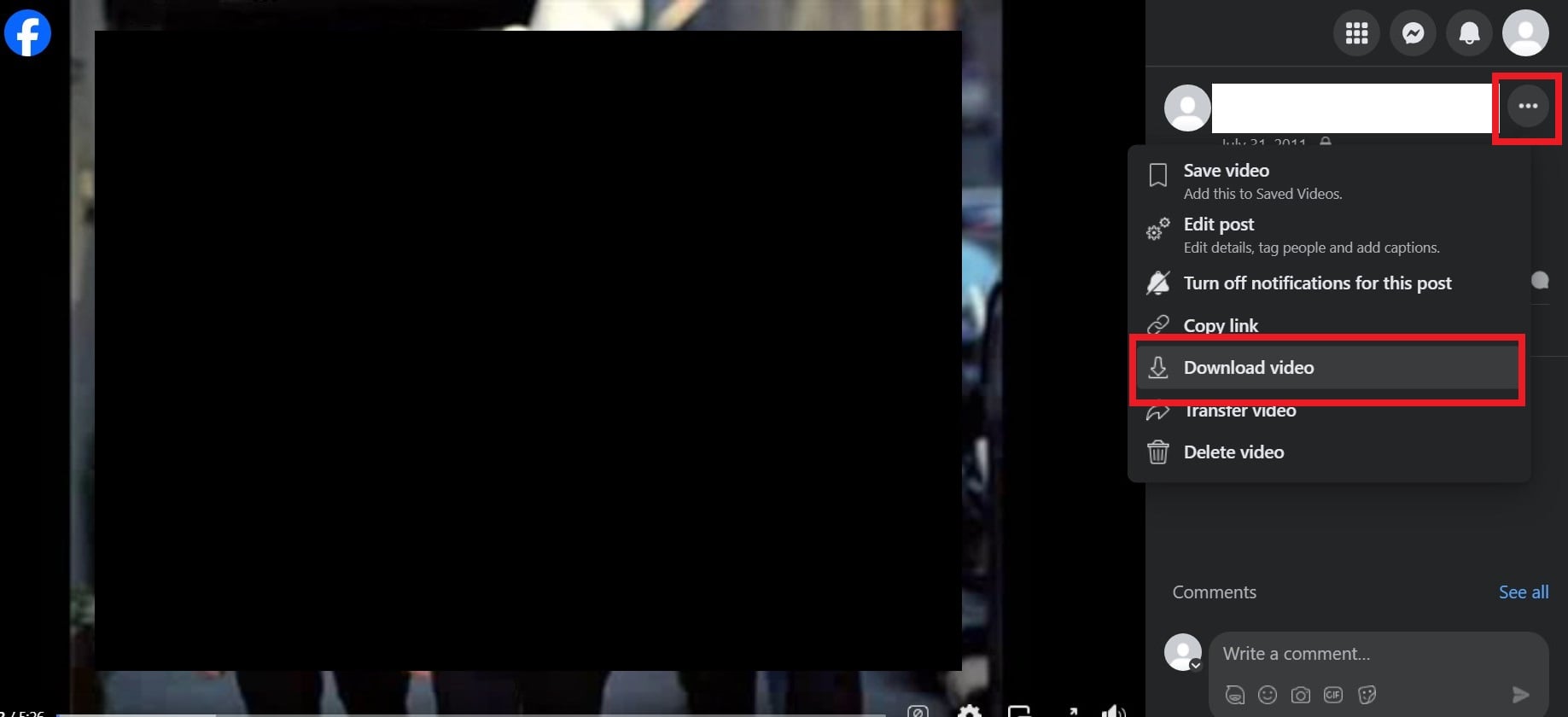
- Click on the three-dot menu icon next to your name and select the Download video option.
Method 2:
- Launch Facebook in your preferred browser and log in with your credentials.
- Open your profile and click on the Videos tab.
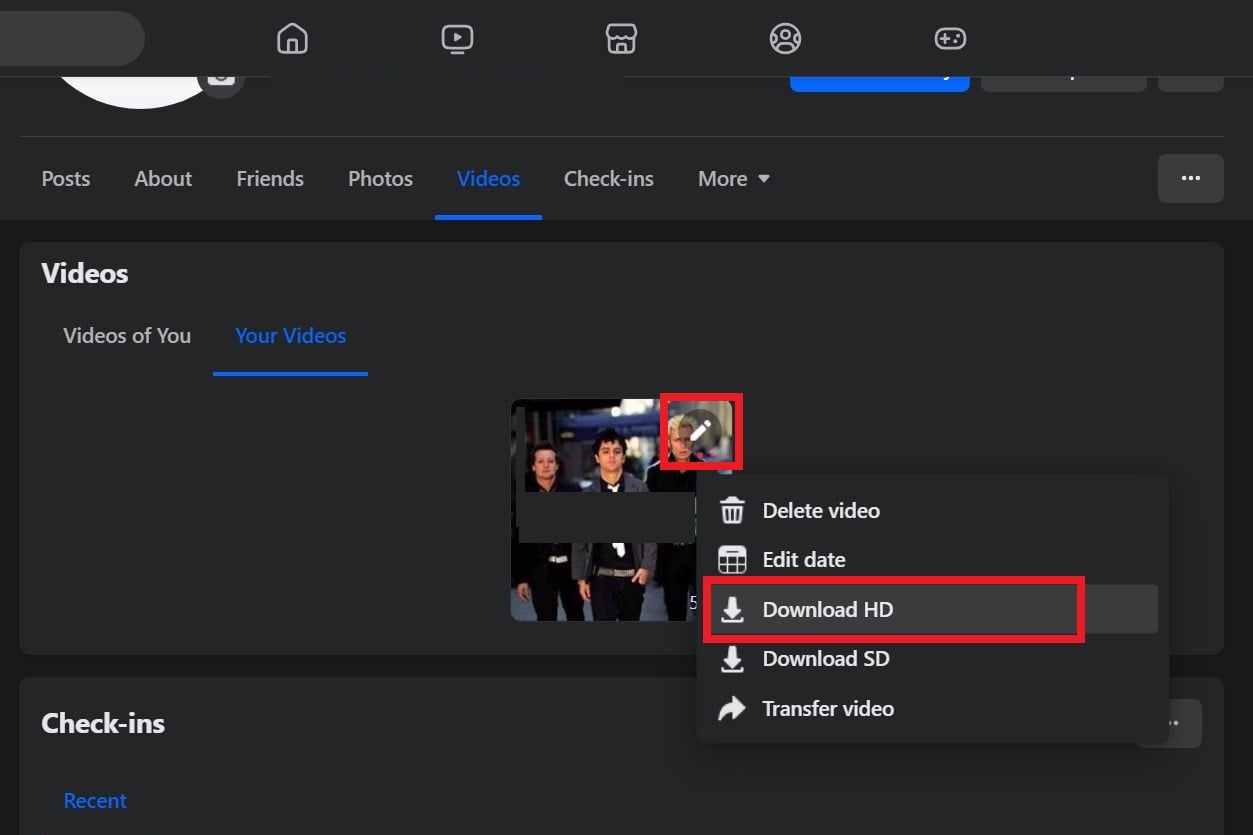
- Click on the pencil icon and select either Download HD or Download SD depending on your video quality preference.
The downloaded video will be saved in your specified location, and you can play it easily using any of the best video players of your choosing. Now that you have understood how you can download your own uploaded videos from Facebook, let us understand how you can download videos uploaded by other users in the below sections.
Read More: How To Hide Facebook Likes
Download Facebook videos uploaded by others
Downloading Facebook videos uploaded by others requires you to follow some steps. You can also make use of a third-party website that will help you easily download the videos, which we will discuss in this section.
Method 1: Using mbasic
- Launch Facebook on your browser and log in with your credentials.
- Choose a video that you would like to download.
- Click on the three-dot menu icon in the upper right corner and select Copy link.
- Open a new tab, paste the copied link, and press Enter.
- In the address bar, replace www with mbasic and press Enter. This will open the Facebook mobile view.
- Press the Play button to play the video, which will open the video in a new tab. If that doesn’t happen, then right-click on the video and select Open link in new tab.
- In the new tab, right-click on the video and select Save Video as from the context menu that appears.
- Choose a location to save the video.
Method 2: Using third-party sites
- Open Facebook in any web browser and log in with your credentials.
- Choose a video that you would like to download.
- Click on the three-dot menu in the upper right corner and select Copy link.
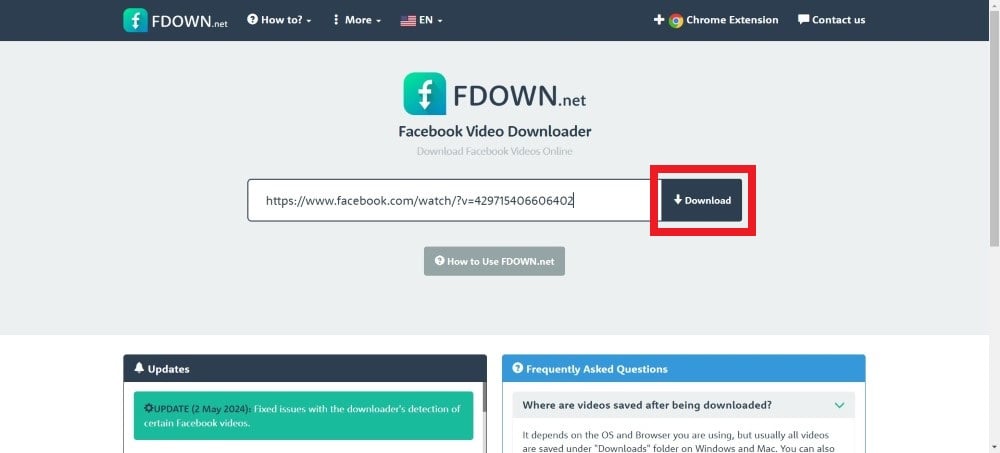
- Open a new tab and visit the FDown.net website.
- Paste the copied link in the Enter Facebook Video Link box and press Download.
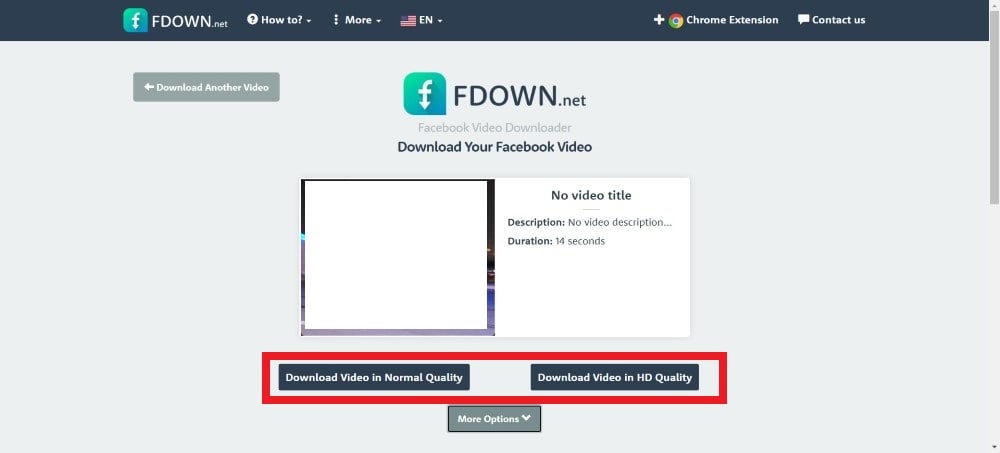
- Choose whether you would like to download the video in normal quality or HD quality. Choose a quality and select the location to save the file.
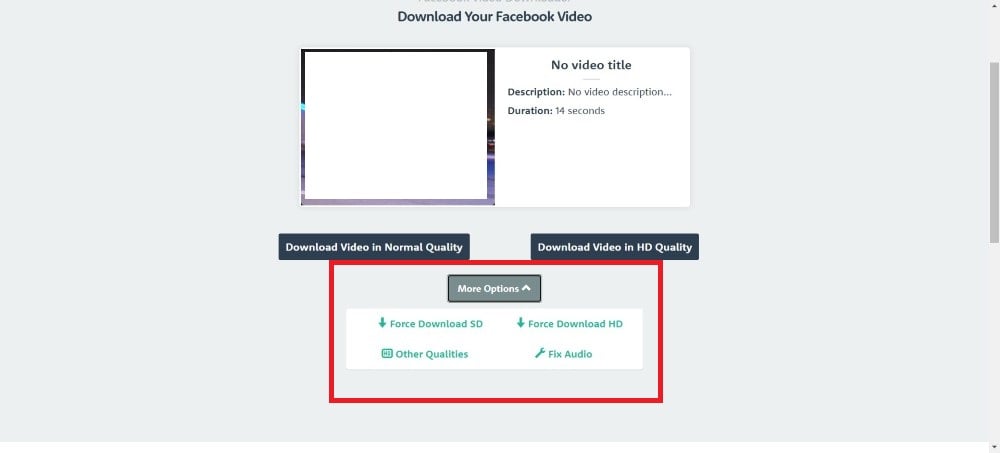
- You can also click on More options to download the video in other formats, fix the audio, or force download in SD or HD quality.
FDown.net is just one site that lets you download Facebook videos using the video link. However, if you face any issue with the website, then there are a lot of alternatives that you can choose to download Facebook videos, some of which are mentioned below:
Enjoy your favorite videos offline
You can make use of the above methods to download Facebook videos on your Android or iOS devices. Downloading Facebook videos not only lets you revisit your memory or take the video along with you wherever you go but also makes it convenient to watch when you don’t have a proper network. If you are facing an issue where the pictures on Facebook aren’t loading, then you can apply the solutions mentioned in our guide to fix it quickly.

