

Quick Answer
To generate RSS for any webiste. Feedfr is the best and highly user-friendly. RSS.app excels with support for social media feeds. FiveFilters is ideal for developers with advanced customization options and self-hosting capabilities. RSS Everything is best with support for multiple feed formats and extensive customization options. Politepol is suitable for users with moderate feed requirements. SiftRSS is perfect for organizing content from various RSS feeds. Finally, for greater customization and complete control over the RSS feed generator, you can create your own RSS generator with Python.
RSS (Really Simple Syndication) remains my top choice for aggregating content from multiple sources. There are plenty of good reasons, such as flexibility, the ability to personalize feeds, and the convenience of viewing content from various sources in one place.

While most websites support RSS, some only offer limited categories of posts via RSS, while others don’t support RSS entirely. Fortunately, Using RSS generator tools, you can create RSS feeds for any website, including social media sites, filter them based on your needs, and set alerts whenever new content is published.
If you want greater flexibility and privacy, you can also create your RSS generator using programming languages like Python. In this guide, you will learn about eight tools to generate RSS for any website.
Table of Contents
Best Tools for Creating RSS for Any Website
S:No | Tool | Pricing | Key Features |
|---|---|---|---|
1 | Rss.app | $8.32/month (Free trail: 15 feeds) | Easy to use, supports social media, advanced filtering, customizable with CSS, Set alerts via email, Telegram, Slack |
2 | RSS Everything | $10/month (Free trail: 10 feeds) | Multiple formats (RSS, ATOM, JSON), customizable filters, alerts for latest posts. Might be complex for beginners. |
3 | Fetchrss | $5/month (Free option: 5 feeds) | Visual RSS builder, supports multiple formats (RSS, ATOM, XML, JSON, CSV), high customization. |
4 | Feedfry | $7/month (Free option: 5 feeds) | Extremely user-friendly, preview and customize feeds, direct RSS URL integration |
5 | PolitePol | $10/month (Free option: 20 feeds) | Easy setup, custom CSS selectors, hourly updates, straightforward interface |
6 | Fivefilters | $12/month (Free option: 40 feeds) | Clean interface, advanced filtering, self-hosting option, supports fewer formats. |
7 | SiftRSS | Free | Excellent for filtering and sorting feeds, user-friendly, great for organizing multiple sources. |
8 | Python Script | Free | Highly flexible and customizable, full control over data, complex setup, ideal for developers. |
Feedfry: Simple and Straightforward RSS Feed Generator

Highlights:
- Extremely user-friendly, Generate RSS for any website by entering the URL.
- You can preview the generated RSS feed and customize it based on your Needs.
- Generate up to five RSS feeds for free.
- Generate an RSS URL for every feed you generate and add it directly to any RSS client.
Feedfry is a simple, straightforward RSS feed generator. The UI is basic but achieves simplicity by including all the features on one page. Here’s how it works: add the URL, select how many feeds you want to include, and generate the feed.
However, this simplicity also has downsides, such as the absence of filter options, meaning you cannot filter your feed. It is fast and works; you can generate RSS for any site using its URL. Feedfry is a paid tool. You will automatically be subscribed to the demo plan, and the basic plan starts at $2.99, which gives access to 50 feeds and a 4-hour update time interval.
Pros:
- Extremely user-friendly
- Allows previewing and customizing feeds
- Direct RSS URL for easy integration
Cons:
- Limited to 5 feeds in the free version
- Basic compared to other tools
RSS.app: User-Friendly RSS Generator for Social Media and Websites
Highlights:
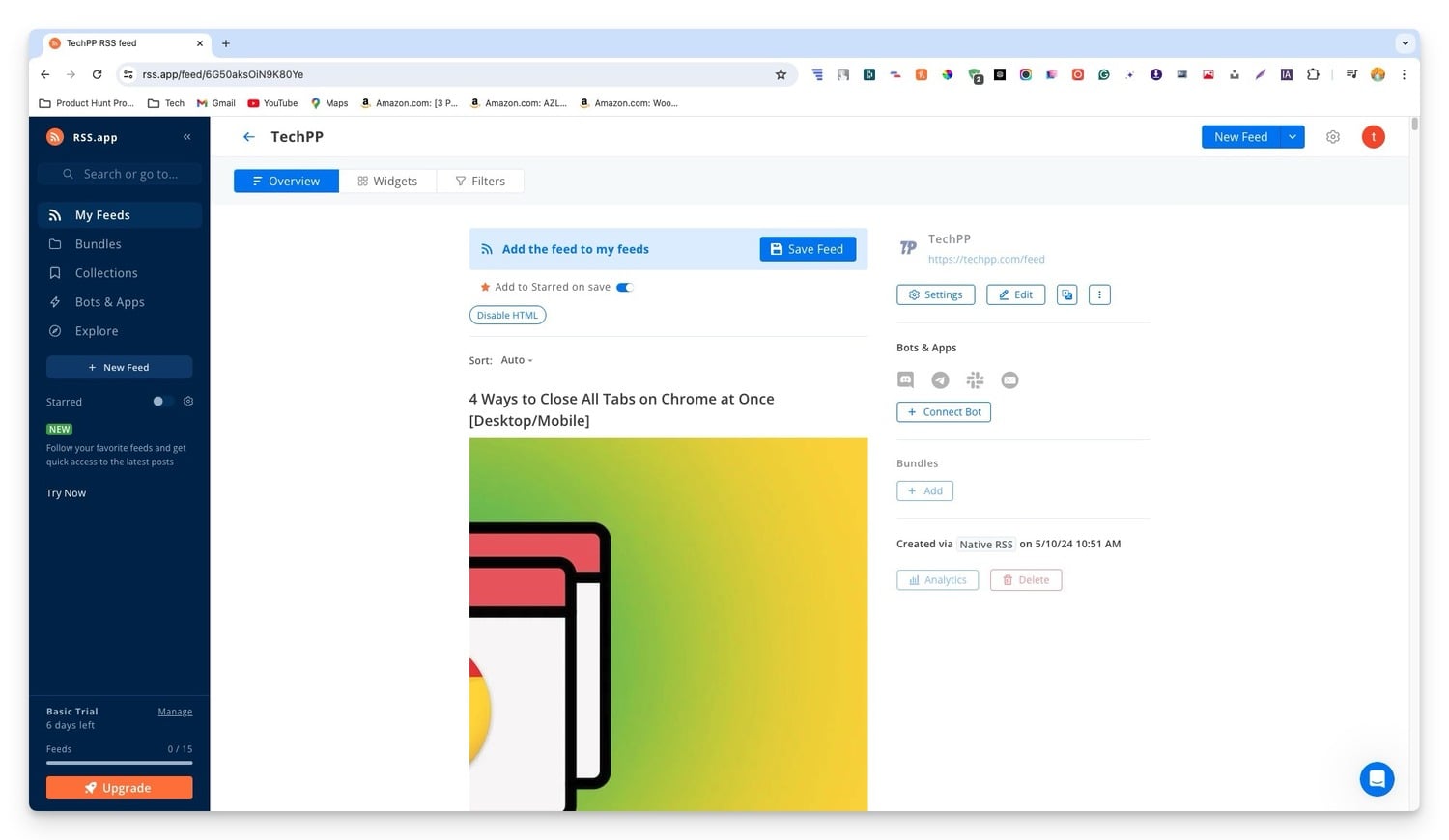
- Create RSS Feeds for any website or social media site with just a URL.
- Generate up to 15 free Feeds in the basic version (Free trial is also available).
- Filter feed with advanced filters and customize the look with custom CSS.
- Bundle multiple feeds into one.
- Set up alerts directly to email or post automatically to platforms like Telegram or Slack.
RSS.app is another simple and easy-to-use tool for creating RSS feeds for any website. It also supports creating social media feeds. You can generate RSS for any website using the site’s URL. You can filter the feeds, customize them with your URL, and bundle multiple feeds into one category. You can also set up alerts and get notifications through email, Telegram, or Slack.
It ticks all the boxes required for a great RSS generator and works seamlessly. I had a great experience using the tool. It is easy to use and has all the features to set up your RSS Feed. However, one major downside is that there is no free version. The basic plan starts at $8, allowing you to subscribe to only 15 feeds.
Pros:
- Easy to use with just a URL.
- Supports various social media platforms.
- Advanced filtering options.
- Customizable look with CSS.
Cons:
- Limited to 15 feeds in the free version.
Fivefilters: Advanced RSS Feed Generator with Self-Hosting Option
Highlights:
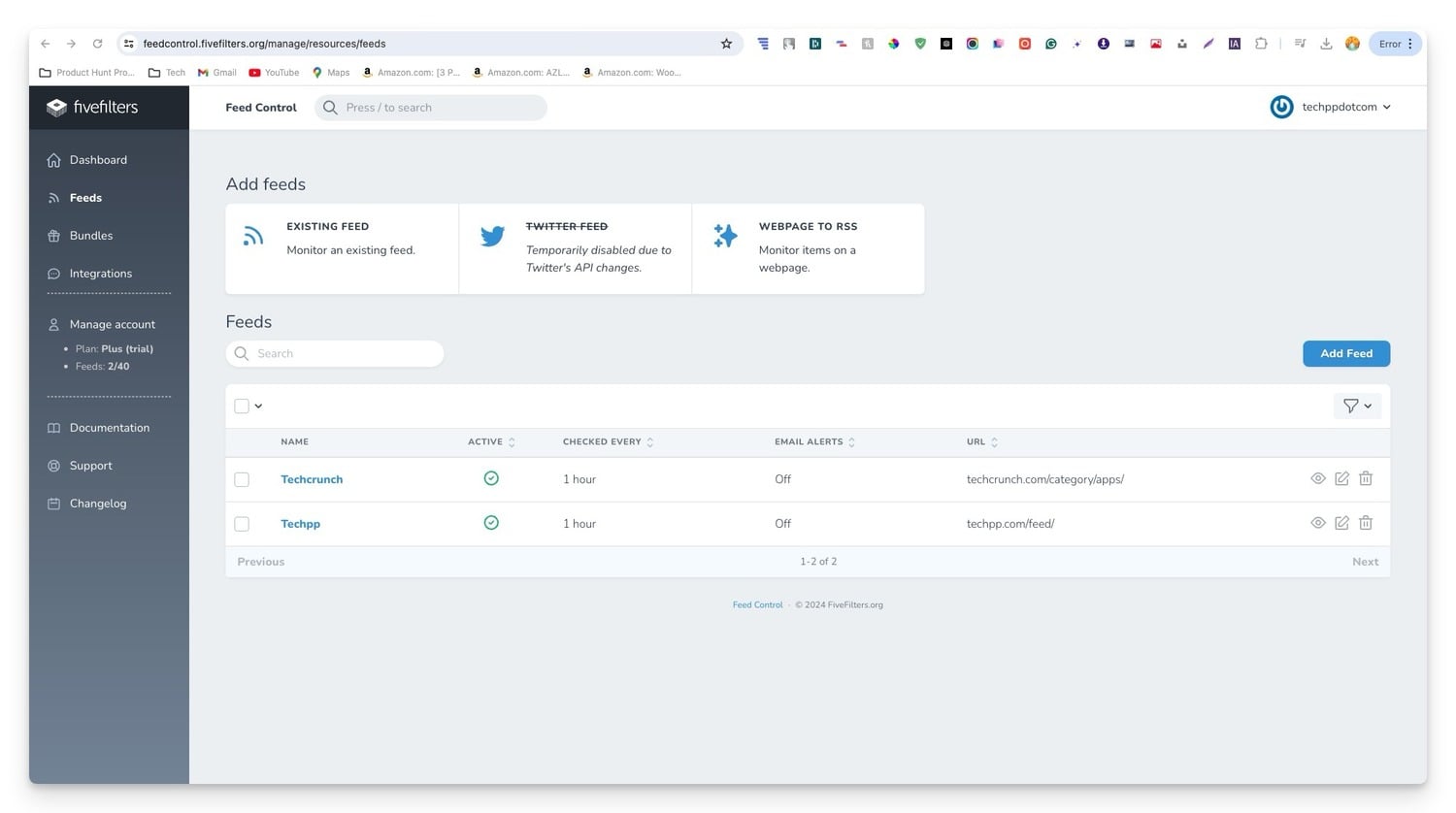
- You can create your self-host server to host the RSS services.
- It is simple and one of the cleanest interfaces for generating RSS feeds for any website.
- Create up to 40 RSS feeds in the free version.
- Filter and customize your RSS feed with advanced feed-filling options.
- Generate RSS output in very few formats.
Fivefilters is great for both beginners and advanced users. For beginners, it allows for generating RSS feeds for any website by simply using a URL. The tool provides customization options, including removing specific CSS sections from the website and other feed filters. You can also adjust the number of feed items and get the feed in reverse order.
For advanced users, Fivefilters offers additional advanced filtering options. You can even host your own RSS reader on your server. This adds benefits like more control over your feed limit, customization, and complete service control. It offers multiple hosting plans based on your requirements.
Setting up an advanced server might be complex for some businesses. However, the site offers a detailed guide on how to use it and provides consultation services for assistance.
Pros:
- Clean and simple interface.
- Advanced filtering options.
- High number of feeds in the free version.
- Host your own RSS server.
Cons:
- Supports fewer formats
- Requires technical knowledge for self-hosting.
RSS Everything: RSS Feed Creator With Advanced Customization

Highlights:
- Create RSS feeds for any website or social media platform.
- It supports multiple formats, including RSS, ATOM, and JSON.
- Customize feeds with filters and different formatting options.
- Set alerts for the latest posts.
- A subscription fee has been recently introduced, which might be a drawback for some users.
RSS Everything is another straightforward tool for creating RSS feeds for websites and social media sites. However, if you are a beginner, you might find it complex, and the user interface can add even more ambiguity while setting up filters.
It supports multiple feed formats, including ATOM and JSON. You can customize the feed by adding filters and other formatting options and setting alerts for the latest posts. However, the service has recently moved from a free tier to a subscription model, making it a completely paid tool. However, the pricing options are more flexible than other tools, with plans starting at $1.99 monthly, giving access to 10 feeds.
Pros:
- It is simple to use with just a URL.
- Supports multiple formats.
- Customizable feeds.
- Integrates well with various platforms.
Cons:
- The free version may have limitations.
- Some advanced features might be complex for beginners.
- Setting up and customizing feeds can be challenging without technical knowledge.
Fetchrss: Highly Customizable With Visual Customization

Highlights
- Generate RSS for any webiste.
- Updates constantly whenever new content is available.
- It supports multiple formats, including RSS, ATOM, XML, JSON, and CSV.
- The visual RSS builder allows you to select specific web page parts to include in the feeds.
- Customise RSS feeds with titles, descriptions, and the number of articles, and modify how images and videos are displayed.
Fetch RSS is great for people looking for high-level customization features. Its intuitive visual builder allows you to select specific web page parts to include in the feeds. This is much better than a standard RSS feed if you want a feed for a specific part of a website. You can further customize and filter the tool using standard filter options.
It supports multiple formats, including RSS, ATOM, XML, JSON, and CSV, and updates constantly whenever new content is available. The free version lets you create 5 free feeds that update every 24 hours. The premium plan starts at $5 per month.
Pros:
- Visual RSS builder is very intuitive.
- Supports many formats.
- High level of customization for feeds.
Cons:
- Lack of specified alert or integration options.
- It might be overwhelming for beginners.
PolitePol: Easy-To-Use RSS Feed Creator With a Straightforward Interface
- Extremely user-friendly, Generate RSS for any website by entering the URL.
- The free plan allows up to 20 feeds, updated once per hour.
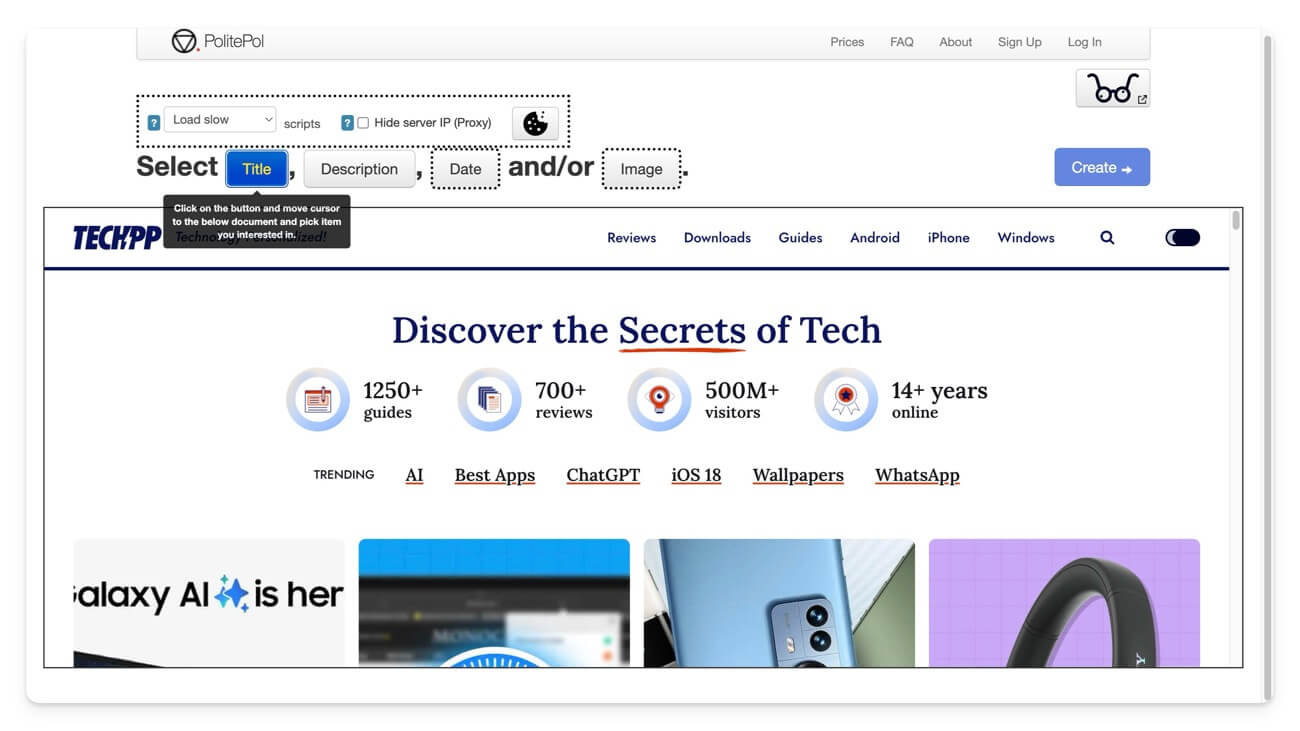
- Select specific parts of the website and add them to the feed.
- Straightforward interface, making setup and management easy.
Politepol is another simple and easy-to-use tool for creating RSS feeds for any website. However, there are two major concerns while using the tool. First is its slow loading times; the website takes some time to load websites, which happens for every website regardless of internet speed. Another issue arises while selecting the feeds from the websites.
Instead of the standard filters available on most RSS generators, Politepol has a visual editor where you select the title, description, or other elements for the RSS feed. However, you can only choose items from the preview page, which is where the issues arise.
Sometimes, the preview tab only shows the cookie consent page for sites that display cookie consent as a complete banner. When this happens, you cannot select other elements on the website. However, it works fine for other sites with small pop-up cookie banners or no banners at all. You will get an instant RSS feed URL. The free version allows you to create up to 5 RSS feeds and updates the feed hourly.
Pros:
- Extremely user-friendly.
- Free plan with up to 20 feeds
- Select specific content for the feed with CSS selectors.
Cons:
- Advanced customization options can be challenging.
- Unable to generate RSS feed for sites that display full-page overall cookie banners.
SiftRSS: Filter Content From Various RSS Feeds

Highlights:
- Filter RSS feeds from other RSS generators.
- Supports advanced filtering options to customize feeds.
- User-friendly interface for easy setup.
- You can use it as a companion tool for the sites that don’t support filters.
Some tools don’t allow you to filter RSS feeds; in such cases, you can use SiftRSS as a companion to filter RSS feeds. It is simple to use and offers high-level filters, where you can filter content based on categories.
You can filter titles and descriptions and also offer what to include and not to include options for more precise control over the RSS feed. SiftRSS is free to use; You can paste the RSS generator link and filter the feed based on your needs.
Pros:
- Excellent for filtering and sorting feeds.
- User-friendly interface.
- Great for organizing content from multiple sources.
Cons:
- Not a standalone RSS generator.
- Requires other tools for initial feed creation.
Bonus: Create RSS Using Python for Developers and Advanced Users
- Generate RSS for any website using Python code.
- Offers better flexibility compared to other RSS methods.
- It might be complex for beginners and non-programmers.
- Require multiple steps.
- It might not work for all websites.
If you are familiar with programming languages, you can create your own RSS feed generator. There are plenty of reasons for this, but the biggest reason is that you will have more control over your data and greater flexibility without limitations. You can do it in many ways using different programming languages. In this case, I have used Python to generate an RSS feed for any website.
However, a few things to note: it doesn’t always work, and some sites automatically block scrapers. Also, you have to change the code based on the site’s structure, and it is all a manual process. However, using this method offers benefits that no other tool can offer. I have shared the Python code below. Ensure you change the target URL section of the code. If it doesn’t work, modify the code based on the site’s structure.

Pros:
- Highly flexible and customizable.
- Full control over data and fetching process.
- No limitations.
Cons:
- Complex for beginners and non-programmers.
- It requires multiple steps and can be time-consuming.
- It might not work for all websites.
Top RSS Feed Generators
Those are the eight best RSS tools to generate RSS for any website. Despite the rise of social media, newsletters, and content aggregators, RSS remains a top choice for its ad-free experience, flexibility, and ability to integrate with automation tools. You can use these tools to aggregate content from multiple sources, or if you are a webmaster, you can create RSS for your website and share it with your users. I hope you find this list helpful. Let me know in the comments below if you have any other suggestions.

