

Quick Answer
The top 5 Instagram font generators for bios, captions, and comments are Instagram Fonts (simple and clean), Meta Tags Font Generator (offers profile previews), Instagram Fonts Generator (includes emojis), Glyphy’s Instagram Font Generator (299+ fonts), and LingoJam’s Fonts for Instagram (offers AI character creation and cool fonts).
Social media platforms let you share the best moments of your life with all of your friends and family members. If you have built a fan following, then social media apps such as Instagram and Snapchat are great ways to keep engaged with your followers. However, you need to be a bit creative if you wish to sustain on any social media platform. Creativity can be shown through the posts you share and even with the eye-grabbing captions you put when sharing your posts.

However, instead of using the regular font, you can make your posts stand out from the crowd by using different fonts. There are multiple free Instagram font generators that you can use to change the font in your Instagram profile, captions, and even bios. In this guide, we will explain what Instagram font generators are and how you can use them to show creativity on the social media platform. Let’s jump right into it.
Table of Contents
What are font generators, and how do they work?
One of the best things about the internet is that there is always a free alternative available. You don’t have to use a paid Instagram font generator to get those crazy and creative fonts; instead, you can opt for free ones that we will mention in this guide. One thing is common between free and paid font generators: they work more or less the same way.
- You need to type in the text in the text box.
- Select the font you want, and the output will appear.
- You copy the result and open the Instagram app.
- You can paste the result in your bio, captions, or even comments.
With that said, let us take a look at the top Instagram font generators that you can use to be creative on the social media platform.
Top Instagram font generators
Platform/Generator | Description | Pros | Cons |
|---|---|---|---|
1. Instagram Fonts | Offers a clean interface, allows you to input text and scroll through various font options. | Simple, user-friendly interface; works on both smartphones and desktops. | Limited customization, can only scroll through fonts, and contains ads. |
2. Meta Tags Font Generator | Displays a preview of how the font will appear on a mockup Instagram or Twitter profile, offering a unique feature compared to other generators. | Offers mockup previews for Instagram and Twitter; plenty of font options. | No major drawbacks, but may not have as many fonts as some other tools. |
3. Instagram Fonts Generator | Functions similarly to others but also allows the use of emojis to enhance creativity in text. | Includes emojis to further enhance creativity; easy to use. | Standard font generation with no preview feature. |
4. Instagram Font Generator by Glyphy | Provides over 299 fonts and supports other social media platforms like Twitter and Discord, with additional options like symbols and name generators. | Large variety of fonts (299+); additional tools such as symbols and emoticons. | May be overwhelming due to the extensive list of font styles and symbols. |
5. Fonts for Instagram by LingoJam | A straightforward font generator that also lets users create AI characters for free, adding an extra creative element to profiles. | Includes free AI character creation; easy to use. | Instagram may not support all generated fonts, leading to glitches. |
Instagram Fonts – Clean interface and does what it says
If you are looking for a no-nonsense Instagram font generator, then you should check out the Instagram Fonts website. It has a clean user interface and lets you input your text to change its font. It works flawlessly on both smartphones and desktops. You don’t get the option to generate a result in a desired font.

Instead, when you paste the text in the text box, you can scroll down to see your text in different fonts. If you like one from the list, then you can copy it and paste it into your Instagram bio, captions, or comment. If you don’t find something you like, you can hit the “Load more fonts” buttons.
You will find some ads on the website, which is understandable since it offers free services. Overall, it is a decent Instagram font generator that meets your needs.
Meta Tags Font Generator – Previews the font on a mockup profile
The Meta Tags Font Generator is another popular font-generating service that is available for free. One of the best parts about this website is that it shows you a preview of what the font will look like in a mockup profile. With other generators, you don’t get this facility, and you need to copy and paste the font over to your profile and click save to view how the profile will look once live.

The Meta Tags Font Generator gives you the option to view fonts on a mockup Instagram and Twitter profile, and you can select either of the profiles to understand how the font will look to make certain adjustments. There are plenty of fonts to choose from, and this could be your one-stop shop for all your font-related needs.
Go to Meta Tags Font Generator
Instagram Fonts Generator – You can use emojis to add more creativity
You can also use the Instagram Fonts Generator, which works exactly like the above two options listed above. You need to type in the text in the text box, and the website will automatically show you the different font options. You can choose among the options and copy and then paste it on your Instagram profile, bio, or even comments.
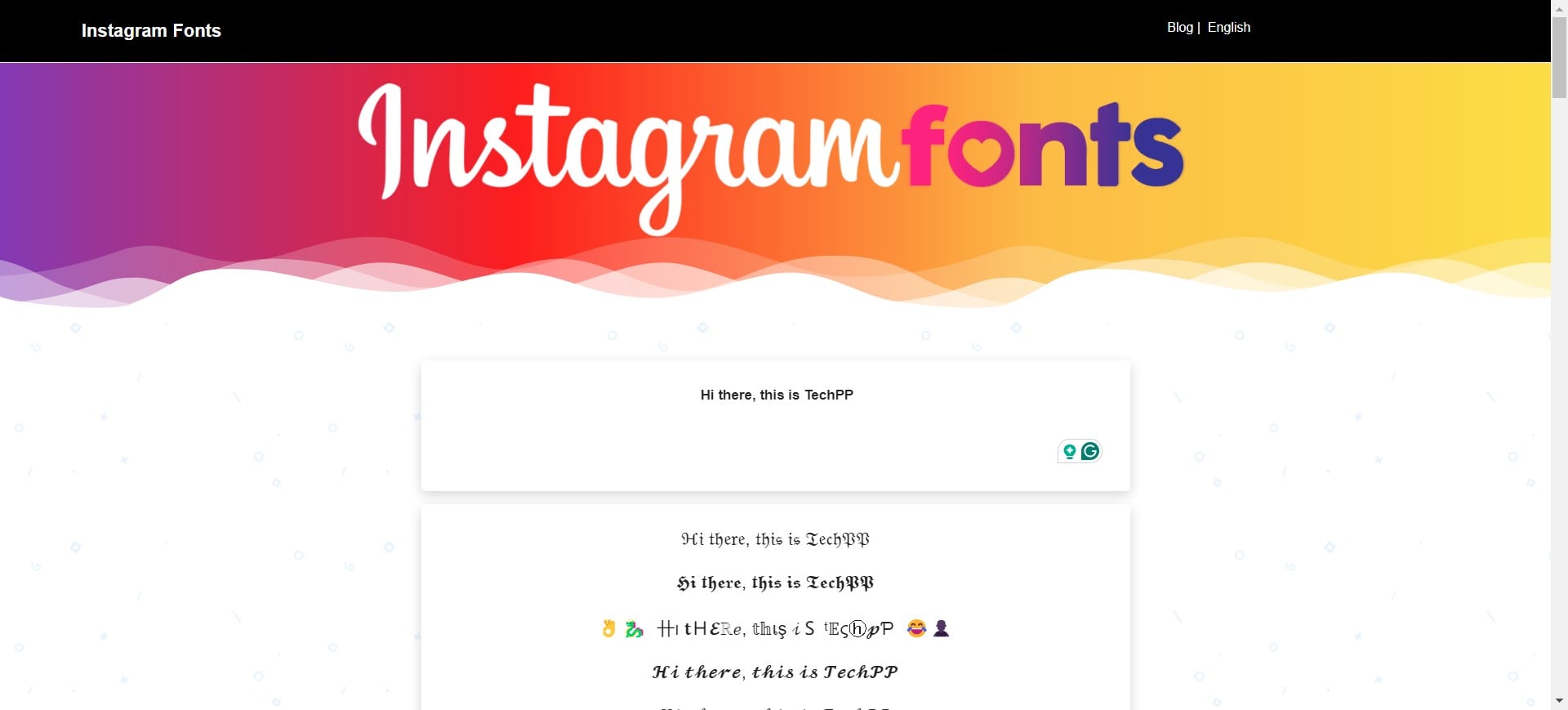
However, one of the best parts about this font generator is that it gives you the option to use tons of emojis available at the bottom of the page. You can add emojis to your text and take creativity to the next level.
Go to Instagram Fonts Generator
Instagram Font Generator by Glyphy – Offers over 299 cool fonts to choose from
Instagram Font Generator by Glyphy gives you a clean user interface to generate your text in cool fonts and use them on your Instagram account. Notably, it offers over 299 fonts that you can use not only on Instagram but also on other social media platforms such as Twitter (now X) and Discord.
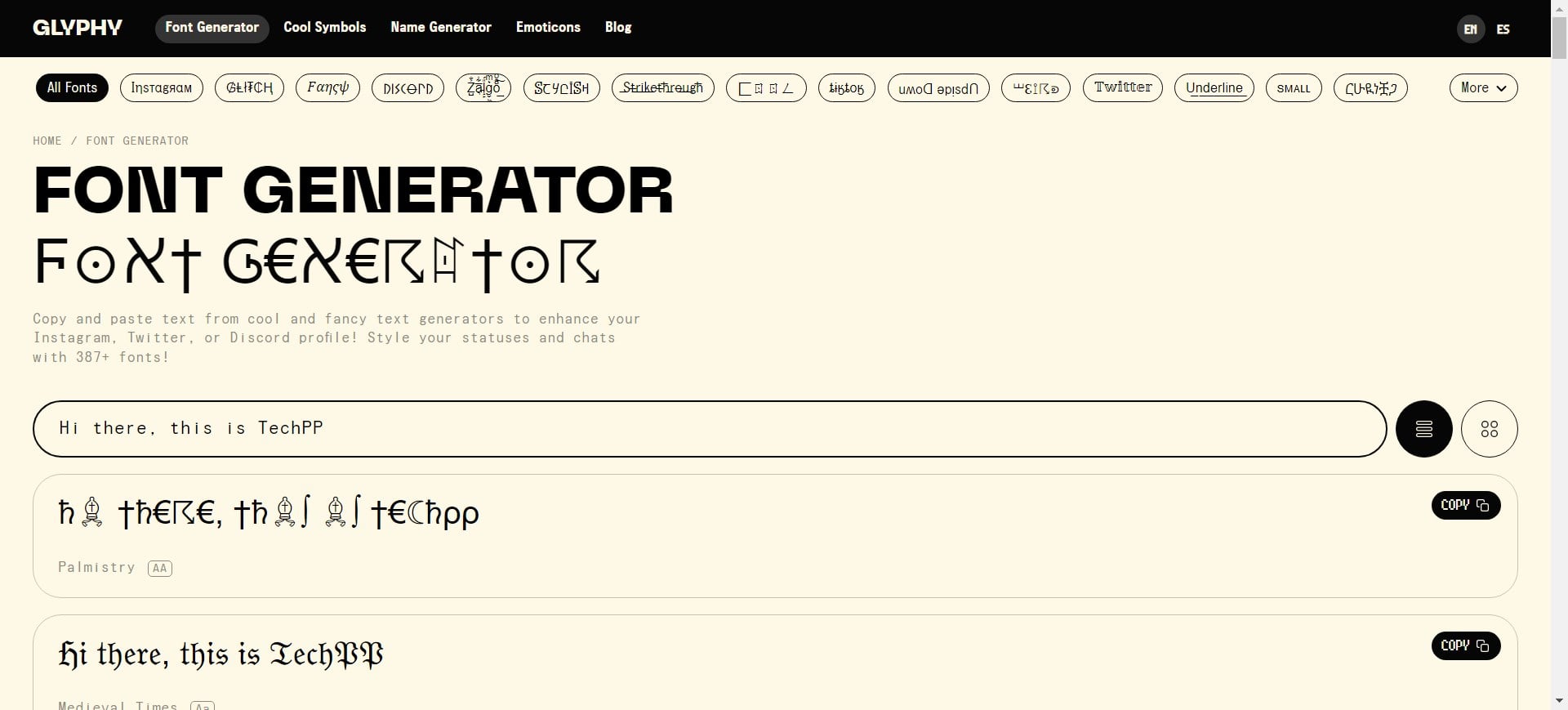
There are a lot of font styles to choose from from the top bar, including Glitch, Stylish, Strikethrough, Upside Down, Underline, and many more. Apart from generating text in cool fonts, the website also gives you access to cool symbols and offers a name generator and emoticons.
Go to Instagram Font Generator by Glyphy
Fonts for Instagram by LingoJam – Also lets you create AI characters for free
Last but not least, we have on our list of the best Instagram font generators the website called Fonts for Instagram by LingoJam. The website is fairly straightforward; when you type the text, it will instantly convert the text to different font styles. You can copy and paste the created font anywhere on Instagram.

However, one of the interesting features of this website I liked is the option to create AI characters for free using some prompts. Yes, if you wish to keep your social media profile anonymous or want to create an AI image of something for your content, then you can use this website and get it done. Based on my usage experience, the output that it offers is quite amazing.
Go to Fonts for Instagram by LingoJam
Get creative with special fonts for Instagram
There are a lot of other websites that offer the same options to generate cool fonts. However, the above-listed ones are some of the best, with some even offering the option to add emojis and create AI characters for free. One thing to note is that Instagram does not support all fonts. So, you will often come across a situation where the text that you have copied from any of the above websites isn’t showing correctly.
This is because Instagram filters out some fancy letters and symbols to restrict people from abusing Unicode stuff, and that is why you will see a “glitch text.” Either way, you can opt for a different font and check if that is supported by Instagram or not.

