

Quick Answer
Each tool comes with its own unique set of features. After testing several tools, I found AIVA AI Music to be the best and Soundful is perfect for quick, royalty-free tracks. Soundraw is also a great option. It comes with advanced customization with an easy-to-use interface. Finally Google FX is great for any user who want to generate quick AI-generated music with simple text promts. Explore all the tools and choose the one that suits you.
AI has already revolutionized the way we use technology today. One area of AI that is growing in popularity is generative AI, which uses algorithms to create new content such as text, images, and music.

We have already seen language models like GPT-3 for text and popular AI generators for images like DALL-E, Stable Diffusion, MidJourney, and DeepDream. These models can create new and unique content that is very close to human content and sometimes even better than human content.
Artificial intelligence (AI) generators have transformed several fields, from art to music to writing. We have already published a list of the best AI image generators, AI writing tools, and AI text generators. Today, we want to discuss the best AI music generators.
In the field of music, technology has already changed the way music is created, shared, and listened to. AI-generated music has gotten so much better that it is indeed hard to distinguish between music generated by humans and AI.
Table of Contents
Best AI Music Generators
Feature | Options | My Experience |
|---|---|---|
Free Version | OpenAI Musenet, AIVA AI Music (limited), Google Magenta Studio, Soundful, Boomy, Soundraw, Google Music LM (limited access), Melobytes | Most options offer free versions, some with limitations. |
Advanced Customization | AIVA AI Music, Google Magenta Studio, Boomy, Soundraw, Google Music LM, Melobytes | Various levels of customization, from basic to advanced. |
User-Friendly Interface | OpenAI Musenet, Google Magenta Studio, Soundful, Boomy, Soundraw, Google Music LM, Melobytes | Generally easy to use interfaces, AIVA AI Music is more complex. |
Export Options | MP3, OGG, WAVE, MIDI (OpenAI Musenet); MP3, WAV, MIDI (AIVA AI Music); varies by app (Google Magenta Studio); MP3, WAV (Soundful); MP3, WAV, MIDI, Stems (Boomy); WAV (Soundraw, premium); MIDI, MP3 (Melobytes) | Offers different export options. |
Genres Available | Limited (OpenAI Musenet); Wide variety (AIVA AI Music); varies by app (Google Magenta Studio); various genres (Soundful, Boomy, Soundraw, Google Music LM, Melobytes) | AIVA AI Music offers the widest variety of genres. |
Cost of Premium Version | AIVA AI Music (monthly plans), Soundful (monthly), Boomy (monthly), Soundraw (monthly) | Premium versions available for additional features and downloads. |
Community Support | AIVA AI Music, Google Magenta Studio, Boomy | Some tools have active community support. |
Unique Features | Simple interface (OpenAI Musenet); Deep Learning (AIVA AI Music); Five applications (Google Magenta Studio); Quick creation (Soundful); Dolby enhancement (Boomy); Pro-level editing (Soundraw); Text-to-music (Google Music LM); Image-to-music (Melobytes) | Unique features vary, offering different strengths depending on user needs. |
OpenAI Musent

| Quality of Music | Basic and can generate really good music with a little workaround |
| Variety of Genres/Styles | Limited |
| Customization Options | Not as many |
| User-Friendliness | Simple and easy to use |
| Integration/Export | You can export music in different formats like MP3, OGG, WAVE, and MIDI. |
| Community/Support | No |
| Pricing/Licensing | Free to use |
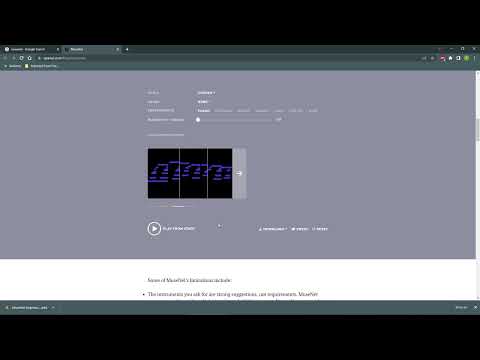
Let me start with Open AI’s simple and easy-to-use AI music generator Musenet. If you follow the tech regularly, you may have heard of this company called OpenAI. They are responsible for most of the AI news currently circulating on the internet. It’s the same company that developed ChatGPT and the AI music generator Musent.
You should not set your expectations too high because Musenet is in a pretty basic state. Do not get me wrong, it can get better with time, and it will in the future. At the time of writing this article (i.e., May 2024), you can only create a limited number of AI music styles.
The quality of the music is really good due to the limited options, you can check out the samples here. The customization options are also limited. The user interface is simple.You can export the music in various formats, including MP3, OGG, WAVE, and MIDI. There is no community support, and you can create AI music for free.
Pros
- Free to Use: Great for beginners who want to explore AI music generation without any cost.
- Multiple Formats: Can export music in MP3, OGG, WAVE, and MIDI.
- Simple Interface: User-friendly and straightforward to use.
Cons
- Limited Customization: Few options to personalize the music.
- Basic State: Still in its early stages, so expect basic features.
AIVA AI Music

| Quality of Music | Basic and can generate really good music with a little workaround |
| Variety of Genres/Styles | Wide |
| Customization Options | Pro level customization |
| User-Friendliness | Need a little knowledge to generate more customizable songs |
| Integration/Export | You can export music in different formats like MP3, OGG, WAVE, and MIDI. |
| Community/Support | No |
| Pricing/Licensing | 3 free credits monthly |
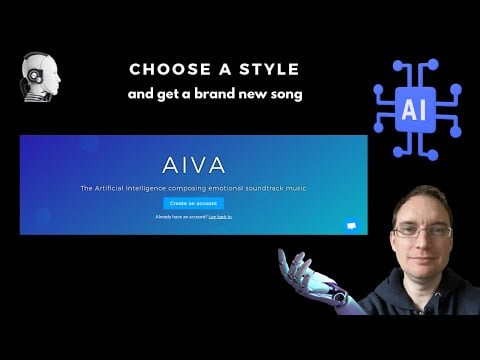
Artificial Intelligence Virtual Artist music generator short for AIVA is designed for advanced users. If you are someone who is a pro at creating music and is the closest thing to a day for an artist or is already a music artist, AIVA is for you. I have the best time while using the app.
AIVA is officially the first virtual composer in the world to be recognized by a music society. It uses Deep Learning and Reinforcement Learning to recognize regularities in music and generates AI music. You can create music compositions up to 3 minutes long in different styles such as rock, pop, jazz, fantasy, shanty, tango, and more.
The quality of the music is the best you can get. You can officially listen to all music generated with AVIA on popular music platforms like Spotify, YouTube music, and others. You can create music in a wide range of genres. There are also several built-in profiles that you can start from (profiles refer to the predefined settings that can be applied to the music generation process.
You can also customize the generated music. which can be difficult for beginners who have never used music editing software before, After using it for a bit, you will get used to it.
In the free version of AVIA, you can create and download up to 3 music compositions. You can also upgrade to Standard and Pro monthly plans to get additional download limits and duration. Besides, you can join the AVIA community and also get a native desktop app for Windows and macOS.
Related Read: Anyone can Create Songs With Just a Prompt Using Suno AI
Pros
- Advanced Options: Ideal for professional musicians with deep learning and reinforcement learning capabilities.
- Quality Output: Produces high-quality music compositions.
- Wide Genre Range: Supports various styles like rock, pop, jazz, and more.
- Community Support: Active community and official recognition by music societies.
Cons
- Complex Editor: Using the editor can be difficult for beginners to navigate.
- Limited Free Version: Only three music compositions are in the free version.
Google Magenta Studio

| Quality of Music | Basic and can generate really good music with a little workaround |
| Variety of Genres/Styles | 5 Different Styles |
| Customization Options | Low level |
| User-Friendliness | Simple and very easy-to-use interface |
| Integration/Export | You can export music in the MID format |
| Community/Support | No |
| Pricing/Licensing | Free to use |
Google has its version of an AI music generator called Google Magenta. It was launched in 2016 as an open-source project aimed at providing artists with tools and models to experiment with machine learning to create music. If you are looking for an easy-to-use music generator with powerful features, Google Magenta might be the best solution for you.
Google Magenta uses machine learning to generate music. The model is trained on large amounts of neural networks to recognize similar patterns in the music. It is available as a studio with five different applications. You can download Google Magenta Studio for Windows and macOS and start creating music for free.
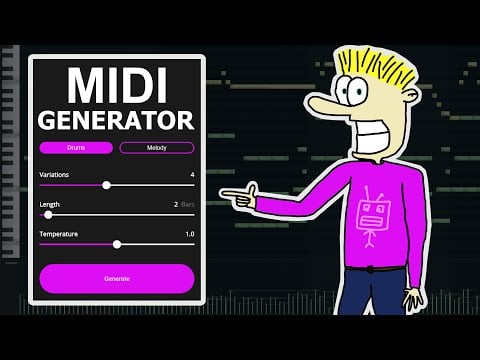
- The first application, Continue, uses predictive recurrent neural networks (RNN) that take the input music files and generate different variants of the same music files.
- The next application is Generate, which works similarly to Continue but requires no input. It generates four-bar phrases. The generated AI music is saved in the folder you selected at the beginning.
- Next, we have Interpolate, which takes the input of two drum beats and two melodies as input and combines them to generate up to 16 different combinations. Interpolation can be a great application to merge musical ideas and create unique music.
- Next, we have Groove, which takes input and adjusts the timing and speed of the music file. Groove is mainly used to create the feel of the drummer’s performance.
- Finally, we have Drumify, which takes the input from the music file and creates a drum track that matches the rhythm of the music.
- In total, Google Magenta Studio consists of five different applications for five different generations of music. The application is easy to use and generates AI music with simple inputs. If you are someone who likes to play with AI to generate music with a simple and easy-to-use interface, Google Magenta is the best option for you.
Pros
- Open Source: Free to use with powerful machine learning tools.
- Five Applications: Offers different applications for varied music creation needs.
- Cross-Platform: Available for both Windows and macOS.
Cons
- Basic Features: Some applications may be too simple for advanced users.
- Dependent on Inputs: Some tools require input files to generate music.
Soundful

| Quality of Music | Basic and can generate really good music with pre-built templates |
| Variety of Genres/Styles | Wide |
| Customization Options | Low-level and very easy to use |
| User-Friendliness | Simple and very easy-to-use interface |
| Integration/Export | You can export music in MP3, WAVE, and STEM |
| Community/Support | Yes |
| Pricing/Licensing | 10 free credits for a month. Premium available |
If you are a creator and looking for ways to generate music through AI, Soundful might be the best solution for you. The platform is specifically designed for creators to create royalty-free music in seconds.
Soundful is very simple and easy to use. You can access Soundful through the website. You can generate different types of music, including drum beats, instrumentals, hip-hop, and more. You can create similar music, tracks, and loops.
You can also select an existing music template to quickly create music without having to adjust the settings manually. The options are very limited when it comes to customization.
In the free version, you can download 10 AI-generated tracks for free. You can upgrade to the premium version to get more credits, and you can also claim the copyrights for the music you generated with the AI.
Pros
- Royalty-Free Music: Ideal for creators needing quick, royalty-free tracks.
- Ease of Use: Simple and intuitive interface.
- Variety of Tracks: Can generate drum beats, instrumentals, and more.
Cons
- Limited Customization: Basic options for adjusting music settings.
- Limited Free Downloads: Only 10 tracks in the free version.

Related Read: 10 Best AI Cover Song Generators
Boomy

| Quality of Music | Best Quality Music |
| Variety of Genres/Styles | Wide |
| Customization Options | Low-level and very easy to use |
| User-Friendliness | Simple and very easy-to-use interface |
| Integration/Export | You can export music in MP3, WAVE, MIDI, and STEM |
| Community/Support | Yes |
| Pricing/Licensing | 5 free credits. Premium available |
Boomy is one of the most recognized names when it comes to AI music generators. You can even submit Boomy-generated songs to streaming platforms like Spotify and earn some money when people listen to your songs.
It comes with a simple and easy-to-use interface. You can create your beats or select existing templates on the website. After selecting, you can even customize the song. You can also add vocals, make and rearrange changes, edit instrumental sounds, and much more.
If you think you have generated the next trending song, you can even enhance it with Dolby technology for $9.99 per song. You can download the song in MP3 files, WAV, MIDI, and also Stems. With the free version, you can save and publish up to 5 albums; with the premium version, you can save and publish up to 20 saves.
Overall, Boomy is the best option for people who want to create serious and high-quality AI music. With the easy-to-use interface and the best quality output, Boomy can be a great way to start creating music with AI.
Pros
- Monetization: Can submit songs to streaming platforms like Spotify.
- High-Quality Output: Enhanced with Dolby technology for an extra fee.
- Easy to Use: Simple interface for quick music generation.
Cons
- Costly Enhancements: Dolby enhancement costs $9.99 per song.
- Limited Free Publishing: Only five albums in the free version.
Soundraw

| Quality of Music | Best Quality Music |
| Variety of Genres/Styles | Wide |
| Customization Options | Low-level and very easy to use |
| User-Friendliness | Simple and very easy-to-use interface |
| Integration/Export | You can export music in . WAV |
| Community/Support | Yes |
| Pricing/Licensing | Generate unlimited songs, Download option is only available for premium users |
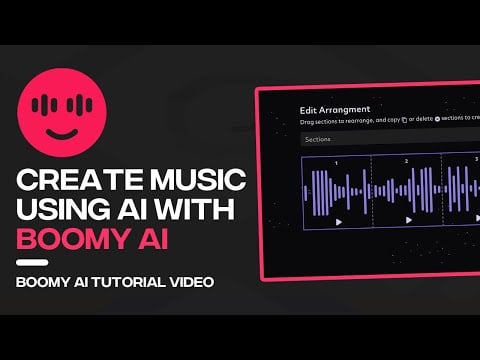
Soundraw is another popular AI music generator that lets you generate AI music with an easy-to-use interface and advanced customization options. This is the best option for users who want flexibility in choosing both easy-to-use interfaces and also pro-level customizations.
You can access Soundraw directly from the website and generate AI music with a wide variety of genres. The website also offers advanced customization options for setting the length, speed, instrument key, and volume of the track. You can directly download the songs and save them locally on your device.
You can generate unlimited AI songs for free. However, you need to subscribe to the premium version. You can download up to 50 songs for one day only in WAV format.
Pros
- Flexible Customization: Advanced options for detailed music editing.
- Unlimited Generation: Can generate unlimited songs in the free version.
- Pro-Level Editing: Offers both basic and advanced editing features.
Cons
- No Free Downloads: Requires a premium subscription to download music.
- WAV Only: Songs can only be downloaded in WAV format.

Google MusicFX
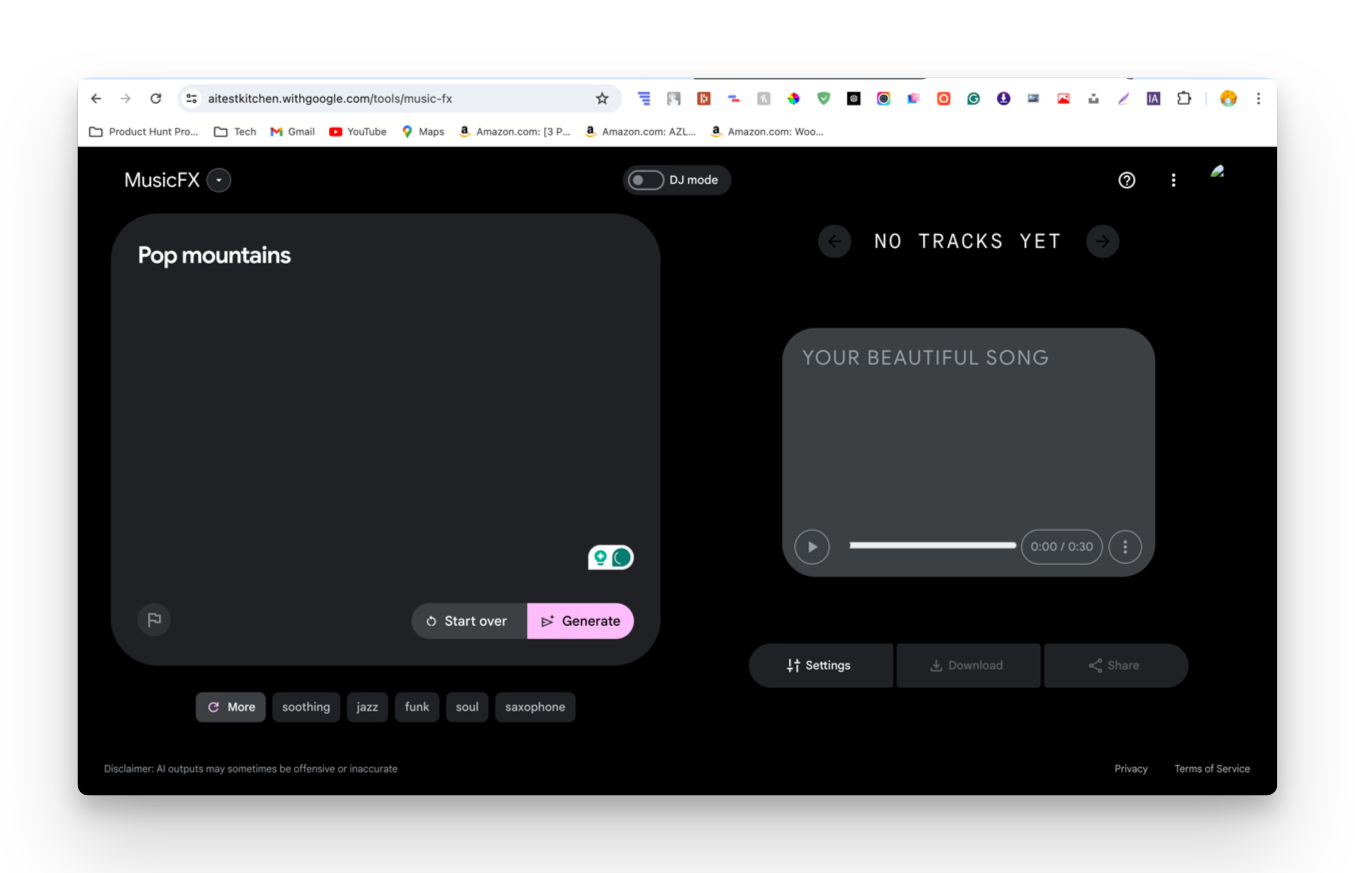
| Quality of Music | Good |
| Variety of Genres/Styles | Limited |
| Customization Options | Low-level and very easy to use |
| User-Friendliness | Simple and very easy-to-use interface |
| Integration/Export | You can export music in MIDI and Mp3 |
| Community/Support | No |
| Pricing/Licensing | Free |
In the age of artificial intelligence, many companies are surprised by many technological inventions, and so far, we have talked about the best AI music generators that can generate music with already existing data. But did you know that you can also generate music with simple text prompts?
Meet Google MusicFX, a new AI tool from Google that can generate music using simple test descriptions. You can simply type in the prompt for the music they are looking for, and the tool will generate multiple versions of the song. In addition, you can also specify instruments such as electronic, classical, and even mood and emotion to customize their song output.
You can customize the songs with seed, adding loping, and increasing the limit to 70 seconds. If you are looking for ways to generate music from text, MusicLM is for you. It is simple and fast and one of the best AI-generating tool on this list.
Pros
- Text-to-Music: Generates music from simple text descriptions.
- Multiple Versions: Can produce different versions of the same input.
- Customizable: Allows specification of instruments, mood, and emotion.
Cons
- You can only generate songs up to 70 seconds.
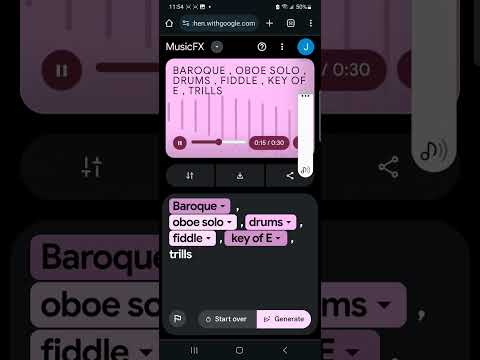
Image to AI music: Melobytes

| Quality of Music | Good |
| Variety of Genres/Styles | Wide |
| Customization Options | Low-level and very easy to use |
| User-Friendliness | Simple and very easy-to-use interface |
| Integration/Export | You can export music in MIDI and Mp3 |
| Community/Support | No |
| Pricing/Licensing | Free |
Next, we have images of AI music generators. As I said, the possibilities of AI are endless, and now it can even generate music from images. These tools use machine learning algorithms to interpret the content and mood of the image and translate it into music. They analyze the color, shape, and other features of the images to create music.
For example, listen to the music I generated from the image below using the Melobytes Image to AI Music Generator tool. It perfectly recognizes the elements in the image and generates music very similar to traditional Japanese music.

Melobytes also allows you to configure the language, max detection labels, Lyrics types, tonality, tempo, singer, and more. You can also select the AI model to be used for generating music. You can download the generated song directly by clicking the “Download” button. In addition, Melobytes also generate an image that contains musical notes.
Pros
- Image-to-Music: Creates music from images by analyzing their features.
- Detailed Settings: Customize language, tempo, tonality, and more.
- Easy to Use: Straightforward interface for generating and downloading music.
Cons
- Dependent on Images: The quality of music depends heavily on image input.
- Basic Features: This may not satisfy advanced users needing more control.

Things You Should Consider Before Choosing the Best AI Music Generator
- Quality of music: The first and obvious thing you should consider when choosing the best AI music generator app is the quality of the music. Different AI generators use different trained data to generate music, and there are obvious differences in the quality of music generated by these AI models. Therefore, it is better to check the quality of the music before choosing the best app. You can listen to the audio samples and examples on the website.
- Variety of genres: Another important factor you should consider is the variety of genres that the AI music generator can produce. Some AI music generators specialize in certain genres like classical music, rock, and pop, while others specialize in instrumental music.
- Customization options: If you want to make changes to the music, look for a music generator that allows you to customize and control different aspects of the music produced, such as tempo, tuning, instrumentation, bass, and also the length of the music. The flexibility in customization can help you create music that suits your specific needs.
- Usability: AI music generators are still in their early stages. Currently, these platforms are primarily used by early adopters. Most AI generators have yet to adopt a consistent design to serve a wide range of users. If you are completely new to this world, you should choose an AI music generator with a simple and easy-to-use interface. A user-friendly interface can save you time and frustration when composing and generating AI music.
- Export options: Determine if the website or AI generator app allows you to export the generated music to formats compatible with your desired platforms or software programs. Most AI-generated music needs further editing and additional layers to get the best result. So, make sure that the music generator app you use is capable of exporting the file in the format you want.
- Pricing: find out the pricing structure of the AI music generator app. Some apps offer free versions with limited features, while others require a subscription or one-time payment. And very importantly, clarify the licensing terms for the generated music to ensure copyright compliance, especially if you want to use the music for commercial purposes.
FAQs about Best AI Music Generators

Can AI music generators replace human musicians?
No, AI music generators are not a replacement for human musicians or composers. At best, AI music generators can provide new opportunities for music exploration and inspiration. In fact, AI music generators could be used to create music that is more personalized to the listener's preferences.
Are there legal implications when using AI-generated music?
As AI evolves and generates a variety of content, the question of who owns the copyright may arise. The legal framework for AI-generated music is still evolving and varies from country to country. Some AI music generators claim copyright to the music generated through their platform, while others do not offer copyright. It is strongly recommended that you check the licensing policies of each AI music generator before using AI-generated music for commercial purposes.
What are the drawbacks of using AI music generators?
There are a few potential drawbacks to using AI music generators, including:
- Lack of human touch: Some people worry that AI music generators lack the human touch that is essential to creating truly great music. This is because AI music generators are unable to understand the nuances of human emotion and expression the way human musicians can.
- Copyright issues: There are also some potential copyright issues associated with AI music generators. This is because AI music generators can be used to create music that is very similar to existing music. This could lead to litigation over who owns the copyright to the music.
- Job losses: AI music generators could also lead to job losses in the music industry. This is because AI music generators could automate many of the tasks currently performed by human musicians.

