

Quick Answer
To find Telegram groups, open the Telegram app, click the search icon, and enter the channel or group name. This method works best if you already know the group name. You can use Telegram directories, search engines like Google and Bing, or dedicated Telegram search engines like Teleteg to discover new groups. To join private groups, you need an invite link from a current member.
Finding Telegram groups is challenging. The platform doesn’t list groups directly, making it hard for users to discover or join groups. On top of that, even though Telegram hosts hundreds of groups and channels, most of them fall under spam, which can be a challenge for regular users when it comes to finding legitimate groups. Fortunately, using different methods, you can easily discover hundreds of groups and join them securely. In this guide, you will learn about four ways to find groups on Telegram.

Table of Contents
How to Find Telegram Groups
Method | Description | Steps |
|---|---|---|
Find Groups You Are Already Part Of | Find groups that you have already joined | 1. Go to Telegram Settings 2. Click on Chat Folders 3. Create a new folder 4. Add groups to the folder |
Discover New Groups in Telegram | Use the built-in search function to find new groups | 1. Use the search bar 2. Enter group/channel name or keyword 3. Check activity and Join |
Discover New Groups Using Directories | Use Telegram directories to find and join new groups | 1. Visit a directory website 2. Browse Groups 3. Click the link to join |
Find Groups Using Search Engines | Find or discover new groups using search engines like Google/Bing | 1. Use search engines like Google/Bing 2. Enter site.me [category] 3. Click the link to join |
Telegram has two groups:
- Public groups, which you can find through searches or websites.
- Private groups require an invitation link from a current member. Before discovering groups, here are the steps to find groups you are already part of.
Find Groups That You Are Part Of
If you want to find which groups you are part of, there’s an easy method to do that in the Telegram app or desktop. Follow these steps:
- Go to Telegram Settings. On Android and PC, click on the Hamburger menu in the top left corner and click on Settings. Click on the Settings icon on iPhone and Mac in the bottom right corner.
- In the Settings, click on the “Chat Folders. “
- Tap on Create a New Chat Folder:
- Click on “Create New Folder” and name it (e.g., “My Groups”).
- Add groups to this folder by selecting them from the list of chats.
- Save the folder. This will create a separate tab on the Telegram home screen named after the folder you created. In this tab, you can view all the groups you have joined.
How to Discover New Groups on Telegram
Finding groups on Telegram can be hard. Instead, you can find the channels and get group links from the channel. From the search, enter the channel or group name. Telegram has many spam and similar groups. Beware of spammy channels. Once you find the channel or group, click join. To join groups, open the channel and check if the channel also has a group.
On iOS:
- Open the Telegram app and click on the search bar.
- Enter the group or the channel name; if you are looking for a group that belongs to a specific category, Enter the Keyword.
- Tap on the channel or group, check the group activity, and click on join.
How to Join Find Telegram Groups on Android:
- Open the Telegram app and click on the search icon at the top
- Enter the group name, tap on the group you want to join, and click on the join.
How to find the Telegram group on PC/ Mac:
- Open the Telegram app on your PC or Mac. Tap on the search icon or search bar.
- Enter the name of the channel and then click on join.
Find Groups Using External Telegram Directories
Telegram Directories is the most reliable way to discover telegram groups. These free websites list popular Telegram groups and divide them into categories. You can visit the website, find the group you want, and join using the link. However, not all websites and Telegram directories have the latest group channels. You might still be unable to find the channel you are looking for, whether it is new or not very popular.
However, it is a great option for discovering new groups. There are plenty of Telegram Directories; after visiting them all, Here are the five best Telegram directories to find new groups.
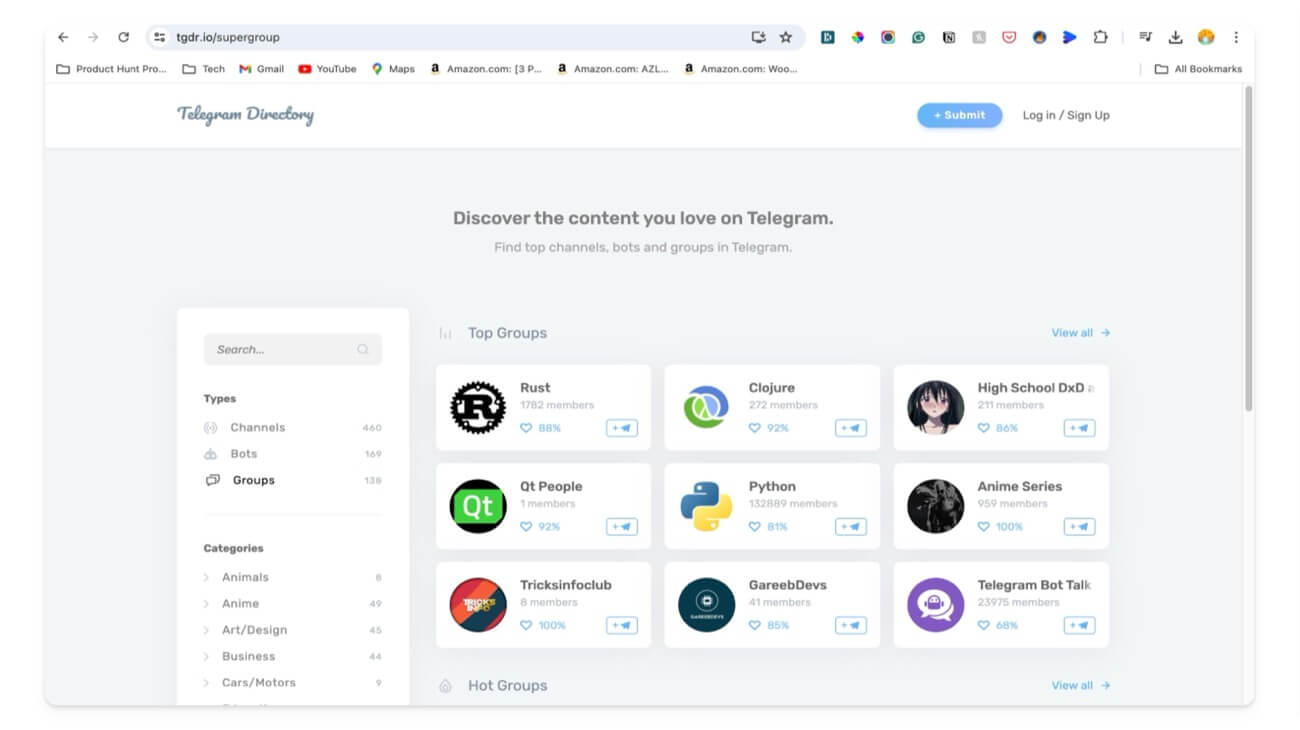
Popular Telegram Group Directories
- Tgstat.com: Best Telegram directory featuring hundreds of channels and groups along with their detailed statistics.
- Tgdr.io : Popular Telegram group directly with 500+ telegram groups and channels divided into categories.
- Tdirectory.me: Oldest telegram directory featuring hundreds of telegram groups and channels.
- Telegramic.org: Telegram directory with detailed reviews and issues related to each channel.
- Telegram-groups.com: Simple Telegram directly features telegram groups and channels with the channel member count.
Search Telegram Groups Using the Search Engine
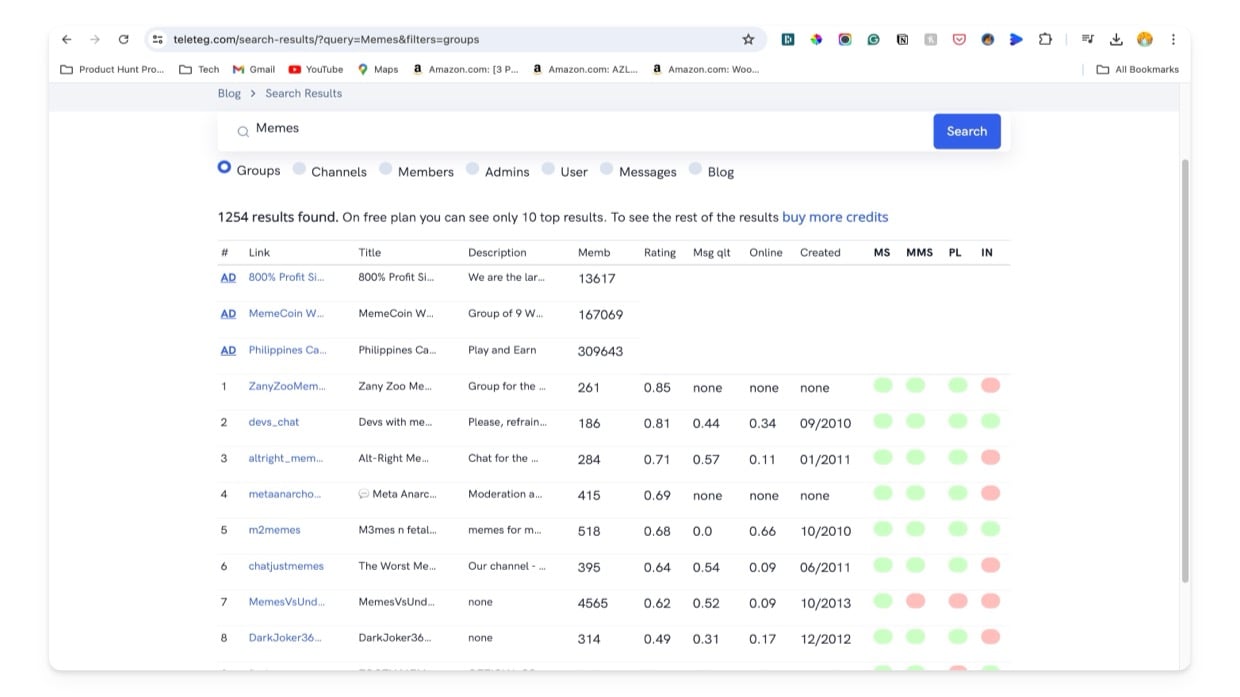
You can also find Telegram group links using search engines. Teleteg is a search engine designed specifically to find the groups and channels on Telegram. However, the free version of this engine only displays the top ten results. You have to buy more credits for more results. You can also use different keywords for even more precise searches related to your groups. Along with groups, you can also search for members, admins, messages, and blocks related to specific Telegram channels.
Also, Search engines like Google and Bing crawl public Telegram channels and groups and display them in search results. You can easily search and join the group you seek using simple keywords. However, the results might not show the exact channel you are looking for but will display similar channels and groups.
How to find telegram groups using search engines:
- Visit Teleteg search, and enter the group names you are looking for using the search. From the results, tap on the link to join.
- Open any browser using the Google or Microsoft Bing search engine.
- Enter site:t.me, followed by the category of the group you seek. For example, site:t.me memes.
- To join, click on the group link, click “Open in Telegram,” and review the group or channel activity. If it meets your needs, click on “Join.”
Easy Steps to Find and Join Telegram Groups
Those three methods can help you find and join new groups on Telegram. A few groups might be private and require manual approval for you to join, while others are open to the public, and you can instantly join and get updates from the group.
I also tried finding groups and channels using bots, but none worked. Ensure you don’t get trapped in any spam channels, as they not only spam updates but also clutter your experience. Check the group activity level before joining. Look at the number of members and the date of the last message. This will help ensure you join an active group instead of falling into the trap of spam groups.
FAQs on Finding Telegram Groups
Are there any websites that list Telegram groups?
Websites like Tgstat.com, Tgdr.io, Tdirectory.me, Telegramic.org, and Telegram-groups.com list and categorize Telegram groups. Visit the site, search for the group you are looking for and join using the link.
Can I join a Telegram group without an invitation link?
You can join public groups without an invitation link by searching for them directly on Telegram or using external directories. However, you require an invitation link from an active group member to join private groups.
How do I know if a Telegram group is active?
Telegram doesn't have the group's active status. You can check the group and the date of the last message to determine if it is active.
What are the best practices for finding quality Telegram groups?
Ensure the group has recent activity and a high number of participants. However, this doesn't entirely determine the quality of the group. Also, the quality of group content and active participation of the group.

