

Quick Answer
One UI 8.5 beta, based on Android 16, is now live for the Galaxy S25 series in select regions. Join via the Samsung Members app and download the 4GB update to try new Photo Assist upgrades, smarter Quick Share, improved Audio Broadcast, Storage Share, and enhanced theft protection.
A few months after making the One UI 8 update official for its smartphones, Samsung is back again with a new One UI update: One UI 8.5 beta update. Amidst a lot of rumors and speculations, the One UI 8.5 beta is finally available for eligible devices. Notably, the One UI 8.5 update is based on Android 16 and brings some much-needed and useful new features for Samsung Galaxy devices.
Beta update brings you the features to try out before they are available for everyone. However, the One UI 8.5 beta program is not available globally, and you have to be in specific regions to try out the new features. In this guide, we have shared all the details you would need about the One UI 8.5 update.
Table of Contents
Eligible devices and regions
Similar to how it has been, the One UI 8.5 beta program is not available for all regions where Samsung serves. You need to be in the following regions to download and install the update:
- Germany
- India
- Korea
- Poland
- The UK
- The USA
- Galaxy S25
- Galaxy S25 Plus
- Galaxy S25 Ultra
The update is not available for the Galaxy S25 Edge, and only the original Galaxy S25 trio are the ones that are eligible to join the beta program.
How to join One UI 8.5 beta program
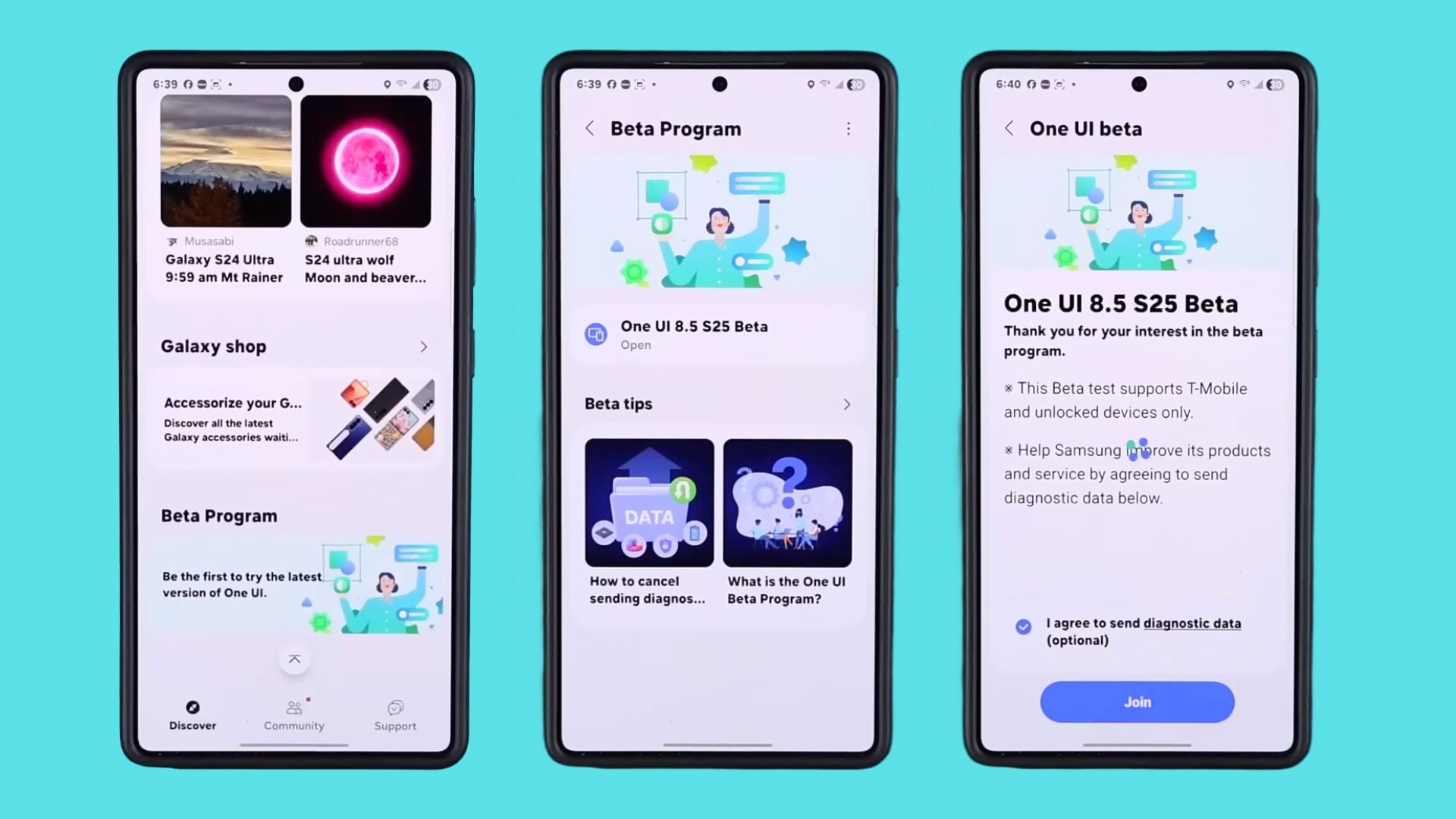
- Launch the Samsung Members app on your Galaxy S25 series phone. If you don’t have it, then download the app from the Google Play Store.
- If you are in an eligible country, you will see a banner or a notification for the beta program.
- Tap on the banner of notification and follow the on-screen instructions.
- Once you agree to the terms and conditions, tap on Join to join the One UI 8.5 beta program.
- Tap on the One UI 8.5 S25 Beta button and select Check for software updates.
- The update will automatically start downloading on your Samsung Galaxy S25 series phone.
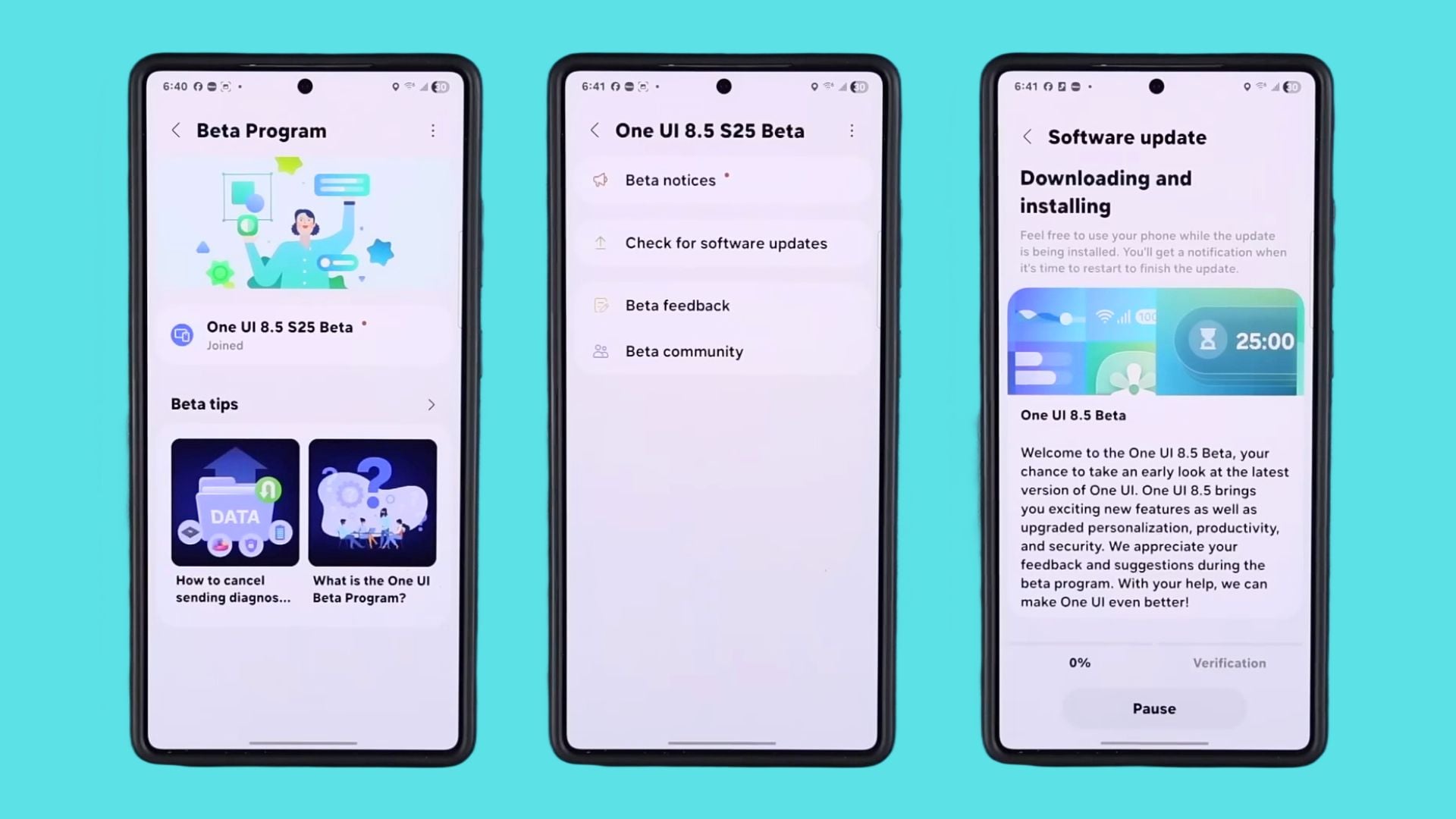
The update is around 4GB in size. So make sure that you are connected to a Wi-Fi or mobile data network with sufficient data. Also, the new update brings the latest December 1, 2025, security patch.
One UI 8.5 features
Whenever Samsung releases a “x.5” One UI update, it is deemed as an incremental update or a stepping stone for the next big update. However, in an official post, Samsung has detailed the three most important features that the One UI 8.5 beta update delivers for Content Creation, Device Connectivity, and Staying Protected. Let us discuss what all new features you get with One UI 8.5, one by one:
For content creation

Samsung has updated the Photo Assist feature. With the new One UI 8.5 update, content creators or even normal users can generate new images without any limits or interruptions. On top of it, users can use Photo Assist to edit the images without the need to save each image. When done, they can view all of their creation in the history section and choose the one they wish to keep.

Quick Share has also been updated. Samsung will now use AI to detect people in the images and suggest sending them directly.
For device connectivity

Device connectivity is an area where the One UI 8.5 update brings some great additions. The Audio Broadcast feature is getting an update. Notably, now users will be able to use their Galaxy devices as a microphone and transmit that audio through Bluetooth earbuds. According to Samsung, this feature will be “ideal for group situations like tours or events.”
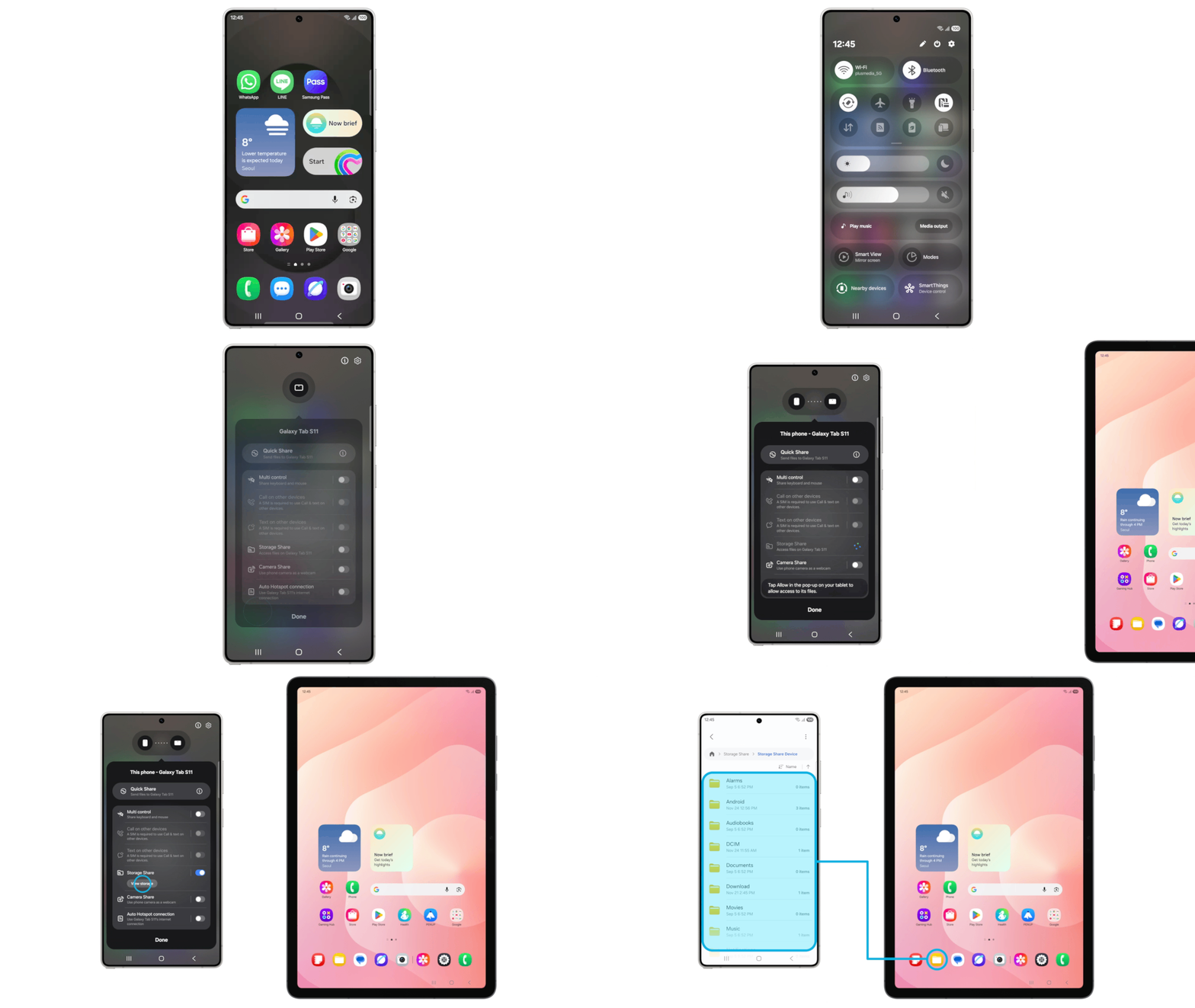
Storage Share is also getting an update. If you are in the Samsung Galaxy ecosystem, meaning you own a Galaxy tablet or GalaxyBook laptop, then you will now see the storage of those devices directly in the My Files app. This makes it easier to manage files and transfer them from one device to another. Users will also be able to access files on their Samsung TVs.
For protection
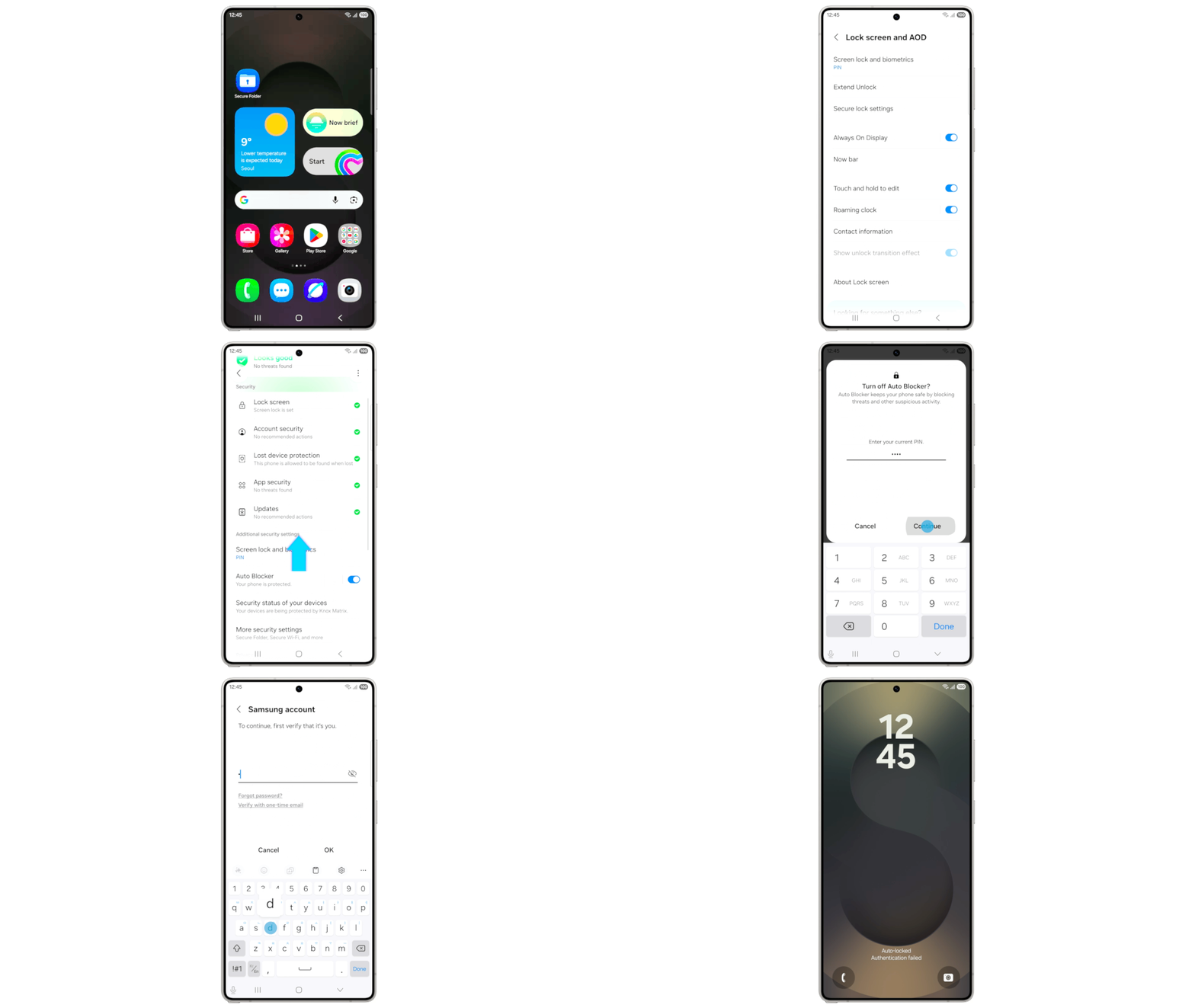
To protect your Samsung Galaxy devices, the company has also upgraded the theft protection features. With the One UI 8.5 beta update, any failed authentication lock will now result in screen lock. Users will be required to be verified by entering their passcode or biometrics to get into their phones.

