

Quick Answer
To add your own audio to an Instagram Story, you can either record directly within Instagram by selecting Camera and holding the Record button or use a video editing app like InShot to import and edit your video with custom audio. Editing allows for better sound quality and effects. Once done, export the video and upload it to your Instagram Story.
Instagram stories are a good way to provide concise updates to followers. Though they are limited to 60 seconds, you can create value with them if you plan perfectly. By default, Instagram gives options to add music to stories we create. Those music tracks are available for all and we have to find and select a music track that suits well for the story.
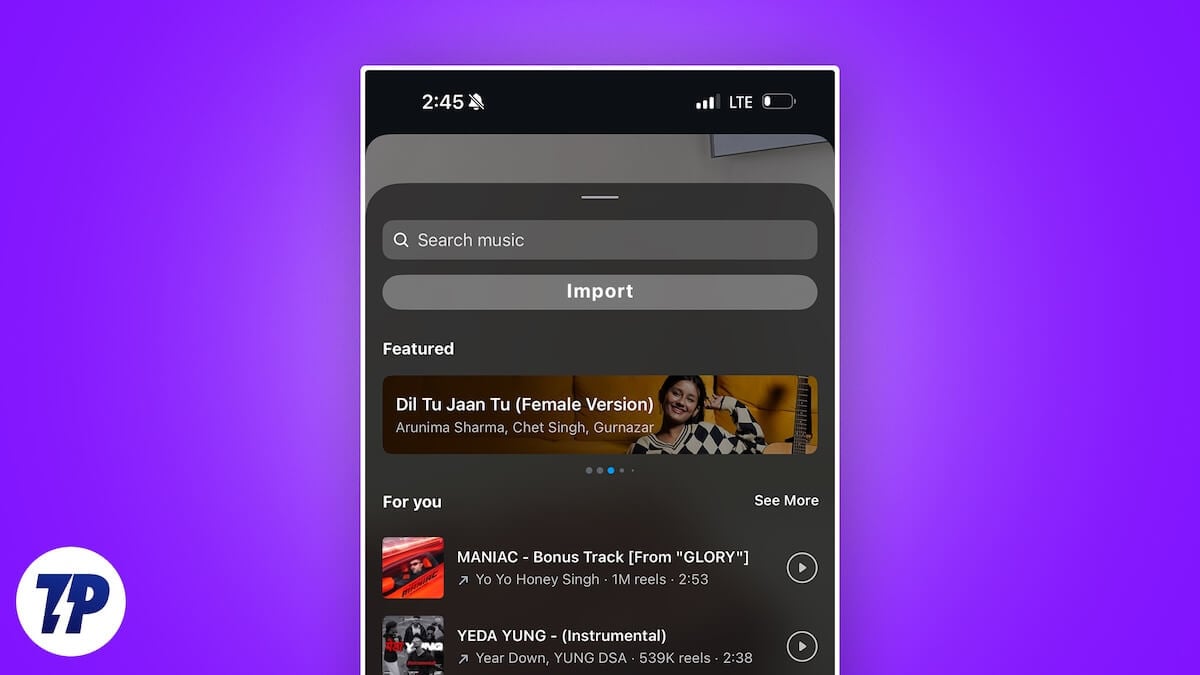
More often we feel the need to add our audio to the stories to give a personal touch to the story. Original audio makes the story unique and irreplaceable. Freely available music is available for all to use, but our own audio gives an edge as it is not usable. If you are looking for ways to add your own audio to Instagram stories, follow this guide.
Table of Contents
2 Ways to Add Own Audio to Instagram Story
Record Directly
One of the simplest ways to add your audio to Instagram stories is to record. If you want to narrate something or give your followers a view of your locales with natural sounds, you can directly record on Instagram.
Tap on your story on Instagram, select Camera, and give the necessary permissions for the Instagram app to record. Then, press and hold the Record button at the bottom. Do it until you make a complete video of what you have intended to share in your story.
A story on Instagram normally lasts for 60 seconds. If you record more than that, Instagram will automatically split them into multiple stories.
The downside of recording directly on Instagram is that the audio quality suffers from external noise and unwanted sounds. To personalize the audio without compromising on quality, follow the below method.
Edit Story and Add Audio
This method requires a video editing app like InShot, and video, and audio clips that you need to include in the story. You can edit the video as you like which is not possible on Instagram with its built-in features, add effects, add audio, music, etc.
You need to install a video editing app that suits your needs. Import the audio and video clips. If there is any noise or disturbance in the audio, clean it using AI tools like Lalal AI and use it. Or you can use apps like Dolby On to record audio or music.
To add audio and music to a video on Inshot, open the Inshot app on your device, and select Video under the Create New section. Import the video from your device. On the editing page, tap the Audio button. If you want to add your own music or already recorded audio, select Music. If you want to record the audio now, select Record.
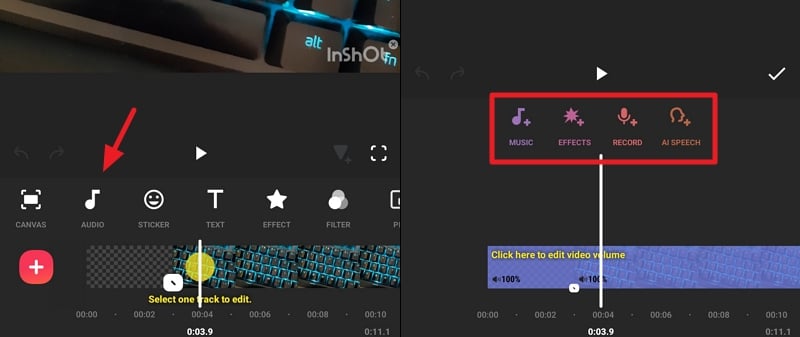
Then, import the audio from your device, add it to your video, and export it. Now open the Instagram app and add the newly created video to your story.
Add Custom Sound to Your Instagram Story
Adding custom sound to an Instagram story is a no-brainer. You can directly record the video with the natural sound to upload it, or you can use a video editing app to create a stunning video with your own sound, and then upload it to Instagram stories. Whichever way you select, it is best to not compromise on the audio quality. There are a lot of AI tools that can refine your audio and make it sound better and professional.
FAQs on Adding Your Own Audio to Instagram Story
How do I import audio into IG stories?
It is not possible to import audio into Instagram stories. You can either directly record the video with the audio you want, or edit the video, add the custom audio, and upload it to Instagram stories. Other than that, we do not have options to import audio.
How do you add your own voice to Instagram stories?
You can directly talk and record video along with your voice in the Instagram stories options, or record video, audio and edit them on a video editing app, then upload the final output to Instagram stories.

