

Quick Answer
To hide story suggestions on Snapchat, launch the app and go to the Stories tab. Long press the story you want to hide and select “Hide this Content.” Alternatively, tap the three-dot menu in the Stories tab and choose “Hide suggested Stories.” You can also block accounts to stop seeing their stories.
Instagram shows you story updates from your friends and people whom you follow right at the top of your feed screen. However, Snapchat works differently. With the March 2024 update, Snapchat started rolling out suggested stories features. Notably, it now shows you stories from accounts that it deems fit as per your choices (likes, shares, etc.). While many would find this feature handy to discover new accounts on the platform, many have found this feature less appealing.

For the latter, thankfully, you can hide story suggestions on Snapchat and reserve them for Stories from friends and family members. Hiding the story suggestion on Snapchat also gets rid of the unwanted space given to unknown content, cluttering a personalized feed. In this guide, we will share with you how you can turn off story suggestions on Snapchat with ease. Let’s get right into it.
How do I turn off story suggestions on Snapchat?
Here’s how you can turn off story suggestions on Snapchat from unknown accounts.
- Launch the Snapchat app.
- Head over to the Stories tab.

- Long press on the story that you want to hide and select the Hide this Content button.
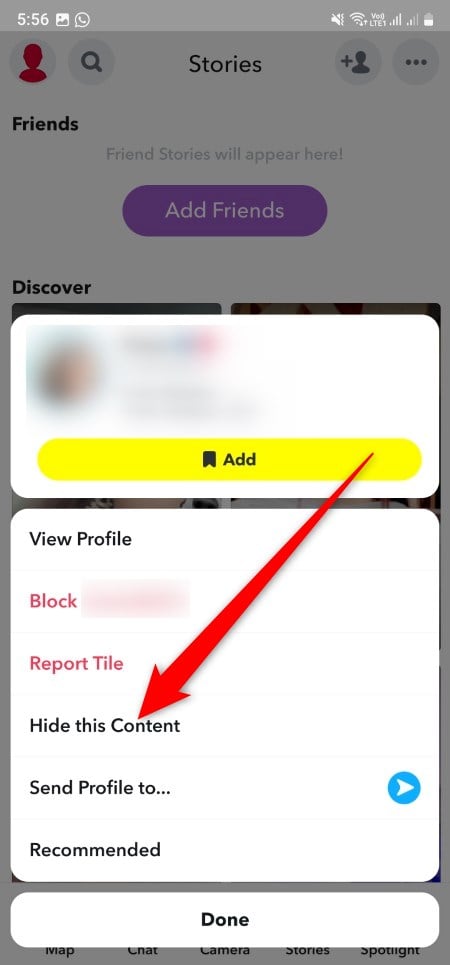
- You can also block the account so that stories from that account aren’t shown in the Stories menu of your Snapchat profile.
- Alternatively, in your Stories tab, tap the three-dot menu icon at the top right and select the Hide suggested Stories button.
I used a Samsung Galaxy S24 Ultra, but this option wasn’t visible to me, and all I could see were the Manage accounts I follow and View Hidden Stories options. There is no permanent switch to turn off the suggested stories on Snapchat. However, the above method will help get rid of the unwanted and unknown stories from your Stories feed.
Give them Snapchat feedback
Since there is no direct or permanent option to turn off suggested stories, it is better to leave Snapchat feedback so that the team can look into it. Notably, a single report won’t work; the Snapchat team’s response depends on the volume of reports on a certain feature or bug. Here’s how you can leave feedback or suggestions.
- Launch the Snapchat app.
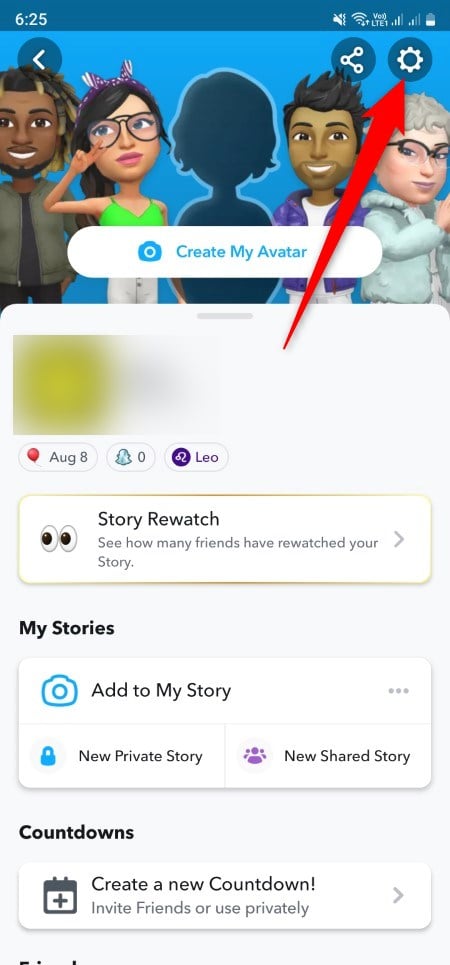
- Tap on your profile icon.
- Select Settings.
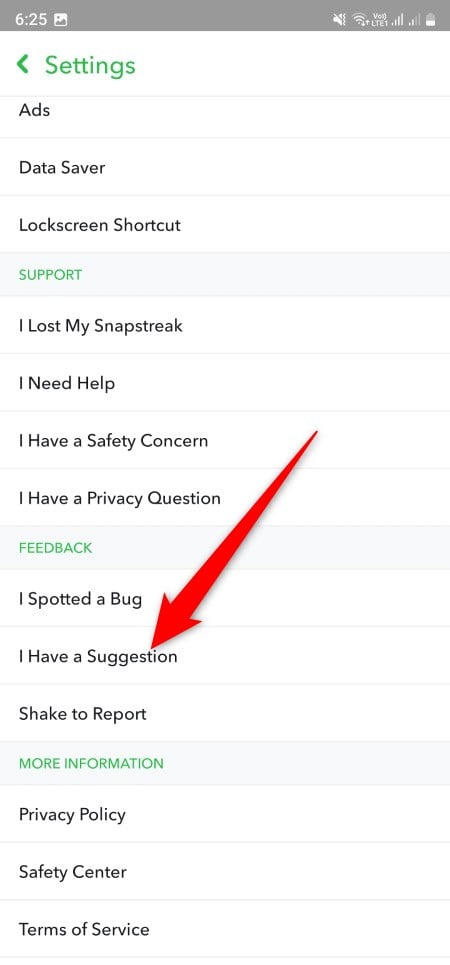
- Scroll down and tap the I Have a Suggestion button under the Feedback section.
- Select the part of the app you wish to report about. In our case, it should be Stories and Discover.

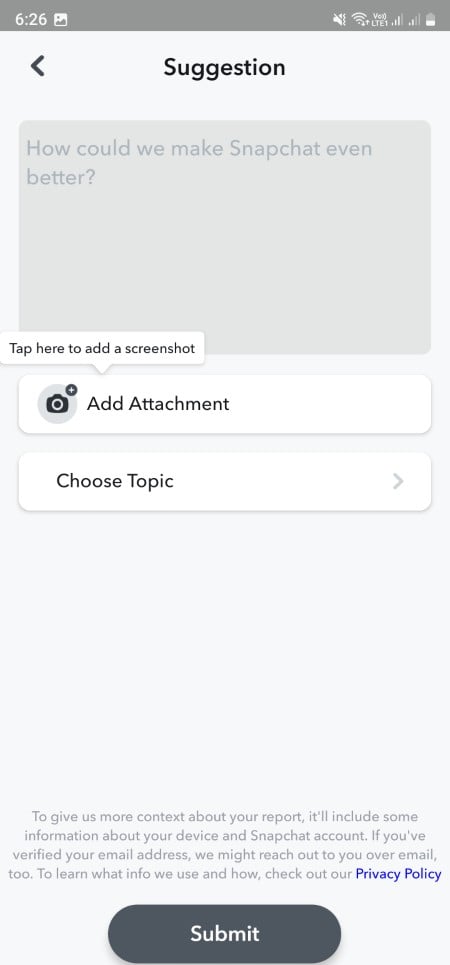
- Describe your feedback about the suggested stories and add an attachment for better clarity.
- Select a topic and tap Submit.
View what matters to you
The above steps will help you turn off story suggestions on Snapchat. Snapchat offers you multiple new features to help you stay connected with your friends and loved ones. However, security and safety are also a place where Snapchat always keeps adding new features. For example, the My Eyes Only feature lets you keep your photos private and away from prying eyes. If you are done with the platform or gearing up for social media detox, then we have a stepwise guide that will help you deactivate Snapchat.

