

Quick Answer
To get your Spotify Iceberg in 2025, visit the Icebergify website, log in with your Spotify account, and authorize access to your data. Once connected, your favorite artists will be displayed in an iceberg chart. You can view your monthly or all-time stats and share the image by downloading it. Many apps like Instafest and Moodify enhance your Spotify experience with fun and unique features.
If you’re a seasoned user of Spotify, you’d know that it gets a little dull and monotonous after a while because there’s nothing else you can do besides stream music. Confused, right? Well, in case you didn’t know, you can do more than stream music with your Spotify account and its listening activity data. Since Spotify has made its web API available publicly, developers can make use of it and come up with interesting applications.

Because of this, dozens of apps and websites exist that analyze your Spotify data, specifically your listening activity, and present it in clever ways. One such app that has taken the internet away by storm is Icebergify – a unique app that intriguingly presents your listening activity. This article covers how you can get your own Icebergify, plus ten more apps and websites that let you use your Spotify account in more ways than to stream music. Stay tuned to learn more about them.
Table of Contents
What is Spotify Icebergify?
Spotify Icebergify is an online tool that uniquely visualizes your Spotify listening activity. Icebergify presents your favorite artists as an iceberg-style chart with multiple levels. Each level denotes varying popularity, which is an interesting way to represent your favorite artists. Believe us: even though this data is easily accessible in the Spotify app, Icebergify takes it to a whole new level.
If you’re wondering how Icebergify can pull this off, it’s because Spotify allows third-party apps to access your listening activity with your approval. Icebergify uses the accessible popularity rankings to calculate the standings of your favorite artists. More specifically, it accesses Spotify’s data about your top 50 artists and uses it to present you with a customized iceberg containing your favorite artists. The data ranges from one month to several years, so you need not worry about missing out on your past listening habits.
How to Get Your Own Spotify Iceberg
By now, you must be pretty interested in getting your own Spotify Iceberg. Well, say no more! Follow the steps below to create a Spotify Iceberg that’s truly yours –
- Visit the Icebergify website on your phone or laptop.
- Click on the “create yours” button on the webpage.

- You’ll be redirected to the Spotify login page, where you must log into your Spotify account. You can put in your username and password and log in the traditional way. Otherwise, you can also continue with your phone number or Apple, Facebook, or Google accounts. Skip to the next page if you are already signed in.
- Select the Agree option on the next page. This will authorize Icebergify to access your Spotify account data and activity. If you wish to switch to a different account to use Icebergify, click on the “Not you?” option beside your profile picture.

- That’s it! You’ll be shown the current month’s Spotify Iceberg, consisting of your favorite artists.
- If you wish to see your account’s all-time Iceberg, click on the option that says, “click here to see your all-time iceberg!”

- To share your Spotify Iceberg, you’ll have to download it first. If you are on a PC, right-click on the image and select the option that says “Save Image As…,” after which you can save the picture at your desired location. If you are on a phone, long-press on the image and select download image. Now, you can share the Spotify Iceberg you downloaded.

Similar Tools To Enhance Your Spotify Experience
Needless to say, it’s not just Icebergify that creatively uses your Spotify data – there are a plethora of other apps and websites, all of which are uniquely different. Below are ten of our favorites for you to check out.
Sl. No. | App/Website | Description | Features |
|---|---|---|---|
1 | Icebergify | Visualizes your top 50 Spotify artists in an iceberg chart. | Customizable iceberg chart of artists based on popularity. Shows top 50 artists from a range of time (1 month to all-time). |
2 | Instafest | Creates music festival posters using your most-streamed artists. | Displays artists in a festival poster format with 3 backgrounds (Malibu Sunrise, LA Twilight, Mojave Dusk). Includes a timeline for listening. |
3 | Receiptify | Displays your listening activity as a receipt. | Shows top artists/tracks with popularity or track duration. Customizable range from 4 weeks to all-time data. |
4 | Obscurify | Shows how obscure your music choices are compared to others in your region. | Compares your top songs with regional data. Displays energy, mood, and danceability of your music. Suggestions for new tracks. |
5 | Spotify Zodiac Affinity | Recommends songs based on your Zodiac sign. | Provides song recommendations based on your Zodiac sign after you log into your Spotify account. |
6 | How Bad Is Your Streaming Music? | Analyzes your music taste and offers humorous feedback. | Interactive with yes/no questions. AI-powered roasts of your music taste. Provides a "score" based on your collection. |
7 | Stats.fm | A detailed version of Spotify Wrapped. | Displays top tracks, total minutes streamed, comparisons with friends, and more. Free and premium versions. |
8 | Musictaste | Compares your music tastes with friends and others. | Displays top genres, artists, and tracks. Allows you to share links and compare music taste with others. Build playlists and discover music. |
9 | MusicScape | Creates a personalized landscape based on your listening activity. | Visualizes your music's mood, energy, and rhythm through landscape elements like mountains and the sun/moon. |
10 | Spotify Pie | Creates pie charts based on your Spotify listening data. | Visualizes listening habits in a simple, color-coded pie chart. Highlights diversity of genres in your playlist. |
11 | Moodify | Suggests songs that match the mood of the current song playing. | Detects the current song and recommends 24 similar tracks based on excitement level and mood. |
Instafest
If you are a fan of music, chances are that you are a fan of music festivals, too. In that case, Instafest is the perfect tool for you. Instafest presents your most-streamed artists in the form of a colorful music festival poster, which certainly is eye-catching. You get three stunning backgrounds to choose from: Malibu Sunrise, LA Twilight, and Mojave Dusk.
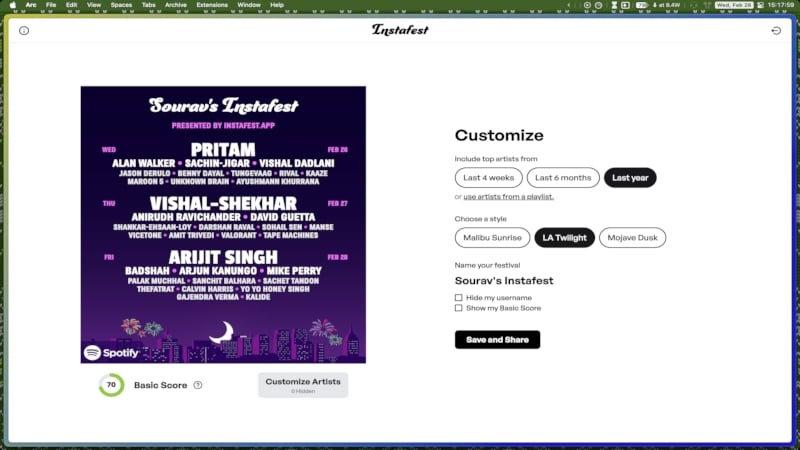
The presentation is clever, too. The artists’ names follow a decreasing size pattern, meaning the larger names are your most-streamed artists compared to those with smaller names. Another great aspect of Instafest is that it shows a timeline on the side so you can visualize your listening habits over time. All in all, Instafest is an excellent way to showcase and share your most-streamed artists with others.
Receiptify
The name might give it away – indeed, Receiptify presents your listening activity as a receipt. It’s a clean and simple way of visualizing your listening habits. Depending on your choice, Receiptify can show your top artists alongside their popularity index or your top tracks with their duration on the side.

You can also select the range of data Receiptify can access, starting from the past four weeks and going up to your all-time data if you want. We would have loved it if it included additional stats as well or maybe a few themes to choose from, but Receiptify is still a no-nonsense tool, to say the least.
Obscurify
Obscurify is another one-of-a-kind tool that you’ll surely love. Obscurity means undiscovered or unknown, and Obscurify justifies its name well. It essentially tells you how obscure your music choice is compared to others in your region. Unlike others that present your top tracks and artists in a picturesque manner, Obscurify relies on metrics and data, all presented in a stunning way.
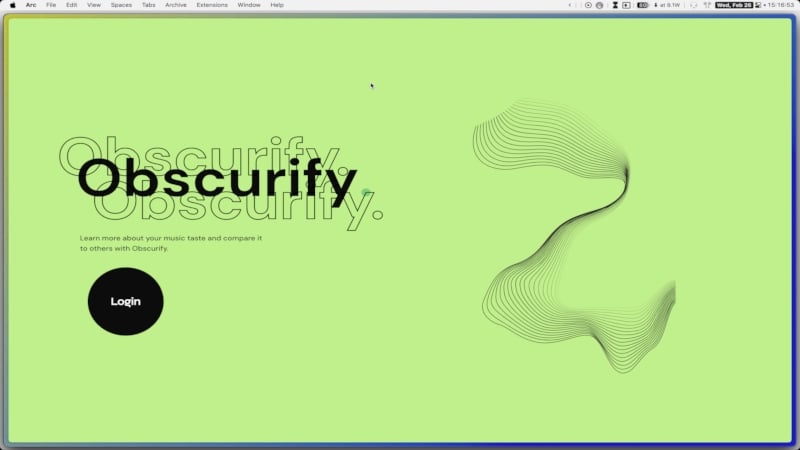
Obscurify showcases your top tracks and artists and tells you how obscure they are compared to others in your region. You can even change your region if you want. Not just that, Obscurify also tells you how happy, danceable, energetic, and acoustic your top songs are, which is quite thoughtful. It also gives a decade-wise segmentation of your top tracks. Lastly, Obscurify even suggests songs based on your taste and lets you create a custom playlist right away. Trust us, it’s one of those tools that you must try.
Spotify Zodiac Affinity
Zodiac signs need no introduction. Since Zodiac signs define a person’s personality, it makes sense to pair them with music, which is also entirely subjective. Even if you aren’t into or don’t believe in Zodiac signs, there’s no harm in checking out a tool that’s nothing but fascinating. After you authorize it to access your Spotify account, the process begins with you entering your Zodiac sign.

Unlike other tools that showcase your top tracks and artists, Zodiac Affinity presents you with five songs that resonate with your Zodiac sign. The recommendations are strikingly relevant, so you will have a good time listening to them. Overall, Zodiac Affinity is a nifty little tool to try out and test your Zodiac intuitions.
How Bad Is Your Streaming Music?
Not everything in this world is merry, and this tool explains it very well. If you rate your taste in music high enough, How Bad Is Your Streaming Music will surely bring you down with its genuinely funny roasts. Since it’s powered by an AI model, every output is unique and specific to your music collection. And the AI model doesn’t shy away at all.
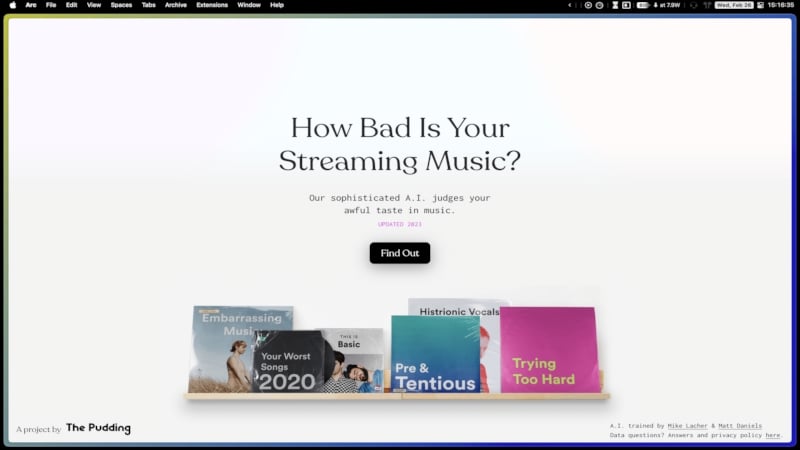
Unlike other tools that follow a one-click operation, this tool is far more interactive. You get to answer quite a few yes-no questions, and your final score tells about your overall taste in music, along with a few statistics. Special mention to the website interface, which is exceptionally well-made and intuitive.
Stats.fm
Stats.fm is Spotify Wrapped on steroids. Every avid Spotify user looks forward to the end of the year when Spotify Wrapped is revealed. It’s almost like an award ceremony for all the countless hours you’ve devoted to music. Stats.fm gives you that experience every time you open the app. Indeed, it shows everything you’d expect from Spotify Wrapped.

That includes your top tracks, total minutes streamed, total number of streams, artist information, and more. You can choose to get the all-time statistics or just a week’s or month’s. The best part? You can share the statistics with your friends just like Spotify Wrapped. Stats.fm also allows comparison with friends who are also using the app. All these features come for a price, as Stats.fm isn’t fully free. Regardless, it’s still a great app that you can try.
Available on: Android | iOS/iPadOS
Musictaste
Musictaste is an all-in-one app that lets you do way more than what you can even think of. Primarily marketed as an excellent tool for drawing comparisons between songs listened to by users, Musictaste is more than that. For starters, it shows you insight into your top genres, tracks, and artists, all presented beautifully. Additionally, it presents you with a personalized sound aura.

Musictaste’s highlighting aspect is its music comparison feature that allows you to share your custom link with others and check out what you have in common or different. You can also import others’ links and discover the similarities and differences in one place. There’s a dedicated space named Tunebox where your friends can share tracks with you. Musictaste is also building a community thanks to its discovery feature that allows users to connect with each other. Musictaste is one of those apps you must have if you’re an avid Spotify user.
MusicScape
If you’re a fan of art, this one’s for you. MusicScape analyzes your music and creates a personalized landscape. It takes into account the mood, energy, and acoustic factors in your songs to create the landscape. It’s a simple, no-nonsense website that’s worth giving a try.
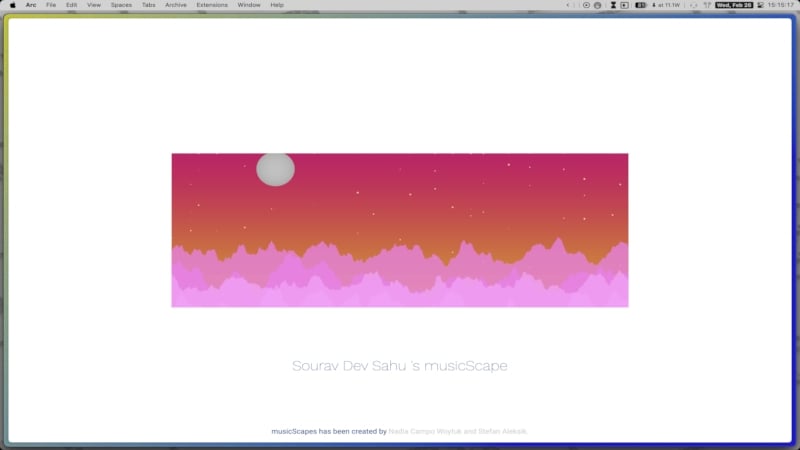
It’s not just a good-looking landscape; every little detail has a meaning behind it. For starters, the background color tells you about the overall mood, whereas the mountains tell you about the rhythm. The mountains, whether smooth or sharp, are a visual representation of the beats. Even the quantity and color of mountains are specific to your music taste. Lastly, a sun or moon that depicts day or night in your current timezone.
Spotify Pie
No one is a stranger to pie charts. In fact, they are some of the most straightforward charts to interpret, so it makes sense to showcase your Spotify statistics in the form of an idiot-proof pie chart, right? Well, say hello to Spotify Pie, a website that does just that after analyzing your top tracks and artists. Not only that, it also gives you a list of the top artists you listen to.

The approach is simple – the more categories you listen to, the more diverse your pie chart will be. In other words, you can expect a color wheel if you listen to various genres. We won’t deny this – the website is full of adverts and is a little clumsy, but since we’re only judging the tool here, it gets a thumbs up from us.
Moodify
Sometimes, all you need is a good next song to play and keep your mood alive. Moodify helps you do precisely that by suggesting relevant songs in accordance with the music you are currently playing. The concept behind the app is frankly brilliant, as we have encountered various situations where the song we are currently playing is so good that we wish to listen to more such songs at the very moment.
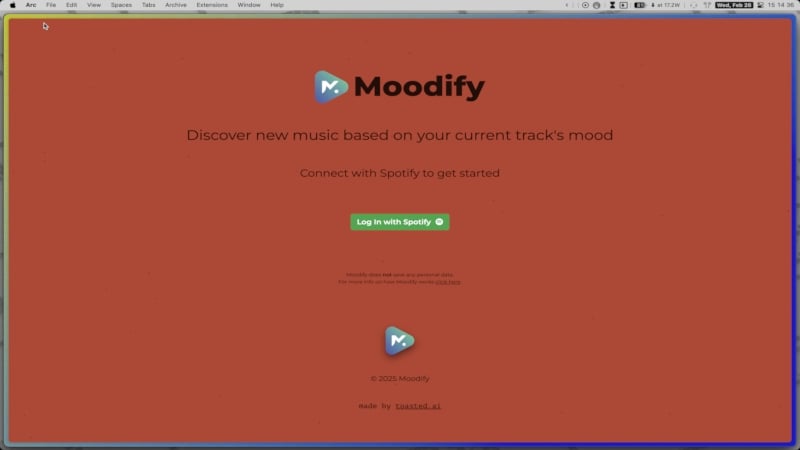
Moodify detects the song you are currently playing and suggests 24 songs with similar excitement levels. You can take our word for this – the recommendations are genuinely godlike and perfect to satisfy the mood and moment. Overall, Moodify is a must-have tool for all Spotify users.
How to Revoke Access From These Apps and Websites
Now that you have used the websites and apps by giving access to your Spotify account, you might want to revoke your account access from the sites you won’t be using. In fact, it is recommended to do so since you never know when trouble will knock on your door. Here is how you can do so –
- Visit this website. It takes you to the app management page in Spotify account settings. If you are accessing it on your phone, Open the Spotify app instead and head to Manage Apps within Account Settings.
- Scan through the list and click on Remove Access beside the app/website you won’t be using anymore.

That’s it! A confirmation message will confirm your action and revoke access from the respective app or website. If you wish to use the service again, you’ll have to give the required permission again.
Elevate Your Spotify Experience With These Apps and Websites
Since Spotify isn’t just about streaming music on and on, tools like Icebergify for Spotify give the required dash of excitement every now and then. Its simplicity and one-click operation are enough to provide you with fascinating insights into your music taste, favorite tracks, artists, and more. Plus, it’s a fun little thing that you can even share with your mates. The best part? Icebergiffy isn’t alone – other apps mentioned in the article are equally good. Our favorites include Instafest, How Bad Is Your Streaming Music?, Stats.fm, and Moodify.
FAQs about Spotify Iceberg
1. How are apps and websites able to access my Spotify data?
The answer is simple – you are allowing apps and websites to access your Spotify account stats. Don’t be confused; every such app or website asks for your permission to access the same, and if you agree, Spotify freely allows it to access your data, such as the tracks you have listened to, your top songs and artists, and other similar information. After all, an app or website needs your data to work as intended, and there’s no harm in giving access to your information unless there’s something shady.
2. Why isn’t Icebergify showing me my latest stats?
If the Icebergify isn’t updated, it could be because of some browser-related issue. More specifically, the website cookies might not be updated. In that case, you can clear cache browser cookies specifically for Icebergify and refresh the website. If it doesn’t help, you can de-link your Spotify account and re-link it to get things back on track.
3. Should I revoke access from the apps and websites I am not using?
Absolutely! You can always revoke access to websites and apps from your Spotify account that you aren’t going to use anymore. In fact, it is recommended that they do so. All you need to do is visit the app management page within Spotify account settings and remove access from the required apps.

