

Quick Answer
To create Chibi-style WhatsApp stickers using ChatGPT, open the ChatGPT mobile app, upload a clear image of your face, and use the prompt “Turn me into a Chibi sticker set.” Save the generated stickers with transparent backgrounds, then use Samsung Gallery or Sticker.ly (for non-Samsung users) to convert and send them on WhatsApp.
As soon as ChatGPT announced that users could create Japanese animation Ghibli-style images through the AI platform, a new trend started. Be it on Instagram, X (formerly Twitter), Facebook, or any other social media platform, you could see people generating Ghibli-style images of their images and sharing them all over. Even celebrities and top politicians shared their Ghibli-style images across social media platforms. Creating Ghibli images is very simple, and you can also use Grok AI to accomplish the task.

While the trend has gone viral and also has hugged some controversy on its way, ChatGPT’s image generation model has something extra on offer. If you love sharing stickers of yourself on WhatsApp, then you’ll be glad to know that you can create Chibi-style WhatsApp stickers on ChatGPT. You can use these stickers not only on WhatsApp but also on iMessage and other messaging apps as well. In this guide, we will show you how you can create Chibi-style WhatsApp stickers on ChatGPT. Let’s jump right into it.
A brief rundown of Chibi-style animation
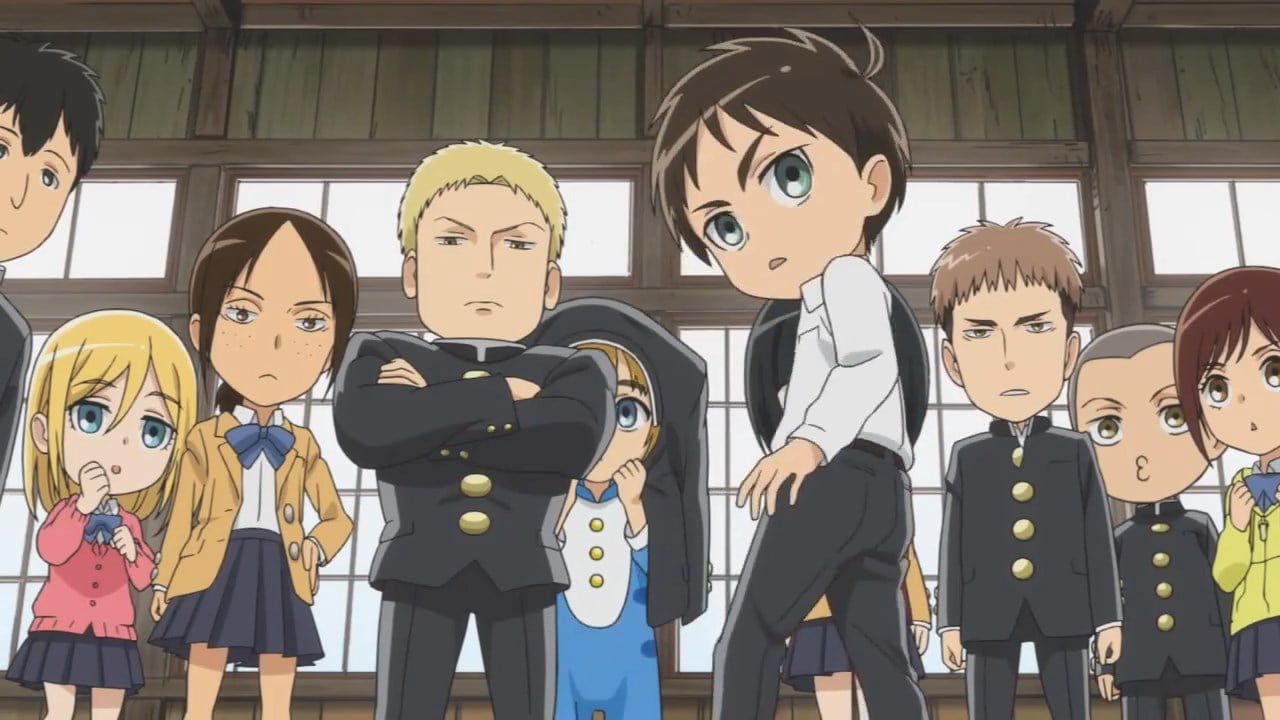
Chibi, similar to Ghibli, is a Japanese art style where the characters are exaggerated and have large eyes and heads. This art style is most commonly used in animation and manga, and they appear cute because of their disproportionate body parts. Not much importance is given to details, as the main focus is on expressions to convey emotions.
While there isn’t much information on who brought forth this art form, Akira Toriyama, known for his work on Dr. Slump and Dragon Ball, is often credited for popularizing the Chibi-style. Some of the popular animes based on Chibi-style art forms include Rock Lee & His Ninja Pals, Isekai Quartet, One Piece: Straw Hat Theater, and Attack On Titan: Junior High, among others.
Pre-requisites
Recently, ChatGPT’s CEO, Sam Altman, announced that even free users can generate images on the AI platform. So, now you can put on your artistic hat and create some great WhatsApp stickers, but you should keep the following things in mind:
- You have to use the prompt mentioned in this guide to get the best output.
- Using the ChatGPT mobile app is better and more convenient, as we would be using Android or iOS phones to download the images as stickers.
- Extracting WhatsApp stickers is a bit of a task, so follow the steps mentioned below carefully.
How to create Chibi-style WhatsApp stickers on ChatGPT?
- Download the ChatGPT mobile app on your Android phone or iOS. For this guide, we will be using an Android phone.
- Open the ChatGPT app and sign in with your account.
- Tap on the “+” icon at the bottom bar and tap on Photos. You can also take a selfie using the Camera option or upload an image from your storage using Files.
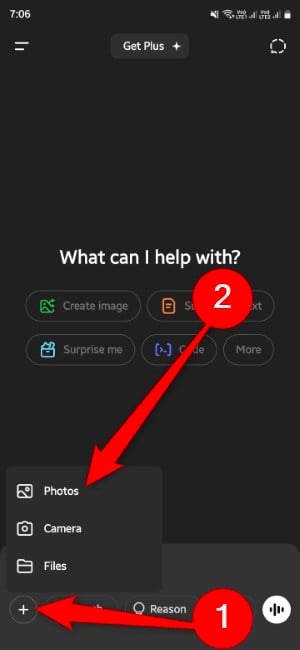
- Select your image and tap Done.
- Copy and paste the below prompt and press the upward arrow button: turn me into a chibi sticker set

- You will see, ChatGPT will generate four images with transparent backgrounds in one go.
- Tap on the generated sticker set and select Save on the bottom left.
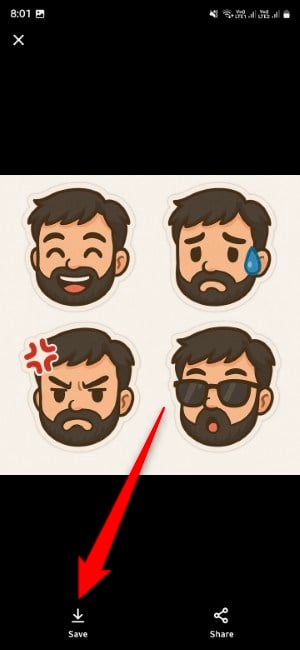
- On your Samsung phone, download the sticker and open it using your Gallery app.
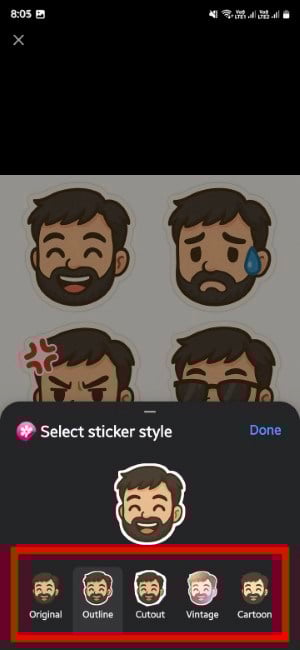
- Tap on the sticker and select Save as sticker.
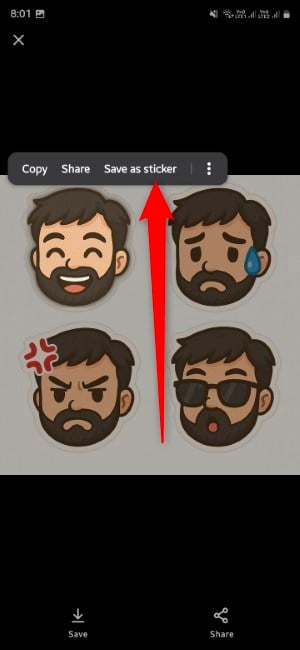
- Repeat the steps for all other stickers. Samsung allows you to save stickers in different styles, such as original, outline, cutout, vintage, and cartoon. Select one and save.
- Open WhatsApp or any other social media app.
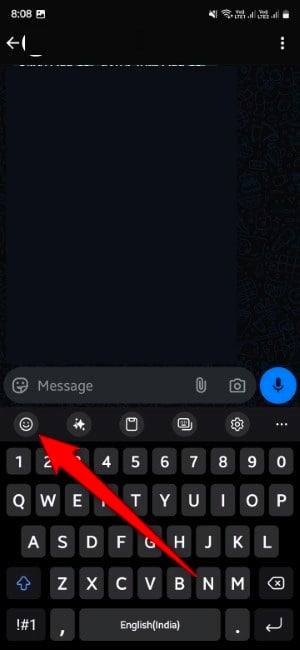
- If you have selected the Samsung Keyboard, tap on the emoji icon in the top bar on the keyboard.
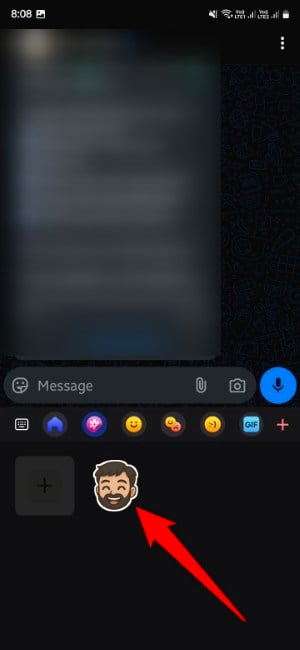
- Choose the Gallery icon, where you will find your newly created Chibi-style sticker.
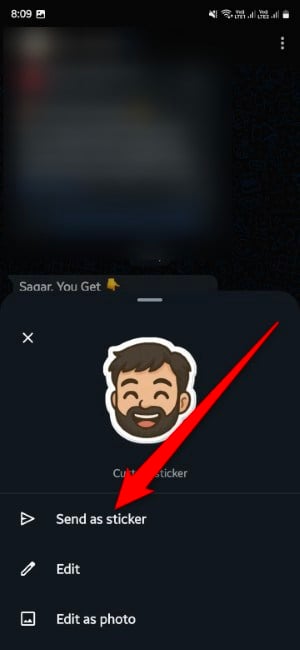
- Tap on the sticker and select Send as sticker.
- For Google Keyboard users, the created sticker will appear in the sticker section of the keyboard menu.
- Enjoy.
We discovered a few things during our tests. We did multiple rounds of testing in creating Chibi-style WhatsApp stickers and found that in some instances, running just the prompt given above generates four stickers with different emotions. However, in some other cases, I had to specifically tell ChatGPT to give me different emotions. Plus, since I wear specs, ChatGPT had issues generating those big, bold eyes of mine, as popular in Chibi-style, but other aspects were on point.
Ensure that you upload an image that has only your face in it, meaning there shouldn’t be multiple objects in the image, as ChatGPT will then turn those objects into stickers. Also, the above process is simple for Samsung and iPhones. If you are on other Android phones, you will have to install the Sticker.ly app from the Play Store and extract individual stickers.
Send stickers in different art forms
This is not limited to Chibi-style. You can go ahead and ask ChatGPT to generate WhatsApp stickers in Disney-style, Pixar-style, Lego-style, and any other art form you like. To fine-tune your sticker and get the desired output, we would suggest you throw in a few detailed prompts. Let us know in the comments below if you generated a different art form or faced any issues following the above steps.

