

Quick Answer
A leaked video of Samsung’s upcoming One UI 8.5, expected to debut with the Galaxy S26 lineup, reveals a redesigned Settings menu, pill-shaped navigation bars, a new Software Update page, AI-powered bottom search bar, revamped Phone app with Direct Voicemail, refreshed Galaxy Themes, and Galaxy Studio tweaks.
Samsung just started rolling out the Android 16-based One UI 8 update for Galaxy S25 users across the globe. It is expected to roll out to more devices later this year, gradually. However, while Samsung fans are getting excited about One UI 8, Samsung has internally started developing and testing the next version of One UI 8, dubbed One UI 8.5. The new update is expected to debut alongside next year’s flagship series, the Galaxy S26.
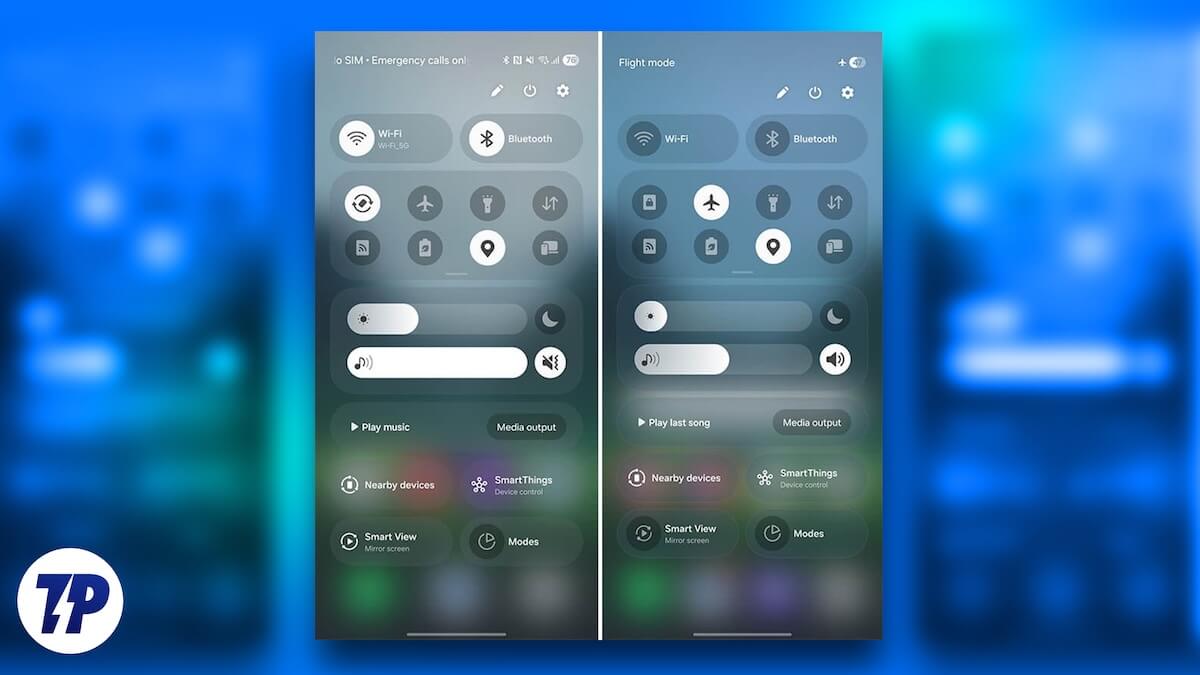
There is anticipation that Samsung will remove the standard Galaxy S26 and the Galaxy S26+ models from the lineup and go ahead with Galaxy S26 Pro, Galaxy S26 Edge, and Galaxy S26 Ultra. The “Pro” will bring the best of both the vanilla and “Plus” models. On top of that, there will be some visual changes and enhancements packed inside, which a leaker has shared for the world to see.
Table of Contents
Leaked One UI 8.5 Video Reveals New Features
The leaked video has been shared by the leaker and X user, That Dev. The video gives us a glimpse of all the new features that the internal build of the One UI 8.5 packs. The leaker was able to modify the internal build of One UI 8.5 meant for the Galaxy S25 Ultra and run it in the Galaxy S21+. First look reveals that Samsung has redesigned the entire Settings menu and brings an iOS 26-inspired bottom search bar and a floating back button. But there’s more to One UI 8.5, which you can check out below:
Settings menu redesign

After booting the Galaxy S21+ loaded with One UI 8.5, the leaker goes straight to the Settings menu. And by the looks of it, the Settings page appears to be more compact thanks to the removal of the subtitles. It appears more clean and straight to the point, while submenus reside inside each main menu item.
New Software Update screen

In the leaked video, the first page that the leaker opens is the Software Update page inside the Settings menu, and it appears to have been redesigned. The video shows the page boasting a big “One UI 8.5” text in the middle of the page with a gradient background. The “Check for updates” button now resides at the bottom of the page inside a pill-shaped button.
New Phone app and Direct voicemail

The Phone app is also shown to have received a redesign. The change brings the trio of buttons — Keypad, Recent, and Contacts — to the bottom of the app inside a pill. However, pressing on each of the buttons reveals that the inside UI hasn’t changed much. But continuing in the video reveals a new “Direct Voicemail” feature. Based on the description, the feature will assist the caller when you are unable to take the phone call. The caller will be asked or allowed to drop a voicemail to let you check it later.
Galaxy Themes redesign

One UI 8.5 seems to change the UI elements of the Galaxy Themes app. The launch page shows a giant brush, and the user interaction page is now filled with new pill-shaped buttons at the top.
Galaxy Studio app tweaks

The Galaxy Studio app, which is a great tool to edit your videos with stunning video editing features, is also getting a little makeover. Though there aren’t many changes in the interface, just like the Phone app, the navigation bar now has the same look, i.e., all buttons are now placed inside a pill-shaped area to clean up more space at the bottom.
AI-powered search bar

When searching for items in the Settings menu, you will notice that the AI-powered search bar now floats above the system menu (via SammyGuru). The persistent search bar is also available on the main page at the bottom of the screen. All this resulted in the removal of the top search bar.
Privacy Display

We all hate those people who try to peek inside your phone when you are viewing it. You might be traveling in the tube, metro, train, or plane, and some people continuously stare at their phone’s screen. To make it harder for such people, Samsung is reportedly working on a new feature called “Private Display” or “Privacy Display.” Notably, this feature will reduce the visibility from the side angles, allowing only the person viewing it from the front to see what’s on the display. Sources say that the feature will debut with the Galaxy S26 Ultra, which is said to come with Samsung’s “Flex Magic Panel.” While there is no clarity on how exactly the feature will work, reports suggest that it will make use of AI to reduce visibility.
Automatic Call Screening

Google introduced a call screening feature for the Pixel devices, which was later adopted and introduced in their own way by Apple with the latest iOS 26. The main idea behind this feature is to screen incoming calls and give information such as who is calling and why, letting you make an informed decision whether that call deserves your time or not. In the same lines, Samsung is also working on an automatic call screening feature that will screen calls before you pick them up. Currently, Bixby Text Call does all the hard work, which is a manual call-screening tool.
Quick Transfer powered by NFC
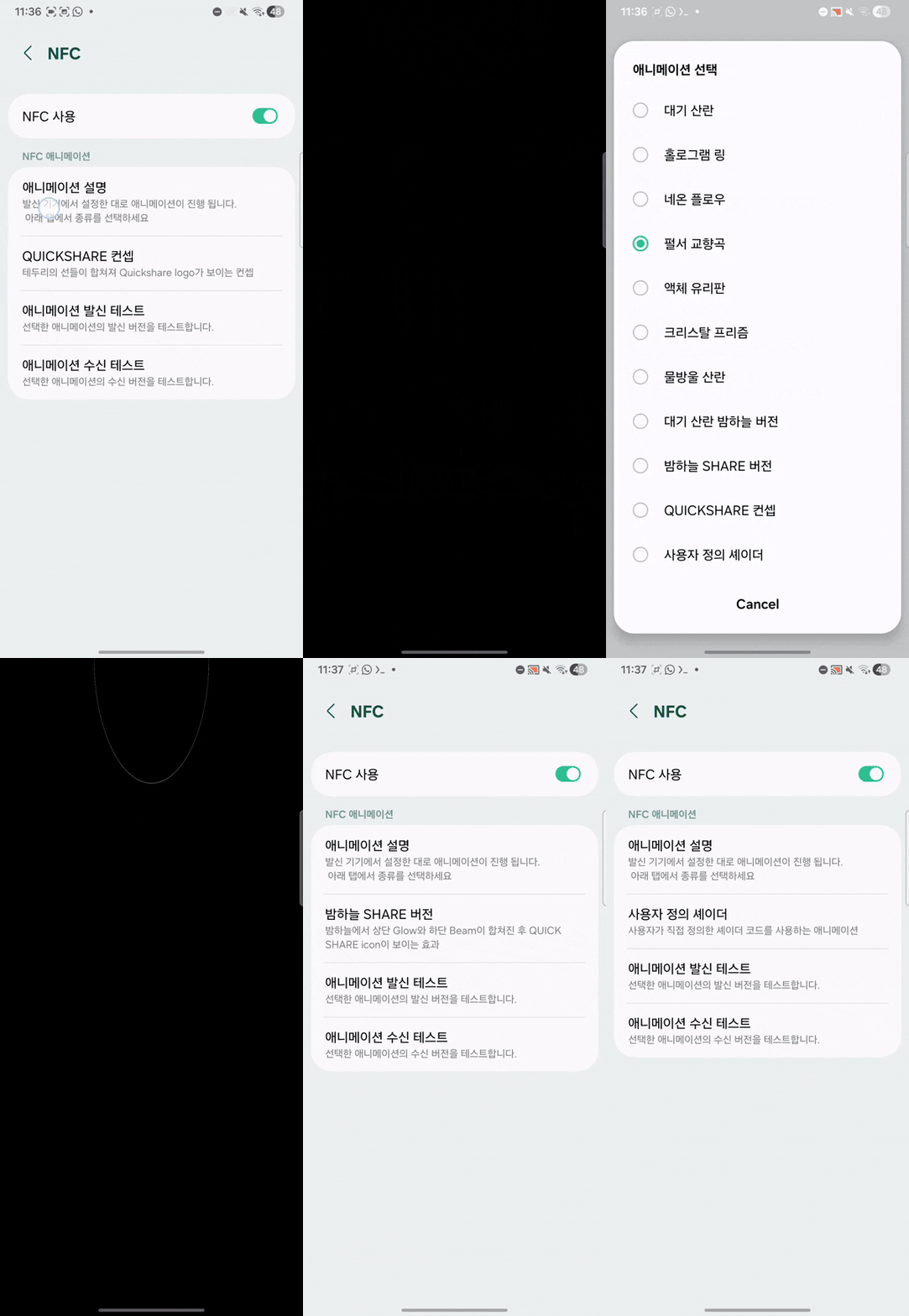
Apple’s AirDrop is quite fast and still ahead of Quick Transfer. Not that Quick Transfer doesn’t do its job well, but it is still a bit cranky to use on Samsung phones. Thankfully, it is expected to get an upgrade, and One UI 8.5 is expected to introduce an upgraded version of the Quick Transfer powered by NFC. This means that the file transfer will start as soon as the two devices are brought close together. Reportedly, Samsung is also working on some new cool animations that will show up as the transfer begins (see the GIF above).
Pollen Tracking inside the Weather app
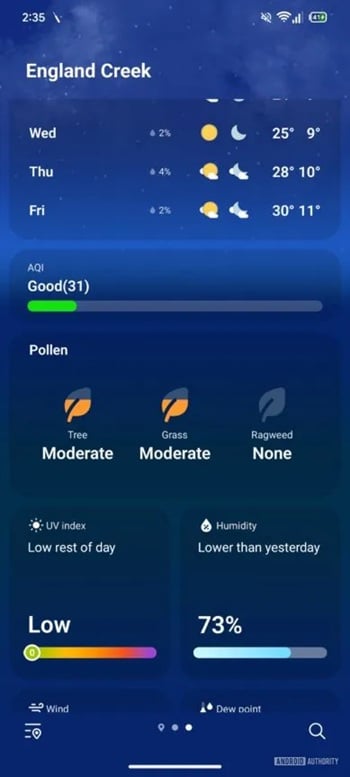
Pollen tracking was once available in the Weather app. However, that was taken down by Samsung quietly. But now, it appears that One UI 8.5 will bring back this little feature. You will be able to see the pollen levels for trees, grass, etc., with each type represented in a different color. Severity levels will show up like None, Low, and Moderate, allowing allergic people to know if it is okay for them to visit such places or not.
Flashlight Detection
Samsung is also allegedly working on an accessibility feature that will be beneficial for certain users. Notably, the flashlight detection feature will detect flashlights in videos and automatically reduce the screen brightness to tone down the impact on the eyes. This feature could prove advantageous for people who suffer from photosensitive epilepsy (PSE), in which a person gets triggered due to rapidly flashing lights in videos, games, or animations.
Full customizable Control Panel
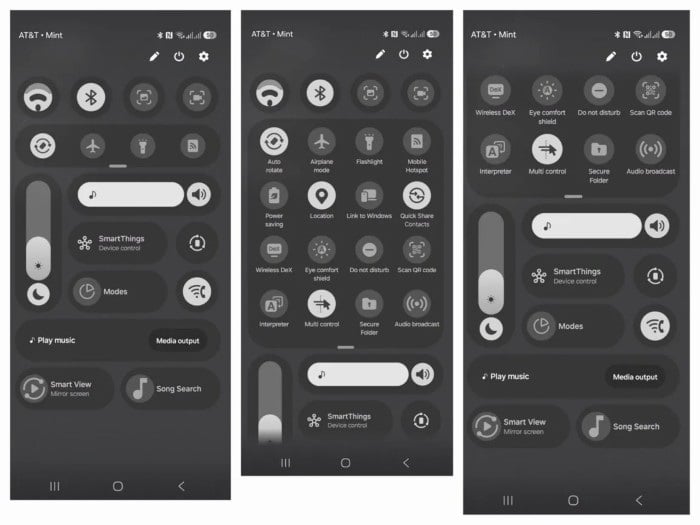
Samsung could be the next one after Apple to offer a fully customizable Control Panel. Notably, similar to iOS 26, all modules and settings in the Control Panel on the Samsung phone running One UI 8.5 would be movable, resizable, and even removable. If true, this would be one of the biggest changes in One UI’s history. This will add to the great level of customization that Samsung already offers, taking things a step forward.

