

Quick Answer
To avoid AdBlock detection on YouTube, stick to reliable and frequently updated ad-blockers, try disabling JavaScript when detection warnings appear, change your DNS to services like Mullvad or NextDNS, or use a premium VPN with built-in ad-blocking. For the most stable ad-free experience, YouTube Premium remains the official option.
YouTube is currently the leading video-streaming platform in the world. That means most people spend hours on it, consuming the video content, getting entertained, learning something, or just watching random videos. The engagement goes on increasing with interesting content. With the increase in engagement, the number of ads shown before videos and in the middle of the videos increased. When you are hooked to a video, these ads come as a speedbreaker and make it a daunting experience.
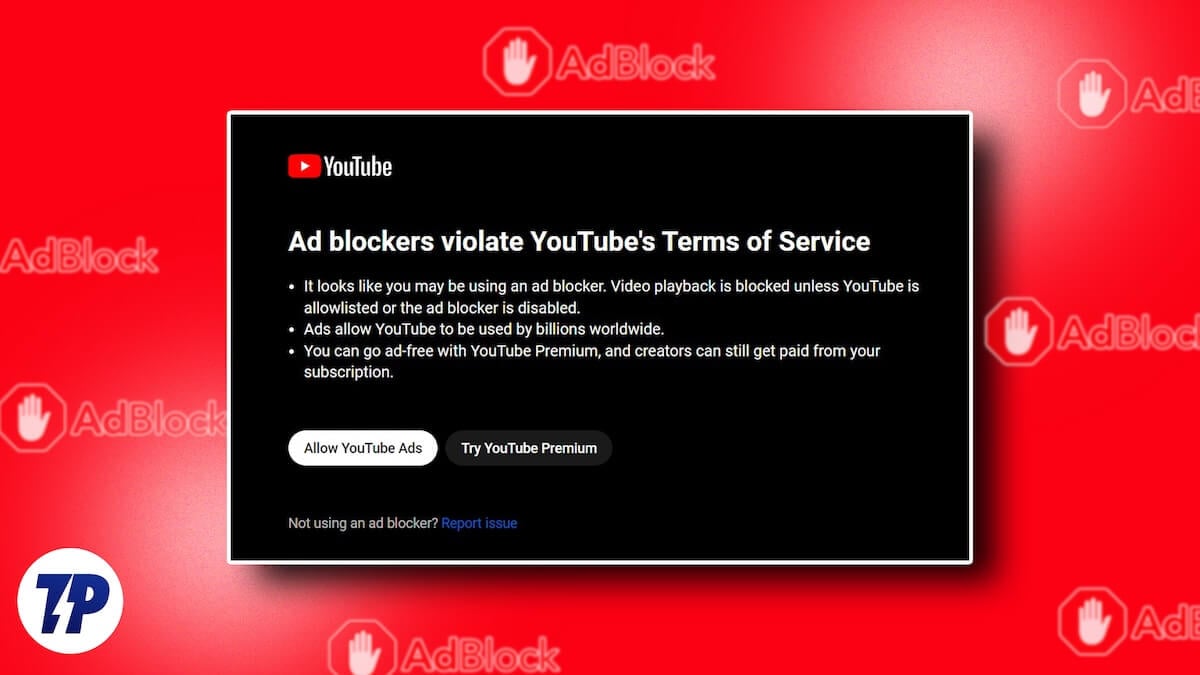
YouTube has introduced YouTube Premium to give us an ad-free experience. Since it requires a subscription, many of us opted for the free route to get rid of ads, that is, using ad-blockers. Earlier, using ad-blockers did not make any difference in how YouTube behaves. They just block the ads, and videos play normally. YouTube, as part of getting more YouTube Premium subscriptions and protecting creators’ hard work, has started cracking down on ad blockers.
The crackdown bypassed ad-blocker rules and made ads run as if there were no ad-blockers running on the browser. YouTube shows a warning that “Ad blockers are not allowed on YouTube.” Sometimes, all you see is a black screen where you find no video playing. If you are experiencing similar issues and want to avoid AdBlock detection on YouTube, follow this guide.
Table of Contents
How to Avoid AdBlock Detection on YouTube
When you find AdBlocker not working or YouTube behaving abnormally, you can use the following methods to get AdBlocker working again on YouTube. Many methods involve tweaking browser settings to make ad-blockers work. We have not suggested methods that break your browser, as well as the functionality of YouTube and other websites.
Do Not Use Random Adblockers
There are numerous ad blockers available for every browser, but only a few are trustworthy and work well without collecting your data. If you install a random ad-blocking extension that you find, it may not be capable enough to bypass ads and play you the video, especially when YouTube is cracking down on Ad-blockers actively.
When you search for ad-blockers on the extensions store of your web browser, find the one that is highly rated. You can filter the extensions by rating. After finding a highly-rated extension, check if it has been updated recently.

If it is not updated in the last 2 weeks, find another extension, as 2 weeks is a long time for Google to patch the ad-blocking. Then, read the privacy terms as extensions that focus on data collection do not care to serve your purpose. Find the one that suits the criteria and install it on your browser, which will surely work.
Disable JavaScript
JavaScript on the websites detects the adblockers, along with making the website interactive and dynamic. Disabling JavaScript can temporarily make the AdBlocker run on YouTube and let you watch videos. But it can break YouTube and make it less interactive.
Every browser has different options to disable JavaScript. The easy way is to install an extension that disables JavaScript automatically. When YouTube detects your ad-blocker, you can enable the extension and continue watching the video. If not, disable the extension and carry on with your browsing.
To disable JavaScript on Google Chrome, open YouTube and click the icon beside the web address. Then, select Settings from the options.

It opens the App Settings page. Click on More settings and permissions. Then, find JavaScript under Permissions, click the drop-down, and select Block.

It will block AdBlock detection and let you continue watching videos.
Change DNS
Changing DNS is another option to block ads without using an adblocker extension on your browser. Every browser allows you to change DNS and set a custom one. You can use Mullvad DNS, NextDNS, or Bancuh DNS, which are safe and let you block the ads.
To change DNS on Google Chrome, Edge, Brave, or any Chromium browser, open the Settings page and search for DNS. Then, click the highlighted Security tab. Click the drop-down beside Select DNS provider and select Add custom DNS service provider.
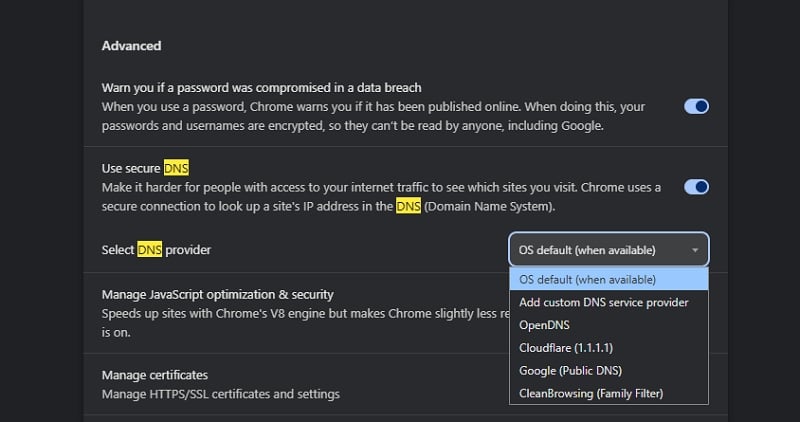
Paste then paste the following address in the text box that appears. We are using Mullvad DNS for reference. You may choose another one that provides more safety.
https://all.dns.mullvad.net/dns-query
That’s it. It will block the YouTube ads without an adblocker on your Chromium-based browser.
To change DNS on Firefox,
- Open the Settings page and select Privacy & Security
- Scroll down and select Max Protection under Enable secure DNS using.
- Click the drop-down under Choose provider and select Custom.
- Then, paste the following address and press Enter.
-
https://all.dns.mullvad.net/dns-query
Use a VPN With an Ad Block Feature
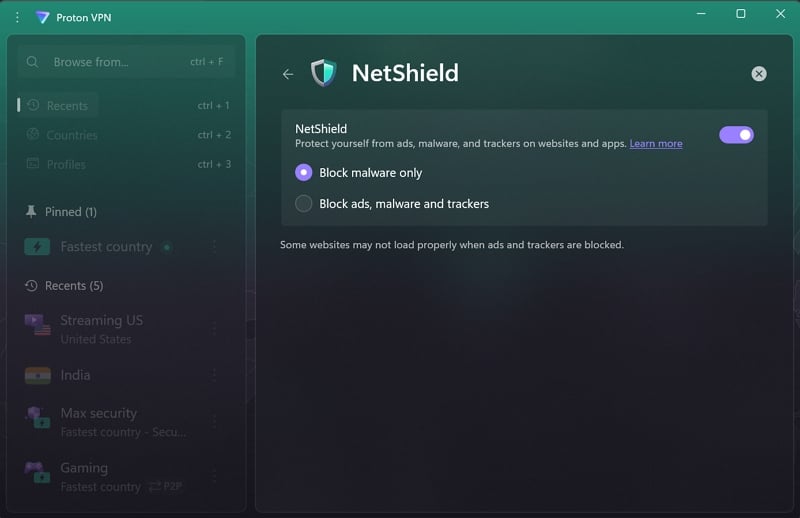
Premium VPN providers like ExpressVPN, ProtonVPN, NordVPN, Surfshark, etc. offer ad-blocking along with VPN services in their premium plans. If you have a VPN subscription, you can enable ad-blocking in the respective app settings. It will ensure all ads are blocked, including YouTube ads.
This way, you’ll not need another ad-blocker extension on your web browser if you have installed a VPN on your device.
Do ad blockers slow down YouTube?
Yes, sometimes. When you use an adblocker on YouTube, you’ll see the video you have selected to watch load more slowly at first, as the adblocker blocks ads. At times, you only see the black screen for a few seconds before the actual video streams.
Is AdBlock illegal to use?
Ad blockers are not illegal. They help block ads on websites, including YouTube. Ads are a source of revenue for websites and YouTube creators. Using ad blockers removes the incentive for creators to create more useful content and provide value for your time.
Stop YouTube From Detecting AdBlock
YouTube’s crackdown on AdBlockers has made many of them useless. It has become a competition between AdBlocker developers and the YouTube team to gain the upper hand. Currently, many ad blockers are working well on YouTube by blocking the ads. You can subscribe to YouTube Premium anytime to avoid all these extensions.

