

Quick Answer
Vivo has officially announced Origin Os 6 globally. The update brings significant changes to vivo and iQOO phones globally in India. Along with the update, Vivo also announced rollout time and supported devices. Here is everything you need to know about the update and when your Vivo phone will receive the update.
After years of waiting, Vivo has finally brought Origin OS globally after keeping it exclusive for China for years. Having used multiple Vivo smartphones, I am finally expecting Origin OS 6, based on Android 16 , to fix all of Vivo’s software issues. Vivo Origin OS 6 has already been announced globally and is also coming to India.

If you are using a Vivo or iQOO smartphone, here is everything you need to know about Vivo Origin OS 6, including its biggest changes, supported devices, rollout time, and latest news.
Table of Contents
Vivo Origin OS 6 Latest Updates
Vivo Origin OS 6 is already available for Vivo X200 and iQOO 13 phones and below you can find a detailed timeline with events and rollout updates, similar to other update trackers we update this timeline every time Vivo announces or roll out updates for any Vivo smartphones, so stay updated you can bookmark these notes and keep track of all Vivo Origin OS with Android 16 Updates.
- Jan 27, 2026: Some Vivo V40 variants also began receiving OriginOS 6 updates.
- Jan 25, 2026: Vivo T4 5G has officially started receiving the Origin OS 6 update in India.
- Jan 2026: Vivo started rolling out the OriginOS 6 update for Vivo X200 Pro, iQOO Neo 10R, and Vivo X200 FE.
- December 2025: The Vivo V40 Series began receiving the Origin OS 6 update.
- November 29, 2025: OriginOS 6 version trial is available for iQOO Neo 9 Pro. (Some users reported battery drain issues, so please note this before updating.
- October 30, 2025: The OriginOS 6 update trial version is available for the Vivo X200 Pro and X200 FE in India. To update the software, click the three-dot menu, then tap Version trail.
- October 14, 2025: Vivo has officially announced Origin OS 6 for the Global Version.
Vivo Origin OS Supported Devices and Release Timeline
Vivo has officially announced the supported device list and rollout timelines for Vivo and iQOO smartphones. As I mentioned earlier, the Origin OS update is currently available for a limited number of smartphones. Here is the eligible list and expected rollout dates.
| Timeline | Brand | Series | Models |
| Early Nov 2025 | Vivo | X / V | X Fold5, X200 Pro, X200, X200 FE, V60 |
| iQOO | iQOO | iQOO 13 | |
| Mid Nov 2025 | Vivo | X | X Fold3 Pro, X100 Pro, X100 |
| iQOO | iQOO | iQOO 12 | |
| Mid Dec 2025 | Vivo | V / T Series | V60e, V50, V50e, T4 Ultra, T4 Pro |
| iQOO | Neo Series | iQOO Neo 10, iQOO Neo 10R, iQOO Neo9 Pro | |
| First Half 2026 | Vivo | X Series | X90 Pro, X90 |
| V Series | V60 Lite 5G, V60 Lite, V50 Lite 5G, V50 Lite, V40 Pro, V40, V40e, V40 Lite 5G, V40 Lite, V40 SE 5G, V40 SE 80W, V40 SE, V30 Pro, V30, V30e, V30 Lite 5G, V30 Lite, V30 SE | ||
| T Series | T4 5G, T4R 5G, T4x 5G, T3 Ultra, T3 Pro 5G, T3 5G | ||
| Y Series | Y400 Pro 5G, Y400 5G, Y400, Y300 Plus 5G, Y300 5G, Y200 Pro 5G, Y200e 5G, Y58 5G, Y39 5G, Y38 5G, Y31 Pro 5G | ||
| iQOO | iQOO / Z | iQOO 11, iQOO Z10 5G, iQOO Z10R 5G, iQOO Z10x 5G, iQOO Z9 5G, iQOO Z9s Pro 5G, iQOO Z9s 5G |
Devices That Have Already Received the Origin OS 6 Update
Flagship and premium
- Vivo X Fold 5
- Vivo X Fold 3 Pro
- Vivo X200
- Vivo X200 Pro
- Vivo X200 FE
- Vivo X100
- Vivo X100 Pro
- Vivo X90
- Vivo X90 Pro
Mid-range and popular series
- Vivo V60e
- Vivo V60 Lite 5G
- Vivo V50
- Vivo V50e
- Vivo V40
- Vivo V40 Pro
- Vivo T4 Pro
- Vivo T4 Ultra
iQOO devices
- iQOO 13
- iQOO 12
- iQOO Neo 10
- iQOO Neo 10R
Top 5 Biggest Changes in Vivo Origin OS 6
New Design, Animations, and More

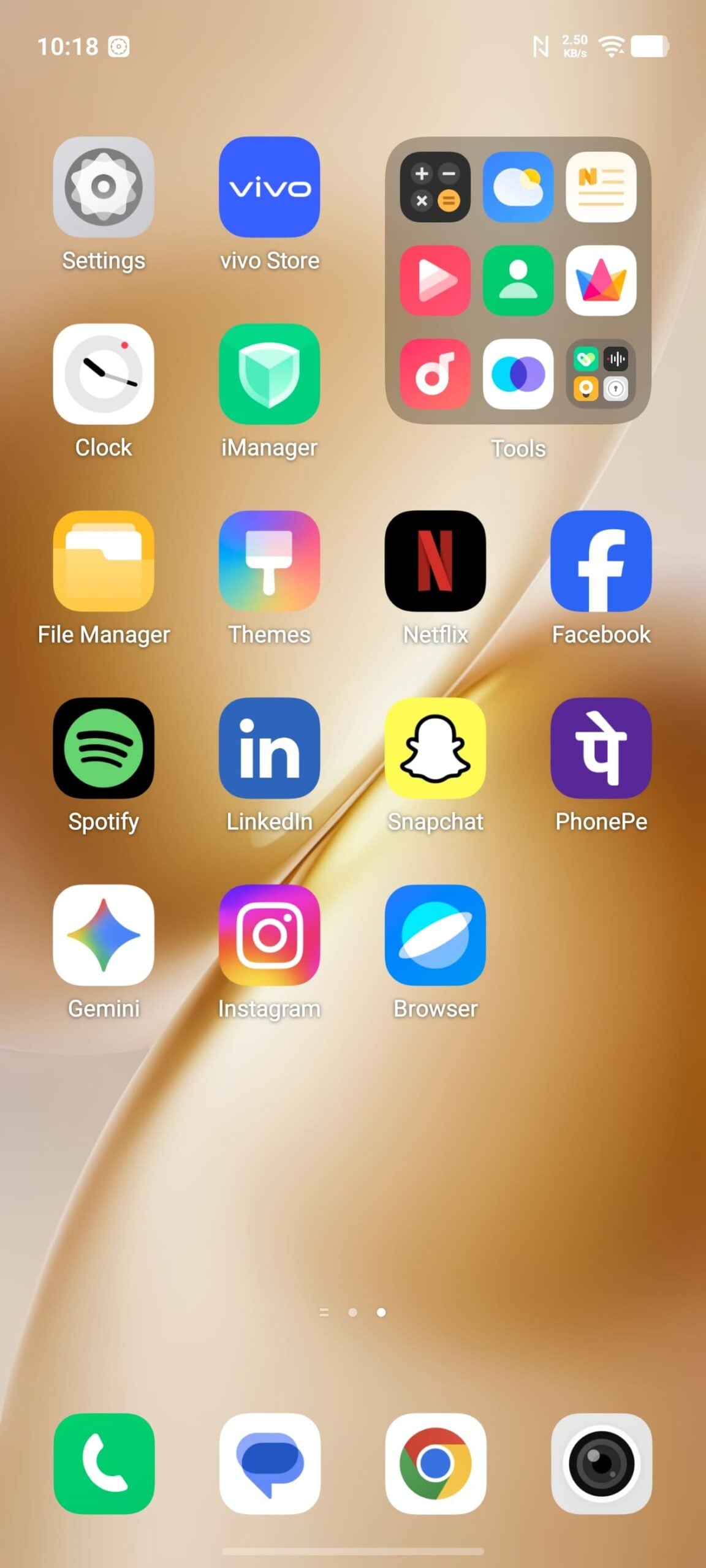
Since Vivo is introducing Origin OS 6 globally for the first time, one of the biggest changes is the design, which is a complete departure from the current Funtouch OS found on Vivo and iQOO phones worldwide.
Everything now looks bigger and better, and, of course, even more like iOS. And if you are familiar with the controversial liquid glass design on iOS, you will find a similar style on the Vivo Origin OS. We will compare them in detail once we get our hands on Vivo’s Origin OS 6 in India and share more insights.
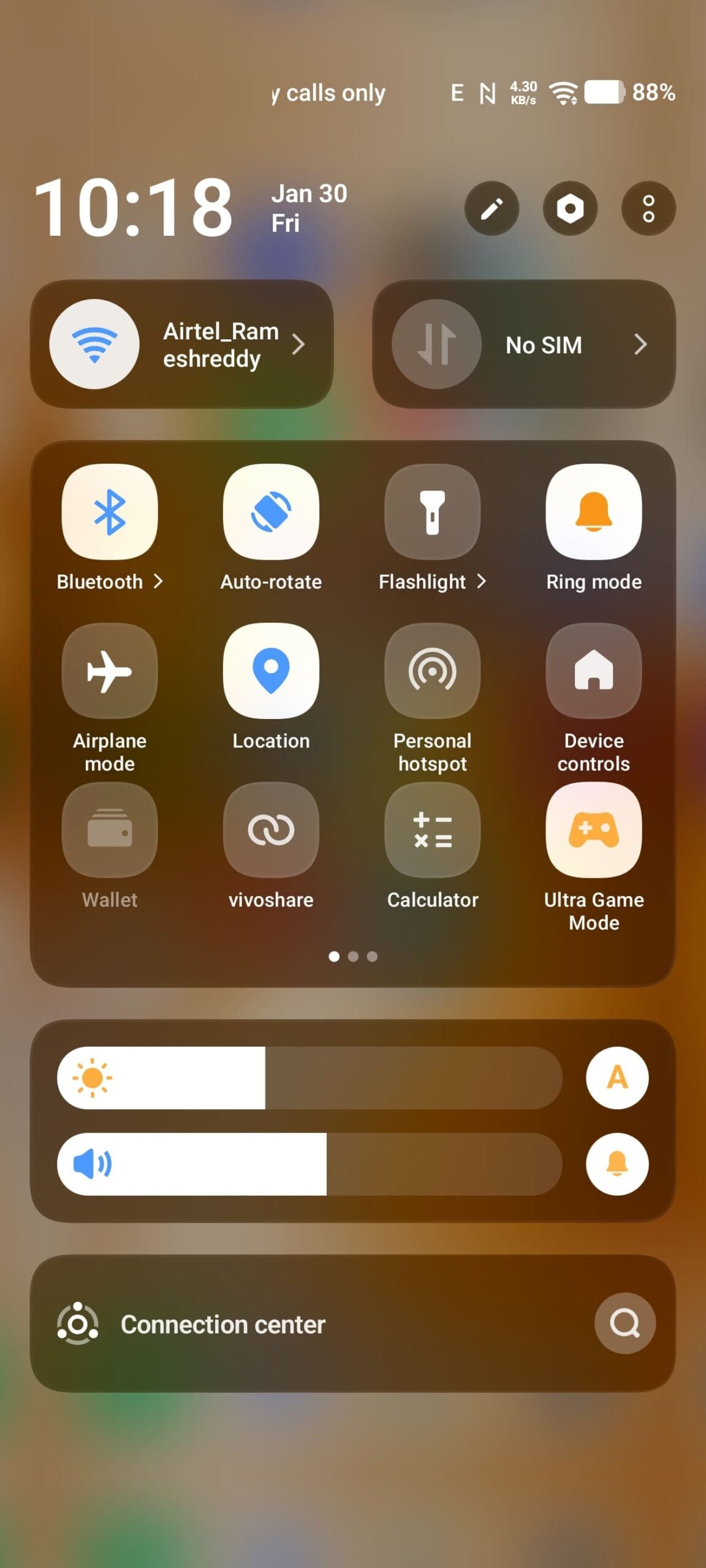
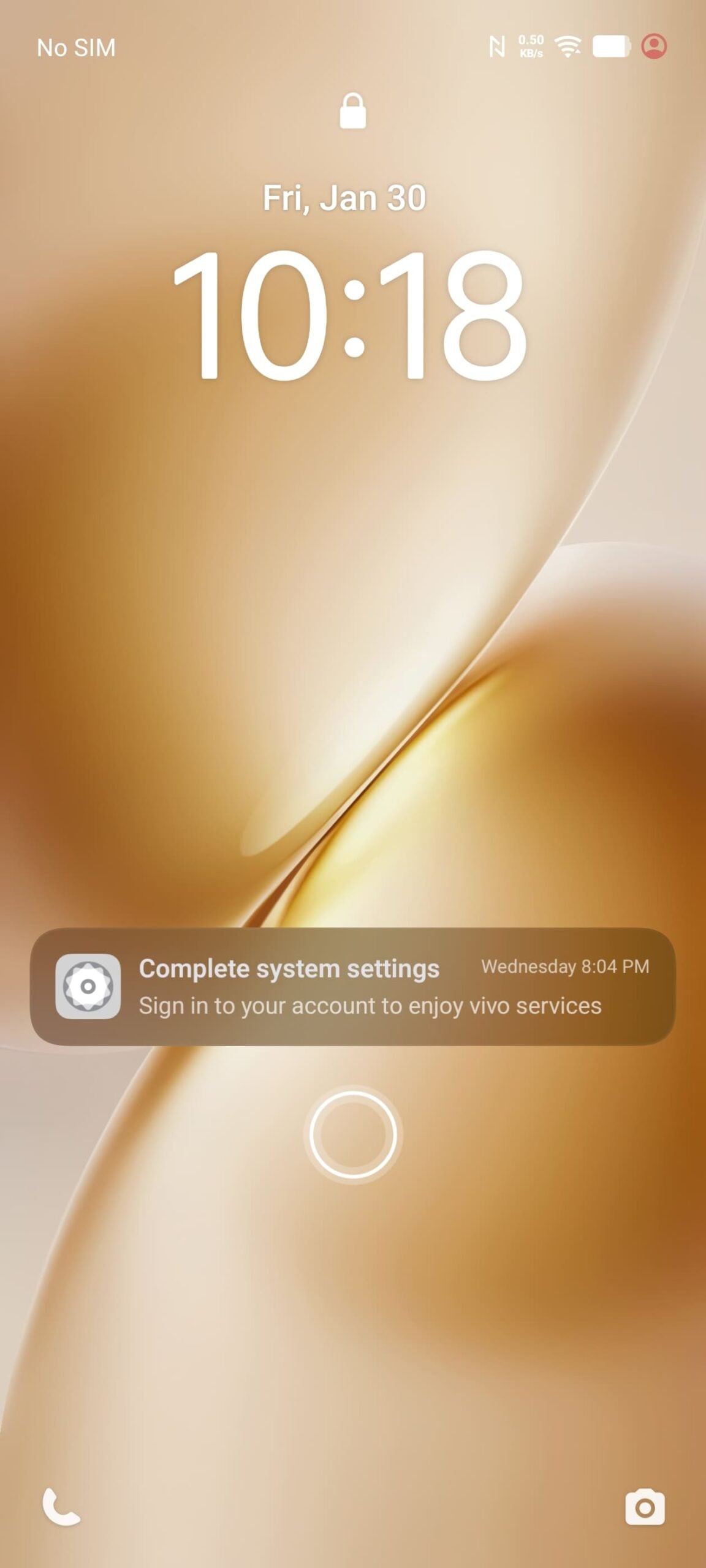
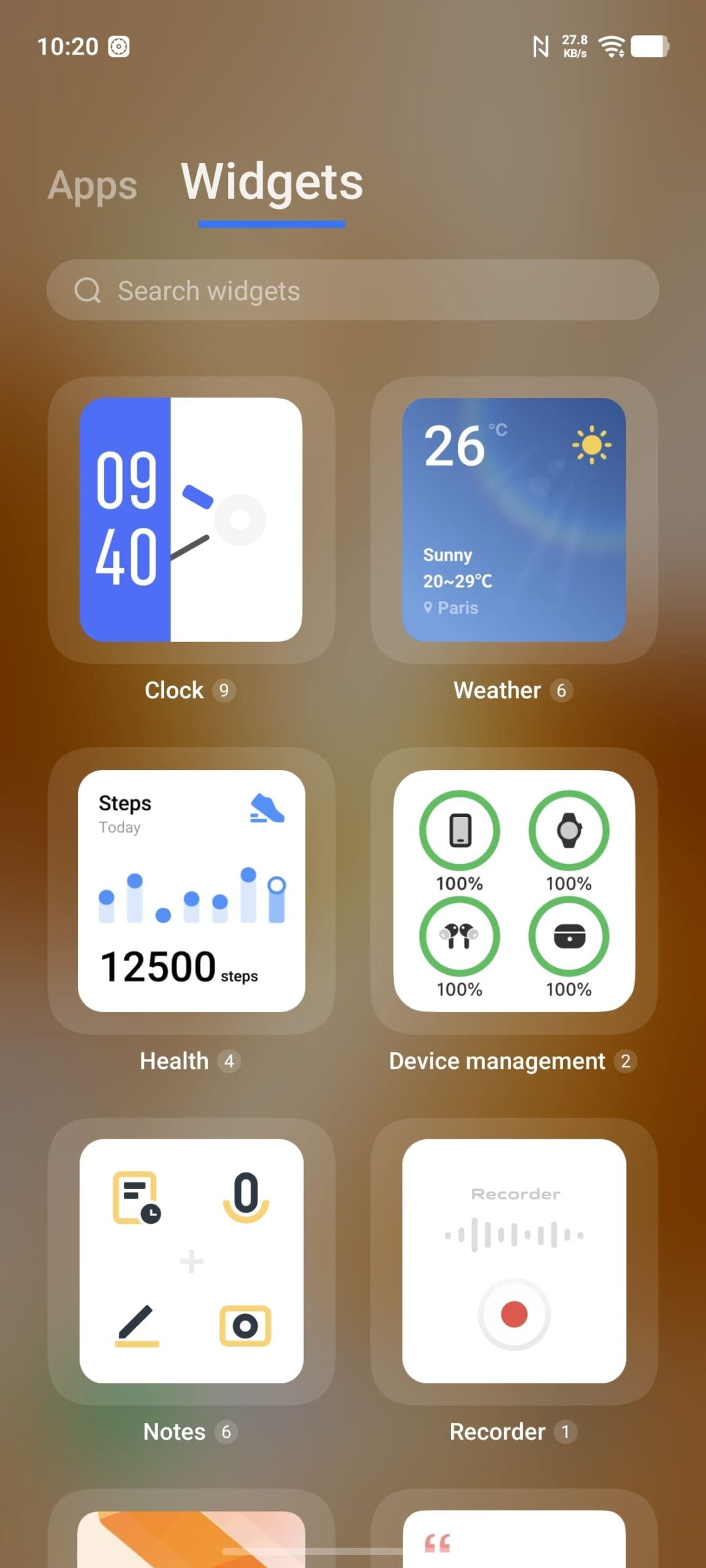
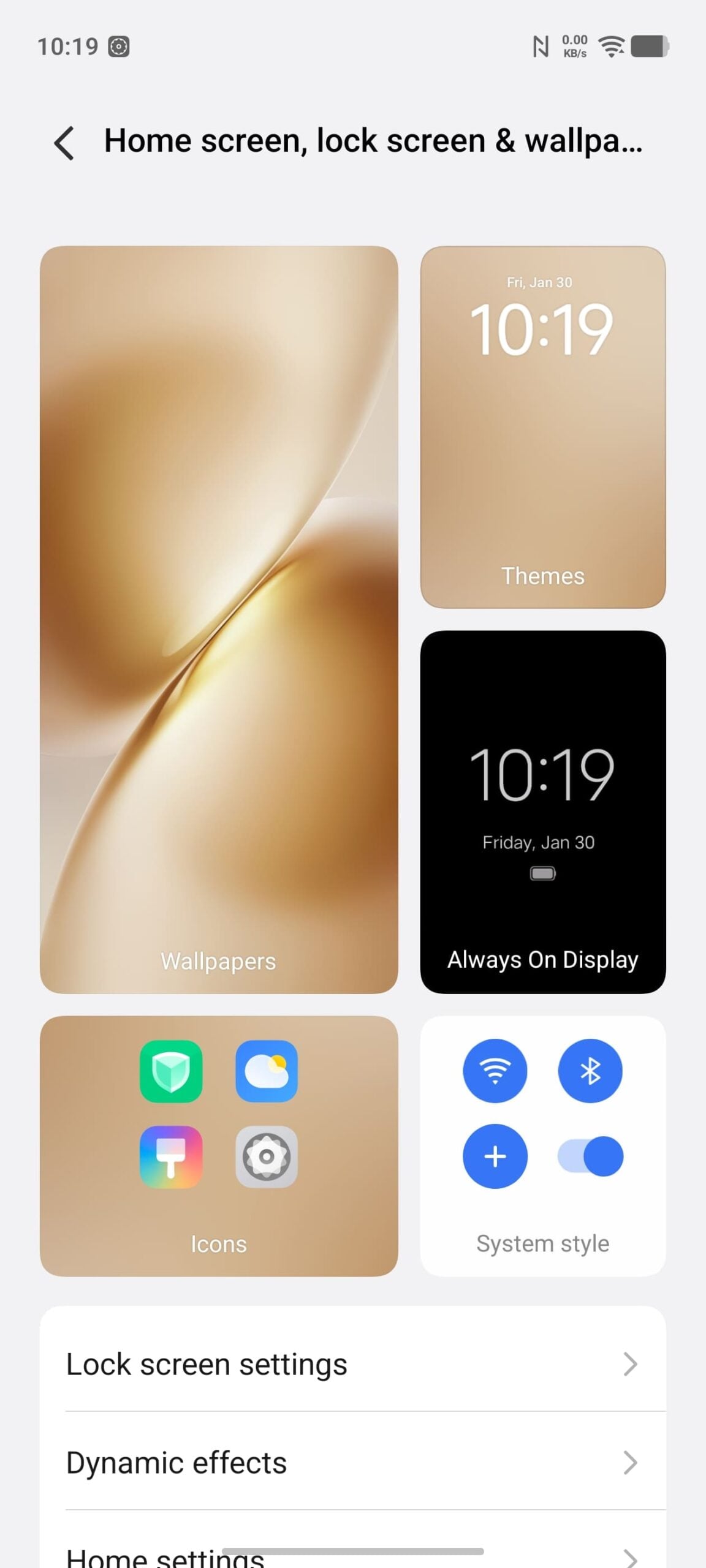
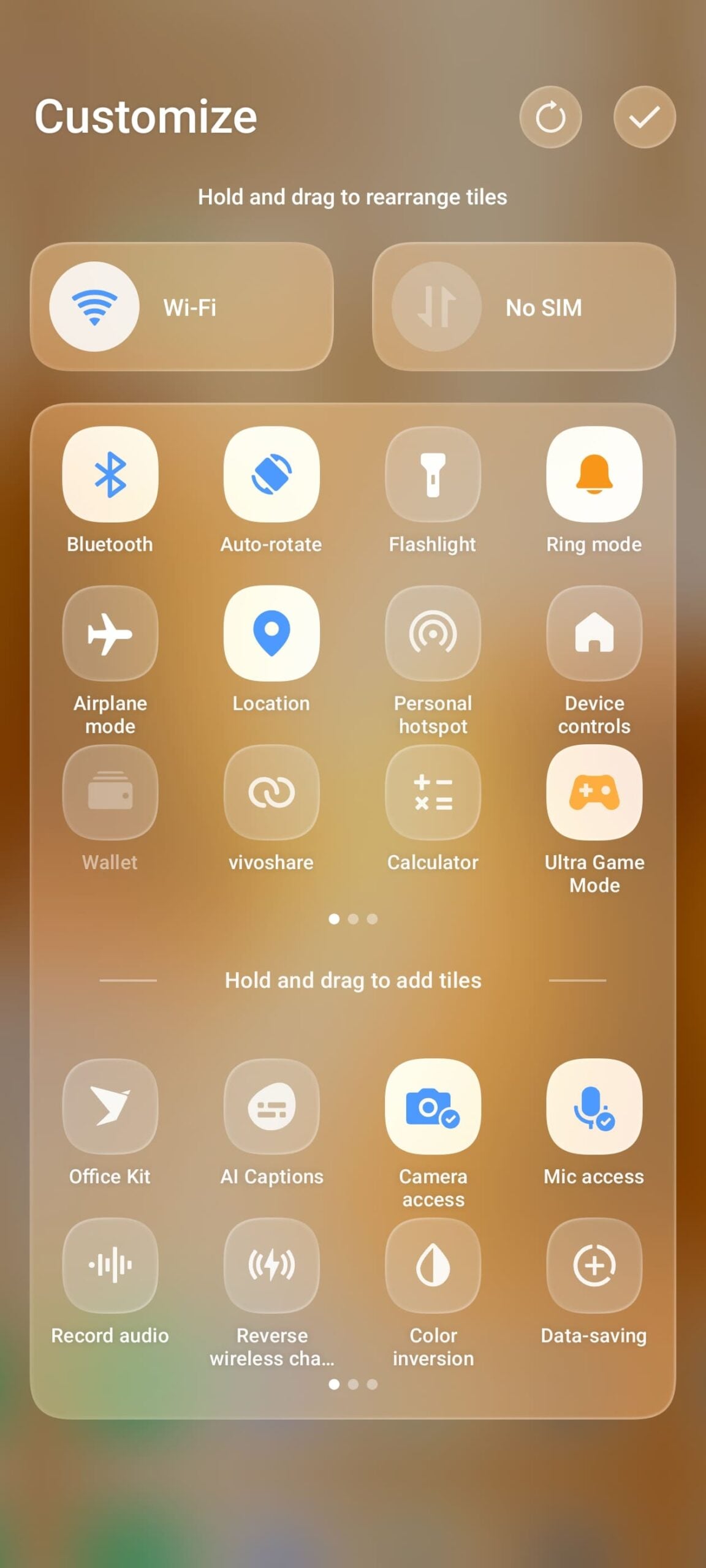
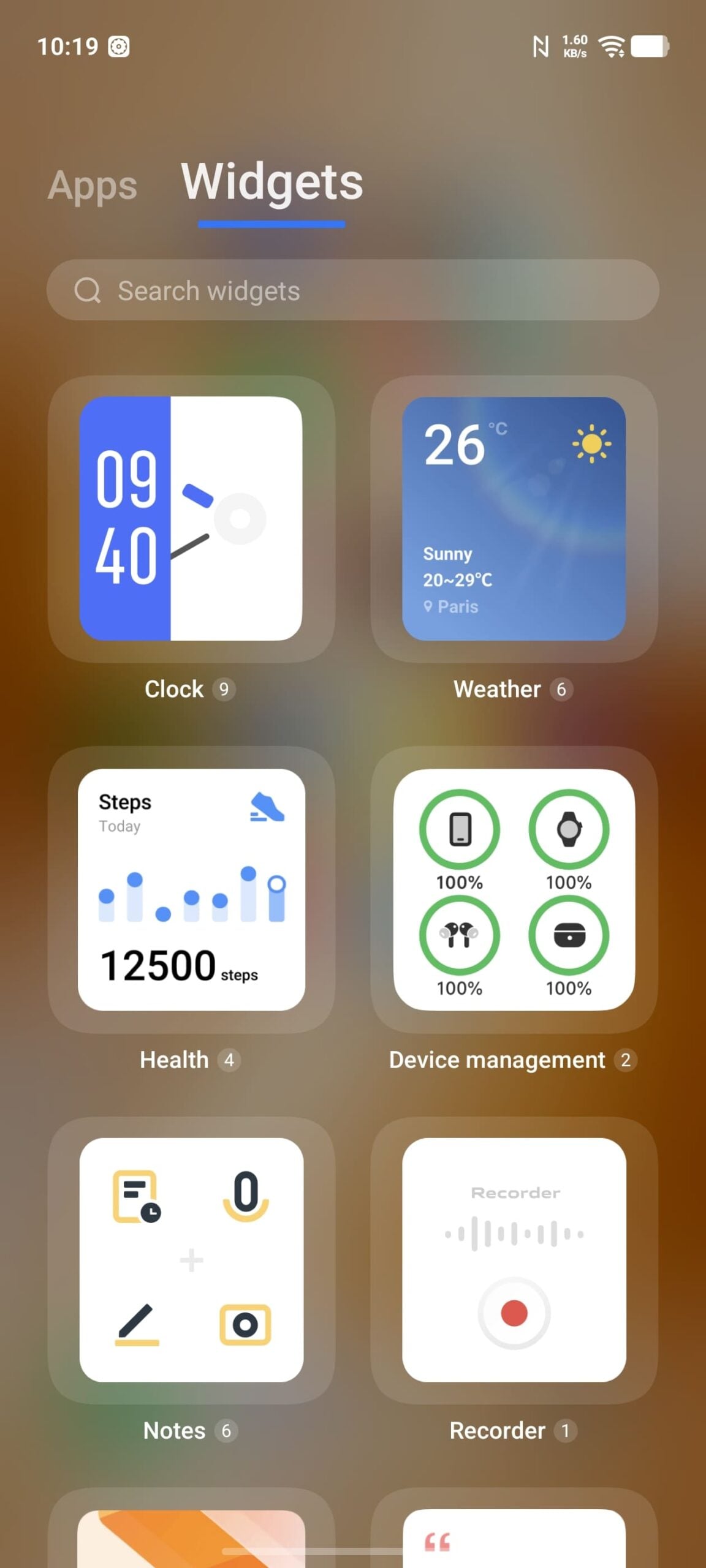
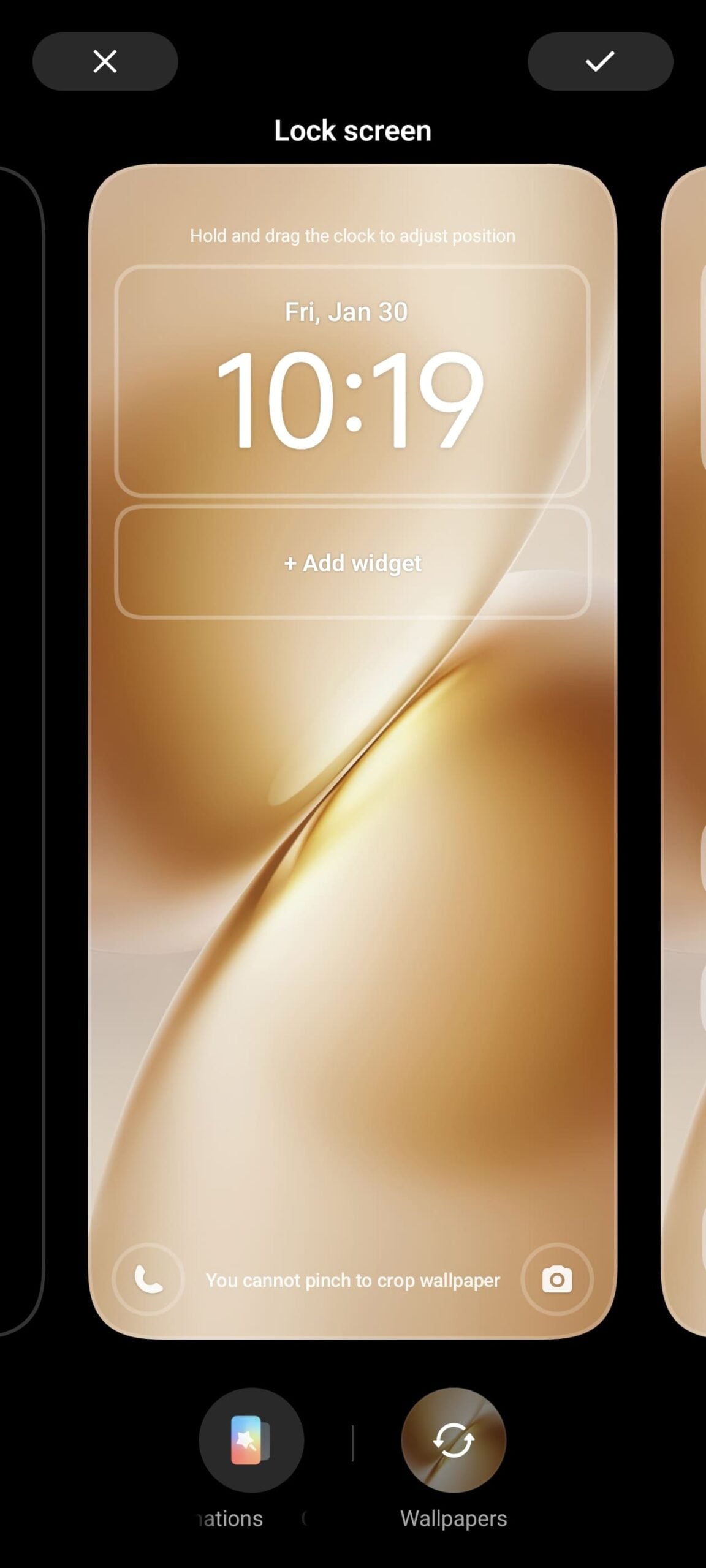
Additionally, Origin OS 6 introduces advanced lock-screen customization options, similar to those on iOS. Now, you can customize time, add effects, widgets, and much more. You also get support for Live activities, new stacked notifications, updated Control Center, and much more.
Cross-device integration

If you use Windows or Apple devices alongside your Vivo smartphone, Vivo may finally address your biggest issue with cross-device integration.
With Origin OS 6, Vivo offers Vivo Office Suite, a dedicated app for other platforms that features useful functions such as file sharing, clipboard sync, screen mirroring, continuity features like notes, and more.
The best part is not just Windows; it also works with Apple, including a dedicated app for the iPad. The app is already available to download, though this isn’t revolutionary, as there are plenty of third-party apps that can offer these functionalities individually.
It’s great to see that you can access all the features from a single app, with more features expected to roll out in the coming days. So if you use multiple platforms, Vivo might have fixed the biggest issue with cross-platform integration.
Upgraded AI features

On-device AI features are always a welcome addition for enhanced privacy and faster processing, and Origin OS 6 introduces further upgrades to AI features on Vivo smartphones.
First speaking of the features useful for everyone, it now comes with Advanced Object Removal that can remove unwanted images from both static and live photos, the best part is now it is supported on device so your data won’t be transferred into the cloud to process, and it can also do useful Photo Adjustments, and even batch image processing, convert images to features and for the global version you get Google Gemini, Circle to Search and more.
It also comes with useful AI writing tools such as text summarization, email and message summarization, multi-language support and more. While some of these features are exclusive for now, we should see what features Vivo brings to the global edition.
Big Performance Claims

Vivo claims Origin OS 6 is now faster and more efficient compared to the previous generations, here are the claims Vivo has made for Origin OS 6. 11% improvement in frame stability, 35% increase in rendering efficiency, up to 11% faster app launch speeds and 14% improvement in sequential multi-app launch and 230% boost in heavy-load data speed and overall better stability and improvements.
Animations are one of the biggest issues in the Vivo Funtouch OS, and hopefully Origin OS 6 fixes that for global variants. And again, I need to test these claims when I get first-hand experience with Origin OS 6.
All Other Improvements
Beyond new design, cross-device integration, AI features and performance improvements Origin OS 6 also brings several key upgrades in other segments, one such feature is Global Direct Power Supply 2.0 which ensures the device delivers stable power to the system for better heat management which should help for long gaming sessions, and also comes with battery life enhancements claiming up to 18% longer battery life during continuous video playback, 14% extended gaming sessions.
Now, it also comes with improved notification management, new wallpapers, and much more. Here is the full changelog for the global version of Origin OS 6:
Origin OS 6 Complete Changelog (Global Version)
Vivo Origin OS 6 brings a lot ot changes, here is the complete changelog of what’s coming.
System
- Added a progressive blur effect to enable a natural blur transition in scenarios like Control Center, Notification Center, Global Search, and Weather.
- Added light effects, including edge light, enhanced light, and diffuse light, to provide clearer operational feedback and more natural material representation.
- Added a card list to present complex information in a more intuitive and organized way.
- Added global G2 rounded corners by reconstructing the underlying rendering mechanism, making the rounded corners display more real-time and stable.
- Added the Vivo Sans system font with stepless weight adjustment, providing a comfortable and natural reading experience. This feature is supported in some system languages only.
- Optimized system materials, background blur, and transparency to enhance the visual texture and transparency of the system.
Optimizations
- Optimized the title bar to improve browsing efficiency and layout consistency.
- Optimized the styles and dynamic effects of empty-state icons on empty pages.
- Optimized the visual design of system controls to enhance the visual experience during browsing and tapping.
- Optimized Landscape mode controls to improve usability.
- Optimized color system for a comfortable and natural browsing experience.
- Optimized app theme colors to give apps more personalized color styles across different scenarios.
- Optimized Dark mode to improve visual consistency, comfort, and readability.
Themes
- Added multiple personalized combinations and tricks.
- Optimized the layout and visual effects of the wallpaper settings page and theme settings page to enhance user experience.
- Optimized the interaction on the personalized combination page. You can tap “Combine” to switch between different templates for customization.
- Lock screen
- Added classic and personalized clock styles for the lock screen, allowing you to choose different clock styles to match the wallpaper.
- Added the classic clock font and weight editing capability, allowing you to change fonts and weight.
- Added the custom HSL color feature for the clock, allowing you to choose clock colors to match the lock screen wallpaper. You can separately set colors for the hour and minute hands for some personalized clocks.
- Added the clock position adjustment capability, allowing you to tap and hold the clock on the integrated settings page and lock screen editing page and drag it to a required position.
- Added the font height editing capability for the personalized clock, allowing you to drag the clock area on the lock screen editing page to adjust its size.
- Added the lock screen kit feature, which allows you to view important information, such as weather, step count, and device battery level, on the lock screen, and combine kits to enrich the overall visual effect of the lock screen.
- Added lock screen notification display methods, allowing you to set the default notification display as number, stack, or list.
- Optimized the bottom information layout on the lock screen to improve space usage.
- Optimized the lock screen notification display by repositioning it to the bottom of the screen.
Home screen
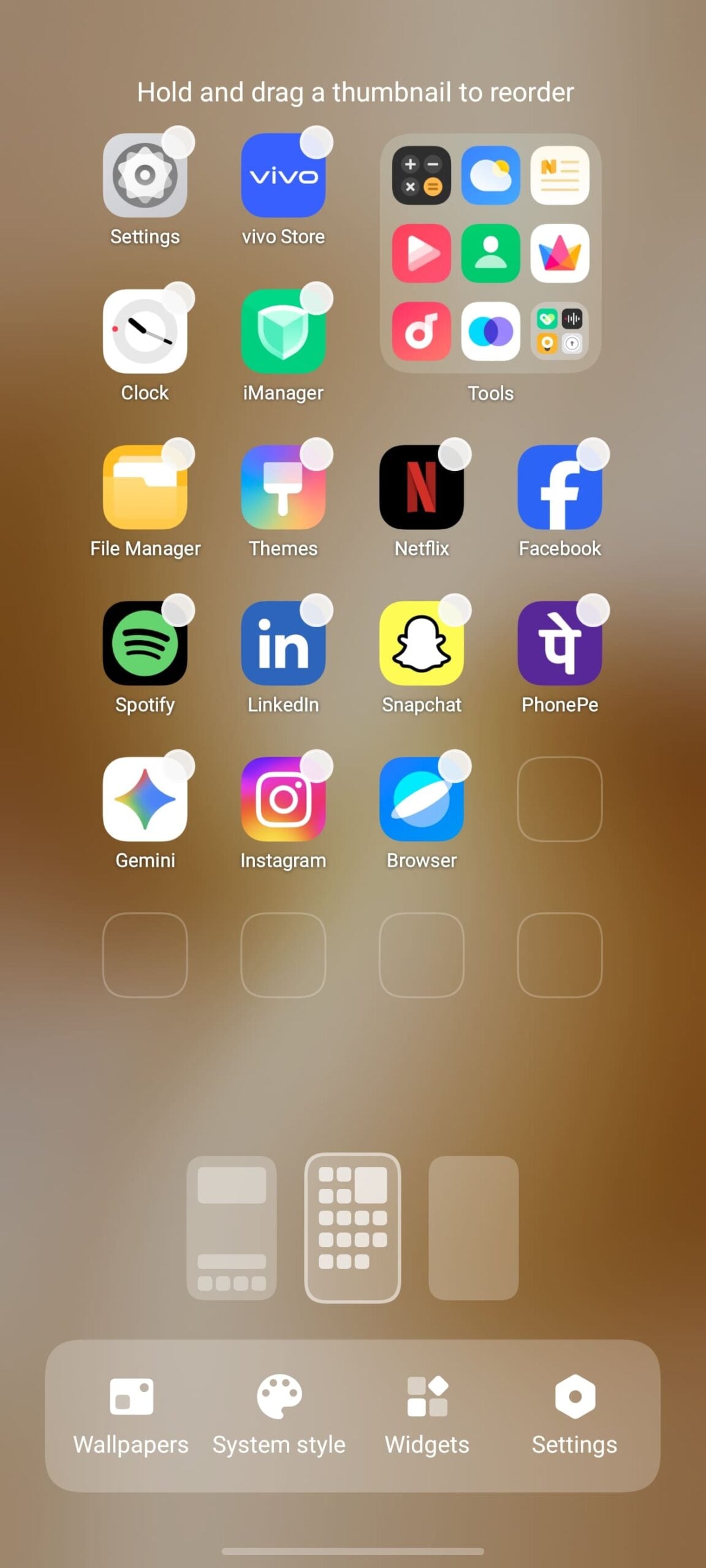
- Added 47 home screen layouts and integrated Klotski Grid for a neater and more visually appealing look.
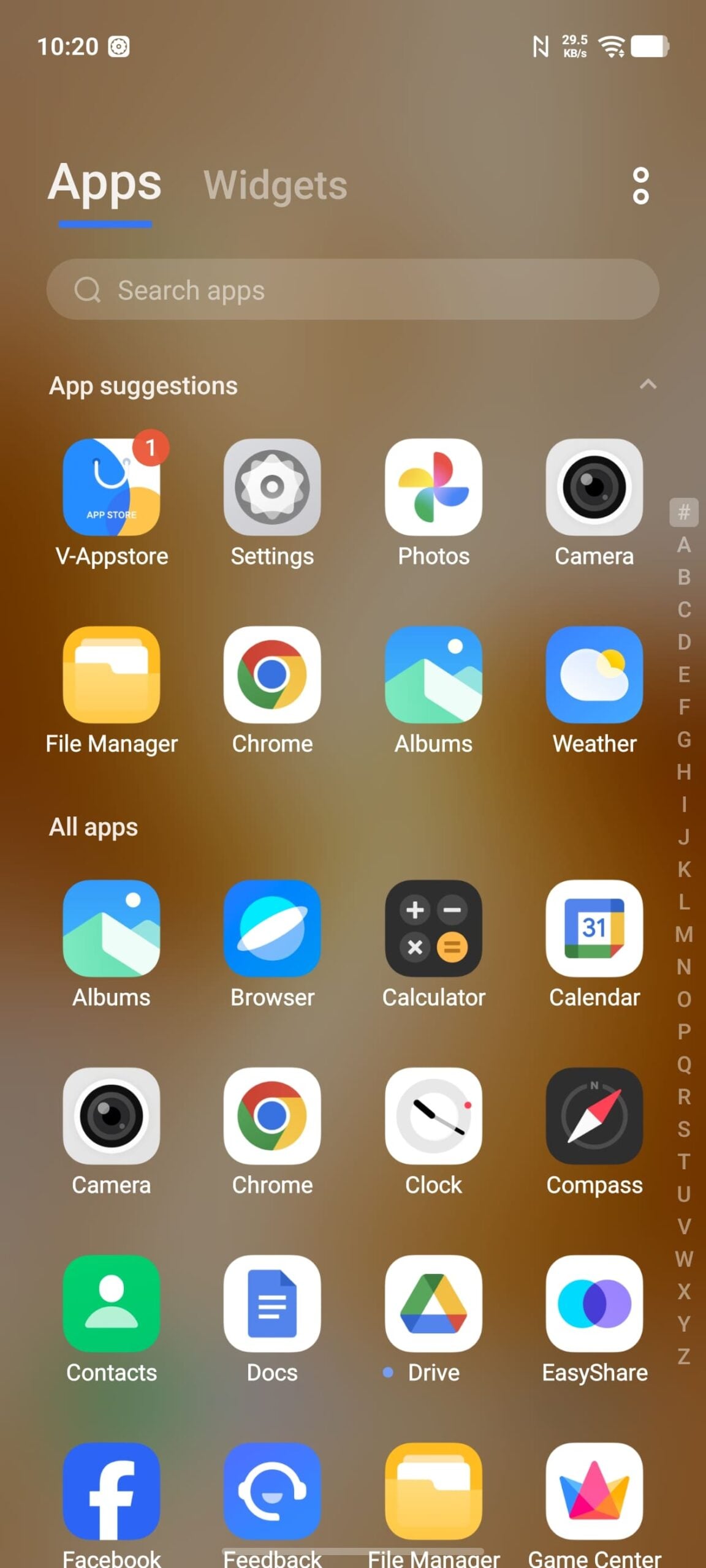
- Added the features of pinning apps to the top and creating folders in Drawer mode.
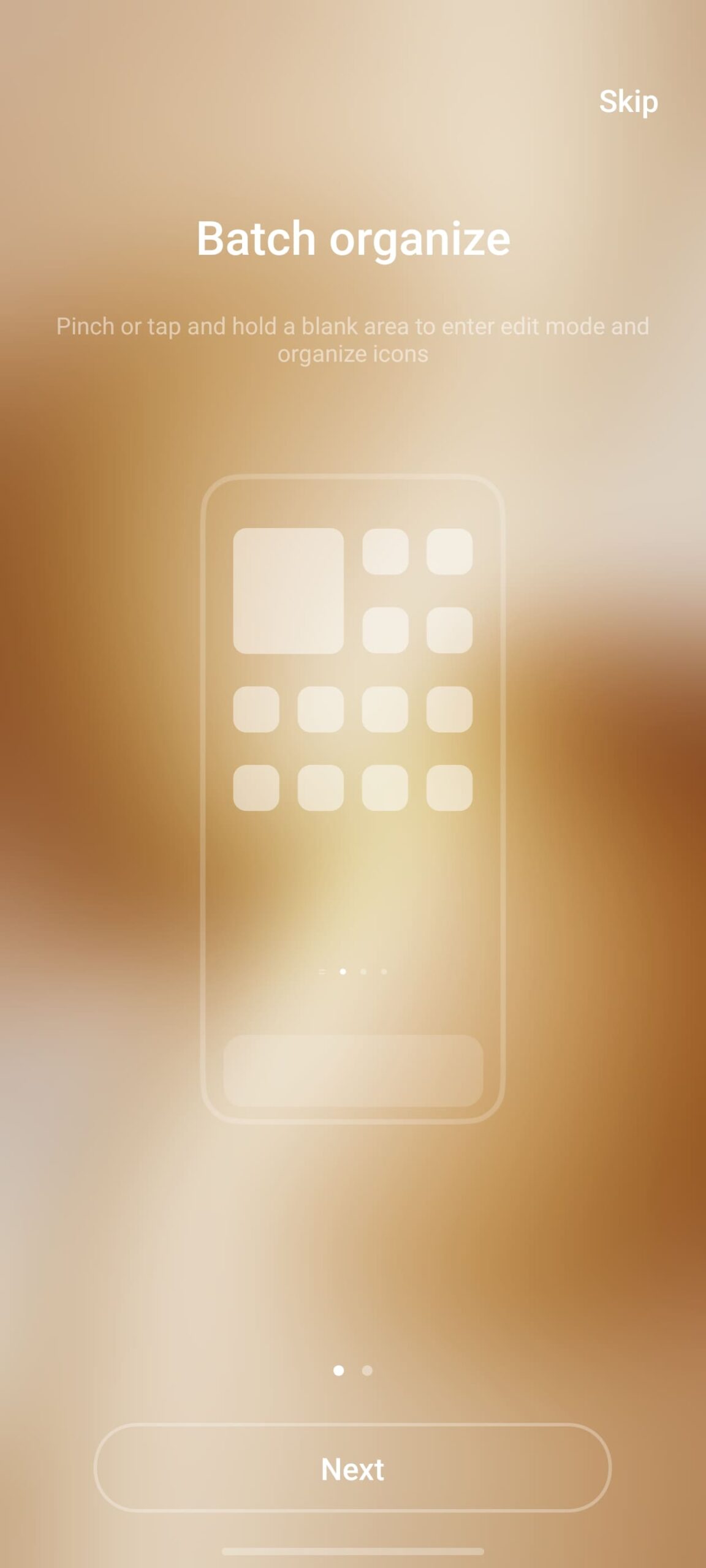
- Added the batch operation feature in Drawer mode, allowing you to batch add apps to the home screen and group them into folders.
- Optimized app recommendation logic in Drawer mode, supporting app recommendations based on time, location, and habits.
- Optimized folder morphing, supporting 21 and 12 layouts with custom colors.
- Control Center
- Added the separated Control Center. You can swipe down from the upper left or upper right corner to bring up Notification Center or Control Center, respectively, enabling more similar content to be displayed on the same page and improving display efficiency.
- Added an expanded volume adjustment bar for easier volume adjustment in the merged Control Center.
- Optimized the overall layout of the merged Control Center to enhance the overall visual experience with materials and style.
Notification Center
- Added new notification card styles with upgrades to icons and layout.
Origin Smooth Engine
- Added super-core computing. The new scheduling system enhances computing efficiency, accelerates app startup, response, and loading, and improves slide smoothness and multitasking usability.
- Added storage fusion with a self-developed storage transmission framework, building a storage VIP channel to significantly improve file transfer efficiency and enable instant loading of massive photos.
- Added a dual rendering architecture of Unified rendering architecture + Decoupled rendering architecture, significantly improving rendering efficiency and making system animations more natural.
- Added rapid response. The new app startup process optimizes touch links and rendering links, and it is combined with a priority scheduling algorithm to significantly enhance app startup response speed.
- Added Snap-up engine to help you secure tickets and deals faster in IRCTC and BookMyShow apps.
- Added support for interruptions in more scenarios like home screen apps, folders, kits, and the Drawer, with faster response and smoother dynamic effect experience.
- Added more dynamic effect styles for scenarios like charging, fingerprint unlock, and USB connection.
- Added blurry transition effects for scenarios such as opening apps in Global Search and refreshing kit content, enhancing the visual experience during screen transitions.
- Added morphing animations for expanding and contracting visual elements.
Origin Island
- Added Origin Island, a global information transfer window that provides intuitive notifications to help you stay informed about system status changes, key information, and music playback details.
- Added Copy & Go, providing a suggested app based on your copied information for quick access to the app.
- Added Drag & Go, enabling information sharing by dragging across apps.
- Added Context suggestions, offering proactive and considerate recommendations for commuting and office meeting scenarios.
Super Dragging
- Added Super Dragging, allowing you to transfer content across apps by tapping and holding content and dragging it to another app window or Origin island.
AI Captions
- Added the AI Captions system service, which converts speech to text in real time for seamless communication and offers AI services like live speech recognition, multilingual translation, and intelligent text summary to improve information access efficiency across all scenarios
AI Creation
- Optimized the feature panel of AI Creation, with upgrades to layout and visual effects for a better experience
Global search
- Added AI Search, supporting search for documents, notes, and settings on the device by using natural language description in multiple languages, and supporting AI analysis and summary for higher efficiency
Office Kit
- Added the Office Kit app. You can download and install the app by visiting pc. vivoglobal. com on your computer to try features such as device connectivity and data transfer between your phone and Mac or Windows computers
- Added screen mirroring to Windows and Mac computers, allowing real-time control without touching the phone and supporting image, video, and file transfer by dragging across screens
- Added the cross-device file transfer capability, which allows you to transfer data between phones and Windows or Mac computers during sharing or in Origin Island after signing in to your account and connecting to a network, with no limits on file number and file formats (including entire folders)
vivo DocMaster
Added the vivo DocMaster app, which allows you to open documents in different formats like PDF, Word, PPT, Excel, TXT, Markdown, and Visio. The app also provides the PDF annotation capability to improve document handling efficiency
Added multiple document format conversions, such as PDF to Word and Word/Excel/PPT to PDF or images
File Manager
- Added the File Manager app, which allows you to search for files by file type, source app, or storage path, and add frequently used apps or folders to the “Quick access” area for quick access
Scan
- Optimized file scanning, which is accessible from File Manager, Global search, and other apps. Supported quick scan to generate electronic documents and improved scan quality
Notes
- Added the separate to-do feature, which allows you to record, view, and manage daily to-dos, and set reminders and home screen to-do kits to avoid missing important to-dos
- Added note style and effect tools with rich text formats, symbols, and paragraphing lines for personalized editing of notes
Added multi-level folders, allowing you to create nested folders for clearer note management
Recorder
- Added the features of Skip silent segments, Recently deleted, and Loop to make the Recorder easier to use
Albums
- Added Immersive view for a more engaging review of your past memories.
- Added a navigation bar at the bottom of the large image view for quick photo switching and free video playback control
Optimized the layout of the image and video editing feature for a better editing experience - Added reversible editing, which supports overwrite saving and edit restoration
Optimized live photo editing, which supports live photo and sound switch and duration modification - Added video-to-live photo and video-to-image conversion.
Battery life
- Added Battery life extender, which allows you to dial preset numbers on the keypad in Battery life extender mode and supports quick restoration to the tasks and state before Battery life extender is launched after the device is charged.
- Added global Bypass Charging, which intelligently adjusts temperature when the device is being used and charged, and automatically switches to an appropriate charging power level to balance between user experience and charging temperature rise.
- Added energy efficiency engine, optimized CPU and cache scheduling, and shortened cache access path to improve overall battery performance.
- Optimized system lightweight design and improved system app load and battery usage to enhance overall battery performance.
Private space
- Added Private space, to which you can download apps and move files to protect your personal privacy.
Security & privacy
- Added theft protection with multiple secure locking methods to safeguard your account and privacy.
- Added clipboard privacy recognition to recognize and protect sensitive content, preventing apps from accessing private data.
- Added blank data authorization for any requests to access call logs, SMS, contacts, and events, ensuring functionality while reducing privacy leakage risks.
Display, brightness & eye protection
- Added Motion prompts, allowing you to relieve motion sickness when riding public transport
- Added Sleep comfort mode, which fine-tunes screen color temperature before bedtime to reduce blue light impact and improve sleep quality.
- Optimized Dark mode visibility and comfort, ensuring readability during the day and preventing eye strain at night.
- Upgraded Eye comfort and protection with integrated capabilities like Eye Protection and Sleep comfort mode, providing an all-day eye protection experience for all users in different scenarios.
Health
- Added the Origin Health built-in app, which tracks your daily activity rings and health, empowering you to live a healthier life.
Settings
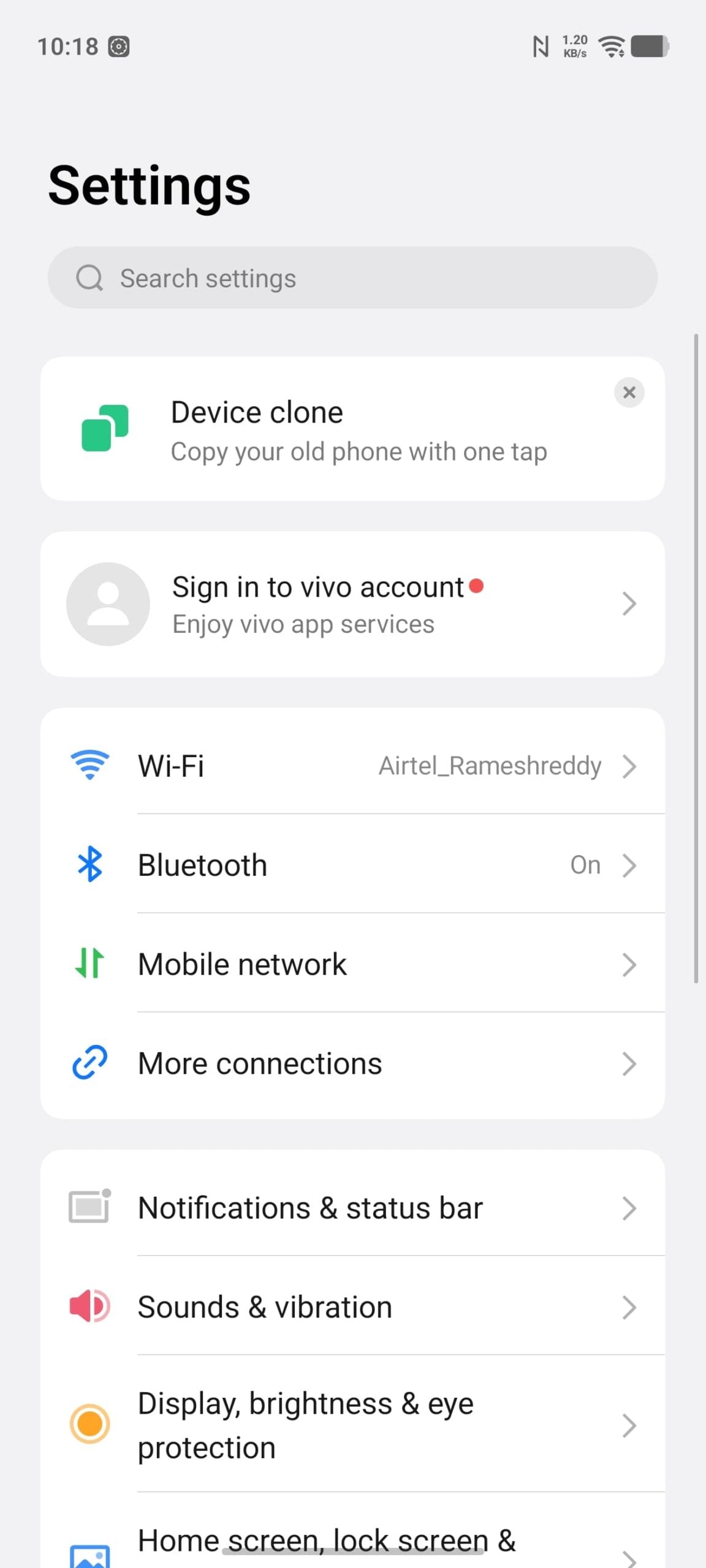
- Optimized group and order settings for clearer display and a more consistent experience.
- Optimized search settings with search suggestions to improve efficiency.
Screen Mirroring
- Added quick access to Screen Mirroring from Albums for smoother file sharing.
- Added the audio switching feature to allow you to choose sound output from a large screen or a phone screen.
- Added the screen mirroring annotation feature to annotate and highlight shared content for clearer explanation.
Alarm
- Added features such as setting alarms by date, flipping the phone to turn off alarms, and customizing alarm repetition modes to better fit daily alarm use scenarios.
iManager
- Optimized the design style of Phone Manager, which enables you to quickly understand phone storage.
Bookmark this post to receive the latest updates on Origin OS 6.
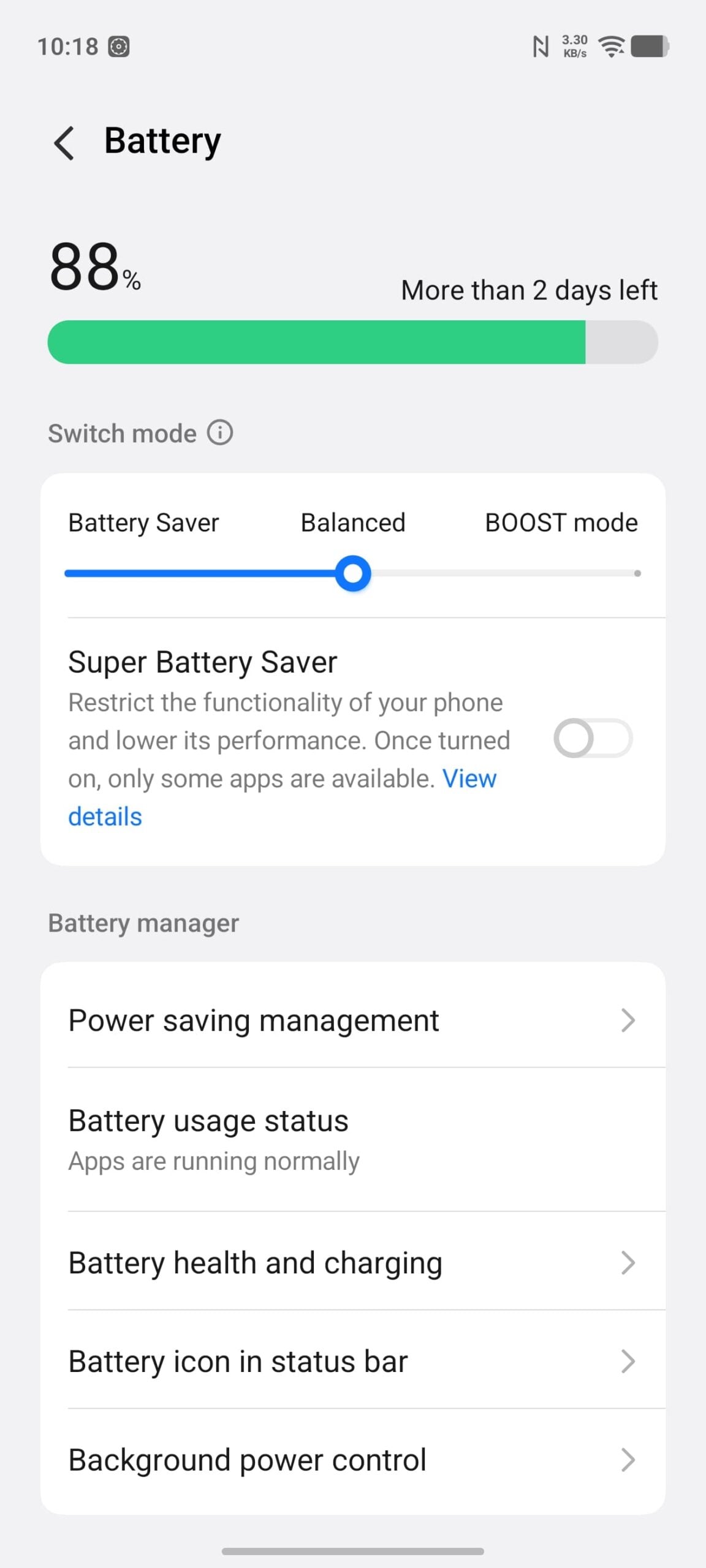
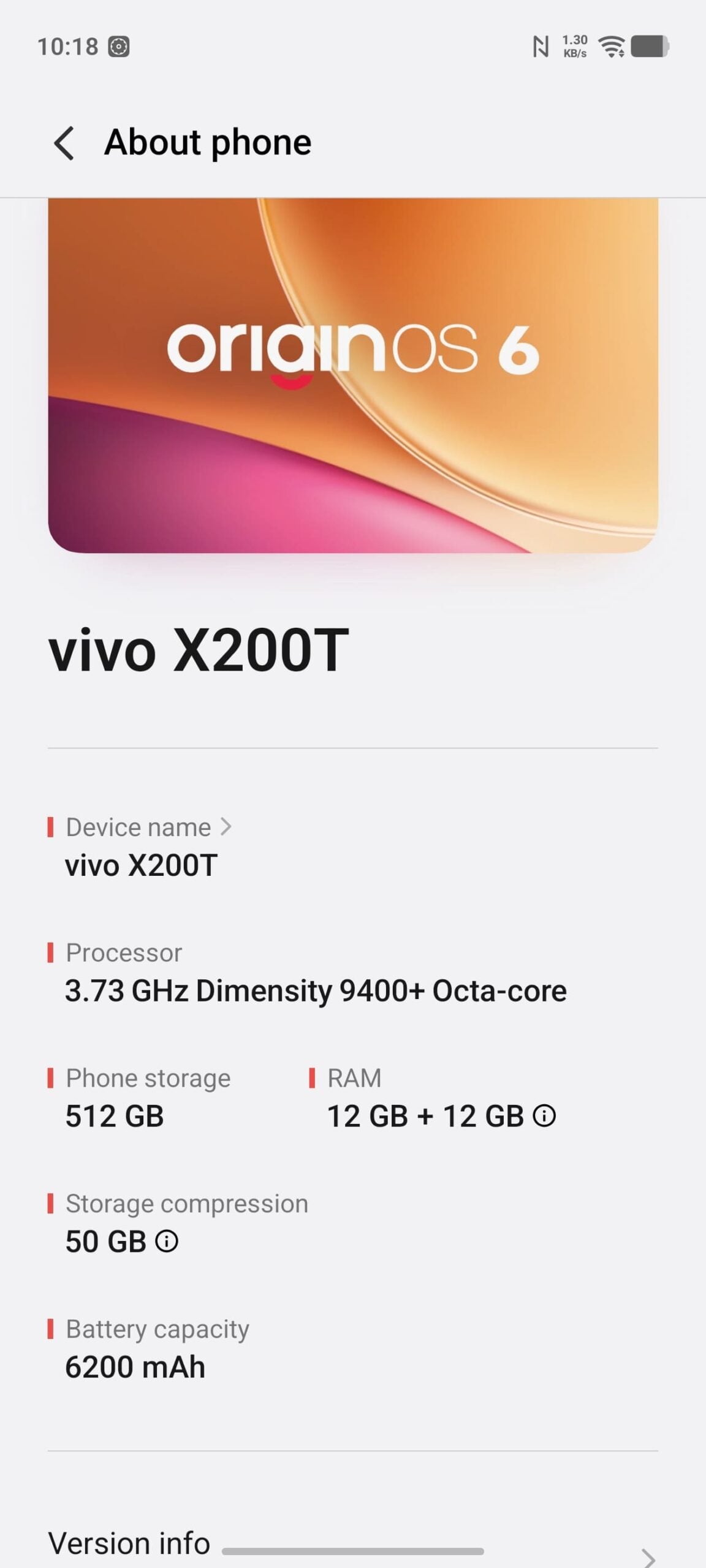
Origin OS 6 Screenshots

How to Check and Update to the Latest Version of Origin OS
To update your Vivo smartphone to the latest OriginOS 6, ensure your device is in the support list. Now, to check for updates, go to Settings on your Vivo smartphone.
Scroll down and tap on Software Update. From here, wait for your device to check for any updates. If a new update is available, follow these steps:
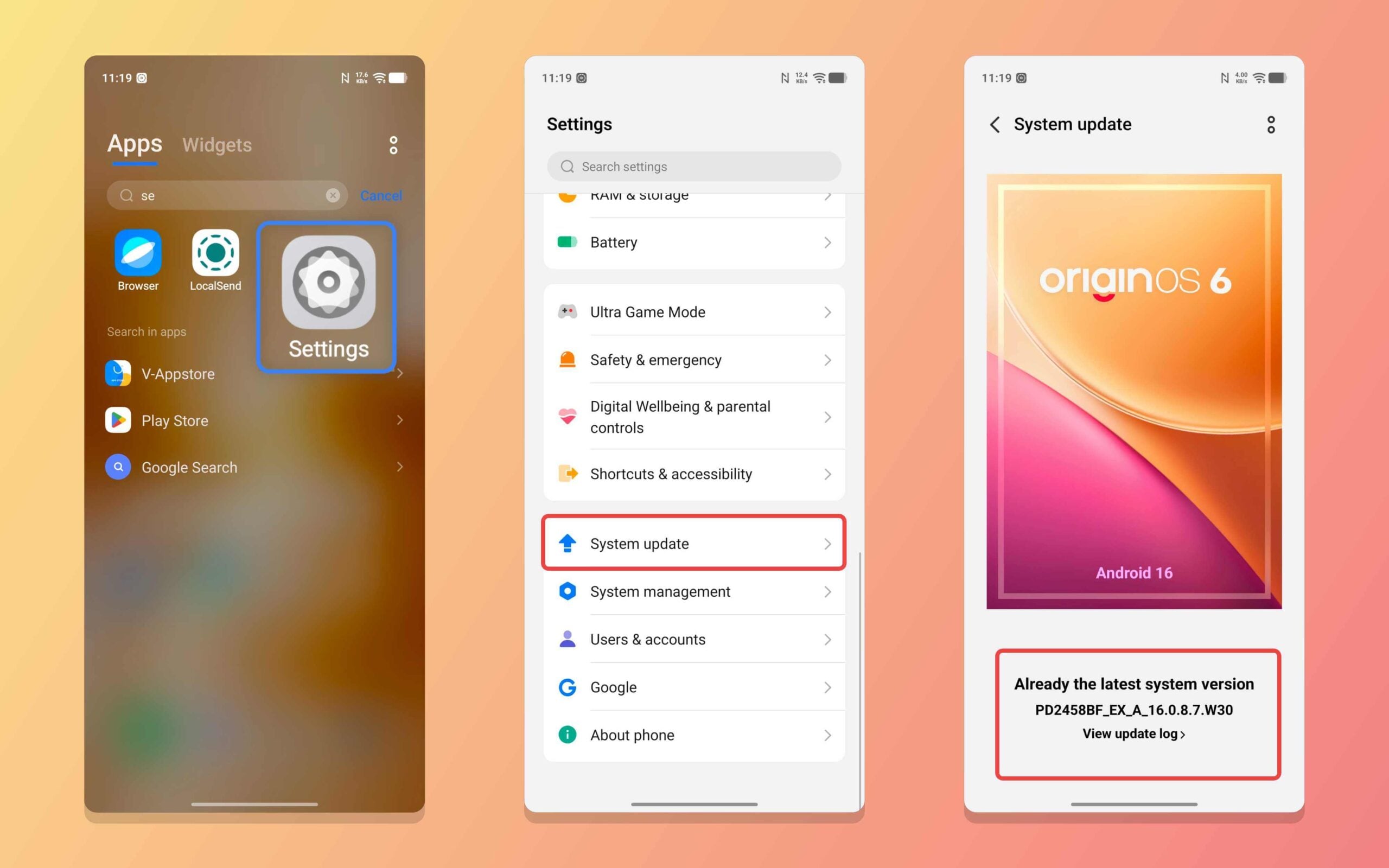
Step 1: Click on Download and Install.
Step 2: Wait for the update to completely download.
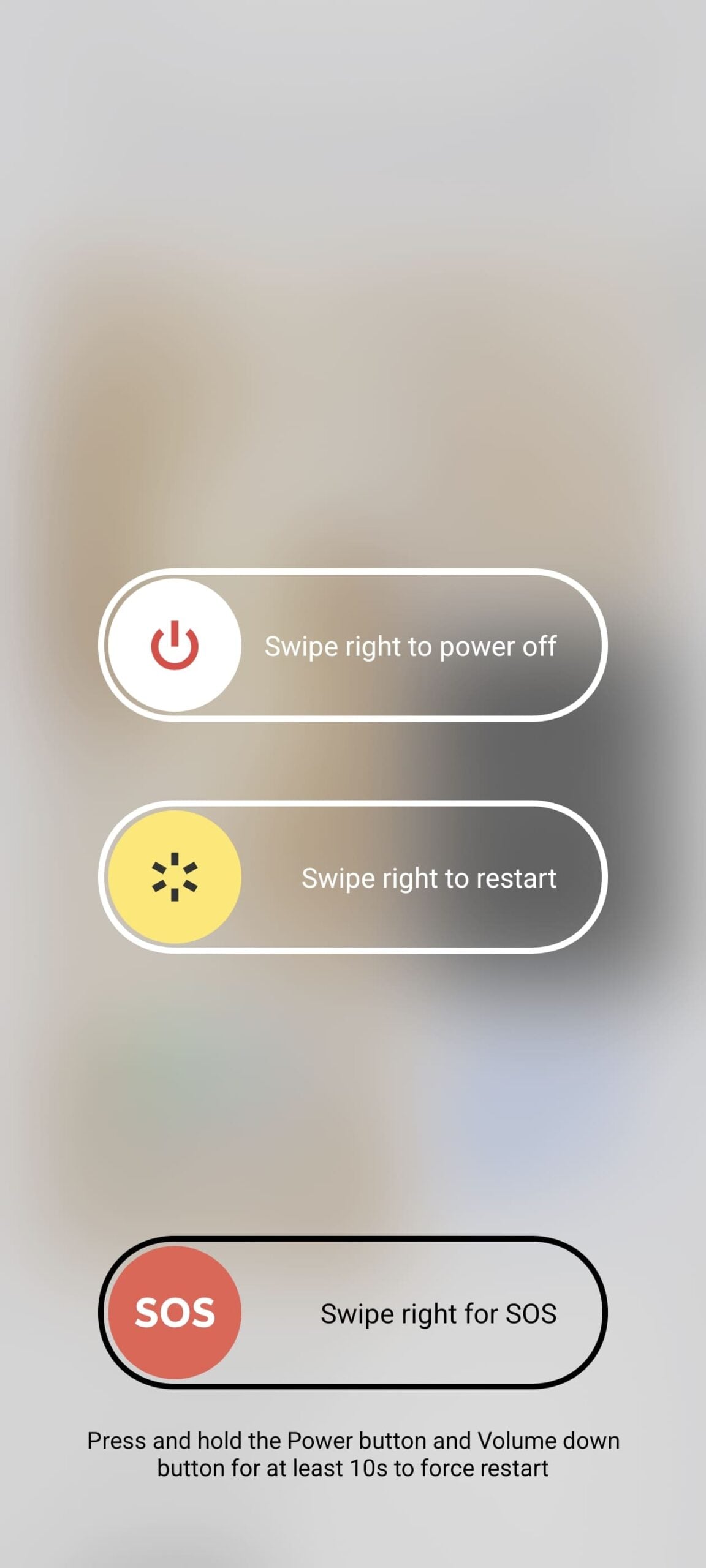
Step 3: Restart your smartphone.
OriginOS 6 will then be installed on your Vivo smartphone. Remember that you don’t need to go through the initial steps, and all your data will be safe. You can continue using your smartphone as usual after updating to the latest OriginOS 6. If you are facing issues or if your device hasn’t received the update yet, even though Vivo has started rolling it out, let us know in the comments below.

