

Quick Answer
You can remove watermarks from videos using AI tools like Vmake. Upload your video, let the Smart Remover auto-detect the watermark, preview the result, and download a clean video. It works online, is beginner-friendly, and also offers upscaling, background removal, and more.
If you have been in the video editing space and video generator space, then you probably have dealt with watermarks. I know they can be frustrating, especially with tools that place watermarks right at the center, blocking the view. If you are a creator, watermarks on videos can make them less professional and also reduce credibility.
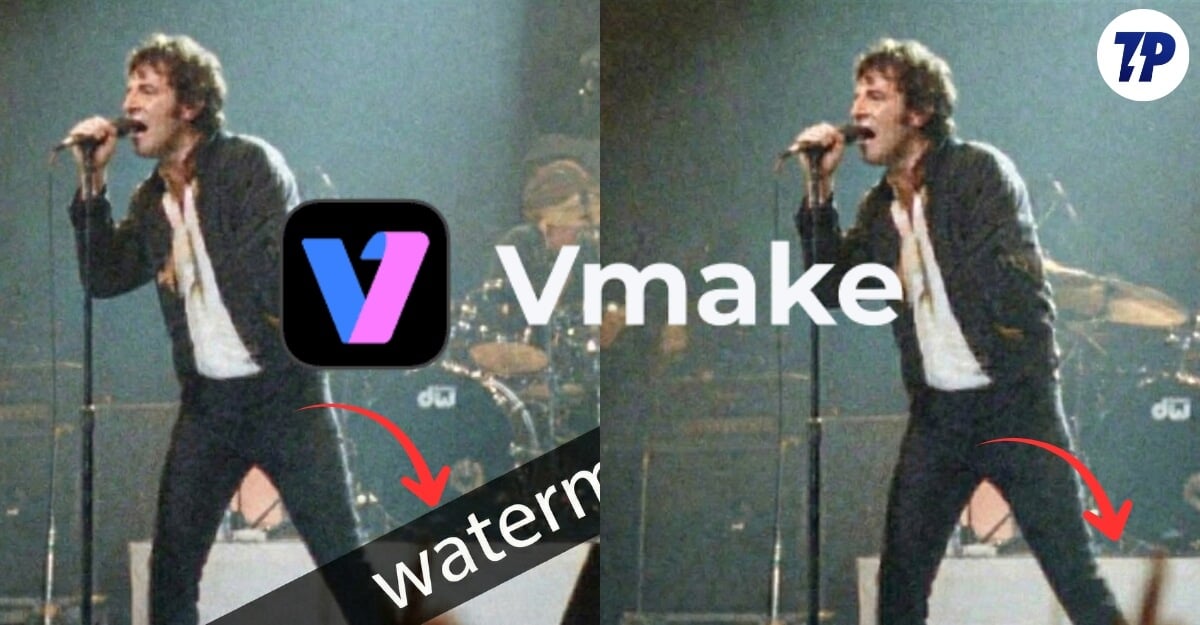
Almost all platforms, including social media platforms, add watermarks to the videos, while you can generate or edit videos without watermarks using paid versions; however, for videos on social media, you don’t have that choice. Fortunately, you can use watermark removal tools to remove watermarks from any video.
If you often deal with watermarks, investing in a watermark remover tool can be useful.
There are plenty of watermark remover tools that already exist in the market, and I recently got a chance to check the Vmake video watermark remover tool that lets you remove a watermark from any video and also comes with useful video upscale, background removal, and video generator tools for a complete video editing experience.
In this guide, you will learn everything about what Vmake watermark remover is, how it works, and its top features, and much more.
What is Vmake Watermark Remover
Vmake Water Remover is a part of the Vmake video editing tools suite. Vmake Suite consists of a wide range of video editing and enhancement tools to help you generate, edit, and create videos.

Vmake also offers a watermark remover tool that lets you remove any unwanted watermarks from any video. The best part is that it is easy to use, even for a beginner, who can produce clean videos without watermarks. So, let’s learn how you can remove watermarks from any video using Vmake Watermark Remover.
How to Remove Watermark From Videos Using Vmake
First, visit the Vmake watermark remover tool website. There are two ways to access these tools: first, you can visit the watermark remover tools directly and remove video marks without creating an account. Or you can sign up and access the watermark remover tools from the dashboard.
Step 1: Visit the Vmake AI Watermark Remover Tool

Remember, the free version only allows you to remove watermarks for up to 5 seconds.
Step 2: Upload Your Video File (Max 30GB)
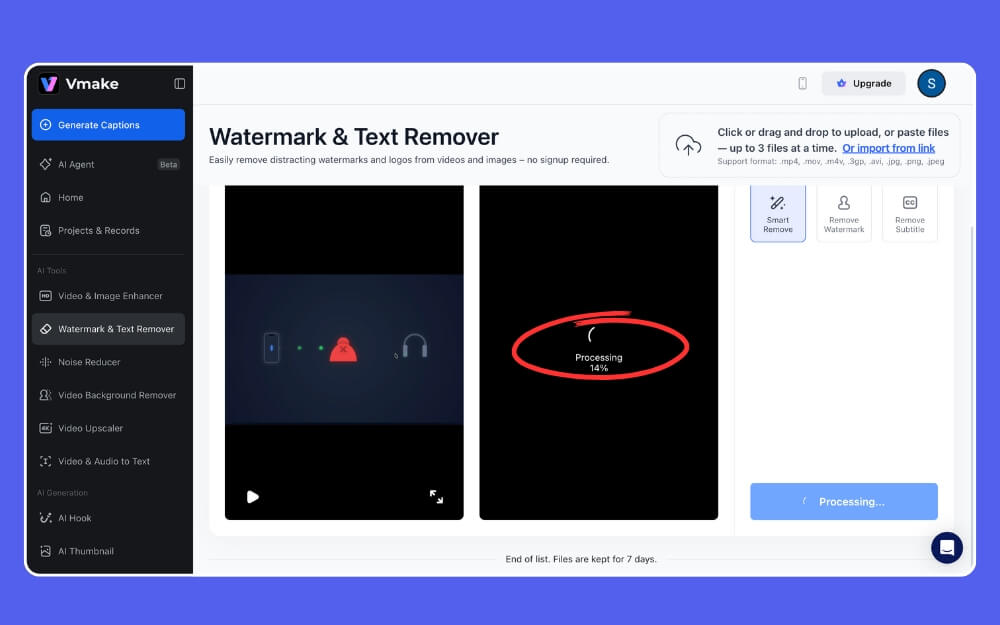
Next, click on the upload button and select your video to upload. Wait for the upload to complete and finish the process.
Step 3: Select What You Want to Remove

On the right sidebar, you can control. You can select Smart Remover, which automatically detects and removes the watermark and any other branding from the video. You can also specifically mention it to remove the watermark, and you can also remove any subtitles since most of the social media videos now also come with subtitles.
Step 4: Preview and Download the File

That’s it, once the files are converted, you can click on the download and save them locally on your device. Since you are also getting other free tools, you can combine your edit with other tools such as noise reducer, video upscaler, background remover, and more.
Reasons Why Vmake Is a Better Option
One of the biggest advantages of using Vmake is its simplicity. Almost every tool in the suite offers an easy-to-use interface, making it suitable even for beginners to perform high-quality edits for any videos.
The smart remove tool is also handy to intelligently remove any watermarks and brand content without explicitly selecting it.
Affordable Plans, You Get Access to All Tools
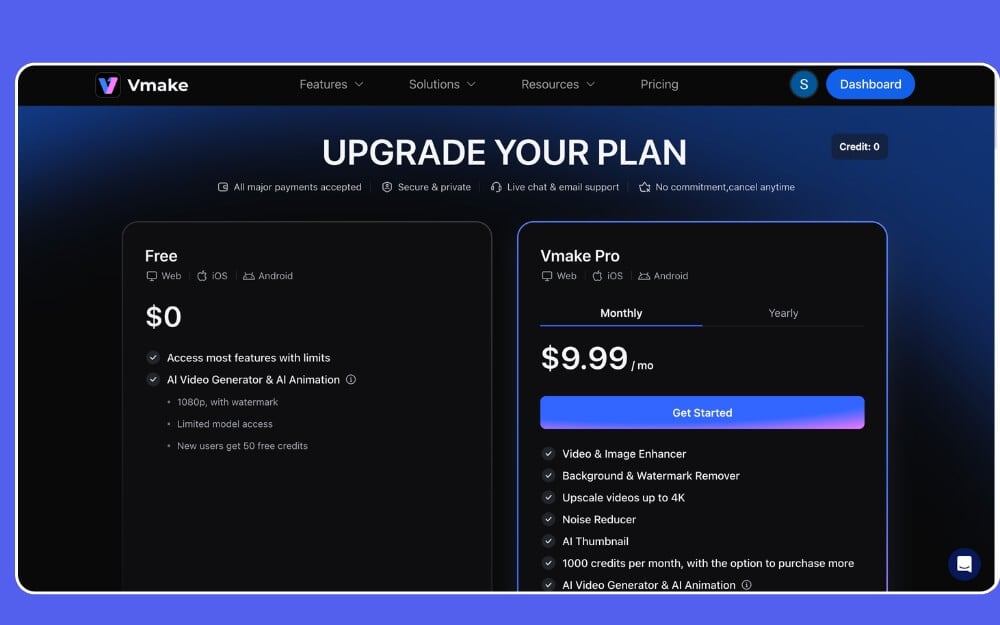
This can be both a downside and an upside, depending on your use cases. If you only want to pay for the video watermark remover, Vmake currently only offers an entire suite plan, which costs you $9/ 9/month. On the other hand, if you find other tools used for your workflow, this can be a great value for money with all those useful tools.
Excellent Quality
Another major highlight of this tool is its quality when removing the watermarks. For most of the videos, you don’t find any difference between videos with a watermark and after removing the watermark. It performs really well at recognizing and removing it. However, since watermarks are different for each video, sometimes the tools struggle to remove them completely, and can even leave visible stains and blur marks.
Another downside is that the free version is limited to just 5 seconds, which can be useful for casual users; however, if you work in the content creator or marketing field, you can subscribe to a paid plan.
So, this is how you can remove any watermark from videos using the Vmake watermark remover tool. Currently, you can remove watermarks for videos up to 30 minutes and a max size of 30GB, which makes it suitable for all social media posts, even for large video files with watermarks, and since it is a web tool, you can also use it on mobile. I hope you find this guide helpful.

