

Quick Answer
Android shortcut apps vary by use case: MacroDroid is best for simple, everyday automations; Tasker suits power users needing deep system control; Automate balances power and ease with visual flows; IFTTT excels at cloud and smart home automation; Comet handles AI-driven browser tasks; Action Blocks are ideal for elders with one-tap actions.
We have been covering iOS shortcuts and Google Chrome extensions for a while now. Everyday I bookmark tens of extensions on reddit and X to test and include them on our guides, however most the guides until recently are mostly iOS and browser guides, however, in fact Android offers real customization and are more powerful even then iOS if we use the right apps, the only downside, since these are not available natively, you need to find the right apps to get job done.
Android users, grab your popcorn, it’s time to save time and add new automation features to your Android smartphone. This guide covers the five Best Android automation apps to use, options for power users, and also for users who want powerful automation without overwhelming complexity. If you’re ready, let’s get started.
Table of Contents
5 Best Shortcuts and Automation Apps for Android
| App | Best for |
| MacroDroid | Best for simple shortcuts and easy automation for everyday Android users |
| Tasker | Best for power users with full system control and advanced automation. |
| Automate | Powerful than MacroDroid and Easier than Tasker |
| IFTTT | Best for smart home, app-to-app, and cloud automation across devices |
| Comet | Best for automating browser and web-based tasks using AI |
| Google Action Blocks | Best for elders with one-tap actions and accessibility shortcuts for elders |
MacroDroid (for Most Android Users)
Macrodroid is the best shortcut app for Android if you want an easy-to-use app built for routines. Unlike Tasker, which you need to build shortcuts from scratch, MacroDroid offers ready-made macros.
MacroDroid offers built-in, ready-made templates that are also updated frequently to easily automate tasks on your Android. Not only that, these macros are grouped by real-time use cases to easily discover automations based on your situation. Plus, it also offers a free version, which allows you to set up five macros for free.

However, the biggest downside of MacroDroid compared to Tasker is its limited background tasks. Google has introduced aggressive background app restrictions that limit the MacroDroid capabilities. Unlike Tasker, it only depends on UI interactions, which have limited features; however, the trigger-based animations are very reliable.
Tip: The Free version contains ads. You can get rid of them using Private DNS: dns.adguard.com.
So if you want a simple and free automation app with fast setup, easy to use, and don’t want to learn automation, MacroDroid is easily the best app to get started.
Pros:
- Easy to use
- Comes with pre-built macros that work out of the box
- Doesn’t require upfront fees
- Easy to manage
- Excellent option for daily routines
- Supports cloud sync, you can back up and restore on your new phone
- Useful Plugin support
Limitations:
- The free version is limited.
- In the free version, however, you can get rid of them using these methods.
- Drains battery
- Some pre-built Macros don’t work.
Tasker (for Power Users)
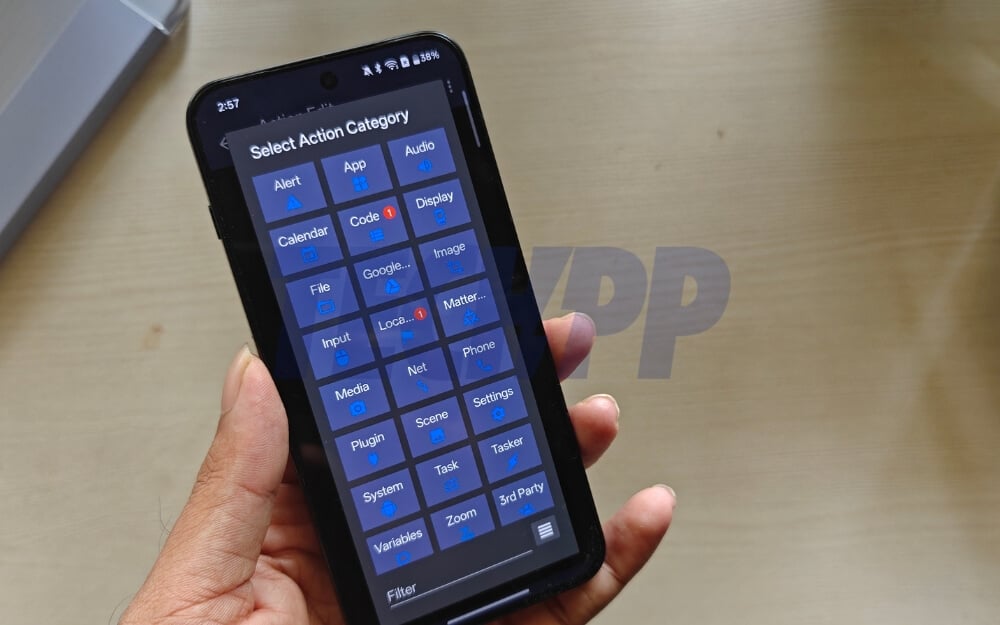
If you want full control and are okay with complexity and want to build powerful automations, Tasker is the best option for you. Unlike MacroDroid, which is limited to simple trigger-based automations, with Tasker, you can control the system deeply, automating tasks at the system level.
Even with the latest Android 16 restrictions, Tasker is still best at finishing automations with workarounds. It also supports multiple conditions, including granular if and else statements, and state-based automations to build complex automations.
With variable support, you can also connect external apps and data sources, not just that, tasks also support plugins, which you can use to further enhance their capabilities. The most popular tasker plugins include auto input, which automatically navigates UI, smart plugins to automate home automation, and more.
While Tasker is more reliable for complex tasks, it requires technical knowledge to create and use tasks. Similar to Macrodoid, Tasker also offers pre-built templates, using Tasky; however, they are currently limited. However, there are tens of websites and utilities that already offer useful templates which you can download and import into the tasker.
If you build the routines from scratch, you need to regularly maintain the workflow since an app or any Android update can easily break the workflow.
Nonetheless, it’s the best app for complex automations on Android, the upfront price is also very affordable, and once you use the app, you get lifetime updates. However, if complexity is the biggest pain point for you, you can try the Automate app (next app), which offers a visual flowchart.
Pros:
- Supports advanced automations.
- Supports 300+ actions
- Useful Plugin support
- Large community
- Built for power users
Limitations:
- Not for beginners
- A complex and text-based interface makes it hard even for technical users
- There is a one-time upfront cost to use the app.
Automate (More Powerful Than MacroDroid and Easier to Use Than Tasker)
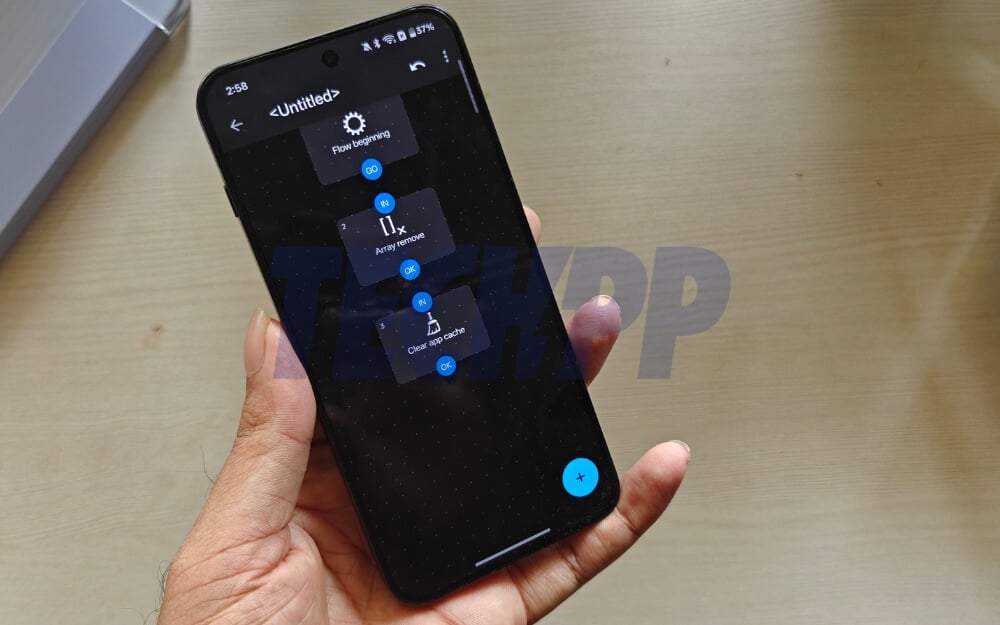
If you want a powerful automation tool but an easy-to-use one, Automate is the best option. Unlike Tasker, which uses text menus and nested screens, Automate uses visual flowcharts, which makes it easy to visualize steps and remember.
Currently, it supports 410+ blocks, enough to automate most of the complex tasks, and also supports web and file automations. Also similar to macroDriod, you can also import pre-shared templates from the community so that you don’t need to build from scratch.
Similar to macroDriod, these workflows are also frequently updated; however, currently, they are only available on the web, which you can download for free to add to the app. And the best part is, unlike Tasker and MacroDroid, it is free to use without any subscriptions or upfront cost.
However, while the visual blocks are easier than Tasker, they can still be complicated if you are a beginner; it cannot currently access apps and screens through accessibility.
Pros:
- Free to use
- Great for power users
- A visual flowchart makes it easy to create tasks.
- Supports 400+ actions.
- Offer pre-built templates that you can download from the web.
Limitations:
- Still hard for beginners
- Cannot do UI automation.
- You have to manually export and import flows when changing devices.
IFTTT – Best for Home Automation
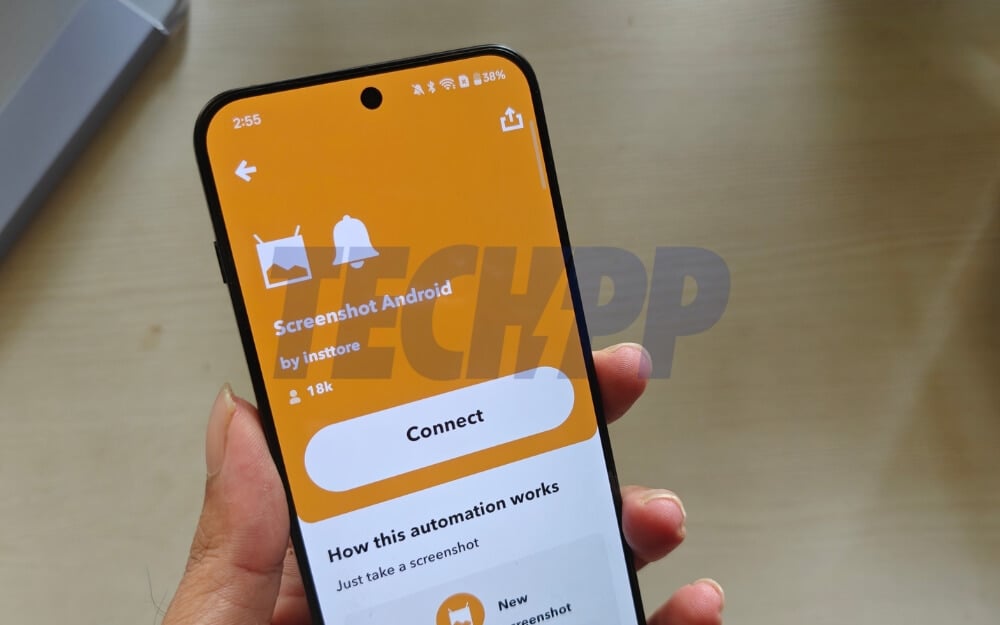
If you want to automate tasks outside of your mobile, especially home automation and other services, IFTTT is the best option for you.
Currently, the app supports over 900+ services for all smart devices and third-party apps, including support for Google Sheets, Twitter, and Instagram. Not just that, unlike device-specific automation tools, which are limited to a device, IFTTT also offers independent platform automation, so that it can also work on multiple platforms. It also comes with a library, which you can build in templates to automate tasks
Since it uses the cloud to automate tasks, it also works on any device without hardware limitations, plus it can even work when your device is sleeping. The free version allows you to run up to five free automated tasks; however, you need a Pro subscription, which costs monthly, to take advantage of all advanced features.
The only downside is that since it uses cloud to automate, all your data might pass through IFTTT services, which can limit it if you care about privacy.
Pros:
- Supports 1000+ apps and services
- Excellent for Home automation
- Supports multi-platform. You can automate across Android, iOS and web
- Easy drag and drop interface
- Cloud support
- Pre-built templates
- Also supports custom integrations.
Limitations:
- The free tier is limited
- Comes with a subscription model, unlike the one-time purchase model of other apps.
- Not suited for device automation.
- Still complex if you are a beginner.
Comet (Best If You Want to Automate Browser-Based Tasks)
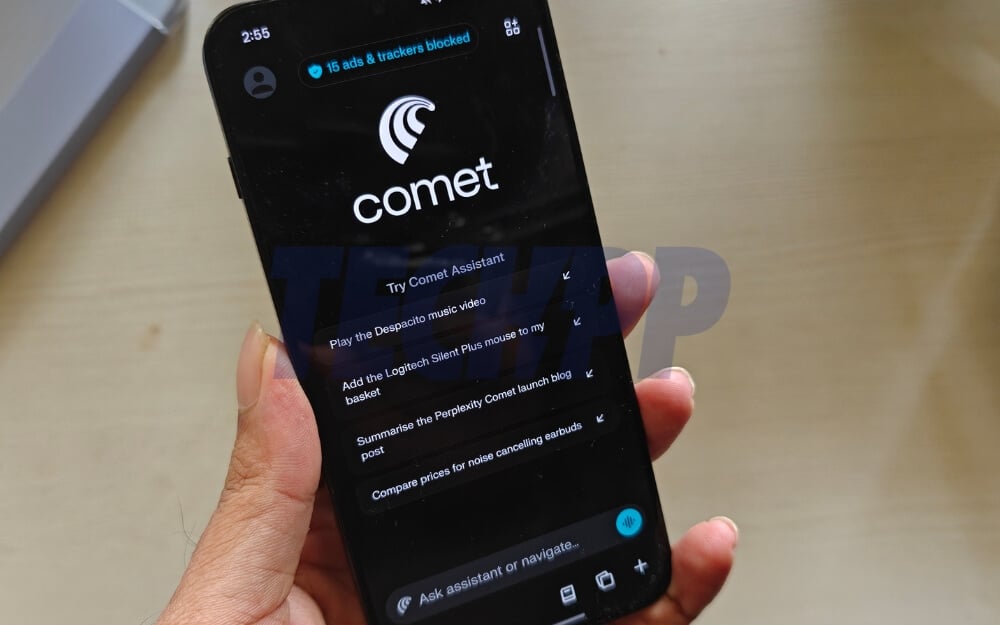
Comet is a browser from Perplexity that offers native agentic capabilities to automate browser-based tasks. While it is not as powerful as native shortcut apps and automation tools such as Tasker or Automate, it is a reliable option if you want to automate browser tasks.
You can also combine it with other task apps or even run it as a standalone app. You can simply ask the AI agent to find the information or full forms, and also for research to find the information for you.
There is also a perplexity tasks feature, which is a great option for your primary tasks involved in searching through web pages and getting information. Perplexity tasks are a great option.
I have written a detailed guide on how to use perplexity taks feature to get daily summarizes of news, stock markets alerts and much more, however the only downside is that it requires perplexity pro subscription which is currently offered for free in India for airtel users, if you don’t have it you can try Yotori scouts which let’s you to run free daily web searches for you and send the results directly to your email.
Pros:
- Works better than any agentic browser
- Can easily do multi-step workflows, such as booking a hotel or flight tickets
- Supports email and calendar integration to connect more services
- You can use it as a browser.
Limitations:
- It can only automate browser tasks
- Free to use
- No offline support
- Sometimes it can hallucinate.
Bonus: Google Action Blocks (Best for Elders to Make it Easy to Perform)
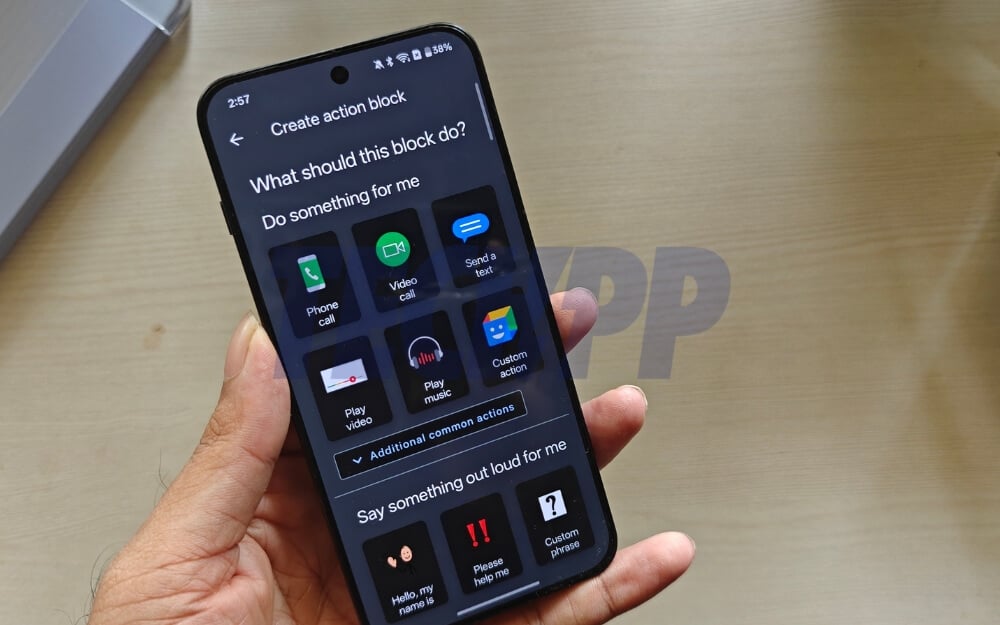
Google Action Blocks is a simple accessibility app (I wouldn’t call it an automation), however, it lets you perform basic tasks on your phone.
Google is sunsetting Google Assistant; however, it still works without any issues. Action blocks, as the name suggests, let you set an action block and add it to the home screen or use the assistant to perform that action. This can be very useful for elders, for instance, you can create an action block that sends a customer message every time you need to send a message; likewise, it offers other basic options best suited for elders.
I have also recently created a guide on how you can make a smartphone easy to use for the elderly, which you can use to make it easy for them to use the tool
Pros:
- Beginner friendly
- Voice input
- Best for elders
- Free to use
Limitations:
- Not for power users
- No device-level control and background automation
- Very basic
- Sometimes, the voice assistant does not respond.
So, those are the five best automation apps. After using all of them, here is how they compare to each other. Let me know which one you would pick and why in the comments below. All the download links are available under each tool. You can tap on it and download it for free.
Things to look for | MacroDroid | Tasker | Automate | IFTTT | Comet | Action Blocks |
|---|---|---|---|---|---|---|
Easy to understand UI | Yes | No | Medium | Yes | Yes | Yes |
Ready-made shortcuts | Yes | Yes through Tasky | Yes | Yes | No | No |
Background automation | Limited | Yes | Medium | Yes (cloud) | Yes | No |
System-level control | Limited | Very high | High | Very limited | None | None |
App-to-app automation | Medium | High | High | Very high | Medium | Very limited |
Smart home support | No | With plugins | Limited | Yes | No | No |
Works without internet | Yes | Yes | Yes | No | No | Yes |
Needs technical knowledge | Low | Very high | Medium | Low | Very low | Very low |
Visual workflow builder | No | No | Yes | No | No | No |
Reliability | Good | Very high | Good | Medium (delay) | Medium | High |
Best for beginners | Yes | No | Medium | Yes | Yes | Yes |
Best for power users | No | Yes | Yes | No | No | No |
Privacy | Medium | High | High | Low | Medium | High |
Free to use | Yes (limited) | No | Yes | Yes (limited) | Yes (limited) | Yes |
FAQs on Choosing the Best Automation App for Android
1. Can I safely mix two automation apps together without conflicts?
You can use multiple automation apps to automate tasks simultaneously. However, ensure they don’t conflict with each other.
2. Which app works best on phones with aggressive battery optimization (Samsung, Xiaomi, Vivo)?
Most of the apps require permission to run in the background to work; however, if you want to automate tasks on your Android, MacroDroid is the best option,s since it only activates based on the trigger. Tasker and automate apps run in the background, which can significantly impact your battery life, or they might not work because of the aggressive battery optimization.
3. Can these apps replace iOS Shortcuts for ex-iPhone users switching to Android?
No, shortcuts are different since they are natively integrated with iOS. While you can replicate most of the iOS shortcuts on Android, there are still limitations, especially if you want to automate iOS-exclusive features.
4. Which app is better for automation that must run 24/7 without manual checks?
In this case, Tasker is the best option.
5. Which app is easiest to debug when something goes wrong?
MacroDroid is easy to debug if something goes wrong, followed by Automate and Tasker for automation apps.

