

Quick Answer
Android 17 Beta 1 is rolling out to Google Google Pixel 6 and newer devices. If you are on Android 16 beta, update via Settings > System > Software Update. Stable users must enroll at google.com/android/beta, opt in their eligible Pixel, then install the OTA update. Always back up data before upgrading.
Google has finally started rolling out Android 17 beta 1 update. As of writing this guide, this update is available for Google Pixel 6 or later devices.
If you are already on Android 16 beta, you can receive the Android 17 beta update directly via OTA. However, if you are on a stable version, you can enroll in the Pixel beta Program and get Android 17. In this guide, you will learn how to enroll in Android 17 beta on all supported devices.
Table of Contents
Key Points You Should Remember Before Upgrading to Android 17 Beta
- Beta updates often include bugs and performance issues that can affect your smartphone’s daily experience. We strongly recommend not installing beta updates on your primary phone.
- Android 17 beta 1 is currently only available for Pixel devices.
- Always back up your data before upgrading to Android 17 beta updates.
- Downgrading from Android 17 Beta to the stable version requires a factory reset, which results in data loss. So, ensure you back up your device first.
- Banking and other apps may not work as expected in Android 17 Beta.
Android 17 Supported Devices
Currently, Android 17 beta is only available for Google Pixel 6 or later devices. Here is the full list of Google Pixel phones that support Android 17.
Pixel 6 Series
Pixel 7 Series
- Pixel 7
- Pixel 7 Pro
- Pixel 7a
Pixel 8 Series
- Pixel 8
- Pixel 8 Pro
- Pixel 8a
Pixel 9 Series
- Pixel 9
- Pixel 9 Pro
- Pixel 9 Pro XL
- Pixel 9 Pro Fold
- Pixel 9a
Pixel 10 Series
- Pixel 10
- Pixel 10 Pro
- Pixel 10 Pro XL
- Pixel 10 Pro Fold
Tablets and Foldables
- Pixel Tablet
- Pixel Fold
How to Enroll in Android 17 Beta 1 Update
For Users Already on Android 16 Beta
If you have already enrolled in the Android 16 beta program, you can update directly to Android 17 via an OTA. Follow the steps below.
Step 1: Open the Settings on your Google Pixel phone. Ensure your Google Pixel phone supports Android 17. You can view the supported device list above.
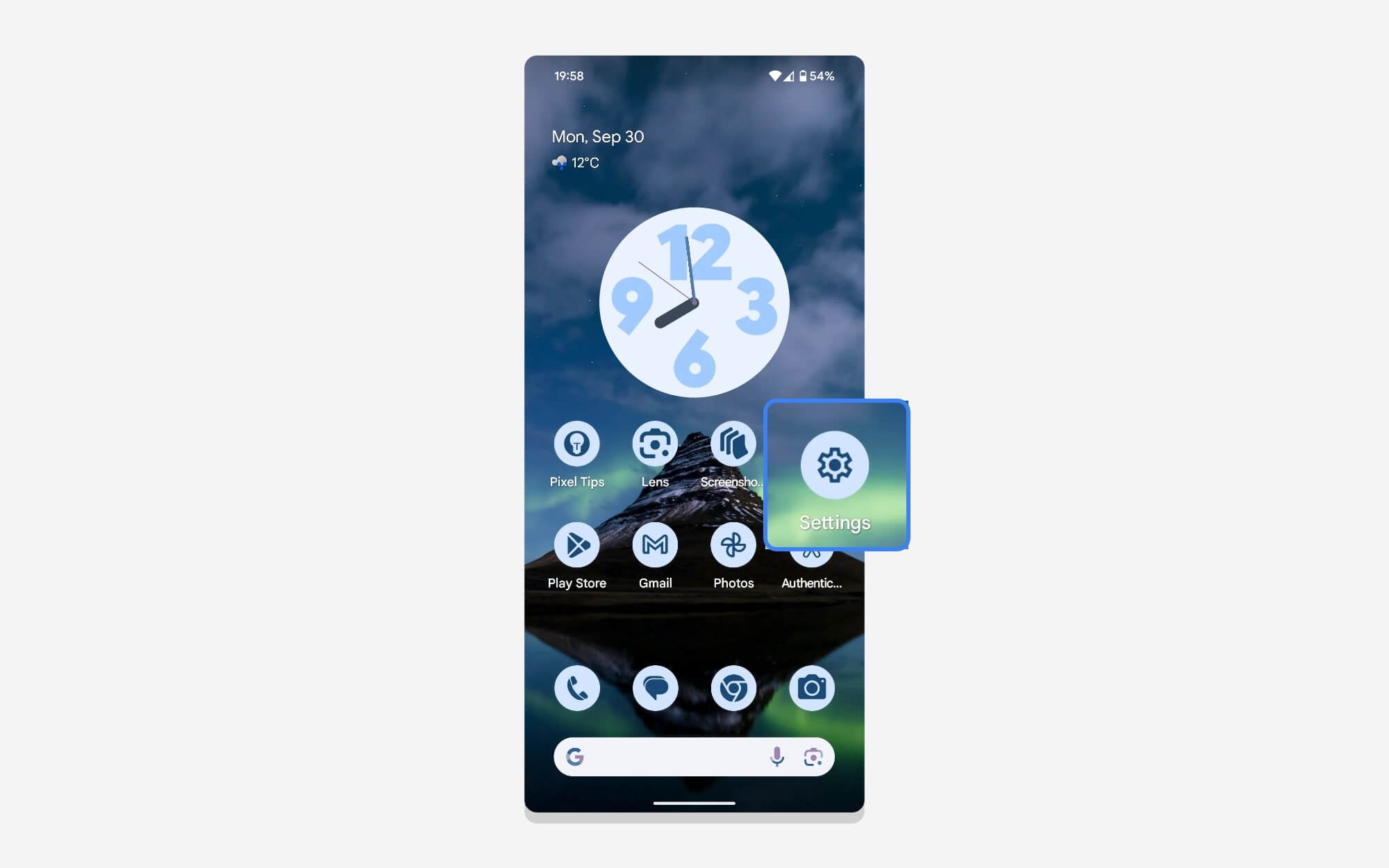
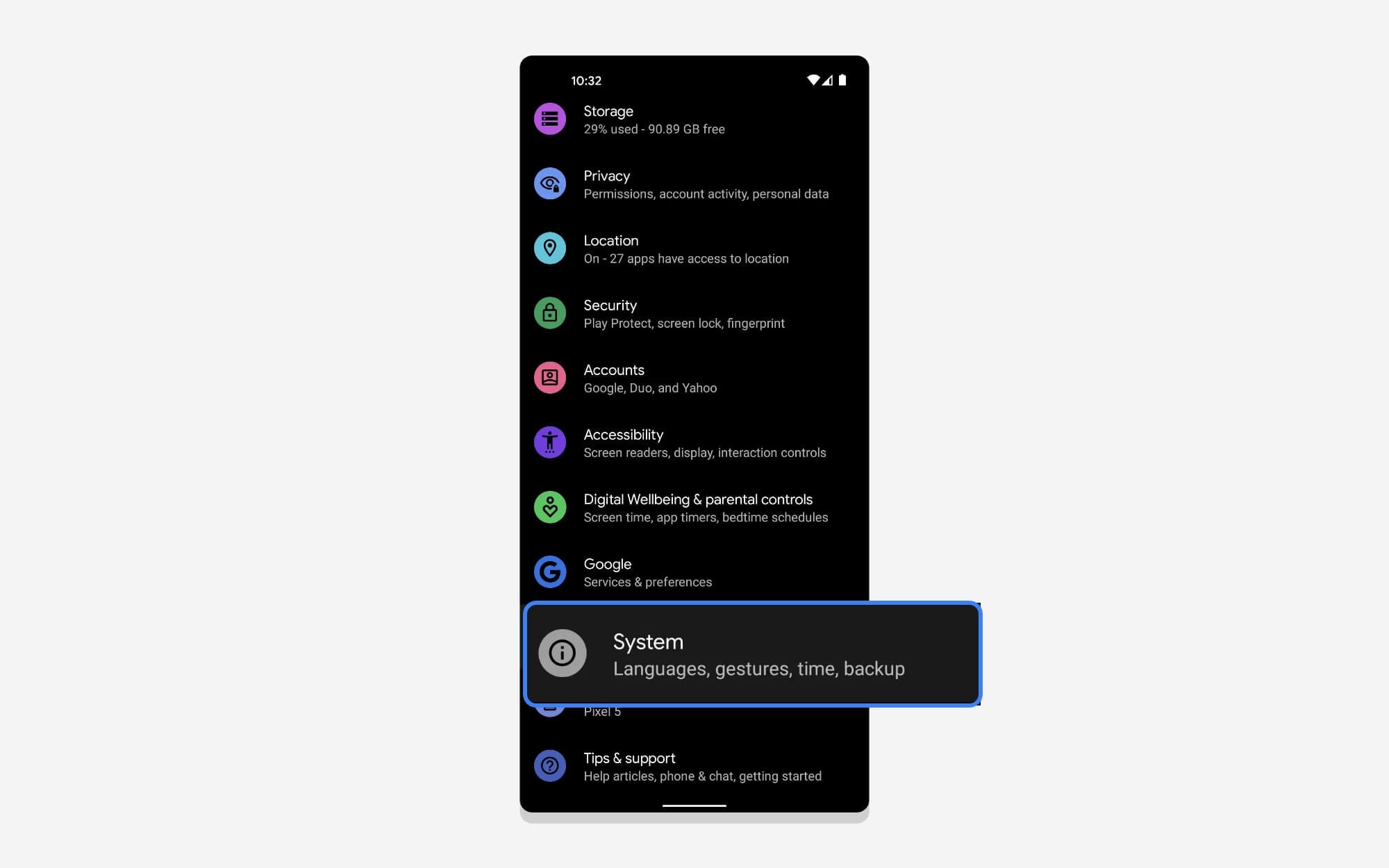
Step 2: Scroll down and tap System.
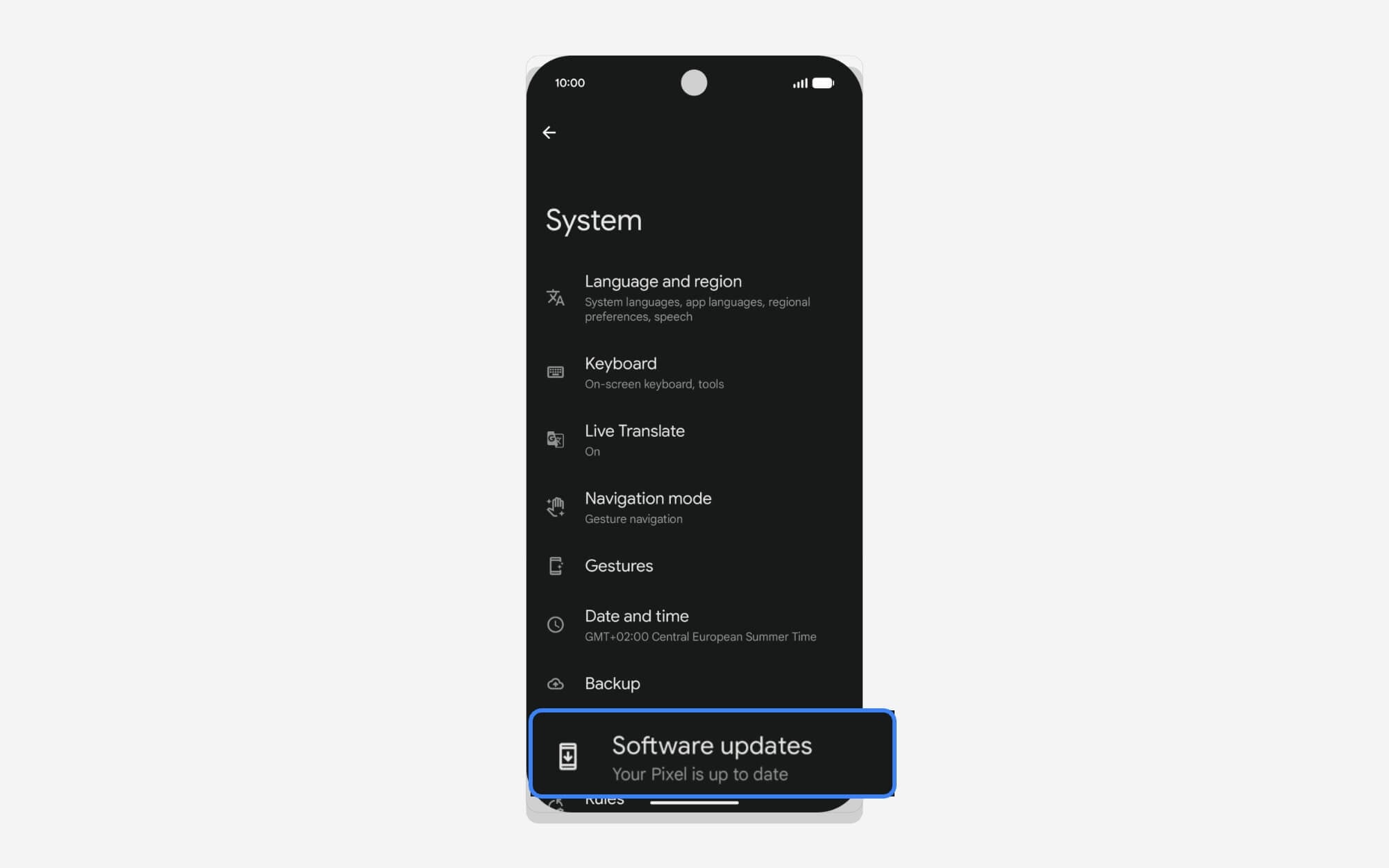
Step 3: Tap on Software Update.
Step 4: Tap on System Update.
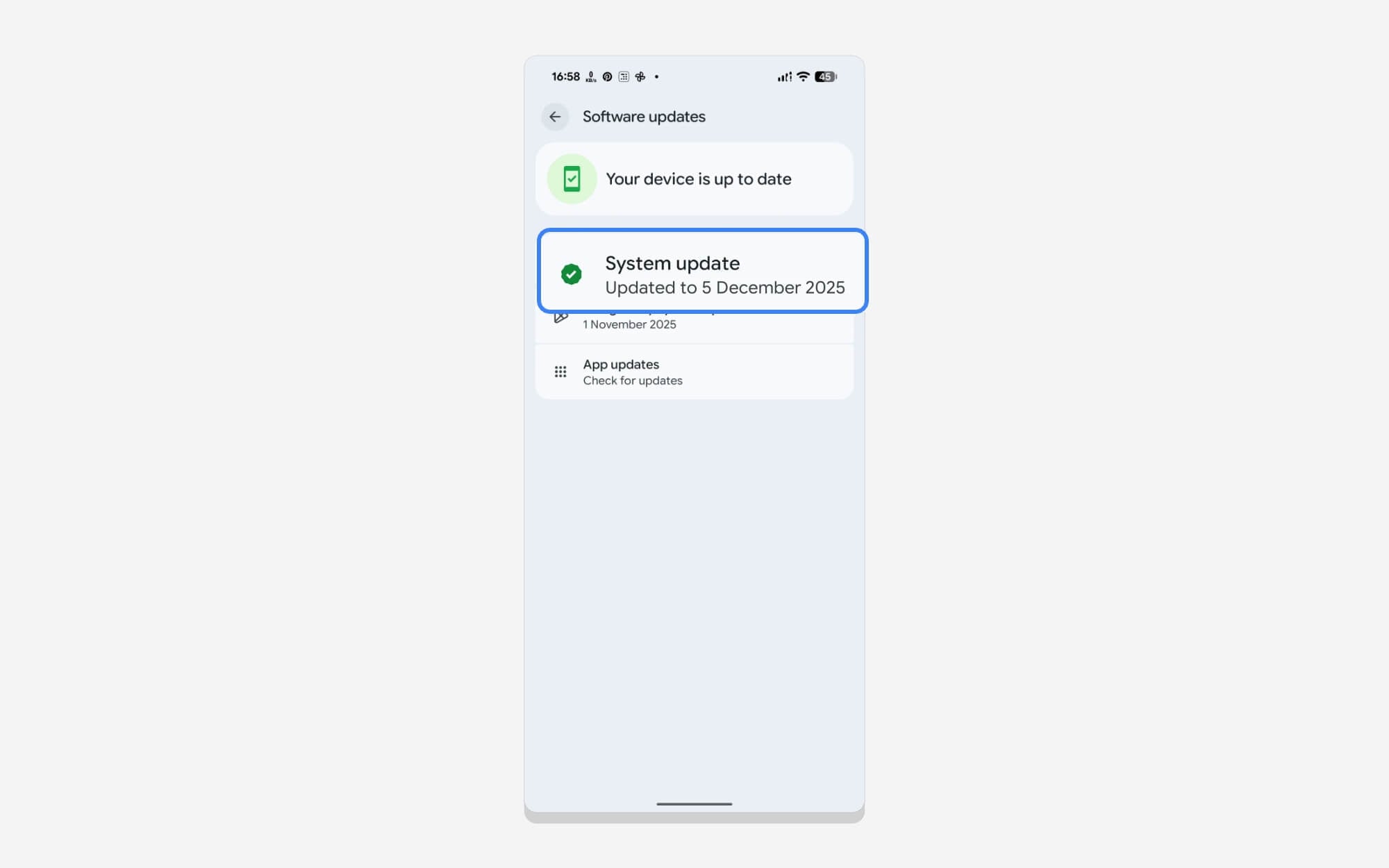
Step 5: Check for updates. If the update is available, tap on the Download and Install button.
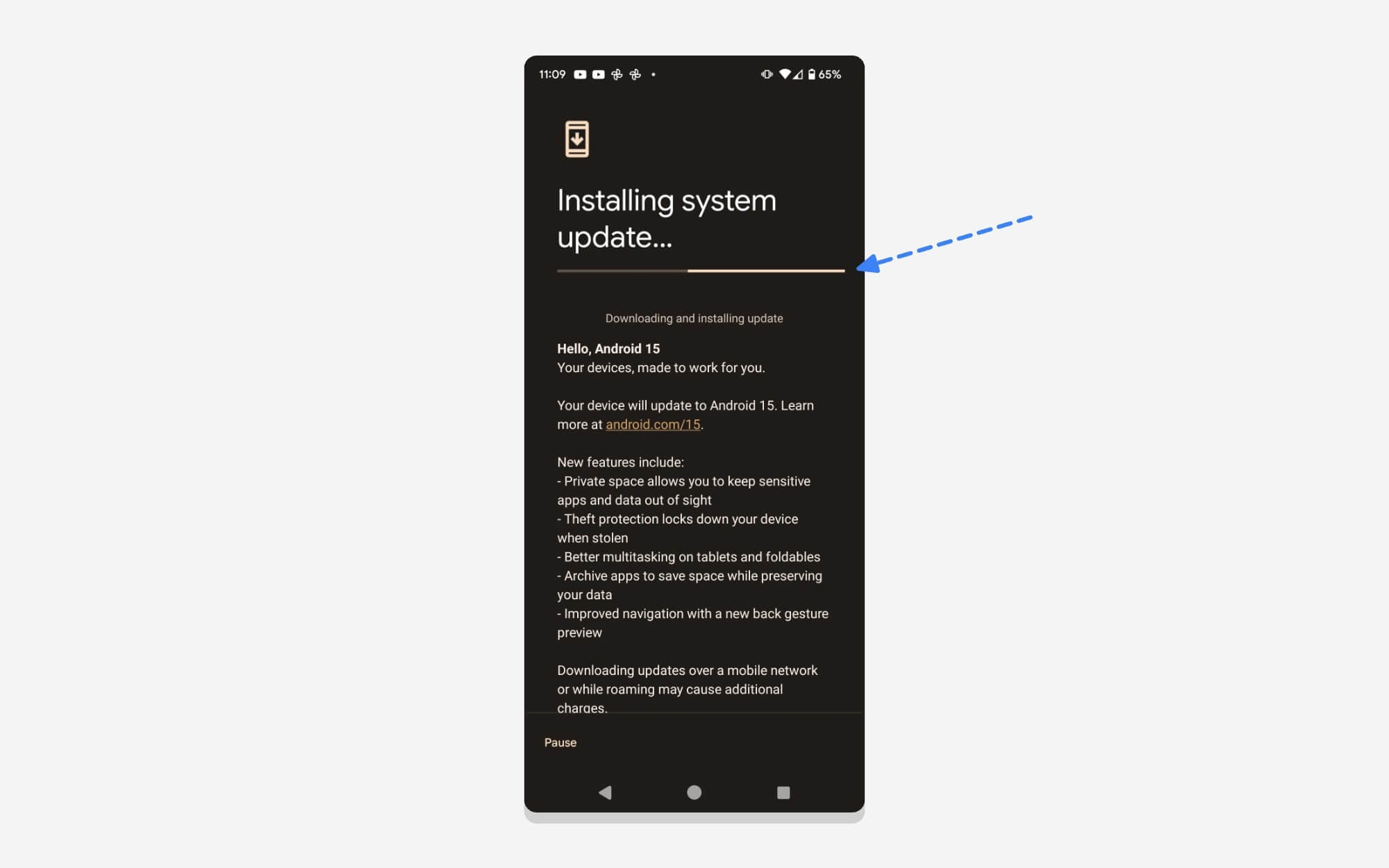
Step 6: Wait for the system update to download. Once installed, your phone automatically restarts.
For Users on Stable Android (Not in Beta Program)
If your Android phone is running on a stable version of Android. You can update to Android 17 beta 1 by first enrolling in the Pixel beta program. Ensure your Pixel supports Android 17 and follow the steps below.
Join the Android 17 Beta Program
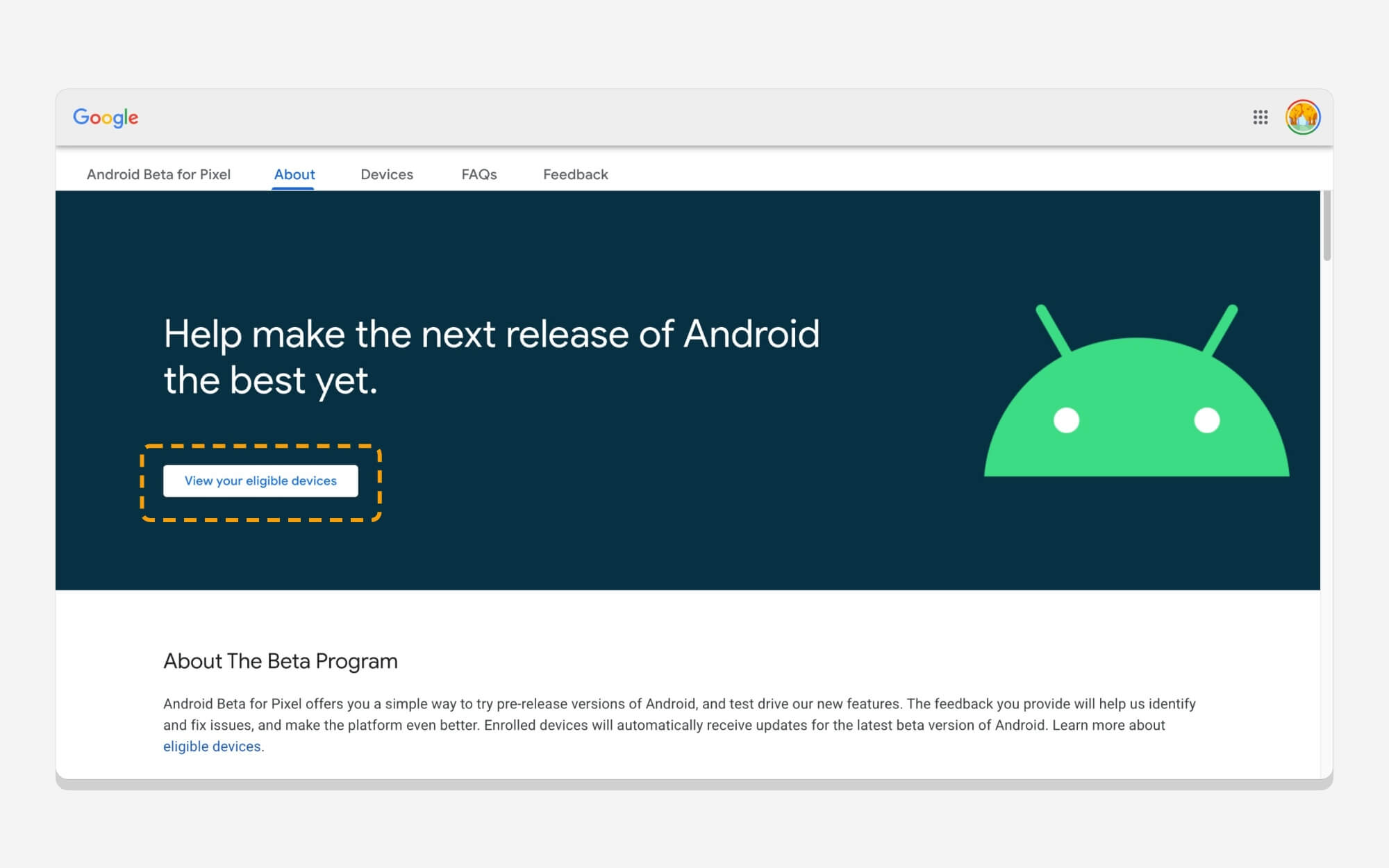
Step 1: Open your Web browser and go to Google.com/android/beta
Step 2: Sign in with the Google account linked to your Google Pixel device.
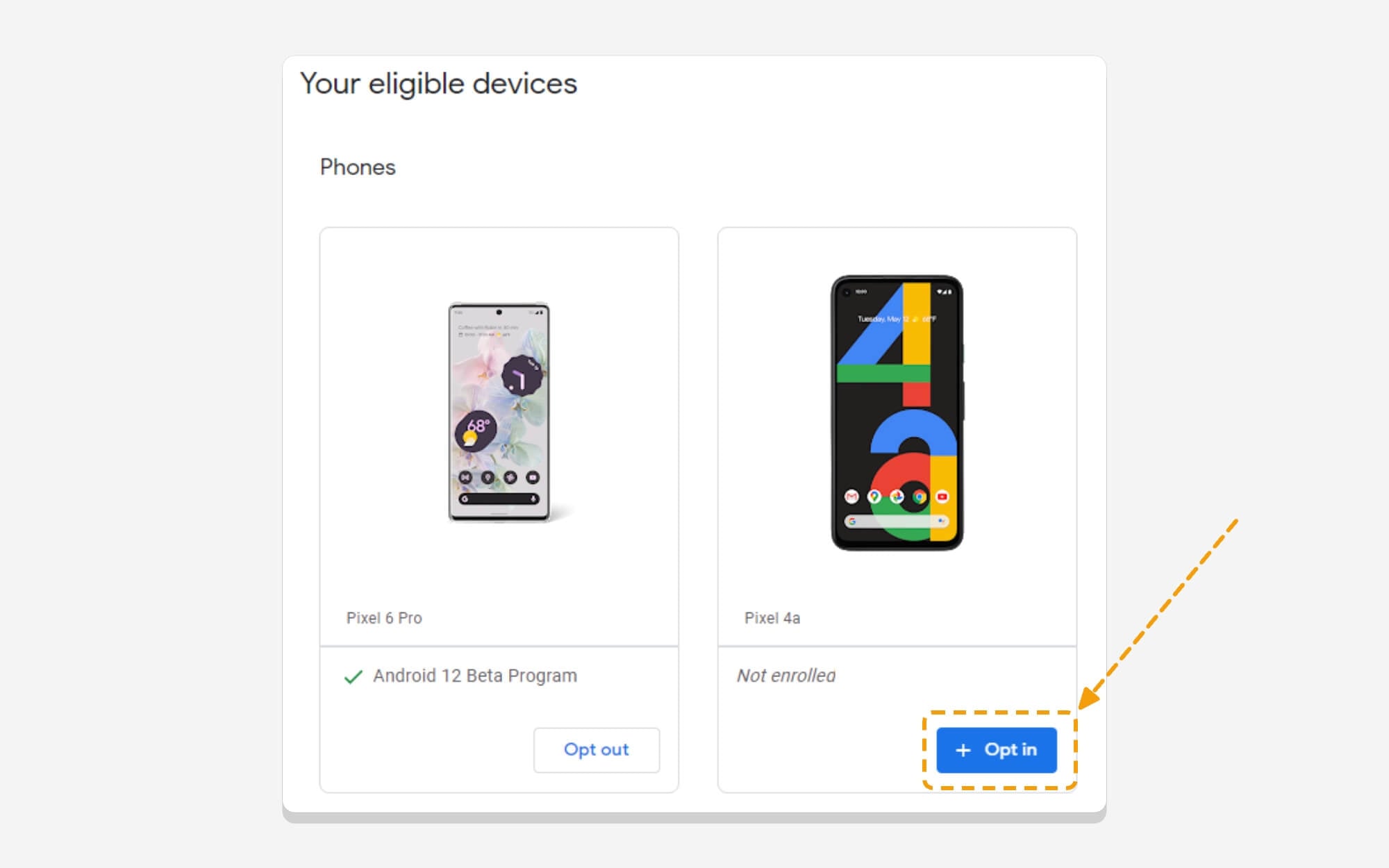
Step 3: Scroll down and go to the section labeled “Your eligible devices.”
Step 4: Now, under your “Eligible devices” section, find the device you want to enroll in the Android 17 Beta and tap on the Opt-in button.
Step 5: Agree to the Terms and Conditions, then tap OK to confirm.
Once you have enrolled, wait a few hours, and you will receive the Android 17 beta 1 update directly through OTA on your Pixel smartphone. To check, follow these steps.
Step 6: Open the Settings on your Google Pixel phone.
Step 7: Scroll down and tap System Settings.
Step 8: Tap on Software Update.
Step 9: Tap on System Update
Step 10: Check for updates.
Step 11: If the update is available, download and install. If you don’t see any update, wait for a few more hours.
How to Install Android 17 Beta on Non-Pixel Devices
Currently, Android 17 beta is only available for Google Pixel devices. For other OEMs, including Samsung, OnePlus, Motorola, and others, Android 17 will be available later in Q3 2026.
However, there is currently no official way for other OEMs to run Android Beta. You need to wait until your device OEM starts testing Android 17-based custom OS, which will likely happen in the latter half of 2026.
If you have a Google Project Treble device or own a Project Treble-compliant device, you can unlock the bootloader and install Android 17 GSI. However, it is currently only available to developers; others will need to wait a little longer to experience Android 17 on their devices.

