

Quick Answer
The best websites to download free PC games include trusted platforms like Epic Games (weekly free titles), Steam (800+ free-to-play games), itch.io (indie gems), and Amazon Prime Gaming, along with others offering safe, legal downloads across genres without malware risks.
Finding the right websites to download free PC games is harder than it sounds. Unlike mobile games, which are usually free to download, most PC games cost anywhere from $20 to $70. However, there are some genuinely good options if you know where to look. I tested over a dozen platforms to put together this list, and the results were surprising. The Epic Games Store alone gives away more than 50 premium games every year for free, and Steam has a dedicated free-to-play section with over 800 titles.

In this guide, you will find the 13 best websites to download free PC games, covering official storefronts, indie platforms, and community-driven sources. Whether you want AAA titles, indie games, or casual games, there is something in this list for every kind of PC gamer. I focused on safe websites to download PC games in this list, which is why the top entries are all official storefronts.
Table of Contents
How to stay safe downloading PC games
Before we dive in, remember these key points:
- Only download games from official platforms whenever possible
- Be aware that “free” games may include optional in-game purchases
- Always verify system requirements before downloading
- Keep your antivirus software updated
- Use official platform clients for downloads when available
To download games without virus risk, stick to the official storefronts listed at the top of this guide. All platforms in the first half of this list offer legal PC game downloads with no risk to your device.”
Best Websites to Download Free PC Games
Website | Key Highlights | Supported Platforms | Free Games |
|---|---|---|---|
Epic Games Store | Weekly free premium games, clean UI, official storefront | Windows, macOS | Yes (weekly + F2P) |
Steam | 800+ free-to-play titles, largest PC library, strong community | Windows, macOS, Linux | Yes (F2P + events) |
Battle.net | Blizzard titles, polished launcher, limited but high-quality games | Windows, macOS | Partial (free modes) |
Microsoft Store | Pre-installed on Windows, safe curated apps, casual + some AAA | Windows | Yes (limited) |
itch.io | Massive indie library, DRM-free downloads, “pay what you want” | Windows, macOS, Linux | Yes |
Amazon Prime Gaming | Monthly free games (15–25), DRM-free via GOG, bonus loot | Windows | Yes (with Prime) |
Softonic | Aggregated downloads, security indicators, wide software library | Windows, others | Partial |
GameTop | 100% free casual games, no account required | Windows | Yes |
MegaGames | Mods, trainers, patches + some free games | Windows | Limited |
AllGamesAtoZ | Large catalog, DRM-free downloads, direct links | Windows, Mac | Yes (risk varies) |
Telegram | Fast downloads via channels, direct files | Windows, Mac, Mobile | Mixed (risky/illegal) |
Xbox PC Game Pass | 100+ games via subscription, day-one releases | Windows | No (paid subscription) |
Reddit (r/FreeGameFindings) | Community alerts for legit free deals across platforms | Web | Yes (redirects) |
Epic Games
Premium Platform | Official Source | Weekly Free Games
Highlights:
- Supported Platforms: PC (Windows and macOS).
- Gaming Genres Offered: Action, strategy, adventure, indie, and more.
- Free Games: Offers weekly free game offers; also has free-to-play titles.
- User Interface: Clean, modern, and user-friendly interface.
- Regular Updates and New Releases: Consistently adds new titles and updates existing ones.
- Community and Support: Provides forums and customer support.
- DRM-Free Options: Some games are DRM-free.

Pros:
- Gives away 1 to 2 premium games every week, free to keep permanently
- Clean, modern interface that is easy to navigate, even for first-time users
- No credit card required to claim free games or free-to-play titles
- Automatic game updates through the launcher save manual effort
Cons:
- The free-to-play game library is smaller compared to Steam
- Requires installing the Epic Games Launcher, which uses background resources
- The Mac game library is significantly smaller than the Windows version
- Some claimed games have long load times on slower internet connections
The Epic Games Store is the most popular and is known for its extensive collection of games. You can legally download PC games and play them on your device. The game store offers AAA titles to independent games created by smaller studios. Epic Store also has exclusive releases once a year. The Store offers both premium and free game collections. Every Thursday at 11:00 AM EST, the platform releases one or more premium games that users can claim and keep forever.
Most of the games on the Epic Store are designed for Windows and Mac operating systems. The Store offers different game genres, including action, strategy, role-playing, simulation, and more. While not all games on the platform are free, Epic Games regularly offers free games and discounts, typically every week and on special occasions, which you can get for free. At the time of writing this article, the game store is running a holiday sale and is also giving away some free games.
The games can be downloaded and played through the Epic Store app. I like that downloading games is a very straightforward process. Find the game you want, download it, and play it on your device. You need to create an account and install the Epic Games Launcher on your Device if you are using it for the first time. After installing it, you can browse the Store, find free games, and install it on your device.
You can also claim free games during promotional periods and add them to your game library. You can launch the games from the app and start playing. Additionally, the Epic Game Store launcher automatically updates games to the latest versions for the best experience. The store also has a dedicated section for free-to-play PC games that you can install without claiming a weekly drop.
I appreciate the fact that Epic Games Store offers a simple and clean user experience. The simple user experience makes it easy for anyone to find free games and download them. Overall, the Epic Games Store is the best option for PC gamers who want to download games with a hassle-free experience. With its user-friendly and frequent store discounts, you can find the best free games and download them on your PC. You can also use the Epic Web Store to find games and add them to your library.
Epic runs PC game giveaways every Thursday at 11 AM EST, and the games are yours to keep forever once claimed. Epic has given away over $17,000 worth of games for free since launching its free game program in 2018.
How to get free Games from the Epic Store
- Download the Epic Store app for your device. It is available for Windows and Mac.
- Click on the browse tab, go to the filter, click on the price, and tap on the Free option.

- Here, you can find all the free games currently available on the Epic store.
- Tap on any game and click on the get button to download the game for free. The game will be added to your Epic Games library. Click on the library tab, download the game, and install it on your Device.
System Requirements:
- Windows 10 64-bit or newer
- 4GB RAM minimum
- 2GB free storage space
- Internet connection required
- DirectX 11 compatible graphics
Steam Powered
Largest PC Gaming Platform | Official Source | Regular Free Events

Highlights:
- Supported Platforms: PC (Windows, macOS, Linux) and VR
- Gaming Genres Offered: From AAA to indie across all genres.
- Free Games: Hosts many free-to-play games.
- User Interface: Feature-rich and a bit complex for new users.
- Regular Updates and New Releases: Offers frequent updates.
- Community and Support: Extensive community features with forums, user reviews, and groups
- DRM-Free Options: The majority have DRM, but some DRM-free titles are available.
Pros:
- Largest collection of PC games in the world, with over 50,000 titles available
- Supports Windows, macOS, and Linux, making it the most versatile option
- Cloud saves let you continue your game progress on any device
- The community features (reviews, guides, discussions) are the best in the industry
Cons:
- The interface can feel overwhelming for someone using it for the first time
- Most games on Steam are paid, so finding free titles requires extra filtering
- The Steam client uses a noticeable amount of system memory in the background
- Refund policy is strict, limited to 2 hours of playtime and 14 days after purchase
Steam is another popular gaming store where you can find free PC games. The platform offers a mix of free and paid games to download to your PC. These games include AAA titles and indie games. Similar to the Epic Store, Steam also offers frequent discount sales and special offers on paid games in the Store. All the games available on Steam are legal, and you can download them without any hassle.
Steam-powered games are supported on most operating systems, including Windows, macOS, and Linux. You can find the game compatibility in the game info, or use the filters to find the game compatibility of the Device. If you are using the Steam app, the app automatically sorts the games available for your device.
Steam offers different game genres such as action, puzzle, strategy, adventure, and many more. It has a collection of both paid and free-to-play games. Some free games might also come with optional in-game purchases. The Steam free to play games library has over 800 titles across action, strategy, RPG, and simulation genres
Downloading games on Steam is user-friendly and straightforward. You can install the Steam client desktop application and create a Steam account. After setting up, you can use the Steam client as a hub for purchasing, downloading, and managing game libraries. You can download and install directly through the client.
The games downloaded from Steam can also be automatically updated to the latest versions. Also, Steam comes with a cloud save feature that allows you to save and resume your game progress on any device. Although downloading and installing the game is a straightforward process, navigating Steam can be overwhelming, especially if you are using it for the first time.
Steam also comes with community support. You can also join groups, participate in discussions, and connect with other players and more. Overall, Steam is the best option to download games legally on your device. It offers a mix of free and premium games across multiple genres and platforms. You do not need a credit card to claim free games on Epic or access free to play titles on Steam.
How to get free games from the Steampowered
- Download Steam on your Device. It is available for both Windows and Mac.
- After installing, open Steam and go to the Steam Store.
- Click on the Categories, scroll down, and in the filter tab, find the price tag on it and move it for free.

- Here, you can see all the games available for free to download and play. Choose any game and click on the play.
Battle.net

Highlights:
- Supported Platforms: Primarily PC (Windows and macOS).
- Gaming Genres Offered: Blizzard’s titles – include MMOs, RTS, card games, and FPS.
- Free Games: Some games have free versions (like “World of Warcraft” starter edition) or free-to-play aspects (like “Hearthstone”).
- User Interface: Easy to navigate.
- Regular Updates and New Releases: Yes
- Community and Support: Offers forums and dedicated customer support.
- DRM-Free Options: Games are tied to the user’s Battle. Net account.
Pros:
- Free-to-play titles like Hearthstone and the Warzone series are polished and well-supported
- The launcher is lightweight and easy to set up
- Blizzard games receive consistent updates and seasonal content at no extra cost
Cons:
- Limited entirely to Blizzard titles, so the game selection is very narrow
- Most games on Battle.net are paid or require an active subscription to unlock full content
- Free versions of games like World of Warcraft cap your level and restrict content significantly
- Does not support third-party or indie game publishers
Battle.net is another popular store you can use to download free PC games legally. Unlike Epic and Steam, Battle.net offers niche games from Blizzard. You can find both free and paid titles. It also offers discounts on the game and a few games for free.
Battle.net Games are compatible with Windows and macOS. It offers different game titles, including World of Warcraft, Overwatch, Diablo, StarCraft, Hearthstone, and more. Unfortunately, you can not find discounts on these titles often. Most of the games found on Battle.net are paid games, but you can find a few games with free-to-play elements like Hearthstone, World of Warcraft, and more. You can also claim a few games for free when they are on discount, similar to Epic and Steam gaming stores.
Downloading games is also very easy on Battle.net. You can create a Battle.net account and install the Battle.net desktop app on your Device. After installing the app, you can browse the Blizzard library, find free games, and download games directly through the app. The user interface is clean and easy to navigate, with its focus on community and connectivity. I tested Hearthstone through Battle.net and had the game running in under 10 minutes after downloading the launcher.
App Stores

Highlights:
- Supported Platforms: Official Windows and Mac-compatible
- Gaming Genres Offered: Mini and casual games
- Free Games: Some games have paid versions
- User Interface: Simple
- Regular Updates and New Releases: Yes
- Community and Support: Reviews
- DRM-Free Options: Free
Pros:
- Pre-installed on Windows, so no extra setup is required
- All games go through a review process, making it one of the safer download options
- Some titles integrate with Xbox Game Pass if you have a subscription
- Good selection of casual and educational games for family use
Cons:
- The game library is limited compared to Steam or Epic, especially for AAA titles
- Most games are casual or mobile-style ports that do not match full PC gaming quality
- Game performance on Windows can sometimes be worse than the same game purchased through Steam
- Mac App Store has an even more limited selection, with fewer free games available
Microsoft and the Mac App Store are also the best choices for downloading free PC games. You can find various games to download and play directly from these app stores. The games can vary from simple casual games to educational games and even some more advanced ones. But remember, while the games themselves are free, some might have in-app purchases or ads.
Microsoft Store usually has more games than the Mac App Store. This is because Windows is more popular for gaming, so more game developers make their games for Windows. You can also find free AAA games and more game genres on the Microsoft Store compared to the Mac. This includes action games, adventure games, sports games, puzzle games, and more. Both stores offer a mix of free and paid games. You can easily find the free game and install it on your device. Downloading and installing games from the Microsoft Store or the Mac App Store is also straightforward. I found the Microsoft Store the easiest to set up since it requires no additional download on a Windows PC.
Softonic

Highlights:
- Supported Platforms: Primarily PC software, Free Version of Games
- Gaming Genres Offered: All popular titles
- Free Games: Some games have free versions
- User Interface: Simple
- Regular Updates and New Releases: Yes (Manual)
- Community and Support: Yes
- DRM-Free Options: Free
Pros:
- Displays security status indicators for each download, which helps identify safe files
- Covers a wide range of software and games in one place
- Easy to filter games by platform, genre, and license type
Cons:
- Some installers have historically bundled unwanted third-party software alongside the game
- Paid games redirect you to the original developer’s website, which can feel inconsistent
- The interface is ad-heavy, which can make navigation frustrating
- Not all download links point to the latest version of the game
Softonic is a popular website for finding PC games and other PC software for free. The site offers different PC games across various genres. All the games offered by Softonic are legal. The site doesn’t offer the cracked versions of the game, which is something you should note if you are looking for cracked PC game versions.
The games available on Softonic are compatible with a variety of devices, including PCs and mobiles. However, not all games on Softonic are free. The site offers both free-to-play and paid games. The paid versions of the games and software are generally redirected to the original website, where, if required, you need to pay upfront to download the game.
The best thing about the website is that you can find a collection of free games available for your PC. The website offers games compatible with most of the popular devices, including Windows, Mac, Android, iPhone, and more. You can also apply filters to find the game you want. Additionally, the site offers security status indicators for each software, ensuring safe downloads.
The site offers direct links to download free games. The installation process varies depending on the game. The site also frequently updates the games to the latest version; you can download the latest version of the games if you want to update your Game. I noticed that Softonic’s security badges are helpful for quickly identifying safe downloads, though I still recommend scanning files before installing.
GameTop

Highlights:
- Supported Platforms: Primarily PC Games, Mostly Windows
- Gaming Genres Offered: Mini to casual games
- Free Games: Free casual games
- User Interface: Simple
- Regular Updates and New Releases: No
- Community and Support: No
- DRM-Free Options: Free
Pros:
- All games are 100% free and legal, with no hidden costs or subscriptions
- Offers a rotating daily free game feature, making it worth checking regularly
- No account registration required to download games
- Clean interface with easy genre-based navigation
Cons:
- Library is limited to casual and mini-games, with no AAA titles available
- Windows-only, with no support for macOS or Linux
- The game catalog is older and does not include recent releases
- No automatic update system for downloaded games
GameTop is another online platform that offers a large collection of PC games to download. The site offers most Windows games for free and regularly updates the games. The site offers a daily free game collection to discover new games. You can also find popular and trending free games on the home page. Downloading games from GameTop is straightforward and user-friendly. GameTop offers an extensive game library of mini and casual games, and some AAA title games. You can download the games using the direct links.
When I tested GameTop, every game I tried downloaded cleanly with no bundled software or misleading prompts.
Telegram

Highlights:
- Supported Platforms: Windows, Mac. Mobile
- Gaming Genres Offered: All popular titles, varies by channel
- Free Games: Yes, via official giveaway alerts and developer announcements
- User Interface: Messaging interface (No Ads)
- Regular Updates and New Releases: Yes, channels post updates frequently
- Community and Support: Community-based, no official support
- DRM-Free Options: Depends on the platform the deal points to
Pros:
- Game deal alert channels post Epic, Steam, and GOG giveaways the moment they go live, often faster than websites
- The messaging interface has no banner ads, which makes browsing deals cleaner than most gaming websites
- You can set up notifications for specific channels so you never miss a free game giveaway
- Many official developer channels share exclusive early access codes and beta invites for free
Cons:
- Telegram is not a game download platform, so you will always be redirected to an external storefront to claim or download
- Channel quality varies widely, and you need to verify that a channel is official before trusting its links
- Inactive or abandoned channels can make it hard to find up-to-date giveaway information
- There is no built-in way to filter channels by game genre or platform type
Telegram is a useful tool for staying on top of free PC game deals, even though it is not a game download platform in the traditional sense. Instead of downloading games directly from Telegram, you can join official channels and communities that post real-time alerts whenever a game goes free on Epic, Steam, GOG, or Amazon Prime Gaming. I have found this genuinely useful, especially for catching limited-time giveaways on Epic that expire within 24 to 48 hours.
The best channels to follow are those run by gaming deal aggregators and official developer accounts. Channels like Epic Games Deals, SteamDB, and GOG community groups regularly share giveaway announcements with direct links to the official storefront page. You can tap the link in the message and go straight to the official platform to claim the game. Unlike browsing websites with ad-heavy layouts, the Telegram interface is clean and distraction-free, which makes it easy to spot what is actually free.
Some game developers also run official Telegram channels where they share exclusive beta keys, early access codes, and seasonal giveaways. Riot Games, for example, has used Telegram to distribute free in-game content codes for Valorant and League of Legends. It is worth searching for your favorite game’s official channel to see if any free content is being shared.
One thing I like about using Telegram for game deals is the notification system. You can mute low-priority channels and turn on alerts only for the ones you trust most. This way, you get a notification the moment a good game goes free without having to check multiple websites throughout the day.
The key thing to remember is that Telegram itself does not host game files. Every link in a legitimate deal channel will point to an official platform like Epic, Steam, or GOG. If a channel is asking you to download a game file directly from Telegram, that is a red flag and you should avoid it.
Telegram channels worth following for free PC game deals:
- @epicgamesfree or search “Epic Games Free” — community-run alerts for weekly Epic giveaways
- @SteamDeals — posts Steam sales and free weekend alerts
- @GOGcom — GOG’s official presence for deals and free game announcements
- @FreeGameFindings — mirrors the popular Reddit community for multi-platform giveaway alerts
- Search your favorite game’s name directly in Telegram to find the developer’s official channel.
itch.io

Highlights:
- Supported Platforms: Primarily PC Games, Mostly Windows
- Gaming Genres Offered: Mini to casual games, some AAA titles
- Free Games: Cracked versions
- User Interface: Simple
- Regular Updates and New Releases: No
- Community and Support: No
- DRM-Free Options: Free
Pros:
- Thousands of games are completely free, including full-length indie titles
- DRM-free downloads mean you own the game file outright with no activation required
- Supports Windows, macOS, Linux, and even browser-based play
- The Pay What You Want model lets you support developers directly
Cons:
- No dedicated game launcher, so each game requires manual downloading and installation
- Game quality varies widely since anyone can publish on the platform
- The discovery experience is less polished than Steam, making it harder to find standout titles
- Community bundles can include hundreds of games at once, which is overwhelming to sort through
itch.io is a unique platform for downloading free PC games. The site offers free and premium games from independent game developers. These games are compatible with the most popular platforms, including Windows, macOS, Linux, and even browser games. The site offers both free-to-play and paid games. For indie game download sites, itch.io is the best option available, with thousands of games from independent developers. It hosts over 800,000 games and assets, making it the largest indie game marketplace in the world.
Downloading games from itch is straightforward. You can create an account on the site, browse through the games library, and purchase or find free games and download them onto your device. itch.io doesn’t offer a game launcher. You can download the games using the direct links. You can follow the instructions provided by individual game developers to install the game on your device. itch.io also offers DRM-free games, meaning you can back them up and reinstall without needing an internet connection. I spent time browsing itch.io’s free section and found several full-length games that I would normally expect to pay for.
Mega Games

Highlights:
- Supported Platforms: Primarily PC Games, Mostly Windows
- Gaming Genres Offered: Mini to casual games
- Free Games: Offer several free PC games
- User Interface: Simple
- Regular Updates and New Releases: No
- Community and Support: No
- DRM-Free Options: Free
Pros:
- One of the longest-running PC gaming resource sites, with a well-organized archive
- Game trainers and cheats are available for a large number of titles
- Free to use without any registration
Cons:
- Not a game download platform in the traditional sense, the focus is on trainers and mods rather than full game files
- Using trainers in online games can trigger anti-cheat bans
- The interface looks outdated and can be hard to navigate for new users
- Full game downloads are limited and not the site’s primary purpose
MegaGames is the best website for gamers that offers a collection of game trainers, mods, cheats, patches, and free PC games. The site primarily focuses on PC gaming content and offers resources like game trainers and some free games to download. Using the site, you can find specific trainers or mods and download them for free. The free games come with a direct download link. You can follow the traditional installation process to install the game on your PC.
AllGamesAtoZ

Highlights:
- Supported Platforms: Primarily PC Games
- Gaming Genres Offered: All popular titles. Mini to browser-based games.
- Free Games: Free, Legal, Cracked versions
- User Interface: Simple
- Regular Updates and New Releases: Not often
- Community and Support: No
- DRM-Free Options: Free
Pros:
- Offers a large collection of PC games across multiple genres
- Direct download links make the process quick
- Both Windows and Mac games are available
Cons:
- Hosts cracked versions of games, which is illegal and could expose your device to serious security risks
- No customer support or community forum if something goes wrong with a download
- Game files are not verified for malware before being listed
- No regular catalog updates, so new releases are rarely available
AllGamesAtoZ is a popular site for downloading PC games for free. It features a vast collection of games across various genres, including action, adventure, RPG, strategy, and more. You can find both Windows PC and Mac-compatible games on the website. Downloading games from AllGamesAtoZ is straightforward. The site offers direct download links for each game.
All the games on the site are DRM-free. The sites include popular game titles like GTA, FIFA, Call of Duty, and more. The site doesn’t provide regular updates and new releases, but there are a handful of games already available on the platform.
Amazon Prime Gaming
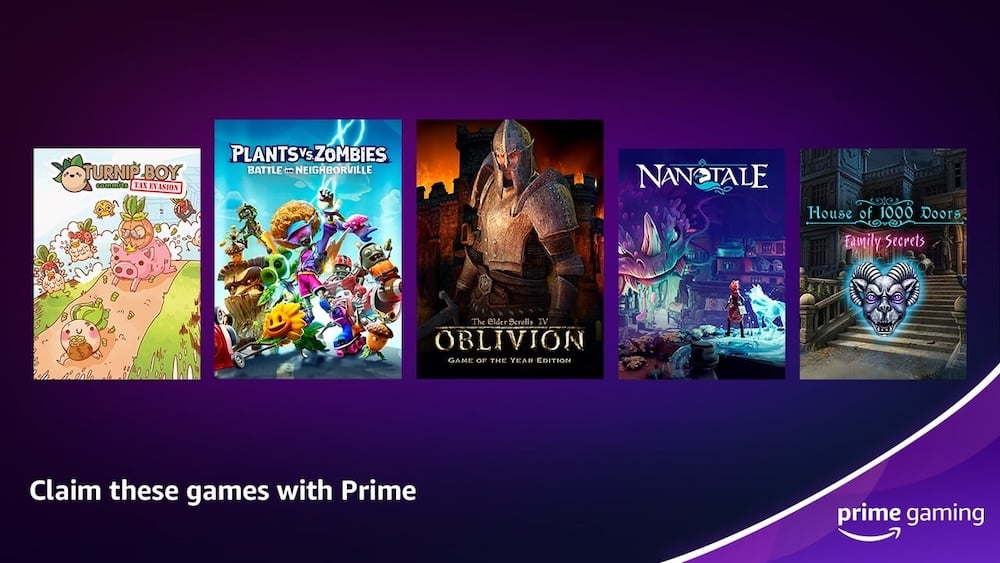
Free with Prime Subscription | Monthly Free Games | DRM-Free Downloads
Highlights:
- Supported Platforms: PC (Windows), delivered via GOG, Epic Games, or developer-specific launchers
- Gaming Genres Offered: Action, adventure, strategy, indie, and simulation
- Free Games: Yes, 15 to 25 free games per month included with Amazon Prime
- User Interface: Web-based through Amazon’s website, simple and clean
- Regular Updates and New Releases: Yes, new games added every month
- Community and Support: Amazon’s customer support is available for account-related issues
- DRM-Free Options: Yes, many Prime Gaming titles are delivered through GOG as DRM-free downloads
Pros:
- No extra cost if you already have an Amazon Prime subscription
- Delivers 15 to 25 free games per month, a number that beats most other platforms
- Many games are delivered through GOG, which means they are DRM-free and yours to keep
- Also includes free in-game content for popular titles like League of Legends, Call of Duty, and Fall Guys
Cons:
- Requires an active Amazon Prime subscription, which costs money
- Games must be claimed within a specific window before they expire from the monthly rotation
- Claimed games are downloaded through different launchers depending on the title, which can feel fragmented
- The game selection leans toward indie and mid-tier titles rather than AAA releases
Amazon Prime Gaming is one of the best free PC game sources that most people completely overlook. If you already pay for Amazon Prime for the delivery benefits or Prime Video, the gaming perks are essentially free. Every month, Amazon adds a fresh batch of games to the Prime Gaming catalog. I have claimed dozens of games through this service over the past year, and the lineup includes genuinely good titles across multiple genres.
Claiming games is straightforward. You log into the Prime Gaming website, browse the current month’s free games, and click Claim for each title. Depending on the game, it will either be added to your GOG library or require you to redeem a code through a specific launcher. The GOG delivery is the most convenient because those games are DRM-free and downloaded directly without a client.
One thing I appreciate about Prime Gaming is the in-game loot. Even if a particular month’s game selection is not interesting to you, the free in-game content for popular titles like Apex Legends and Destiny 2 adds real value. It is worth checking the Prime Gaming page every month to see what is available.
How to Claim Free Games from Amazon Prime Gaming
- Go to primegaming.amazon.com and sign in with your Amazon account.
- Browse the free games listed under the “Free Games” tab.
- Click Claim on any game you want to add to your library.
- Follow the on-screen instructions to connect the game to GOG, Epic, or the required launcher.
- Download and install the game through the connected launcher.
Xbox PC Game Pass
Best for Volume | Microsoft First-Party Titles | Subscription Required
Highlights:
- Supported Platforms: PC (Windows 10 and above)
- Gaming Genres Offered: Action, RPG, strategy, sports, simulation, FPS, and more
- Free Games: Not free, requires a monthly subscription (approximately $10 to $15 per month)
- User Interface: Clean and well-organized through the Xbox app on PC
- Regular Updates and New Releases: Yes, new games added every month, including day-one Microsoft releases
- Community and Support: Microsoft’s customer support, plus active gaming communities
- DRM-Free Options: No, all games require an active subscription to play
Pros:
- Access to 100-plus games for one monthly fee, making the cost per game very low
- All Xbox Game Studios titles, including Halo, Forza, and Starfield, are available on day one at no extra cost
- EA Play is included with Game Pass Ultimate, adding over 100 EA titles to the library
- The Xbox app on PC is clean, fast, and easy to use
Cons:
- Not truly free, requires a paid subscription to access any game
- Games leave the catalog periodically, so a game you start playing may become unavailable later
- Requires a constant internet connection for license verification, even for downloaded games
Storage requirements add up quickly since each game takes several gigabytes of space
Xbox PC Game Pass is not a free service, but I am including it here because it is the best value subscription for PC gaming. At roughly $10 per month, you get access to over 100 games, including every title from Xbox Game Studios on the day it releases. If you play more than one or two games per month, it is genuinely cheaper than buying individual titles.
The Xbox app on PC has improved a lot over the past couple of years. Game installation is straightforward, and the app keeps everything updated automatically. One thing I like about Game Pass is that Microsoft adds new titles every month, so there is always something new to try without paying extra.
The main thing to keep in mind is that you do not own the games. If your subscription lapses, you lose access. This is different from Epic Games or Amazon Prime Gaming, where claimed games stay in your library permanently. Still, for the volume of content you get, Game Pass is hard to beat if you are serious about PC gaming.
How to Set Up Xbox PC Game Pass
- Download the Xbox app for PC from the Microsoft Store or xbox.com.
- Sign in with your Microsoft account or create a new one.
- Subscribe to PC Game Pass or Game Pass Ultimate from the subscription page.
- Browse the Game Pass library and click Install on any game you want to play.
- Games download directly through the Xbox app and are ready to launch from within the app.
Reddit (Bonus)

Highlights:
- Supported Platforms: Windows and Mac Games
- Gaming Genres Offered: Varies
- Free Games: Free, Legal, and cracked versions of the games.
- User Interface: Simple (Forum)
- Regular Updates and New Releases: No
- Community and Support: No
- DRM-Free Options: Free
Pros:
Community members post real-time alerts for free game giveaways from platforms like Epic, Steam, and GOG
Most links point to official storefronts, making it one of the safer community-based options
The upvote system helps surface the most legitimate deals quickly
Cons:
Reddit is a community forum, not an actual game download site, so you will always be redirected elsewhere to download
Link availability depends on when a deal is live; many posts go out of date quickly
Occasional posts link to unofficial or unsafe sources, so reading comments before clicking is important
No search or filter by game genre or platform type
Social media sites like Reddit to discover and download free PC games. You can find specific communities or subreddits where different users share information about free games and special deals. You can join the subreddit and find links to free downloads or promotions from various gaming platforms. Most of the links you will find on Reddit will redirect to the original file that is shared on the internet. Remember, sometimes these files can contain malware, so it is always advised to scan the files after downloading them to your device.
One of the popular subreddits to find free PC game recommendations is the r/FreeGameFindings subreddit. It is a great option for finding free games for your PC. Members of the subreddit often post links to free games from various platforms like Steam, Epic Games Store, and others. Unlike general gaming websites, this subreddit focuses solely on free games, making it easier to find them without sorting through paid options.
How to Choose the Right Website to Download Free PC Games
With so many options available, picking the right platform comes down to what kind of gamer you are and what you are looking for. Here is how to narrow it down.
If you want the best free games with zero risk, go with Epic Games or Steam.
Both are official storefronts with millions of users and zero malware risk. Epic gives away premium games every week for free, while Steam has a large free-to-play library available at all times. These are the two platforms I install on every PC I set up.
If you are into indie games, itch.io is the best choice.
itch.io has thousands of free games from independent developers, and all downloads are DRM-free. You own the file outright, which is something the bigger platforms do not always offer. The quality varies, but you can find some genuinely excellent titles for free.
If you already have an Amazon Prime subscription, check Amazon Prime Gaming first.
This is one of the most underused options. Prime Gaming gives you free games every month as part of your subscription. You can claim them through the Amazon website and download them through launchers like GOG or Epic. There is no extra cost involved.
If you are a fan of Blizzard games, Battle.net is the only option.
Games like Hearthstone and the free elements of World of Warcraft are only available through Battle.net. The launcher is clean and the free content is regularly updated. Outside of Blizzard titles, though, the platform does not offer much.
If casual or mini-games are what you enjoy, the Microsoft Store and GameTop are worth checking.
Both platforms offer a curated selection of free casual games that are safe to download and easy to install. The Microsoft Store is pre-installed on Windows, so there is no extra setup involved.
Avoid sites that offer cracked or pirated games.
Beyond the legal risk, cracked game files are one of the most common ways malware ends up on a PC. The effort of downloading, combining split files, and manually patching a cracked game is simply not worth it when legitimate free options are available.
A quick checklist before downloading from any site:
- Does the site have a verified security certificate (HTTPS)?
- Is the download link from an official platform or a trusted source?
- Have you checked the file with an antivirus tool before running it?
- Does the game have user reviews or ratings that confirm it works correctly?
Ready to Start Playing?
These are the best websites to download free PC games right now. From official storefronts like Epic and Steam to indie platforms like itch.io, there is no shortage of free games available for your PC. I have personally tested each platform on this list, and the ones at the top are the safest and most reliable options.
If you want to start downloading free games today, here is the fastest path. Install the Epic Games Store and claim whatever is free this week, it takes less than 5 minutes. Then install Steam and browse the free-to-play section. If you have Amazon Prime, log into Prime Gaming and claim this month’s free titles before they expire.
For indie games, bookmark itch.io and check back regularly. The free games section is updated frequently, and you can find some excellent titles that never show up on the bigger storefronts.
Have a favorite platform for downloading free PC games? Drop it in the comments below. We update this list regularly, so if there is a site we have missed, we want to know about it.
FAQs about Best Websites to Download PC Games
How often do these websites update their free game offerings?
It depends on individual websites. Most websites update their gaming list every week. You can also find cracked versions of the new releases on pirated websites.
What are the risks of downloading free PC games?
Downloading free games from game sites doesn’t pose any risk and offers the same level of quality as Paid games. However, Downloading cracked PC games can be risky sometimes. Here are the most common risks that may occur.
- Viruses and Malware: Some free games might have harmful viruses that can damage your computer or steal your information.
- Illegal Content: Downloading cracked games from pirated sites is illegal and can get you into trouble.
- Hidden Costs: Some games are advertised as free but might have hidden costs, like needing to pay for certain features or items in the game.
- Poor Quality: Some free games might not offer the same level of quality as paid ones.
- Computer Performance: Some free games might make your computer run slower or have problems because they’re not made very well.
Can I find AAA games for free?
Yes, You can find AAA games for free on these websites. Sites like Epic Store, Steam, and Battle Net also offer AAA games for free during weekly and sale discounts. As of the time of writing this article, Epic Game offers gradients of Galaxy for free. You can create an epic game account for free and add games to your library. Similarly, you can also get free AAA games from other game stores like Steam and battel.net and also from the Microsft and Mac app stores.

