

Quick Answer
Turn your smartphone into a dumb phone by removing distractions and keeping only essentials like calls, SMS, maps, banking, and authenticator apps. Uninstall or disable social media and non-essential apps, enable greyscale mode, use Do Not Disturb, and reduce internet access to cut screentime and improve focus.
The global average of mobile phone screen time is more than 4 hours a day. The easiest way to cut that down without buying a new device is to turn a smartphone into a dumb phone. You can check your current screen time in Digital Wellbeing (Android) or in Screen Time (iOS). The numbers seem astonishing. That’s how we are addicted to phone screens.
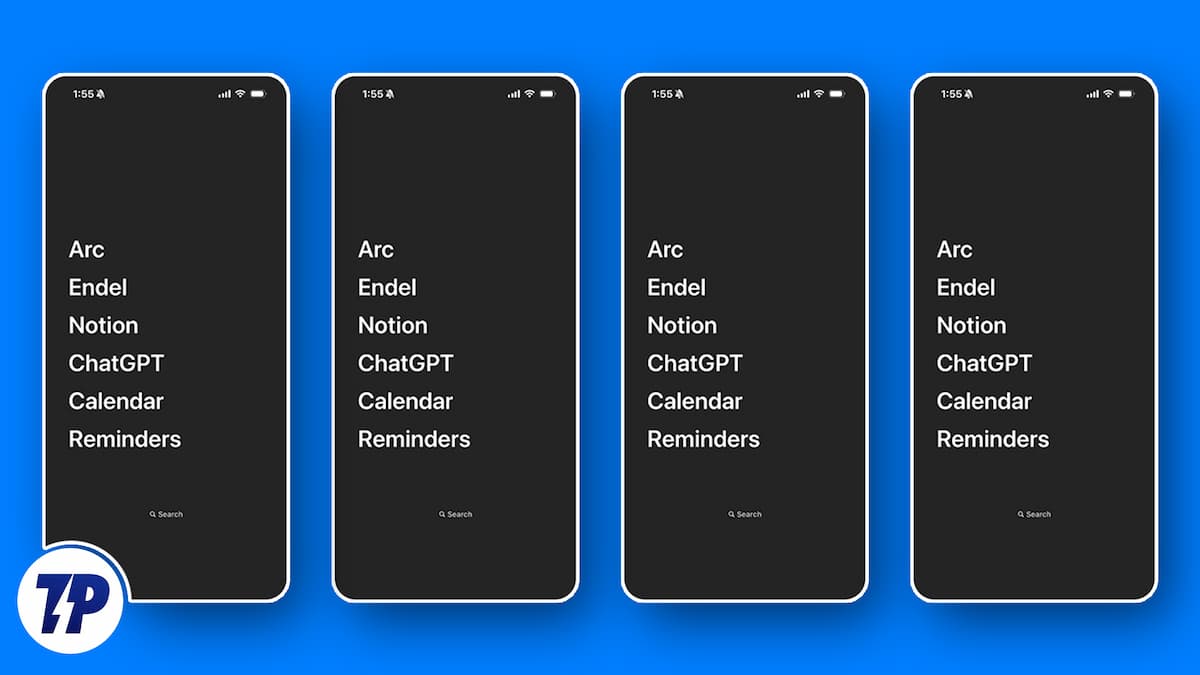
We will get into the cons of phone addiction later. First, let me tell you what we are missing. We miss real conversations. When people converse, either directly or by phone, every emotion behind every word is conveyed. The conversations now are just limited to a few texts. The texts do not carry real emotion. The chance of misunderstanding something is large. Emojis won’t help either.
We fail to observe the surroundings. We lack focus, we ignore people, and so on. We have a lot of convenience compared to earlier generations, but are we really happy? What is the convenience costing us?
The psychological impact of phone addiction is real, according to studies. The psychological discomfort spills over to physical inconvenience. We feel anxious, depressed, and sad. The impact is huge. Fortunately, we can take back control and start feeling things again for real.
It is not possible to just stop using our smartphones. People suggest many things, from turning off notifications to just resolving to not using the phone. Trust me, it is not that simple. We can decide on doing a lot of things, but breaking a habit or an addiction is not that easy.
Experts suggest changing our environments to limit triggers to our addictions. This works. If we apply the same to beat phone addiction, shifting back to a dumb phone with no smart features is the only way. It is not entirely possible to start using a dumb phone due to our lifestyle.
We need a dumb phone, but with some smart features for basic needs. This could be an ideal setup. Let’s see.
Table of Contents
Why Do We Need a Dumb Phone?
A dumb phone serves different purposes for different people, but the core reason is the same — breaking free from phone addiction. The psychological impact of smartphone overuse is well-documented, with research linking excessive screen time to anxiety, disrupted sleep, and reduced ability to focus. Beyond psychology, the cost is lifestyle, be it missed conversations, ignored surroundings, and hours of the day disappearing into a screen.
It is not possible to just stop using smartphones. Experts suggest changing our environments to limit triggers to our addictions. That’s the logic behind going dumb. Let’s look at the specific benefits.
Reduced Screen Time and Better Focus
The most obvious benefit of a dumb phone is reduced screentime. Without social media and content apps vying for attention, you get hours of uninterrupted time to work, read, exercise, or do something that actually matters. With a smartphone, you are one notification away from distraction. With a dumb phone, that distraction simply does not exist.
Helps Control Anxiety and Improves Sleep
Constant connectivity and the dopamine loop from endless notifications keep our brains on alert at all times. The alert brain overthinks, makes us anxious, and makes it hard to relax. At night, we take our smartphones to bed and consume reels and shorts for hours before sleeping, disrupting our sleep cycles and affecting both mental and physical health.
A dumb phone removes both problems. No notifications pulling at your attention during the day. No content to consume before bed. Your brain gets the space it genuinely needs.
Better for Kids, Too
For parents, a dumb phone is peak parental control. It keeps social media, harmful content, and doomscrolling completely out of reach for kids during their formative years, without having to set up complicated screen time rules that children find ways around anyway.
How to Turn a Smartphone into a Dumb Phone
You can turn a smartphone into a dumb phone in two ways. One is by keeping the essential features and apps — a minimalist phone setup built around intentional technology use — and the other is by removing everything and limiting the functions of a phone to just phone calls and SMS only.
Backup all your data, like images, videos, files, etc., to a cloud storage or a PC before making your phone dumb. After backing up, wipe all that data from the phone. Just keep Contacts and SMS intact.
How to Turn an iPhone into a Dumb Phone
If you are on iOS, the process is different but equally effective. Apple gives you a dedicated tool called Screen Time to restrict your own phone use. Think of it as parental controls, but for yourself.
Go to Settings > Screen Time and enable it. Once inside, tap on App Limits and set daily time limits for app categories you want to avoid. Social Networking, Entertainment, and Games are a good place to start. Set the limit to one minute. When the timer runs out, the app locks itself.
Next, go to Content & Privacy Restrictions inside Screen Time. From here, you can disable the App Store entirely so you cannot install new apps. You can also block Safari and restrict access to the browser altogether. Set a Screen Time passcode that is different from your regular phone passcode, so it creates a real barrier and not just an inconvenience.
To reduce the visual appeal of the phone, go to Settings > Accessibility > Display & Text Size and turn on Color Filters. Select Grayscale. The screen immediately loses its color, making it far less tempting to pick up.
One more thing. Go to Settings > Face ID & Passcode and consider disabling Face ID for app purchases and unlocking certain apps. Adding a passcode friction point makes you think twice before opening apps out of habit.
Finally, go to Settings > Focus and create a custom Focus mode that only allows calls and SMS from specific contacts. Schedule it to run all day if needed. It effectively mutes everything else.
With these settings in place, your iPhone functions much like a basic phone; calls, messages, and nothing else unless you deliberately unlock it.
Turn a Smartphone Into a Dumb Phone: Keeping Essential Apps
To get started, go through the list of apps installed on your phone, and decide how each app is helping you.
Phone app, Messaging app (only SMS), Maps (if you travel to new places frequently), Settings app, banking apps, Password Managers, and Authenticator apps can be essential.
If you have some other apps that help you genuinely without triggering your mind, you can keep those.
Begin by uninstalling social media apps, which are a genuine cause of concern. They enable doomscrolling and increase screentime.
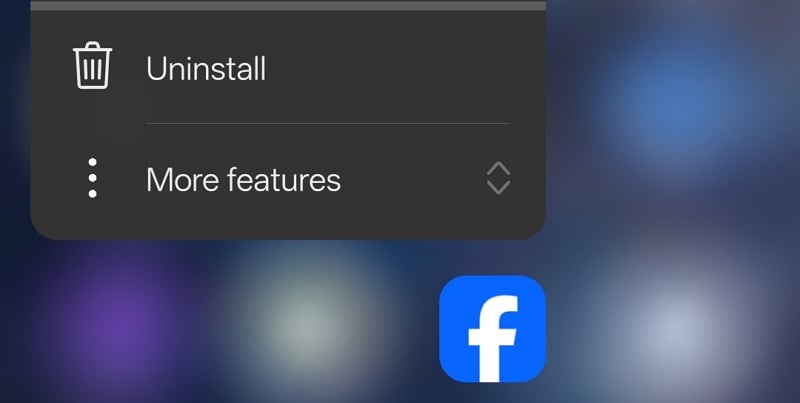
Uninstall every app that does not fall into the essentials category. There are some apps, such as Gmail, which we cannot uninstall normally. You can just disable those apps from App info options, or just use ADB tools to uninstall them via a PC. Disable Google Play Store too, but do not uninstall it.
To uninstall apps that are not directly removable, you can use ADB tools. You will need a PC to complete the process. On a PC, download ADB tools from the Android Developers’ website.
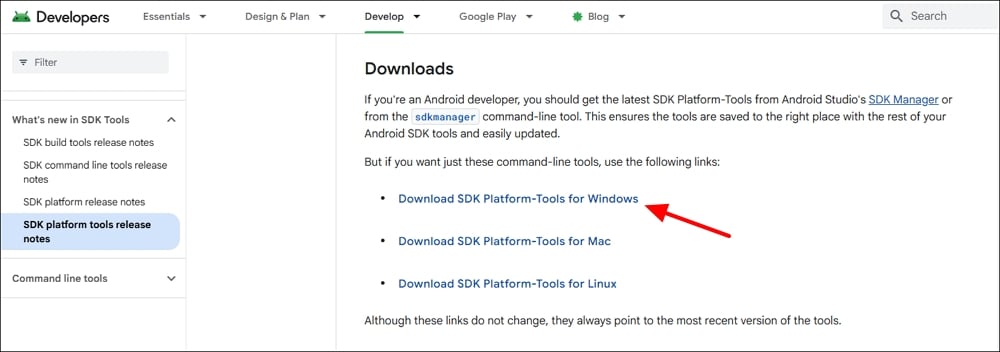
Extract the zip file to a folder. To start using the ADB options, you must enable developer options on your Android phone. You can do it in the Settings app by tapping on the build number for 6-7 times. The build number can be found in the About Device or About Phone options.
Follow the video below to know more about enabling developer options on your Android phone.
![How to Enable Developer Options on Your Android Phone [ 2026]](https://techpp.com/wp-content/cache/warp-performance/uhgWt2SEAwU-hqdefault.jpg)
After successfully enabling the developer options, you will see Developer Options added in the Settings app of your phone. Go to Developer Options and enable USB debugging.
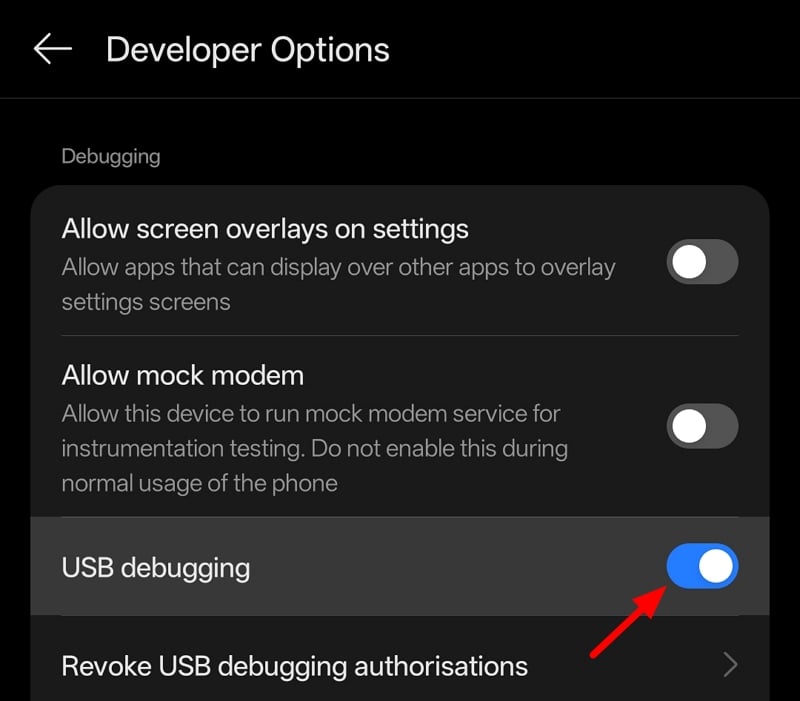
When prompted to confirm enabling USB debugging, accept it to proceed. Then, open the Google Play Store and download the Package Name Viewer app.
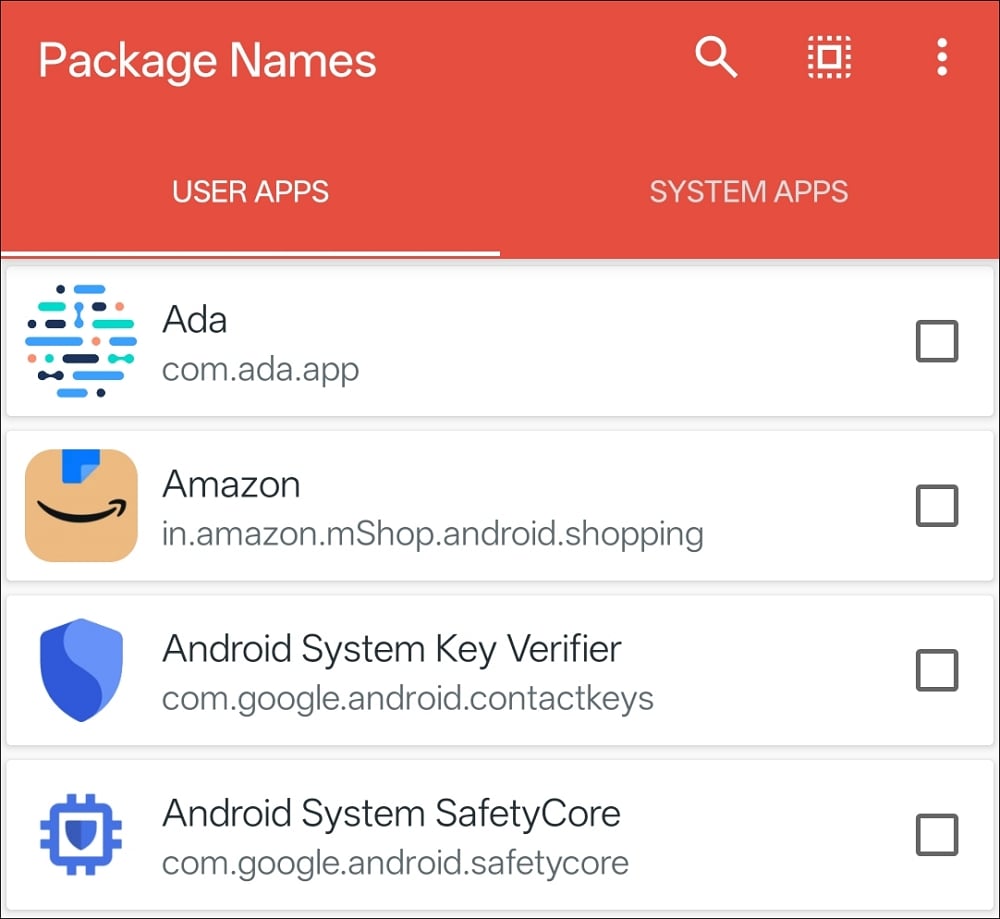
It helps you find the package names of apps you need to uninstall using ADB options.
Now connect your phone to the PC using a cable. Set the USB options to File Transfer on your phone. Then, go to the extracted ADB tools folder on your PC. Right-click and select Open in Terminal.
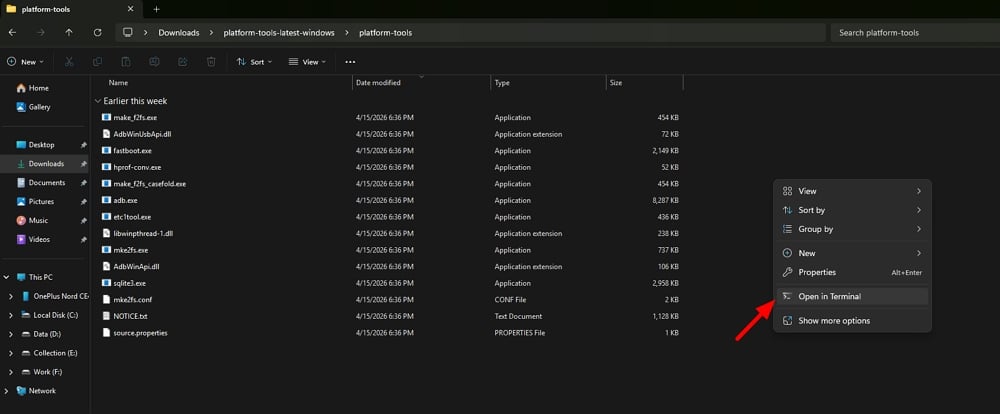
In the Windows PowerShell window that opens, type the following command and press Enter.
./adb devices
It will show the connected device. A prompt will appear on your phone asking you to Allow USB debugging. Choose Allow.
Shift to Windows PowerShell on your PC, and now type the following command and press Enter.
./adb shell
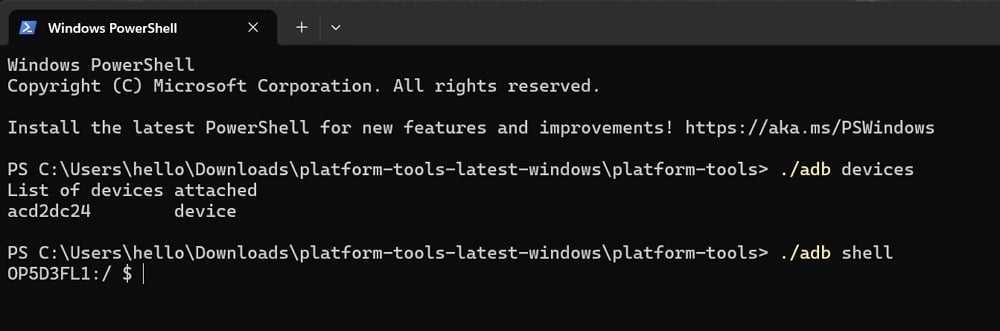
You will have to use the following command to uninstall an app from your smartphone using the ADB options.
pm uninstall
For example, if you want to uninstall the Gmail app, open the Package Name Viewer app on your phone, and find Gmail in the apps list. Shift to Windows Terminal and then type the following command. Just add the Gmail app package name you find to the pm uninstall command and press Enter. The command should look like this.
pm uninstall com.google.android.gm
It will remove Gmail from your phone. Follow this until you remove every app you do not need on your phone.
Your phone should now be basic with fewer but essential apps, and an internet connection. Now, uninstall the Package Name Viewer app, and disable Google Play Store in its App info options.
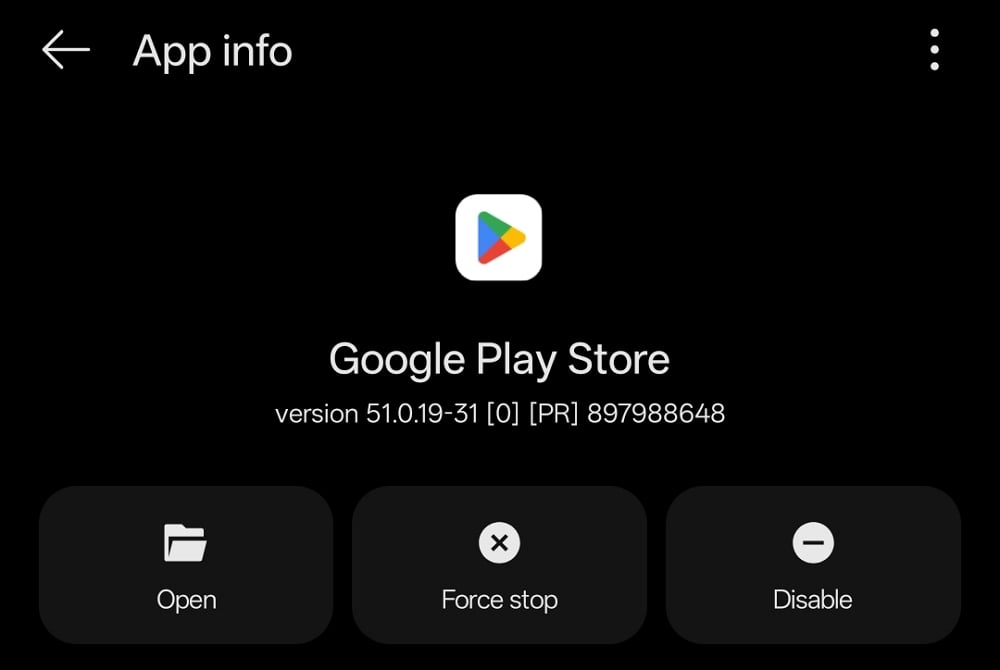
You have now almost removed the incentive to pick up the phone. To make it more efficient, you need to make the phone look unattractive. Turning the colors of the screen to greyscale makes it so.
Open the Settings app on your phone and go to Accessibility settings. Or just search for Greyscale in the search bar of the Settings app. It leads you to its settings. Enable Greyscale in the options.

The colors on your screen will now disappear, and the entire screen will turn grey and unattractive.
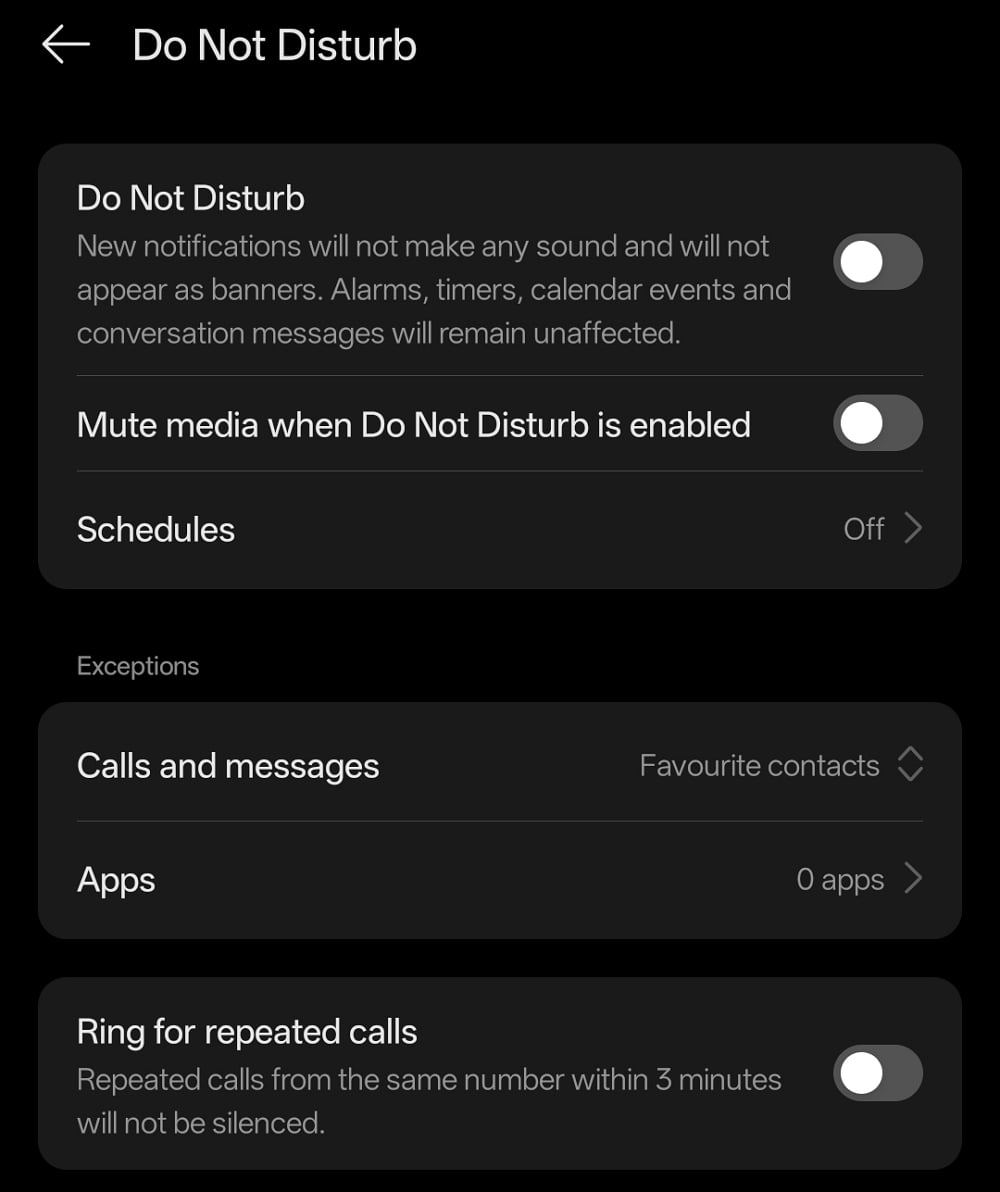
If you want to take it a step further, you can activate Do-Not-Disturb mode for a scheduled time in a day. Open the Settings app, and go to Sound options, or search for Do Not Disturb in the search bar.
In the Do Not Disturb settings, enable the feature by toggling the button beside it. You can use the options to schedule the DND mode, add exceptions for a few contacts, and choose to make the phone ring for repeated calls, so as not to miss emergency phone calls.
Now, you have a dumb phone that only serves your needs. Since we did not uninstall the Google Play Store, there is a huge chance of going back to a smartphone from a dumb phone. It all depends on you. But it takes time and effort to make it a smartphone again.
Turn a Smartphone Into a Real Dumb Phone
To turn your smartphone into a real dumb phone, you will need to use ADB tools and uninstall every app that you find. The Package Name Viewer app categorizes apps into User apps and System apps. You can remove every app from User apps. Even Authenticator and banking apps, if you do not rely on them. But make sure you back up authenticator data to your Google account or any such account the authenticator app supports.
Use ADB options, the Package Name Viewer app to find package names, and run pm uninstall commands until you remove every last one of them. For your smartphone to function better, do not remove the Google Play Store or Google Play Services. The phone may not function as intended, even for basic tasks.
After removing all the apps, you can enable Greyscale display, configure Do-Not-Disturb, and keep your phone disconnected from the internet at all times.
Follow what works best for you, but do not rely on self-control or willpower without dumbing down the phone to reduce screentime and get the benefits of a dumb phone. You can always convert back to a smartphone by resetting your phone and installing the apps you need. If the dumb phone thing works well for you, you can just buy a dumb phone (which always comes for cheap) and keep a smartphone as a spare to use only when essential.
Conclusion
Using a minimalist launcher might make the phone look simpler, but it does not truly make any phone dumb. Not even the Focus Mode or Digital Wellbeing options alone. Converting a smartphone into a dumb phone takes real effort. Converting a smartphone into a dumb phone takes effort. If you really want to take that path, start by dumbing down your phone to just essential apps. It gives you a way to experience a new way of using a smartphone. Using a dumb phone and spending time in front of a laptop to consume content does not make much of a difference. The screentime must only be limited to work and some form of entertainment, that too for a very limited time. If you have already tried going dumb, even partially, drop a comment below and let us know what worked for you. And if you know someone who could use a break from their screen, share this with them.
FAQs about Turning a Smartphone into a Dumb Phone
Will I lose my data if I dumb down my phone?
Not if you back up first. Before removing apps or doing a factory reset, back up your photos, contacts, and app data to Google Drive, iCloud, or a PC. Authenticator app data specifically needs to be exported or transferred before uninstalling, as it cannot be recovered otherwise.
Can I reverse it and make my phone smart again?
Absolutely. Nothing done here is permanent. Re-enable the Play Store from App info, reinstall apps, and turn off Grayscale and Do Not Disturb. You will be back to a smartphone in a few minutes. The point is to make the reversal inconvenient enough that you do not do it out of boredom.
Does a minimalist launcher work the same way?
No. A minimalist launcher changes how your home screen looks, but all your apps are still installed and accessible. It is cosmetic. Turning a smartphone into a real dumb phone means the apps are gone and not just hidden.

