

Whenever someone asks me: “What is the best AI art generator?” The first tool that comes to mind is Midjourney. And why not? The tool offers extensive customization options. It creates visually stunning artwork in no time. It can also understand complex prompts with ease and produce stunning results. It’s the first choice for both amateurs and professionals. It’s truly a game-changer in the world of AI art generation.

But it’s not the only tool that can work wonders. There are a variety of AI art generators on the market. In this blog, we’ll introduce you to the 5 best Midjourney alternatives that you should definitely try out.
Table of Contents
Top 5 Paid & Free Midjourney Alternatives
Midjourney is a no-brainer when it comes to the best AI art generator. Thanks to its ability to create stunning images in no time, it has set the bar high for other similar tools. However, it’s not free and not everyone can afford it. That’s why we’ve created this list of the 5 best paid and free Midjourney alternatives. We created this list after testing the tools for hours, reading hundreds of reviews, checking ratings, and comparing features and prices.
In this article, I will share my top five Midjourney alternatives that are both free and paid. I will also share my experience with the tool.
Prompt used:
A group of miniature robots (assorted colors) trying to climb a big water bottle. The robots are tied to each other with a rope, and they are helping each other climb.
So here are the 5 best Midjourney alternatives you should definitely try:
- Microsoft Copilot Designer: The best free Midjourney alternative
- DALL-E 3 (ChatGPT): The best paid Midjourney alternative
- Adobe Firefly: The best Midjourney alternative for designers (free & paid)
- Leonardo AI: Affordable Midjourney alternative (free & paid)
- Fotor AI: The best Midjourney alternative & all-in-one AI photo editor (free & paid)
Let’s take a closer look at each of these alternatives to find out which tool is best for your needs.
Microsoft Copilot Designer: The Best Free Midjourney Alternative
Microsoft Copilot Designer (also known as Bing Image Creator) is a powerful and completely free AI generator. It’s based on the DALL-E 3 model and can create stunning images that exactly match your descriptions. The response time is fast and it’s easy to use. The platform also offers weekly boost tokens for even faster image creation. Further boosts are available via Microsoft Reward Points.
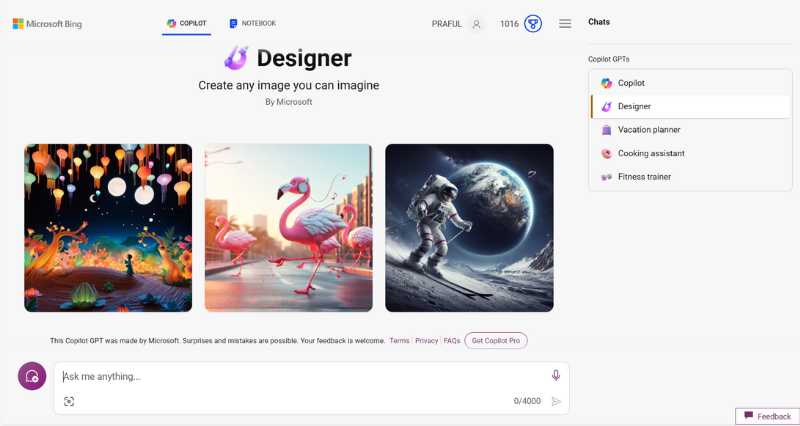
The user interface is particularly popular with AI artists. It’s clear, intuitive and user-friendly, making it a good choice for both beginners and experienced users. Its ability to understand prompts and create matching images for free makes it the best free Midjourney alternative.
What’s Best?
Image Designer
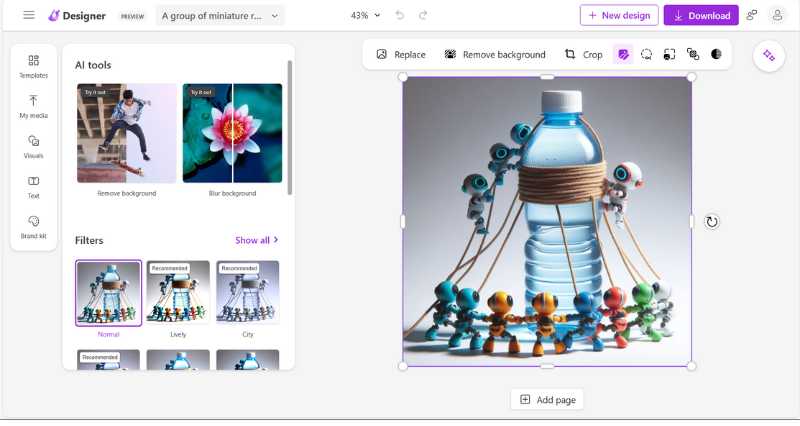
It has a unique studio editor that allows you to edit the generated image to your liking. You can remove the background, add a depth of field effect (portrait), select objects and alter them. You can also change the style of an image with a variety of filters. It’s similar to Canva Editor, but with limited editing features. This is a great feat considering it’s a free platform for creating AI images.
What Could Be Better?
It doesn’t allow you to upload or edit your image.
My Personal Experience With the Bing Image Generator
Of the 5 tools tested, the Bing Image Generator stood out for its user-friendly interface and fast image generation. What’s more, it’s all free! It’s great for people who need to generate images from time to time. The only downside is the limited ability to upload and edit images. Also, it doesn’t offer many features, but overall it’s a great tool for quick and easy image creation.
As you can see above, 4 image variants are generated for each prompt entered, so the user has a choice. Also, the image generated is very similar to the prompt entered. All in all, the Bing Image Generator is a reliable tool for creating simple images.
DALL-E 3 (ChatGPT): The Best Paid Midjourney Alternative
OpenAI’s DALL-E model is one of the best AI art generators. DALL-E 3 is their latest generative AI model that outperforms its predecessors as well as other competitors. Its ability to understand context and generate images based on the input prompt is truly remarkable. It generates high-quality images with a single click. It also has a user-friendly and easy-to-navigate interface.
A special feature of DALL-E 3 is that it is natively built on top of ChatGPT, which allows for seamless brainstorming to the prompt, which can be enhanced with GPT-4 and then executed on the platform itself. Also, you can edit the generated image by specifying more prompts. All you need is a ChatGPT Plus subscription, which costs $20, and you can use both DALL-E 3 and ChatGPT for unlimited creative possibilities. This integration of text and image generation sets DALL-E 3 apart from its competitors in the AI art generation race.
What’s Best?
Chatbot Editor
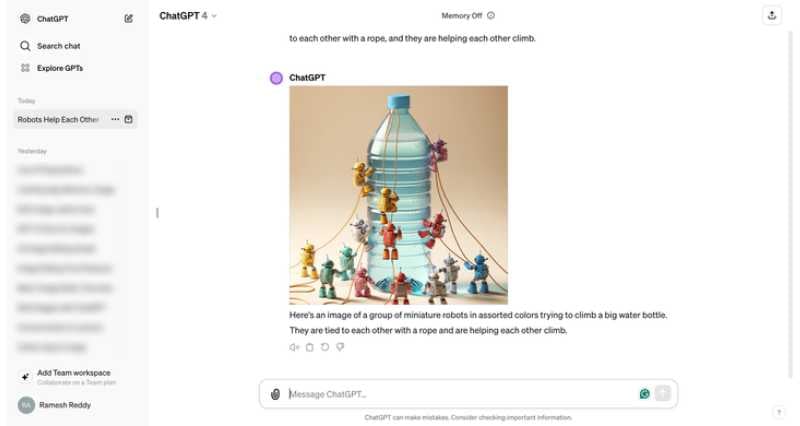
Since the DALL-E 3 model is based on the ChatGPT platform, you can use it to chat and get the pictures you want. And if you are not satisfied, you can chat with the chatbot and it will process it further. This feature helps you add more details to your art and get more accurate image outputs.
What Could Be Better?
DALL-E3 doesn’t allow existing images to be edited.
My Personal Experience With DALL-E 3
The operation of DALL-E 3 is very intuitive compared to other platforms. The ChatGPT interface makes it easy for you to share your prompt and even add more details later. If you like to give long prompts that are descriptive and specific, DALL-E 3 is the perfect tool for you. The chatbot feature also allows for quick edits and adjustments to make sure your final image meets your expectations. Overall, it’s a great tool that’s really easy to use.
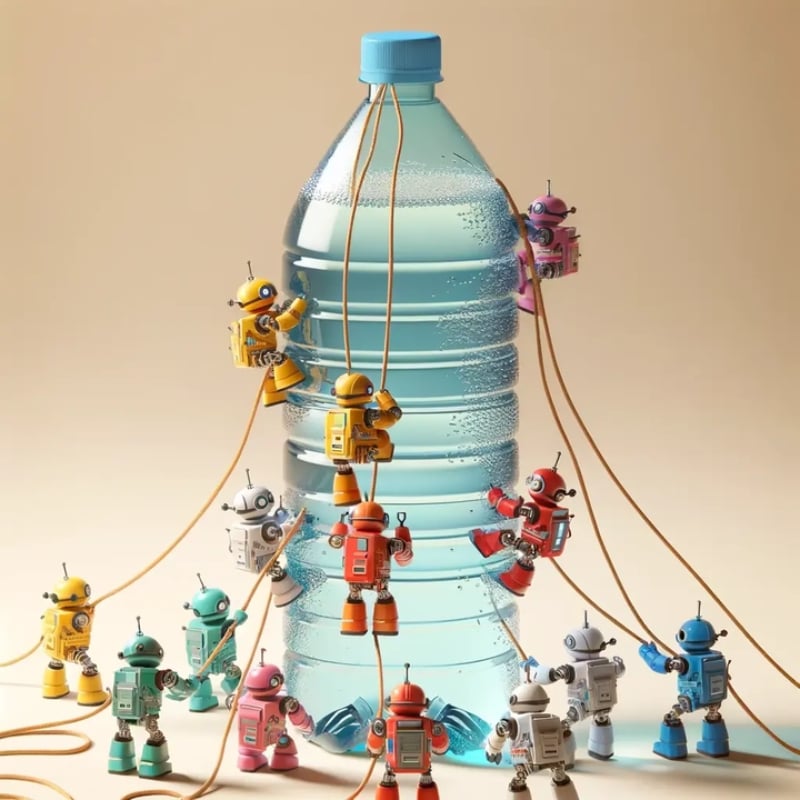
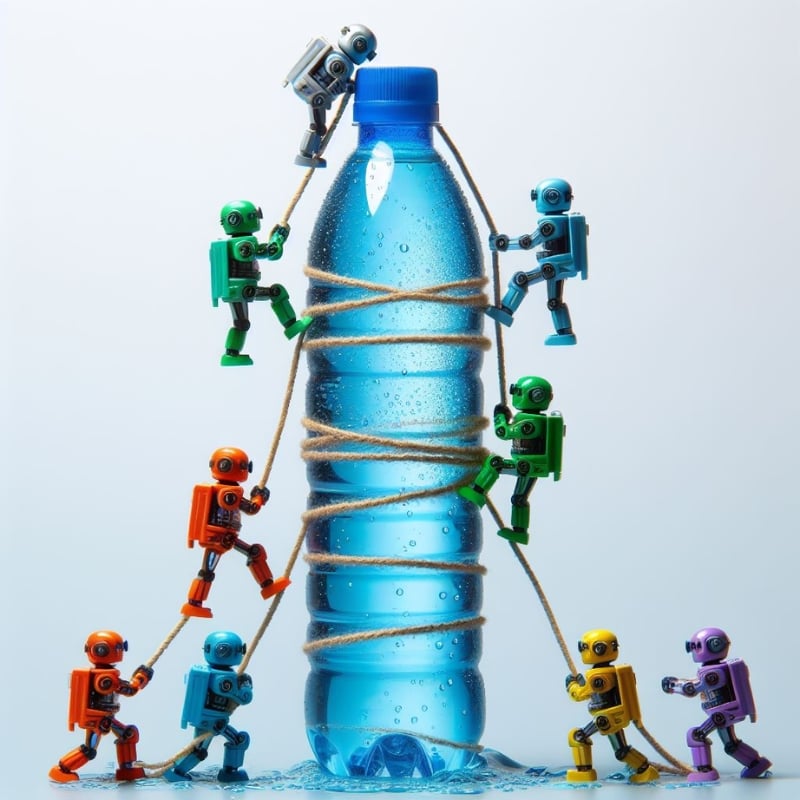
The prompt generated a good image with great detail. The robot looked realistic and the colors were vibrant. The bottle also has tiny details like reflections and drops. However, the base of the bottle looks distorted, which slightly degrades the overall impression of the image.
Adobe Firefly: The Best Midjourney Alternative for Designers (Free & Paid)

If you are an artist or designer, Adobe Firefly is undoubtedly the best Midjourney alternative for you. It has a wide range of features and is seamlessly integrated into the Adobe ecosystem, so you can easily transfer your work between different Adobe applications. It also offers a user-friendly interface and powerful tools for creating stunning visual content. It’s great for creating realistic images, making it an ideal tool for creating and editing stock images.
Adobe Firefly comes with a wide range of features, such as Text-to-Image generation, Generative Fill, Text Effects, Generative Recolor, Text to Template, Text to Vector Graphics, etc. These features make Adobe Firefly the best all-in-one generative AI tool for artists.
What’s Best?
Creators First Approach
Adobe Firefly is truly made for creators. As part of Adobe’s ecosystem, it offers a streamlined workflow for creatives. The platform’s many features ensure that you have everything you need for your work in one place. Whether you’re creating an image, editing it, creating a template, coloring a piece of art or anything else, Adobe Firefly has it all.

In the free version, you get monthly credits, and there are also paid plans. However, if you have an Adobe Creative Cloud subscription, you don’t have to pay extra for the tool.
What Could Be Better?
Some users have reported that Firefly’s image quality can’t match the precision of the competition and that it can be difficult to create the prompt. Also, Firefly doesn’t have a history feature, so you can’t go back to the themes you’ve already generated.
My Personal Experience With Adobe Firefly
I used the free version of the tool to create an image from the test prompt. Later, I asked a friend who happened to have the premium version and we explored the tool in much more depth. The premium features definitely offer more options and customization, but the free version still offers a good starting point for basic image generation. The fact that it integrates seamlessly with other Adobe platforms makes it interesting for any artist.

The generated image had great details. I was expecting the bottle to be a little bigger or the robots to be miniaturized. But the image quality is great. One robot lifting another matches my description and shows the collaborative spirit. Overall, it generates great images. You just need to be a little more specific with the prompt, but don’t overdo it or you’ll get a cluttered picture.
Leonardo AI: Budget-Friendly Midjourney Alternative (Free & Paid)

Leonardo AI is a feature-rich generative AI tool. It is highly popular with designers and game developers because it offers many features and customization options. There are both free and premium plans that start at $10, making it a fairly budget-friendly AI generator.
With its highly customizable options, you can adjust the intensity of the style, the color palette, and the details of the brush strokes when creating artwork. In addition, it has pre-trained models that improve the art generation process and help create higher quality artwork in less time. You can also train your own model to create even more personalized creatives. Its remarkable speed and efficiency sets it apart from other AI art generators on the internet.
What’s Best?
Unique Features
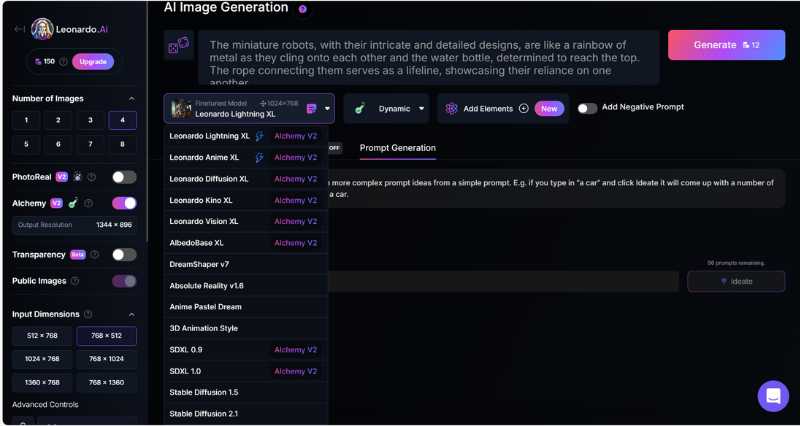
Leonardo AI is undoubtedly known for its unique and highly customizable features. It includes AI Canvas, 3D texture generation, image generation, fine-tuned models, PhotoReal models, RPG v5 models, DreamShaper models, vintage-style photography and much more. These features make Leonardo AI a versatile tool for artists looking for unique features and customization options.
What Could Be Better?
Although the platform offers a wealth of features, many users have reported that the platform can be overwhelming at first. However, there are tutorials and guides to help you.
My Personal Experience With Leonardo AI
I was really overwhelmed by all these customization options on the platform. Even though I was using the free version, I had access to some really fancy features that I didn’t know what to do with. But that won’t be the case if you’re an artist and understand these technical features. It also produces high quality images in no time at all, comparable to other AI generators.
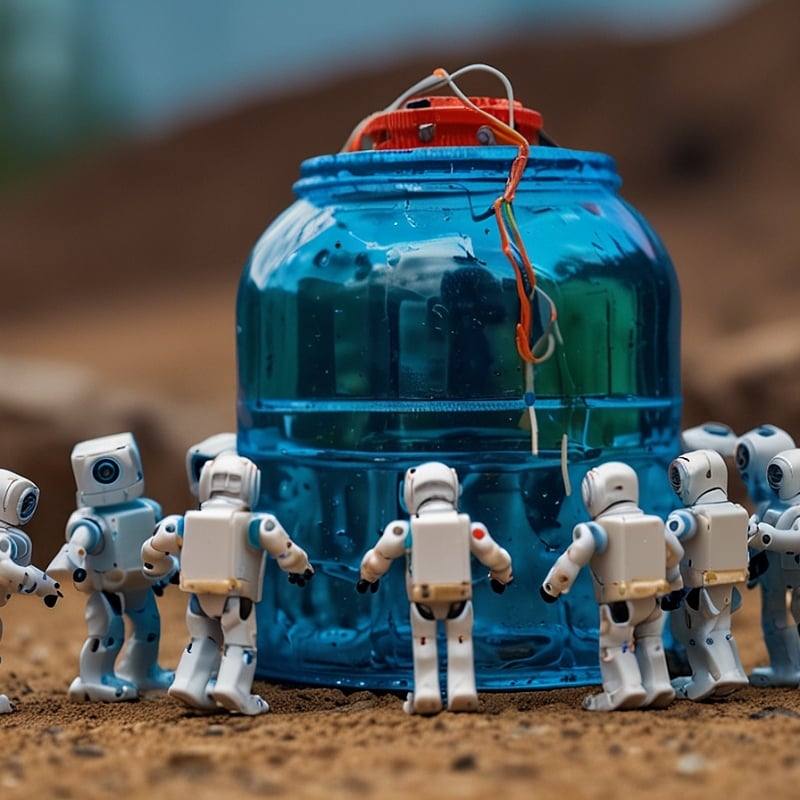
As you can see, the AI tool couldn’t quite understand my prompt and generated an image quite similar to what I was looking for. However, the details in the image are remarkable. The tool has its own prompt generator that you can use to get the image you want. Make sure you describe the prompt well.
Fotor AI: The Best Midjourney Alternative & All-in-One AI Photo Editor (Free & Paid)
There are many reasons why Fotor AI is a great alternative to Midjourney, but the most notable is its user-friendly interface and extensive range of editing tools. The platform is really easy to navigate and use for both beginners and professionals. It serves as an all-in-one photo editing platform with AI capabilities that allow it to generate images with just a few clicks. It also creates high-quality images with great precision, comparable to Midjourney.
The platform also offers an array of features such as AI Face Generator, AI Photo Effect, Photo Enhancer, AI Magic Remove, AI Background Remove, AI Retouch and many more AI-based functionalities that not only help you create better creations but also give you the ability to perfect them.
What’s Best?
User-Friendliness
One factor that really sets this platform apart is its user-friendly interface, which makes it easy for beginners and professionals alike. Not only can this AI platform create images and themes from text, but it also helps you edit and modify your personal images with AI features, saving you manual work. This makes it the first choice for anyone who wants to improve their photos quickly and efficiently.
What Could Be Better?
The time required for image generation is somewhat longer compared to some other AI platforms.
My Personal Experience With Fotor AI
I liked Fotor, especially the colorful image it created. The tool is so easy to navigate that even a beginner like me could use it without any problems. I also liked the idea that you can access all the features from one place, such as creating images from text or editing an existing image, which are arranged side by side in the menu bar. Overall, it’s a good tool if you’re looking for an all-in-one experience.
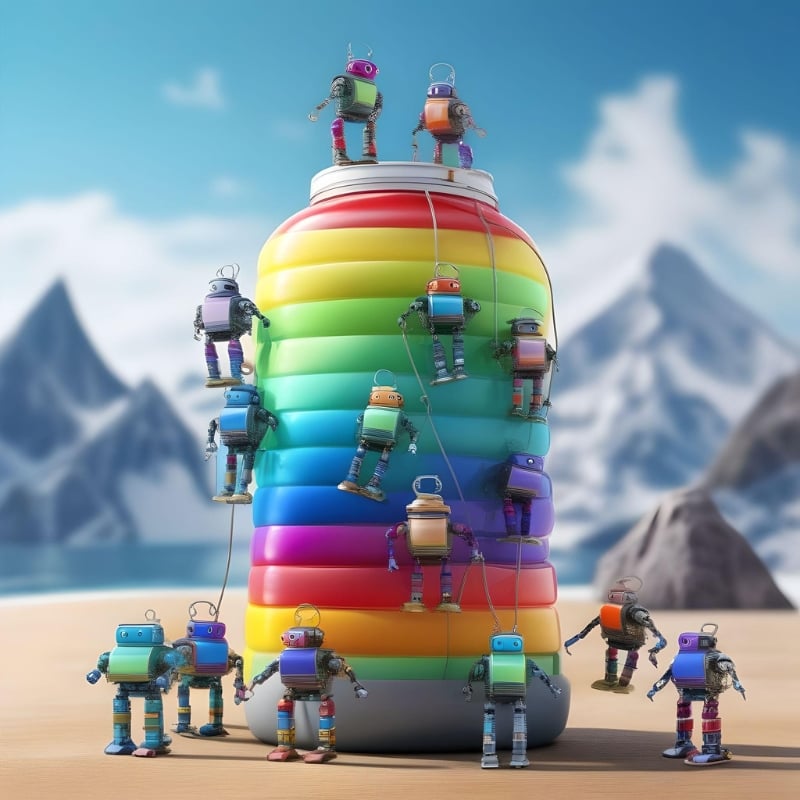
The generated image looks so sweet. I liked the idea of giving the water bottle the rainbow color. It was quite unexpected, but it turned out beautiful and unique. Also, the details in the picture are very sharp and clear, which makes it visually appealing.
Wrap Up – What’s Your Favorite Midjouney Alternative?

That’s it! Those are my top 5 picks for Midjourney alternatives. I hope this list has helped you in your search for a suitable alternative for your needs. Remember to consider your specific requirements and preferences when making your final decision. Try these tools out; most have a free version so you can compare what works best for you!
Share your favorite tools for creating AI art in the comments; I’d love to try them out. Thanks for reading!
FAQs about Midjourney Alternatives
1. Is Midjourney free?
Midjourney is no longer free. It has a range of subscription plans. You can choose from the following plans.
- Basic Plan: $10/month or $96/year (equivalent to $8/month with a 20% annual discount).
- Standard Plan: $30/month or $288/year ($24/month with the annual discount).
- Pro Plan: $60/month or $576/year ($48/month with the annual discount).
- Mega Plan: $120/month or $1152/year ($96/month with the annual discount).
Each plan has different benefits and features.
2. How to use DALL-E 2?
OpenAI no longer allows new users to use DALL-E2. The company has launched its successor, DALL-E3, which is available through a ChatGPT Plus subscription that costs $20/month. DALL-E3 produces higher quality images, adheres better to the specifications and takes less time than its predecessor.
3. Can I use AI Art Generators for commercial purposes?
Most AI art generators can be used for commercial purposes. However, the usage guidelines vary from tool to tool. Some AI generators allow commercial use of the generated artwork, while others may require licenses or prohibit commercial use altogether. We recommend that you read the terms and conditions of the respective platform. Below you will find some platforms that can be used for commercial purposes:
- DALL-E3
- Midjourney
- Jasper Art

