

AI is now so advanced that you can create a short video and generate images or art on any topic, all with just a few prompts. AI hasn’t left behind music, and you will find multiple tools that can help you generate music using AI. But most of the AI tools require you to input a few important details about your music to generate an AI tune. For lyrics, you have to use a different AI tool. But how about a tool that can:
- Write lyrics,
- Generate appropriate tune and
- Sing vocals with chorus
All in a matter of seconds. That’s Suno AI for you. It is an advanced AI tool that lets you create music with lyrics and vocals.

All you need to do is input a few prompts about the song that you wish to generate, and that’s it! Suno AI will do the rest of the work. The tool doesn’t take away your creativity but is meant to enhance it. In this guide, we will explain to you what Suno AI is and how you can easily create a beautiful song for your loved ones using this AI tool. Let’s jump right in.
Table of Contents
What is Suno AI?
Suno is a Hindi word that means ‘listen.’ The Suno AI platform makes use of AI to transform a few prompts that you have entered into meaningful songs with vocals and instruments. Anyone without any knowledge of music can easily create music, that too with vocals, by typing what they want the song about. For example, you can type in the prompt, “Make an upbeat song for my father to give me money.” The AI will start working in the background and will produce results in a few seconds.

The best part about Suno AI is that it can also generate songs in different languages, you just have to mention the language in the prompt itself. It is a great tool that has many use cases, one of which is creating a personalized birthday song for your loved ones. There are multiple benefits to using Suno AI:
- Create music with vocals: Suno AI will generate not only music but also include voice and proper lyrics to follow. The more information you input in the prompt about the song, the more precise the song output will be. The voice is also realistic, and it lets you choose between different languages, accents, genders, emotions, song genres, and much more. You can even input your lyrics, select other parameters of the song, and generate your very own original track.
- User-friendly interface and music creation: Multiple AI websites help you do several things, but there are only a few that are user-friendly and easy to use. The learning curve on Suno AI is almost negligible, and all you need to do is sign up with a Google or Discord account, enter the prompt, and that’s it; the song will be created.
- Free to use: Most AI websites flash a lot of stuff on their landing page, but to use them, they take you through loops and finally to a paywall. The best part about Suno AI is that it is free of charge and only requires you to sign in to have credits. As soon as the credits expire, you can log in with a new account and continue making free music.
- Strong community: The music that you have created can not only be shared among your friends but also with the Suno AI community and get appreciation from like-minded people. You can also explore the top tracks created using Suno AI in the Community section.
- Integration with Microsoft CoPilot: Well, Suno AI is as simple as it can get to generate music, and now, with its integration with Microsoft CoPilot, music creation has become much easier.
How to use Suno AI?
Suno AI is meant to simplify music creation and make the process enjoyable. The website is pretty easy to use and also lets you translate your ideas into meaningful songs with just a few steps, which are as follows:
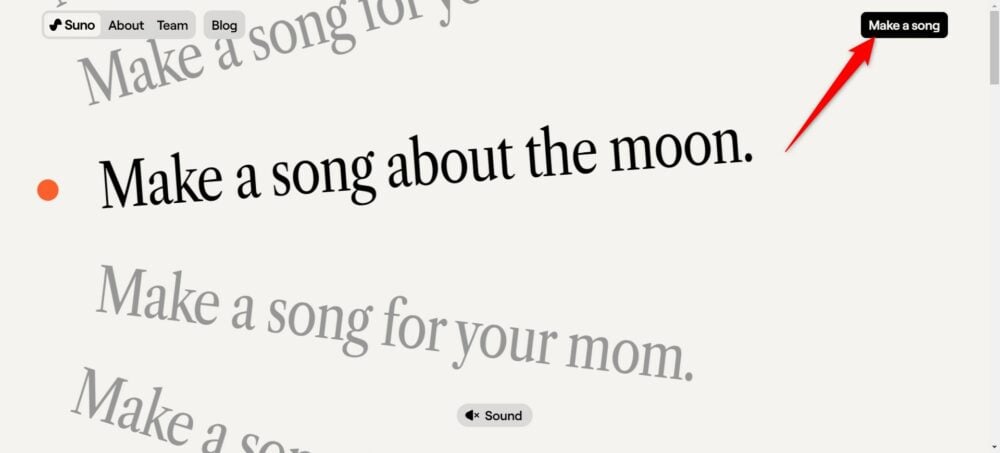
- Open the Suno.AI website on any of your favorite browsers.
- On the top right corner of the page, click the Make a Song button.
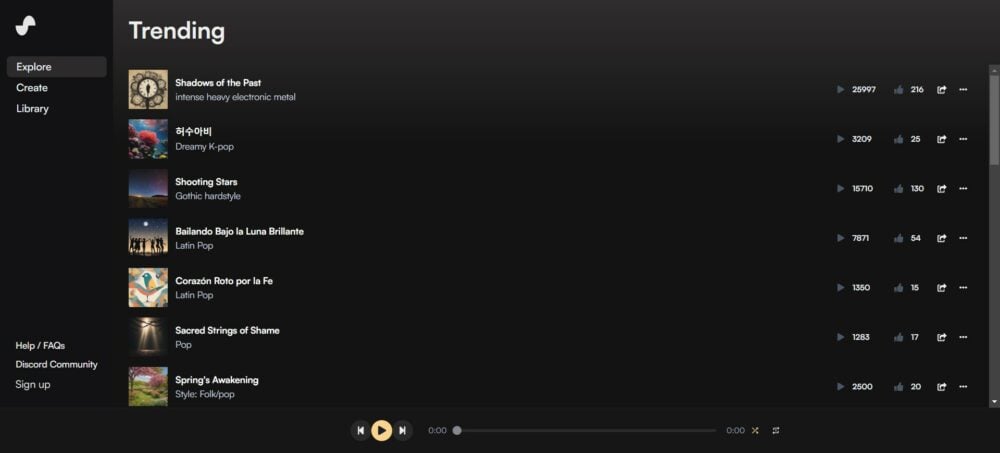
- You will be shown the Trending page, where all the popular creations are listed.
 /li>
/li> - Click on the Create option on the right pane.

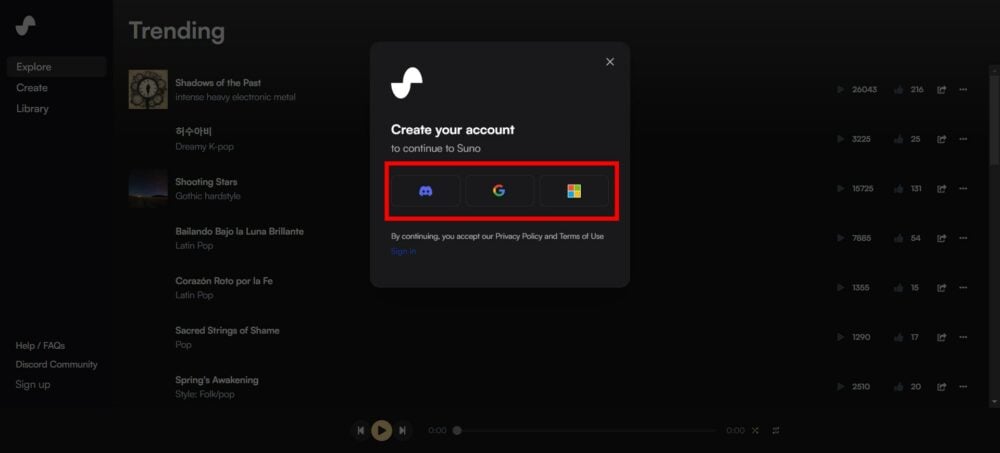
- You will be asked to create an account. However, if you already have a Discord, Google, or Microsoft account, then you can use that to log in to Suno AI.
- After logging in, you will see a Song Description field, where you need to enter the prompt about your song.

- There is a Custom mode toggle on top of the Song Description field, which, when turned on, gives you the option to input your lyrics or make random ones using AI, choose the style of music, or create a random one using AI, and give a title to your song.
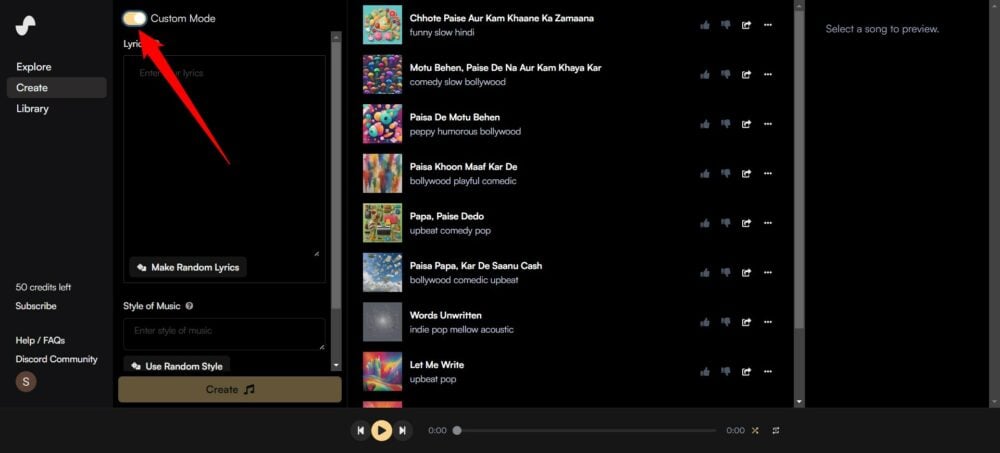
- After entering the prompt, you need to hit the Create button, and Suno AI will take a few seconds and come up with a couple of songs.
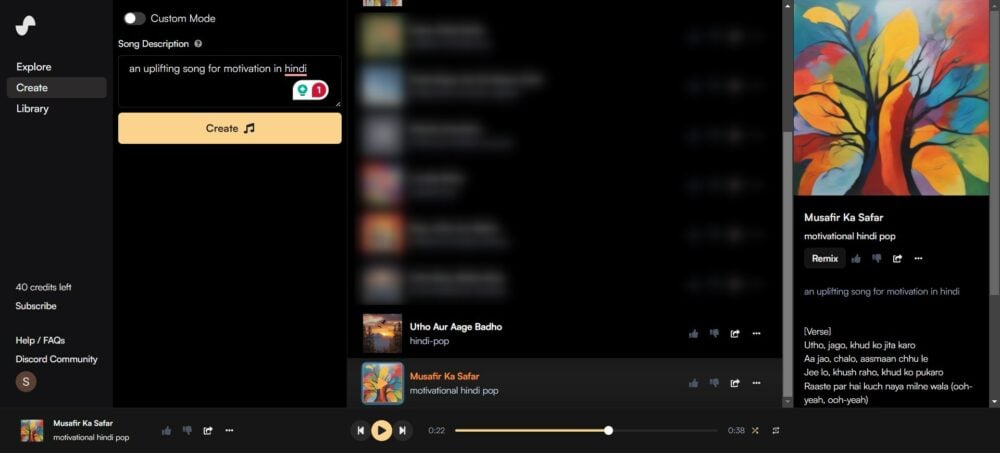
- You can always add more details to your prompt to get a more precise output.
That’s it! You have your very own music with vocals ready to be used. The best output that we got was the creation of a birthday song. You can try Suno AI with different scenarios.
Use Suno AI with Microsoft Co-Pilot
You can also use Suno AI with Microsoft Co-Pilot on Windows 11. All you need to do is follow the below steps:
- Launch Microsoft Edge and visit copilot.microsoft.com website.
- Sign in with your Microsoft account if you haven’t already.

- Click on the Plugins button on the top-right of the Microsoft Co-Pilot page.

- Enable the Suno AI plugin for Co-Pilot.

- Enter the prompt, and you will get the output in seconds.

FAQs about Suno AI
1. What are the limitations of Suno AI?
While the process of music creation has been made easy with Suno AI, it fails to capture the real emotion of a human. Moreover, you will sometimes find the lyrics to be out of place and not rhyming. Besides, copyright concerns may also arise when using the music generated using the Suno AI website.
2. Why am I seeing an error message “Couldn’t generate that” or “Try another prompt”?
There are multiple reasons you may get errors. Some of the reasons include that you are out of credits, the lyrics are copyrighted, there were some internal issues, the website might have experienced a glitch, etc.
3. How can I create a longer song with Suno AI?
There is no direct way to make a longer song with Suno AI. You can utilize the Custom option to enter your lyrics, which, if extensive, will be generated as a long song.

