

Apple is pushing widgets hard on all of its operating systems. Widgets are like mini-apps or shortcuts that you can add to your iPhone’s home screen to get quick information without opening an app. For example, a weather widget shows you the current weather and forecast directly on your screen. Some widgets allow you to interact without having to open the app. You can customize them to display exactly what you need, such as your next calendar event, news headlines, or your daily step count.

Apple’s widgets have a few neat tricks that set them apart from widgets on other operating systems. On the iPhone, you can stack different widgets on top of each other so that you have widgets in the same space, and they look modern and much cooler on your home screen. Also, there’s this smart feature where the widget changes depending on what you’re usually doing at that time of day, like showing the news in the morning. There are many great widgets for the iPhone.
But first, let me briefly show you how to add widgets to your home screen.
Table of Contents
How to Add Widgets to the Home Screen
- Touch and hold an empty area on your iPhone’s home screen until the apps jiggle.
- Tap the plus sign (+) in the top-left corner.

- Scroll or search to find the widget you want. Pick the widget size and tap “Add Widget”.

- Tap on the Widget or Drag the widget to where you want it on your home screen and Tap “Done” in the top-right corner.

25+ Best Widgets for iPhone
Weather: Keep an eye on the weather forecast
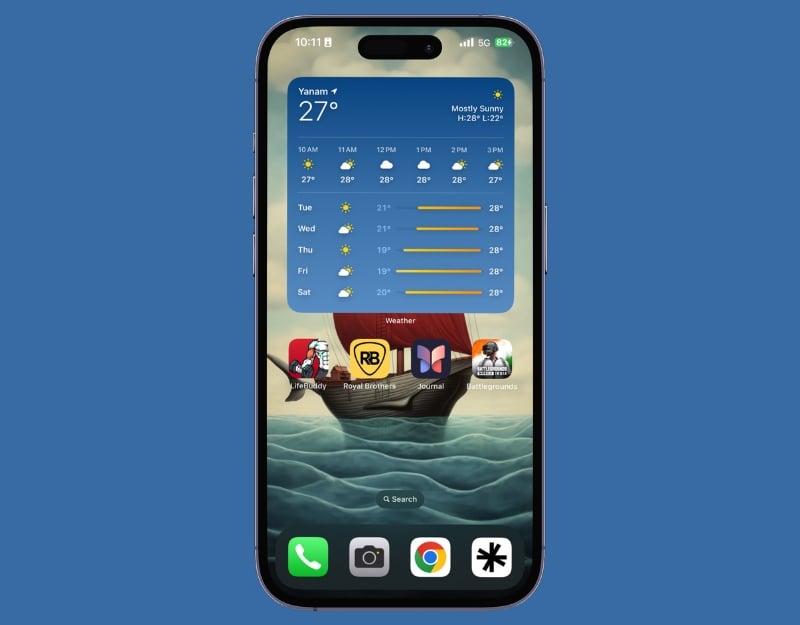
The weather is something we all check every day. A weather widget on the home screen of your iPhone can be very helpful. It allows you to see the weather forecast immediately without having to open the weather app. The weather widget on your iPhone shows you the current temperature, weather conditions, and even the forecast for the next few hours or days. It updates the weather information automatically. You can add different types of weather widgets to the home screen.
Calendar: View your upcoming events at a glance

The calendar widget on your iPhone is a really useful tool. It shows you your upcoming events and appointments directly on your home screen. So you don’t have to open the calendar app every time you want to check your schedule. It’s perfect for taking a quick look at your plans for the next day or week.
Reminders: Keep track of your to-do list

Reminders are very useful for keeping track of all the things you need to do in one place. Adding a reminder widget to your iPhone’s home screen makes it even more helpful. This widget displays your tasks on the home screen without you having to open the reminders app. It is ideal for quick reminders of tasks, shopping lists, or appointments. The reminder widget is also interactive. You can mark the reminder as completed. You can’t add new quick reminders with the reminder widget, which I miss.
Related Read: 10 Best Apple Watch Reminders
Photos: Enjoy a slideshow of your favorite memories
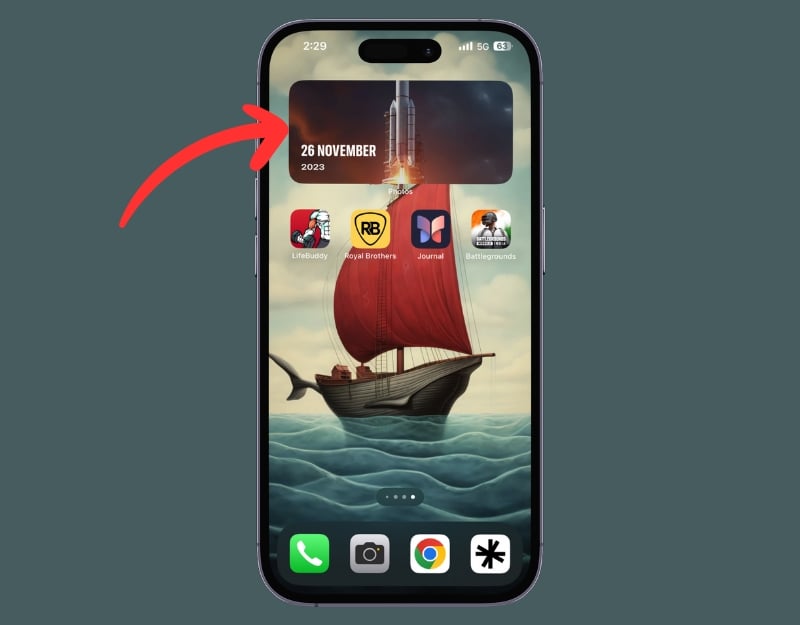
The Photos widget on the home screen of your iPhone is like a mini photo frame. It shows a slideshow of your favorite memories, randomly displaying images from your photo library. Every time you look at your phone, you’ll see a different favorite photo – a surprising trip down memory lane. You can customize the memories in the Photos app. The widget doesn’t allow you to specify which photos you want to hide. You should do this if you don’t want certain memories to be visible on your home screen.
Batteries: Monitor the battery life of your iPhone and connected devices.
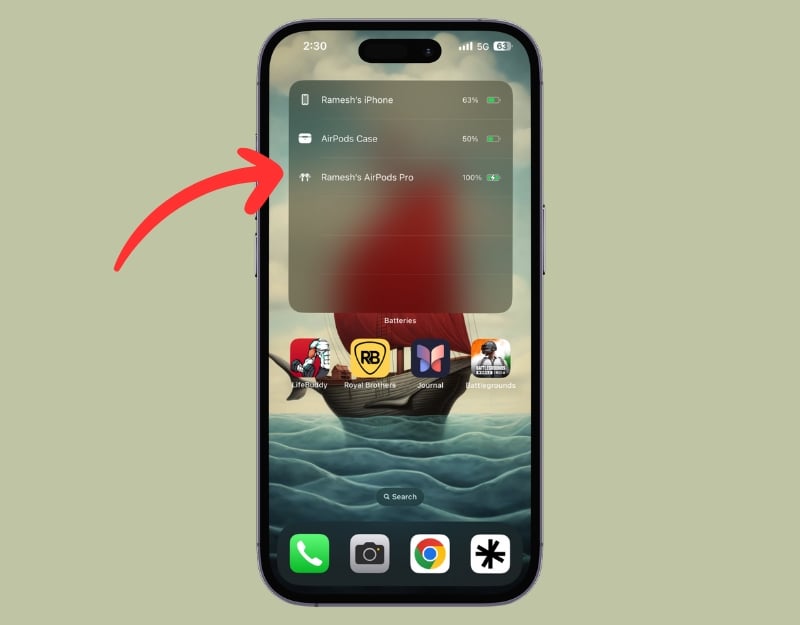
The battery widget on your iPhone is super handy, especially if you own several Apple devices. It not only lets you keep an eye on your iPhone’s battery life, but also that of your connected devices such as AirPods, Apple Watch, and other Bluetooth devices that you use. The widget shows you the battery level and charging status of the connected devices.
Music Widget
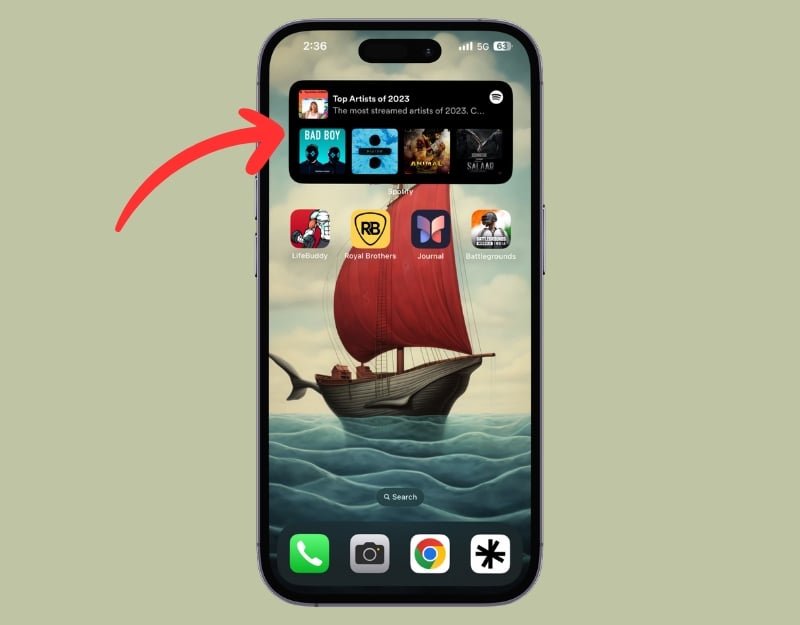
With the music widget on your iPhone, you can control your music playback without opening the music app. You can see what music is playing, pause or play songs, skip to the next track, and much more. Most music apps also have widgets that you can add to the home screen. Spotify, for example, has a music widget. This allows you to quickly access your recently played playlists, artists, albums, and podcasts. This is super handy for music lovers who want to control their music without opening the app every day. You can add music widgets from Apple Music, Amazon Music, YouTube Music, and other providers.
Screen Time: Monitor your device usage
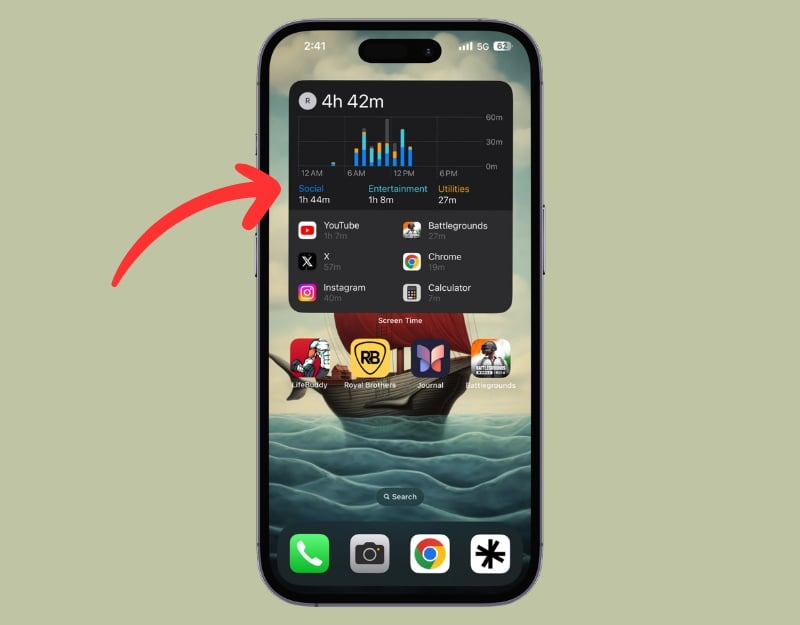
The Screen Time widget on your iPhone is a great tool to keep track of how much time you spend on your device. It shows you a summary of your daily and weekly screen time right on your home screen. It’s really useful for managing your digital well-being. You’ll find the time you’ve spent on your iPhone today, a list of the apps you’ve used the most along with the time, and much more.
Stocks: Keep an eye on the stock market
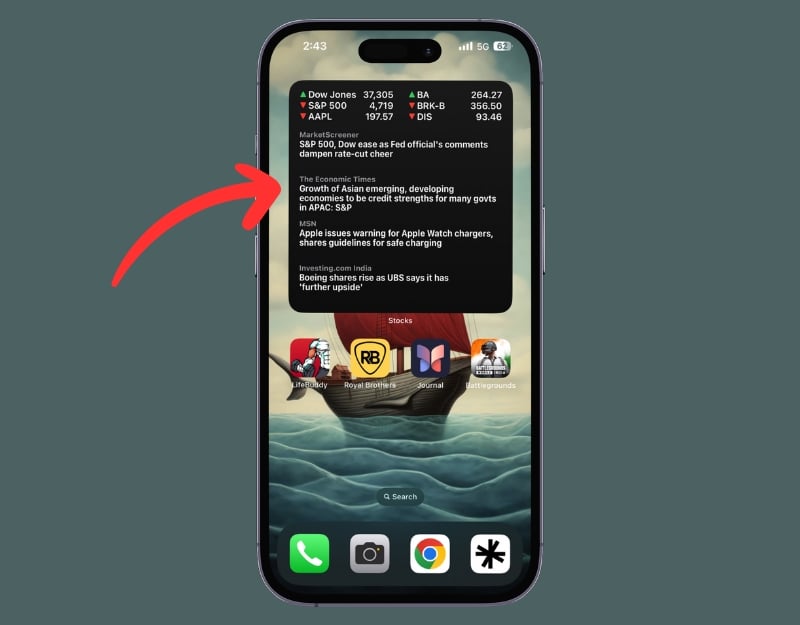
The stocks widget on your iPhone is a practical tool for anyone interested in the stock market. It gives you a quick overview of the development of the stock market directly on your home screen. The widget shows you the latest share prices and market trends. You can edit the watch list in the Stocks app on your iPhone. You can add up to three stock watchlist, and the stock widget shows the real-time stocks. I find this widget very helpful. It allows me to view my stock portfolio on the home screen without having to open the app.
Siri Suggestions: Get Personalized recommendations based on your usage
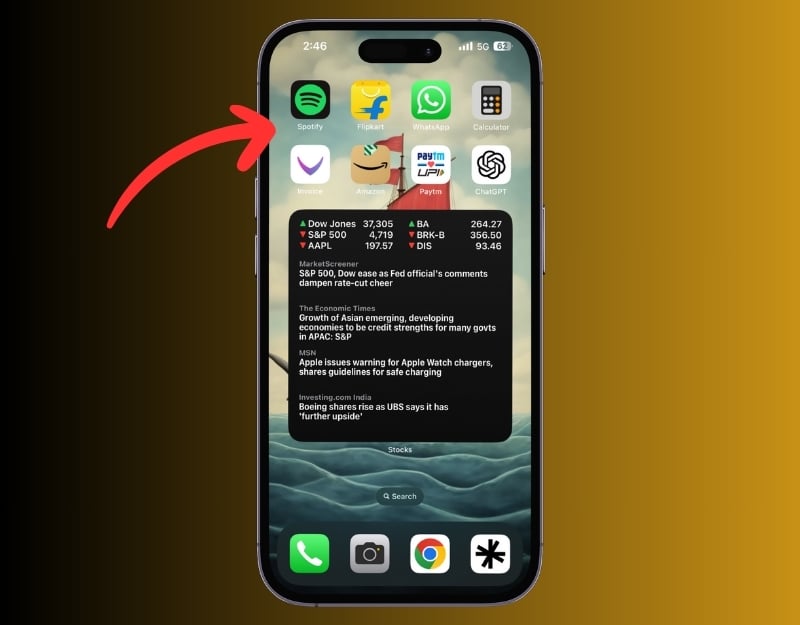
The App Suggestions widget is part of Siri Suggestions on your iPhone. It recommends apps based on the way you use your phone. For example, it suggests the apps you use most often. The widget not only suggests apps but also actions such as sending a message to someone you’re in frequent contact with or opening your most used browser. You can select the recommendation from the widget tiles when you add the widgets to the home screen.
Mail: Get a quick view of your inbox

With the Mail widget on your iPhone, you can view your emails without opening the Mail app on your iPhone. You can quickly see your latest emails without opening the Mail app.
Find Me: Quickly see the location of friends or devices.
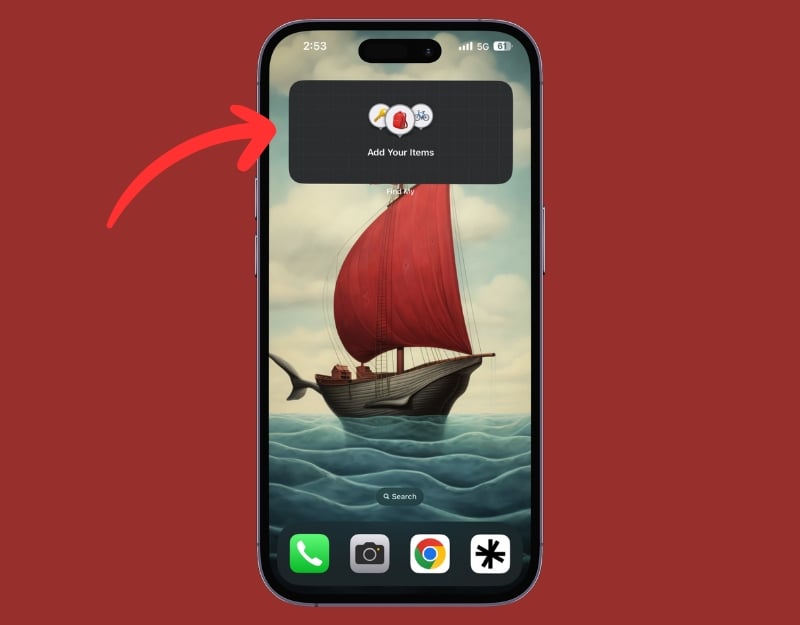
The Find My widget on your iPhone is a quick way to check the location of friends or devices connected to your Apple ID. It shows the latest locations of your contacts who share their location with you, as well as the location of your Apple devices, such as iPads, AirPods, or MacBooks. This is handy if you want to know where your friends or family are or if you need to find a misplaced device.
Maps: Quickly access directions and travel times
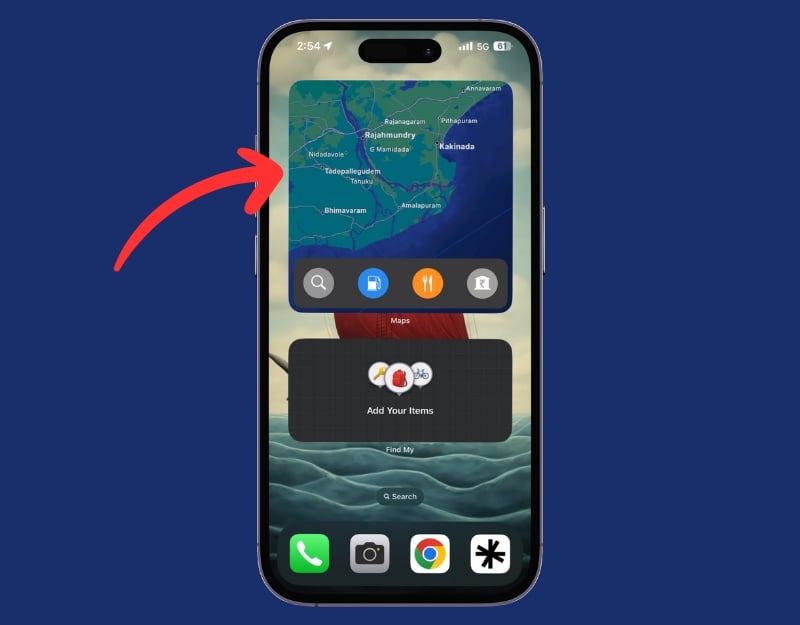
The map widget on your iPhone is a quick and convenient way to access directions and travel times from the home screen. It shows you a snapshot of your current location and the estimated travel time to your frequent destinations, such as home or work. This is particularly useful if you’re on the road a lot and need to plan your journeys efficiently.
Contacts: Speed dial your favorite contacts

With the contacts widget on your iPhone, you can use speed dial directly from your home screen. This allows you to quickly call or message your favorite contacts without searching through your phone book. The widget displays your top contacts or a selected group so you can easily reach friends, family, or colleagues with a tap. You can create a group in the Contacts app on your iPhone.
Launcher with Multiple Widgets

With the third-party launcher widget, you can quickly launch your favorite apps from the home screen. You can customize the widget to make calls, send messages and emails, and even start FaceTime video calls directly from the widget. You can also open your favorite websites from the widget. You can add multiple custom widgets to the app. The only problem is setting up the new widget when you use the app for the first time. The user experience is terrible. I highly recommend you watch the YouTube video to get started.
Download Launcher with multiple widgets
Widgetsmith

The Widgetsmith app is another one of the best widget apps for iPhone that offers a collection of customizable widgets. It allows you to set different widgets to display different information throughout the day. For example, you can set it to display the weather in the morning, your calendar during the day, and your activity progress in the evening. You need to install the Widget Smith app, customize the widget, and add it to your home screen.
ScreenKit

The widget app ScreenKit offers a large selection of beautifully designed icons and widgets for your iPhone home screen. Whether you want to change your app icons, add stylish widgets, or redesign the entire look of your iPhone home screen, ScreenKit is the best option for you. The app offers a variety of widgets from different categories, such as batteries, reminders, and clocks, in a variety of styles. You can select any widget and add it to the home screen.
Pomorodo Timer: Increase your Productivity
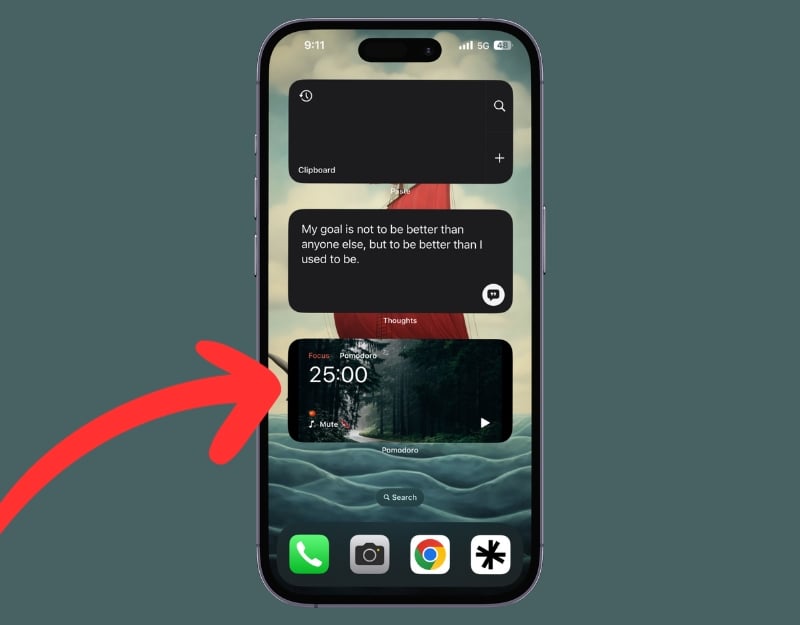
The Pomodoro Timer Widget is a simple but effective widget for your productivity and time management. It is based on the Pomodoro technique, where work is divided into intervals, usually lasting 25 minutes and separated by short breaks. You need to install the Pomorodo app (free) and then add a widget from the app to your iPhone home screen. You can use the app to manage your time, but using it via the widget has the advantage that you can access the timer quickly and easily without having to open the app to set the timer, which can sometimes be distracting and time-consuming.
Widgetive: Games on your Homescreen
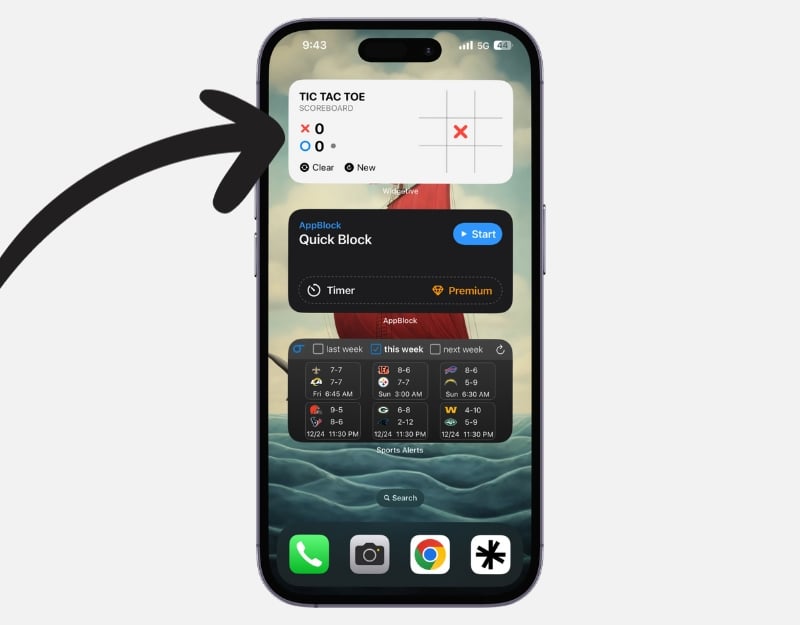
The Widgetive app offers a variety of interactive widgets for your iPhone home screen. The app offers a large selection of widgets from different categories for the home screen. These include the health and fitness widgets, which allow you to track your health metrics and fitness activities directly on your home screen. Countdown widgets allow you to keep an eye on important dates and events, such as public holidays or birthdays. Game widgets that let you play simple games like Tic Tac Toe or Roll the Dice directly from the home screen and much more. There are also utility tools such as a calculator and soundboard widgets. You can also customize these widgets.
App Block
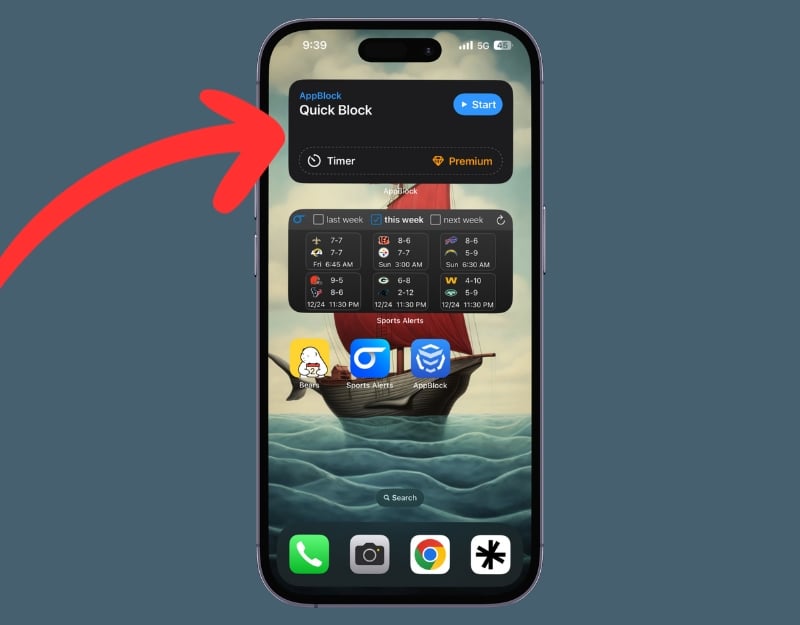
The AppBlock widget on your iPhone’s home screen can help you get a grip on your digital distractions. The app helps you to block certain apps on your phone so that they can no longer be opened and no more notifications are displayed. The app also allows you to block websites or phrases in Safari, giving you comprehensive control over digital distractions. The app supports a widget that allows you to block apps directly from your home screen and set a timer to block apps.
Calm: Just a Breathe
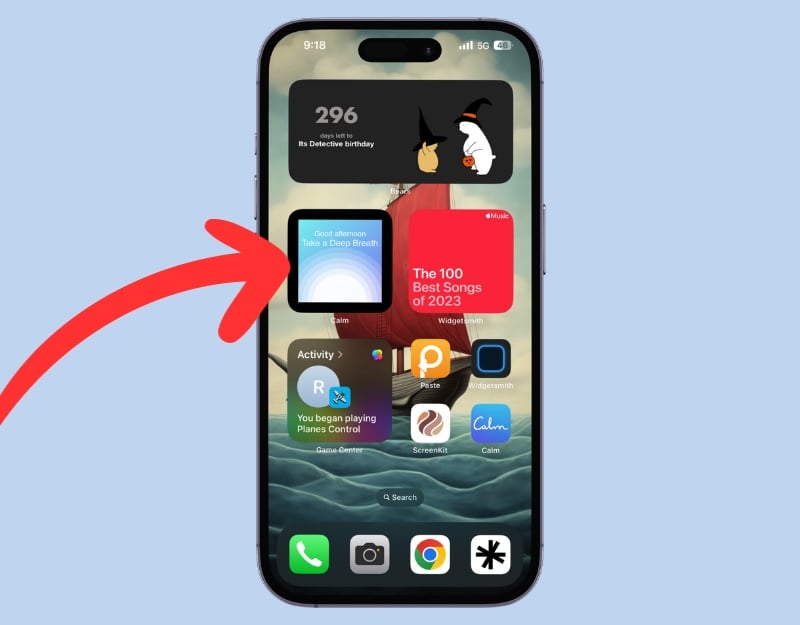
Calm is a meditation app that offers a wide range of exercises to improve mental health and well-being. You can add the Clam widget to your home screen and do mindfulness exercises throughout the day. You can easily start the meditation timer or view your last interaction with the app.
Calzy: The Calculator on the Home Screen
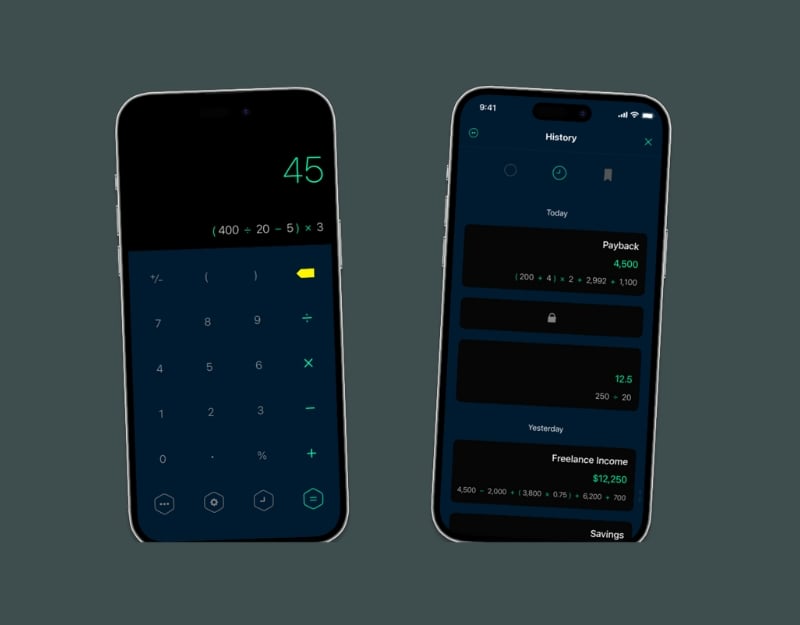
The calculator app is a must-have for everyone. Whether you’re a student, a professional, or simply someone who frequently deals with numbers. With the Calzy app, you can set up a fully functional calculator widget on your home screen. You can perform calculations directly on your home screen without opening the app. This is especially handy for those who frequently use the calculator for quick math. The Clazy is a paid calculator app.
Birthday Countdown
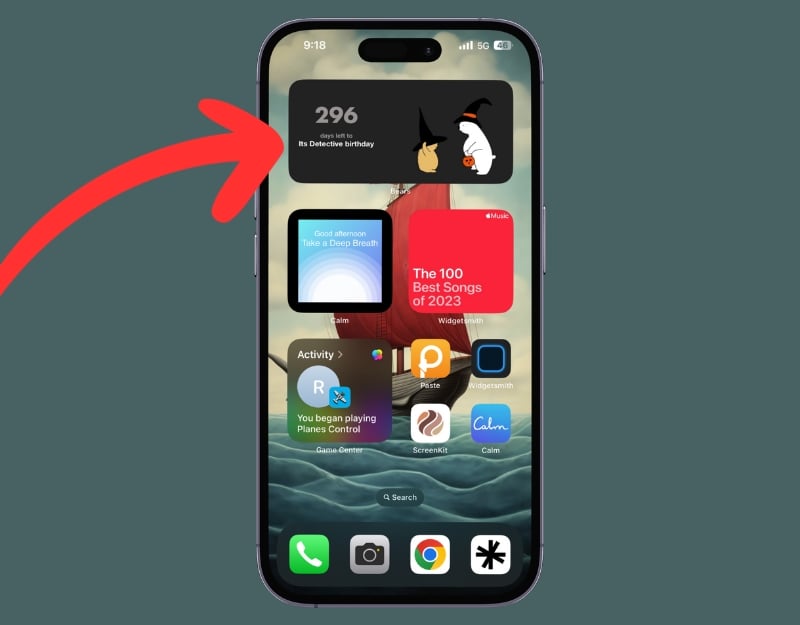
If you’re someone who, like me, forgets your friends’ birthdays, the Bears Countdown app is just the thing for you. The app helps you count important events such as birthdays, anniversaries, vacations, and work deadlines. You can make notes for each event, view the history of past events, and even create plans without specific dates. The Bears Countdown widget can be very useful if you put it on your home screen. It allows you to see your countdowns directly on your home screen so that you’re always reminded of upcoming events. This feature is especially helpful for anyone who has a busy schedule and tends to forget important appointments. You can add the important upcoming events and be reminded of them every day.
Thoughts: Motivation

Thoughts – Inspiration Manager is an app that allows you to save, organize, and review your quick thoughts. The app also supports widgets. With this widget, you can display your thoughts on your home screen. This is very useful, especially for someone who wants to add inspirational quotes to their home screen.
Paste: The Easy Clipboard Management

Paste is a clipboard manager app for iPhone that lets you manage the contents of the clipboard on your Mac, iPhone, and iPad. By adding Paste as a widget to your iPhone home screen, you can see the contents of your clipboard from the home screen. With the widget, you can quickly access the contents of your clipboard and copy the data easier and faster.
Sports Alerts
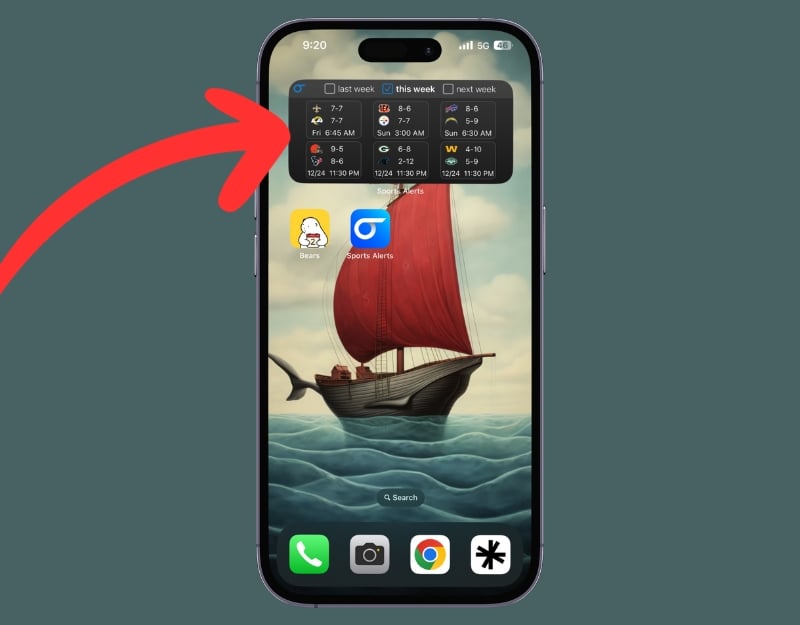
With the Sports Alerts app, you can quickly and easily find out about sports results, statistics, news, and alerts on your home screen. With the widget, you can view a variety of sports, including MLB, NFL, NBA, NHL, CFL, soccer, tennis, golf, NCAA soccer and basketball, and more. Adding the Sports Alerts widget to your iPhone home screen can be incredibly useful for sports enthusiasts. You can also interact with the widgets by filtering content by week, sorting, and more.
Translate

The Google Translate app for the iPhone is a practical tool for translating texts between different languages. It’s easy to use: You type or speak the words you want to translate, and the app quickly delivers the translation. With the Google Translate widget on your iPhone’s home screen, you can quickly access Google Translate without opening any translation app. This is ideal for quick translations on the go. The widget isn’t interactive (i.e., you cannot translate directly via the widget), but it’s a quick shortcut to open the Google Translate app.
Wrapping up
This is the list of the best built-in and third-party widgets you can add to the iPhone home screen. Adding widgets to your iPhone home screen gives you quick access to a variety of features and information that you can use right away. By choosing the right widgets for your needs, you can increase your productivity, stay up to date, and enjoy more convenience when using your iPhone.

