

GPS tracking is one of those things whose importance you only realize when disaster strikes. GPS tracking apps for Android have been around for ages, and they’ve only improved since then. Nowadays, they can be used in many ways, such as locating lost devices, tracking children and family members, recording employee data and much more.

With specialized apps for every purpose and fail-safe features, it’s essential to have a GPS tracking app installed on your phone so you don’t go crazy in an emergency. In this article, you’ll find 13 GPS tracking apps for your Android device, no matter the purpose. Let’s go!
Table of Contents
Android GPS Tracking Apps for General Uses
You don’t need specialized GPS tracking apps for day-to-day uses like helping your friend navigate to you, helping a delivery executive or a cab driver reach you, finding a lost person, and more. What if we told you your phone already has the requisite apps for this purpose? Indeed, you really do!
Google Maps
Google Maps is an app you wouldn’t dare uninstall from your phone, and thanks to that loyalty, Google Maps is the best tool for the job. In case you don’t know, Google Maps has a nifty feature that allows you to share your location data with a selected person in real time.

Of course, an active internet connection is required, but the tracking is quite precise thanks to the Google solution. You can also set the duration of the tracking or leave it activated until you turn it off. The other person can also see the battery level and charging status of your phone.
To activate live tracking on Google Maps, tap on your profile icon and select Location sharing. Set the duration and you’re ready to go!
WhatsApp and Telegram
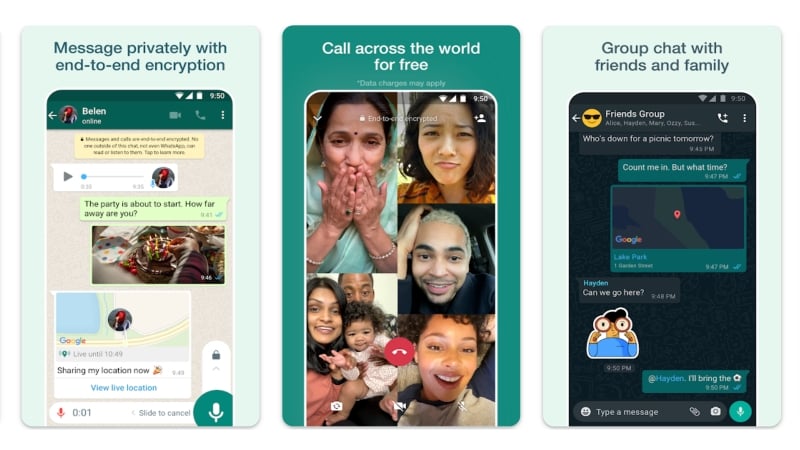
WhatsApp and Telegram also offer a similar function that allows you to share your live location with other people. Thanks to their popularity, it couldn’t be easier to share your location data, and as an added benefit, you can make the conversion directly in WhatsApp or Telegram.
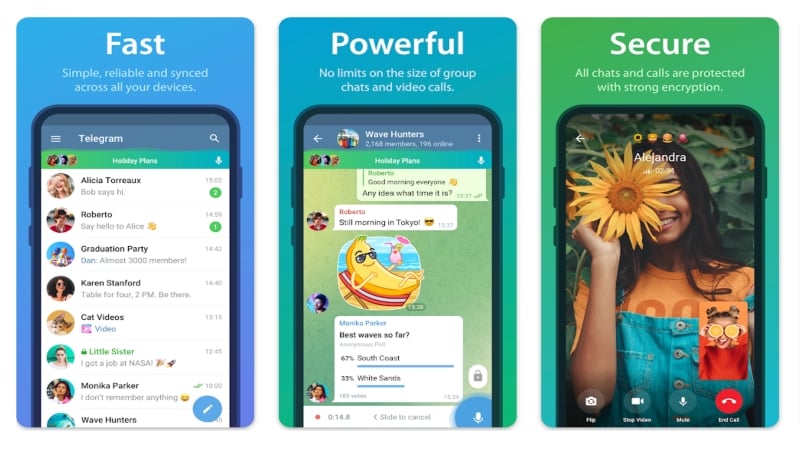
Compared to Google Maps, WhatsApp and Telegram only allow location sharing for a maximum of eight hours. In addition, the other party must be present in the messaging app, which can be a bottleneck if your friends use alternative messaging apps. Nevertheless, it’s a well thought-out feature for a messaging app.
To share your live location on WhatsApp or Telegram, hit the paperclip icon within the chats page and select Location. After that, click on Share live location.
Related Read: How to Enable Live Location on Telegram
GPS Tracking Apps to Find Your Lost Devices
It’s undoubtedly horrifying to lose your device, and thankfully, GPS tracking apps can come in handy in such cases. While such apps can’t locate your lost device with pinpoint accuracy, they can narrow your search area and assist you further in other valuable ways.
Google Find My Device
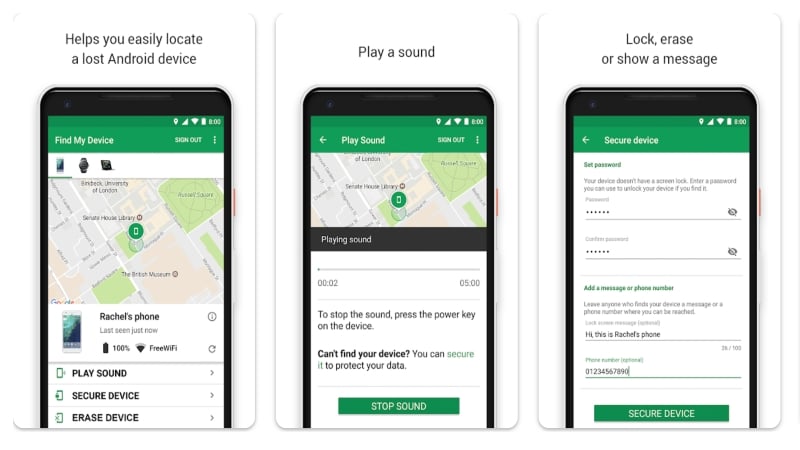
Similar to Apple’s Find My service, Google Find My Device is a nifty tool to recover lost devices. It doesn’t just have to be phones – wireless earphones, tablets, smartwatches, and more can be easily tracked down using this application. Since it’s required to set it up before using the app, the importance of Google Find My Device is often realized after the unfortunate event has taken place.
Using this application, you can make your lost device play sound, lock your device, and remotely erase data to prevent misuse. Other than the device’s location, you can view your lost Android device’s battery level, network reception, and last-seen information. Provided the device hasn’t run out of battery, Find My Device’s location data can be used to roughly locate the device, which can later be assisted by ringing the device when nearby.
Samsung SmartThings Find
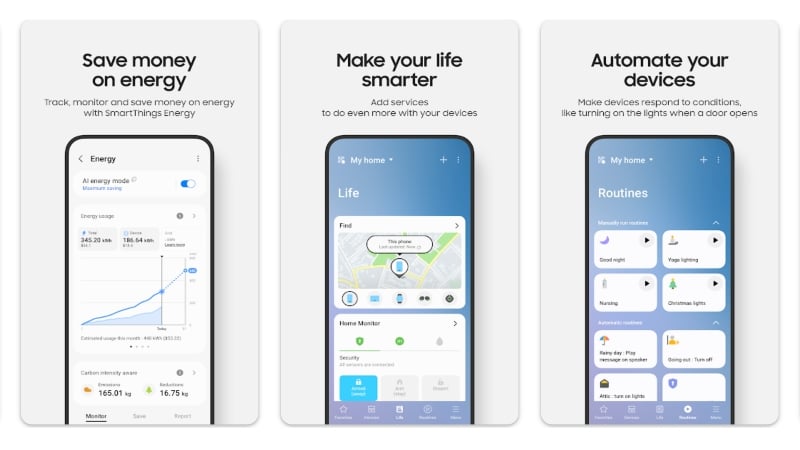
In addition to the Google Find My Device application, Samsung phones come pre-installed with a proprietary GPS tracking application – SmartThings Find. Due to the sheer number of products in the Samsung ecosystem, it becomes much easier to keep track of them using the SmartThings Find application.
The app offers similar functionality to Google’s, including remote locking, last known location data, remote device wipeout, and more. Additionally, you can also extend your lost device’s battery life by remotely enabling power-saving mode. SmartThings Find is a boon for Samsung users and should be preferred over Google Find My Device.
Wheres My Droid
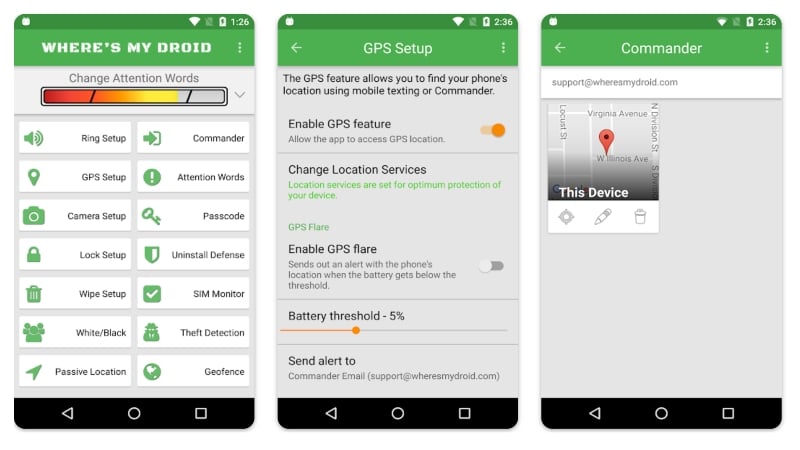
Wheres My Droid, the first app in the find your phone industry is packed full of utilitarian features. Unlike Google’s and Samsung’s solutions, the app prioritizes equally on pre-theft protection as it does for post-theft protection. It’s astonishing to witness a third-party app offering dozens of features over the conventional ones that Google and Samsung offer, especially regarding sensitive aspects like finding a lost device.
To name a few features over the usual ones, Wheres My Droid can remotely wipe your phone’s SD card, block unauthorized app changes, and even notify you of a SIM/number change. If you opt for the Pro version, the app can click pictures remotely, prevent app uninstallation, enable geofencing, detect theft automatically, and sound an alarm if it detects motion.
Android Tracking Apps to Track Your Loved Ones
Every family would love to stay connected even if they are not nearby. How? You might ask. Thanks to dedicated GPS tracking apps tailor-made for tracking family members, you can rest assured your family is always under your virtual radar.
Google Family Link
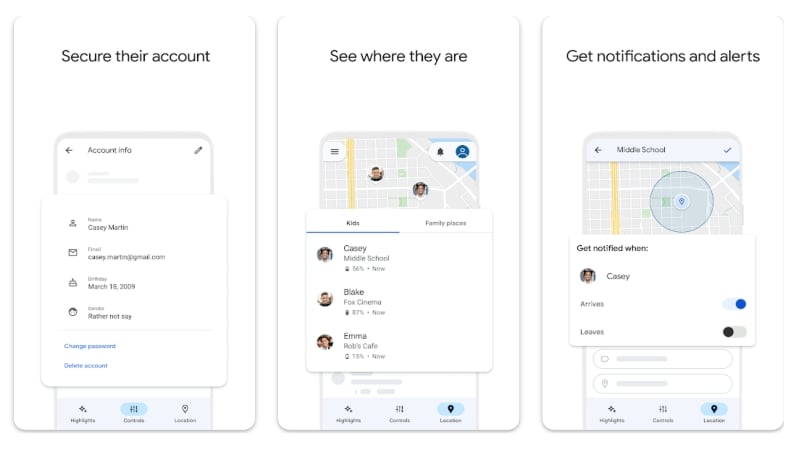
Google Family Link is a one-stop solution for managing your family’s online presence. It is particularly beneficial for parents trying to monitor their kids. Google Family Link lets you set their screen time limits, control browsing activity by blocking age-restricted content and supervising browser downloads, and manage their Google account.
As for its flagship features, Google Family Link can track your family members’ live location, provided they carry their devices connected to the internet using Wi-Fi or mobile data. You can also set the app to notify you if they leave or arrive at a specific location. The app can also display their battery percentage and remotely ring their device in an emergency.
Guardians from Truecaller
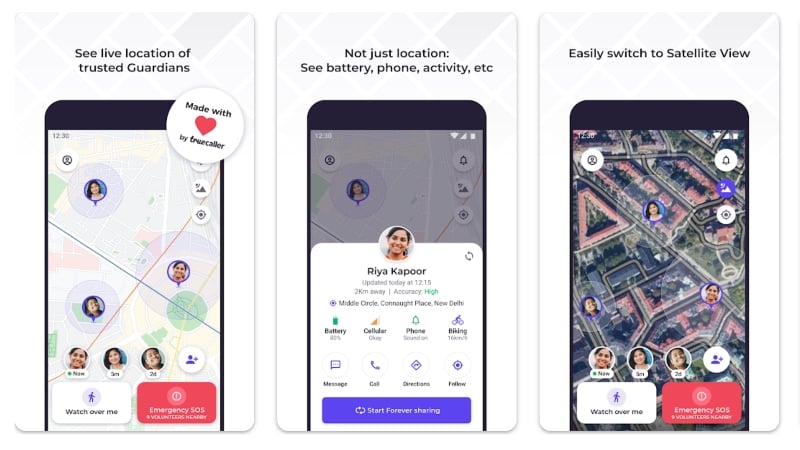
Unlike Google Family Link, Guardians from Truecaller is an out-and-out location tracking application. Once you have set up location sharing with your family members, you can view their device’s battery level, cellular reception, ringer status, and even activity status, such as cycling. They can even request a family member to watch over them.
Family members can be notified whenever you leave or enter a trusted location, such as home or workplace. As a standout feature, Guardians utilizes its vast user base to become first responders if someone is in an emergency. If you are not feeling safe, pressing the emergency SOS button in the app alerts volunteers nearby who can assist you.
Life360: Live Location Sharing
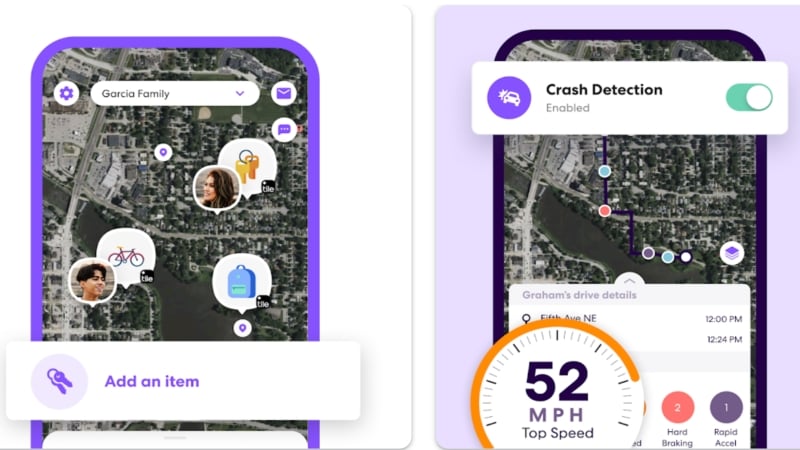
Life360 is a GPS tracking app geared towards the safety of your family. With particular emphasis on safety while driving, Gear360 is unique in its own way. Besides the requisites like live location tracking, place alerts, and location history data, Life360 boasts a suite of functional features. There’s also support for Tile Bluetooth trackers so that you don’t leave your belongings behind.
Life360 shows real-time driving speed data that detects if the driver has met with an accident. It can, of course, send an SOS alert if you have, unfortunately, met with one. Weekly driving reports, location history, emergency dispatch services, roadside assistance, and ID theft protection are a handful of other features of the app. Provided you are willing to pay the sum, Life360 is the app that eliminates all others.
GPS Tracking Apps to Monitor Your Little Ones
Kids are a nightmare to keep track of, but GPS tracking apps are here at your service. These apps let you track location data and offer a host of useful features that ensure a healthy online lifestyle.
AirDroid Parental Control
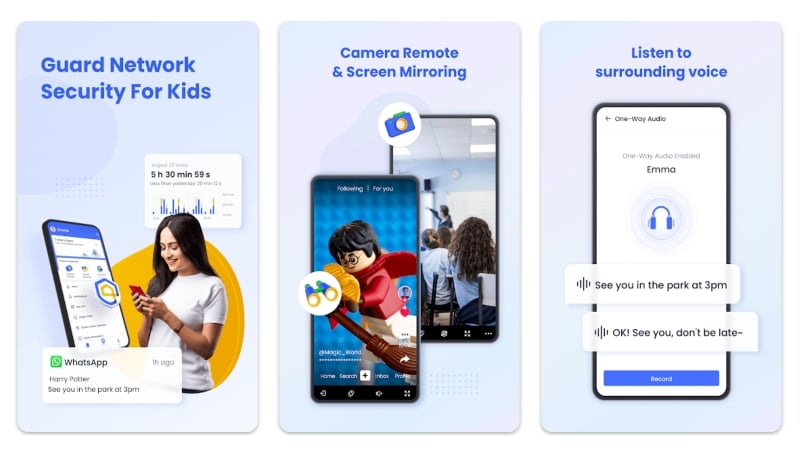
AirDroid is a known name in the file-sharing and remote support industry, but it also has a GPS-based kids’ safety app. Using the app, you can not only track your kid’s live location but also monitor a plethora of other features. One such feature is geofencing, which can notify you if the device has left the geofenced area.
Thanks to support for real-time monitoring, you can hear through their device’s microphone, view their camera feed, or mirror their screen remotely. Notification mirroring, screen time limiter, app blocker, and online content filter to prevent abuse and cyberbullying are a few of the app’s highlighting features.
Find My Kids: Location Tracker
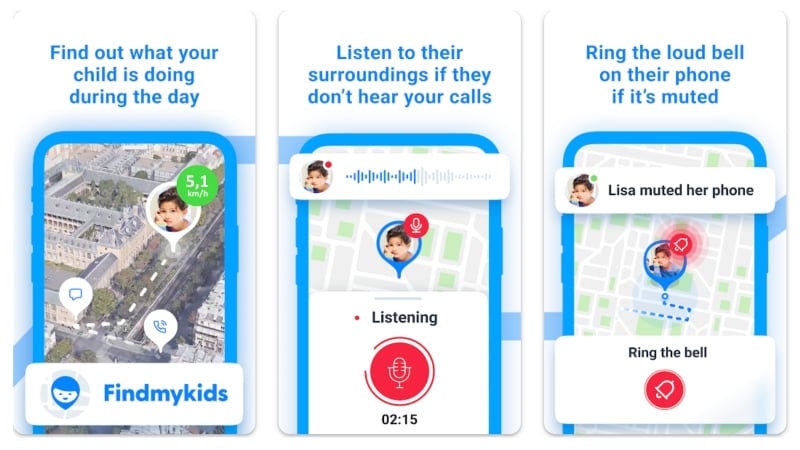
Find My Kids is another top-rated app that claims to offer similarly helpful features to track and protect your kids. Like other GPS tracking apps, Find My Kids can track the real-time location of your kid’s device and notify you if they have left or entered trusted places, such as school or home. The app offers a native chat system so that you can message your loved one right within the app.
Speaking of the advanced features, the ‘Listen In’ feature lets you access the other device’s microphone, and using the app, you can even make their devices produce a loud sound signal or remind them to charge their phones in case they are running low on battery. Besides app control and usage monitoring, you can create and assign tasks with reward points upon completion to encourage kids to take up chores on a daily basis. Overall, Find My Kids is an exceptional app for this purpose.
FamiSafe Kids
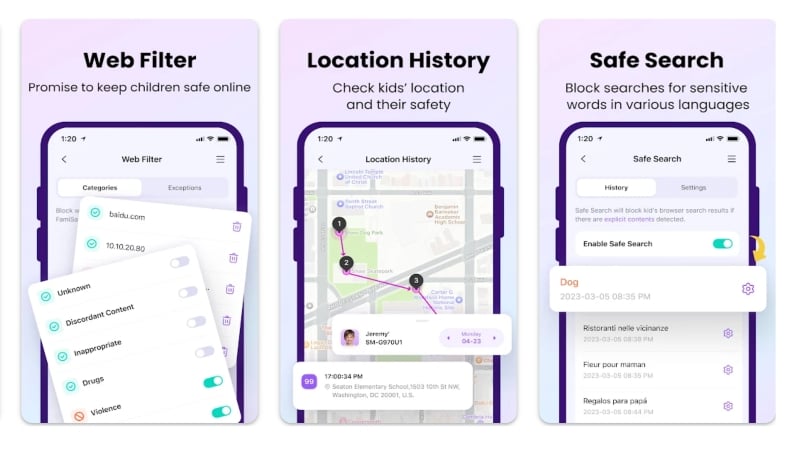
FamiSafe is an app developed by the folks over at WonderShare. FamiSafe supports real-time location tracking and location history like other child-focused GPS tracking apps. Using geofencing, you can monitor your kid’s movement around a set safe zone area and ensure they stay within the set range. The app can also report their device’s battery levels.
As for the other features, FamiSafe also offers an app and screen time monitor. Using the app, you can regulate the installation and access of blocked or restricted apps. With the screen time monitor, their daily screen time can be monitored by setting time limits on a per-app basis. In addition, a suspicious photo and text detector, website filter, browser history manager, and phone activity tracker make it a complete app for your kid.
Android Tracking Apps for Monitoring Employee Activity
One creative use case for GPS tracking apps is the monitoring of employee movements. Special apps can be used to record the times employees enter and leave their workplace, track their working hours on a construction site and much more. This is the modern equivalent of traditional attendance monitoring and is much more efficient and valuable.
Hubstaff Time & Hours Tracker
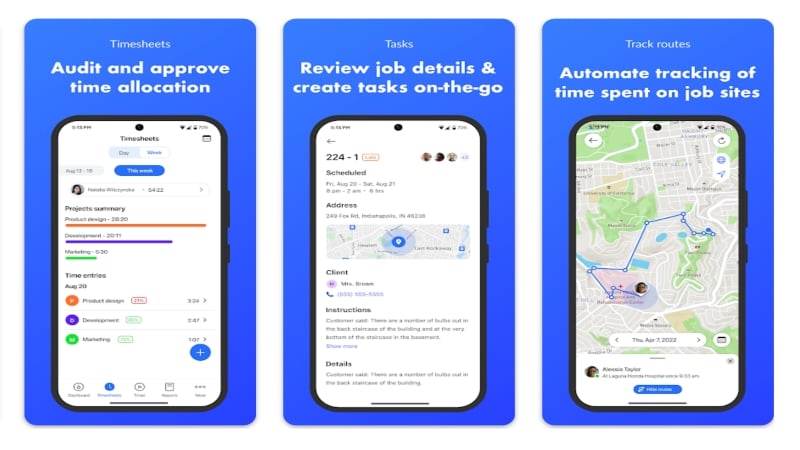
Hubstaff is an all-in-one app that tracks work hours based on location history and acts as a great team scheduling tool to assign work to team members. Using automatic time tracking, Hubstaff can inform supervisors when employees arrive or leave the job site, which can later be used to monitor employee attendance. The app can record employees’ daily activities, including breaks, shifts and vacations.
Team members can use the app to create and schedule tasks for other members and track their progress. Members can collaborate within the app by sharing attachments and notes. And that’s not all: the app can generate reports and insights for easy decision-making. For billing and payment, you don’t need to worry about anything else, as the app can create accurate timesheets based on shifts and schedules, simplifying the payment process.
TimeCamp
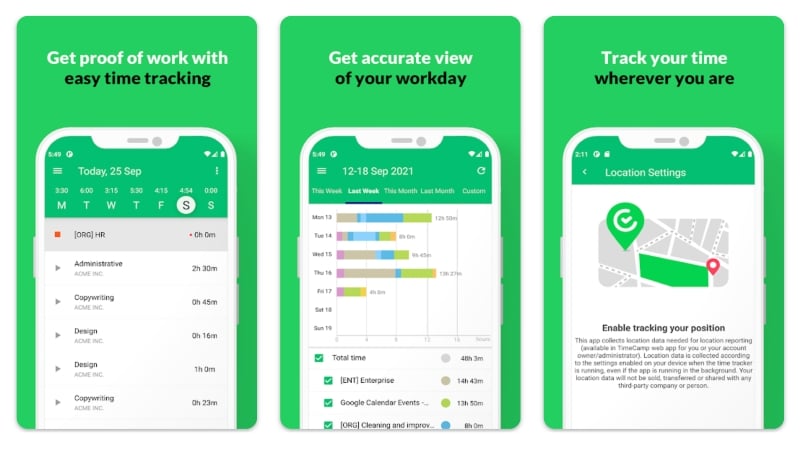
TimeCamp is another application for workplaces. Like Hubstaff, TimeCamp can capture employee check-in and check-out data using GPS tracking. It can also account for absences and tardiness due to traffic or construction and generate reports and timesheets. In addition, TimeCamp can provide insights into the efficiency and working time of employees in the office or on the construction site.
The app can be used to create tasks that can be tracked within the app based on the time spent by the assigned member or team. TimeCamp supports manual entry with the option to mark them as billable or non-billable. All in all, TimeCamp is the best way to track employee data and it doesn’t get any better than this.
Everyone Has a Usecase for GPS Tracking Apps
GPS tracking apps have come a long way and can be used for much more beneficial purposes. Other than day-to-day uses to guide a friend or a stranger, GPS tracking apps can protect your family and kids by letting you watch them everywhere they go. Keeping track of employee activity is a clever 21st-century solution to the age-old attendance system. The apps mentioned above are some of the best in their fields and should help you equally well.
FAQs about GPS Tracking Apps for Android
1. Do GPS tracking apps drain too much battery?
The short answer is yes. GPS tracking is a daunting task for a phone, so having it turned on may reduce battery life significantly. Although it’s not as drastic as you might think, it’s undoubtedly higher than the average battery drain. On the bright side, the Android operating system is smart enough to balance battery life by restricting apps in the background, and since many apps on this list claim minimal battery drain, you shouldn’t worry too much.
2. How can GPS tracking apps be used to protect families and kids?
As a direct advantage of real-time location tracking, dedicated GPS tracking apps can always track the location of family members and kids. The head of the family can monitor this. This drastically improves safety, as family members can instantly report emergencies within the apps. Having a live location or last known location is an immense lead already. Furthermore, apps include additional features like screen time monitoring and app limiters to reduce phone addiction among youngsters.
3. How can GPS tracking apps prove beneficial for workplaces?
Contrary to traditional attendance systems, present-day GPS tracking apps are capable enough of doing that much more efficiently. The location data of employees can be used to know whether or not they were present at work and for what duration. This can later be incorporated into the billing system, ensuring an accurate time-based wage.
4. Does GPS tracking require an active internet connection?
Although the core GPS functionality doesn’t require an active internet connection, apps still require it for other related purposes. For instance, Google Maps requires internet connectivity for map guidance, route mapping, and more. Similarly, wireless emergency alerts and remote screen monitoring, which are among the feature sets of many applications, most certainly require internet connectivity.
Note: The article was first published in November 2011 by Radu Tyrsina and now completely updated by Sourav Dev Sahu.

