

Quick Answer
Free and open source Mac apps can easily replace many paid tools without sacrificing functionality. Options like Bitwarden for password management, IINA for media playback, LibreOffice for productivity, Blender for 3D work, and LocalSend for file transfers offer powerful features, cross-platform support, and strong security at zero cost.
Macs, like other Apple products, are known to feature some of the best apps available online. Most of them, if not all, are exceptionally well-designed, intuitive, and quite functional. While that’s good to know, you are expected to pay for the apps, as only a handful are free. Whether by charging upfront, using a subscription model, or limiting crucial features to chargeable tiers, it becomes an expensive affair for you, the user, as some apps serve no useful purpose. If you can pay, you absolutely should to support the app and its developers. However, if you can’t, fret not.
Like other platforms, Macs support a wide range of great free and open source apps, also known as FOSS apps. Most of these apps are built as alternatives to paid apps, serving largely the same purpose without charging a penny. While you may have to compromise on the design and interface of some apps, there’s no denying that FOSS apps are far more desirable. Moreover, you can also access and make changes to their source code as per your needs, if you’re into it. Such apps are widely available across several categories, making them far more accessible. This article highlights 13 free and open source apps that beat paid software and are worth checking out. Let’s get going!
Table of Contents
13 Best Free Open Source Mac Apps
Sl. No. | App | Category | What It Does | Paid Alternative It Replaces |
|---|---|---|---|---|
1 | Bitwarden | Password Manager | Stores and manages passwords securely across devices | 1Password, LastPass |
2 | IINA | Media Player | Plays videos and audio files on macOS | Elmedia Player, Movist |
3 | Manta | Invoicing Tool | Creates and manages invoices for businesses | FreshBooks, Zoho Invoice |
4 | LocalSend | File Transfer | Transfers files across devices on the same Wi-Fi network | AirDrop alternatives, Send Anywhere |
5 | LibreOffice | Office Suite | Productivity suite for documents, spreadsheets, and presentations | Microsoft Office |
6 | Windscribe | VPN | Provides secure and private internet access | NordVPN, ExpressVPN |
7 | Blender | 3D Creation | Creates 3D models, animations, and renders | Autodesk Maya, Cinema 4D |
8 | Kap | Screen Recorder | Records screen activity on macOS | ScreenFlow, Camtasia |
9 | Mozilla Firefox | Web Browser | Privacy-focused web browser | Google Chrome |
10 | OpenEmu | Game Emulator | Runs retro console games on Mac | RetroArch, paid emulators |
Bitwarden
All things considered, we think Bitwarden is hands-down the best password manager to exist, even if we don’t account for its free and open source nature. For starters, it’s very easy to use and available across every possible platform, including macOS. This means you can store and access your passwords on any device where you are logged in to Bitwarden. The interface is quite good-looking, too. Don’t confuse Bitwarden’s beauty for its security, as it’s third-party audited, community-reviewed, and counted among the safest in the market. Switching to Bitwarden is quite easy, as you can easily import old passwords and login details.
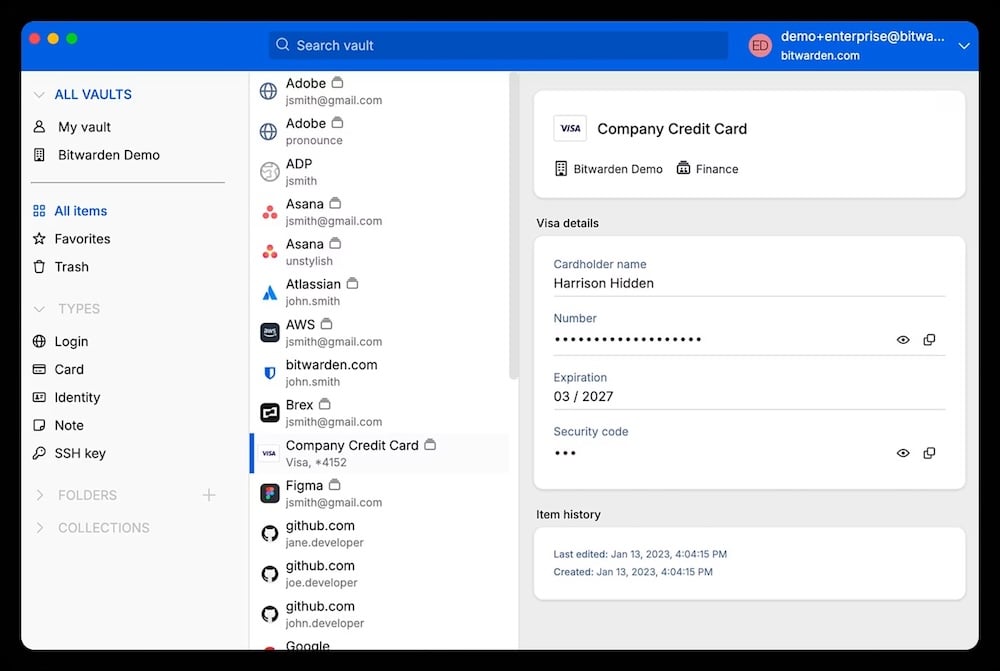
Bitwarden can store app and website login details, cards, identities, SSH keys, and more. Alongside autofill services, it can also generate passwords, passphrases, and usernames. We can vouch for its autofill service, as it’s nearly flawless and works like a charm on every device. Bitwarden also offers a secure sharing service, which lets you send end-to-end encrypted files and text messages. The former, along with a few other features best suited to power users, is only available in Bitwarden’s Premium tier, which costs $1.65 per month when billed annually. However, we recommend using the free version, which is suitable for most users.
IINA
If you’re looking for a no-nonsense media player for your Mac that’s not only free but also open source, there’s no better option than IINA. It’s well-regarded for its simplicity and ease of use, which are major factors for many users who just want to play videos occasionally. IINA is modern-looking and includes practical features such as picture-in-picture mode, dark theme, audio-only mode, mouse, trackpad, and touchpad-based gesture controls, among others. It also supports online subtitles, a customizable interface, and, best of all, plugins, thanks to its publicly available source code.
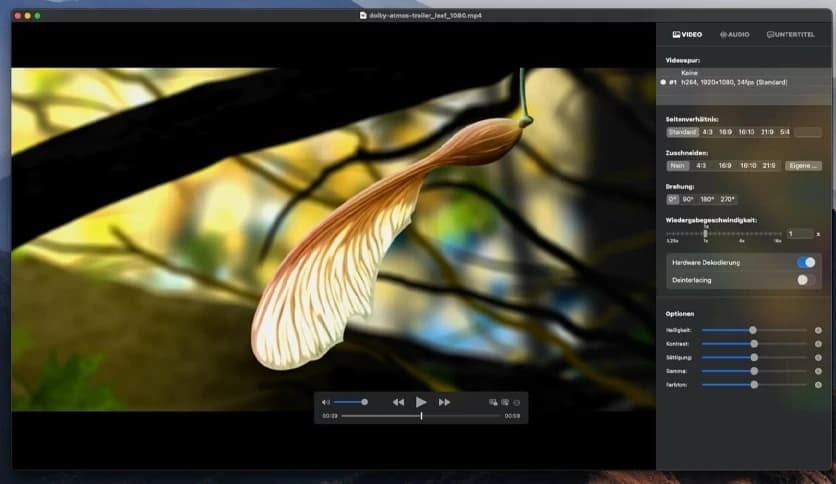
Using the plugin system, you can edit the core playback characteristics of IINA, add custom menu items and keyboard shortcuts, register custom subtitle downloaders, customize the sidebar, and much more. As a media player, IINA supports all popular formats, including MP4, MKV, WebM, AVI, FLAC, and more. You can not only play locally available content, but also YouTube playlists and online streams with the help of its browser extensions. Although the app is optimized for 4K and high-definition content, you may incur performance issues, especially on older Macs. Regardless, it’s an excellent media player for Mac.
GIMP
If you’ve ever balked at Adobe Photoshop’s subscription fee of over $20 a month, you’ll be glad to know there’s a free and open source alternative that holds its own rather impressively: GIMP. Short for GNU Image Manipulation Program, GIMP is one of the oldest and most well-regarded FOSS apps in existence, and for good reason. It supports all the fundamentals you’d expect from an image editor — layers, masks, brushes, selection tools, color correction, and more. It’s also available on macOS, Windows, and Linux, so it’s not limited to the Mac ecosystem. Much like our other picks, GIMP is entirely free and open source, which means you can extend its capabilities with plugins and custom scripts written in Python, Scheme, and more.
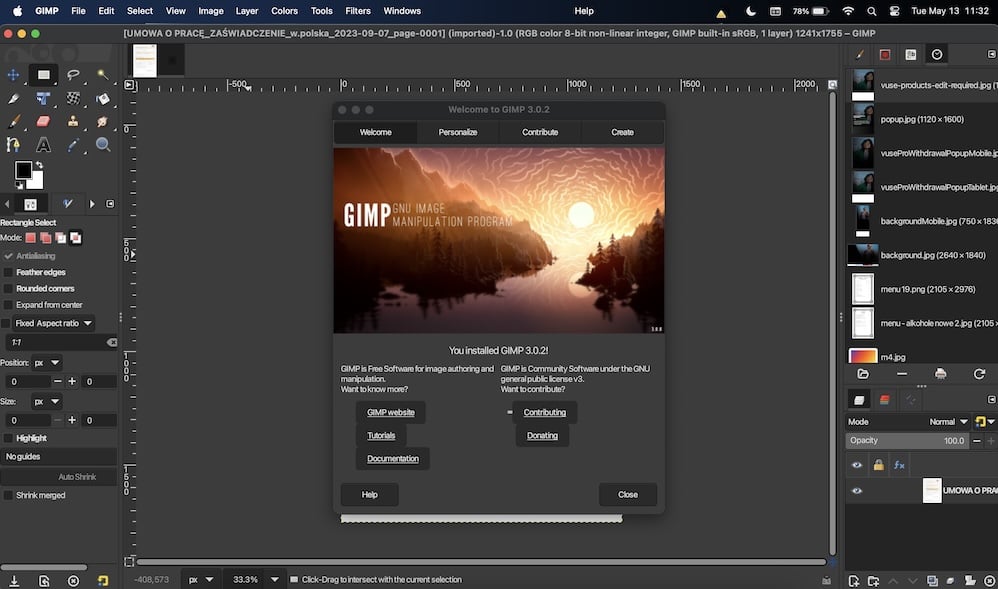
Where GIMP falls short of Photoshop is in areas like non-destructive editing, native CMYK workflows, and AI-powered tools like Generative Fill. That said, unless you’re a professional graphic designer or photographer with very specific workflow requirements, those limitations are unlikely to bother you in day-to-day use. GIMP handles photo retouching, digital painting, web graphics, and basic compositing without breaking a sweat — and it runs well even on older Macs, which is a bonus not many apps can boast. The interface can take some getting used to, especially if you’re migrating from Photoshop, but it’s only a matter of time before muscle memory kicks in. For anyone who isn’t ready to pay Adobe’s monthly toll, GIMP is the obvious choice.
Manta
Invoicing is a crucial aspect of every business, as it is proof of a transaction. While traditional pen-and-paper bills and proprietary billing software exist, Manta caters to those who don’t want to churn out invoices every other minute. Manta is well-designed and intuitive, unlike many other billing software that still follow decades-old design language. The app allows you to preset general details, such as your name, address, email ID, phone number, and more. You can also configure the required currency type, date format, tax ID, tax format, discounts, and more. Manta can generate a fresh ID for each invoice and include due dates, if you wish so.
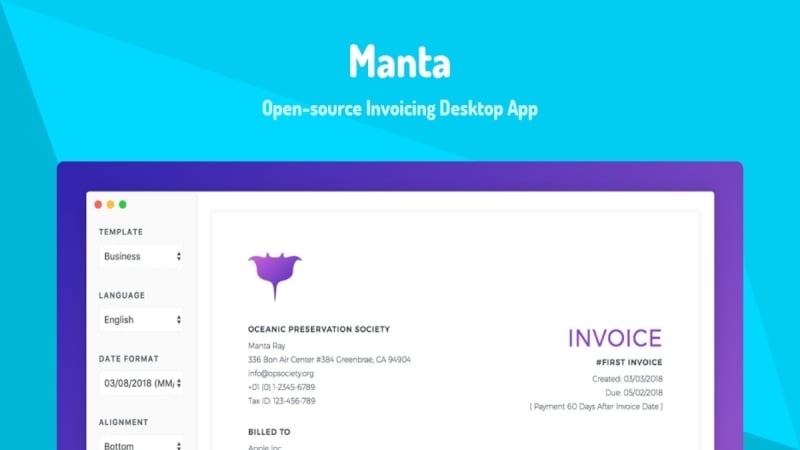
Once you add a recipient, you can generate their invoice by entering the products and services sold, along with their quantities and prices. There are two invoice templates to choose from – Business and Minimal. On the customization side of things, you can attach your company’s logo and set a fitting color theme. Since all invoices are saved, you can edit any previous invoice if needed and keep track of uncleared invoices. There are no intrusive ads or pop-ups, making the app a lot more desirable. It’s not only free and open source, but also supremely reliable in our experience.
LocalSend
Truth be told: transferring files between a non-Apple device and a Mac is as painful as it gets. Not to mention how often AirDrop fails, making such a simple task so troublesome. With LocalSend, you will kiss such problems goodbye. It’s a cross-platform file transfer app that lives up to its name and fame. Beyond being free and open source, you don’t need to log in or create an account to use the app, which makes it even more worthwhile. There is indeed no setup required after downloading LocalSend, which is available on every major platform, including macOS, Windows, Android, iOS, Linux, and more.
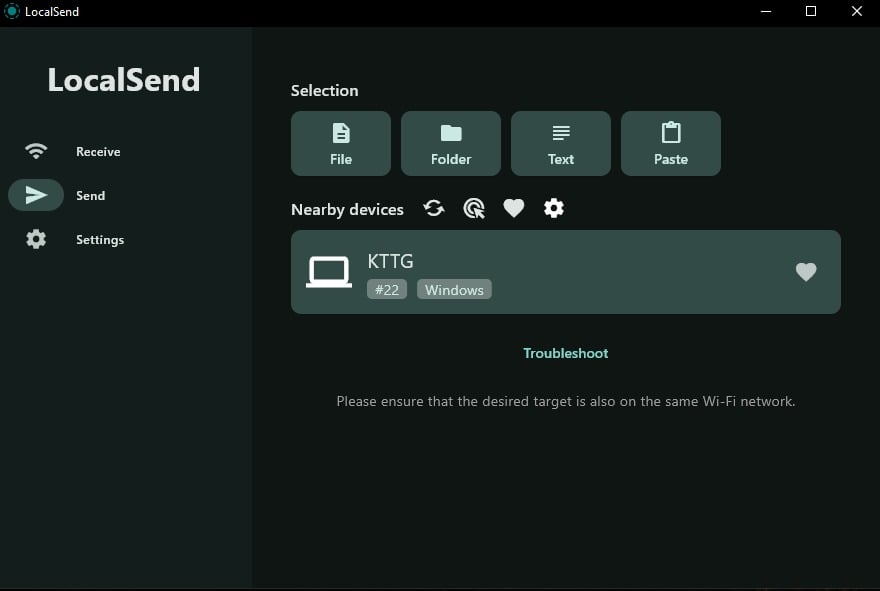
If you are wondering about the pathway, the file transfer occurs over a common Wi-Fi network, so both the sender’s and the receiver’s devices must be connected to the same network. There are no restrictions on file type or size, either, which already makes it better than most other options that limit file types and sizes. The file transfer is end-to-end encrypted and blazing-fast, depending on the file size. LocalSend also protects your anonymity by masking every device’s name with a dummy one. The app is largely reliable with occasional hiccups, which is all you would need from a file transfer app.
HandBrake
If you’ve ever needed to convert a video file to a different format and found yourself staring at a paywall, HandBrake is the answer you’ve been looking for. It’s a free and open source video transcoder that has been around for decades and remains the gold standard in its category — even against paid alternatives. HandBrake can process virtually any video file or unprotected DVD and Blu-ray source, which already makes it more capable than most paid tools out there. The interface is clean and practical, offering presets that make the process dead simple for newcomers while also exposing advanced controls for those who need them.
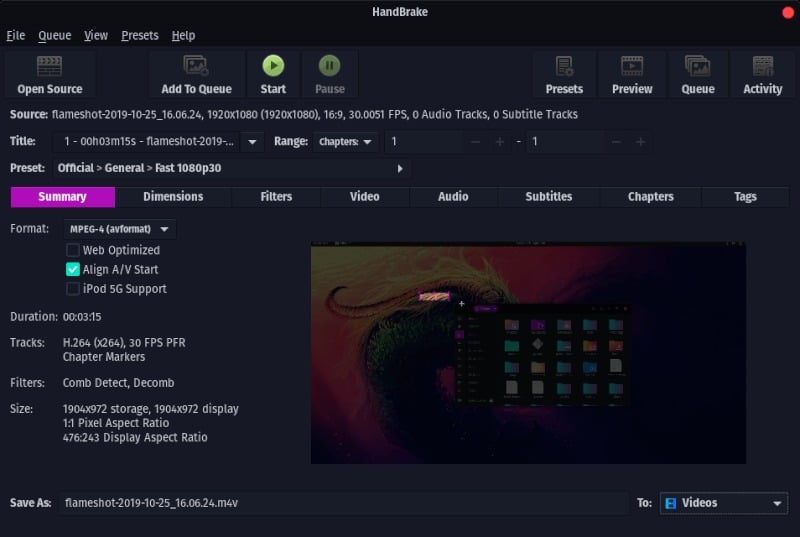
As for output options, HandBrake supports popular containers like MP4, MKV, and WebM, and a solid range of video codecs including H.264, H.265, and AV1. You can fine-tune bitrate, frame rate, audio tracks, subtitles, and apply video filters like deinterlacing, denoising, and cropping – all without paying a penny. It also supports hardware-accelerated encoding, which significantly speeds up conversion times on Apple Silicon Macs. The one caveat worth noting is that HandBrake cannot bypass copy protection on DVDs or Blu-rays on its own; you’d need a third-party library for that. Regardless, for everyday video conversion and compression tasks, HandBrake is the only app you’ll ever need.
LibreOffice
If you are confused as to how you’d open a Word file on your Mac when you don’t have a Microsoft Office subscription, say no more. LibreOffice is a free and open source office suite that can replicate the functionality of Microsoft Office on your Mac. Similar to Microsoft Office’s tools, LibreOffice includes Writer (word processor), Calc (spreadsheet client), Impress (presentation maker), Draw (vector graphics editor), Math (formula editor), and many more. If you are concerned about compatibility, fret not, as LibreOffice can export files in popular formats, including .docx, .xlsx, and .pptx.
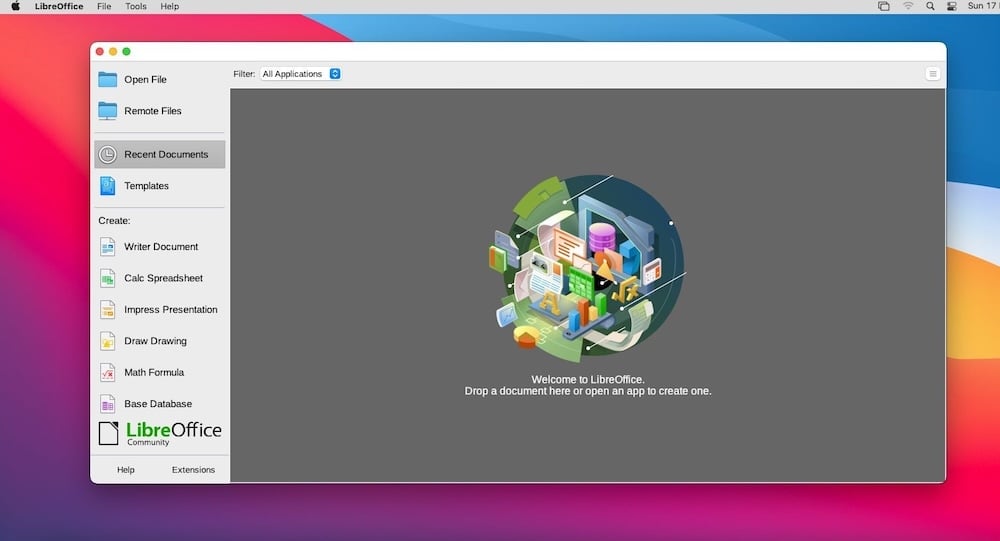
While you may initially face issues getting used to a relatively different interface, it’s only a matter of time until you develop muscle memory for it. LibreOffice can open older versions of Word documents, some of which Microsoft Word can’t open either. In addition to the usual extras, like Math and Draw, LibreOffice includes a built-in PDF editor for basic annotations, markups, highlighting, and more. It also includes a vast library of templates and extensions to make your work easier. With no ads or pop-ups whatsoever, LibreOffice is the best free and open source alternative if you don’t want to pay for Microsoft Office.
Windscribe
Windscribe is among the few open source VPNs available in the market. However, only its applications, browser extension, and some infrastructure, including libraries and the DNS forwarding proxy, are open source. Moreover, unlike others that offer only paid subscription tiers, Windscribe offers a free tier that’s all you need: 10GB data, unlimited devices, access to servers in 10 different countries, and more. There are no in-app advertisements or annoying pop-ups, which is why Windscribe has been an excellent VPN service in our experience of using it over the years.
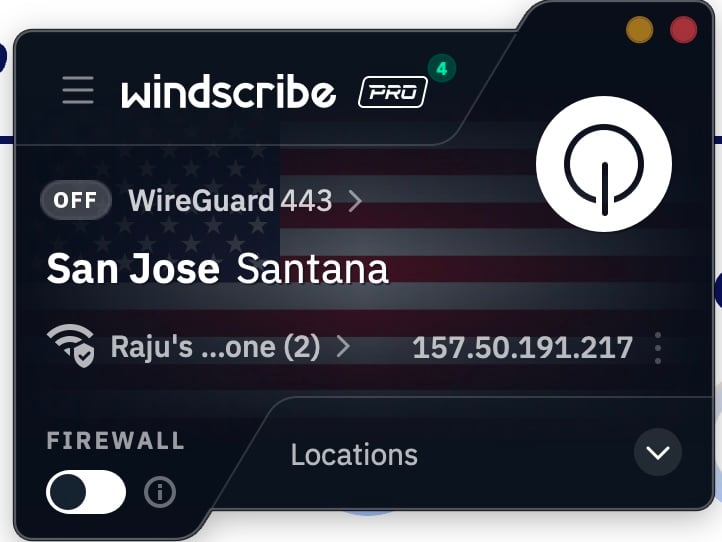
As for the VPN service, Windscribe is great in that regard as well. It includes a suite of safety features, such as MAC address spoofing, a kill switch, ad-blocking, and more. R.O.B.E.R.T., Windscribe’s ad-blocker, works on the device’s DNS level, unlike others, making it more effective at blocking ads, trackers, gambling, and similar content. As far as the security of your device is concerned, Windscribe offers AES-256 encryption, firewall support, and more. There’s a unique double-hop feature that lets you connect to two servers at once for added anonymity. If need be, the paid tier is quite cheap and worth the money.
Blender
We cannot talk about free and open source apps without including Blender. It’s usually the case that few prefer the free and open source alternative of a paid app or service, but Blender is a 3D-creation powerhouse, unlike others. Blender is highly favored for its uncompromised open source nature, and it’s committed to staying like that forever. You can rest assured that Blender offers an all-in-one 3D feature set, including rendering, simulation, modeling, rigging, animation, and more. CAD designers also prefer Blender to generate photorealistic renders of their models for enhanced visualization. Game developers use it for generating renders, VFX modeling, and more.
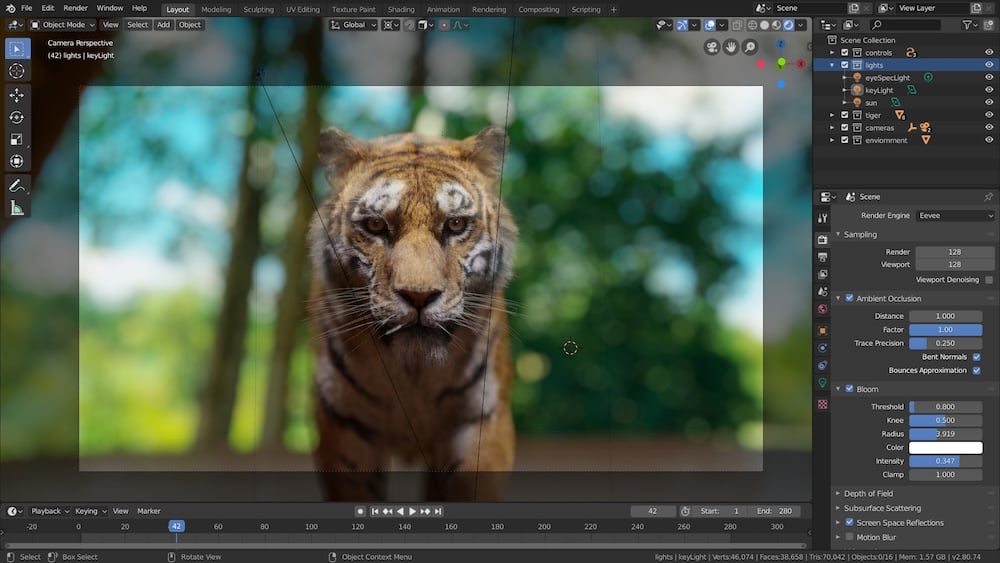
Blender’s noteworthy tools include its modeling suite, which lets you design and create objects entirely from your imagination. It includes several creation tools and features to assist you, such as brushes, meshing tools, and more. Blender also lets you create photorealistic renders with real-time light effects, including support for reflections and physics simulations. Blender is highly preferred by small teams or individuals because it lets them script, model, simulate, edit, and render all in one place. Blender gets regular updates with meaningful feature additions, and is easily the best in its domain, thanks to its free and open source nature.
Kap
If you, too, are fed up with how barebones macOS’ native screen recorder is, it’s time you should switch to a good one: Kap. It’s a free, open source screen recorder built specifically for macOS and is quite well-regarded for its simplicity and ease of use. Unlike OBS, which is daunting and far too complex for a regular user, Kap stays out of the way until you’re capturing your screen and only includes features you need from a screen recorder. For starters, it can export in most of the popular file formats, including MP4, GIF, WebM, and more. This gives you the flexibility to use your file without compatibility issues.
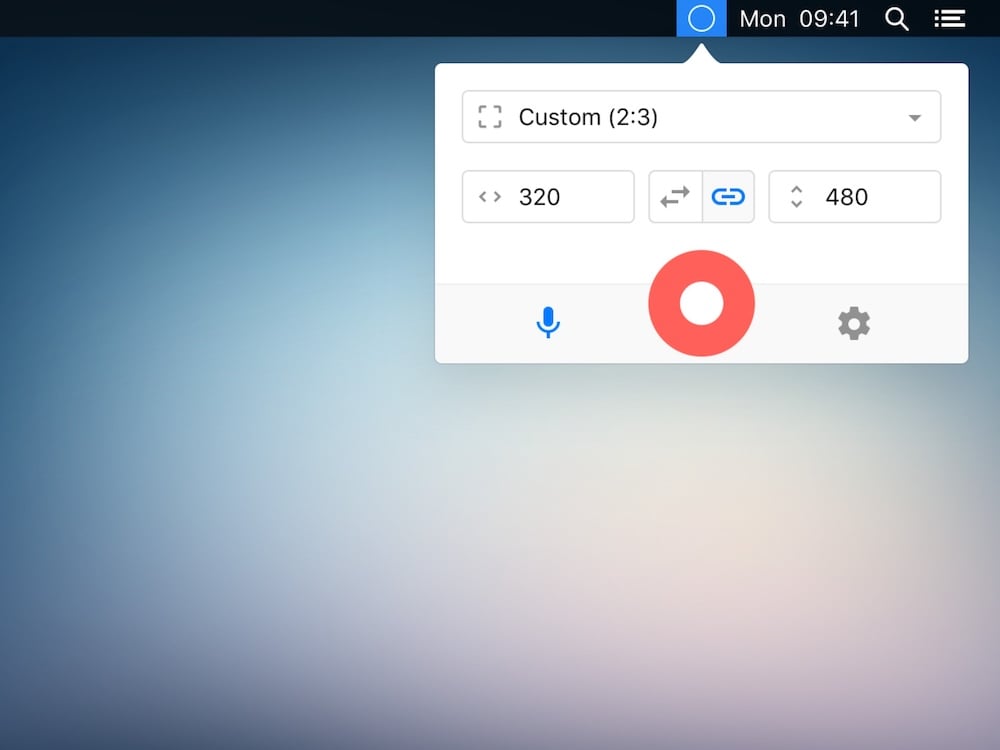
It has a native basic video editor that lets you trim a video before, change its aspect ratio, choose the frame rate, and more, which comes quite handy. Although it doesn’t allow system sound recording by default due to macOS limitations, it can be easily configured using a virtual audio driver, such as BlackHole. Otherwise, it allows sound recording from an external microphone and has an option to highlight the mouse cursor while recording, making it ideal for recording tutorial screen recording videos. Since it’s open source, you can install community-made plugins to directly upload GIFs to Giphy, videos to Streamable, and more. It’s a no-nonsense screen recorder for macOS.
Audacity
Podcasters, musicians, voiceover artists, and educators — if you record and edit audio on your Mac and don’t want to pay for Adobe Audition or a similarly priced tool, Audacity is all you need. It’s a free, open source audio editor and recorder that has been a staple in its category for over two decades. Audacity lets you record live audio, import existing files, and edit them with a full suite of tools including cut, copy, paste, and, crucially, unlimited undo. It supports WAV, AIFF, MP3, FLAC, OGG, and several other formats, so compatibility is never a concern. What’s more, it runs on macOS, Windows, and Linux alike, making it truly cross-platform.
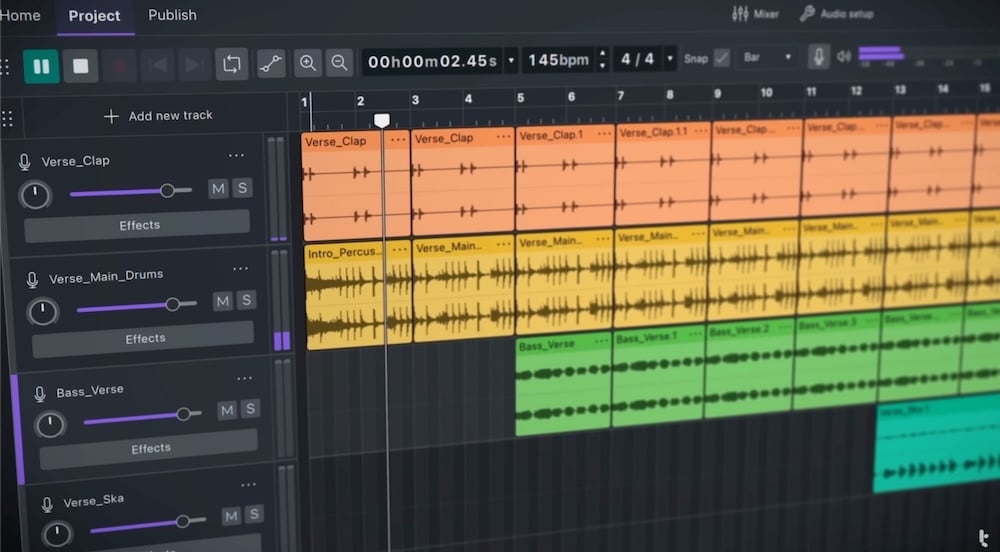
On the editing side, Audacity includes a built-in amplitude envelope editor, a spectrogram view for detailed frequency analysis, and a noise reduction tool that works remarkably well for cleaning up background hiss in recordings. It also supports VST plugins, which means you can load in third-party effects and instruments just as you would in a professional DAW. The interface is admittedly dated, it hasn’t kept up with the design trends of modern macOS apps but it gets out of the way and lets the work speak for itself. Multi-track recording, audio mixing, and batch exports are all well within Audacity’s reach. If you record any kind of audio on your Mac and aren’t already using Audacity, you’re making your life unnecessarily harder.
Mozilla Firefox
If there’s one browser that can break the monopoly of Chrome and Chromium-based browsers, it’s Mozilla Firefox without a doubt. Unlike others, Mozilla Firefox doesn’t run on Chromium and is entirely free and open source. It is highly popular and quite feature-rich, too. In case you are wondering, yes, it includes a native ad blocker to keep you safe from annoying ad trackers. Moreover, Firefox also has a free built-in password manager, which is one of its kind, and lets you store and organize your passwords, auto-fill credentials automatically, generate new passwords, and more.

Firefox’s interface is quite praiseworthy, too. It follows a clean design language, supports themes from its add-ons store, and includes dark mode. Since it’s not based on Chromium, you can’t install Chrome extensions. Although not as extensive, the Firefox add-ons store is the second-best thing. Other notable features include a native color picker tool, fingerprint blocking, syncing with other devices, picture-in-picture mode, an in-built PDF editor with basic editing tools, and many more. Mozilla Firefox is the only worthy alternative in a world full of Chromium-based browsers.
OpenEmu
If you’re into retro gaming, there’s no better app out there than OpenEmu. As the name suggests, OpenEmu is a free and open source video game emulator. In case you’re wondering about the console selection, it’s more than healthy. Be it Game Boy, Game Boy Advance, Nintendo DS, Nintendo 64, Atari, Sega CD, you name it. OpenEmu is a frontend heaven more than an emulator. It bundles a plethora of engines that run the games, whereas OpenEmu provides an interface and framework for an unmatched yet nostalgic gaming experience on your Mac.
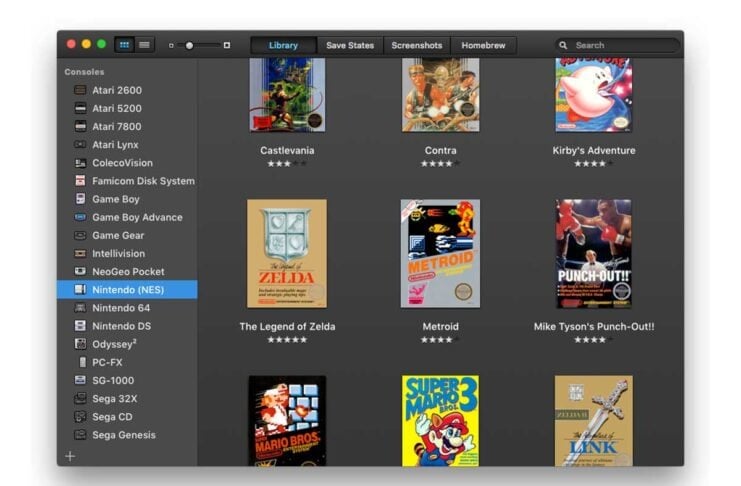
OpenEmu doesn’t include a game library of its own; you have to load the ROM and, sometimes, the BIOS files for the games you own. There is, however, a selection of Homebrew games developed for older hardware. Thankfully, the games are automatically organized into appropriate folders. OpenEmu can automatically recognize a connected controller, be it that of PlayStation, Xbox, or Switch, and assign controls appropriately. Since it’s a modern emulator, you get options for saving game progress, rewinding, graphics filters, and more. OpenEmu still runs off Rosetta 2, so it can put a toll on your system at times. Regardless, it’s a great medium to remind yourself of the taste of childhood leisure.
Replace Your Apps With These Free and Open Source Ones
It’s clear from the wide variety of free and open source apps available on the internet that it’s not impossible to make the switch. In fact, in many cases, free and open source apps prove to be better than their paid rivals, making the choice crystal clear. This list contains ten+ apps, among which OpenEmu, Mozilla Firefox, Blender, and Windscribe are our favorites. LibreOffice is an excellent alternative to Microsoft Office, whereas Bitwarden and LocalSend are truly unmatched in their respective categories. Kap, Manta, and IINA are certainly must-haves on a Mac.

