

Quick Answer
To bypass YouTube age restrictions, you can update your birthdate in your Google account, disable Restricted Mode, or use third-party platforms like Invidious, FreeTube, NewPipe, or SkyTube, which allow you to view restricted content without signing in. Additionally, browser scripts like Tampermonkey offer another workaround.
YouTube is the go-to stop for video streaming for billions across the globe. However, many times, you might come across a video that has an age restriction in place. This restriction is applied by YouTube for videos that aren’t suitable for minors and also content that may have some sort of violent content. You cannot view this video unless you confirm your age. This can get frustrating because there are times when you, as a mature viewer, are also slapped with an age restriction pop-up.

Thankfully, there are multiple ways that you can apply to bypass the YouTube age restrictions. Do note that YouTube constantly keeps changing its policies and implements various methods to block new methods of bypassing age restrictions. The methods mentioned here work without any issues. However, don’t be surprised or expect all of them to work for you. With that said, let’s jump right in.
Table of Contents
What is YouTube’s age restriction policy?
YouTube’s age restriction policy is in place to ensure that the content on the platform is safe for consumption for every age group. Some may want to share content that could bypass the age restriction policy on YouTube. This is why when you upload content on YouTube, the platform gives you the option to select whether the content is suitable for kids or not. For more details about this policy, you can check the official website.
When you encounter a YouTube video that is age-restricted, you have the following options to view it:
- Sign in with a YouTube account.
- Verify your birthdate since YouTube verifies your age based on that.
- Users above 18 years can watch age-restricted content.
How do I bypass age restrictions on YouTube?
There are multiple ways to bypass age restrictions on YouTube. While you can always follow the official method to view age-restricted content, there are some unofficial ways to do so. But first, let us take a look at how you can officially bypass age restrictions on YouTube.
Updating your date of birth
- Visit the Google accounts page and sign in with the YouTube account you want to use to view the age-restricted videos.
- Navigate to the Personal Info section on the left pane.

- Update your date of birth.

- Save the changes.
Turn off the Restricted Mode option
YouTube offers you the option to disable the Restricted Mode option, which will let you view content that has been age-restricted. Be cautious while disabling the feature, as mature content will be visible on your YouTube account.
1. On PC
- Open the YouTube website and sign into your account.
- Click on your Profile icon in the top-left corner.
- From the drop-down, locate Restricted Mode and click on it.

- Toggle the switch to the OFF position to disable Restricted Mode.

2. On mobile
- Open the YouTube app on your phone.
- Tap on your profile picture on the bottom menu.
- Tap on the Settings menu in the top-right corner, and choose General from the list of menus that appear.
- Scroll down and toggle off the Restricted Mode option.
Use alternatives to YouTube’s official options
While YouTube age-restricted videos by turning off the dedicated toggle, there are multiple ways to fix this without needing to always show age-restricted content on your YouTube app or browser linked to your account.
1. Invidious (PC and mobile)
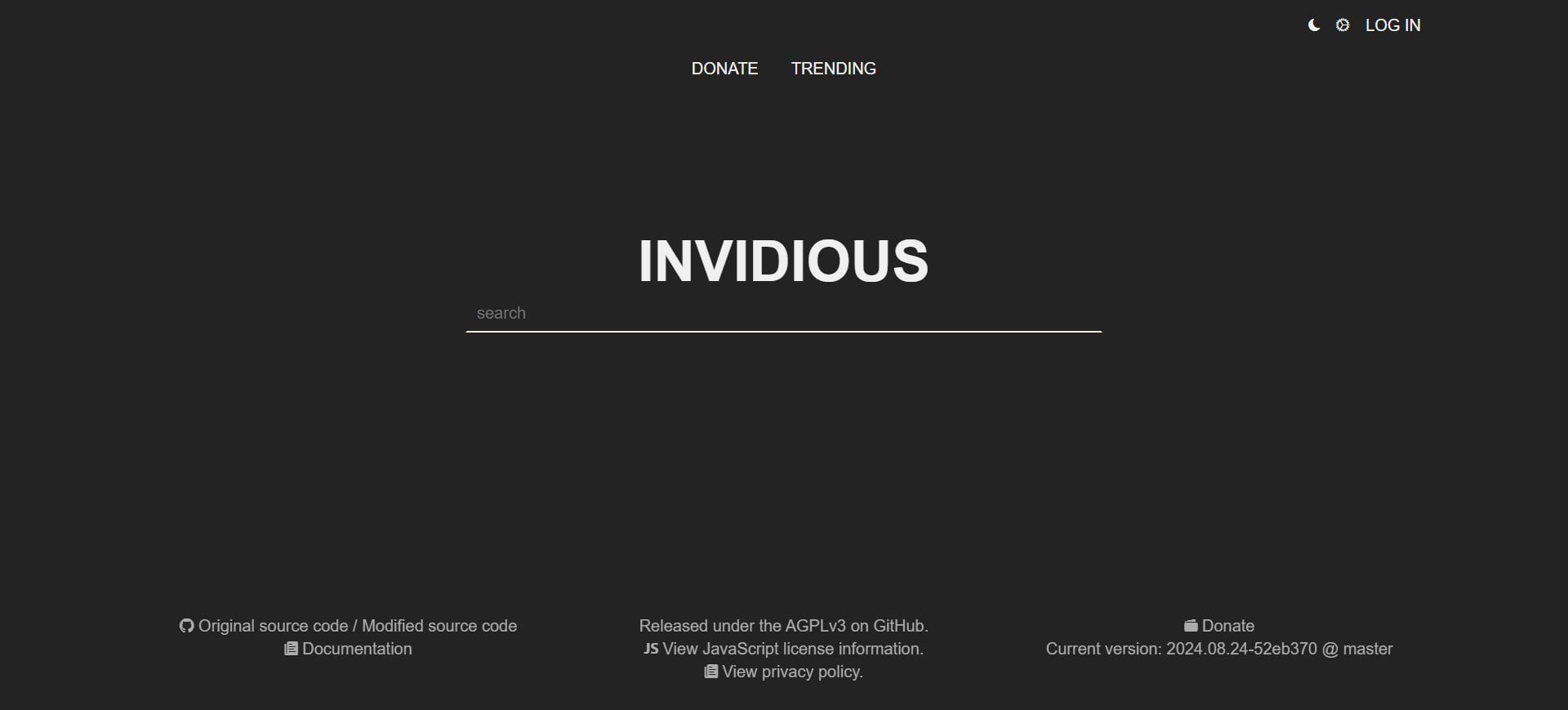
Invidious is a nice web-based platform where all you need to do is paste the URL of the age-restricted video or type in the video name and play it as normal. You don’t need to sign in with your YouTube account to view the video. If you come across any issues with one instance, then you would be glad to know that Invidious has multiple instances that you can use in case the other doesn’t work.
2. FreeTube for PC
FreeTube for PC is an application that lets you view YouTube videos without worrying about age restrictions. You can download the application directly from the official website and install it on your PC. The application is available for Windows, macOS, and Linux. Once you have the app installed, you can use the search box to search for your video or paste the URL directly into the search box to watch NSFW YouTube videos directly without signing in.
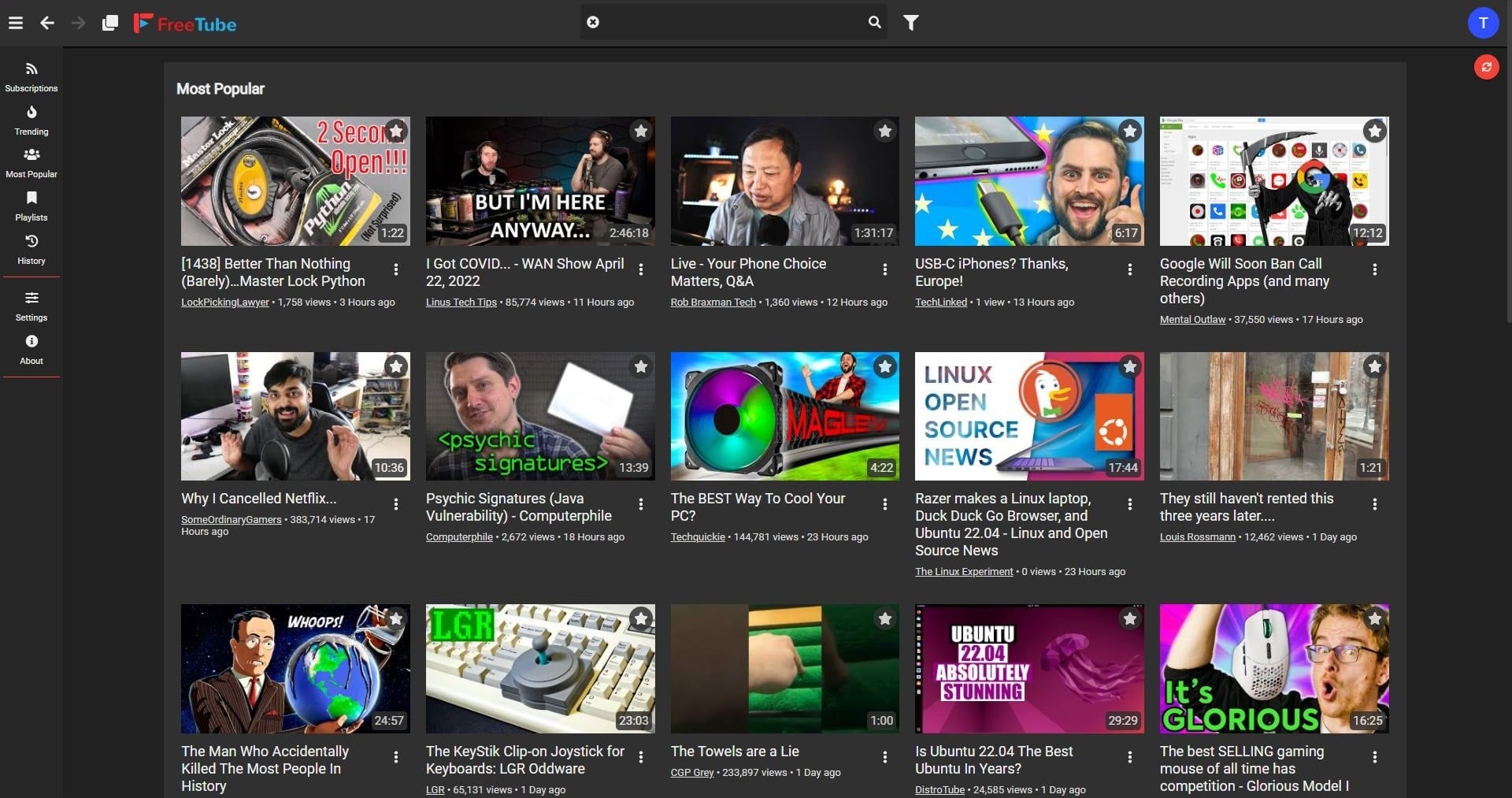
FreeTube also never tracks your viewing habits, allowing you to watch your favorite content without worrying about your data being used or published online. Some of the best features of FreeTube are listed below:
- Subscribe to your favorite content creator without an account.
- All subscriptions and history are stored locally.
- Enjoy an ad-free YouTube viewing experience.
- A similar design to YouTube, making it easier to use.
- You can import your YouTube subscriptions to FreeTube to see your feed.
- Supports multiple languages.
3. NewPipe for Android
NewPipe is an Android app that is not available on the Play Store but can be found on the F-Droid. You can also get the app from the NewPipe official website. The app lets you view your content without any ads and questionable permissions. The app offers features such as little data consumption, a lightweight experience, the ability to download videos, a background player, a popup player, and much more.
To view age-restricted content using NewPipe, simply download the app on your phone, install it as you would sideload any other normal app. and open it. After that, follow the below steps:
- Head over to Settings.
- Select Content.
- Toggle the show age-related content option to ON.
- Now, you will be able to view age-restricted content on YouTube.
4. SkyTube for Android
SkyTube is another YouTube front-end alternative. You can bypass age restrictions on YouTube using SkyTube without signing in. The app is also available on F-Droid, and you need to install it as you would any other application on your phone.

The best part about SkyTube is that you don’t need to turn on any option or tweak the Settings menu to view age-restricted videos. You can simply open the app and start playing your videos.
5. Use Tampermonkey
Using the Tampermonkey browser script is also another easy way to bypass age restrictions on YouTube. Installing a browser script may sound a bit tedious and complicated, but in reality, it isn’t. Here’s what you need to do:
- Visit the official Tampermonkey website.
- Select your browser from the bar of tabs on the top.
- In the Download section, click the Get from Store button.
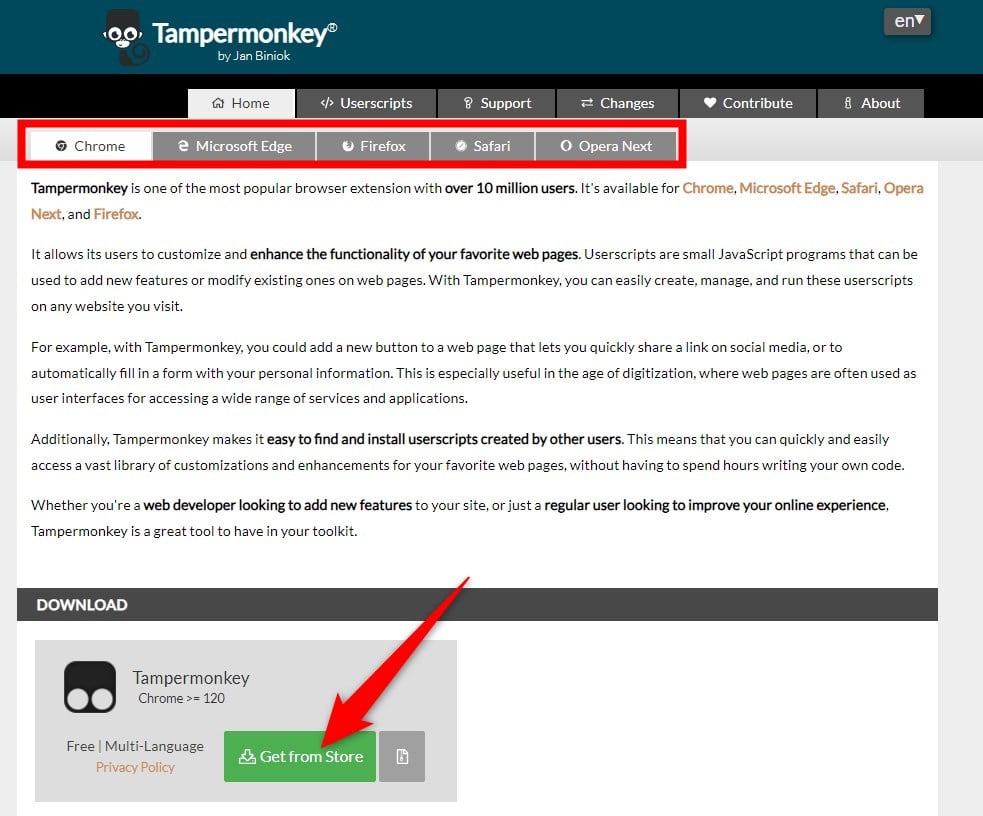
- Install the extension by following the on-screen instructions.
- Once the extension is installed, launch your browser.
- Go to the Simple YouTube Age Restriction Bypass script website and click Install this script.
- A new tab will open, running some codes. Click Install.
Now, you can load the restricted YouTube video and check if this lets you bypass it or not. Uninstalling the script and Tampermonkey from your PC is quite easy, and you can follow the steps mentioned in this video.
Watch YouTube videos unrestricted
The above methods should help you play any age-restricted YouTube videos. However, do note that age restrictions are applied to videos as they aren’t suitable for everyone. If you are bored of watching videos and want to play games on YouTube, then you definitely can. You can check out our guide, which explains what YouTube Playables are and how you can play games on YouTube. Netflix also has multiple games in its arsenal that you can enjoy if you aren’t binge-watching any series or movies.

