

Quick Answer
Learn how to build simple web apps using lovable.dev and bolt.new AI tools. These tools allow you to build web, iOS, and Android directly from browsers without writing a single line of code. You can even publish the apps on the internet and let others use them instantly. Follow the step-by-step guide process below.
AI is changing the tech landscape forever; take ChatGPT, for example. It has disrupted the writing industry and even disrupted entire Chegg businesses. Every company now runs after AI and is trying to integrate it into their apps and services. While most of them are nice to have, the real value of AI is that it reduces human effort, speeds up processes, and lowers costs.

For example, if anyone asked me how long it takes to build an app, I would probably answer in a couple of months, maybe years, depending on the resources and how big the app is.
However, if you ask the same question now, I would say maybe an hour, a day, or even minutes. That’s what AI can do now. Certain applications let you build apps in just minutes. No, I am not talking about no-code AI tools for building apps. I am talking about apps that can write code in any language or way or assist you in building the apps. The good thing is that you don’t need to write a single line of code or even prior knowledge about how code works.
You can build an app and scale the app to millions in just minutes. I have been using various AI tools and have built over 30+ apps. If you want to learn and create something without spending months learning to code, this guide is for you.
Table of Contents
How to Build Apps in Just Minutes: Let’s Build a To-Do List App
Step | Description |
|---|---|
Step 1 | Use ChatGPT to generate a detailed AI prompt for your app. example: Generate an AI prompt to build a to-do list app with all necessary features |
Step 2 | Next, Create an account on Lovable.dev using Google or GitHub. |
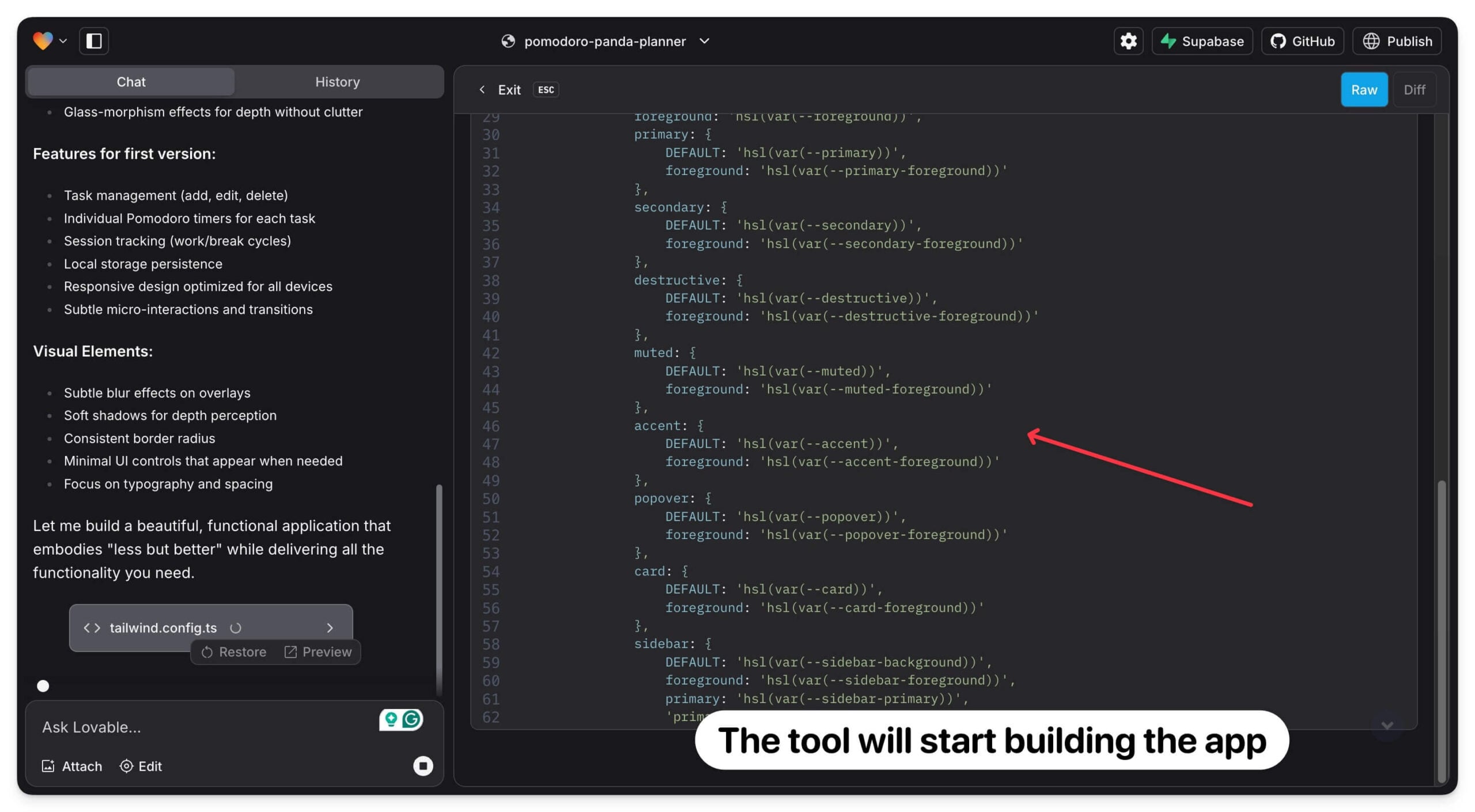
Step 3 | Paste the ChatGPT-generated prompt into Lovable and press enter. The tool will start building the app. |
Step 4 | If you encounter any issues, reload the page, ask tool to fix the issues |
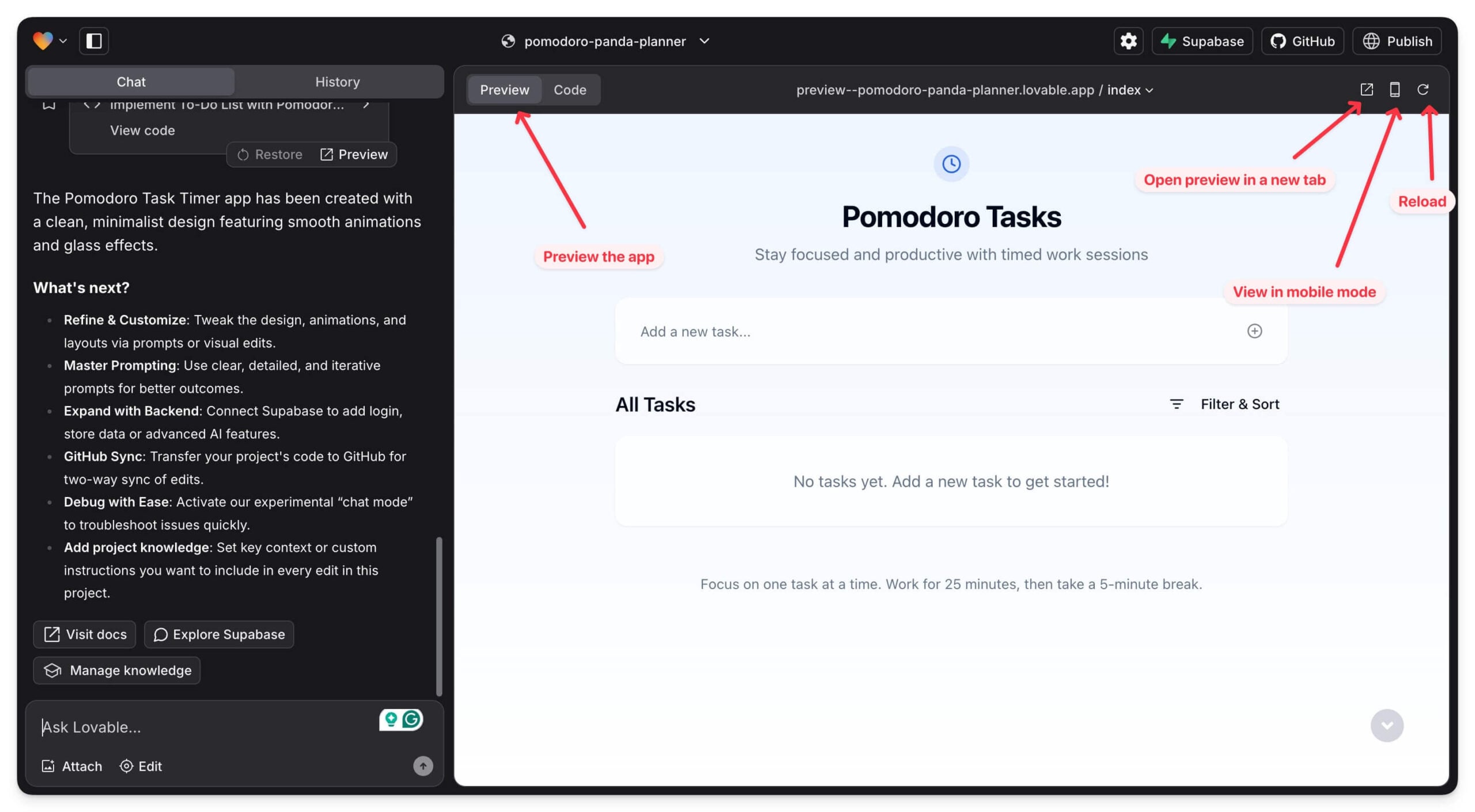
Step 5 | Once, the app is created it automatically generates a preview of the app. You can start using it. |
Step 6 | To add more features to the app, You can use more prompts to improve and customize your app. For example: Add the ability to set timer for each task, the tool update the code to add this feature. |
Step 7 (Optional) | Next, you can use Supabase to store data and prevent data loss. |
Step 8 | Click on publish button to make your app live with a public link. |
Step 9 | To save code locally on your device, connect to GitHub account and commit the code. |
I have tried Lovable.dev and Bolt.new tools that allow you to build the app using simple natural prompts. Both offer incredible results in building simple web apps in just minutes, but they differ slightly in terms of limits.
In my experience, Bolt offers limited tokens (how much text or code AI can write; In Bolt, it was limited to 150k words) per day, which is not much if you want to build an advanced app requiring multiple prompts and hundreds of lines of code. Plus, you need a GitHub account to create and use Bolt.
On the other hand, Lovable takes a more user-friendly approach by allowing you to sign in with a Google account since not many non-programmers have a GitHub account.
Also, unlike Bolt, Lovable offers five free prompts per day (how many times you can interface with the app), which lets you create and iterate plans and fix any issues without worrying about exceeding the limits.
I will use Lovable to help you build the app. You can also see Bolt if you have a GitHub account since they offer a similar approach and interface.
First, let’s start by creating an idea. Even though these apps can understand natural language, it is better to plan and include all the details of the app you will build beforehand in one prompt to get better results and avoid wasting your free prompt limit unnecessarily by repeating requests later.
And don’t worry, you don’t need any prior knowledge. You can use any AI chatbot tool to create a detailed prompt for building an app; I recommend using ChatGPT for better results.
Visit ChatGPT.com and start asking what you want to build an app with these features. If you have any experience, you can specify any features tailored to your needs. Spend some time and fine-tune the prompt.
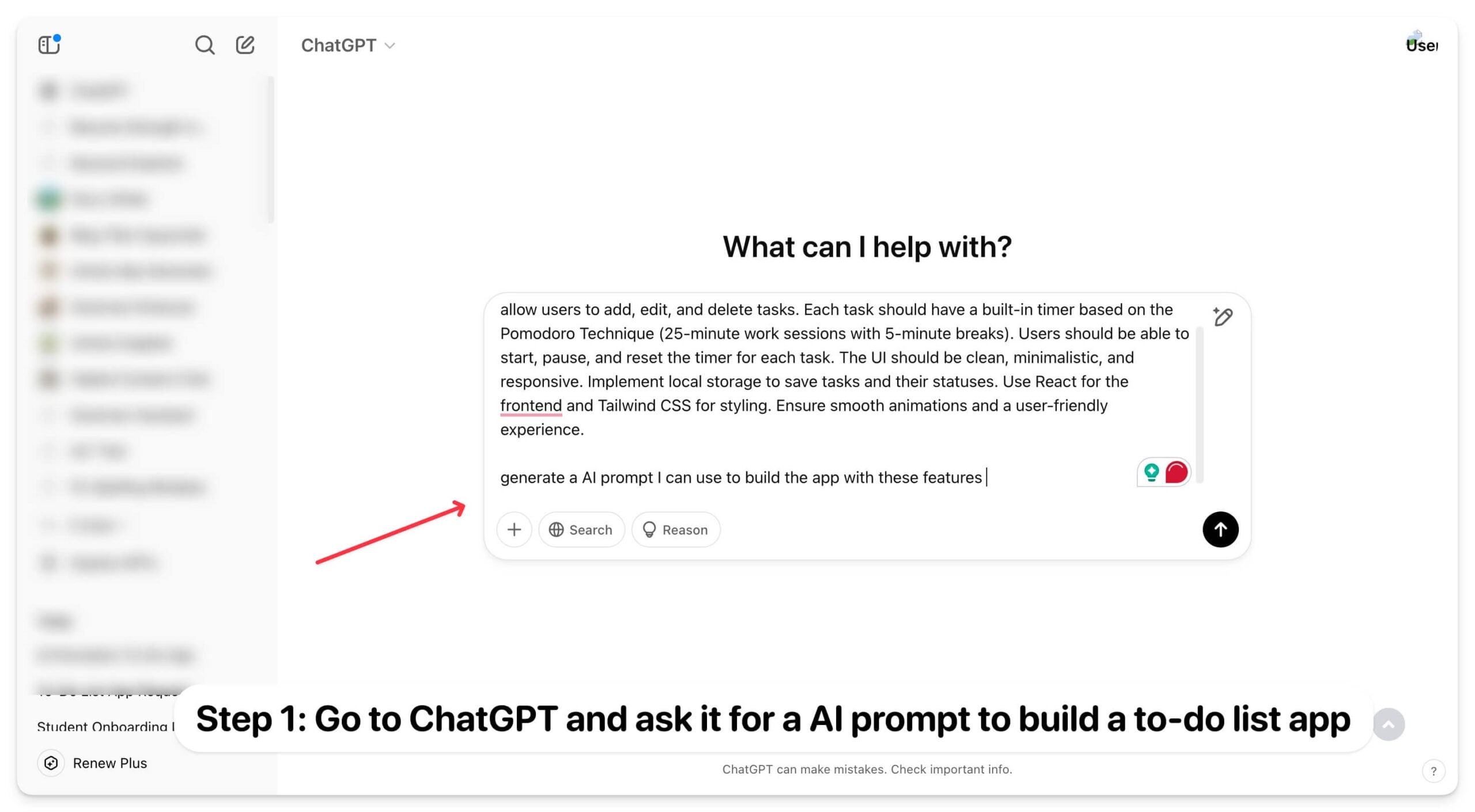
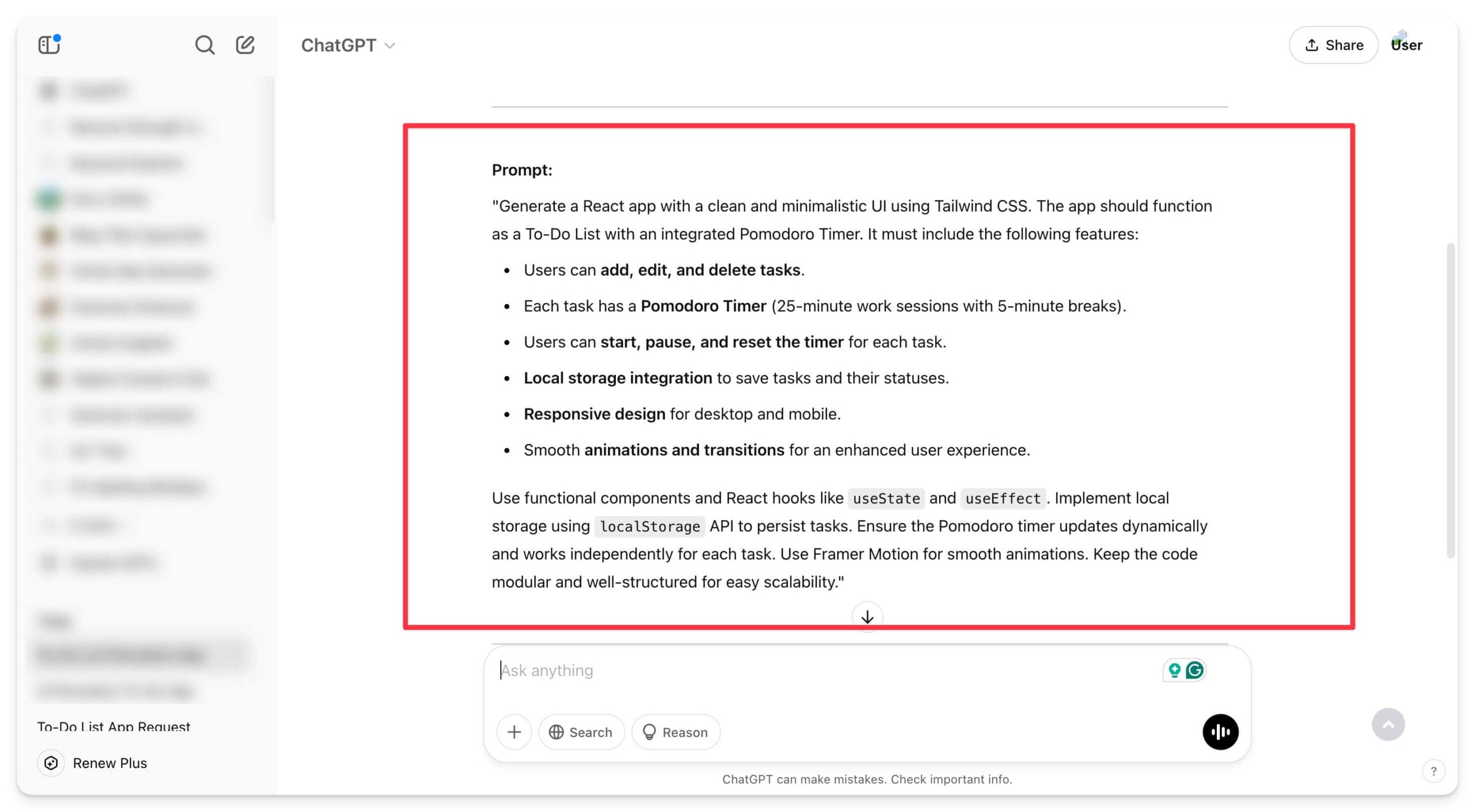
Finally, ask ChatGPT to generate an AI prompt to build the app.
Next, go to the Lovable.dev and click on Sign up if you don’t have an account. 
You can use a Google account or GitHub to sign up for Lovable. I recommend using a Google account since it is easy to set up, and everyone has it.

Once you sign in, in the chat screen, copy the prompt from ChatGPT, paste it as the prompt, and press Enter or click on the tiny arrow in the bottom right corner. The tool will start creating the app with the necessary files.

Depending on the app’s features, it might take several minutes to build it. If you encounter any error like an unknown error or something went wrong, and the app stops building, you can use the Continue Building app prompt to resume the process.
Once the build is completed, You can view the working app preview on the right tab and switch between mobile and desktop view.
If you encounter an error, the app will ask you to fix it, and the tool will automatically start resolving the issue. You can enhance the app with new features using prompts from the left sidebar. Remember you will be limited to 5 prompts per day. Once you reach the limit, you will need to wait 24 hours.

In this case, I want the to-do list task app with an option to set a custom timer for each task, and I want to set the task priority before adding the task. You can tweak further and get the prompt you are using ChatGPT, and then the tool updates the apps with these new features.
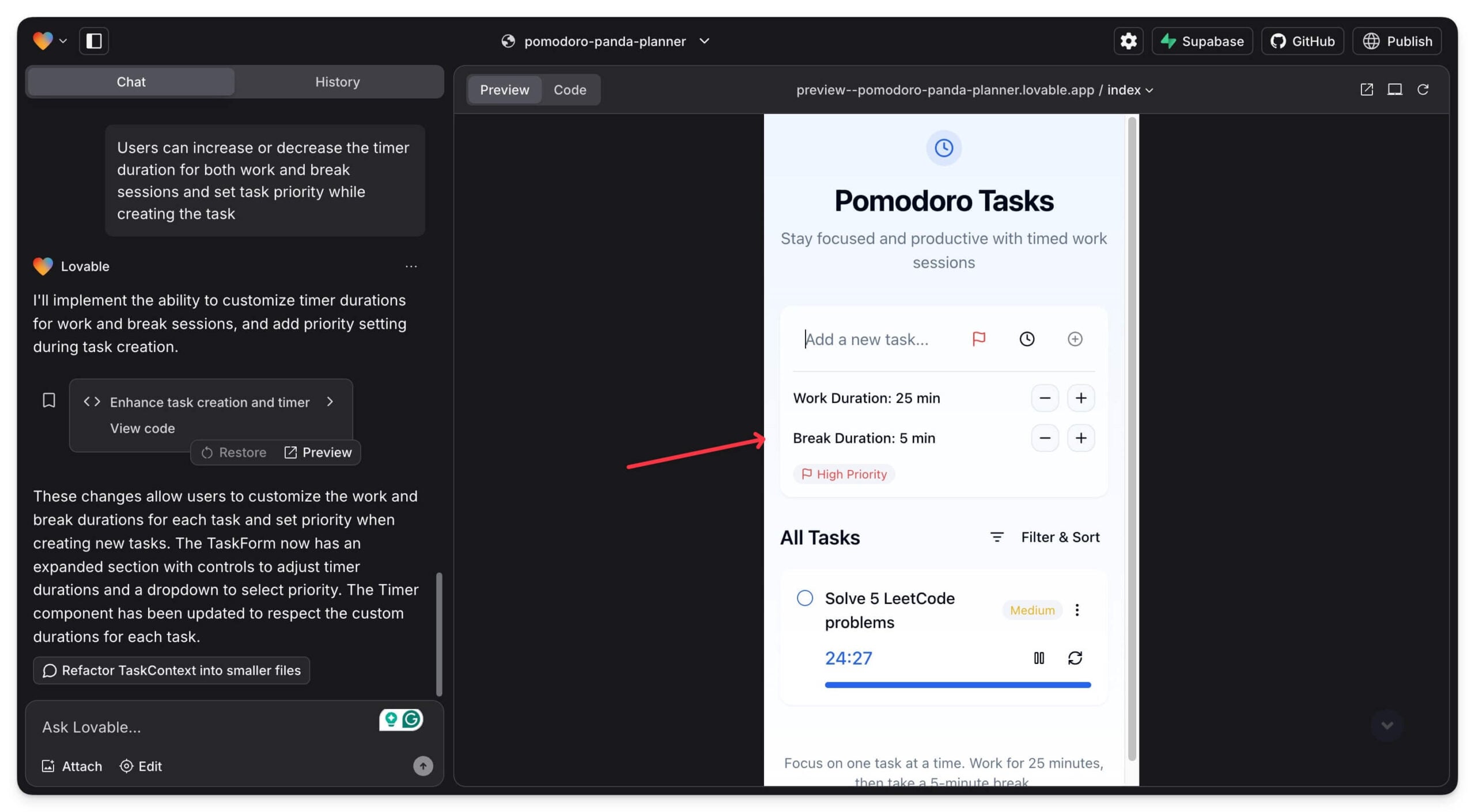
Congratulations! You just built the front end of the to-do list app in just minutes. You can use it to create a to-do list. However, since there is no database, you might lose your data if you reset the app or just cleared the Chrome cache or any other browser you use.
To avoid this, you can connect the data to the database and use it to store the data. Don’t worry; you can do it in simple steps.
You can connect your app to the database, store all your data, add authentication, and even send emails. In my case, the to-do list app I have built uses local browser storage to store all your tasks, and if you clear the cache of Google Chrome or any browser you are using, all your tasks will be deleted. To avoid this, you can connect it to the database and store data on the server.
Lovable also offers an easy way to connect your app to a database, store the data using the task, add authentication, send emails, and more.
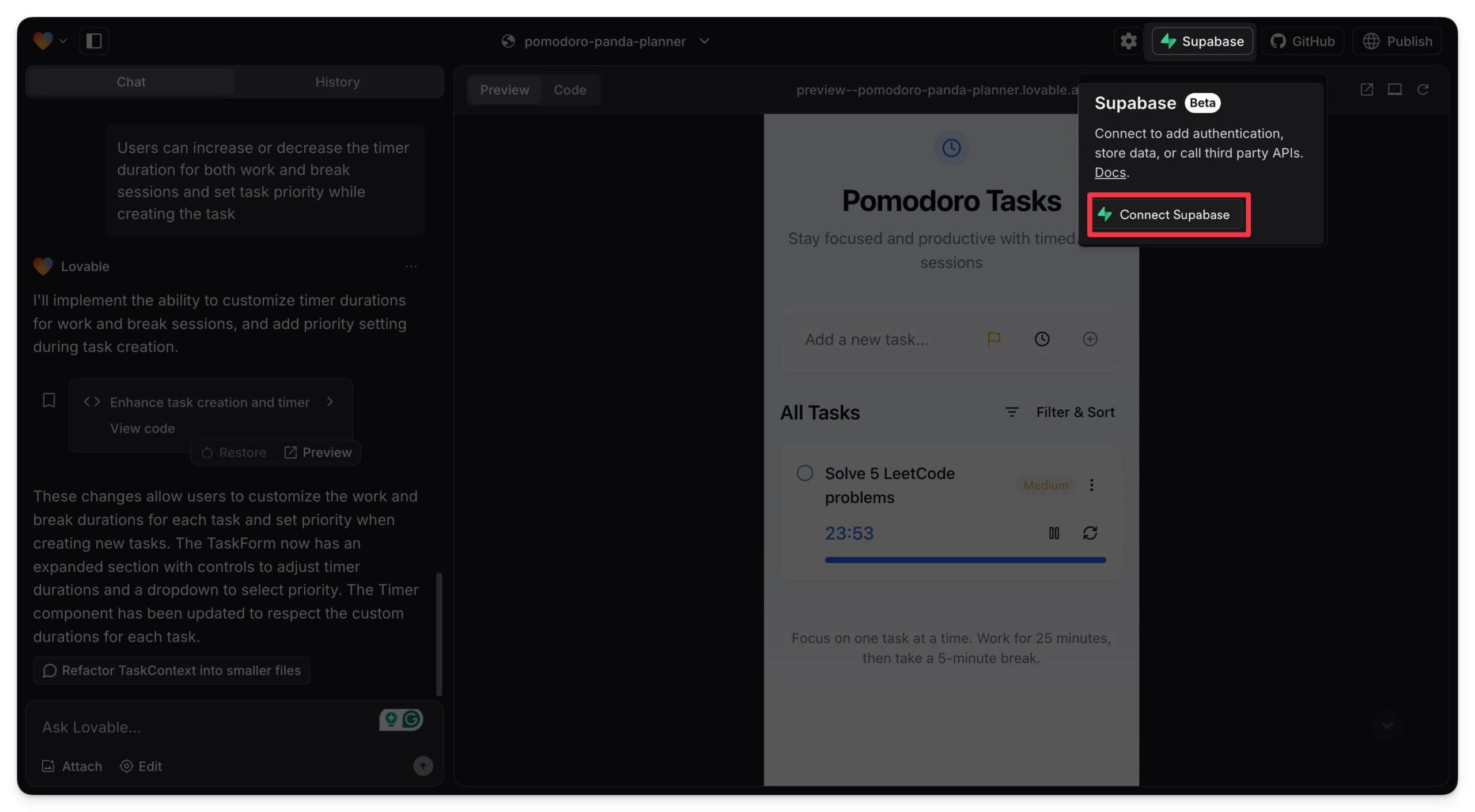
Click on Supabase, then Connect Supabase, and create an account there. After creating an account, Click on the Authorize Lovable. You need a GitHub account to create an account in Supabase. If you don’t have a GitHub account, you can create one from here.
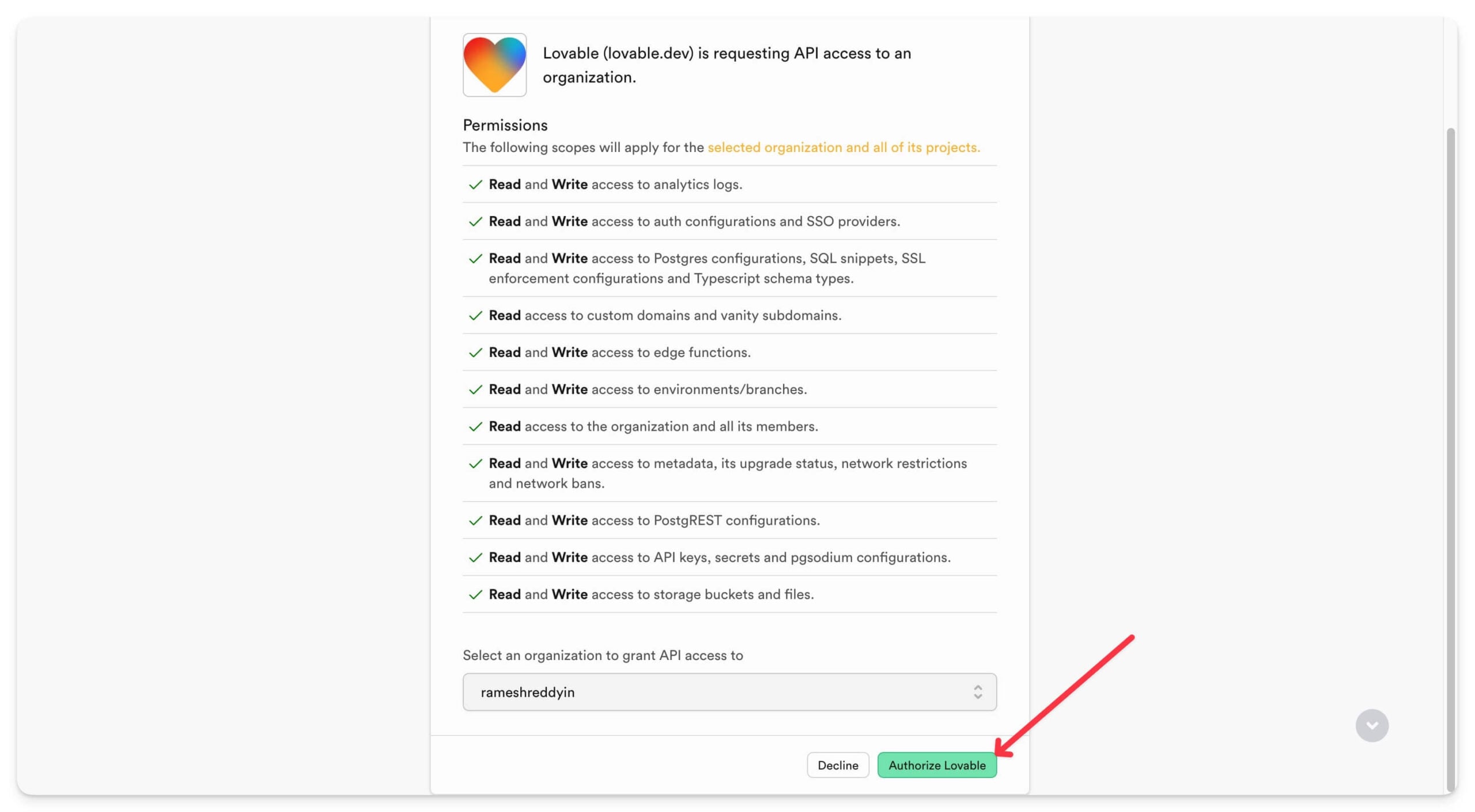
Now, create a Supabase account. You need to log in using your GitHub account. Once created, come back to the app, and the app shows your project name and ID on the page.

Click on your account and then tap on Create new project.

Next, enter a project name and Create a new project, which will automatically connect to the database. Later, it gives you options for several different actions. In this case, I am just asking to store task data.
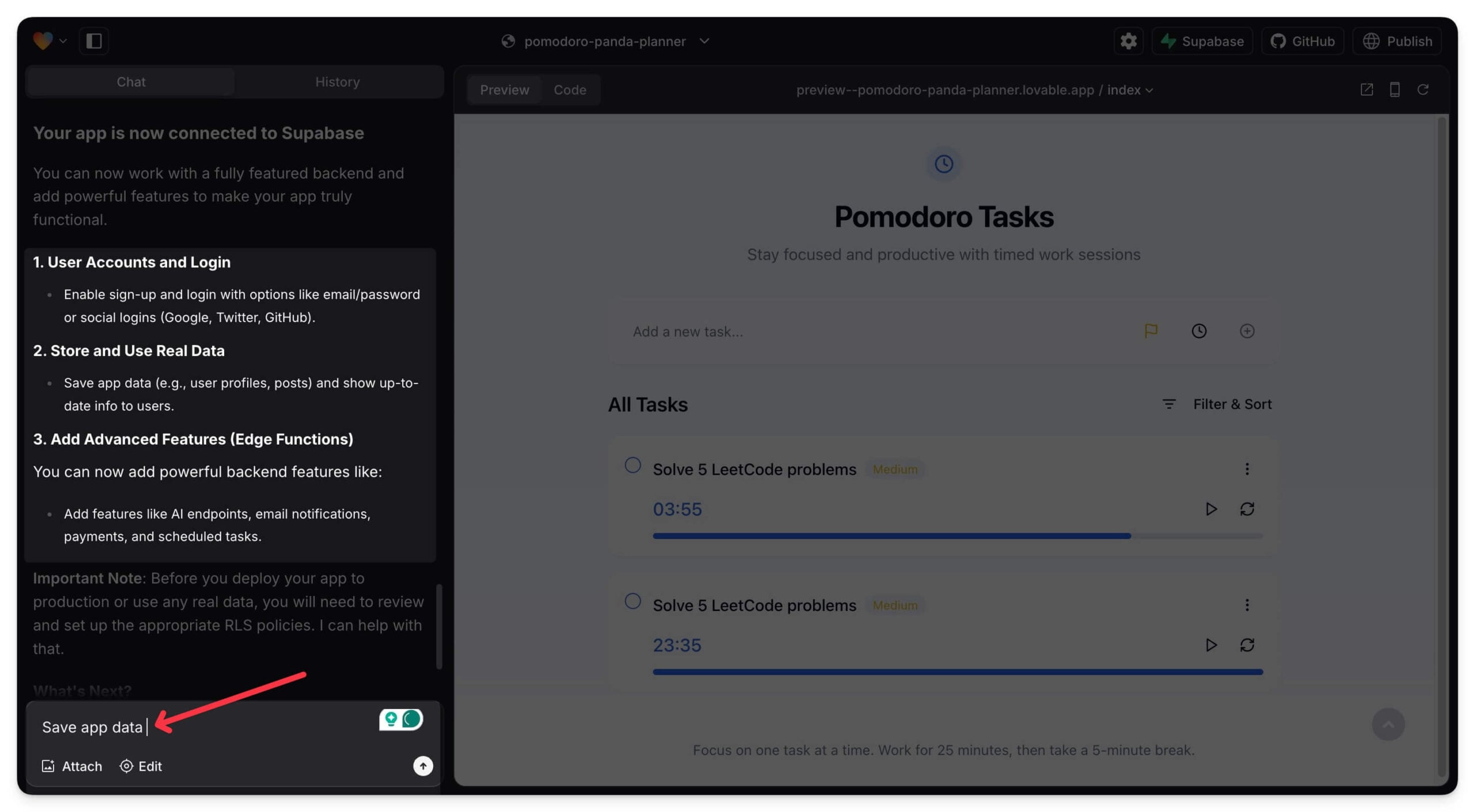
The app gives you the SQL code. You can review the code if you are familiar with it and click on Apply Changes. The app will be successfully connected to the database.

Now, you can publish the app and use it on your mobile. Click on the publish button and Publish again to get the link. Remember, it is a public link; anyone accessing it can copy and remix your app code. You need to subscribe to the premium plans to create a private project.

You can also share the code to GitHub, download the project locally, and start developing it on your device. Connect your GitHub account and commit the project to GitHub.

That’s it! You have created a full to-do list app using simple AI tools within minutes. I hope you find this guide helpful.
You can build any app you want, the possibilities are endless, But remember the free version of these AI tools is limited to a few prompts, You can opt for a premium plan that can increase this limit but is expensive if you are a regular user. For example, the Lovable Starter plan costs 20 dollars and is the same as the ChatGPT Plus plan. The free plan, which gives access to 5 prompts per day (limited to 30 per month), is more than enough to build a basic web app. I hope you find this guide helpful; if you have any suggestions or facing issues, let me know in the comments.
View the app I built: https://pomodoro-panda-planner.lovable.app./
FAQs on Building Apps Using AI Tools
1. Can I use Lovable or Bolt to build mobile apps, or are they only for web apps?
You can also use these tools to build mobile apps. You can ask the tools to write code in React native and later publish it on mobile platforms like Google Play and Apple App Store. You can also convert existing apps into mobile apps using frameworks the same React Native Framework or wrap them in a WebView using tools like Capacitor or Cordova.
2. Do I need any coding knowledge to use Lovable or Bolt?
No, you don’t need any prior coding knowledge to build the basic web apps. However, these AI tools can be a hiccup sometimes, so you need technical and coding knowledge to fix the issues. However, in most cases. You can build apps using natural language prompts without writing a single line of code.
3. What are the main differences between Lovable and Bolt?
Lovable allows you to sign in with a Google account and offers 5 free prompts daily, while Bolt, on the other hand, requires a GitHub account and provides 150k free tokens daily. Both have almost a similar interface. Additnaly bot. New lets you directly download or port the code deeply into the network servers. Whereas in global, you need to commit. The GitHub code to get the code.
4. Can I build complex applications using these AI tools?
Yes, but there will be a limitation since complex applications require advanced coding knowledge. These tools also offer limited prompts per day, which may be enough to build the app using free versions.
5. What happens if I run out of free prompts or tokens?
In Lovable, The free version is limited to 5 daily prompts, and you must wait 24 hours for a reset. In Bolt, once you exceed 150k tokens, you must wait for the daily reset limit to get more tokens.

