

Quick Answer
To use Gemini Canvas for free, visit Gemini.Google.com on your desktop and sign in with your Google account. Ensure you’re using either the 2.0 Flash or 2.5 Pro model, then click the Canvas button in the input box. You can now brainstorm ideas, get real-time suggestions, write code, or improve documents interactively.
Do you have a friend who can collaborate with you on all your ideas and thoughts? If so, you are lucky to have another brain with a different perspective to help you elaborate and refine them. With time, people get busy with their lives, and the time we spend with friends decreases gradually. In such cases, AI is a fantastic tool to share your thoughts and ideas and get some in-depth answers, suggestions, tips, and everything to improve your idea, but with some limitations.
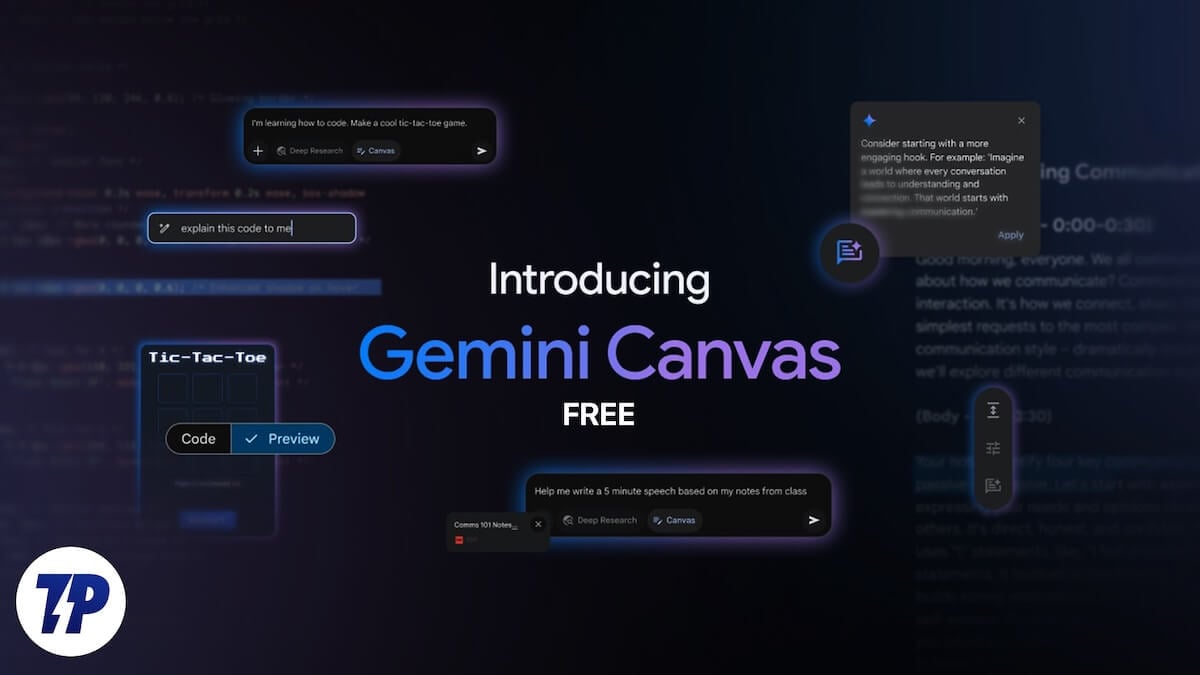
Copilot introduced Think Deeper for all users, then Google made Gemini Deep Research free, and now Google has made another great AI feature free for all. The new feature is Gemini Canvas. Let’s see how we can use Gemini Canvas like a friend.
Table of Contents
What is Gemini Canvas
You might have participated in group discussions in your school or college where we all discuss a topic. Each person comes with a new perspective or a limitation of the existing thought. The end of the discussion is not about the winning side or the losing side. It is about mental stimulation and going deep into a topic, knowing it as much as you can in the span of a group discussion and its preparation time.
Similarly, Google has introduced a new feature in Google Gemini called Gemini Canvas. When you pitch an idea, it acts as a friend in group discussion and helps you improve the idea in a short time and make changes. It is an interactive space where you can write, code, and create documents. You only gain new additions to your existing ideas.
It is one of the great features currently available on Google Gemini. You can brainstorm, research, and make your ideas turn into better versions on Gemini Canvas. When you write something on the Gemini Canvas, you see suggestions and improvements in real-time, like how Grammarly suggests improvements and points out mistakes while writing.
It makes your work efficient in a short time. With Gemini Canvas, you can no longer have writer’s block, no longer find it hard to code some features that you are struggling to add to your app, and you will not miss your friend with whom you used to brainstorm.
How to Use Gemini Canvas for Free
To get started, open a web browser on your desktop. Visit Gemini.Google.com and sign in with your Google account. By default, the 2.0 Flash model is selected when you sign in. To use Gemini Canvas, ensure that either 2.0 Flash or 2.5 Pro (experimental) is selected. Gemini Canvas is currently unavailable for other models.

After selecting the models, go to the input text box and click the Canvas button to select it.

Now, you can enter your ideas and ask it to write code for an app or anything you need more interactive help with.
Currently, Gemini Canvas is available only on desktops. Google has not clarified when it will be available on mobile apps.
How Can You Use Gemini Canvas for Efficiency
Whether you are a student or use Gemini for work or fun, Gemini Canvas has a lot of use cases.
Create First Drafts for Your Essays or Work
Using Gemini Canvas, you can ace your first drafts with real-time inputs from Gemini. Whether you are creating a report or writing an essay, within a few seconds, you can generate your first draft and improve on it to make it more personal and better.

You can then change the length and tone and suggest edits using the three options available beside the text. Once you are done with the first draft, you can export it to Google Docs using the Export to Docs button to improve the essay.
If you are a content creator, you can even ask Gemini Canvas to write scripts for you like how you want by changing the tone that suits you in the three-act structure for user engagement. You can also do this without Gemini Canvas, but the answers change with every prompt in Gemini. With Gemini Canvas, you make changes to the existing response or answer and make it better and more suitable to your needs.
To work efficiently, you can ask Gemini Canvas to generate first drafts for your speeches, pitches, or reports based on your inputs and make it better in the same window.
Upload Files and Ask Questions

You can simply upload your documents to Gemini Canvas and ask questions related to them. You can get suggestions, find easy ways to memorize something from the document or improve your learning using Gemini Canvas.
Gemini Canvas can create games or quizzes that help you learn the content of the document and memorize it in simple ways. If you are a student, you can make your study more efficient by learning more in a short time without missing out on anything.
You can even ask Gemini Canvas to test your knowledge on a particular subject and help you get better at it.
Write, Understand, and Preview Code
Until now, you could only ask Gemini to write code for an app or a feature in the language you wanted. It is not possible to preview it and test the code. With Gemini Canvas, you can ask to write code for something, preview it, read through the code, and ask it to explain if you do not understand certain lines.


It helps you get things done and understand coding in real-time without making special efforts.
Final Thoughts
Gemini Canvas gives us additional options to interact with the responses. It feels as if we are working on a program, and AI capabilities are added to it to improve efficiency in real-time. Don’t miss out on using Gemini Canvas. You may unlock some real potential with Gemini Canvas.

