

VR and AR headsets are not new. The first VR headset, the Oculus Rift DK1, was launched on March 28, 2013. We’ve already seen headsets from Facebook, HCl and other companies. But none of them have caused as much of a stir. But when Apple announced its Apple Vision Pro, it got people excited, just like every other Apple product.

VR and AR headsets aren’t for everyone, at least not right now, but companies like Apple and Meta have big goals for the future. Meta, formerly known as Facebook, has rebranded itself as Metaverse and claims that AR and VR will be the future. Apple, which recently overtook Samsung as the world’s No. 1 smartphone manufacturer, has decided to launch a VR headset instead of a foldable smartphone. That says a lot!
The Apple Vision Pro can initially be purchased in the United States. It costs 3500 dollars. If you own an Apple Vision Pro headset, here are the ten most useful cases for the Apple Vision Pro.
Table of Contents
10 Best Use Cases for the Apple Vision Pro
Gamify Everything
I have seen many concepts where you can gamify your daily activities with the Apple Vision Pro. For example, watch the video below where you collect points by cleaning the floor. You can gamify the cleaning task in your home. It’s so much fun.
Chores 2.0 pic.twitter.com/mlihG975uc
— Daniel Beauchamp (@pushmatrix) February 1, 2024
You can put on the Apple Vision Pro and turn on the app. It creates a map that you can collect with your vacuum cleaner; I never thought cleaning could be so much fun and exciting. Many other apps and game concepts make everyday life exciting and entertaining.
Screens Everywhere
Best toilet gadget 🥽✨ pic.twitter.com/fhCA9oEjWK
— Ben Geskin (@BenGeskin) February 7, 2024
You can pin the screens on the Apple Vision Pro. This is one of the incredible possibilities of Apple Vision Pro. You can pin screens anywhere in your home. You can replace your traditional TV with a larger screen. You can replace note-taking tasks on your fridge with digital notes; you can replace the physical timer on your desk with a visual timer, replace cooking reminders, and so much more. It’s so seamless and works well.
Watching Movies
I can’t decide which I like better, watching Disney+ movies in 3D sitting in a speeder on Tatooine or on the Avenger Tower rooftop? 🤯🤯🤯 #AppleVisionPro pic.twitter.com/BxnDH6Xew4
— Terry White (@terryleewhite) February 4, 2024
The best use case for the Apple Vision Pro is currently watching movies. There are not many compatible videos for the Vision Pro yet. Currently, Vision Pro supports VR and AR videos from Apple and 150+ 3D movies from Disney+ and other studios. These include popular titles such as Avatar: The Way of Water, Dune, and Spider-Man: Into the Spider-Verse, to name but a few. You can access the 3D content via the Apple TV app on the Vision Pro. The high-resolution displays and support for video viewing features make the Apple Vision the best device for entertainment.
Movie Theatre on Your Plane
The movie-watching experience on flights is not very satisfying. Sometimes the screens don’t work, lag, or are too small for the surroundings. And what about the person next to you who shares your view? Now you can use the Apple Vision Pro on your flight and enjoy a home theater experience right on the plane.
apple vision pro in an airplanepic.twitter.com/cvCiFKqiqG
— Tech News (@beingtechster) February 6, 2024
I was skeptical because I didn’t know if you could carry the Apple Vision Pro on the plane. But in a recent commercial, Apple highlighted the best movie experience on the flight if you have an Apple Vision. Not just for movies, you can also use the Vision Pro for work. You can create a virtual screen and work on your Mac.
Virtual Monitor
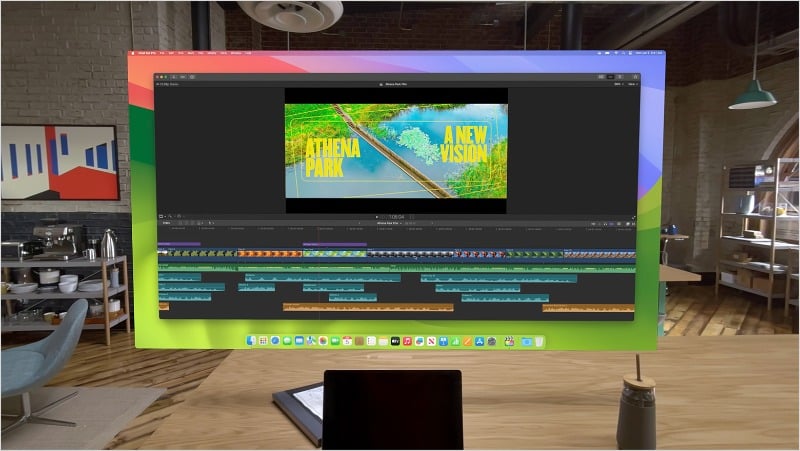
Apple Vision supports a lot of ecosystem features. One feature I like is the ability to create virtual screens. If you’re using a Mac, you can move your Mac screen to an Apple Vision Pro digital external display.
You can expand your screen to its maximum size, place it on your Mac’s display, interact with it, and position it as needed. You can also use the Apple keyboard and mouse to control actions on the screen. However, there are some limitations. You can only create one display at a time. However, you can place multiple Apple Vision Pro apps next to it.
New Level Virtual Gaming Experience
Rodney Mullen's Skatrix
This is a game I’d play. This will be on Apple Vision Pro@NianticEng has created something special here ❤️💪🏼
— Linus ●ᴗ● Ekenstam (@LinusEkenstam) February 2, 2024
Augmented reality (AR) and VR games are fun and take you to a new dimension, especially with a high-end headset like the Apple Vision Pro. Currently, Apple Vision supports more than 250 games available on Apple Arcade. Among them are immersive titles designed specifically for the Vision Pro, such as NBA 2K24 Arcade Edition, Sonic Dream Team, and others. We can expect AAA games for the Apple Vision Pro in the future.

There are many creative games and game concepts for the Vision Pro. For example, I like the idea of chess, where you can play chess overlaid on the table. The best thing about it is that you don’t have to ask your friend to play the game with you. You can play against the computer as if you were playing the game with a friend. This is one of the unique concepts that we liked. We can expect more of this in the future.
Proper Multitasking
Apple Vision Pro is a multitasking beast! 🦾 pic.twitter.com/O2DUNCRyEm
— JDO 🇺🇸 (@JDOPost) February 5, 2024
Multitasking is child’s play on the Apple Vision. I’m not just talking about switching between apps, but true multitasking where you don’t have to switch screens or set up additional monitors. Open multiple apps on the Apple Vision Pro and position them next to each other. Multitasking is incredibly simple to set up and makes it easy. For example, you can edit a video and access the script at the same time. Or if you’re in a meeting, you can complete your tasks effortlessly with this setting.
Education in the Augmented Reality
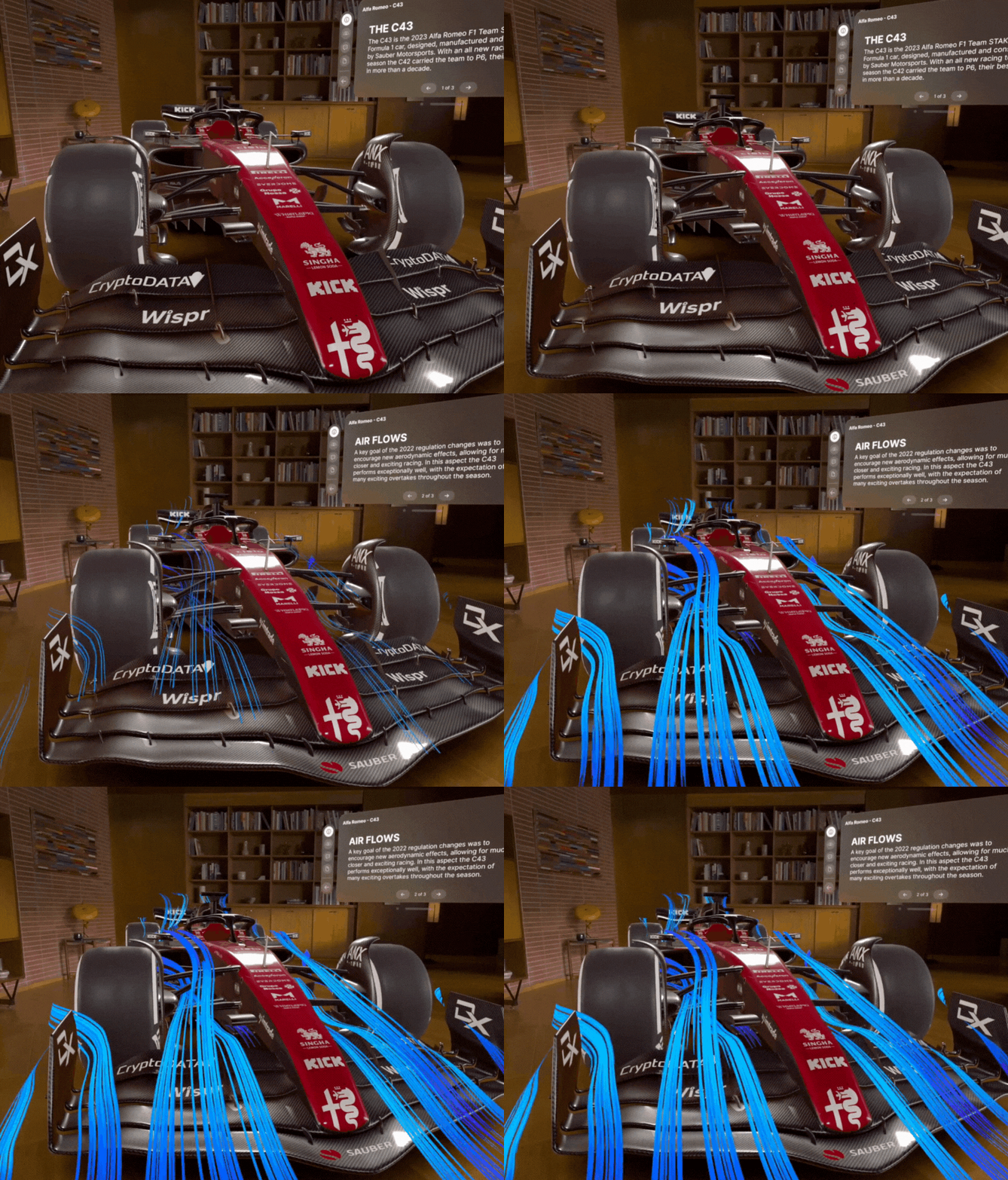
Another ideal use case for the Apple Vision Pro is the education sector. VR and AR devices like the Vision Pro can make learning more immersive and entertaining. With the Vision Pro, for example, you can see the aerodynamics of a Formula 1 car in your classroom. You can virtually disassemble car parts or learn about each component. Many apps for teaching are available on the Apple Vision Pro. The Solar app is great for exploring the solar system, Sky Guide for stargazing and Insight Heart for understanding human anatomy.
Virtual Travel
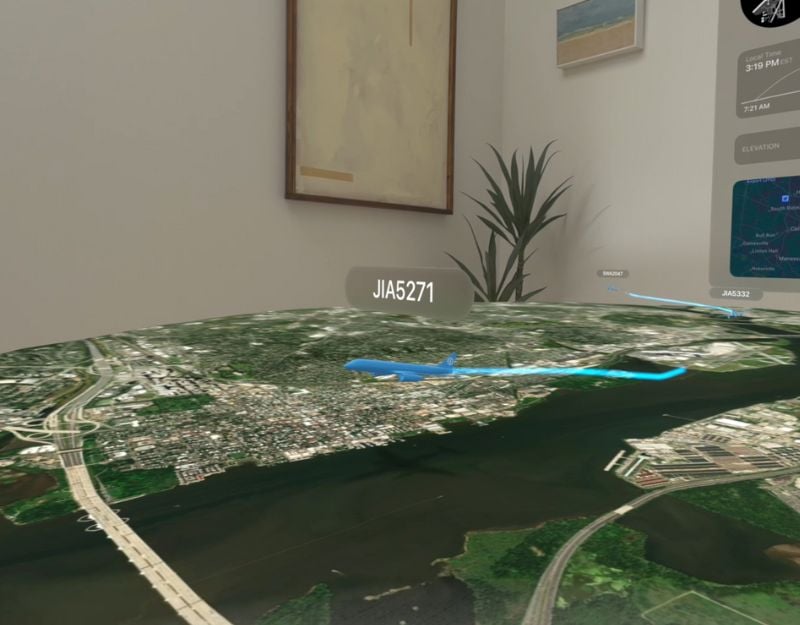
Google Earth is one of my favorite apps because it allows you to view any location in 3D, creating an immersive experience. But even though apps like Google Earth are designed for smartphones and have great features, they can’t replicate the real-world experience you get with AR apps.
I thought Apple would develop a separate 3D map for the Vision Pro, but that hasn’t happened. We can expect that in the future. With apps like Voyager by ForeFlight app on the Apple Vision Pro, you can view the aviation environment in 3D. We can expect more apps in the future that will allow you to virtually explore any place on Earth.
Fitness and Better Goals

Fitness is another area where Apple Vision Pro can drive engagement and collaboration. Imagine making a FaceTime call where you and your friends can work out in real time. In the future, there could be apps that allow you to have live virtual sessions with the trainer, making it even more interactive. The Meta Quest VR headset is already good in this respect. It has integrated fitness tracking, supports heart rate monitoring, a variety of fitness apps and games, mixed reality workouts, and much more. We can also expect a similar function for the Apple Vision Pro.
It’s happening… pic.twitter.com/yv0NioerlG
— Brian Roemmele (@BrianRoemmele) February 3, 2024
11. Immersive Shopping
AR and VR technology is already being used for shopping. With the Apple Vision Pro, AR overlays digital information (such as images, data, and text) onto the real world. This allows you to easily try on different outfits, choose the best color combination for your home, and much more. Many e-commerce applications use this technology to create immersive shopping experiences.
So yeah grocery shopping with the Apple Vision Pro is actually not bad. #AppleVisionPro pic.twitter.com/gIis7feXFR
— Matt – BMFVR (@bmfshow) February 3, 2024
Lowe’s Style Studio, which is already available for the Apple Vision Pro, shows you a 3D model kitchen where you can use different colors and change individual pieces of furniture such as chairs, lamps, and more.
Vision Pro in Everyday Life
AR and VR headsets are still in the introductory phase. They still need to find wider acceptance. Vision Pro is the first mixed reality headset of Apple’s generation with a promising feature. It has huge potential for the future of computing, gaming, education, shopping, and more. The Vision Pro also makes boring tasks exciting by introducing gamification. That’s the list of the best everyday use cases for the Vision Pro. Write in the comments what you like best.
FAQs about Apple Vision Pro Uses in Daily Life
1. How can the Apple Vision Pro enhance remote work?
Apple Vision Pro can make remote work much cooler and more efficient. You can host virtual meetings and turn any room into an office by placing multiple screens in the air around you. You can work on different things at the same time without the need for physical monitors.
2. How does watching movies on the Apple Vision Pro feel?
Watching movies with the Apple Vision Pro is an incredible experience. The headset offers an immersive experience, especially with 3D, AR, and VR videos. You can also change the size of the windows, which makes the experience even bigger and more realistic. Apple Vision also has features such as dimming the environment for a better viewing experience.
3. What can you do with multitasking on the Apple Vision Pro?
Multitasking on the Apple Vision Pro is easy. You don’t need additional screens; you can open different apps side by side.
4. How does the Apple Vision Pro help learning and staying fit?
With the Apple Vision Pro, you can learn much better and stay fit. When learning, you can see things virtually and interact with them for an immersive experience. When it comes to fitness, working out with friends is more fun, even if you’re far away.
5. What are the social capabilities of the Apple Vision Pro?
Similar to meetings and remote work, you can also Facetime with your friends. With Apple Vision Pro, you can make lifelike FaceTime calls where friends appear as a persona. A special tone is used to make it sound real.

