

Vision Pro is the new Mixed reality headset from Apple. It is available in the US for $3500. It’s a spatial computing device meant to replace your phone, mobile, PC, and every digital device. In one of our recent articles, we explored different daily use cases of Vision Pro, and gaming is one of them.

Playing games on the Apple Vision Pro is fun. It takes you to a new dimension and offers an interactive and immersive gaming experience. There aren’t many games for the headset yet. But that hasn’t stopped us from creating this list of the best games for the Vision Pro.
Even though the list is small, you’ll love the games when playing on the Vision Pro. These games come from a variety of genres, including puzzles, action, adventure and more. If you own a Vision Pro and are looking for the best games to play on the Vision Pro, this guide is for you.
Before we turn to the list, here’s a quick note to keep in mind. Many of the games listed here for the Apple Vision Pro are included in the Apple Arcade subscription.
Apple Arcade is a gaming subscription service from Apple where you pay a monthly fee to play various games on your Apple devices like iPhone, iPad, Mac, and Vision Pro. The subscription allows you to access games without ads or extra in-game purchases.
Table of Contents
Best Games for Apple Vision Pro
| Game Name | Description | Download |
| NBK16 | Best basketball game with awesome graphics. Perfect for sports fans. Available at launch for the Vision OS. | Download Now |
| Synth Riders | Dance and hit notes in this music game. Great for moving around and having fun. It’s similar to the Beat Saber game available on Meta Quest. | Download Now |
| Cut the Rope | Solve puzzles by cutting ropes. Cute and challenging for all ages. | Download Now |
| What the Golf? | It’s a funny take on golf where you can hit anything. It’s super silly and fun. | Download Now |
| Jetpack Joyride 2 | Fly around, dodge obstacles, and collect coins—an action-packed and exciting game for the Vision Pro. | Download Now |
| Illustrated | Solve puzzles with beautiful art. Relaxing and good for your brain. | Download Now |
| Puzzling Places | Different Puzzle Game for the Vision Pro. Put together 3D puzzles of real places. It’s calming and cool to see. | Download Now |
| Super Fruit Ninja | Slice fruits with your hands. It’s fast-paced and a good workout game for the Vision Pro. | Download Now |
| PUBG | iPad game that can be played on the Vision Pro. It’s a battle royale game where you survive against others. Intense and competitive. | Download Now |
NBA 2K13
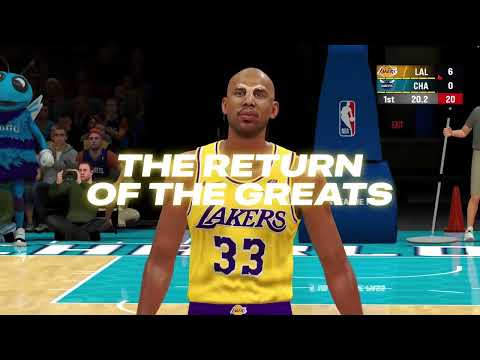
- Game Genre: Sports
- Type of the Game: Exclusive for Apple Arcade
- Game Theme: Basketball simulation.
- Unique Feature: Customization options with improved graphics.
NBA 2k 13 is one of the most popular games available for the Apple Vision Pro at launch. The arcade edition offers good graphics. The gameplay is similar to the NB16 game. You can team up with the squads, play against AI opponents, challenge players and unlock NBA superstars, legends and more.
On Vision Pro you can control the game with hand gestures. The game offers various customization options. You can customize each pair with a different dress, skin tone and more. The game is free to play if you have an Apple Arcade subscription.
Download NBA 2K13 for Vision Pro
Synth Riders
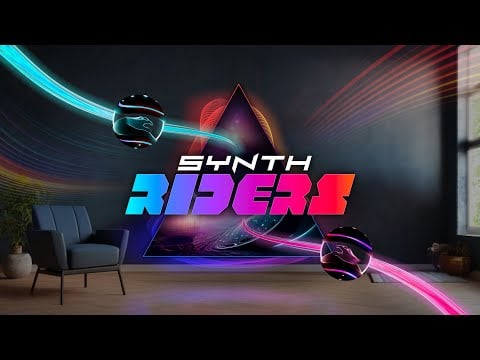
Game Highlights
- Game Genre: Rhythm action, VR (Virtual Reality)
- Compatible: Native Vision OS support.
- Game Theme: Dancing to music and hit notes.
- Price: Free
- Unique Feature: Extensive library of songs across various genres and an immersive experience.
Synth Riders is a game that you absolutely have to try out on the Vision OS. It is similar to Beat Saber, which is available for the Meta Quest. In this game, you have to hit the matching ball color and collect points. The game offers an immersive VR experience that engages you in the gameplay and makes you physically active while you play the game. You don’t need any additional controls to play this game. The Vision Pro headset automatically tracks your hand movements.
The game features beautiful graphics. It is perfectly matched to the beat of Evey’s song. You can choose any song from the extensive library of songs from different genres. You can also change the color of the ball to suit your preferences. The game also includes numerous social features, such as support for multiplayer mode, which allows you to enjoy the game with friends and increase the fun of the game.
Synth Riders is available via Apple Arcade. You can install and play this game on your Vision Pro at no additional cost if you have an Apple Arcade Gaming subscription.
Download Synth Rider for Vision Pro
Cut the Rope

Game Highlights
- Type: Adventure puzzle game.
- Compatibility: Native Vision OS
- Cost: Available free for Apple Arcade Subscribers
- Cool bit: Simple and suitable for all ages.
Cut the Rope first debuted on the iPhone and quickly became a hit. The game provides engaging puzzles and lovable characters and is suitable for all ages.
In the game, you cut ropes to feed candy to the characters Om Nom and Nibble Nom. The game gets harder with every level passing by. The game is natively supported on the Vision Pro, offering an immersive experience. The game is available under the Apple Arcade. It is available at no additional cost for an Apple Arcade subscription.
Download Cut the Rope for Vision Pro
What is Golf?
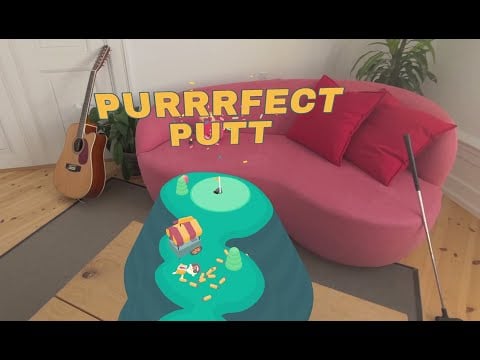
- Game Genre: Silly physics-based golf Game.
- Compatibility: Native Vision OS
- Game Theme: Anything can be golfed.
- Price: Available Free for Apple Arcade subscribes
- Unique Feature: Simple and fun golf-like game for the Vision OS.
In the press kit for the launch, What the Golf game is described as insanely stupid and silly fun. Jokes aside, the game is a silly, physics-based golf parody developed for Vision OS. The game consists of 50 levels, each uniquely designed for the spatial environment.
It’s a golf game, but instead of getting the ball to the target, you can throw sticks, houses and anything else to reach the target. You can use your hands to control the game. You can hold your hands to stretch the club and hit the ball. The game can be placed in the spatial enrichment of the environment. It offers cool game sounds. You will be rewarded with clapping when you successfully reach the target. The game is available for free if you have an Apple Arcade subscription.
Jetpack Joyride 2

- Game Genre: Action/Adventure.
- Compatibility: Native Vision OS
- Game Theme: Attack enemies and stop scientists’ experiments.
- Price: Available Free for Apple Arcade subscribes
- Unique Feature: Upgraded visuals, new challenges and more
Jetpack Joyride 2 is a simple action-adventure game for the Vison OS. The game is set in a different environment where Barry, the hero of the game, has to fight the enemies and stop the scientists’ experiments with his new equipment and weapons.
The game is set in a virtual environment that offers an immersive experience. You can use your hands to control the direction of your character. You can collect points, upgrade to the new power and defeat the enemies. The game is available in the Apple Arcade subscription. You can play it for free if you have an Apple Arcade subscription.
Download Jetpack Joyride 2 for Vision Pro
Illustrated

- Game Genre: Puzzle
- Compatibility: Native Vision OS
- Game Theme: A unique puzzle game that combines beautiful illustrations with the stories
- Price: Available Free for Apple Arcade subscribes
- Unique Feature: Features puzzles based on artworks from famous artists worldwide.
Illustrated is a puzzle game for the Vision OS. It offers an immersive experience where you can explore and solve puzzles. You can explore different puzzles in the spatial environment and solve the puzzle using the clues to a story behind the puzzle.
You have to place the puzzle pieces correctly to solve the task. The game is natively supported on the Vision OS. You can go through a gallery of puzzles hanging on the wall, select any puzzle and solve it using the clues in the story. You can use your hands to place the puzzle pieces correctly. The game contains puzzles based on the artwork of popular artists around the world.
The app is available for free if you have an Apple Arcade subscription. If you like puzzle games, try Stich Puzzle Game on Vision Pro. In the game, you must create embroidery patterns on a grid by filling in areas without gaps and featuring landscapes, plants, animals, and more.
Download Illustrated for Vision Pro
Puzzling Places
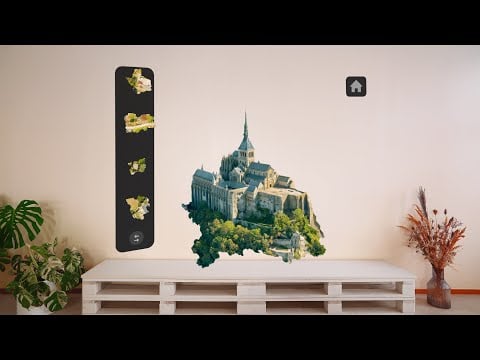
- Game Genre: Meditative 3D Jigsaw Puzzling
- Compatibility: Native Vision OS
- Game Theme: Assemble photorealistic miniatures of real-world places. No Hints
- Price: Available Free for Apple Arcade subscribes
- Unique Feature: Uses advanced 3D scanning technologies for creating puzzles.
Puzzle Places is a cool jigsaw puzzle game for the Vision Pro. In this game you are presented with puzzle pieces that you have to combine and complete in a real location. Unlike other puzzle games, there are no hints in “Puzzle Places”. To complete the game, you have to rely on your knowledge of structure and problem solving.
You can rotate and move the puzzle and know where the puzzle piece belongs. The game is natively compatible with the Vision OS and allows you to play the game in your spatial environment. The game is accessible to those who have an Apple Arcade subscription at no additional cost and offers over 50 place puzzles to solve.
Download Puzzling Places for Vision Pro
Super Fruit Ninja

- Game Genre: Action
- Compatibility: Native Vision OS
- Price: Available Free for Apple Arcade subscribes
- Game Theme: Slice Fruits
Super Fruit Ninja is an interactive fruit-slicing game for the Vision Pro. You can slice and punch the fruits to score points in this game. You don’t need controllers to cut the fruits; You can slice them and score points with your hands.
The game is natively supported by Vision OS; the fruits appear in the spatial environment in front of you. You are also provided with entertainment and the games encourage physical activity. Movement and interaction with the game contribute to physical activity, which is also good for your health. The game is free if you have an Apple Arcade subscription.
Download Super Fruit Ninja for Vision Pro
PUBG
- Game Genre: Online Multiplayer Survival Game.
- Type of the Game: iPad game compatible with the Apple Vision Pro
- Game Theme: Last person alive.
- Price: Free
- Unique Feature: Best AAA game for the Vision Pro. No external controls are needed.
Finding AAA games for VR platforms can be a challenge. And not many AAA games are currently available for the Vision Pro. However, the Vision Pro is compatible with iPad games and allows you to install and play games on your headset. While these games don’t offer the same immersive experience as the games designed for the Vision Pro, this support greatly expands the library of games available for the Vision Pro.
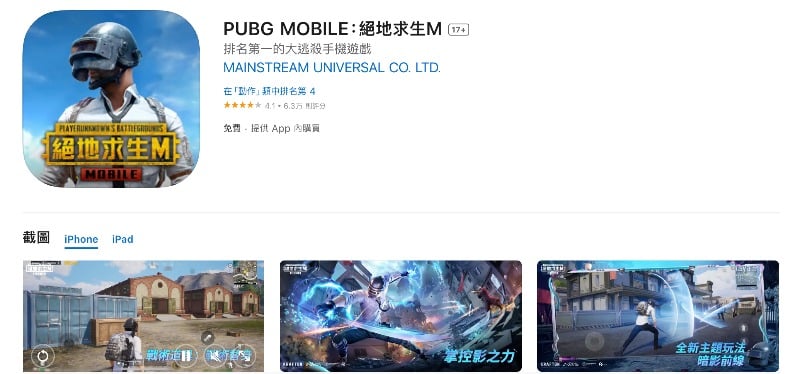
PUBG is one of the most popular games available on the smartphone. It is a multiplayer battle royale game. You can play PUBG on your Vision Pro. The standard version of PUBG is not compatible with Apple Vision. But a Chinese version of PUBG mobile can be played on the Vision Pro. You can install the game from the App Store on the Vision Pro. You may need to change the location to Chinese to install the game.
Playing PUBG on the Vision Pro requires special controls. You need to control the game with hand gestures. The game is displayed in a window while playing. You can change the size of the window or place it in any virtual environment. You can create an account and start playing. As I said, it might be difficult to play with your bear hand. You can also play the games with the controller. Many thanks to the YouTube channel, Wynnsanity, for this detailed guide on How to play PUBG on the Vision Pro.
Download PUBG Mobile for Vision Pro
Enjoy cloud gaming and web-based games
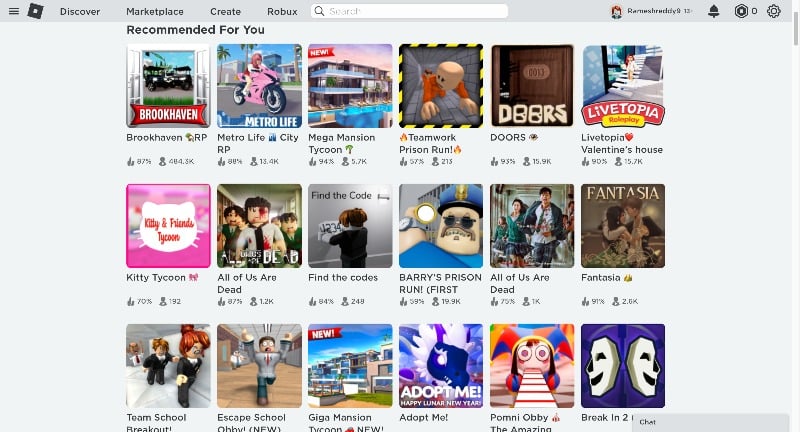
We’re almost at the end of the list. If you think you haven’t discovered many games yet, this one might excite you. You can play web and cloud games on the Apple Vision Pro. With these options, you can expand the game library. There are hundreds of web-based games you can play. Here are some of our favorites. You can visit the website of a web game provider like Robolox and get access to hundreds of web-based games.
As with other games on the Apple Vision Pro, you don’t need an external controller to play these web games. The device allows you to control the games with your bare hands, creating a unique and intuitive gaming experience.
You can also access cloud gaming services with the Apple Vision Pro. You can stream games from your library via cloud gaming services such as Nvidia GeForce Now, Xbox Cloud Gaming and PlayStation Now.
Stream PS5 and Mac games to the Vision Pro
In addition to supporting web and cloud gaming, the Apple Vision Pro also supports streaming of PS5 and Mac games. However, it’s important to note that you must own a PS5 or Mac to use this feature. The games are not played natively on the Vision Pro, but are streamed from your PS5 or Mac device to the Vision Pro headset.

You can watch the video to see the detailed steps; if you prefer to read steps rather than text, here are the simple steps described in the video.
- To get started, pair your PS5 controller with the Apple Vision Pro. To pair, press and hold the PlayStation button until it enters pairing mode.
- Go to the Settings on your Apple Vision. Find the Bluetooth menu. Select the controller on your Apple Vision Pro to pair it.
- Now Enable Remote Play on Your PS5. To enable it on your PS5, go to Settings > System > Remote Play and turn it on.
- Choose Link Device and remember the code provided.
- Now Open your Vision Pro and Download the Mirror Play app from the App Store.
- Now, Open the Mirror Play app on your Vision Pro. Go to the PS5 register tab and Enter the registration number shown on your PS5 screen.
- Log in with your PlayStation ID when prompted.
- Now, set up the button mapping, finish the controller setup, and return to Home.
- Choose Local Connect in the Mirror Play app on the home screen to connect to your PS5. Once connected, you can start playing PS5 games on your Vision Pro.
You can also play Mirror Mac games on the Apple Vision Pro. Learn how to set up your Apple Vision Pro with your Mac for a virtual screen:
- The virtual display is only supported on a Mac running Mac OS Sonoma or later. Make sure you update your Mac to the latest version.
- Turn on Wi-Fi and Bluetooth on your Mac and Apple Vision Pro.
- To connect, you can view your Mac’s screen through Vision PRO. You will see a new connect icon on your laptop. Click on Connect to create a visual Mac Display on your Vision Pro. Alternatively, you can open the Control Center on your Vision Pro, select Mac Virtual Display, and connect to your Mac listed there.
- Your Mac desktop will appear as a window within the Vision Pro. You can move and resize this window. You can only mirror your Mac as one monitor within the Vision Pro.
- You can use your keyboard or the controller connected to your Mac to control the games on the virtual display.
Unlock a World of Unlimited Gaming
This is the list of games available for the Apple Vision Pro. They are fun and offer an immersive experience when you play them on the Vision Pro. Expand the list to include web and iPad compatible games if you think the list is limited. You can also play in the cloud or set up a virtual display on your Vision Pro to get the best gaming experience. I hope you find this list helpful. If you have any other suggestions, feel free to comment below.
FAQs on Best Apple Vision Pro Games
1. Do I need external controllers to play games on the Apple Vision Pro?
For most native Vision Pro games, you don’t need external controllers as the device tracks your hand movements. However, for streaming PS5 or Mac games, you will need to connect a compatible controller, such as the DualSense Controller, to the Apple Vision Pro.
2. Do I need an Apple Arcade subscription to enjoy games on the Vision Pro?
Yes, an Apple Arcade subscription is required for most of the games listed in this article. However, not all games require an Apple Arcade subscription. Games such as PUBG and iPad games can be played on the Vision Pro for free.
3. Can I play games with friends on the Vision Pro?
Yes, some games support multiplayer modes. You can team up with your friends or compete against them.
4. How do I find new games on my Vision Pro?
There are currently only a few games available for Vision Pro. You can find more compatible games in the Vision Pro App Store. If you are subscribed to the Apple Arcade subscription, you can keep an eye on the list of new games available for Vision Pro on the home page. You can try out iPad and web-based games on your Vision Pro to add to the list.
5. Can I play non-VR games on Vision Pro?
Yes, you can play non-VR games on the Vision Pro. These games are displayed in a window. You can change the size of the window, change its position and much more. You can also play the game with your hands without a controller.

