

In Summary
- Samsung’s Galaxy S25 Ultra shifts AI from gimmicks to genuinely useful tools, integrating it seamlessly into daily routines for increased efficiency and convenience.
- Personalized AI features, powered by a secure Personal Data Engine, adapt to individual user habits, offering tailored experiences and proactive assistance.
- Intuitive AI accessibility via One UI 7, enhanced voice recognition, and robust privacy controls ensure user-friendly and secure AI integration.
Remember when AI features on smartphones were just party tricks? Translation gimmicks and object removal tools that we’d show off once and never use again. But with the Galaxy S25 Ultra, Samsung might have finally cracked the code on making AI genuinely useful in our daily lives.
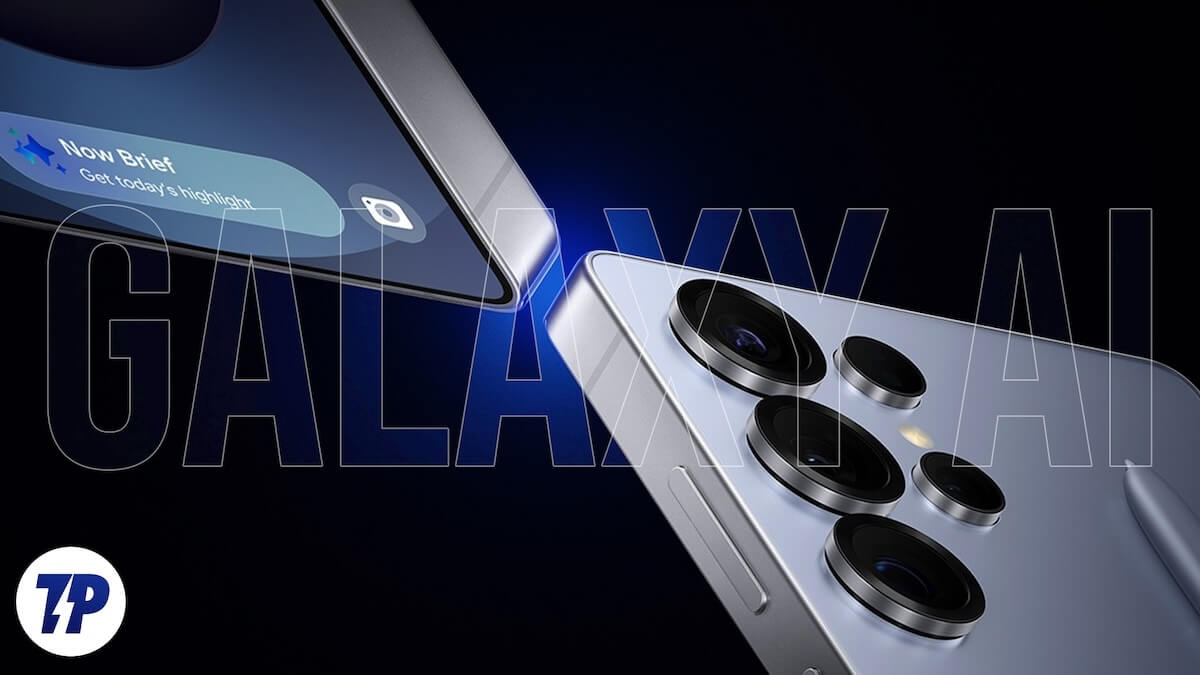
The key question isn’t whether Samsung has included more AI features in their latest flagship but whether these features really make our lives better. Let’s dive into why this time might be different.
Table of Contents
The Shift from Showmanship to Practicality
Samsung’s new approach with the S25 Ultra focuses on what AI can do for you, rather than what you can show to others. The introduction of Cross App Actions exemplifies this perfectly. Multimodal AI search, especially voice-based search is a gamechanger. Imagine saying “find pet-friendly restaurants in Miami and send it to Mom,” and having the phone compile the list and prepare the text message without you jumping between apps.
But that’s just the start. The real-world uses go well beyond simple tasks. For example, you can find out when a concert is happening and add it to your calendar while also texting the details to your friends – all with just one voice command. The system integrates smoothly with Samsung’s native apps, the entire Google app suite, and even third-party applications like Spotify and WhatsApp.
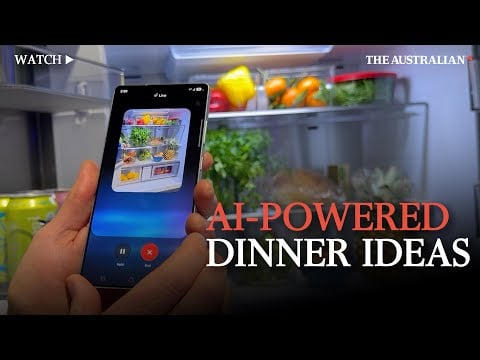
The practicality extends to visual interactions as well. Simply point your camera at your refrigerator, and the Galaxy AI can analyze what’s inside and suggest recipes based on the ingredients you have. The Circle to Search feature, which was introduced earlier, has become more functional – it now recognizes phone numbers, emails, and URLs for immediate actions, so you won’t have to copy and paste manually.
Even video consumption has turned into a more interactive and practical experience. While watching YouTube, you can tap the AI Select button to analyze the content and receive instant recommendations. Want to turn that funny moment into a shareable GIF? The AI takes care of it right away. Need to list out recipes from a cooking video? Just ask, and your phone will extract and organize them into your notes.
The Now Bar feature elevates this practicality further, providing quick access to relevant information like sports scores, meeting directions, and countdown timers – all without needing to open specific apps. It’s similar to the iPhone’s Dynamic Island but places a stronger emphasis on AI-powered recommendations and personalization.
This shift from showmanship to practicality signifies a more mature approach to AI implementation. Rather than creating flashy features that impress us momentarily and then fade away, Samsung has concentrated on integrating AI into our daily routines in ways that genuinely save time and reduce friction.
The Personal Touch
What distinguishes the Galaxy AI features on S25 series is its emphasis on personalization. The phone includes a Personal Data Engine that learns your habits and adapts to them, providing a genuinely customized experience that evolves over time. Unlike earlier personalization efforts that seemed superficial, Samsung’s method delves deeper into understanding user behavior and preferences.
The Now Brief feature illustrates this personalized approach. It doesn’t merely present generic information; it learns what is important to you and tailors its recommendations accordingly. For example, if you often check sports scores in the morning or like to review your calendar before looking at emails, the system adjusts to these habits. The morning brief might include your sleep quality, weather updates, and upcoming meetings, while the evening brief summarizes your day’s activities and helps you get ready for tomorrow.

Samsung has enhanced personalization by enabling users to create their own LLM (Large Language Model) directly on the device. This custom AI model learns from your usage patterns, analyzes data from your wearables, and even comprehends your daily routines to offer more relevant suggestions. For instance, if you usually use your TV to fall asleep, the phone can detect when you’ve dozed off and automatically start a routine to dim the lights and turn off the TV.
The Personal Data Engine collaborates with Knox Vault to ensure that all this personalization occurs securely on your device. It powers features like natural language searching in your Gallery app, allowing you to use conversational queries such as “show me photos from last summer’s beach trip” or “find that picture where I was wearing a red dress.” This personal touch also extends to system settings—you can modify display fonts or toggle settings using natural language commands that feel more like conversing with an assistant than navigating through menus.

One of the standout features of the phone’s AI is its ability to analyze your movement patterns and wellness data from compatible Samsung wearables to offer personalized routines. If it detects that you’ve been sitting for long periods during work, it may suggest taking short walking breaks or recommend specific times for exercise based on your schedule. This degree of personalization demonstrates that Samsung is not merely using AI for show – they are leveraging it to develop a truly helpful personal companion.
Making AI Accessible
Samsung has woven AI so seamlessly into One UI 7 that it feels like a natural part of the experience – always available when you need it. This marks a notable shift from the old days when AI features were often hidden within specific apps or needed to be activated manually.
The user-friendly design starts with the revamped UI elements. The AI button is now easily accessible in the keyboard, camera interface, and system-wide search, making it just a tap away. Unlike other brands that bury AI features under complicated gestures or lengthy processes, Samsung has prioritized making these tools easy to find and use.
The Circle to Search function has been enhanced with a new “hover and explain” feature that gives you instant context without leaving your current app. Just hover over any text, image, or interface element, and the AI will provide relevant information or suggestions for actions. This is especially useful for technical terms, product names, or unfamiliar concepts you might come across while browsing.

The accessibility also extends to productivity tools. The S25 Ultra introduces AI-driven note-taking that can automatically format and organize your ideas. During meetings, it can differentiate between speakers, create action items, and even suggest follow-up tasks based on the discussion. These features are compatible with Samsung Notes, Microsoft Office apps, and Google Workspace, ensuring a smooth transition between platforms.
Samsung has also improved AI accessibility with enhanced voice recognition that accommodates various accents and speech patterns. The real-time translation feature now supports 13 languages for live conversations and can translate text within images in 45 languages. Impressively, all these translations occur on-device, so no internet connection is needed.

The phone’s accessibility features also include visual assistance. The AI can describe scenes for users with visual impairments, read text aloud in a natural tone, and even recognize objects through the camera. These features are seamlessly integrated into the phone’s overall experience rather than feeling like separate tools.
Beyond the Gimmicks
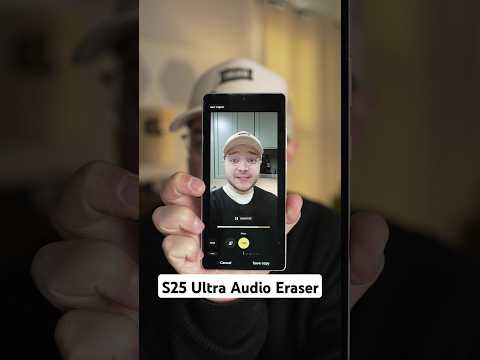
The Galaxy AI features on S25 series go well beyond basic functions, addressing real-world challenges effectively. Take the Audio Eraser feature, for example; it employs sophisticated AI algorithms to detect and eliminate specific types of background noise from videos. Whether you’re dealing with wind noise during outdoor shoots, echo in spacious rooms, or distracting conversations in the background, the AI can isolate and remove these disturbances while keeping the main audio intact.
In terms of photography, Samsung has shifted its focus from flashy filters to meaningful enhancements. The AI-driven ProVisual Engine can now assess lighting conditions and automatically adjust camera settings for the best possible outcome. Even more impressively, it can identify when you’re trying to photograph text documents, automatically correcting perspective distortion, improving readability, and even converting handwritten notes to digital text in real-time.
“Contextual Awareness” is a novel concept which anticipates your needs based on your surroundings and activities. For instance, when you get into your car, it automatically switches to driving mode, opens your preferred navigation app, and queues up your usual driving playlist. During meetings, it can silence notifications except for priority contacts and take notes without needing any prompts.
Battery management has received a significant upgrade with AI technology. Instead of merely providing standard power-saving modes, the S25 Ultra examines your usage habits and adjusts power consumption accordingly. It can anticipate when you might need extra battery life based on your calendar and location, automatically modifying performance settings to ensure you have enough power during crucial moments.
For professional users, Samsung has rolled out AI-driven network optimization that can effortlessly switch between Wi-Fi, 5G, and other connection types based on the needs of applications and signal strength. During video calls, it can automatically improve your voice clarity, reduce background noise, and maintain stable connectivity, even in difficult network situations.
The S25 series introduces a feature called “Smart Routines 2.0” that goes beyond basic automation. It learns from your habits and suggests new routines based on the patterns it identifies. For example, if it sees that you frequently order food delivery after late meetings, it can recommend setting up an automatic routine that opens your favorite food delivery app and pre-selects your usual orders when similar situations come up.
These features highlight Samsung’s dedication to making AI genuinely useful rather than just flashy in demonstrations. Each implementation has a specific purpose and meets real user needs, representing a significant advancement in how AI is integrated into mobile devices.
Privacy Meets Intelligence

Samsung has taken significant steps to tackle privacy concerns with the S25 series by implementing a robust multi-layered approach to data protection. The personal data engine is secured with end-to-end encryption, allowing users to have detailed control over their data, including options to opt out or reset their AI learning profile whenever they choose.
The Knox Vault system has been specifically upgraded for AI operations, creating a secure environment for handling sensitive information. This “AI Sandbox” guarantees that personal data used for AI features stays on the device and is entirely separate from cloud processes. Users can now monitor which AI features are active, what data they are accessing, and have the option to disable certain AI functions while keeping others operational.
With the launch of “Privacy Centers,” users gain exceptional control over their AI data. This centralized dashboard displays which apps are utilizing AI features, the types of data being collected, and how that information is used to tailor experiences. Users can easily export their data, remove specific learning patterns, or completely reset their AI profile with just one tap.
This thorough approach to privacy highlights Samsung’s recognition that cutting-edge AI features need to be paired with strong privacy safeguards to build and sustain user trust.
Final Words

Has Samsung finally made AI genuinely useful? Early impressions suggest that it has. Rather than adding features just for the sake of it, Samsung is concentrating on addressing real issues and simplifying daily tasks. The S25 series marks a transition from “look what AI can do” to “here’s how AI can assist you” – which might be precisely what we’ve been waiting for.
While the flashy features haven’t completely vanished, they’ve taken a backseat to more practical uses. It’s no longer about showing off; it’s about making life simpler, one task at a time. And isn’t that the true purpose of technology?

