

Quick Answer
With Pocket shutting down, several great alternatives have stepped up. Instapaper is the best like-for-like option with offline reading and text-to-speech. ReadSoon adds AI summaries and smart tagging, while Raindrop excels at managing all types of content. iOS users can try Matter, and privacy-focused readers can pick Wallabag.
In a surprising move, Mozilla, the popular browser company that owns Pocket, has announced the shutdown of Pocket along with another useful website, Fakespot. The company claims the reason for the shutdown is to focus on the main Firefox browser and says the way people save and use webpages has evolved.
It’s true—AI has changed how we search the web. But for many of us, Pocket remained the go-to bookmarking tool, a trusted place to save what matters. I’ve personally relied on it and often recommended it as the best bookmarking tool out there. Now, heartbreakingly, it’s being shut down.

Pocket is shutting down on July 18, 2025, and users have until October 8 to export saved Pocket content before it is permanently deleted, so if you’re already a Pocket user, you can export all of your saved articles on Pocket to others.
Fortunately, there are plenty of better alternatives available for the Pocket now, so in this guide, we are going to look at them all in detail and compare them against the Pocket and let’s find out which one is better for you. If you are ready, let’s get started.
Table of Contents
Best Pocket Alternatives
App | Price | Best for | Platform |
|---|---|---|---|
Instapaper | Free/Paid | For users looking for similar pocket interface | Android, iPhone |
ReadSoon | Free/Paid | For AI summaries and smart organization | Web |
Raindrop.io | Free/Paid | For advanced organising features | Android, iPhone |
Wallabag | Free | For more privacy, you can self host | Android |
Matter | Free/Paid | Offers best reading experience on iOS | iPhone |
Readwise Reader | Paid | For users looking to keep track of their reading habit, paid option. | Android, iPhone |
PaperSpan | Free | Simple and easy to use app | Android, iPhone |
Instapaper – Best Real Pocket Alternative
Highlights:
- Price: Freemium
- Unique features: Speed reading, text highlighting/notes, Kindle integration, distraction-free reading, and more
- Platform: Android and iPhone
If you ask me, Instapaper is the best available alternative for Pocket. It is available on all major platforms, including Web, Android, and iOS, and offers similar features to Pocket.
Instapaper lets you save and organize bookmarks, and then read them later in a clean and distraction-free interface, making focused reading easier. You can highlight key text, access everything offline, and even listen to articles using the built-in text-to-speech feature. If you’re a Pocket user, you can also import your entire library without losing access to any saved content.

Instapaper is free to use, just like Pocket, and lets you save unlimited articles and bookmarks at no cost. For those who want more, the premium version adds powerful features like full-text search, unlimited highlights and notes, and a speed reading mode. It also removes the five-highlights-per-month limit found in the free plan.
Now that the app is available on all major platforms, you can instantly download and install Instapaper and migrate all your Pocket content to Instapaper.
Pros:
- Offers a minimal user interface.
- You can store unlimited bookmarks in the free version.
- Supports speed reading and Kindle integration
- Migrate your content from Pocket with import tools
- Available on all platforms
Cons:
- Some features (full-text search, unlimited highlights) are paid
- UI feels a bit dated compared to Pocket.
ReadSoon – Best New Pocket Alternative
Highlights:
- Price: Freemium
- Unique features: Smart tagging, AI-powered summaries, offline reading, distraction-free interface, Pocket import, and more
- Platform: Web
If you are looking for a modern replacement for Pocket, ReadSoon is one of the best options available today. Built for focus and productivity, it offers a clean reading experience while adding intelligent tools that Pocket never had. You can save articles, PDFs, and highlights from anywhere on the web and organize them using smart tags and full-text search, making it easy to revisit key content whenever you need.
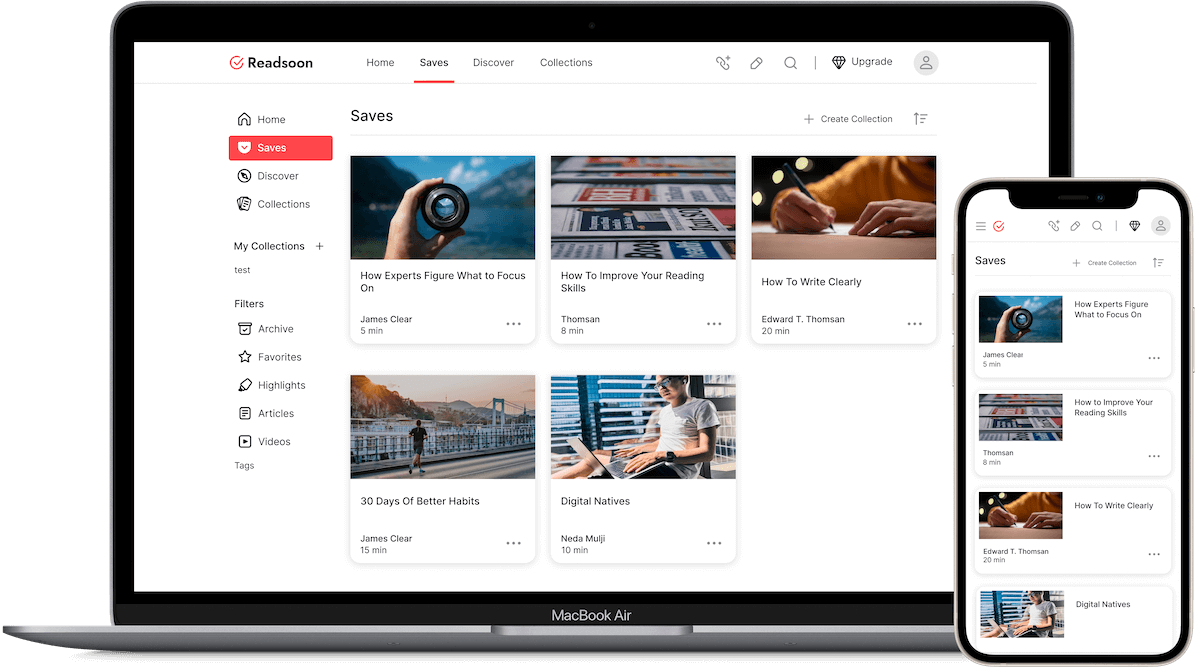
ReadSoon also supports offline reading, so your saved content is always accessible even without an internet connection. The interface is minimal and distraction-free, helping you focus on what you’re reading. For former Pocket users, there’s a seamless import tool that lets you bring over your entire library without losing any saved content. It offers the same look and feel as Pocket, while adding public and private collections to share all types of content.
The app is free to use with generous core features. Its upcoming premium tier will add deeper productivity tools like advanced AI summaries, custom themes, and enhanced organizational options.
Pros:
- Clean and modern user interface
- Smart tagging and full-text search for quick organization
- Pocket import support makes migration easy
- Works offline across all platforms
- AI summaries save time and boost productivity
Cons:
- Some advanced AI features are still in beta
- Premium features are not fully rolled out yet
Download: Web
Raindrop – Best for Content Management
Highlights:
- Price: Freemium
- Unique features: Full bookmark manager for articles, videos, PDFs, folders, and subfolders, full-text search and more
- Platform: Android and iPhone
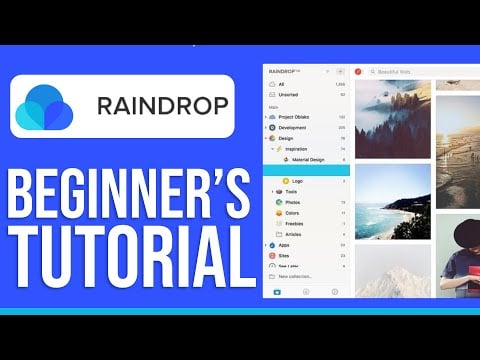
While the Raindrop is not a direct competitor to the Pocket, it can be the best alternative option to the Pocket. It not only saves articles but also videos, PDFs, images, facts, and even full web pages, making it a complete bookmarking and knowledge organization.
It also supports organization features that let you add tags and organize all your articles in a single place, along with a collection of folders, custom tags, and icons. It also supports different view layouts, which lets you view your content in a list, mood board, or cardboard, one of the biggest highlights of Raindrop is that it also supports full-text search, which also works for saved PDFs.
It lets you save even a snapshot, which can be handy sometimes if the original webpage disappears or is taken down for any reason. Similar to the Pocket, Raindrop is also available on all major platforms, including Web, Android, and iOS.

Raindrop isn’t a dedicated reading app, so it doesn’t offer the same distraction-free experience as Pocket or Instapaper. Still, it removes clutter from web pages, lets you change fonts and font size, and allows text highlighting for better readability.
Despite that, Raindrop stands out as one of the best free alternatives to Pocket, helping you manage all your saved content in one place.
While the interface isn’t as intuitive as Pocket, it’s beginner-friendly enough to navigate without trouble. It’s also completely free to use, with unlimited bookmarks and syncing across unlimited devices.
Upgrading to premium unlocks extras like AI suggestions, full-text search, a permanent library, daily backups, reminders, and the ability to upload up to 10 GB of files per month.
For most users, especially those switching from Pocket, the free version offers more than enough. Plus, Raindrop makes it easy to import all your Pocket articles in just a few clicks.
Pros:
- Let’s you save articles, PDFs, images, and even videos
- Supports folders, subfolders, and tags
- Supports full-text search and backup options
- You can import content from Pocket and other services
Cons:
- Reading mode is not as intuitive as Instapaper or Pocket
- It can feel complex for beginners with too many features.
- Many best features are behind a paywall.
In the Poche by Wallabag – Best for Privacy-Focused Users
Highlights:
- Price: Free (self-hosted/open-source; hosted option for a small fee)
- Unique features: Self-hosting, more privacy, full control, customizable via plugins
- Platform: Android and iPhone, web
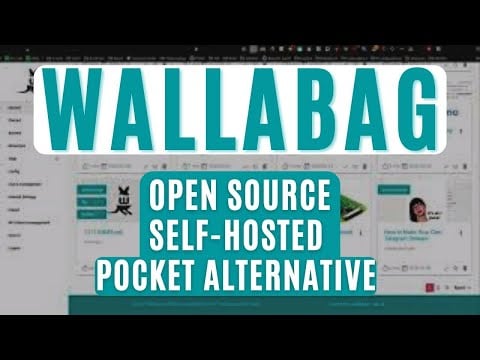
The Wallabag is an open-source and self-hosted read-later app that helps you create your own version of a read-later app like Pocket, Instapaper, and Raindrop. io.
The best part of this method is that you get to store unlimited bookmarks and you have control of all your data, plus, you don’t need to worry about shutdowns in the future, just like what happened with Pocket now.
Plus, you get all the advantages of self-hosting: You can customize with your own features and also integrate with other tools. Wallabag also supports API and import and export features, which let you import all your articles from Pocket now.

However, one of the biggest downsides of the self-hosted platforms is that, as a casual user, you need to have technical knowledge to host your site on your server, which requires some technical knowledge to do this, and also, like any other self-hosted and open-source app, the user interface is not that appealing. It is still very minimal with very limited features compared to the Pocket Now or Instapaper.
However, for advanced users who are looking for a self-hosted read-later app without any worries about future shutdowns, this can be a very good alternative. Here is a video detailing how to set up your own Wallabag and self-host your read-later service.
Pros:
- Self-hosted and open-source
- Privacy-focused.
- Unlimited storage, with no risk of shutting down in the future
- Highly customizable and also supports plugins
- Import/export (including from Pocket)
Cons:
- Requires technical setup and self-hosting skills
- Basic user interface
- No available for iOS
Download: Android
Matter – Best for iOS Users
Highlights:
- Price: Freemium
- Unique features: Also supports newsletters, RSS feeds, text-to-speech, AI summaries, and highlights export options.
- Platform: iPhone
If you are on iOS, Matter offers a centralized hub for all your reading needs. It was launched in 2021 and has quickly become the best option for readers who read from multiple sources, including the Web, Twitter, and all the newsletters.
Not only articles, you can also import your newsletters and all other content from external apps into the Matter app and get the best reading experience.
Since it is an iOS exclusive, the user interface is one of the best highlights of this app, with a minimal and high-quality design similar to the Pocket. It allows you to save and read articles later and offers a distraction-free experience.

Plus, if you are coming from the Pocket, Matter also allows you to import content from Pocket and even from Instapaper and store it all in one place. Similar to the other apps, the free version allows you to store unlimited versions of your bookmarks, and if you have upgraded to the premium, you can get access to useful AI features like AI summarise to summarise your articles, and also export all the highlights to other apps like Notion.
In addition to this, you can also set a habit-forming goal, which lets you create a habit and a daily reading limit goal, and the app keeps track of your reading habits.
Matter is not a direct alternative to the Pocket now, but it is a better and more reliable option for users who love reading, especially content on the web. However, the biggest downside of the app is that it is currently only available on Apple devices, including iPhone, iOS, and iPad, and also as a web extension, which allows you to save directly and sync with the devices in real time.
Pros:
- You can also save newsletters, even X threads, and more
- Best user interface.
- AI-powered summaries and high-quality text-to-speech (Pro)
- Supports exporting highlights to Notion and Readwise
- Track your reading.
Cons:
- Limited to iOS.
- Some advanced features require Premium.
- The bookmarking and organ-sign features are basic.
Download: iOS
Reader by Readwise – Best for Knowledge Management
Highlights:
- Price: Paid (30-day free trial)
- Unique features: Supports PDFs, newsletters, RSS, useful annotation tools, and also supports integrations.
- Platform: Android and iPhone
Reader by Readwise is another popular app that you can use as an alternative to Pocket. The USP of the app is more than just using it as a read-later or to store your bookmarks, you can keep track of your reading habits and it helps you to organize, remember, and revisit the content any time you want.

Plus, it comes with handy integration tools that let you highlight, transfer, and sync your highlighted notes with other popular apps like Notion, Obsidian, and even Evernote.
Similar to Matter, it also supports PDFs, newsletters, RSS feeds, and even e-books, which lets you store them in one place. However, the app is not user-friendly and isn’t as minimal as Pocket.
Reader by Readwise only comes with a paid option, and there is no free version available for the app. However, as a sign-up for the initial trial, the app offers a 30-day free trial, during which you can use the app and test if it suits your needs.
Pros:
- Let you store articles, PDFs, newsletters, RSS feeds, and ebooks
- Offers useful annotation tools.
- Spaced repetition lets you recall content quickly.
- Track your reading habits
Cons:
- No Free version.
- It might be overwhelming for beginners or those who love a minimal reading experience.
PaperSpan – Best for Minimalists
Highlights:
- Price: Free
- Unique features: Free-to-use, text-to-speech playlists, highlights and notes, reading statistics, ad-free experience, and more.
- Platform: Android and iPhone
Finally, ending the list with Paperspan, a free and minimal alternative to the Pocket.
Similar to the Pocket, you can add and read distraction-free articles, and it also supports offline reading, and text-to-speech, which requires a premium, and you can organize your content using tags and short folders.
Plus, the app offers a dedicated section for highlights where it will list out all your highlights mentioned in the article, which is super handy to access directly from the home screen.
Similar to the Pocket, the app is free to store unlimited articles and also comes with test stats to keep track of your reading time. However, the app doesn’t support any import features, so you cannot import your content from Pocket.

Pros:
- Free
- Offers a simple, minimal, and ad-free experience
- Keep track of your reading habits
Cons:
- Basic user interface
- Cannot import your content from Pocket.
Best Alternatives to Pocket
These are the best alternatives to Pocket. While not surprising, Mozilla’s decision to shut down one of the most loved and useful tools still hits hard. Thankfully, there are several great replacements—many of them free—that match or even improve on what Pocket offered.
I hope this guide helps you find the right Pocket alternative. If you want more options, consider using Google Chrome Read Later and Safari Reading List. Both are built-in features, so you don’t need to install anything extra.
If you’re looking for more advanced read-later and content-saving tools, Evernote Clipper is a solid choice for storing articles, while OneNote offers a free and reliable option. For a complete content hub—including articles, YouTube videos, PDFs, and web pages — Notion delivers powerful organization tools and a built-in web clipper to save content directly from the web. Got a favorite tool we missed? Share it in the comments.

