

Instagram is a platform known for sharing photos and videos and has become one of the leading social media. It has continuously expanded its features to include Reels, Stories, and live streaming. Live videos are one of the most used Instagram features among celebrities, content creators, and influencers as it allows real-time interaction and engagement with followers via live video broadcasts.

Given the real-time nature of Instagram Live, many users — both hosts and viewers— – are looking for methods to save Instagram Live videos or download them later. This need arises when you want to save an important live video that you couldn’t be there for from the beginning, or if you’re a viewer or host who wants to save a copy of your live video to Instagram or your device for later access.
Fortunately, while Instagram doesn’t provide a direct option for viewers to download live videos, hosts of live videos do have the ability to access, save, share, and download their live video content after the broadcast is over.
In this article, we’ll show you how to save or download Instagram live videos. We’ll introduce you to alternative methods to easily download and save Instagram Live videos. Read on to learn more about this topic.
Table of Contents
Can I Save Instagram Live Video or Download it Later?
You may have missed a live video, or as a host you may want to have access to your live video afterward so you can share it on Instagram or download it to your smartphone. In the first case, as a viewer, you won’t have a direct way to download Instagram Live videos unless the host has shared them on Instagram after the live session or you use one of the techniques described in this article.
In the latter case, if a certain feature is enabled in your Instagram account, all your live videos will remain stored in an archive in your account for up to 30 days after the live broadcast. During this time, you can upload the live video to Instagram or download it to your device. So, direct downloading of Instagram live videos is only possible for hosts if the video was saved in their archive or posted on Instagram right after the live session ended.
How to Download Instagram Live Videos?
Are there techniques to download Instagram live videos? In fact, you can save or download Instagram live videos using one of the methods we describe below:
Method 1: Download Instagram Live Video from Live Archive
Instagram offers a feature called “Live Archive” that keeps your IG live videos for a maximum of 30 days. This feature allows live video hosts to re-watch, share, and even download their live broadcasts.
However, to use the feature, you must have previously enabled the setting to automatically save live videos to your archive after each live session.
Normally, this option is enabled by default in your Instagram account, unless you have manually disabled it. To make sure this feature is enabled in your account, follow the steps below:
1. Launch Instagram on your smartphone and click the Story tab in the menu to create a new IG story.

2. Click the gear icon in the upper right corner of the page, and then select Live.
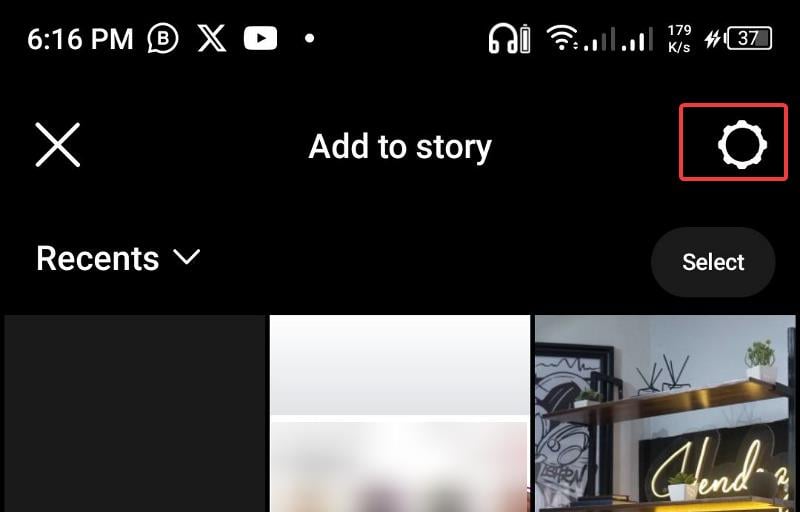
3. Now make sure the slider next to Save Live to Archive is checked so you can automatically save all your live videos to the archive for up to 30 days.

If the above feature was previously enabled, you’ll have access to all the live videos you’ve posted in the last 29 days in the Live Archive. To retrieve your live video from Instagram Live Archive to post on Instagram or download, please follow the steps below:
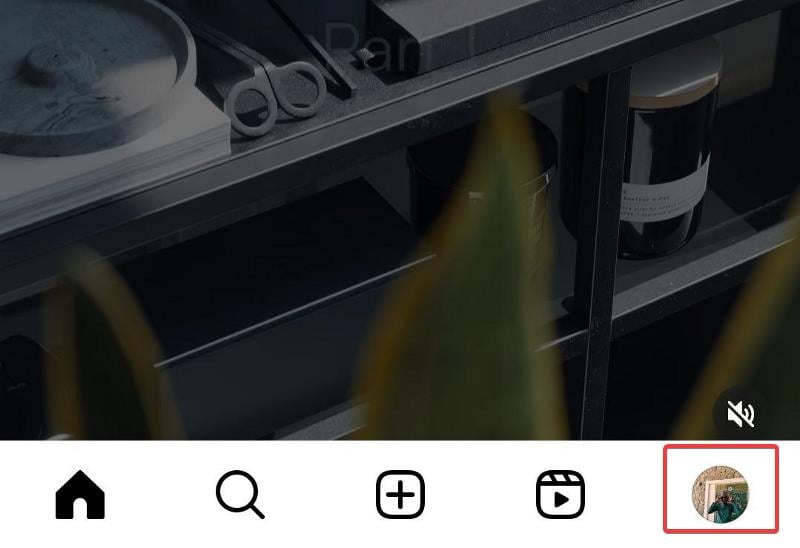
1. Launch the Instagram app on your smartphone and click the profile icon in the lower right corner of the app to open your IG profile.
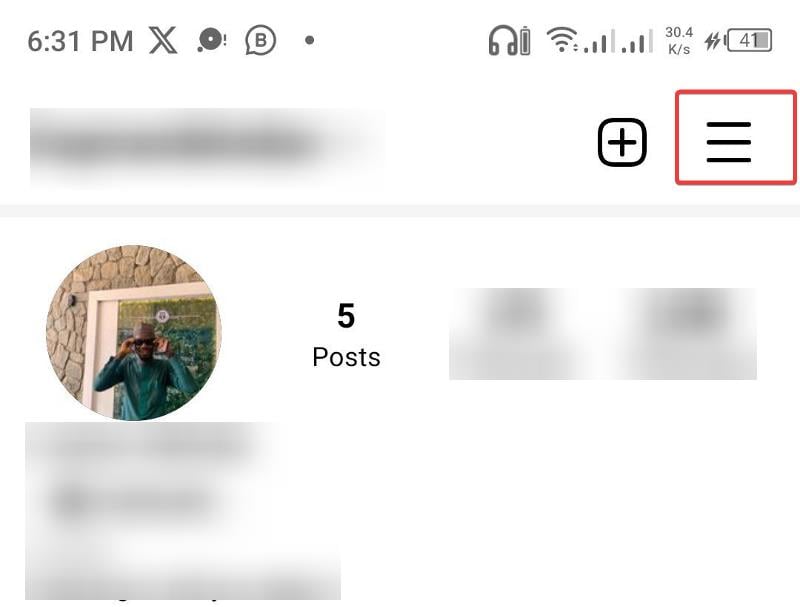
2. On your profile page, click the icon with the three bars (hamburger menu) in the upper right corner.
3. In the menu that appears, select Archive and you’ll be taken to your Instagram archive, where you’ll find Stories, Posts, and the Live archive.
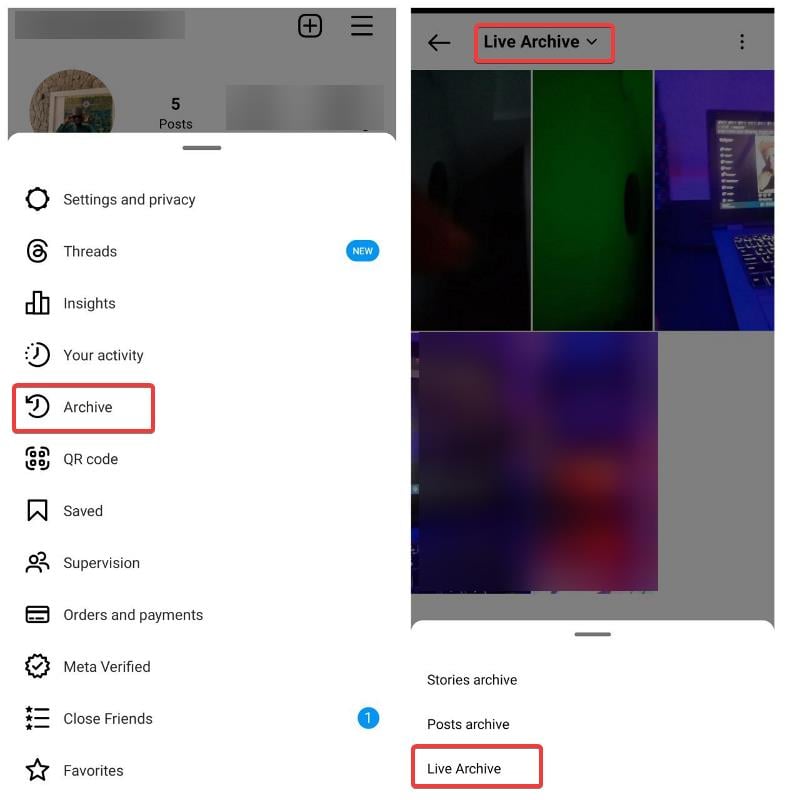
4. If you’re directed to the Stories archive when you open the archive, click the Stories Archive at the top of the page and select Live Archive to go to your archived live videos.
5. There you will see all the live videos you have hosted in the last 29 days. You can click on any video to watch it and post it to Instagram from there.
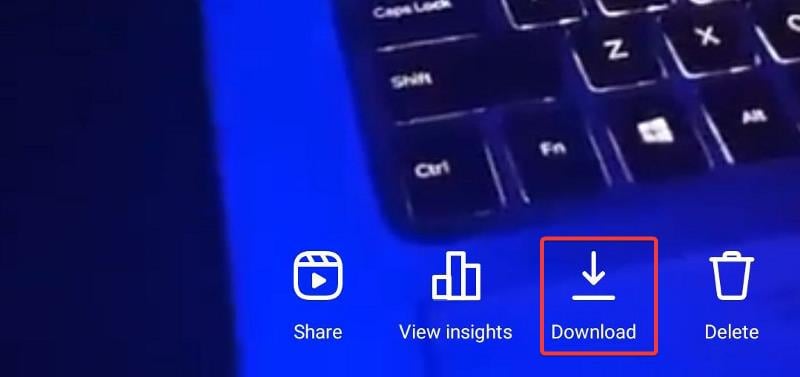
6. Also, for each live video you open in the archive, you’ll see the download icon in the menu that you can click to download the video to your device.
This process for saving, retrieving, and downloading live video content applies only to the live video host and not to viewers. However, if you are able to contact the host directly, you can ask them to share the live video with you on IG and provide you with a downloaded copy.
Remember that only hosts have access to their live videos unless they share them.
Method 2: Use Instagram Video Downloader – Download Posted Live Videos
Although live videos contain links, Instagram video downloaders usually cannot detect them. However, if the live video host shared the video on Instagram after the live session ended, you can easily download it by following the steps below:
1. Launch Instagram and find the live video you want to download.
2. Tap the three-dot menu in the lower left corner of the video and select “Copy Link”

3. Open any Instagram downloader, SaveInsta, for example.
4. Paste the copied link into the designated field of the downloader and click the download button.
With this step, you will download a copy of the posted live video to your device and make it available locally.
Method 3: Screen record on mobile phone browser – desktop site
Another way to save Instagram Live videos is to use your device’s built-in screen recorder or a third-party screen recorder, which is a straightforward process. However, this option is often less popular because distracting live comments and background noise can affect the quality of the recording.
However, I’ve found a solution to the live commentary problem. This involves accessing the live video via a web browser as a desktop site. On a desktop site, the live video is displayed on one side of the screen while the comments appear on the other side.
This way you can set the screen to show only the live video and keep the comments separate. This way, you can start recording the live video without being disturbed by the comments.
You can record Instagram live video without live comments on your PC screen because live video on PC loads comments on one side of the screen, and there are screen recorder tools for PC that let you choose which part of your screen you want to record. We recommend QuickTime for Mac computers and OBS for Windows PCs.
Final Thoughts
Online sources suggest that IG video downloader apps can help download Instagram Live videos while the broadcast is in progress. However, this claim is not true, as Instagram Live videos are streamed in real time. The methods we’ve described before are the proven methods you can use to save Instagram Live videos or download them later, with the live archive method being the most effective in our estimation.
FAQs about Saving/Downloading Instagram Live Videos
1. Can you watch an Instagram live video later?
Yes, you can watch an Instagram Live video if you, as the host, saved the Live video to the Instagram Live archive or posted it after the broadcast ended. Another way to access the live video later is to capture it on screen during the broadcast and save it to your device.
2. Can you tell if someone is recording your Instagram Live?
No, you can’t tell if someone is recording your Instagram Live broadcast because it’s a public feature and Instagram doesn’t have an algorithm to let you know if someone is recording the broadcast.
3. Are Instagram Live streams saved?
Instagram Live hosts’ live videos are saved to the Instagram Live archive for 30 days, but only if they have previously enabled the feature or saved them after the live video itself. In this article, we’ve looked at how you can make sure live streams are saved to the Instagram archive for you to watch.
Further Reading:
- How to Recover Deleted Content on Instagram
- How to Download Instagram Reels Audio as MP3
- How to View Instagram Stories Anonymously on All Platforms

