

Quick Answer
Using Brave Browser for YouTube delivers an ad-free, privacy-focused experience with built-in blocking, background play, and Picture-in-Picture. It removes the need for extensions or Premium, making video streaming faster, cleaner, and more efficient across desktop and mobile.
YouTube used to be great. It lets us watch videos while creators earn money from the ads shown in the videos we watch. It was going great until Google felt otherwise. The few seconds of skippable ads became unskippable. It has become more about ads than user experience.
As the frequency of ads on videos increases, YouTube users have started using ad blockers to get rid of them. Google has begun a crackdown on those ad blockers and even introduced a paid plan in the name of YouTube Premium, using which we can watch ad-free videos, listen to music via YouTube Music, etc.
Meanwhile, the Brave browser was launched to address issues like the increased tracking of users, lack of user privacy, targeted ads, etc. Brave Browser is popular for its ad-blocking and privacy features. The team behind the Brave browser incorporated a few features that make it the perfect choice to stream videos on YouTube. We can safely claim it is the powerhouse for watching YouTube. Here’s why.
Table of Contents
Why Brave Browser for YouTube Is a Powerhouse?
Blocks Ads by Default in YouTube Videos
Normally, when we click on a video on YouTube to watch, an unskippable ad appears before the video. If the video is long, we see such ads multiple times, making the experience more like a television network.
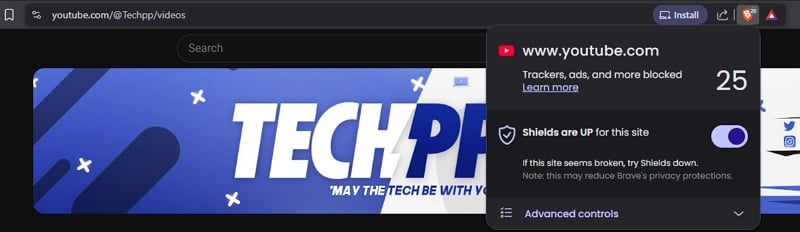
With the Brave browser, we do not see any ads on any videos, except for the ads that creators include in the videos while editing. We do not need to install any ad blocker extension on the Brave browser. We just need to install the Brave browser and use it for YouTube and a regular browsing experience.
Though we can avoid ad blocker detection by YouTube on other browsers, nothing beats the Brave browser. The more extensions we install on a web browser, the more resources it uses. It affects the performance and ruins the experience.
Also, Google transitioned the Chromium browser engine from Manifest v2 to Manifest v3, where the ad blocker extensions became redundant. This applies to all Chromium-based browsers like Google Chrome, Edge, etc., but not the Brave browser.
You can use the Brave browser on your smartphone, too, to watch the videos without ads. It works the same as on desktops.
Background Play Without YouTube Premium
Background play is one of the features available for YouTube Premium users. We need to pay a monthly subscription fee to use such features on YouTube apps.
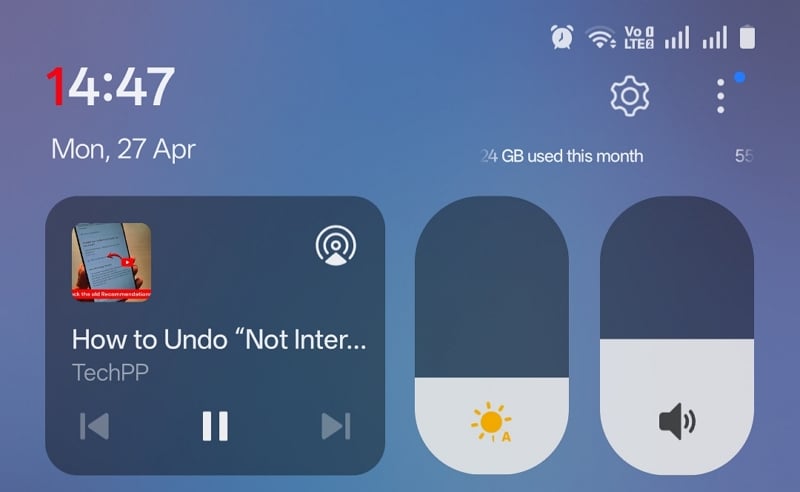
Brave browser, on the other hand, enables background play without any subscription. We do not even have to enable any feature. Like how a music player behaves, the Brave browser behaves similarly while playing a video. When we switch to another app while a video is playing on YouTube on the Brave browser, it automatically plays in the background, unlike other browsers or the YouTube app.
This works perfectly on both Android and iOS devices. Just install the Brave browser from the Google Play Store or App Store and use it to watch YouTube.
If the Background play for YouTube is not working on your smartphone with the Brave browser, open the Settings, go to Media in the Display options, and toggle the button beside Background play to enable it.
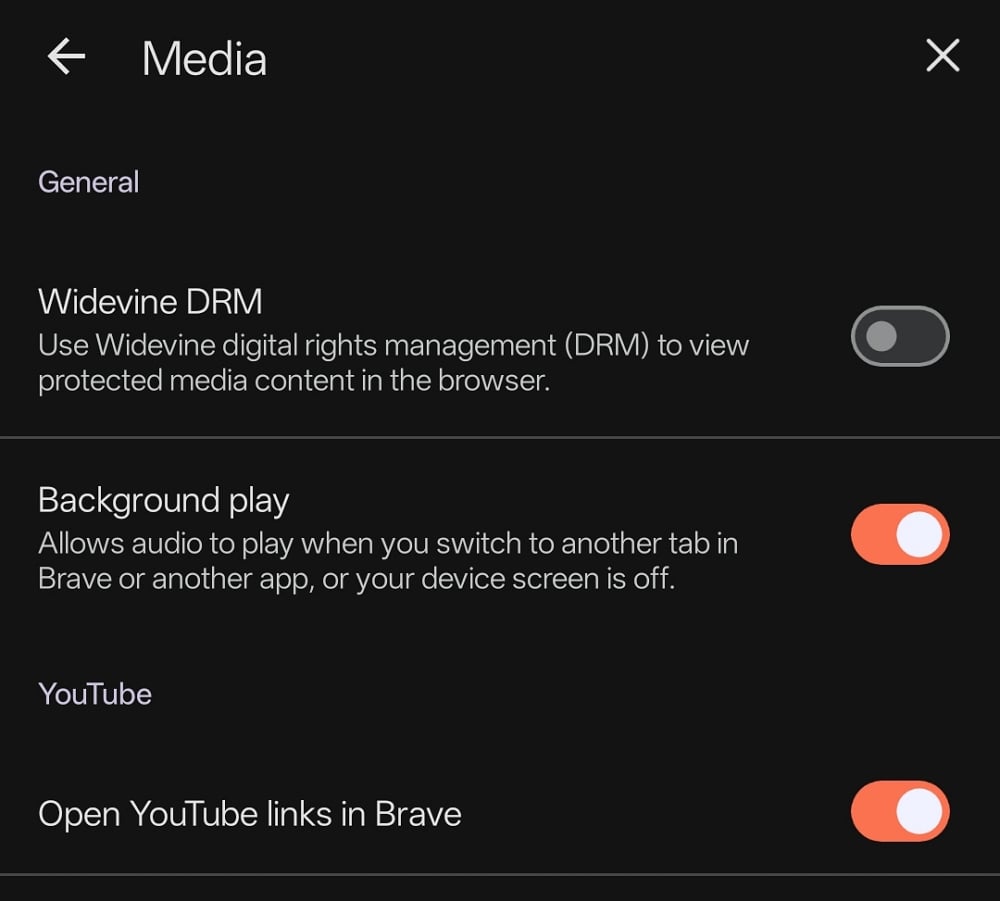
Also, toggle the button beside Open YouTube links in Brave to make sure you get to use the best features of Brave to watch YouTube videos.
Availability of Picture-in-Picture Mode
Picture-in-Picture mode is another feature available in a YouTube Premium subscription. Mozilla Firefox introduced this feature in the browser a few years back, but it does not work on YouTube when we play on its mobile browser.
Similarly, the YouTube app available for mobile devices does not let you play a video in picture-in-picture mode without YouTube Premium.
When you want to watch a YouTube video simultaneously while working on another app, you can just tap the PiP button on the address bar you find in the Brave browser.
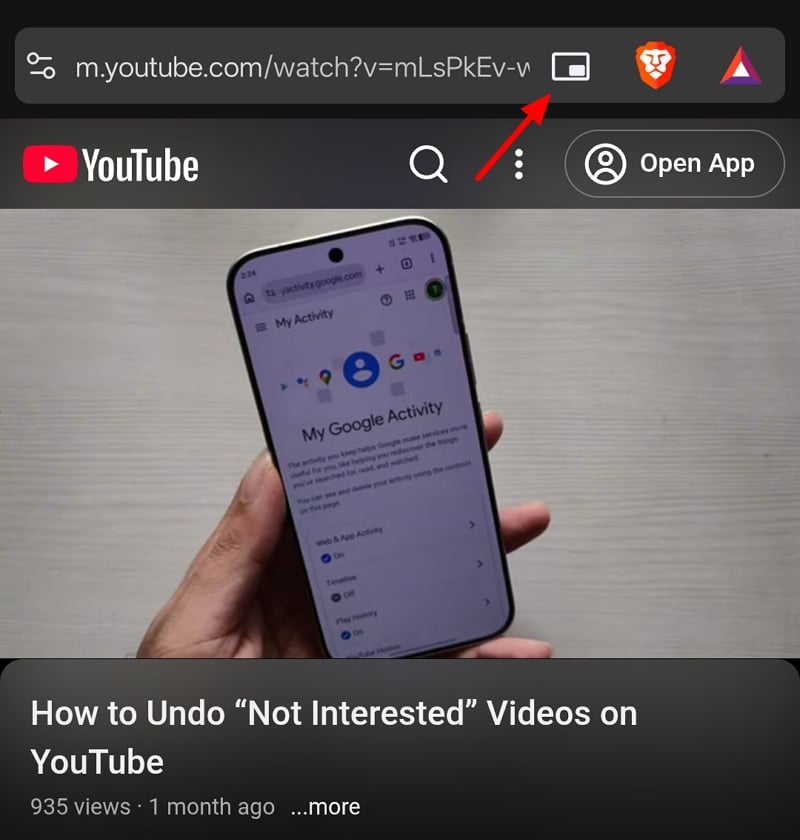
It instantly enables the picture-in-picture mode and lets you watch the video in a tiny pop-up window that you can move across the screen while using another app.
YouTube Premium lets us watch videos as well as shorts in PiP mode, while the Brave browser does not support YouTube Shorts in PiP mode.
We need to wait and see if they introduce the feature with the upcoming updates.
Block YouTube Shorts and Other Content
YouTube Shorts are annoying. When we search for something or look for a video, Shorts dominate the timeline. There might be many instances where you might have thought of having a button that blocks YouTube Shorts.
The developers behind the Brave browser have heard you, and they added a feature to block YouTube Shorts both on desktop and mobile browsers.
To block YouTube Shorts on a desktop’s Brave browser, open the Settings page and click Shields. Then, go to Content filtering.
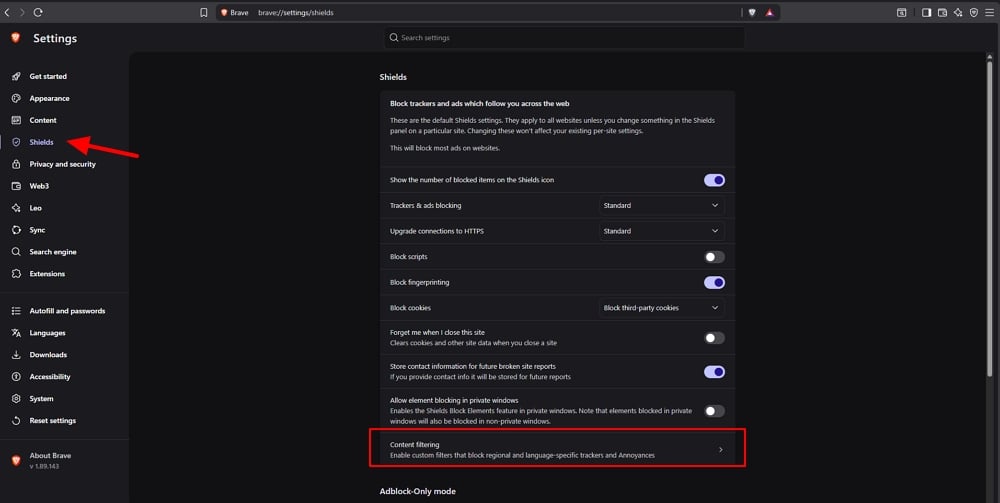
In the Content Filters page, click Update lists to ensure all the latest content filtering features are available. Then, click Show full list.
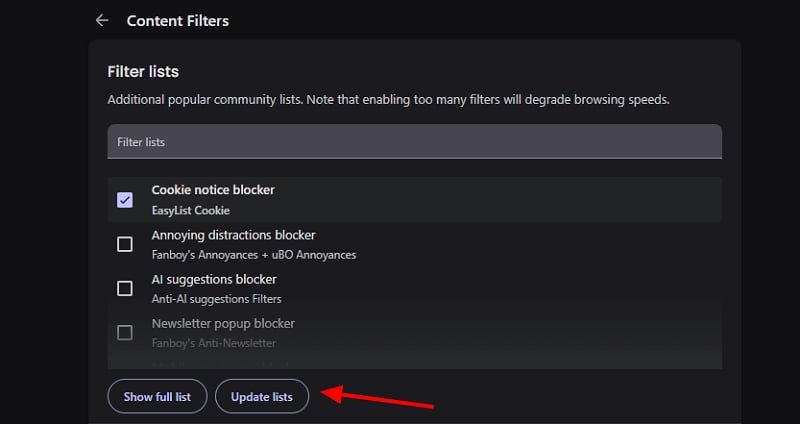
Then, check the box beside YouTube Shorts blocker to remove YouTube Shorts.
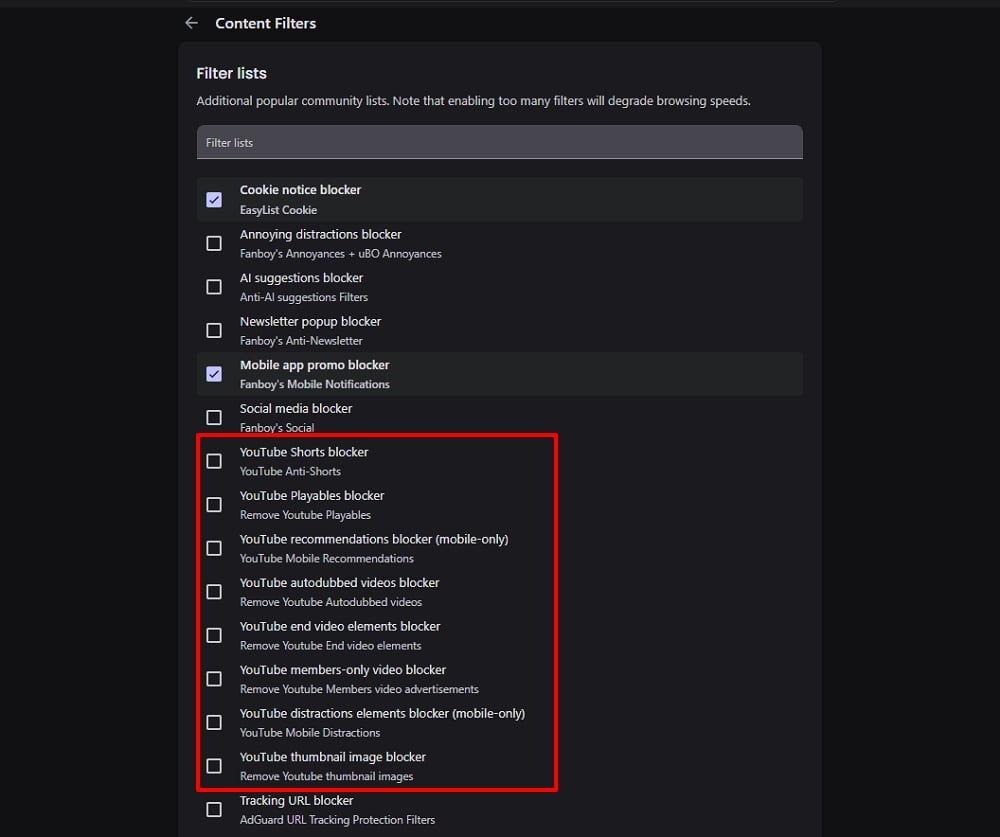
Similarly, you can check the boxes beside other YouTube Content Filters to block them on the YouTube pages on the Brave browser. Then, restart the browser to see the content filters apply.
The exhaustive list of content filters available on the Brave browser’s desktop version is unavailable on mobile browsers. Only a few are available. To block YouTube Shorts on the Brave browser on your smartphone, open the Settings page, go to Media under Display options. In the Media settings, go to the YouTube section. Toggle the button beside Block YouTube Shorts.
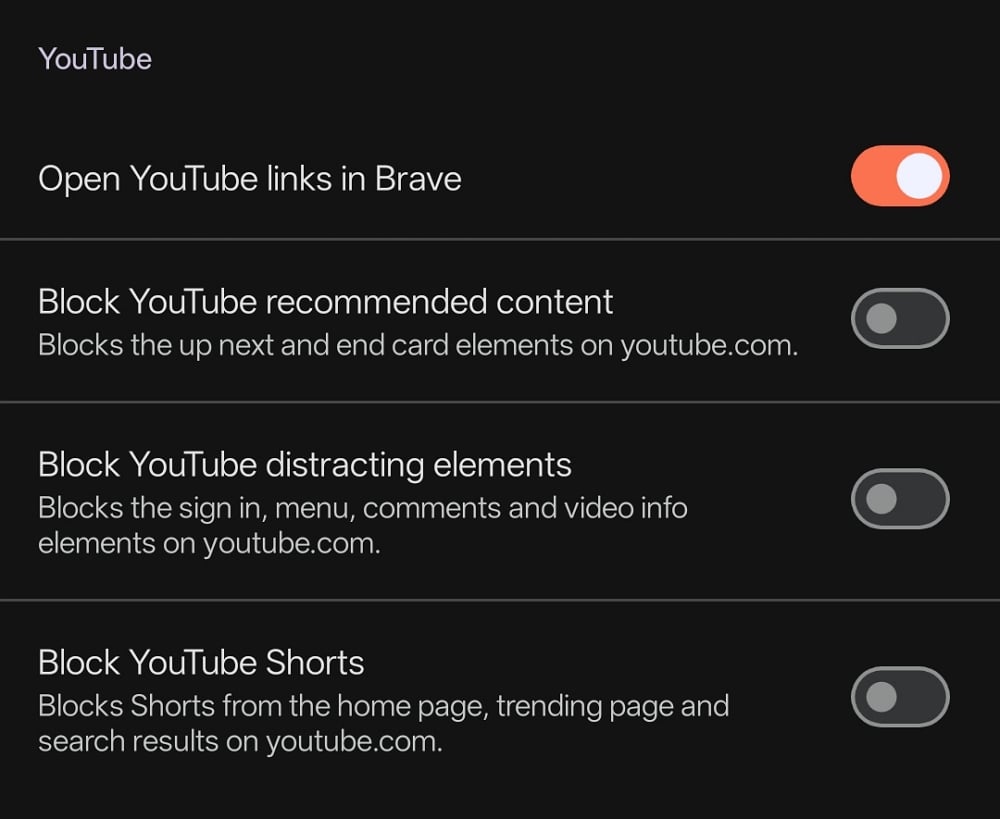
Toggle the buttons beside other YouTube content block options if you need to block them.
No Need for Browser Extensions for YouTube
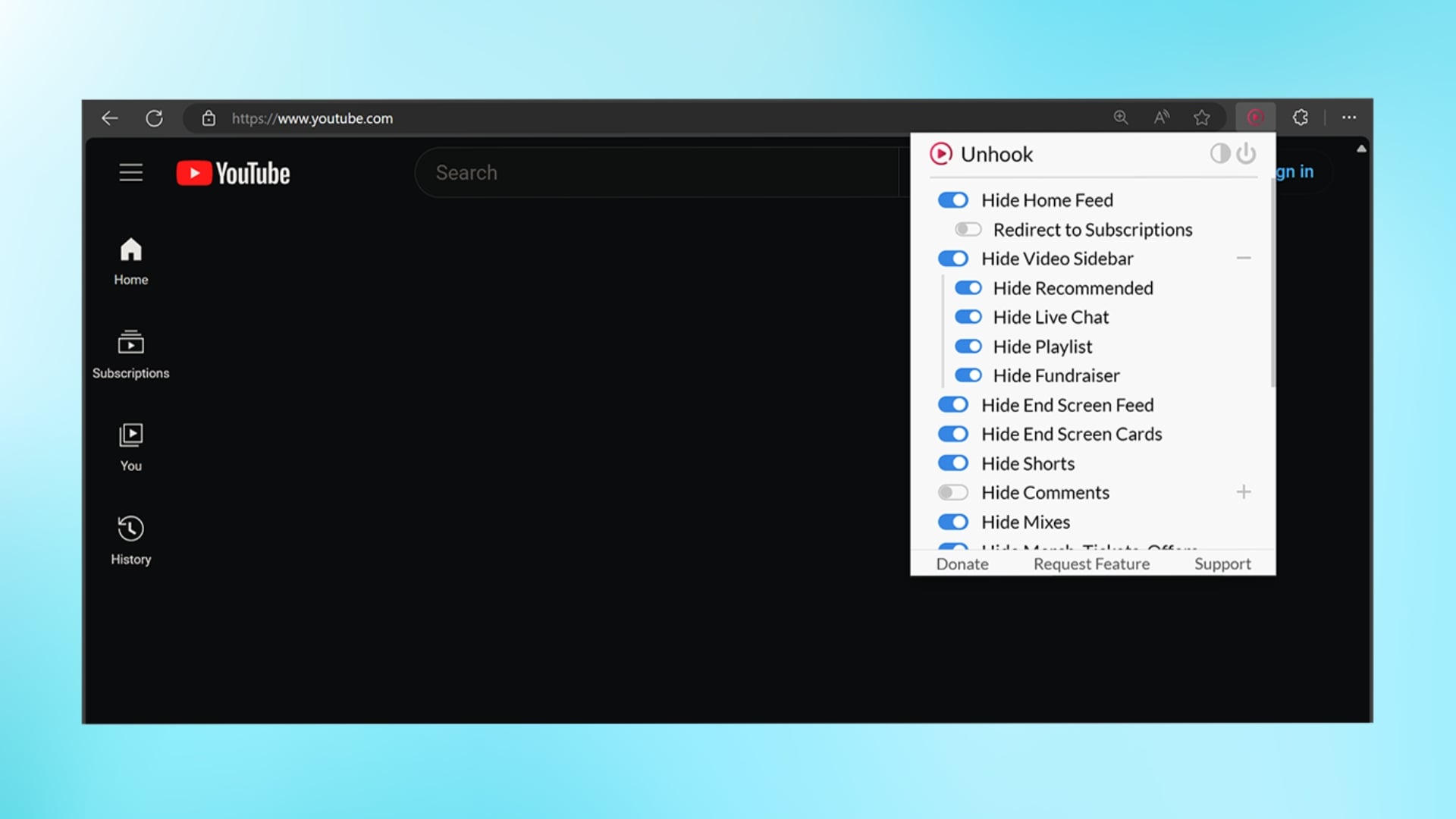
On web browsers other than Brave, we use many extensions to block ads and enhance the YouTube watching experience. With the Brave browser and its options, most of the features offered by those extensions are already in use.
When we use a few extensions, that too for other uses other than watching YouTube, the performance of the browser improves a lot. The improved performance helps videos load faster and better, and gives us a smoother experience while switching videos.
There are a few extensions that enable us to experience YouTube Premium features without paying for the subscription. Those are unnecessary on the Brave browser.
Is it legal to use the Brave browser with YouTube?
Yes, Brave Browser is a legit browser available for desktops and smartphones. And Google does not prevent us from watching YouTube videos on the Brave browser. Google does not permit ad blocking and is constantly cracking down on ad blocking on YouTube. Brave keeps on bettering in ad blocking and beats almost every crackdown update from Google.
Watching YouTube videos without ads does not make much of a difference for Google. But the creators who put a lot of effort find no incentive in the dwindling YouTube revenue because of the ad blockers. The efforts and quality diminish, or the videos go behind a paywall, making it hard to access without paying for the subscription.

