

Quick Answer
To undo “Not Interested” videos, visit myactivity.google.com and sign in. Navigate to Other activity, scroll to YouTube user feedback, and click View user feedback. Find the specific video or channel in your history and click the X button to delete it; it will reappear in your feed within hours.
YouTube is everyone’s go-to platform to watch videos. However, the algorithm does not recommend the best of the best content. It depends on many factors, like watch history, liked videos, etc. When the YouTube homepage is filled with videos that do not match your preferences, you might have chosen “Not interested” or “Don’t recommend channel” to remove them.
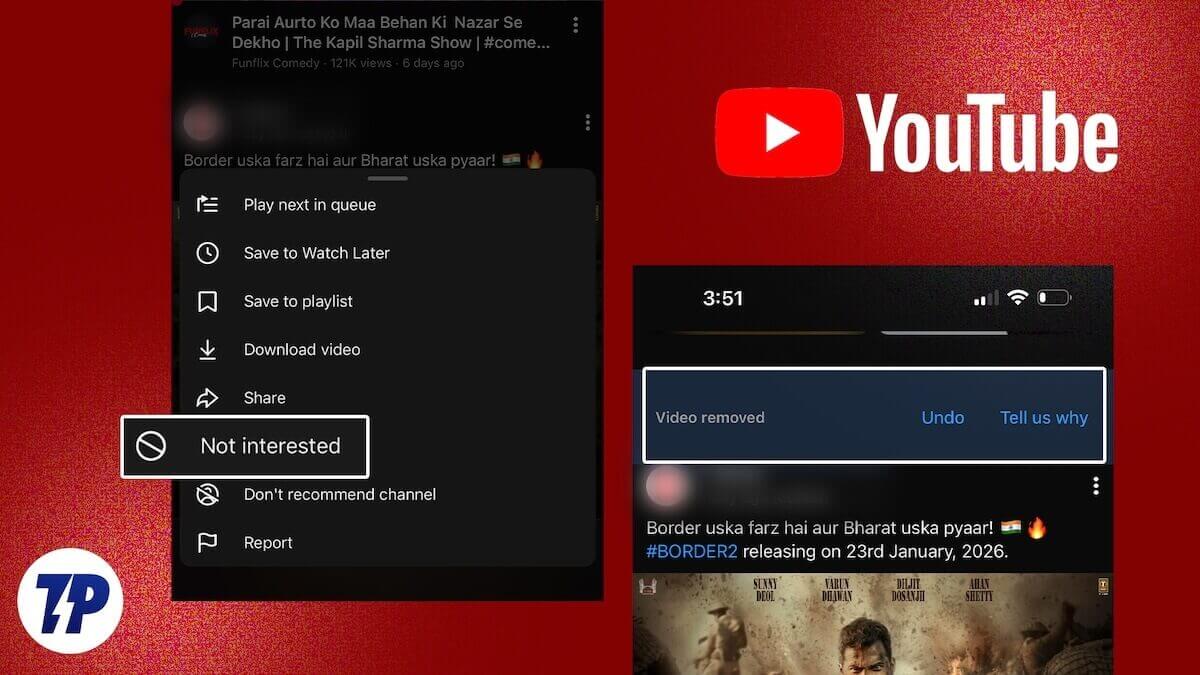
Once we use those options, there is no going back (at least in a direct way). We never see them again on our homepage, unless the same videos are reuploaded with different titles, or on another YouTube channel. If you go on muting videos or channels on YouTube, the homepage goes blank without any new kind of content to consume.
If you are in such a situation and want to review and undo the videos and channels that you’ve muted via “Not interested” or “Don’t recommend channel”, you are in the right place. In this guide, we show you how to undo “Not Interested” videos on YouTube and remove channels from the “Don’t recommend channel” list.
How to Undo “Not Interested” Videos on YouTube
Though we mark a video as “Not interested” or choose not to see a channel by selecting “Don’t recommend Channel” on the YouTube app or website, removing the same from the list is not possible on YouTube. Every activity on Google-owned apps and services goes into the My Activity page associated with your Google Account. Every video and channel you have muted goes into the “My Activity” page.
Open a web browser on your smartphone or computer and visit myactivity.google.com. Sign in with the Google account that you use with YouTube. Then, click on Other activity.
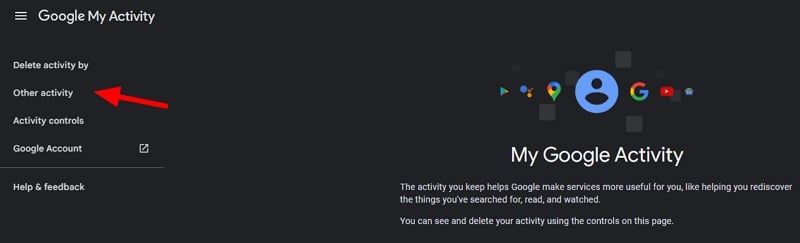
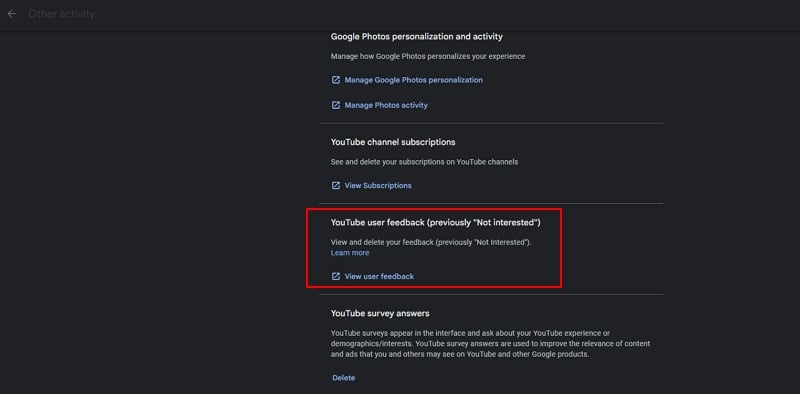
It will take you to the Activity controls page. Scroll down the page to the Other activity section. Click on View user feedback under YouTube user feedback (previously “Not interested”).
On Your YouTube user feedback (previously “Not Interested”) page that appears, you will find all the videos you’ve muted or channels you chose not to see sorted by date. It is not possible to delete the entire feedback history currently. Go through the history and click on the X button beside a particular video or channel, and delete it from the feedback page.
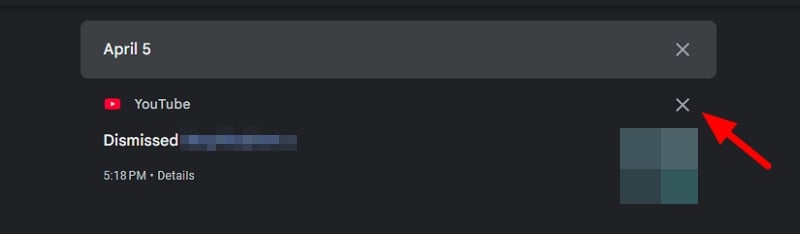
The video or channel will be back on your recommendations in a few hours. This way, you can manage your “Not interested” and “Don’t recommend channel” feedback. If you find your homepage is filling up with videos that you prefer not to see, you can always mute them.
How Do I Undo a Dislike on YouTube?
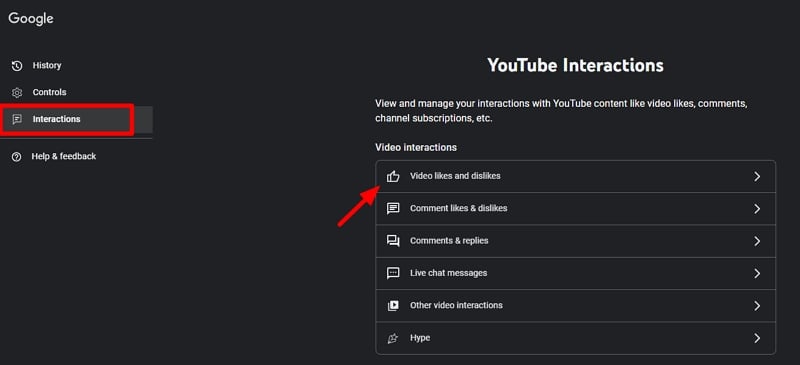
To undo a dislike on YouTube, open myactivity.google.com on a web browser and sign in with your Google account associated with YouTube. Then, click on Other activity. On the Activity controls page that opens, click Manage activity under YouTube History. It opens the YouTube History page. Click Interactions on the side menu. Now, click on the Video likes and dislikes tab under Video interactions. Find the video you’ve accidentally disliked from the list and click the X button beside it to remove the dislike.
How to Get YouTube Recommendations Back?
You can get your YouTube recommendations back by turning on watch history on YouTube. Click on History on YouTube and click on Turn on watch history. YouTube will start showing video recommendations on the homepage. On the YouTube app on a smartphone, tap on your profile icon. Tap on View all beside History. Now, tap the Turn on button beside Watch history has been paused.
Undo “Don’t Recommend Channel” on YouTube
If you have accidentally clicked “Don’t recommend channel” or “Not interested” on a video on YouTube, you can always get them back. They are saved under YouTube user feedback options. You can always review your feedback in the Google Activity page and tweak your preferences by bringing them back. As our choices change with time, this would help a lot.

