

Quick Answer
Google Nano Banana Pro opens up creative ways to make isometric weather scenes, room previews, restored photos, sketches, LEGO scenes, recipe infographics, superhero posters, portraits, aging photos, fashion shots, and expressive 3D caricatures with simple prompts.
Google has recently introduced its latest Nano Banana Pro model, and it is all over the internet again. People are using it creatively to generate unique images. For instance, a user generated a 3D weather image of a particular city. Likewise, there are several different prompts you can use to create miniatures of city landmarks, improve resolution of the images, create infographics, and even better social media posts, and more.
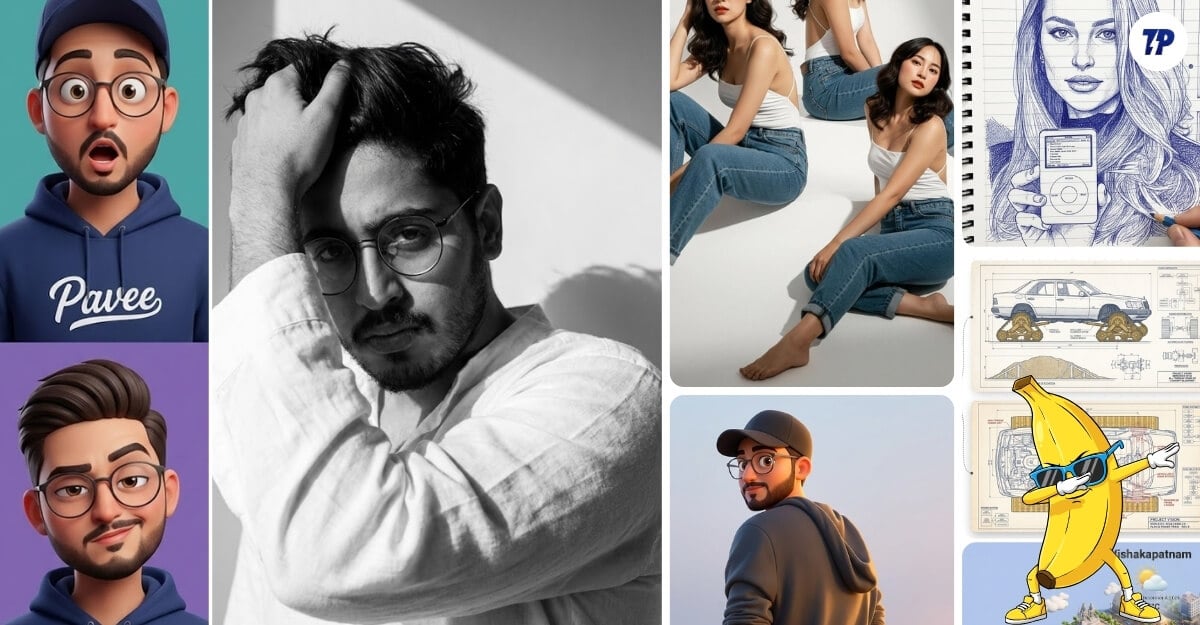
Since Nano Banana Pro is available for everyone, you can also use these prompts to get similar results for your photos and even generate weather and tiny, cute miniatures of your favourite landmark, or even enhance your social media posts. Here are some of the best Nano Banana Pro prompts we suggest you to try.
Table of Contents
17 Best Nano Banana Pro Prompts You Should Try
Create an Isometric Miniature 3D Weather
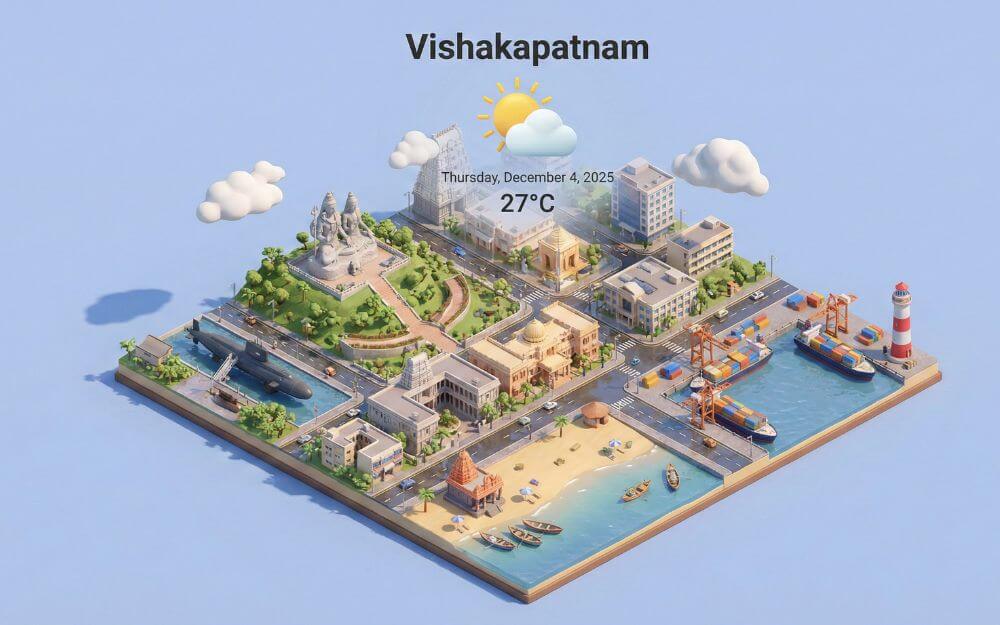
Use a clean, minimalistic composition with a soft, solid-colored background. At the top-center, place the title [CITY] in large bold text, a prominent weather icon beneath it, then the date (small text) and temperature (medium text). All text must be centred with consistent spacing and may subtly overlap the tops of the buildings.
This is one of the most popular and creative uses of Google Nano Banana Pro, in fact, a very cute way to represent the weather of a City with popular landmarks. You can add your city in the above prompt and generate beautiful-looking city weather.
See How Furniture Fits Into Your Home
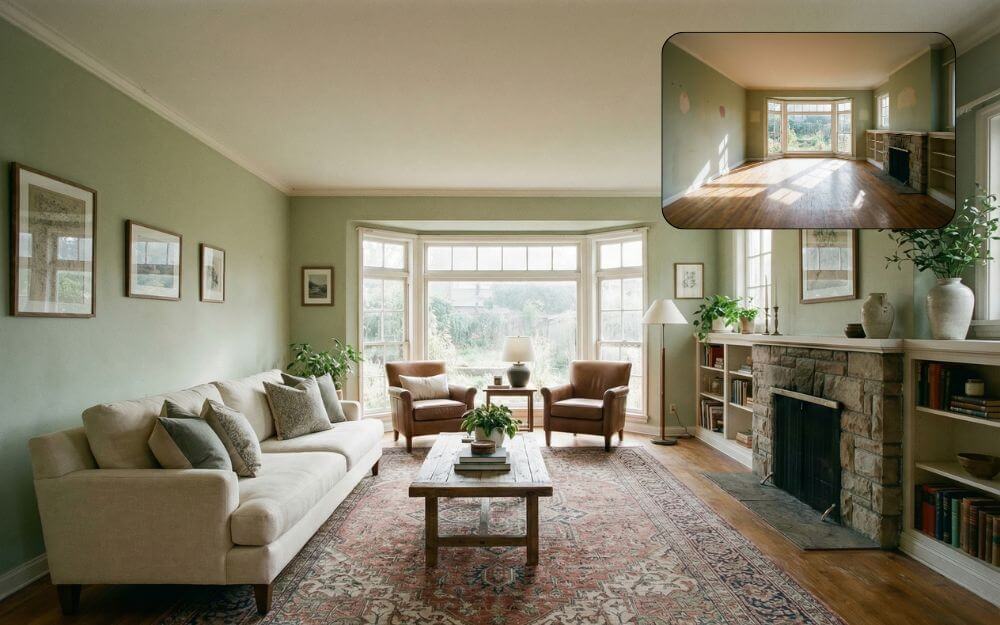
Most of the Nano Banana prompts are designed for social media or for fun activities; however, a very few prompts can be very useful in real life. One such prompt is a room maker that lets you view what furniture suits your room best and where to place it so that it looks better.
It works for any room. Simply take a picture of the empty room or a room already with existing furniture and enter the prompt above. It creates a visual overview of what furniture fits your room best.
Restore Old and Damaged Photos
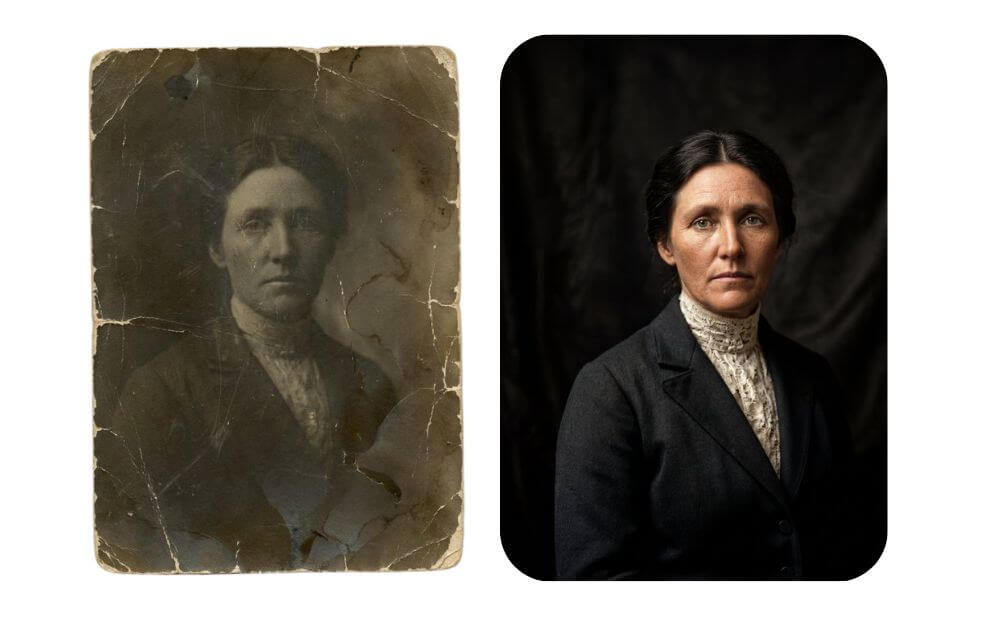
Nano Banana is very good at upscaling the images or fixing old and damaged photos. We have already shared prompts that let you fix any image or enhance old images, but with nano banana pro, it can fix and also upscale image resolution to 4k, making it high-quality images suitable for printing and also sharing on social media posts. You can upload the image and use the prompt to get the best results.
Learn Concepts Using Visual Graphics
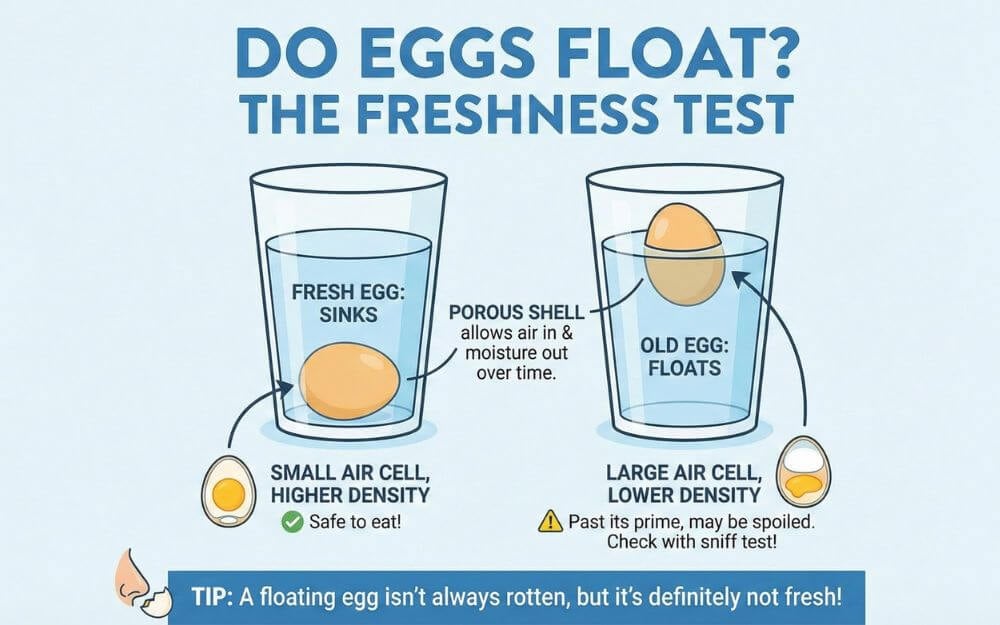
Nano Banana Pro, with its accurate text representation, now makes it easy to learn any concept, whether it’s physics or IT concepts that you have been struggling with at school or even for your school or college projects.
You can now generate a visual representation of how it works with accurate text. For instance, look at the image above that explains the concept of an egg floating in water. Today I even learned how to test an egg. The best part is that visuals are easier to remember and recall than text.
Turn Any Images Into Sketches
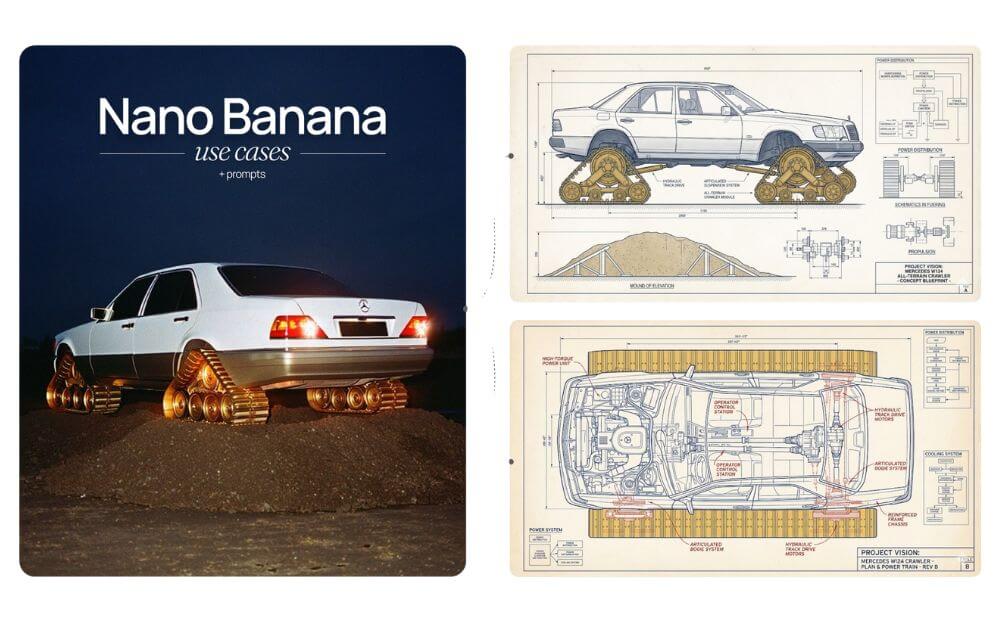
Nano Banana Pro is extremely good at generating sketches of the image or even an accurate technical drawing of the photos. While sometimes those details might not be accurate, they are a great way to stick them on your walls to understand the technical details of your favorite devices or cars, or even scriptures on how they are built. Now that you can also convert blueprints into 3D objects, you can try the process above and test it for yourself.
Generate Sketches of Images
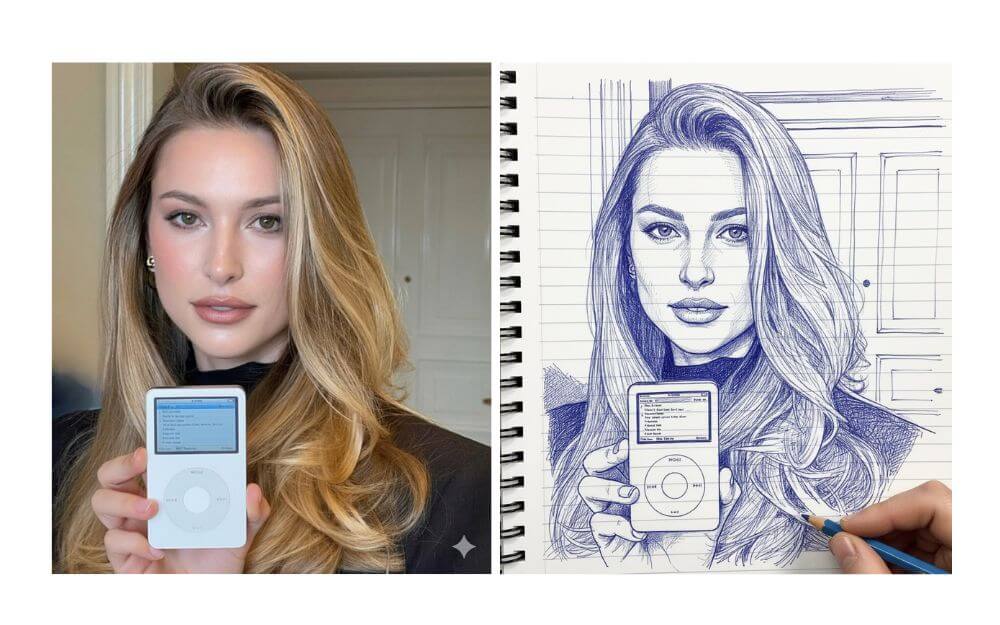
I know a friend who draws sketches to cover any special events like birthdays, but with the Nano Banana Pro, you can do it for yourself. You can even add an artist’s hand to make it resemble an artist is drawing it.
Make scenes look like a LEGO
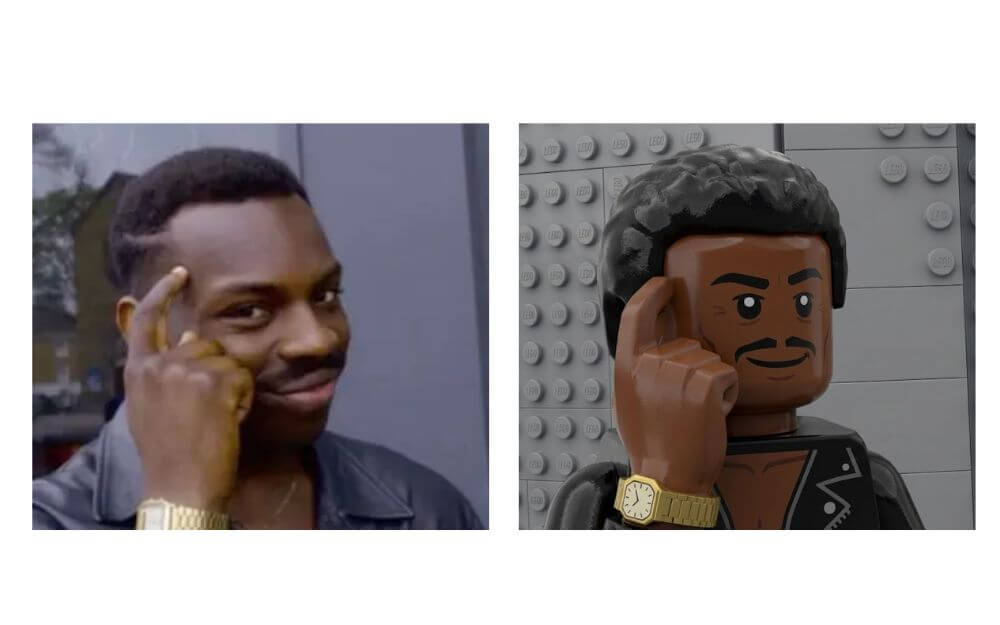
LEGO images are always creative and cute, and with Nano Banana Pro, you can convert any image or scene into LEGO. For instance, I have converted into the popular LEGO meme style. Likewise, you can use this program to convert any scenes or any landscape or even your social media posts into your LEGO versions.
Create step-by-step recipe infographic
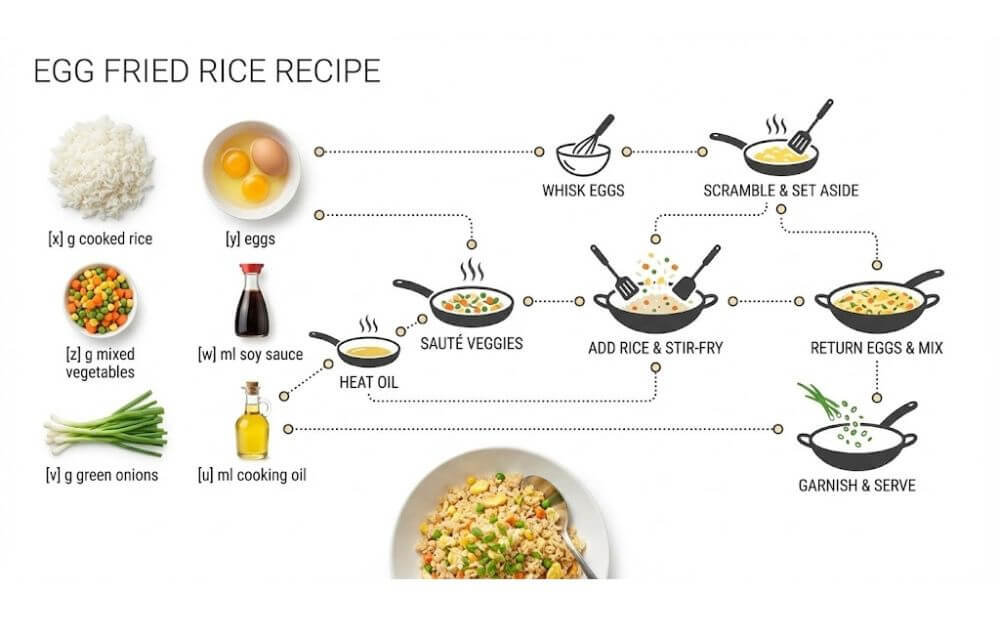
Nano Banana Pro is very good at text, so the infographics generated by it are highly detailed and have accurate text that is superior to any other image model. Because of this, you can use it to generate any images with text.
To make it useful for most users, here is the prompt I found to generate a step-by-step recipe for any dish. You can simply replace your recipe or even add extra steps.
Create a Superhero Poster of Your Friends’ Gang
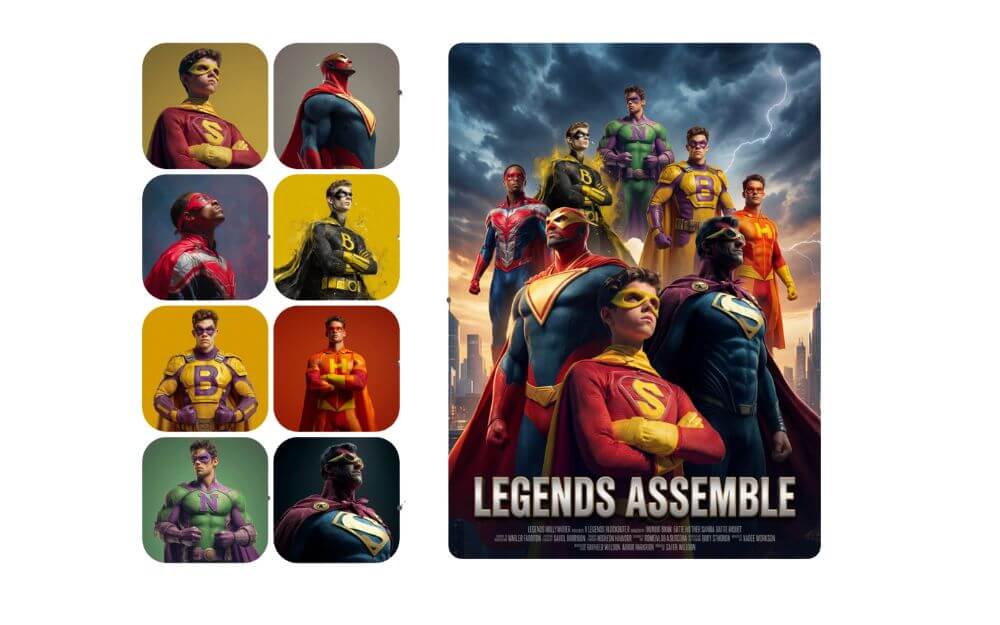
– Arrange all 8 characters in a dynamic, heroic group composition with depth and hierarchy
– Central hero(es) in foreground, others positioned at various depths creating a layered effect
– Dramatic upward-looking angle (worm’s eye view) to emphasize power and scale
– Epic sky or dramatic background (stormy clouds, city skyline, or cosmic space)
– Cinematic lighting with strong highlights and shadows, rim lighting on characters]
Editing your friends’ images is fun, whether it’s for fun or social media posts, and now with Nano Banana, everyone in your friend group can be a superhero, and if you are a Marvel fan, then you can include all your gang in a post and generate Marvel-like movie posters. First, you need to convert your image into a superhero and then use it for poster creation.
Create an Infographic Image of Landmarks
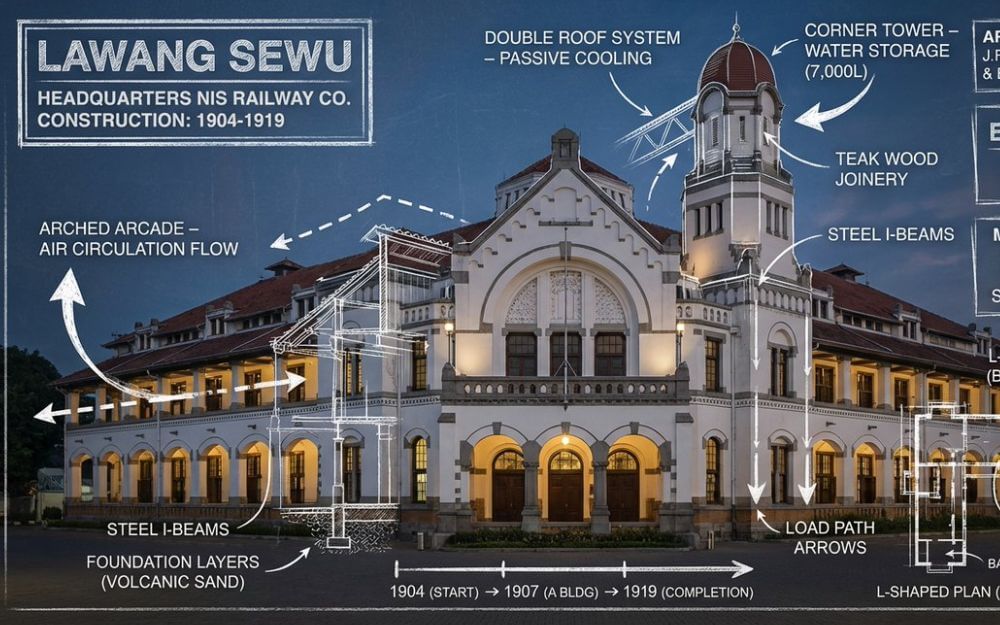
This is one of the most popular Nano Banana pro that makes users really fall in love with the model, with a prime you can generate any infographic for any landmark and get all features of it, and the best part, most of these deals are accurate and making on the top of the curve makes it look even more tuning. Even Sundar Pichai has generated and shared it on X.
Generate a Hand-Drawn Portrait Illustration
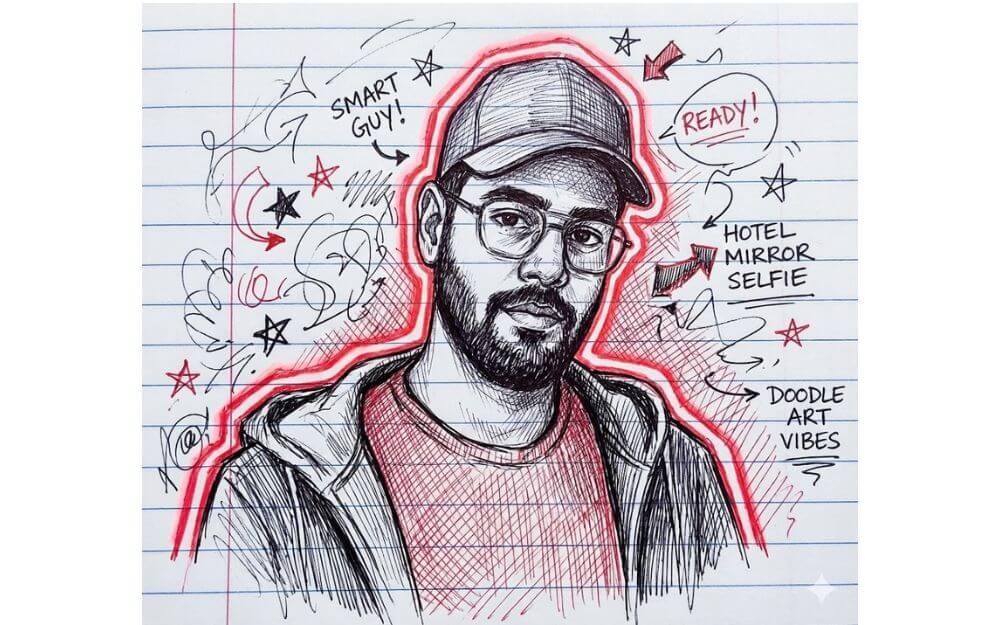
This is the current trend at the time you are writing this article. You can convert an image of yourself into a hand-drawn portrait illustration. You can just use the above prompt and even specify the text to use for your characters. If you use any tools with memory support, it can include all the details about you and generate a personality for you based on the chats you have had in the past.
Turn Your Photos Into 3D Animated Characters
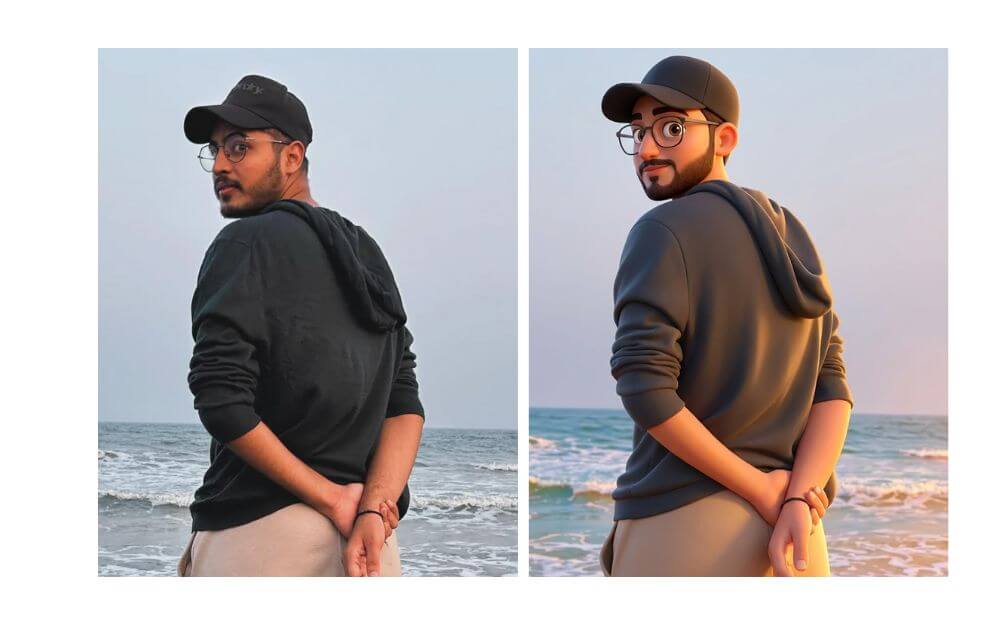
Want to turn your photo into a cute animated style character found in Pixar movies? Then you can use this prompt to do that. It allows you to convert any photo into a curated image-like style. The best part is that it keeps the image and the background the same and just converts your image into a character.
Generate your old look
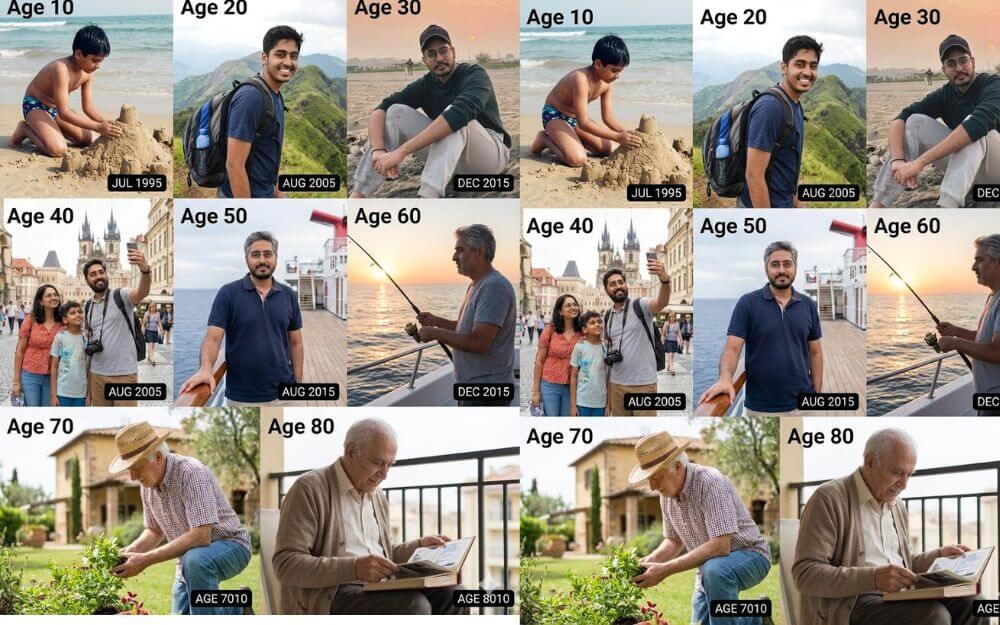
Want to know what you would like when you’re 80 years old? You don’t need to wait; Nano Banana pro covered for you. You can also upload your image and use the prompt above, and Nano Banana generates a version of you in different phases, showcasing the younger and older versions of you when you are 8o years old. By default, it generates 4 phases; however, you can specify a mention in the prompt asking to generate from childhood to 80 years old, for every 10 years.
Create a Black and White High-Fashion Editorial Portrait
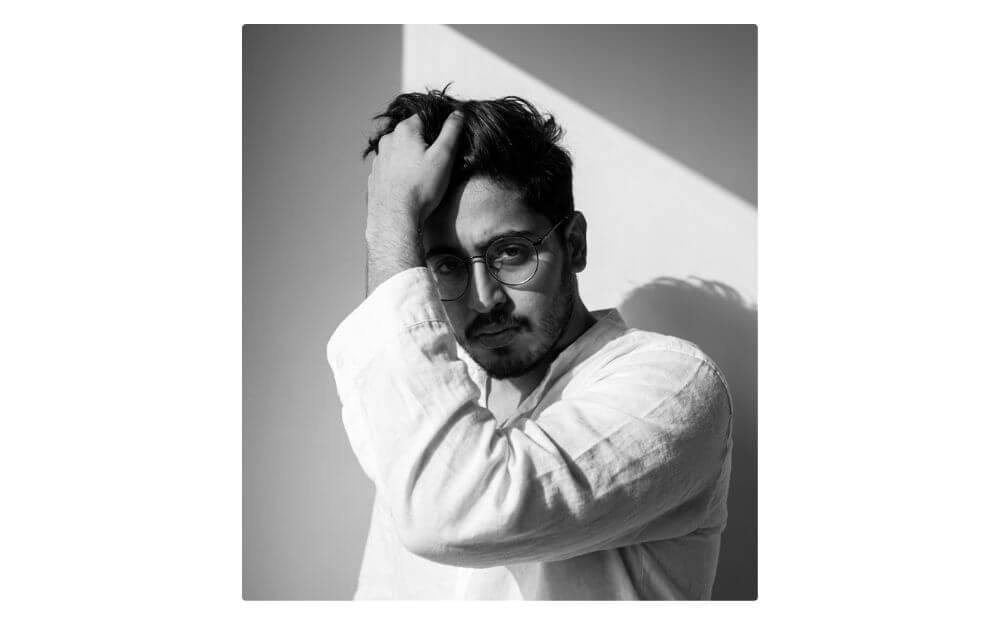
Using this prompt, you can generate your own fashion editorial portrait. The best part is that it produces realistic images with accurate faces compared to other prompts; you can simply upload the image, use this print, and try it for yourself.
Couple Studio Portrait Shots

Not just as an individual, you can use Nano Banano Pro to create a couple of posts like this, like the one above, you can upload both images and use this prompt, and create a beautiful study-level portrait of the image. If you want, you can also add details like pose, dress code, and much more.
High-Fashion Studio Editorial Image
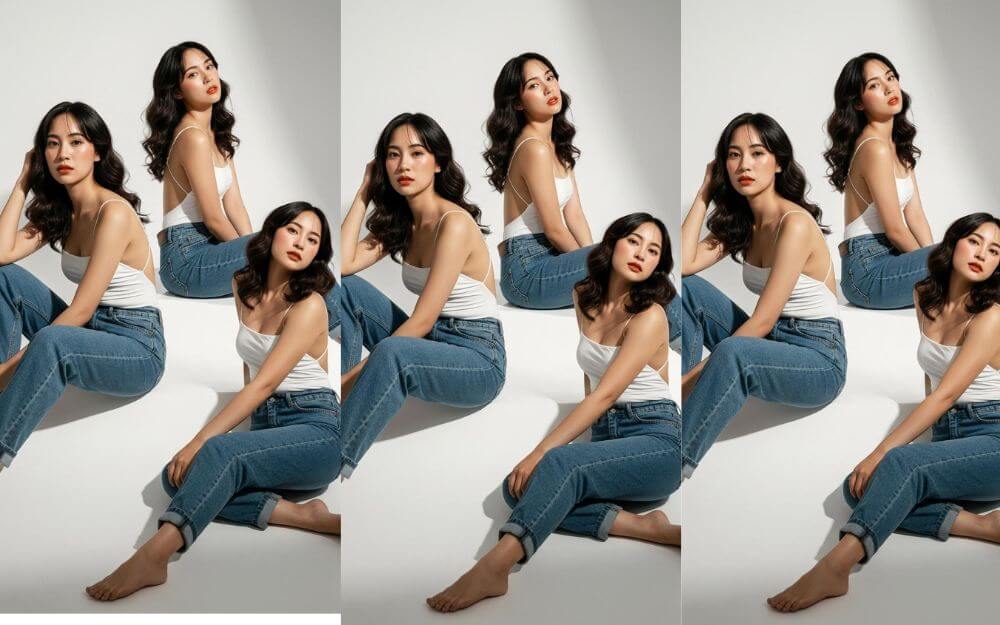
If you like studio-level high fashion, I found another best Nano Banana prompt that lets you create high-quality fashion images. This works for any image. If you are a girl, you can simply upload the image and get these high-quality studio-level shots with accurate faces.
Create 3D Caricatures With Different Expressions
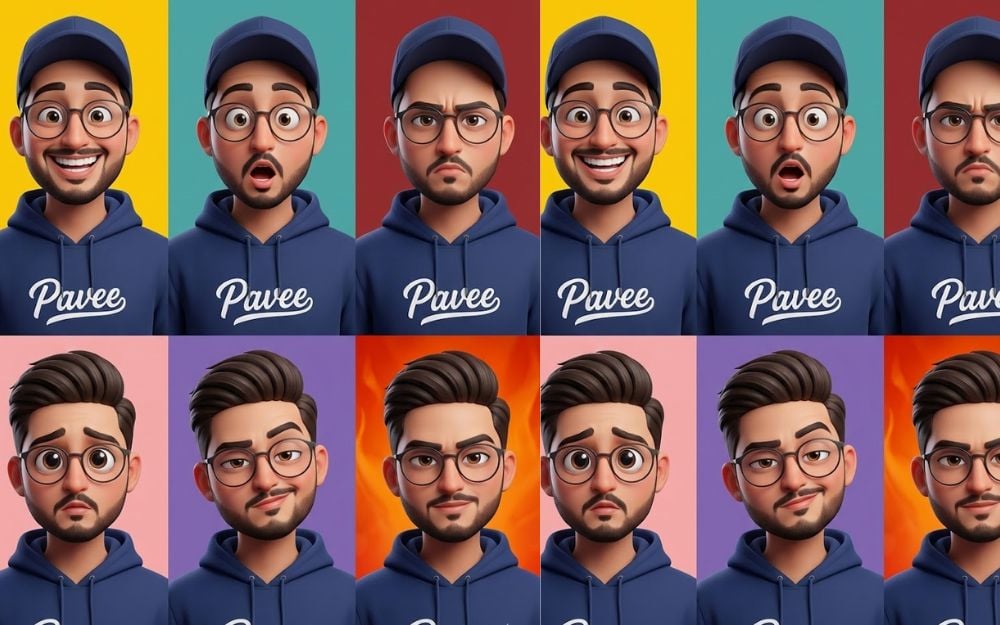
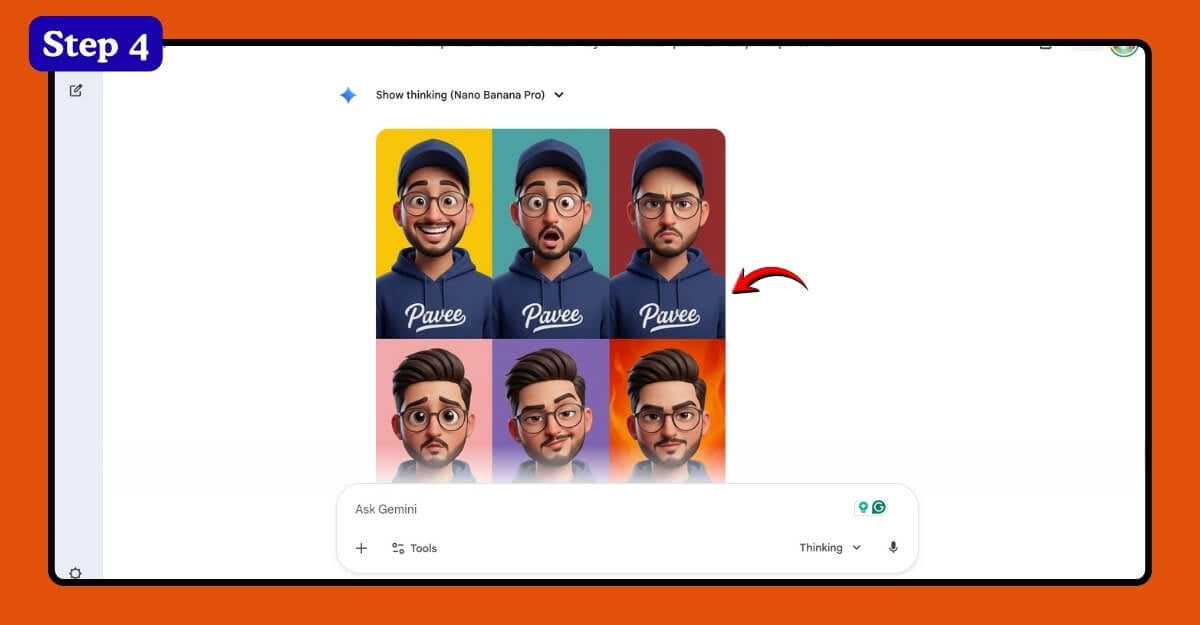
This is my favourite Nano Banana pro that creates a 3D caricature of yourself. This works for both men and women, and you can also ask to change your style and even expression. The best part is that you can also generate different images and use them as your avatars on social media posts.
Those are the 17 best Nano Banana Pro prompts you can use to create stunning AI images, whether it’s generating cute weather reports, beautiful sculptures, sketching your images, or creating a high-quality stock-level photo for yourself. These 17 prompts can help you to do that. Here is how to use these prompts to generate images
How to Generate Images Using Google’s Latest Nano Banana Pro
On Mobile:
You can generate images using Google Nano Banana Pro on mobile and desktop. On mobile, open the Gemini app. If you don’t have one, you can download it from the Google and Apple App stores.
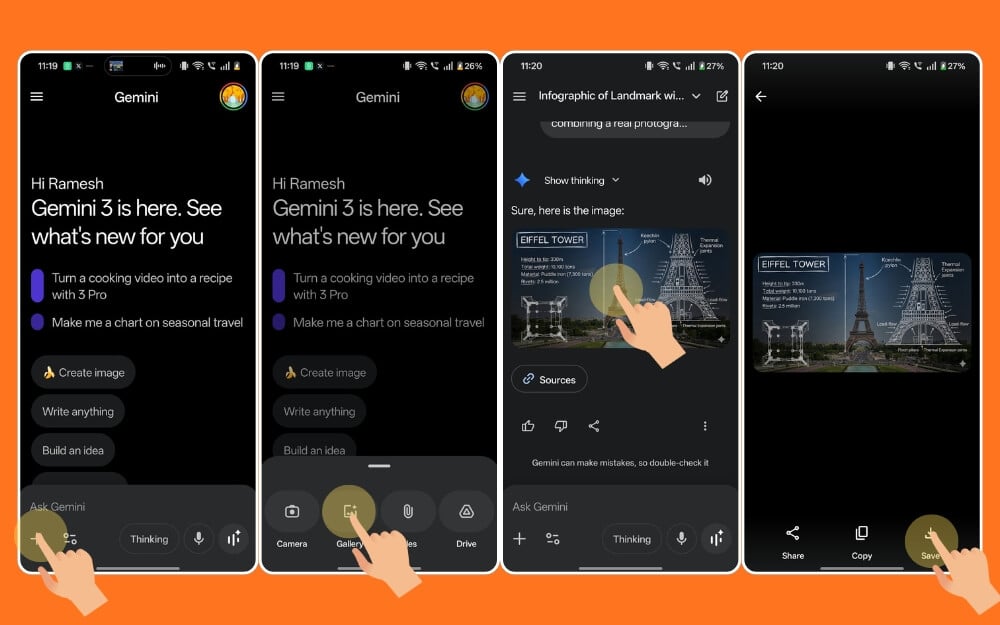
Open the Gemini app, click on the Plus icon and select image, and then once the image is added, copy any of the prompts from above and add it. That’s it. Now wait for a few seconds, and it will generate the image. You can tap on the image and click on the download icon to download it.
On Desktop:
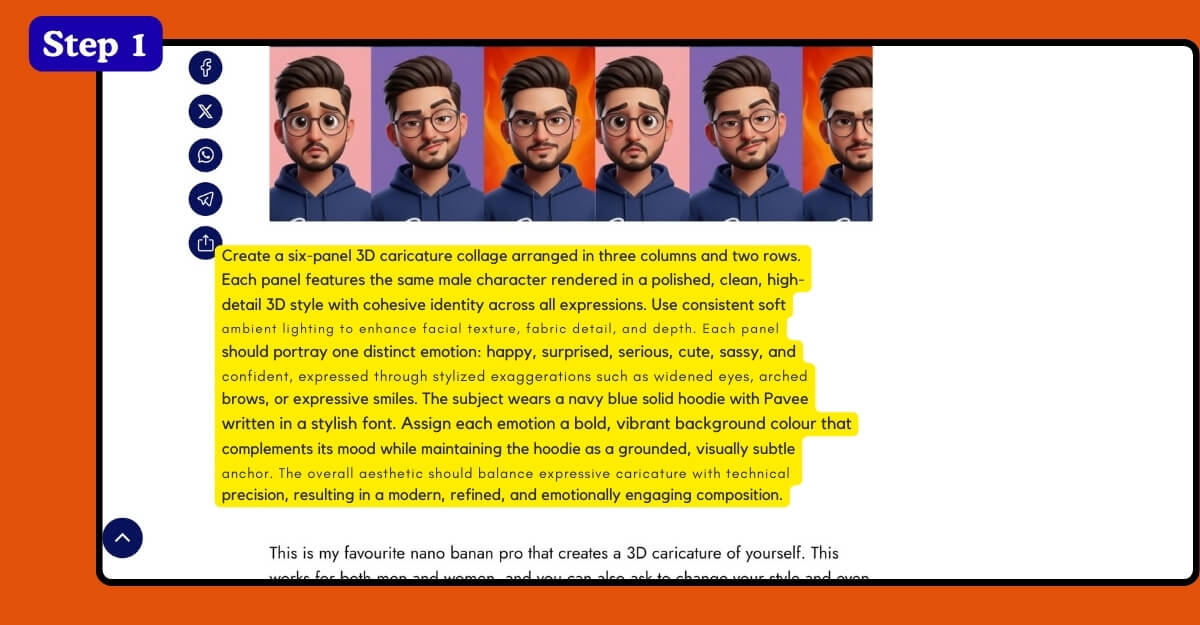
Step 1:
First, copy the prompt you want us to generate or convert the image
Step 2:
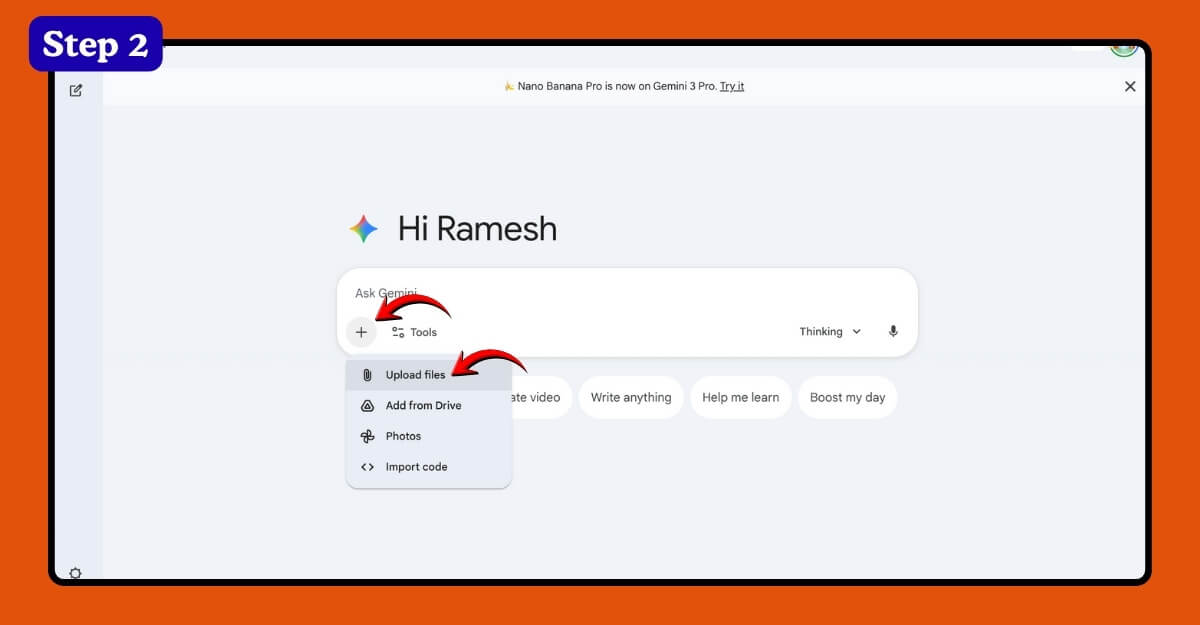
Open the Gemini.google.com
Step 3:
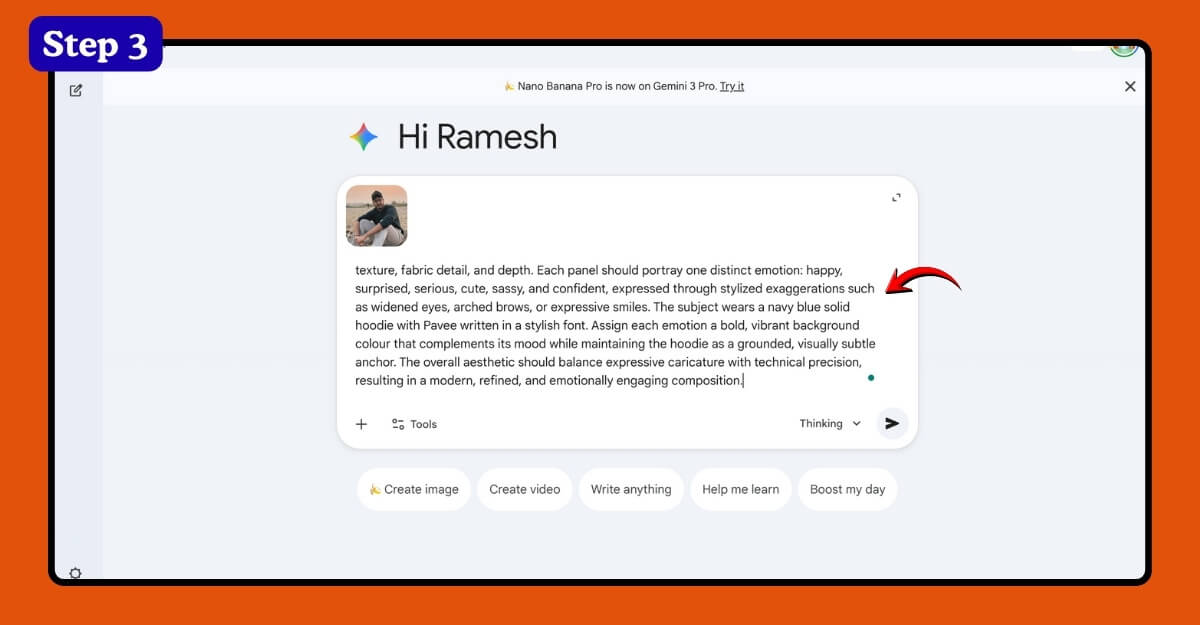
Click on the plus icon and add your image. Once added, paste this prompt into the text prompt
Step 4:
Click on the button it will generate an image for you.
Step 5:
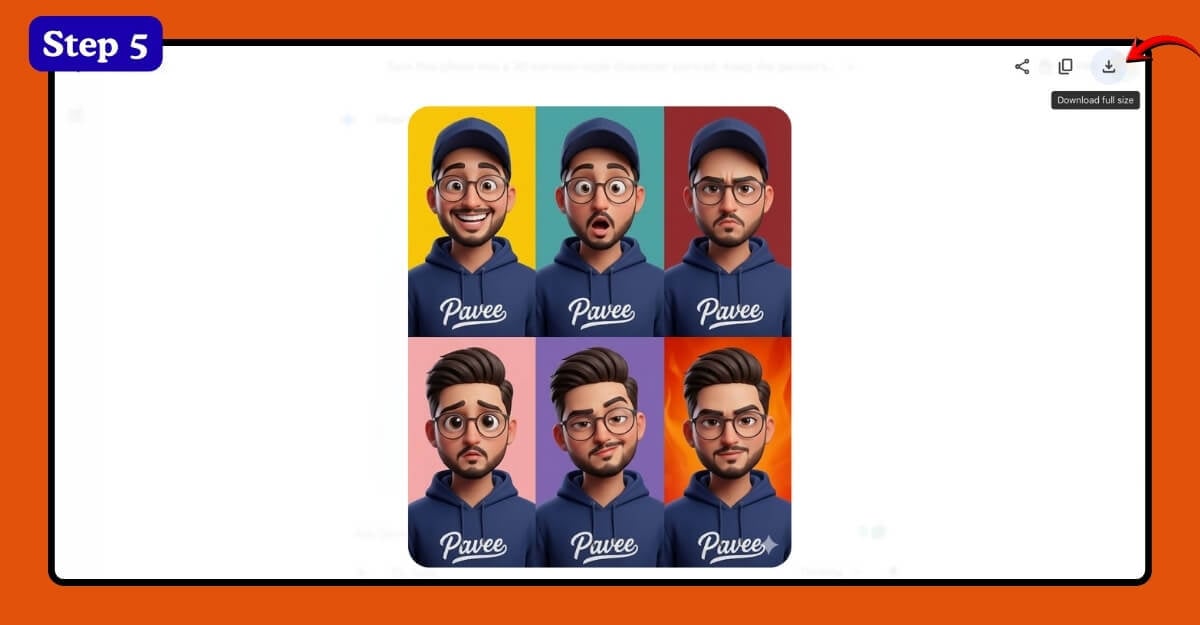
Click on the download icon at the top right corner of the screen to download a high-quality image.
That’s how you can use the popular Google Gemini Nano Banana Prompts and generate images. Here is the table with all the popular Nano Banana Pro image generation prompts, updated every week.
More Nano Banana Pro Prompts Updated Weekly
What it does | Prompt |
|---|---|
Generate an extray version of any device | The Google Android robot, presented in a high-contrast scientific studio render against a pure black void. This tight right-side profile features a false-color thermal X-ray aesthetic, where the transparent shell reveals a sharply detailed internal architecture of batteries, drivers, and sensors using a vibrant heatmap gradient. The colors shift from deep cool blues to intense yellows and red highlights, creating a futuristic, clinical look with orthographic perspective and a soft, neon-like glow. |
Cook using avaiable ingredients | Based on the available ingredients (see attached image), suggest dishes that can be cooked, provide detailed step-by-step recipes, and present them in a simple infographic format |
Create handwritten notes for illustation | Provide a handwritten illustrated answer to this question |
Create an illustrated specimen diagram of any object | Create an illustrated specimen diagram of [XX] with labeled organ parts in English for teaching purposes. Make it visually clear and realistic, placed on a clean solid background with high-definition quality |
Create a professional of yourself | Maintain the facial features of the person in the uploaded image to be completely identical. Dress them in a professional navy blue business suit and white dress shirt, similar to the reference image. Background: Place the subject in front of a clean, pure solid dark gray studio photography background. The background should have a subtle gradient, slightly brighter behind the subject and darker at the edges (vignette effect). There should be no other objects. Photography Style: Shot using a Sony A7III camera and 85mm f/1.4 lens to create a beautiful portrait compression effect. Lighting: Use classic three-point lighting. The main light should create soft, well-defined shadows on the face. A subtle rim light should separate the subject's shoulders and hair from the dark background. Key Details: Render natural skin texture with visible pores, not an over-smoothed effect. Add natural catch lights to the eyes. The suit fabric should display subtle wool texture. The final image should be an ultra-realistic 8K professional headshot photograph. |
Summarize Articles into an comic/cartoon style image | Summarize the following article with an image. Use English text in the image, make it detailed, make the image aesthetically pleasing, and use a comic/cartoon style |
Take selfie with popular animated characters | 9/16 vertical format fisheye selfie. Upload a photo of the person taking a selfie with [Doraemon, Naruto, Nobita, Satoru Gojo, Sung Jinwoo, and Ash from Pokémon]. All of them smiling with silly, exaggerated expressions. Set in a small, bright living room with white tones. High camera angle. Extreme fisheye distortion. Realistic, cinematic lighting that integrates anime characters with stylized realism |
Create an educational infographic of any concept | Visual Elements: Show key components: the sun, a green plant, water (H2O) entering the roots, carbon dioxide (CO2) entering the leaves, and oxygen (O2) being released. Style: Simple, flat vector illustration suitable for high school science textbooks. Use arrows to show the flow of energy and matter. Labels: Clearly label each element in Simplified English |
Change clothing style of the image | Replace the clothing of the person in the input image with the target clothing shown in the reference image. Keep the person's pose, facial expression, background, and overall realism unchanged. Make the new clothing look natural, well-fitting, and consistent with the lighting and shadows. Do not change the person's identity or environment—only change the clothes |
Generate a four-panel comic strip | Generate a four-panel comic strip showing the painting process for a character. Step 1: Line art/sketch, Step 2: Flat color application, Step 3: Add shadows, Step 4: Refine and finalize. No text |
Create cinematic car studio photoshoot of you | A cinematic car studio photoshoot with me, keeping my real facial features unchanged. The scene consists of three perspectives: Top Panel - Interior Close-up: Me sitting inside the car, wearing a fitted black polo shirt, shown in the side mirror reflection. My expression is serious and focused, gaze steady looking forward. The angle captures only the side profile outline, cleanly framed in the mirror, emphasizing intensity and precision. Middle Panel - Confident stance next to the car: I stand confidently next to a sleek black Ford Mustang. My posture is relaxed but strong: arms crossed on chest, left leg straight, right leg knee slightly bent, foot casually resting against the car. Gaze slightly away from camera, expression calm and confident. Wearing a fitted black polo shirt with subtle details, fitted gray jeans with clean tailoring, and brown leather boots. Clothing is minimalist yet stylish, emphasizing modern masculinity. Professional pose with the same facial features as the uploaded photo. Bottom Panel - Rear car shot: Camera captures the rear of the Mustang, showcasing "YOUR NAME" license plate and the car's muscular lines. The photo emphasizes the vehicle's glossy texture and its aggressive, cinematic presence. Setting: Modern architecture and concrete walls in an urban environment, giving a gritty, cinematic atmosphere. Lighting is natural but slightly diffused, highlighting me and the car's polished surface. Perspective variety: Mirror reflection close-up uses portrait focal length (~85mm) for tight framing. Exterior full-body shot uses eye-level angle with slightly wider lens capturing both me and the entire car. Rear car angle uses low angle to emphasize power and presence. Style: Cinematic car editorial, urban setting, moody and stylish, professional fashion meets automotive photography, same facial features throughout. |
Find individual clothing items of any photo | Fashion mood board collage. Arrange individual clothing items worn by the cropped model around the portrait. Add handwritten notes and sketches using playful marker-style fonts, and label each item in English with brand names and sources. The overall aesthetic should be creative and cute. |
Find the calories of the food you are eating | Label the food names, calorie density, and approximate calories for this meal |
Create a stylized 3D chibi character of yourself | Create a stylized 3D chibi character based on the attached photo, accurately preserving the person's facial features and clothing details. The character's left hand makes a heart gesture (with a red heart element above the fingers), posing playfully sitting on the edge of a giant Instagram frame, with legs hanging outside the frame. The frame top displays the username 'Jimmy', with social media icons (likes, comments, shares) floating around |

